
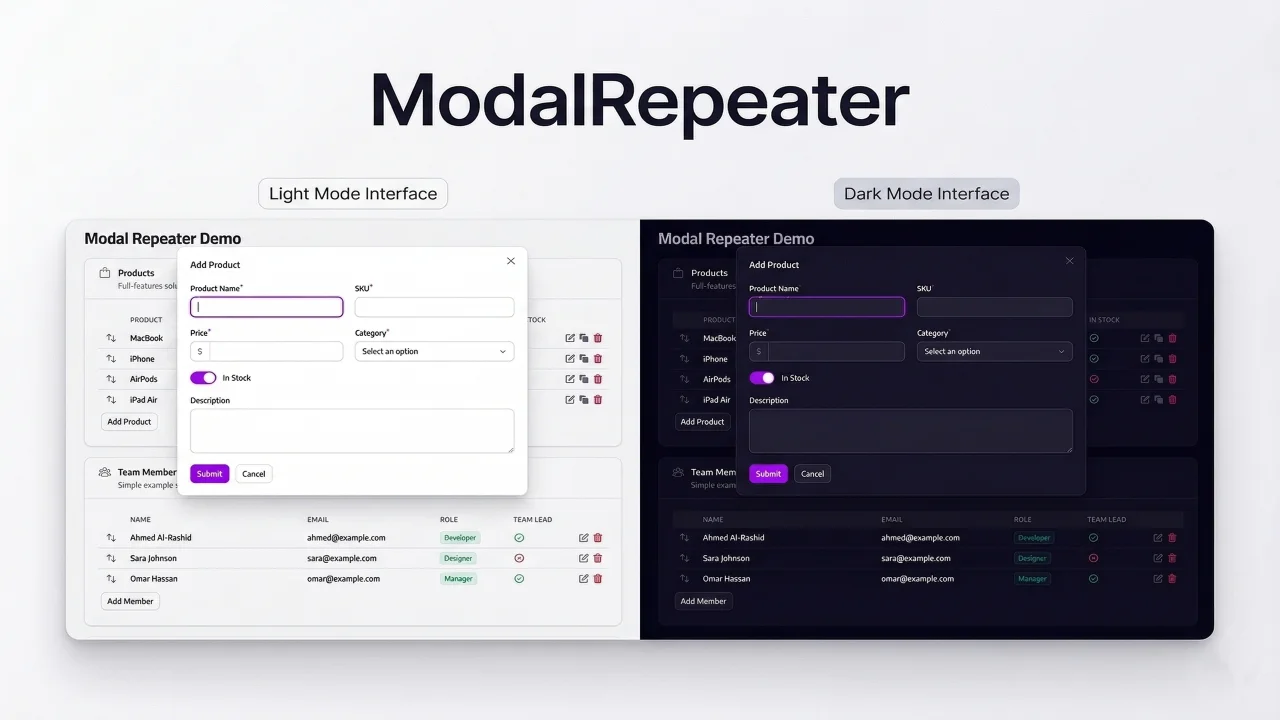
Modal Repeater by Yousef Aman
CommunityA form component that displays repeater items in a compact table with modal-based editing .
 Author:
Yousef Aman
Author:
Yousef Aman
Package health
Automated checks of this plugin's Composer package
15 checks
- Passed: GitHub Actions pinned to SHA
- Skipped: GitLab CI includes pinned to SHA
- Passed: Open security advisories
- Passed: Dependabot PR responsiveness — No open Dependabot PRs.
- Skipped: Renovate MR responsiveness
- Passed: Dependabot or Renovate configured
- Passed: Dependency update cooldown configured
- Passed: Provides a security policy
- Passed: Abandoned or archived — No consulted source marks the package abandoned (packagist, github).
- Passed: Commit and release recency — Active: last commit 0 days ago; last release 69 days ago.
-
Passed:
composer.lock not committed by library
—
composer.lockis absent from the released dist archive. - Passed: Dist archive is lean
-
Passed:
Current Laravel version supported
—
Package dependencies resolve together with current Laravel
13.0. -
Passed:
Current PHP version supported
—
Constraint
^8.2supports current PHP8.5. - Skipped: Current Symfony version supported
filament/
namespace. Review the source and install at your own risk. Found
malware or an unresolved security issue the author won't
address?
Report it
.
Documentation
- Requirements
- Installation
- Setup
- Usage
- Column Types
- Modal Configuration
- Relationships
- Customizing Actions
- Changelog
- Contributing
- Security Vulnerabilities
- Credits
- License





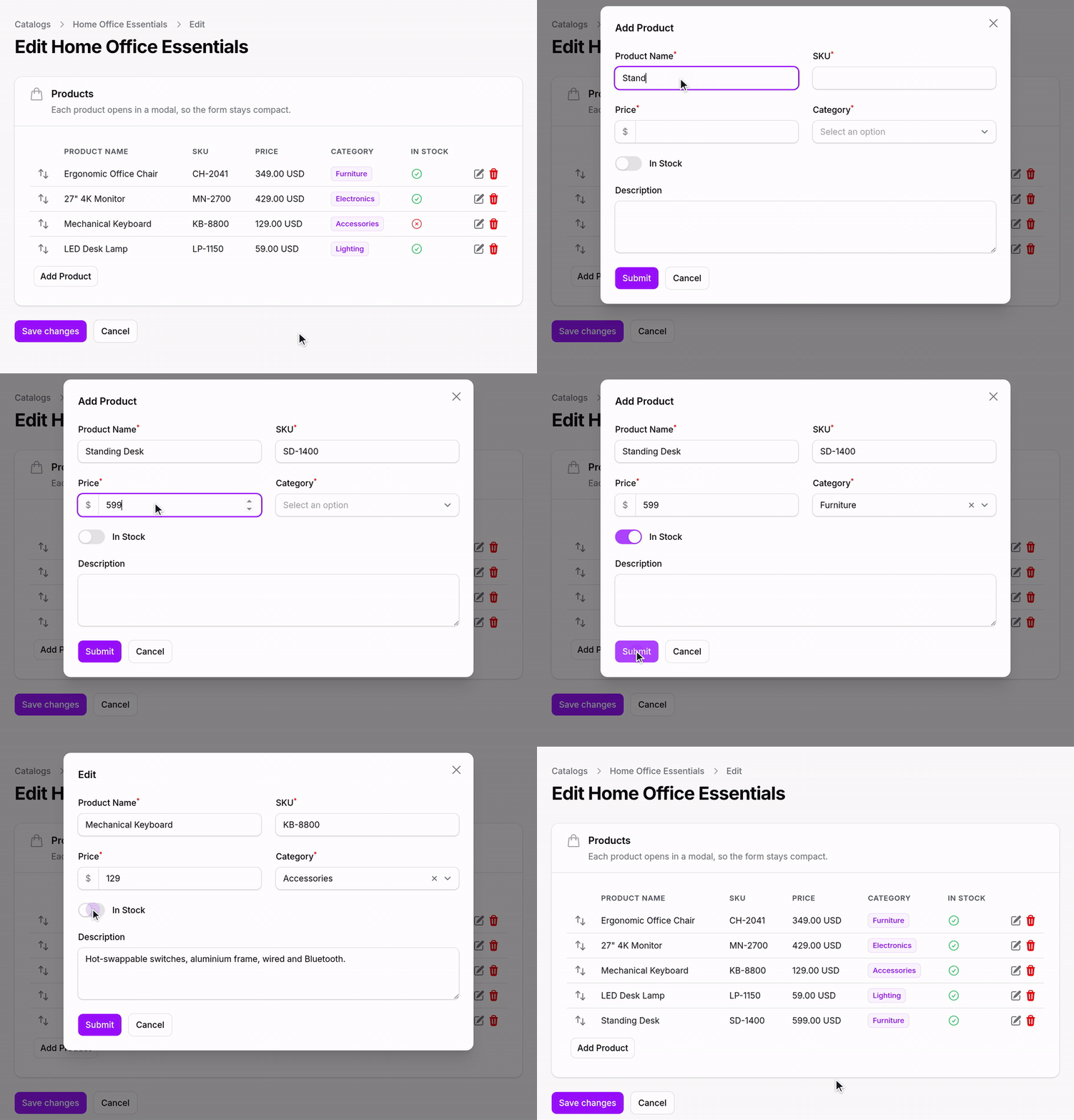
A Filament form component that displays repeater items in a compact table with modal-based editing. Perfect for forms with many fields where inline editing becomes cluttered.
If this package saves you time, a star on GitHub helps other Filament developers find it.
#Requirements
- PHP 8.2+
- Filament v4 or v5
#Tested combinations
| PHP | Filament | Laravel |
|---|---|---|
| 8.3, 8.4 | v4, v5 | 12, 13 |
#Installation
You can install the package via composer:
composer require yousefaman/filament-modal-repeater
Then run the install command:
php artisan modal-repeater:install
#Setup
Register the plugin in your panel provider (optional but recommended):
use YousefAman\ModalRepeater\ModalRepeaterPlugin;

public function panel(Panel $panel): Panel
{
    return $panel
        ->plugin(ModalRepeaterPlugin::make());
}
#Usage
use YousefAman\ModalRepeater\ModalRepeater;
use YousefAman\ModalRepeater\Column;
use Filament\Forms\Components\TextInput;
use Filament\Forms\Components\Select;
use Filament\Forms\Components\Toggle;

ModalRepeater::make('items')
    ->tableColumns([
        Column::make('name')->label('Name'),
        Column::make('price')->money('USD'),
        Column::make('active')->boolean(),
    ])
    ->schema([
        TextInput::make('name')->required(),
        TextInput::make('price')->numeric()->required(),
        Toggle::make('active'),
    ])
Items are listed in a table. Clicking the edit button opens a modal with the full form schema. Adding a new item also opens the same modal.
#Column Types
Columns define how each field is displayed in the summary table.
// Custom label
Column::make('name')->label('Product Name'),

// Boolean — renders a checkmark/cross icon
Column::make('active')->boolean(),

// Badge — renders a colored badge using the value
Column::make('status')->badge('success'),

// Money — formats the value as a currency amount
Column::make('price')->money('USD'),

// Custom formatter
Column::make('created_at')->formatUsing(fn ($value) => $value->diffForHumans()),

// Fixed column width
Column::make('name')->width('200px'),
#Modal Configuration
Control the modal layout independently from the table:
ModalRepeater::make('items')
    ->modalColumns(3)     // Number of columns in the modal form grid
    ->modalWidth('4xl')   // Tailwind modal max-width (e.g. 'sm', 'lg', '4xl', '7xl')
#Relationships
Use relationship() to bind the repeater to an Eloquent relationship. Filament handles loading, saving, and deleting related records automatically.
ModalRepeater::make('addresses')
    ->relationship('addresses')
    ->tableColumns([
        Column::make('street')->label('Street'),
        Column::make('city')->label('City'),
        Column::make('postcode')->label('Postcode'),
    ])
    ->schema([
        TextInput::make('street')->required(),
        TextInput::make('city')->required(),
        TextInput::make('postcode'),
    ])
#Customizing Actions
The component inherits Filament's standard repeater action API.
ModalRepeater::make('items')
    // Change the label on the "Add" button
    ->addActionLabel('Add Item')

    // Customize the edit action
    ->editAction(
        fn (Action $action) => $action->label('Edit')->icon('heroicon-o-pencil')
    )

    // Append additional per-row actions
    ->extraItemActions([
        Action::make('duplicate')->action(fn ($arguments) => ...),
    ])

    // Text shown when the list is empty
    ->emptyLabel('No items added yet.')

    // Allow rows to be reordered via drag-and-drop
    ->reorderable()

    // Allow rows to be cloned
    ->cloneable()

    // Prevent deletion
    ->deletable(false)
#Changelog
Please see CHANGELOG for more information on what has changed recently.
#Contributing
Please see CONTRIBUTING for details.
#Security Vulnerabilities
Please do not report security vulnerabilities through public GitHub issues. Report them privately through GitHub's private vulnerability reporting instead. See SECURITY.md for details.
#Credits
#License
The MIT License (MIT). Please see License File for more information.
The author
From the same author
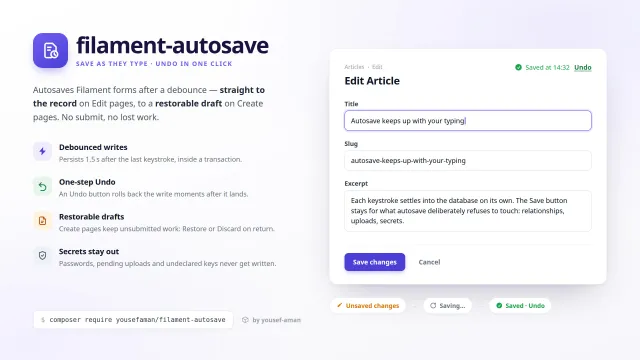
Autosave
Automatically saves Filament forms as the user types — writing straight to the record on Edit pages, keeping a restorable draft on Create pages, with a status indicator and one-step undo.
Author:
Yousef Aman
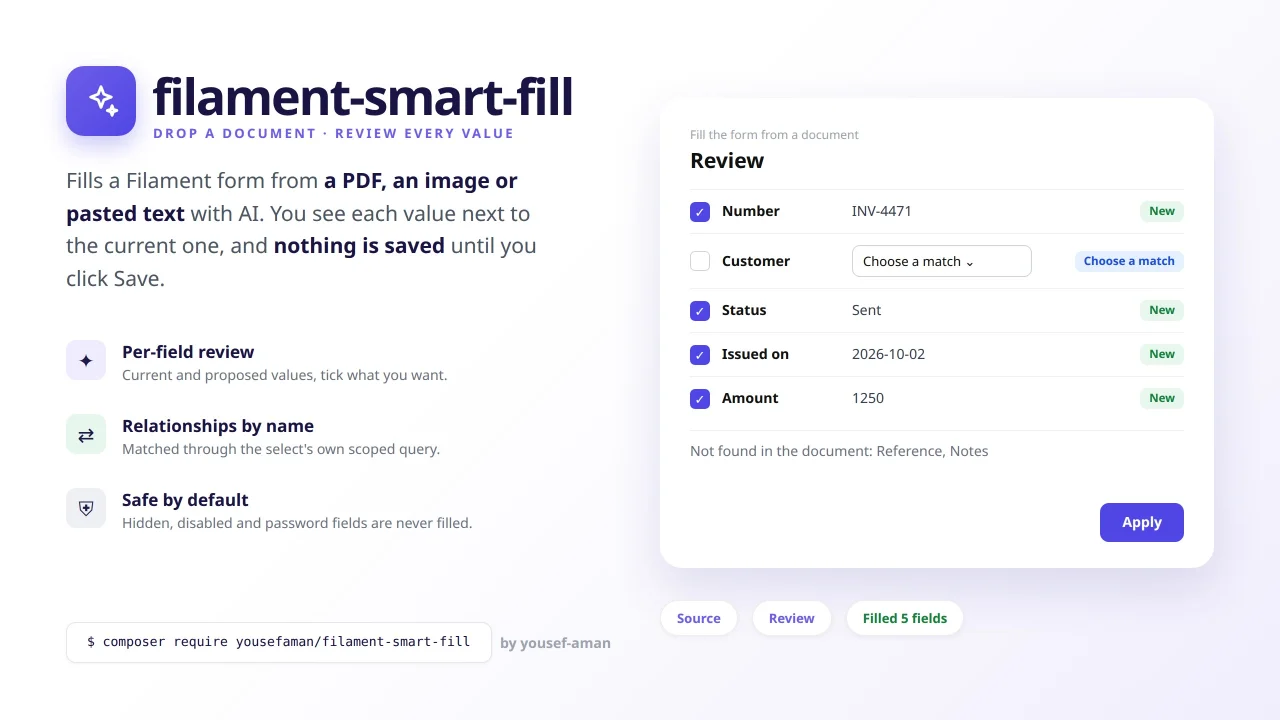
Smart Fill
Fill a form from a PDF, an image or pasted text with AI, review each proposed value next to the current one, and apply only what you accept.
Author:
Yousef Aman
Featured Plugins
A selection of plugins curated by the Filament team

Blueprint
Filament Blueprint is a premium Laravel Boost extension that helps AI agents produce accurate, detailed implementation plans and security reports for Filament apps.
 Filament

Custom Fields
Eliminate custom field migrations forever. Let your users create and manage form fields directly in Filament admin panels with 20+ built-in field types, validation, and zero database changes.
 Relaticle

Custom Dashboards
Let your users build and share their own dashboards with a drag-and-drop interface. Define your data sources in PHP and let them do the rest.
Filament

