
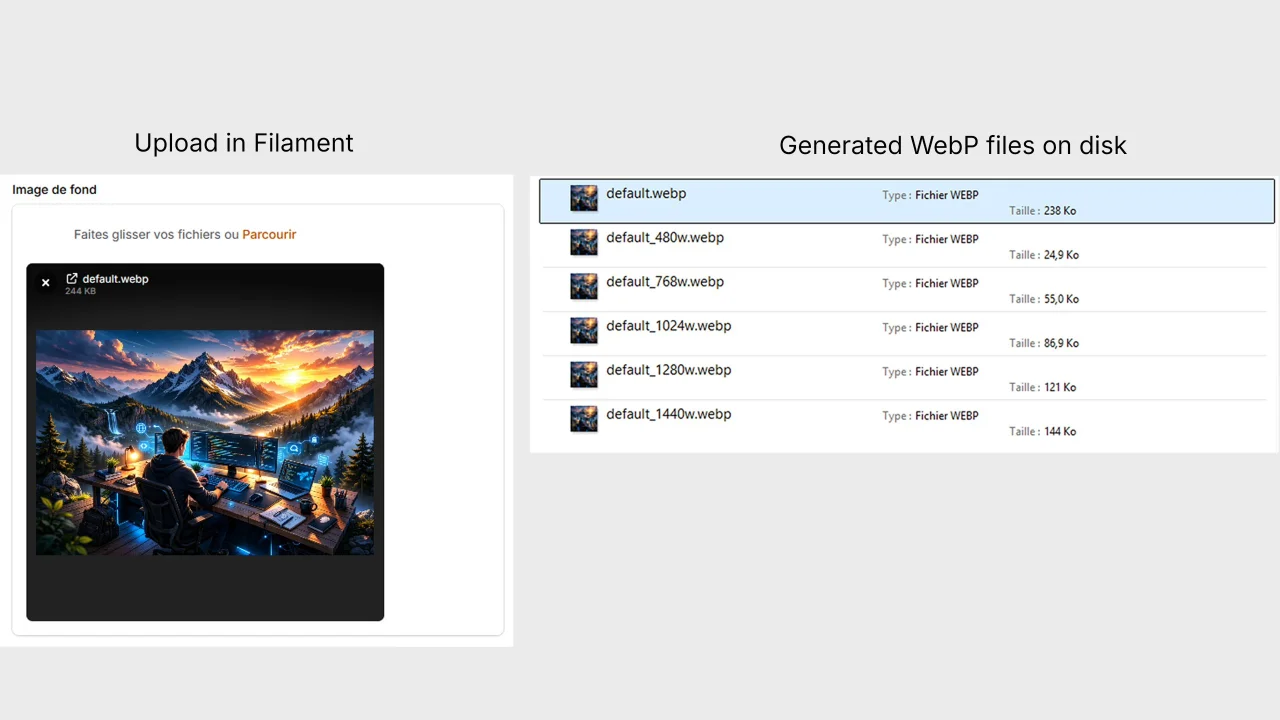
MediaForge by Webcimes
CommunityUpload images in Filament forms and automatically generate thumbnails, WebP conversions, and responsive variants, with metadata stored directly on your Laravel models.
 Author:
Webcimes
Package health
Automated checks of this plugin's Composer package
15 checks
- Skipped: GitHub Actions pinned to SHA
- Skipped: GitLab CI includes pinned to SHA
- Passed: Open security advisories
- Passed: Dependabot PR responsiveness — No open Dependabot PRs.
- Skipped: Renovate MR responsiveness
- Skipped: Dependabot or Renovate configured
- Skipped: Dependency update cooldown configured
- Failed: Provides a security policy — View details on Plumb
- Passed: Abandoned or archived — No consulted source marks the package abandoned (packagist, github).
- Passed: Commit and release recency — Active: last commit 1 days ago; last release 1 days ago.
-
Passed:
composer.lock not committed by library
—
composer.lockis absent from the released dist archive. - Passed: Dist archive is lean
-
Passed:
Current Laravel version supported
— Package dependencies resolve together with current Laravel
13.0. -
Passed:
Current PHP version supported
— Constraint
^8.3supports current PHP8.6. - Skipped: Current Symfony version supported
filament/
namespace. Review the source and install at your own risk. Found
malware or an unresolved security issue the author won't
address?
Report it
.
Documentation
- Table of contents
- Why this package?
- Features
- Requirements
- Installation
- Basic usage
- ImageFormat reference
- Responsive images (srcset)
- Regenerate a format
- Delete files
- Auto-delete on model deletion
- Custom base name
- Filament integration
- Configuration
- Other WebCimes projects
- License
- Releasing

See the image processing examples
Store images and files directly in your existing model columns — no separate media library table required.
Powered by Intervention Image, this Laravel package lets you upload a file once and automatically generate multiple formats (thumbnail, WebP, watermark, etc.), each saved as a structured entry you can store in any JSON/text column of your choosing.
#Table of contents
- Why this package?
- Features
- Requirements
- Installation
- Basic usage
- ImageFormat reference
- Responsive images (srcset)
- Handle files (upload + delete + reorder in one call)
- Regenerate a format
- Delete files
- Auto-delete on model deletion
- Custom base name
- Filament integration
- Configuration
#Why this package?
Most media libraries (like Spatie Media Library) introduce a dedicated media table that links files to models through a polymorphic relationship. This works great for complex scenarios, but adds overhead when you just want to attach one or a few images to a model.
With this package:
- Image data (path, dimensions, format config) is stored directly in whichever column you choose — a JSON column, a
textcolumn, even inside a JSON API response. - No extra table, no polymorphic join, no extra migration.
- The upload result is a plain PHP array — store it anywhere, serialize it however you like.
- Regenerate derivative formats at any time from the stored original.
#Features
- Fluent
ImageFormatbuilder — chain transforms in a readable, IDE-friendly way - Multi-format processing in one upload (default + thumb + WebP, all at once)
- Responsive image variants via
->srcset()— base format + per-width variants with resize type inheritance - All formats of the same upload grouped in a single folder for easy management
- ULID-based unique naming (collision-proof, chronologically sortable, URL-safe)
- Plain PHP array output — no model binding required
- Regenerate derivative formats from the stored original at any time
- Works with any Laravel filesystem disk (local, S3, SFTP, …)
#Requirements
- PHP 8.3+
- Laravel 11, 12, or 13
- Intervention Image 4.x with a supported driver. Use GD, Imagick, or install the optional libvips driver.
#Installation
composer require webcimes/laravel-mediaforge
Publish the config file:
php artisan vendor:publish --tag="mediaforge-config"
#Basic usage
use Webcimes\LaravelMediaforge\ImageFormat;
use Webcimes\LaravelMediaforge\Facades\MediaForge;

// Upload and generate two formats in one call:
$imageData = MediaForge::upload(
    $request->file('cover'),
    'public', // disk
    'products', // base path inside the disk
    [
        ImageFormat::make('default')->scaleDown(1920, 1080)->quality(80)->extension('webp'),
        ImageFormat::make('thumb')->cover(400, 300)->quality(65)->extension('webp'),
    ],
);

// Store $imageData directly in your model column (cast it to 'array' or 'json'):
$product->update(['cover' => $imageData]);
$imageData is a plain array — store it in any JSON column:
// $imageData:
[
    'default' => [
        'disk'   => 'public',
        'path'   => 'products/my-cover_01jq8z.../default.webp',
        'width'  => 1920,
        'height' => 1080,
        'alt'    => 'my-cover',
    ],
    'thumb' => [
        'disk'             => 'public',
        'path'             => 'products/my-cover_01jq8z.../thumb.webp',
        'width'            => 400,
        'height'           => 300,
        'alt'              => 'my-cover',
        // 'customAttributes' only present when defined via ->customAttributes([...])
        'customAttributes' => ['role' => 'thumbnail'],
    ],
]
#ImageFormat reference
| Method | Description |
|---|---|
->disk('s3') |
Override the storage disk for this format |
->path('media/thumbs') |
Override the storage directory |
->extension('webp') |
Convert to a specific format |
->quality(75) |
Encoding quality 1–100 (JPEG, WebP, AVIF, HEIC, TIFF) |
->filename('hero') |
Override the file name (without extension) |
->suffix('_2x') |
Append a suffix before the extension |
->resize(w, h) |
Exact dimensions — no ratio preservation |
->resizeDown(w, h) |
Same — only shrinks |
->scale(w, h?) |
Proportional fit — preserves ratio |
->scaleDown(w, h?) |
Same — only shrinks |
->cover(w, h) |
Center-crop to exact dimensions |
->coverDown(w, h) |
Same — only shrinks |
->text('Draft', [...]) |
Text overlay (requires a TTF font — see config) |
->watermark('/path/logo.png', [...]) |
Image watermark overlay |
->srcset() |
Responsive image variants using config default widths — see Responsive images |
->srcset([1920, 1080, 720]) |
Responsive image variants with explicit widths — see Responsive images |
->alt('My image') |
Override the alt text for this format (defaults to filename stem) |
->customAttributes([...]) |
Custom metadata stored alongside this format entry |
#Responsive images (srcset)
->srcset() generates a base format entry plus width variant entries, all nested under the format key via a srcset array. This is the recommended way to produce responsive images for use with the HTML srcset attribute.
Call ->srcset() without arguments to use the widths defined in config('mediaforge.srcset.widths') (default: [1920, 1440, 1280, 1024, 768, 480]). Pass an explicit array to override the config for that format.
$imageData = MediaForge::upload(
    $request->file('hero'),
    'public',
    'uploads',
    [
        ImageFormat::make('hero')
            ->srcset([1920, 1080, 720, 480])
            ->extension('webp')
            ->quality(80),
    ],
);
This produces the following structure (base format + nested srcset array + auto-injected default):
[
    'default' => ['disk' => 'public', 'path' => 'uploads/hero_xxx/default.jpg', 'width' => 2000, 'height' => 1000, 'alt' => 'hero'],
    'hero' => [
        'disk' => 'public', 'path' => 'uploads/hero_xxx/hero.webp', 'width' => 2000, 'height' => 1000, 'alt' => 'hero',
        'srcset' => [
            ['disk' => 'public', 'path' => 'uploads/hero_xxx/hero_1920w.webp', 'width' => 1920, 'height' => 960, 'alt' => 'hero'],
            ['disk' => 'public', 'path' => 'uploads/hero_xxx/hero_1080w.webp', 'width' => 1080, 'height' => 540, 'alt' => 'hero'],
            ['disk' => 'public', 'path' => 'uploads/hero_xxx/hero_720w.webp',  'width' => 720,  'height' => 360, 'alt' => 'hero'],
            ['disk' => 'public', 'path' => 'uploads/hero_xxx/hero_480w.webp',  'width' => 480,  'height' => 240, 'alt' => 'hero'],
        ],
    ],
]
Resize type inheritance — each variant inherits the resize method configured on the format:
| Configured on format | Variant behaviour |
|---|---|
cover(1000, 500) |
cover(width, proportional_height) — e.g. at 400w → cover(400, 200) |
scaleDown(1920) |
scaleDown(width) — height auto-computed by Intervention |
| (none) | falls back to scaleDown(width) — aspect ratio preserved, never upscales |
The base format (hero) always uses the dimensions you configured explicitly and is never filtered by skipLarger.
Example — square thumbnails at multiple sizes:
ImageFormat::make('thumb')
    ->cover(1000, 1000)
    ->srcset([200, 400, 800])
    ->extension('webp')
    ->quality(75),
// Generates: thumb (1000×1000) with srcset: [200×200, 400×400, 800×800]
Example — proportional banner (keep aspect ratio, only shrink):
ImageFormat::make('banner')
    ->scaleDown(1920, 600)   // base: max 1920×600, ratio preserved
    ->srcset([960, 480])
    ->extension('webp'),
// Generates: banner (≤1920×600) with srcset: [≤960×300, ≤480×150]
Example — free resize without ratio preservation:
ImageFormat::make('og')
    ->resize(1200, 630)      // exact 1200×630 for Open Graph, no ratio preserved
    ->srcset([600])
    ->extension('jpg'),
// Generates: og (1200×630) with srcset: [600×315]
skipLarger (default true) — variants whose target width exceeds the base format output are skipped (no file written, no entry created). The base output is the source once the format transforms are applied, so a variant never goes beyond the format bounds. The base format is never filtered.
// Default — source 600px wide: srcset contains only hero_480w
ImageFormat::make('hero')->srcset([1920, 1080, 720, 480])->extension('webp');

// Default — source 3000px wide, base capped at 1600: srcset contains 1440w and smaller, never 1920w
ImageFormat::make('photo')->scaleDown(1600, 1200)->srcset([1920, 1440, 1024])->extension('webp');

// skipLarger: false — all four variants are written (scaleDown caps them at source width)
ImageFormat::make('hero')->srcset([1920, 1080, 720, 480], skipLarger: false)->extension('webp');
All other options (extension(), quality(), watermark(), text(), alt(), customAttributes()) are inherited by the base format and all variants.
Building an <img srcset="…"> attribute (in your Blade view):
$entry = $product->cover; // the stored array

// Build the srcset string from the nested array
$srcset = collect($entry['hero']['srcset'])
    ->map(fn($v) => Storage::disk($v['disk'])->url($v['path']) . ' ' . $v['width'] . 'w')
    ->implode(', ');

// Use the base format (e.g. 'hero') as src — it has the right extension/quality applied.
// Do NOT use 'default' in src: it is the raw original (no conversion, no quality), kept only for regeneration.
<img
  src="{{ Storage::disk($entry['hero']['disk'])->url($entry['hero']['path']) }}"
  srcset="{{ $srcset }}"
  sizes="100vw"
  alt="{{ $entry['hero']['alt'] }}"
/>
handleFiles() is designed to process the payload emitted by a file input component in a single call: upload new files, delete removed ones, and apply a global ordering across both existing and new items.
$validated['images'] = MediaForge::handleFiles(
    diskName: 'public',
    path: 'products',
    uploadedFiles: $validated['images']['files'] ?? null,     // new UploadedFile[]
    filesToDeleteIndex: $validated['images']['deleted'] ?? null, // int[] — indexes into $existingFiles
    globalOrder: $validated['images']['globalOrder'] ?? null, // full ordered list of all items
    existingFiles: $product->images,                          // current DB value
    imageFormats: $this->imageFormats,                        // optional, same as upload()
);

$product->update(['images' => $validated['images']]);
The method returns the updated flat array ready to be stored, or null if the result is empty.
globalOrder is an array of ordering directives, one per surviving file:
// Scenario: 3 existing files in DB (indexes 0, 1, 2), index 1 deleted, 2 new files uploaded.
// filesToDeleteIndex: [1]
// uploadedFiles: [$new0, $new1]
// Desired order: new1, existing-0, existing-2, new0

[
    ['type' => 'new',      'index' => 1], // new1      → position 0
    ['type' => 'existing', 'index' => 0], // existing0 → position 1
    ['type' => 'existing', 'index' => 2], // existing2 → position 2 (existing1 was deleted)
    ['type' => 'new',      'index' => 0], // new0      → position 3
]
type:'existing'(already in DB) or'new'(just uploaded)indexforexisting: position in the$existingFilesarray passed to the methodindexfornew: position in the$uploadedFilesarray (0-based, matchesDataTransferorder in the browser)- The array order defines the final position — the first item ends up at position 0, and so on.
When globalOrder is provided, any uploaded file whose index is not referenced is automatically deleted from disk to prevent orphaned files.
When globalOrder is omitted, existing files come first (in their original order), followed by newly uploaded files.
#Regenerate a format
Re-process derivatives from the stored original at any time — useful when you change the design:
$updated = MediaForge::regenerate($product->cover, [
    ImageFormat::make('thumb')->cover(200, 200)->extension('avif'),
]);

$product->update(['cover' => $updated]);
#Delete files
// Deletes all files referenced in the stored entry (formats and srcset variants),
// a single upload (format map) as well as a multiple one (list of format maps):
MediaForge::delete($product->cover, 'public');
MediaForge::delete($product->gallery, 'public');
#Auto-delete on model deletion
Add the HasMediaForge trait to your model and declare which columns (or nested paths) hold MediaForge data. When the model is permanently deleted, all referenced files are automatically removed from disk:
use Webcimes\LaravelMediaforge\Traits\HasMediaForge;

class Product extends Model
{
    use HasMediaForge;

    protected array $mediaForgeColumns = [
        // Direct column
        'cover',

        // Multiple-upload column (array of format maps)
        'images',

        // Nested inside a JSON column (e.g. content = ['hero' => ['image' => [formatMap]]])
        'content.hero.image',

        // Repeater with wildcard — deletes the image from every item in the array
        // (e.g. content = ['slides' => [['image' => [formatMap]], ['image' => [formatMap]]]])
        'content.slides.*.image',
    ];
}
Soft-delete aware — if your model uses SoftDeletes, files are preserved on a regular ->delete() (so a restored record still has its files) and only deleted on ->forceDelete().
#Custom base name
The upload folder name is {slug}_{ulid} by default. Override it:
// Auto (default): slug + ULID  → my-photo_01jq8z...
MediaForge::upload($file, 'public', 'uploads', $formats);

// ULID only (no slug)          → 01jq8z...
MediaForge::upload($file, 'public', 'uploads', $formats, '');

// Custom prefix + ULID         → product-hero_01jq8z...
MediaForge::upload($file, 'public', 'uploads', $formats, 'product-hero');
#Filament integration
MediaForgeFileUpload is a drop-in replacement for Filament's FileUpload component. It transparently delegates storage to MediaForge and encodes the resulting format map as JSON in the database column.
All native FileUpload methods (->multiple(), ->reorderable(), ->disk(), ->directory(), ->panelLayout(), etc.) work exactly as in standard Filament. The MediaForge-specific addition is ->imageFormats():
use Webcimes\LaravelMediaforge\Filament\Forms\Components\MediaForgeFileUpload;
use Webcimes\LaravelMediaforge\ImageFormat;

MediaForgeFileUpload::make('cover')
    ->label('Cover image')
    ->imageFormats([
        ImageFormat::make('default')
            ->scaleDown(1920, 1080)
            ->quality(75)
            ->extension('webp'),
        ImageFormat::make('thumb')
            ->cover(400, 300)
            ->quality(60)
            ->extension('webp'),
    ])
    ->acceptedFileTypes(['image/jpeg', 'image/png', 'image/webp'])
    ->multiple()
    ->reorderable()
    ->appendFiles()
    ->openable()
    ->disk('public')
    ->directory('uploads')
    ->panelLayout('grid'),
The column value stored in the database is a plain array (cast it to array or json on the model):
// Single upload (no ->multiple()):
[
    'default' => ['disk' => 'public', 'path' => 'uploads/hero_01jq8z.../default.webp', 'width' => 1920, 'height' => 1080, 'alt' => 'hero'],
    'thumb'   => ['disk' => 'public', 'path' => 'uploads/hero_01jq8z.../thumb.webp',   'width' => 400,  'height' => 300,  'alt' => 'hero'],
]

// Multiple uploads (->multiple()):
[
    [
        'default' => ['disk' => 'public', 'path' => 'uploads/img-a_01jq8z.../default.webp', ...],
        'thumb'   => ['disk' => 'public', 'path' => 'uploads/img-a_01jq8z.../thumb.webp',   ...],
    ],
    [
        'default' => ['disk' => 'public', 'path' => 'uploads/img-b_01jq8z.../default.webp', ...],
        'thumb'   => ['disk' => 'public', 'path' => 'uploads/img-b_01jq8z.../thumb.webp',   ...],
    ],
]
#Configuration
After publishing (php artisan vendor:publish --tag="mediaforge-config"):
return [
    // Image processing driver:
    //   'gd'      — Built into PHP, works on every host. Default.
    //   'imagick' — Requires ext-imagick. Better quality, native AVIF/HEIC. Recommended if available.
    //   'vips'    — Requires: composer require intervention/image-driver-vips + libvips.
    //               Fastest and lowest memory, but rarely available on shared hosting.
    'driver' => 'gd', // switch to 'imagick' if available on your server

    // Text overlay defaults. Any key passed to ImageFormat::text([...]) overrides these.
    // The default font is Montserrat Regular (TTF) bundled in the package — no setup needed.
    // To use a custom font, set an absolute path to a TTF or OTF file:
    'text' => [
        'font' => null, // defaults to Montserrat TTF bundled in vendor; override: resource_path('fonts/my-font.ttf')
        'size' => 48,
        'color' => 'rgba(255, 255, 255, .75)',
        'align' => 'center',
        'valign' => 'middle',
        'angle' => 0,
        'wrap' => 0, // max line width in px before wrapping; 0 = no wrap
    ],

    // Watermark overlay defaults.
    'watermark' => [
        'position' => 'center',
        'x' => 0,
        'y' => 0,
        'opacity' => 0.75,
    ],

    // Srcset defaults. Used when calling ->srcset() with no explicit widths.
    // These are the most common CSS breakpoints; adjust to match your design system.
    // Passing an explicit array to ->srcset([...]) always overrides this config.
    'srcset' => [
        'widths' => [1920, 1440, 1280, 1024, 768, 480],
    ],
];
#Other WebCimes projects
- WebCimes Modal — Modals and confirmations
- WebCimes Cookies — Cookie consent
- WebCimes Select — Searchable select fields
- WebCimes Tooltip — Tooltips and popovers
- WebCimes Dark Theme — VS Code color theme
#License
MIT
#Releasing
Set extra.release-version in composer.json and commit it with the release changes on main. Run make pack to inspect the ZIP of the committed sources in dist/, or make release to create the archive, push main, and push the version tag. Packagist uses that tag as the package version.
Featured Plugins
A selection of plugins curated by the Filament team
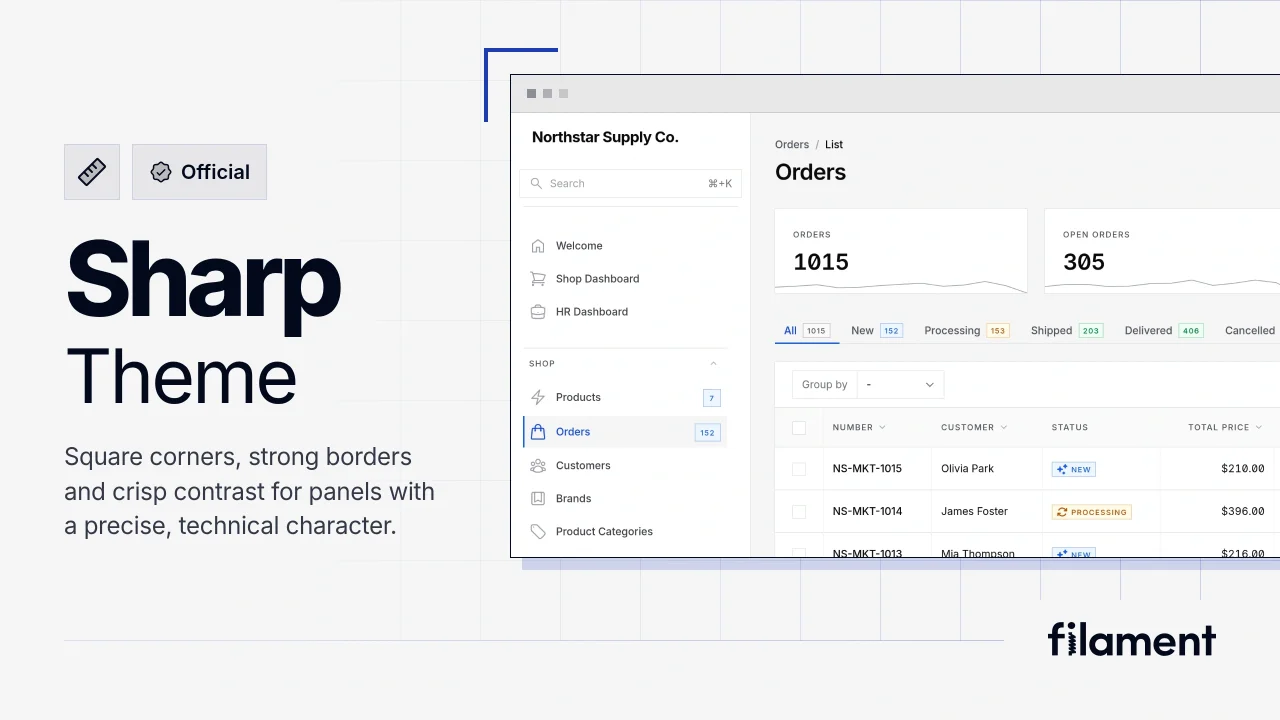
Sharp Theme
A theme that gives panels a precise, technical look with square corners, strong borders, and clear contrast.
 Filament
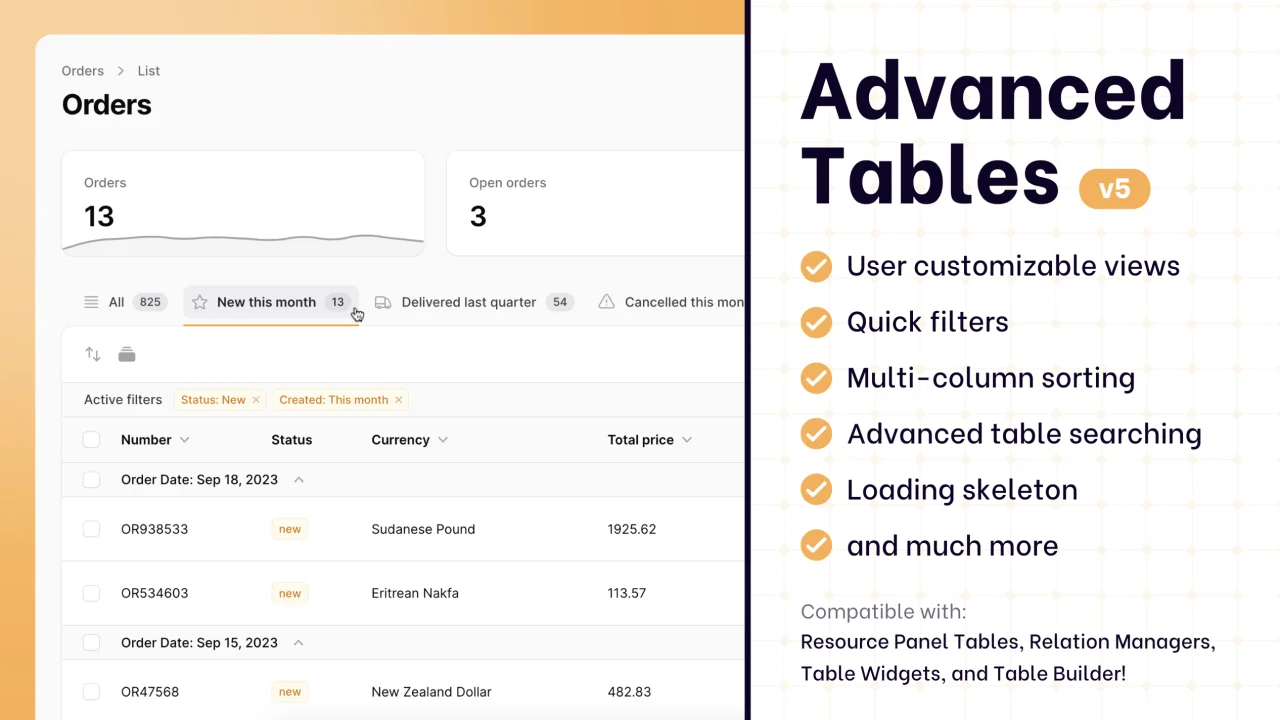
Advanced Tables (formerly Filter Sets)
Supercharge your tables with powerful features like user-customizable views, quick filters, multi-column sorting, advanced table searching, convenient view management, and more. Compatible with Resource Panel Tables, Relation Managers, Table Widgets, and Table Builder!
 Kenneth Sese
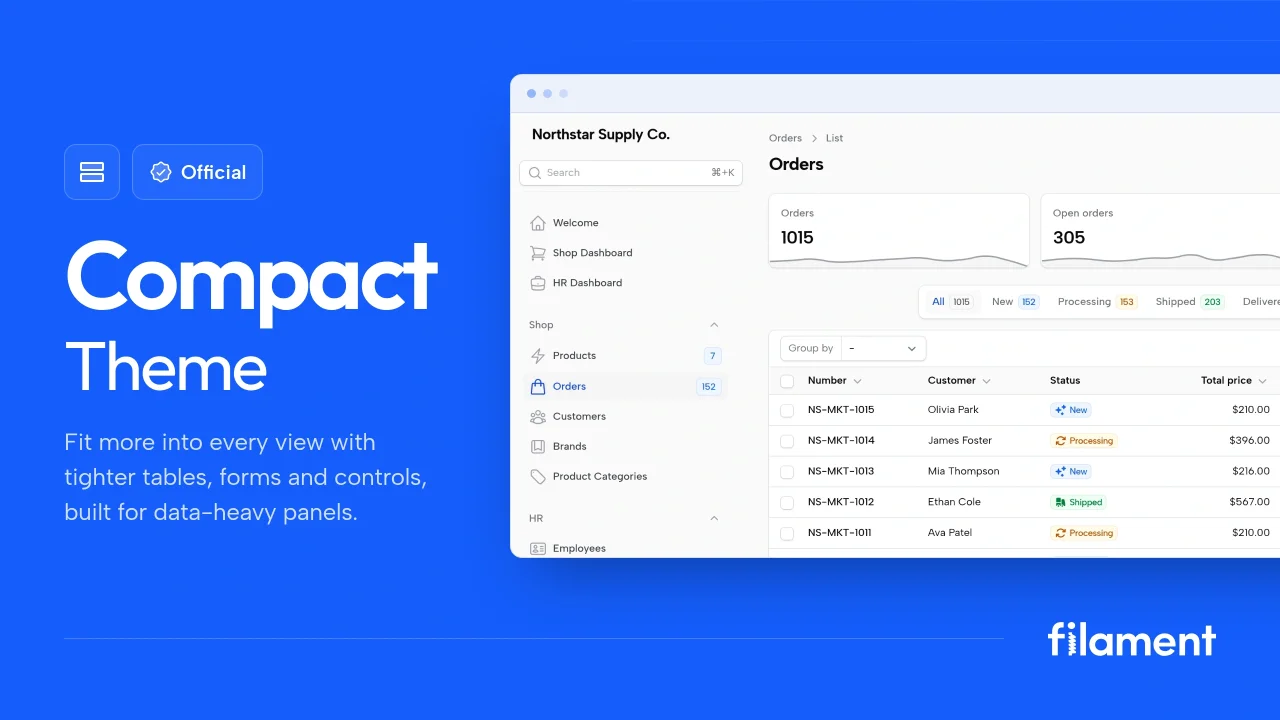
Compact Theme
A theme that makes data-heavy panels easier to scan by fitting more useful information on each screen.
Filament