
Ultimate Icon Picker by Wallace Martins
CommunityA modern, responsive icon picker interface to your Filament applications. Seamlessly supporting all blade-icons sets, it features smart real-time search, performance-optimized infinite scrolling, and versatile integration across Forms, Tables, and Infolists, allowing for effortless icon management and customization with a superior user experience.
 Author:
Wallace Martins
Author:
Wallace Martins
Package health
BetaAutomated checks of this plugin's Composer package
15 checks
- Passed: GitHub Actions pinned to SHA
- Skipped: GitLab CI includes pinned to SHA
- Passed: Open security advisories
- Warning: Dependabot PR responsiveness — Stale Dependabot PRs: oldest general PR is 61 days old.
- Skipped: Renovate MR responsiveness
- Passed: Dependabot or Renovate configured
- Passed: Dependency update cooldown configured
- Passed: Provides a security policy
- Passed: Abandoned or archived — No consulted source marks the package abandoned (packagist, github).
- Passed: Commit and release recency — Active: last commit 75 days ago; last release 140 days ago.
-
Passed:
composer.lock not committed by library
—
composer.lockis absent from the released dist archive. - Passed: Dist archive is lean
-
Passed:
Current Laravel version supported
—
Package dependencies resolve together with current Laravel
13.0. -
Passed:
Current PHP version supported
—
Constraint
^8.2supports current PHP8.5. - Skipped: Current Symfony version supported
filament/
namespace. Review the source and install at your own risk. Found
malware or an unresolved security issue the author won't
address?
Report it
.
Documentation
- Screenshots
- Features
- Requirements
- Installation
- Step 1: Install the package via Composer
- Step 2: Install icon packages (Interactive)
- Step 3: Add package views to your Tailwind CSS configuration
- Step 4: Build your assets
- Step 5: (Optional) Publish the config file
- Step 6: Clear caches
- Step 7: (Optional) Cache icons for better performance
- Icon Enums (Auto-generated)
- Usage
- Configuration
- Finding Icon Set Names
- Troubleshooting
- Testing
- Changelog
- Contributing
- Security Vulnerabilities
- Credits
- License


A beautiful, modern icon picker component for Filament v4, powered by blade-ui-kit/blade-icons.
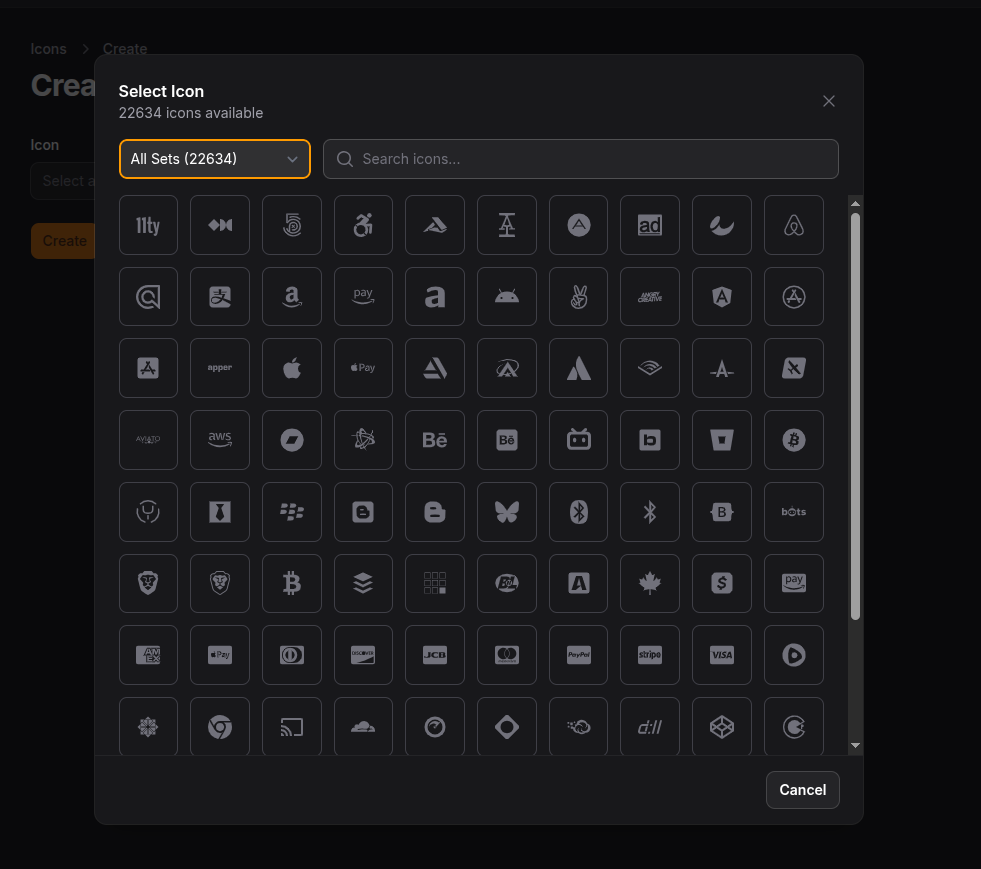
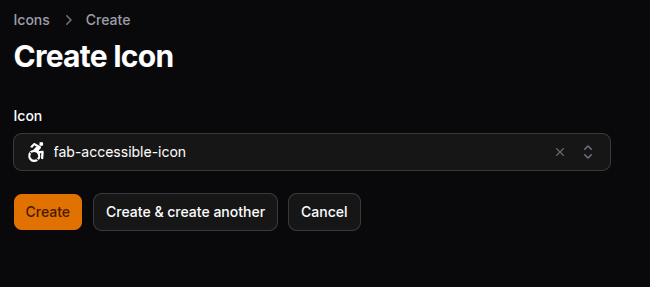
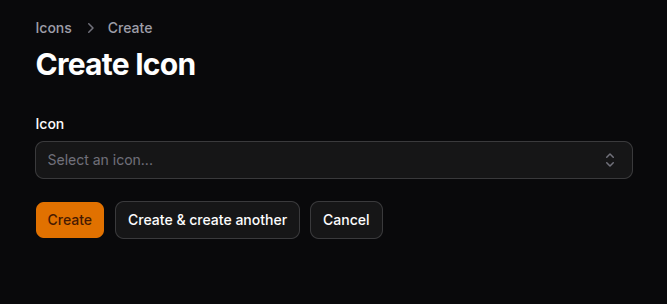
#Screenshots
📸 Click to view screenshots
 |
 |
#Features
- 🎨 Beautiful Modal Interface - Modern, responsive grid layout with smooth animations
- 🔍 Smart Search - Real-time filtering by icon name
- 📦 Multiple Icon Sets - Support for all blade-icons packages (Heroicons, FontAwesome, Phosphor, Material, etc.)
- 🎯 Set Filtering - Filter icons by their provider using dropdown
- ⚡ Infinite Scroll - Performance-optimized with lazy loading
- 🖼️ Preview - Shows selected icon in the field
- 📋 Form Field - Use in Filament forms
- 📊 Table Column - Display icons in tables
- 📝 Infolist Entry - Show icons in infolists (read-only)
- ⚙️ Configurable - Customize modal size, columns, and available icon sets
#Requirements
- PHP 8.2+
- Laravel 11+
- Filament 4.0+
- blade-ui-kit/blade-icons 1.0+
#Installation
#Step 1: Install the package via Composer
composer require wallacemartinss/filament-icon-picker
#Step 2: Install icon packages (Interactive)
You need at least one icon package to use the Icon Picker. Use the interactive installer:
php artisan filament-icon-picker:install-icons
This will show you an interactive menu to select which icon packages to install:
🎨 Filament Icon Picker - Install Icons

? Select icon packages to install:
  ● Heroicons - Heroicons by Tailwind CSS (~1,300 icons)
  ○ Fontawesome - Font Awesome (Solid, Regular, Brands) (~2,800 icons)
  ○ Phosphor - Phosphor Icons (~9,000 icons)
  ○ Material - Google Material Design (~10,000 icons)
  ○ Tabler - Tabler Icons (~4,400 icons)
  ○ Lucide - Lucide Icons (~1,400 icons)
Other options:
# List available packages and their status
php artisan filament-icon-picker:install-icons --list

# Install all icon packages at once
php artisan filament-icon-picker:install-icons --all
Or install manually via Composer:
# Heroicons (recommended)
composer require blade-ui-kit/blade-heroicons

# Font Awesome (2800+ icons)
composer require owenvoke/blade-fontawesome

# Phosphor Icons (9000+ icons)
composer require codeat3/blade-phosphor-icons

# Google Material Design Icons (10000+ icons)
composer require codeat3/blade-google-material-design-icons

# Tabler Icons (4400+ icons)
composer require blade-ui-kit/blade-tabler-icons

# Lucide Icons (1400+ icons)
composer require mallardduck/blade-lucide-icons

# Hugeicons Free (5800+ icons)
composer require afatmustafa/blade-hugeicons
See all available icon packages at Blade Icons.
#Step 3: Add package views to your Tailwind CSS configuration
Add the plugin's views to your theme CSS file so Tailwind can scan them:
/* resources/css/filament/admin/theme.css */

@source '../../../../vendor/wallacemartinss/filament-icon-picker/resources/views/**/*';
#Step 4: Build your assets
npm run build
#Step 5: (Optional) Publish the config file
php artisan vendor:publish --tag="filament-icon-picker-config"
#Step 6: Clear caches
php artisan optimize:clear
#Step 7: (Optional) Cache icons for better performance
php artisan icons:cache
#Icon Enums (Auto-generated)
When you install icon packages using php artisan filament-icon-picker:install-icons, PHP Enums are automatically generated for type-safe icon usage:
use Wallacemartinss\FilamentIconPicker\Enums\Heroicons;
use Wallacemartinss\FilamentIconPicker\Enums\GoogleMaterialDesignIcons;
use Wallacemartinss\FilamentIconPicker\Enums\PhosphorIcons;

// In navigation icon (with full autocomplete!):
protected static string|BackedEnum|null $navigationIcon = GoogleMaterialDesignIcons::AccountCircle;

// In actions:
Action::make('star')->icon(Heroicons::OutlinedStar)

// In pages:
public static function getNavigationIcon(): ?string
{
    return PhosphorIcons::WhatsappLogoDuotone->value;
}
You can also regenerate enums manually:
php artisan filament-icon-picker:generate-enums --all
#Icon Helper (No Generation Needed)
For dynamic icon usage without generating enums, use the Icon helper:
use Wallacemartinss\FilamentIconPicker\Enums\Icon;

// Navigation icon:
public static function getNavigationIcon(): ?string
{
    return Icon::material('account-circle');
}

// With variants:
Icon::heroicon('users', 'outlined')      // heroicon-o-users
Icon::heroicon('users', 'solid')         // heroicon-s-users
Icon::phosphor('whatsapp-logo', 'duotone') // phosphor-whatsapp-logo-duotone
Icon::fontawesome('heart', 'solid')      // fas-heart
Icon::fontawesome('github', 'brands')    // fab-github
#Usage
#Form Field
use Wallacemartinss\FilamentIconPicker\Forms\Components\IconPickerField;

public static function form(Form $form): Form
{
    return $form
        ->schema([
            IconPickerField::make('icon')
                ->label('Select an Icon')
                ->searchable()
                ->required(),
        ]);
}
#Restricting Icon Sets
IconPickerField::make('icon')
    ->allowedSets(['heroicons', 'fontawesome-solid', 'phosphor-icons'])
#Custom Modal Size
IconPickerField::make('icon')
    ->modalSize('5xl') // sm, md, lg, xl, 2xl, 3xl, 4xl, 5xl, 6xl, 7xl
#With Placeholder
IconPickerField::make('icon')
    ->placeholder('Choose an icon...')
#Hide Set Filter
IconPickerField::make('icon')
    ->showSetFilter(false)
#Table Column
use Wallacemartinss\FilamentIconPicker\Tables\Columns\IconPickerColumn;

public static function table(Table $table): Table
{
    return $table
        ->columns([
            IconPickerColumn::make('icon')
                ->label('Icon'),
        ]);
}
#With Size
IconPickerColumn::make('icon')
    ->size('lg') // xs, sm, md, lg, xl, 2xl

// Or use shortcut methods:
IconPickerColumn::make('icon')->extraSmall()  // xs
IconPickerColumn::make('icon')->small()       // sm
IconPickerColumn::make('icon')->medium()      // md (default)
IconPickerColumn::make('icon')->large()       // lg
IconPickerColumn::make('icon')->extraLarge()  // xl
#With Color
IconPickerColumn::make('icon')
    ->color('success') // primary, secondary, success, warning, danger, info

// Or use shortcut methods:
IconPickerColumn::make('icon')->primary()
IconPickerColumn::make('icon')->success()
IconPickerColumn::make('icon')->warning()
IconPickerColumn::make('icon')->danger()
IconPickerColumn::make('icon')->info()

// Or use CSS color values:
IconPickerColumn::make('icon')->color('#ff5500')
IconPickerColumn::make('icon')->color('rgb(255, 85, 0)')
IconPickerColumn::make('icon')->color('purple')

// Or use custom Tailwind classes:
IconPickerColumn::make('icon')->color('text-purple-500')
#Dynamic Color (Based on Record)
IconPickerColumn::make('icon')
    ->color(fn ($record) => match($record->status) {
        'active' => 'success',
        'pending' => 'warning',
        'inactive' => 'danger',
        default => 'gray',
    })
#With Animation
IconPickerColumn::make('icon')
    ->animation('spin') // spin, pulse

// Or use shortcut methods:
IconPickerColumn::make('icon')->spin()    // Rotation animation
IconPickerColumn::make('icon')->pulse()   // Pulsing/fading animation

// With custom speed (CSS duration format):
IconPickerColumn::make('icon')->spin('0.5s')   // Fast spin
IconPickerColumn::make('icon')->spin('3s')    // Slow spin
IconPickerColumn::make('icon')->pulse('0.5s') // Fast pulse
IconPickerColumn::make('icon')->pulse('4s')   // Slow pulse

// Or set speed separately:
IconPickerColumn::make('icon')
    ->spin()
    ->animationSpeed('0.3s')
#Show Icon Name
IconPickerColumn::make('icon')
    ->showLabel() // Shows the icon name next to the icon
#Fixed Icon (Without Database)
Use the icon() method to display a fixed icon without requiring a database column:
// Static icon
IconPickerColumn::make('type_indicator')
    ->icon('heroicon-o-star')
    ->warning()
    ->large()

// Dynamic icon based on record
IconPickerColumn::make('status_indicator')
    ->icon(fn ($record) => $record->is_premium ? 'heroicon-s-star' : 'heroicon-o-user')
    ->color(fn ($record) => $record->is_premium ? 'warning' : 'gray')
    ->animation(fn ($record) => $record->is_featured ? 'pulse' : null)
#Combining Options
IconPickerColumn::make('icon')
    ->large()
    ->success()
    ->spin()
    ->showLabel()

// Dynamic example with all features:
IconPickerColumn::make('status_icon')
    ->color(fn ($record) => $record->is_active ? 'success' : 'danger')
    ->animation(fn ($record) => $record->is_processing ? 'spin' : null)
    ->size('lg')
#Infolist Entry
use Wallacemartinss\FilamentIconPicker\Infolists\Components\IconPickerEntry;

public static function infolist(Infolist $infolist): Infolist
{
    return $infolist
        ->schema([
            IconPickerEntry::make('icon')
                ->label('Icon'),
        ]);
}
#With Size and Color
IconPickerEntry::make('icon')
    ->size('xl')
    ->color('primary')

// Or use shortcut methods:
IconPickerEntry::make('icon')
    ->extraLarge()
    ->danger()
#Dynamic Color (Based on Record)
IconPickerEntry::make('icon')
    ->color(fn ($record) => match($record->status) {
        'active' => 'success',
        'pending' => 'warning',
        'inactive' => 'danger',
        default => 'gray',
    })
#With Animation
IconPickerEntry::make('icon')
    ->spin()    // Rotation animation
    ->pulse()   // Pulsing/fading animation

// With custom speed (CSS duration format):
IconPickerEntry::make('icon')->spin('0.5s')   // Fast spin
IconPickerEntry::make('icon')->spin('3s')    // Slow spin
IconPickerEntry::make('icon')->pulse('0.5s') // Fast pulse
IconPickerEntry::make('icon')->pulse('4s')   // Slow pulse

// Or set speed separately:
IconPickerEntry::make('icon')
    ->pulse()
    ->animationSpeed('1s')
#Hide Icon Name
IconPickerEntry::make('icon')
    ->showIconName(false) // Hides the icon name, shows only the icon
#Fixed Icon (Without Database)
Use the icon() method to display a fixed icon without requiring a database column:
// Static icon
IconPickerEntry::make('badge_icon')
    ->icon('heroicon-o-badge-check')
    ->success()
    ->large()
    ->showIconName(false)

// Dynamic icon based on record
IconPickerEntry::make('user_type')
    ->icon(fn ($record) => $record->is_admin ? 'heroicon-s-shield-check' : 'heroicon-o-user')
    ->color(fn ($record) => $record->is_admin ? 'danger' : 'primary')
#Combining All Features
IconPickerEntry::make('status_icon')
    ->extraLarge()
    ->color(fn ($record) => $record->is_active ? 'success' : 'danger')
    ->animation(fn ($record) => $record->is_loading ? 'spin' : null)
    ->showIconName(false)
#Using Icon Enums
After generating enums with php artisan filament-icon-picker:generate-enums, you can use them anywhere in Filament:
#Navigation Icons
use Wallacemartinss\FilamentIconPicker\Enums\Heroicons;
use Wallacemartinss\FilamentIconPicker\Enums\GoogleMaterialDesignIcons;

class UserResource extends Resource
{
    protected static string|BackedEnum|null $navigationIcon = GoogleMaterialDesignIcons::AccountCircle;
}
#Dynamic Navigation Icon
use Wallacemartinss\FilamentIconPicker\Enums\PhosphorIcons;
use Wallacemartinss\FilamentIconPicker\Enums\Icon;

// Using generated enum:
public static function getNavigationIcon(): ?string
{
    return PhosphorIcons::WhatsappLogoDuotone->value;
}

// Or using Icon helper (no generation needed):
public static function getNavigationIcon(): ?string
{
    return Icon::phosphor('whatsapp-logo', 'duotone');
}
#Actions
use Wallacemartinss\FilamentIconPicker\Enums\Heroicons;

Action::make('edit')
    ->icon(Heroicons::OutlinedPencil)

Action::make('delete')
    ->icon(Heroicons::OutlinedTrash)
#Enum Methods
Each generated enum includes helpful methods:
use Wallacemartinss\FilamentIconPicker\Enums\Heroicons;

// Get icon value
Heroicons::OutlinedStar->value; // 'heroicon-o-star'

// Get all options (useful for selects)
Heroicons::options(); // ['OutlinedStar' => 'heroicon-o-star', ...]

// Search icons
Heroicons::search('star'); // Returns matching cases

// Works with Filament's ScalableIcon interface
Heroicons::OutlinedStar->getIconForSize(IconSize::Medium);
#Configuration
The config file allows you to customize the picker behavior:
// config/filament-icon-picker.php

return [
    /*
    |--------------------------------------------------------------------------
    | Allowed Icon Sets
    |--------------------------------------------------------------------------
    |
    | Define which icon sets should be available in the picker.
    | Leave empty array [] to allow all installed blade-icon sets.
    |
    | Important: Use the exact set name, not the package name!
    | Examples:
    |   - 'heroicons' (from blade-heroicons)
    |   - 'fontawesome-solid', 'fontawesome-regular', 'fontawesome-brands' (from blade-fontawesome)
    |   - 'phosphor-icons' (from blade-phosphor-icons)
    |   - 'google-material-design-icons' (from blade-google-material-design-icons)
    |
    */
    'allowed_sets' => [],

    /*
    |--------------------------------------------------------------------------
    | Icons Per Page
    |--------------------------------------------------------------------------
    |
    | Number of icons to load initially and on each scroll batch.
    | Increase for faster browsing, decrease for better performance.
    |
    */
    'icons_per_page' => 100,

    /*
    |--------------------------------------------------------------------------
    | Column Layout
    |--------------------------------------------------------------------------
    |
    | Number of columns in the icon grid for different screen sizes.
    |
    */
    'columns' => [
        'default' => 5,
        'sm' => 7,
        'md' => 9,
        'lg' => 10,
    ],

    /*
    |--------------------------------------------------------------------------
    | Modal Size
    |--------------------------------------------------------------------------
    |
    | The size of the icon picker modal.
    | Options: 'sm', 'md', 'lg', 'xl', '2xl', '3xl', '4xl', '5xl', '6xl', '7xl'
    |
    */
    'modal_size' => '4xl',

    /*
    |--------------------------------------------------------------------------
    | Cache Icons
    |--------------------------------------------------------------------------
    |
    | Whether to cache the icon list for better performance.
    | Set to false during development if you're adding new icons frequently.
    |
    */
    'cache_icons' => true,

    /*
    |--------------------------------------------------------------------------
    | Cache Duration
    |--------------------------------------------------------------------------
    |
    | How long to cache the icon list (in seconds).
    | Default: 86400 (24 hours)
    |
    */
    'cache_duration' => 86400,
];
#Finding Icon Set Names
To find the correct set names for your installed packages, run:
php artisan tinker
Then:
use Wallacemartinss\FilamentIconPicker\IconSetManager;
$manager = new IconSetManager();
print_r($manager->getSetNames());
This will output all available set names like:
Array
(
    [0] => heroicons
    [1] => fontawesome-solid
    [2] => fontawesome-regular
    [3] => fontawesome-brands
    [4] => phosphor-icons
    [5] => google-material-design-icons
)
#Troubleshooting
#Icons not showing in the modal
- Make sure you have at least one blade-icons package installed
- Check that the set names in your config are correct (run the tinker command above)
- Clear caches:
php artisan optimize:clear
#Modal styling looks broken
- Make sure you added the
@sourcedirective to your theme CSS - Rebuild assets:
npm run build - Clear view cache:
php artisan view:clear
#Infinite scroll not working
- Clear browser cache with
Ctrl+Shift+R - Check browser console for JavaScript errors
#Testing
To run the package tests:
cd packages/wallacemartinss/filament-icon-picker
./vendor/bin/phpunit
Or with testdox output:
./vendor/bin/phpunit --testdox
#Changelog
Please see CHANGELOG for more information on what has changed recently.
#Contributing
Please see CONTRIBUTING for details.
#Security Vulnerabilities
Please review our security policy on how to report security vulnerabilities.
#Credits
#License
The MIT License (MIT). Please see License File for more information.
The author
Solutions Architect and full-stack engineer, 18 years across cloud and software. Founder of Kronn.io & HubDev.io. I build with Laravel, Filament, and a bias for shipping.
From the same author
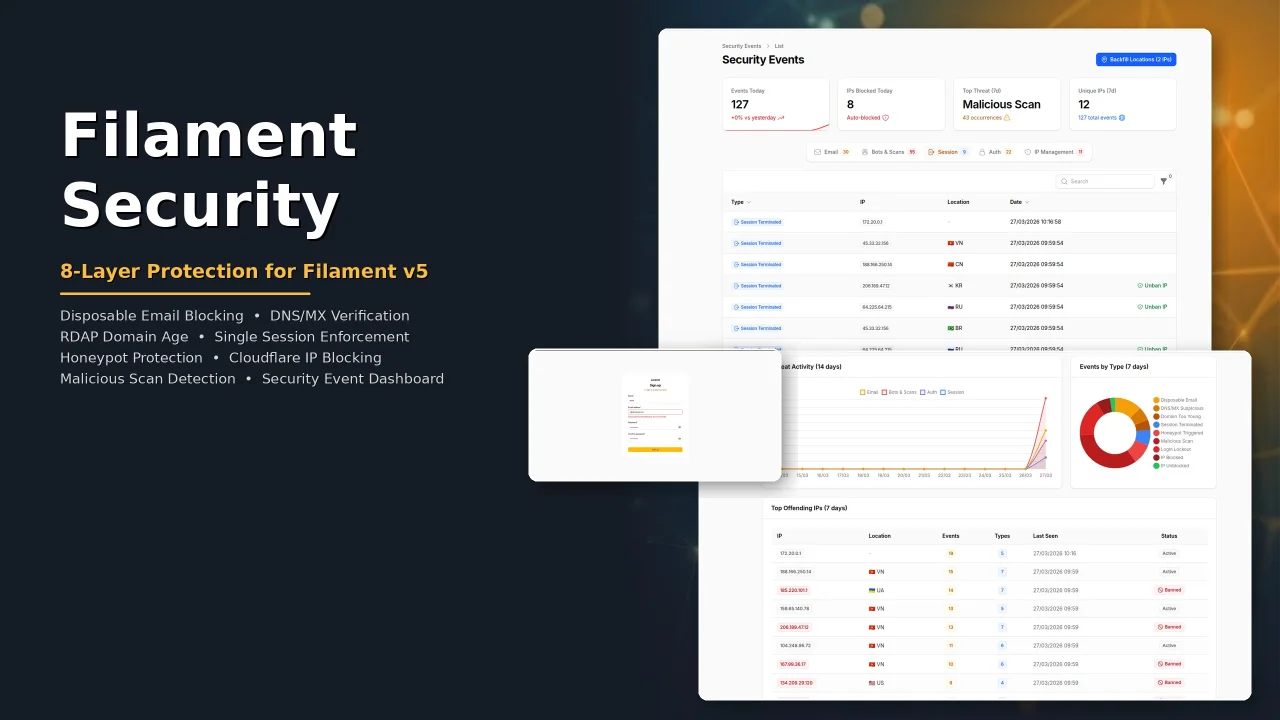
Security
Security plugin for Filament with eight protection layers: disposable email blocking, DNS/MX verification, RDAP domain age check, single session enforcement, honeypot bot protection, Cloudflare IP blocking, malicious scan detection, and a security event dashboard with real-time analytics.
Author:
Wallace Martins
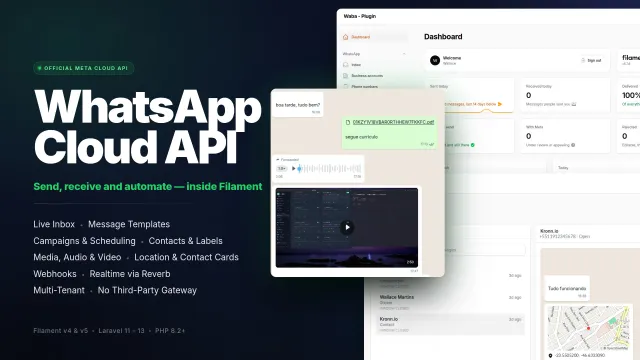
WhatsApp MetaCloud Connector
Manage WhatsApp business accounts, phone numbers, message templates, conversations and campaigns from your panel through Meta's official Cloud API, without a third-party gateway.
Author:
Wallace Martins
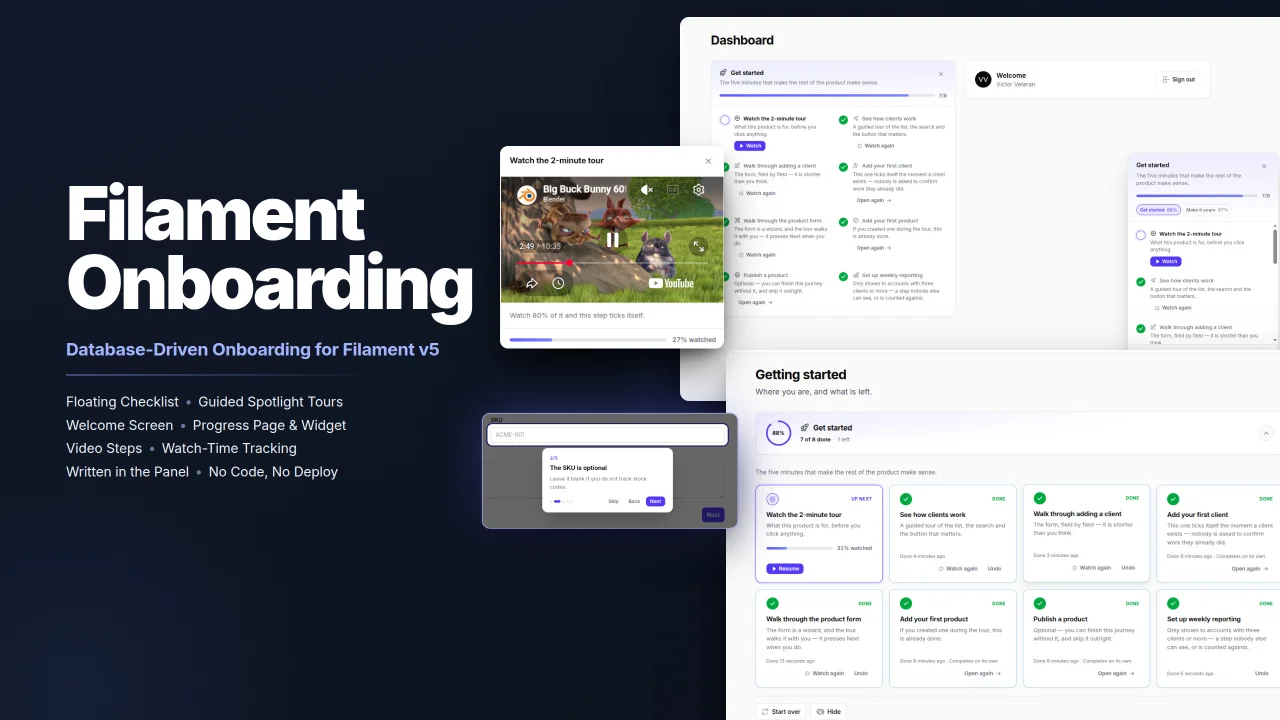
Onboarding
Filament Onboarding gives your users a floating progress checklist, guided spotlight tours and videos, all written in the panel instead of in code, with steps that complete themselves for people who have already done the work.
Author:
Wallace Martins

WhatsApp Connector
Seamlessly integrates WhatsApp capabilities into your Laravel application using the Evolution API v2. Built natively for Filament v4 with full multi-tenancy support, it provides a real-time QR code interface for instant connection. The package empowers developers to send text, media, and document messages effortlessly via dedicated Actions or Service Traits, while handling webhooks and ensuring security through environment-based credential storage.
Author:
Wallace Martins
Featured Plugins
A selection of plugins curated by the Filament team

Compact Theme
A theme that makes data-heavy panels easier to scan by fitting more useful information on each screen.
 Filament

Custom Fields
Eliminate custom field migrations forever. Let your users create and manage form fields directly in Filament admin panels with 20+ built-in field types, validation, and zero database changes.
 Relaticle

Noir Theme
A theme that gives panels a focused, refined look with near-black surfaces, crisp actions, and restrained color.
Filament

