
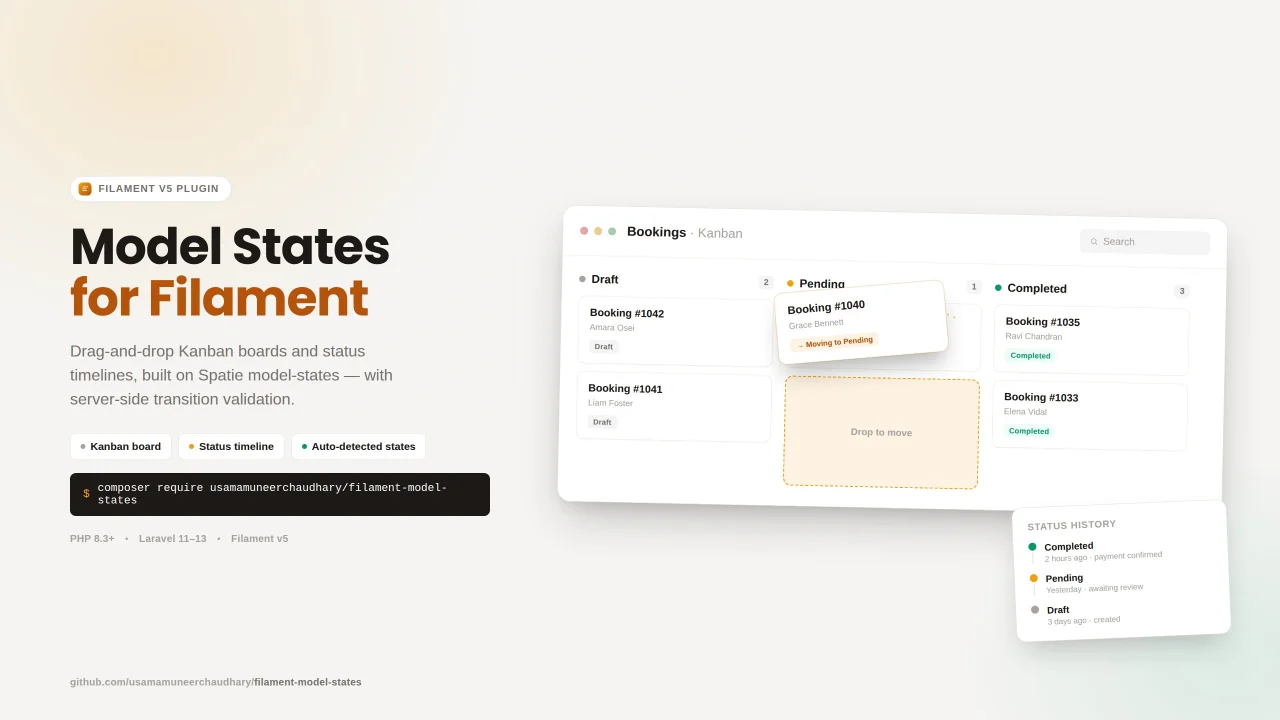
Spatie Model States Visualizer by Usama Muneer
CommunityState-aware Kanban board and status timeline components for Filament v5. Filament Model States provides a plug and play auto-detection for enums, Spatie Model States, or plain database values. Built to sit on top of: spatie/laravel-model-status > powers the timeline (status history log) spatie/laravel-model-states > powers transition validation and column discovery on the Kanban board (optional but recommended)
 Author:
Usama Muneer
Author:
Usama Muneer
Package health
Automated checks of this plugin's Composer package
15 checks
- Failed: GitHub Actions pinned to SHA — View details on Plumb
- Skipped: GitLab CI includes pinned to SHA
- Passed: Open security advisories
- Passed: Dependabot PR responsiveness — No open Dependabot PRs.
- Skipped: Renovate MR responsiveness
- Failed: Dependabot or Renovate configured — No dependency updater configuration found. View details on Plumb
- Skipped: Dependency update cooldown configured
- Failed: Provides a security policy — View details on Plumb
- Passed: Abandoned or archived — No consulted source marks the package abandoned (packagist, github).
- Passed: Commit and release recency — Active: last commit 16 days ago; last release 18 days ago.
-
Passed:
composer.lock not committed by library
—
composer.lockis absent from the released dist archive. - Passed: Dist archive is lean
-
Passed:
Current Laravel version supported
—
Package dependencies resolve together with current Laravel
13.0. -
Passed:
Current PHP version supported
—
Constraint
^8.3supports current PHP8.5. - Skipped: Current Symfony version supported
filament/
namespace. Review the source and install at your own risk. Found
malware or an unresolved security issue the author won't
address?
Report it
.
Documentation
- Requirements
- Installation
- Quick start
- Kanban board
- Auto-detection
- Spatie Model States
- Enum-based workflows
- Optional model hooks
- Status timeline (Infolist)
- Kanban features
- Artisan command
- Configuration
- How transition validation works
- Where to register the board
- Compatibility
- License


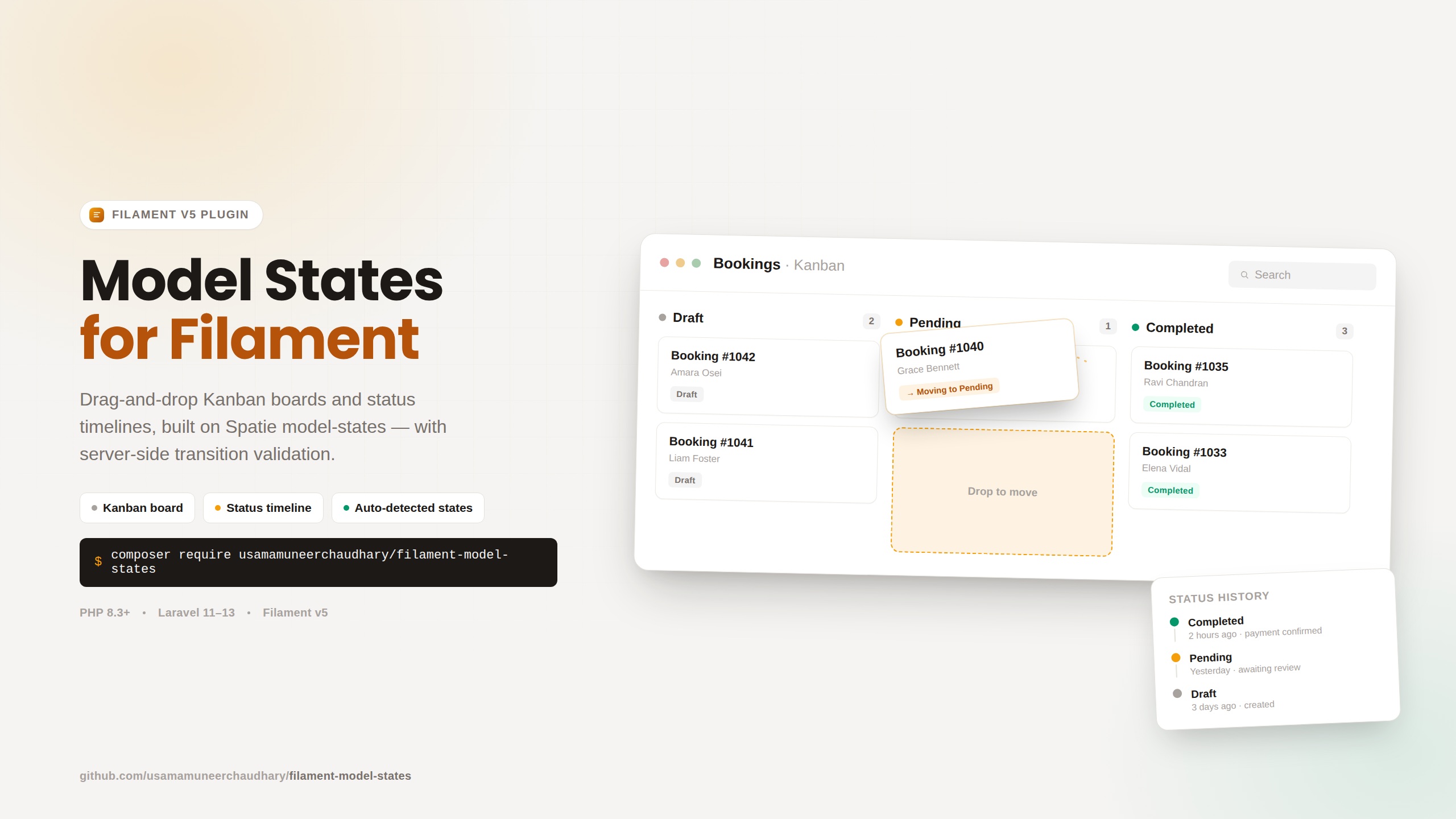 ## In Action

## In Action

State-aware Kanban board and status timeline components for Filament v5.
Built to sit on top of:
spatie/laravel-model-status> powers the timeline (status history log)spatie/laravel-model-states> powers transition validation and column discovery on the Kanban board (optional but recommended)
Filament Model States provides a plug and play auto-detection for enums, Spatie Model States, or plain database values.
#Requirements
- PHP 8.3+
- Laravel 11–13
- Filament v5
spatie/laravel-model-status(required for timeline + optional status logging on Kanban moves)spatie/laravel-model-states(optional for server-side transition validation and config-driven column order)
#Installation
composer require usamamuneerchaudhary/filament-model-states
php artisan vendor:publish --tag="filament-model-states-config"
php artisan filament:assets
After upgrading the package, re-run php artisan filament:assets and hard-refresh your browser if Kanban styles or drag-and-drop stop working.
#Quick start
#1. Prepare your model
Option A: backed enum (simplest)
use Spatie\ModelStatus\HasStatuses;

class Order extends Model
{
    use HasStatuses;

    protected function casts(): array
    {
        return [
            'workflow_state' => WorkflowState::class,
        ];
    }
}
enum WorkflowState: string
{
    case Draft = 'draft';
    case Pending = 'pending';
    case Completed = 'completed';

    public function label(): string
    {
        return match ($this) {
            self::Draft => 'Draft',
            self::Pending => 'Pending',
            self::Completed => 'Completed',
        };
    }

    /** @return array<string, list<string>> */
    public static function transitions(): array
    {
        return [
            'draft' => ['pending'],
            'pending' => ['completed'],
            'completed' => [],
        ];
    }
}
Option B: Spatie Model States
use Spatie\ModelStates\HasStates;
use Spatie\ModelStatus\HasStatuses;

class Booking extends Model
{
    use HasStates;
    use HasStatuses;

    protected function casts(): array
    {
        return [
            'status' => BookingState::class,
        ];
    }
}
#2. Add the Kanban to a resource list page
use Usamamuneerchaudhary\FilamentModelStates\Concerns\HasStateKanbanBoard;

class BookingResource extends Resource
{
    use HasStateKanbanBoard;

    // ...
}
// Pages/ListBookings.php
protected function getHeaderWidgets(): array
{
    return [
        BookingResource::getStateKanbanBoard(),
    ];
}
 That's it. Columns, labels, transitions, and column order are auto-detected.
#3. Verify detection (optional)
php artisan filament-model-states:make-kanban Booking --detect --state-field=status
#Kanban board
#Plug-and-play widget
Point the board at any model, no subclass required:
use Usamamuneerchaudhary\FilamentModelStates\Widgets\ModelStateKanbanBoard;

// List page header widgets
ModelStateKanbanBoard::for(Booking::class)

// Non-default state field
ModelStateKanbanBoard::for(Booking::class, stateField: 'status')
#Resource trait (recommended)
Add HasStateKanbanBoard to your Filament resource, then register on the list page:
use Usamamuneerchaudhary\FilamentModelStates\Concerns\HasStateKanbanBoard;

class OrderResource extends Resource
{
    use HasStateKanbanBoard;
}
protected function getHeaderWidgets(): array
{
    return [
        OrderResource::getStateKanbanBoard(),
    ];
}
#Generated widget (optional)
If you prefer a dedicated widget class:
php artisan filament-model-states:make-kanban Booking --resource=BookingResource
This creates app/Filament/Widgets/BookingKanbanBoard.php and prints wiring instructions. Use --force to overwrite, --detect to inspect without generating.
#Custom widget (full control)
Extend StateKanbanBoard when you need complete control over columns, queries, card content, or authorization:
use Usamamuneerchaudhary\FilamentModelStates\Widgets\StateKanbanBoard;

class OrderStatusBoard extends StateKanbanBoard
{
    protected function getModel(): string
    {
        return Order::class;
    }

    protected function getStateField(): string
    {
        return 'workflow_state';
    }

    protected function getColumns(): array
    {
        return ['draft', 'pending', 'processing', 'completed', 'cancelled'];
    }

    protected function getAllowedTransitions(): ?array
    {
        return WorkflowState::transitions();
    }

    protected function getColumnLabel(string $key): string
    {
        return WorkflowState::from($key)->label();
    }

    protected function getCardTitle(Model $record): string
    {
        return "Order #{$record->reference}";
    }

    protected function getCardSubtitle(Model $record): ?string
    {
        return $record->customer_name;
    }

    protected function getQuery(): Builder
    {
        return Order::query()->where('team_id', filament()->getTenant()->id);
    }
}
#Auto-detection
ModelStateKanbanBoard resolves everything through StateConfigurationResolver:
| Priority | Source | Columns | Transitions | Labels |
|---|---|---|---|---|
| 1 | Backed enum cast | Enum::cases() |
Enum::transitions() or Model::getStateTransitions() |
Enum::label() |
| 2 | Spatie Model States cast | BookingState::getStateMapping() |
BookingState::config() allowances |
State::label() or headline of $name |
| 3 | Database fallback | Distinct values in the state column | Model::getStateTransitions() if defined |
Headline of stored value |
#State field detection
The resolver looks for, in order:
workflow_state,state, orstatusattributes in$casts- Any enum cast whose field name contains
stateorstatus - Any Spatie state cast on a field containing
stateorstatus - Any enum or Spatie state cast
Pass an explicit field when ambiguous:
ModelStateKanbanBoard::for(Booking::class, stateField: 'status')
#Spatie Model States
#Transitions
When your model uses spatie/laravel-model-states, the Kanban reads allowances directly from your abstract state's config():
abstract class BookingState extends State
{
    public static function config(): StateConfig
    {
        return parent::config()
            ->default(Initiated::class)
            ->allowTransition(Initiated::class, AwaitingPayment::class, ToAwaitingPayment::class)
            ->allowTransition(Initiated::class, Expired::class, ToExpired::class);
    }
}
On drag-and-drop:
- UI: only allowed target columns are highlighted; invalid targets are blocked client-side.
- Server:
$currentState->canTransitionTo($targetStateClass)is called before saving. - Persist:
$currentState->transitionTo($targetStateClass)runs your transition classes (ToAwaitingPayment, etc.). - History: if the model uses
HasStatuses,setStatus()is called automatically.
#Column keys and labels
| Property | Used for |
|---|---|
public static string $name = 'initiated' |
Column key (DB value / morph class) |
label() |
Column header label (optional) |
description() |
Not used for Kanban headers, keep this for tooltips or detail views |
Without label(), headers are generated from $name (e.g. initiated → "Initiated").
class Initiated extends BookingState
{
    public static string $name = 'initiated';

    public static function label(): string
    {
        return 'Initiated';
    }

    public static function description(): ?string
    {
        return 'Booking has just been created';
    }
}
#Column ordering
Columns are ordered automatically. Priority:
columnOrder()on the abstract state class (explicit override)$sortOrderorsortOrder()on each concrete state class- Config registration order: default state first, then the order
allowTransition()calls appear inconfig() - Filesystem discovery: remaining states in directory order
Explicit order example:
abstract class BookingState extends State
{
    public static function columnOrder(): array
    {
        return [
            'initiated',
            'awaiting_payment',
            'pending',
            'confirmed',
            'completed',
            'cancelled',
        ];
    }
}
Per-state sort order:
class Initiated extends BookingState
{
    public static int $sortOrder = 1;
    public static string $name = 'initiated';
}
#Enum-based workflows
Define transitions on the enum:
public static function transitions(): array
{
    return [
        'draft' => ['pending', 'cancelled'],
        'pending' => ['processing', 'cancelled'],
        'processing' => ['completed', 'failed'],
        'completed' => [],
        'cancelled' => ['draft'],
        'failed' => ['pending'],
    ];
}
Or on the model:
public static function getStateTransitions(): array
{
    return WorkflowState::transitions();
}
Enum case order in the PHP file is used as column order.
#Optional model hooks
#Search
Add a query scope to enable the board's search box:
public function scopeFilamentKanbanSearch(Builder $query, string $search): Builder
{
    return $query->where(function (Builder $query) use ($search): void {
        $query->where('reference', 'like', "%{$search}%")
            ->orWhere('customer_name', 'like', "%{$search}%");
    });
}
#Status history on Kanban moves
Use HasStatuses on the model. Each successful drag calls:
$record->setStatus($targetColumn, 'Moved via Kanban board');
Customize the reason by extending StateKanbanBoard::persistStateChange().
#Spatie state class resolution
If column keys don't map cleanly to state classes, add to your model:
public static function getStateClassForColumn(string $column): string
{
    return match ($column) {
        'awaiting_payment' => AwaitingPayment::class,
        default => throw new InvalidArgumentException("Unknown column [{$column}]"),
    };
}
#Status timeline (Infolist)
Shows a vertical history of status changes from spatie/laravel-model-status.
#Basic usage
use Usamamuneerchaudhary\FilamentModelStates\Infolists\Components\StatusTimelineEntry;

public static function infolist(Schema $schema): Schema
{
    return $schema->components([
        StatusTimelineEntry::make('status_history')
            ->label('Status history')
            ->limit(20),
    ]);
}
#Resource trait
use Usamamuneerchaudhary\FilamentModelStates\Concerns\HasStatusTimelineInfolist;

class OrderInfolist
{
    use HasStatusTimelineInfolist;

    public static function configure(Schema $schema): Schema
    {
        return $schema->components([
            Section::make('Status history')
                ->schema([
                    self::statusTimelineEntry(),
                ]),
        ]);
    }
}
The timeline reads $record->statuses(), shows each state with reason and duration, and highlights the current one. Status labels match the Kanban board (enum label(), Spatie state label(), or a headline fallback).
#Options
StatusTimelineEntry::make('status_history')
    ->limit(20)              // max entries shown (no pagination UI)
    ->hideReason()           // hide the reason text
    ->emptyStateLabel('No changes yet.');
#Kanban features
- Drag-and-drop between columns with SortableJS (bundled, no CDN)
- Server-side validation: invalid moves are rejected with a notification; cards snap back
- Confirmation modal before saving a move (configurable)
- Search: filters cards when
scopeFilamentKanbanSearchis defined - Column filter: dropdown to focus on a single column
- Totals: SQL counts per column; cards are paginated per column
- Transition hints: "Can move to" chips under each column header
- Authorization:
Gate::authorize('update', $record)on every move
#Artisan command
# Inspect auto-detected configuration
php artisan filament-model-states:make-kanban Booking --detect

# Specify a non-default state field
php artisan filament-model-states:make-kanban Booking --detect --state-field=status

# Generate a widget class
php artisan filament-model-states:make-kanban Booking --resource=BookingResource

# Overwrite an existing generated widget
php artisan filament-model-states:make-kanban Booking --force
Example --detect output:
 Model              App\Models\Booking
 State field        status
 Detection source   spatie-model-states
 Columns            initiated, awaiting_payment, pending, ...
 Transitions        {"initiated":["awaiting_payment","expired"], ...}
#Configuration
Published to config/filament-model-states.php:
return [
    'timeline' => [
        'per_page' => 25,
        'show_reason' => true,
        'date_format' => 'M j, Y \a\t g:i A',
    ],

    'kanban' => [
        // Filament color tokens per column key
        'column_colors' => [
            'draft' => 'gray',
            'pending' => 'warning',
            'processing' => 'info',
            'completed' => 'success',
            'cancelled' => 'danger',
            'failed' => 'danger',
        ],

        // Show a danger notification when a drag is rejected
        'notify_on_invalid_transition' => true,

        // Max cards rendered per column (totals always use SQL counts)
        'records_per_column' => 25,

        // Confirm in a modal before persisting a move
        'confirm_before_move' => true,
    ],
];
Unlisted column keys fall back to gray. Override per-widget via getColumnColor() on a custom StateKanbanBoard subclass.
#How transition validation works
When a card is dropped on a new column, moveRecord() runs server-side:
- Loads the record with a row lock.
- Authorizes
updateon the record. - Checks the transition:
- Spatie Model States:
$state->canTransitionTo($targetStateClass) - Enum / manual map:
getAllowedTransitions()array - No rules: all moves allowed
- Spatie Model States:
- Persists via
transitionTo()(Spatie) or direct attribute save (enum/DB). - Optionally logs to status history via
setStatus().
The browser cannot bypass step 3, enforcement lives in your state machine, not JavaScript.
#Where to register the board
| Location | How |
|---|---|
| Resource list page (recommended) | getHeaderWidgets() → YourResource::getStateKanbanBoard() |
| Custom page | ModelStateKanbanBoard::for(YourModel::class) in getHeaderWidgets() or getFooterWidgets() |
| Panel widgets | Only if you want a global board, usually prefer resource-scoped |
#Compatibility
- Filament v5 (
filament/filament ^5.0) - Laravel 11–13
- PHP 8.3+
StatusTimelineEntryuses the Filament v5 schemas/infolists API- Kanban CSS and JS are bundled via
FilamentAsset, runphp artisan filament:assetsafter install
#License
The author
Coder, Blogger, Tech Speaker & Web Technologies Enthusiast. Passionate about working on open-source Programming languages & Tools while utilizing my Product Development skills.
From the same author
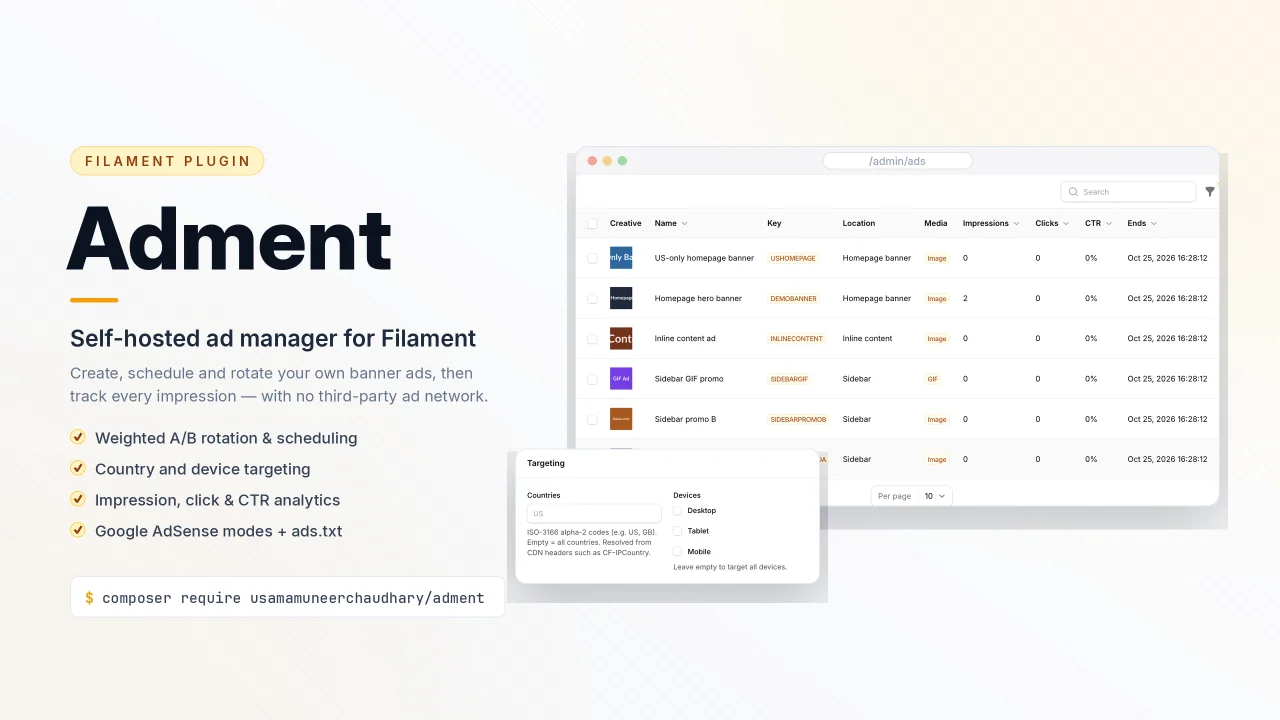
Adment
A simple custom ad & Google AdSense manager for Filament v5 with placements, responsive (and GIF/video) creatives, weighted A/B rotation, scheduling windows, geo/device targeting, impression & CTR analytics, obfuscated click tracking, AdSense Auto Ads & ad units, ads.txt management, and an optional public JSON API.
Author:
Usama Muneer

Command Palette
A Spotlight/CMD+K style command palette for quick navigation and actions across Filament panels.
Author:
Usama Muneer

Notifier
A powerful notification system that handles multi-channel notifications with template management, scheduling, and real-time delivery. Built for developers who need enterprise-grade notifications without the complexity.
Author:
Usama Muneer
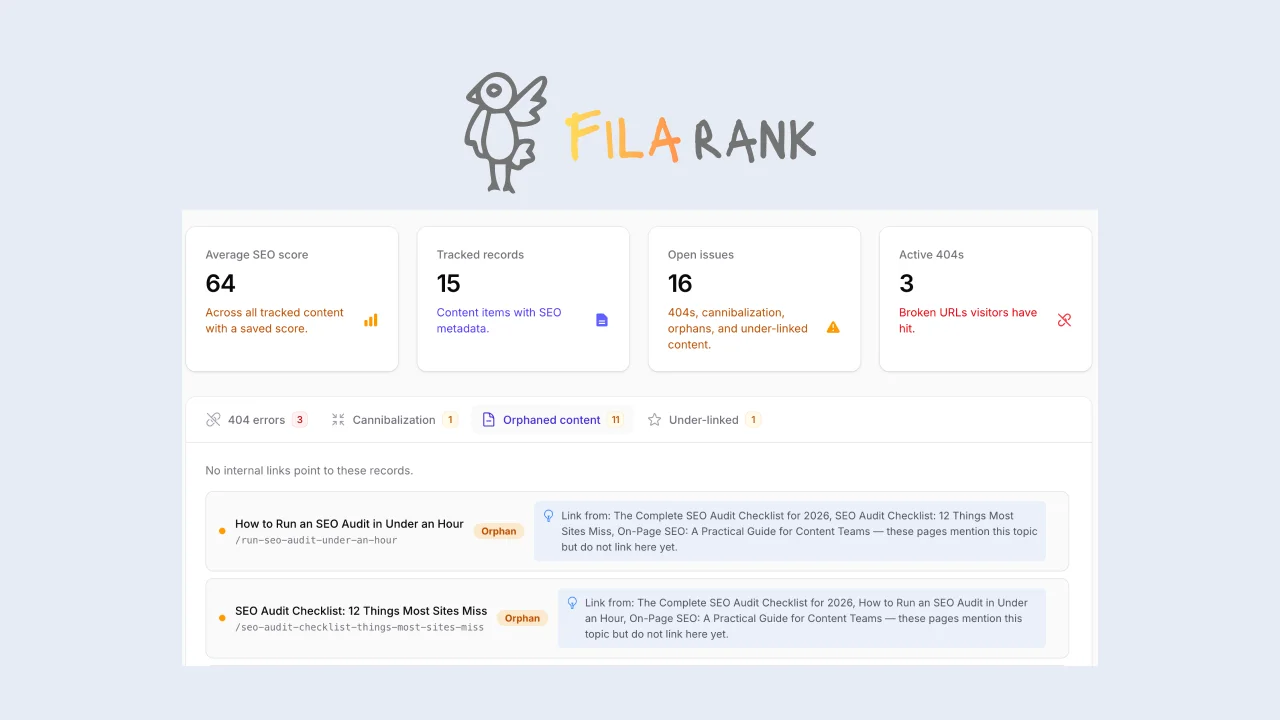
FilaRank Pro
SEO toolkit for Filament with live scoring, readability analysis, SERP preview, head tag rendering, redirect management, site-wide health reports and many more.
Author:
Usama Muneer
Featured Plugins
A selection of plugins curated by the Filament team

Noir Theme
A theme that gives panels a focused, refined look with near-black surfaces, crisp actions, and restrained color.
 Filament

Custom Fields
Eliminate custom field migrations forever. Let your users create and manage form fields directly in Filament admin panels with 20+ built-in field types, validation, and zero database changes.
 Relaticle

Spotlight Pro
Browse your Filament Panel with ease. Filament Spotlight Pro adds a Spotlight like Command Palette to your Filament Panel.
 Dennis Koch
