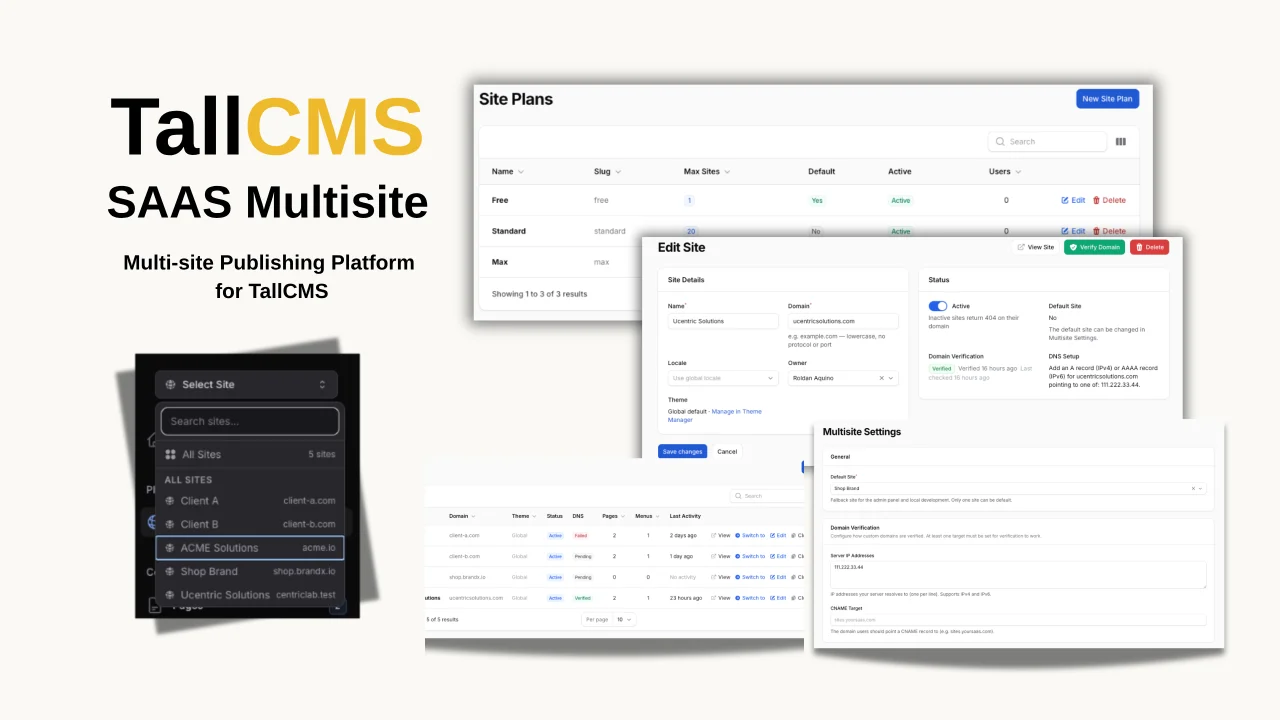
TallCMS SAAS Multisite
CommunityMulti-site management for TallCMS. Run multiple websites from one Filament admin panel — each with its own domain, theme, content, and settings.
filament/
namespace. Review the source and install at your own risk. Found
malware or an unresolved security issue the author won't
address?
Report it
.
 Author:
TallCMS
Author:
TallCMS
Documentation
#Overview
Stop maintaining separate installations for every site you run. TallCMS Multisite lets you manage an entire portfolio of websites from a single Filament admin panel — each with its own domain, theme, pages, menus, and settings — while sharing your media library, blog content, plugins, and updates across all of them.
Create a new site in a few minutes. Pick a domain, assign a theme, start building. No provisioning, no extra migrations, no deployment pipeline. Clone an existing site with all its pages, menus, and settings in one click.
Built for agencies managing client sites from one panel. Built for founders running product sites, landing pages, and experiments. Built for SaaS builders creating hosted website platforms. Built for multi-brand businesses with separate domains and unified operations.
Download from Anystack
Key features:
* Per-site domains, themes, settings, pages, and menus
* DNS-based domain verification with automated re-verification
* Automatic TLS certificate provisioning
* Multisite Settings admin page (no .env editing needed)
* Site ownership for multi-tenant SaaS setups
* Site cloning with full content duplication
#What You Get
#Per-Site Everything
Every site is fully independent where it matters:
- Domains — Each site responds to its own domain. Visitors see a completely separate website.
- Themes — Assign different themes and daisyUI presets per site. A portfolio site and an e-commerce landing page can look completely different.
- Pages & Menus — Content is fully isolated. The same slug (
/about,/pricing) can exist on different sites without conflict. - Settings — Site name, logo, favicon, contact info, SEO, social links, branding, maintenance mode, analytics code — all overridable per site with clear inherit/override indicators.
- Maintenance Mode — Put one site in maintenance without affecting the rest.
#Shared Where It Counts
No duplication, no drift:
- Blog Posts & Categories — Write once, available on every site.
- Media Library — Upload once, use everywhere.
- Plugins & Themes — Installed once, available to all sites. Update once, every site is current.
- User Accounts & Permissions — One login, one role system, full access control.
#Admin Experience
- Site Switcher — Searchable Livewire-powered switcher in the sidebar. Recent sites, instant context switching.
- "All Sites" Mode — Super-admins see content across all sites at once.
- Override Indicators — Every setting shows whether it's customized or inherited from the global default.
- "Reset to Global" — One click to restore any setting to the installation default.
- Site Health Dashboard — Page count, menu count, setting overrides, last activity, and domain status for every site at a glance.
#Site Cloning
Duplicate any site with all its pages (preserving parent-child hierarchy), menus (preserving nested structure), menu items, and setting overrides. Perfect for spinning up new client sites or testing variations.
#Site Ownership & Access Control
Each site has an owner. Non-super-admins see only their own sites. Super-admins see everything and can reassign ownership.
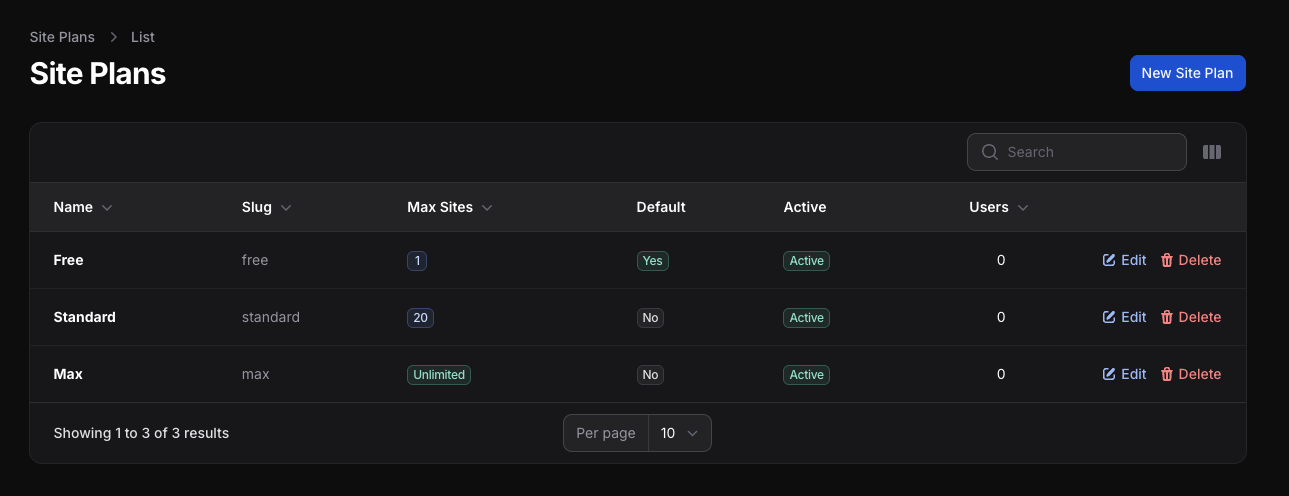
#Site Plans & Quotas
Built-in plan/tier system to control how many sites each user can create:
- Configurable plans — Free (1 site), Pro (5 sites), Enterprise (unlimited), or whatever tiers you define
- Per-user assignment — Assign plans to users from the admin, or in bulk
- Transactional enforcement — Race-safe quota checks with row-level locking
- Over-quota grandfathering — Downgrading a plan preserves existing sites; new creation is blocked until under the limit
- Spark-ready — Plan slugs are designed as the bridge to Laravel Spark subscription billing
- Super-admin bypass — Admins are never quota-limited
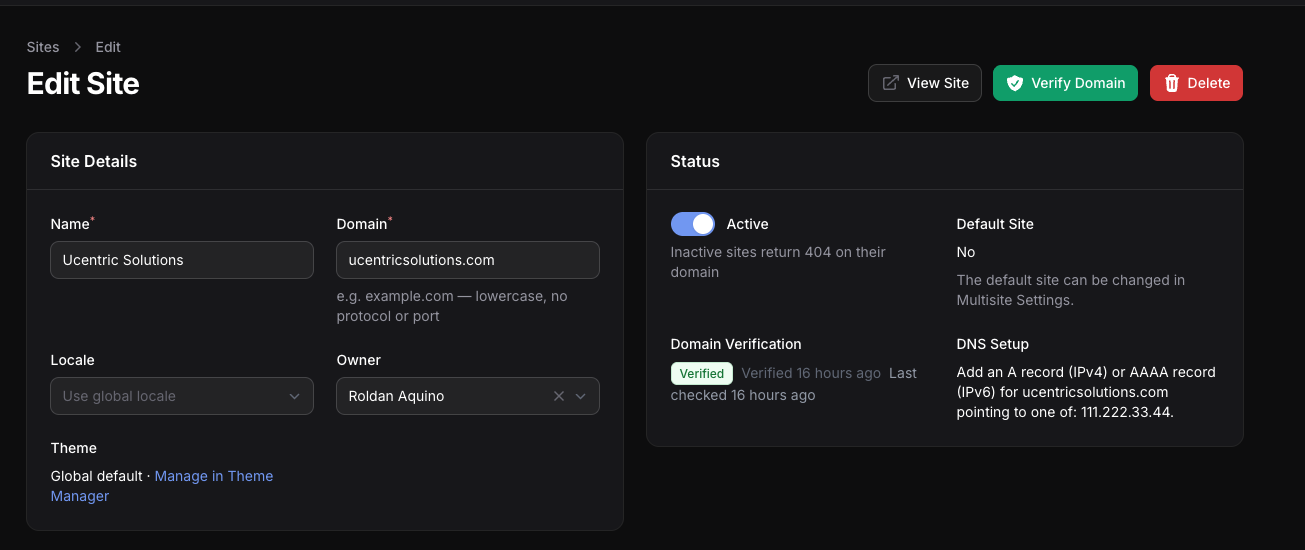
#Domain Verification & TLS
Custom domains are verified via DNS lookup (A, AAAA, or CNAME) before being marked as TLS-eligible. Managed subdomains (*.yoursaas.com) are auto-trusted.
- Verify from the admin — Click "Verify Domain" and the plugin checks DNS in real time.
- DNS setup instructions — Shown to users in the admin based on your server configuration.
- Automatic re-verification — Scheduled hourly checks (in configurable batches) catch domains that stop pointing to your server.
- State machine — Verified → Stale (grace period) → Failed (TLS revoked). No stale trust.
- Built-in TLS verify endpoint —
/internal/tls/verify?domain=example.comreturns 200/404 so your reverse proxy (e.g. Caddy's on-demand TLS) can check before issuing certificates.
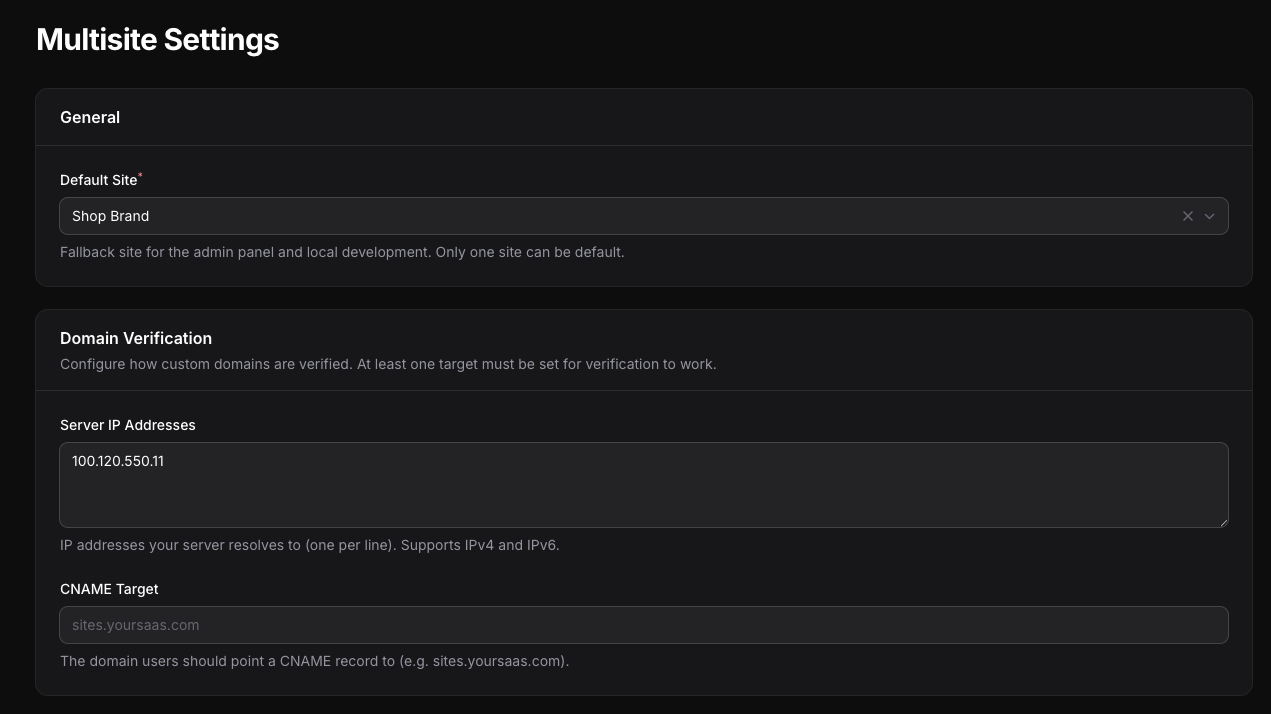
#Multisite Settings Page
All installation-wide configuration lives in the admin — no .env editing required:
- Default site selection
- Server IP addresses and CNAME target for domain verification
- Re-verification interval and batch size
- Scheduler health monitoring
#Documentation
#Installation
- Upload the plugin ZIP via Admin > System > Plugins — migrations run automatically during installation
- Activate your license in Admin > System > Plugins (click the license key icon on the plugin card)
- Your existing site automatically becomes the default site — nothing breaks
Requirements: TallCMS (free, open-source CMS built on Filament) 3.10.3+, PHP 8.2+, Filament 5
#Creating a Site
- Navigate to Admin > Platform > Sites
- Click Create
- Fill in Name and Domain (lowercase, no protocol or port — e.g.
shop.example.com) - Optionally set a Locale override and Owner
- Click Create
After creating the site, verify the domain to enable TLS certificates.
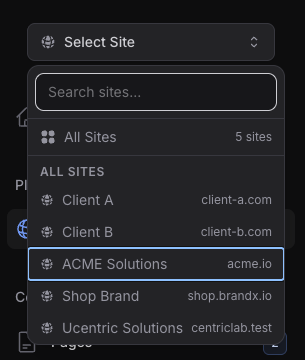
#Site Switcher
The site switcher appears at the top of the admin sidebar. Select a site to manage its content:
- Pages and Menus filter to the selected site
- Site Settings, SEO, and Code Injection read/write for the selected site
- Theme Manager activates themes for the selected site
- All Sites mode (super-admins only) shows content across all sites
#Multisite Settings
Navigate to Admin > Configuration > Multisite Settings to configure installation-wide options:
General
- Default Site — Fallback site for the admin panel and local development
Domain Verification
- Server IP Addresses — Your server's IP addresses (one per line, IPv4 and IPv6 supported)
- CNAME Target — The domain users should point a CNAME record to (e.g.
sites.yoursaas.com)
Set at least one for domain verification to work. Users see DNS setup instructions based on what you configure.
Re-verification
- Re-verify Every (Days) — How often to re-check verified domains (minimum 7 days, 0 = disabled)
- Batch Size — Maximum domains checked per hourly run (default 50, max 500)
#Domain Verification
Custom domains must be verified before TLS certificates are issued. Managed subdomains (e.g. *.yoursaas.com) are auto-trusted and skip this step.
To verify a domain:
- Configure your server IP or CNAME target in Multisite Settings (one-time setup)
- Open the site's edit page
- The DNS Setup section shows what records to add at your domain registrar
- Add the DNS record (A/AAAA or CNAME)
- Click the Verify Domain button in the page header
- On success, the status changes to Verified and TLS provisioning is triggered automatically
Verification statuses:
| Status | Meaning |
|---|---|
| Pending | Domain added but not yet verified |
| Verified | DNS confirmed, TLS eligible |
| Stale | Re-verification failed once (grace period) |
| Failed | Two consecutive re-verification failures, TLS revoked |
Changing a site's domain resets verification to Pending. You can click Verify Domain again at any time to re-check.
Re-verification runs automatically (hourly, in batches) when enabled. The state machine progresses: Verified → Stale (first failure, grace period) → Failed (second consecutive failure, TLS revoked). The Multisite Settings page shows a health warning if the scheduler isn't running or if there's a backlog.
Built-in TLS verify endpoint: The plugin ships with an /internal/tls/verify endpoint that your reverse proxy can call before issuing a certificate. Pass ?domain=example.com and it returns 200 if the domain belongs to an active, verified site — or 404 if not. This is how tools like Caddy's on-demand TLS know whether to provision a certificate, preventing abuse from random domains pointing at your server. The endpoint supports optional token authentication via the X-Internal-Token header (configured in tallcms.multisite.tls_verify_token).
#A Note on Server Setup
TallCMS Multisite handles site routing, content isolation, and domain verification — but your server needs to be configured to accept traffic for multiple domains.
This means a web server that responds to all your site domains (a wildcard or catch-all config), and a way to provision TLS certificates (Caddy, Certbot, Forge, Ploi, or your hosting provider).
The plugin doesn't manage your server or issue certificates — it verifies that domains point to the right place and marks them ready for TLS. How you provision certificates is up to your stack.
For a step-by-step production reference, see our guide: Multi-Tenant SaaS on DigitalOcean with Caddy, Cloudflare, Nginx and Ploi.
#Per-Site Settings
- Select a site in the Site Switcher
- Navigate to Admin > Configuration > Site Settings
- Each field shows its current state:
- Site override (blue pencil) — Custom value for this site
- Inherited from global (gray globe) — Using the installation default
- Change what you need and click Save
Only fields you modify create overrides. Click Reset to global to remove an override.
Global-only settings (language/i18n) cannot be overridden per site — they affect URL routing which is installation-wide.
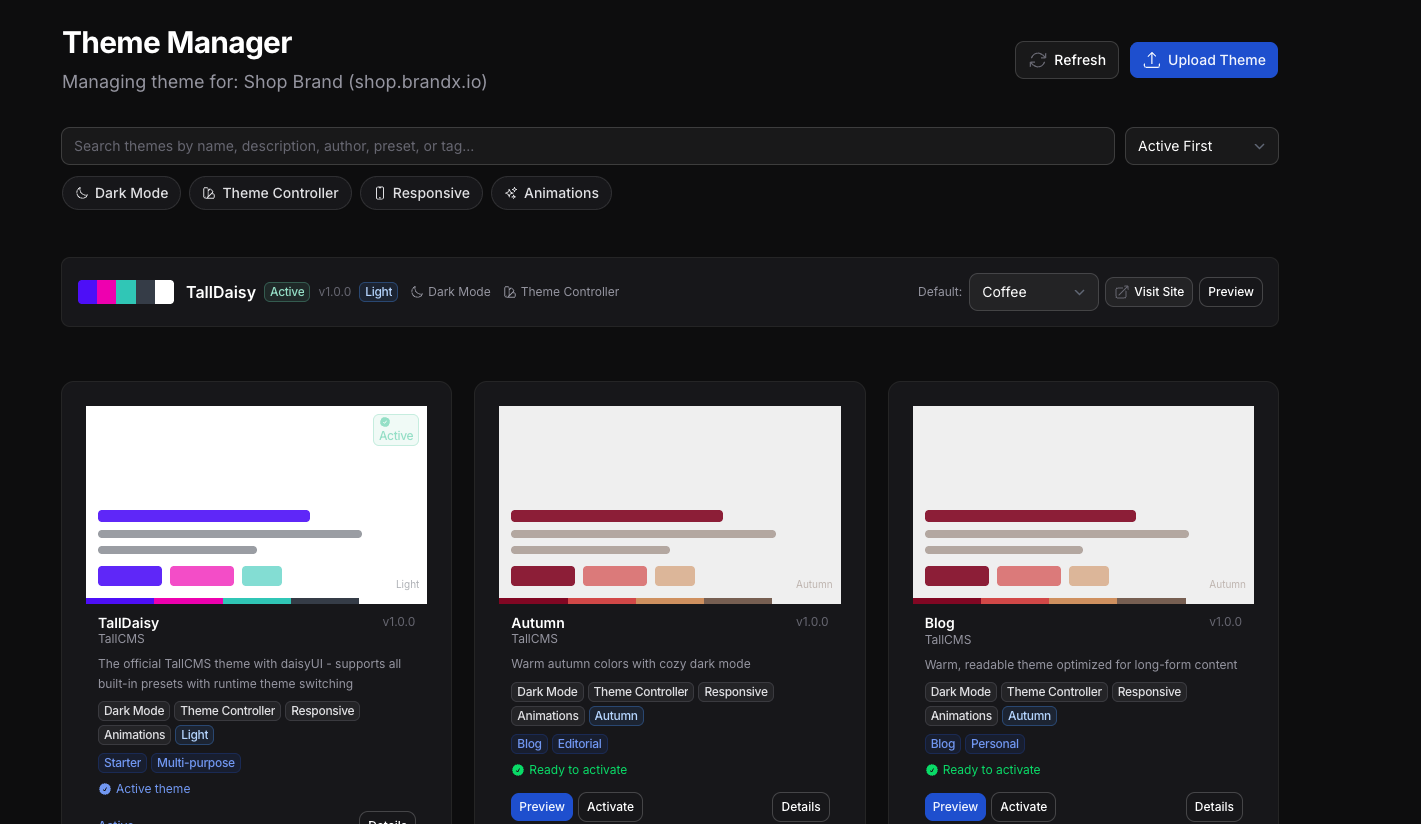
#Per-Site Themes
- Select a site in the Site Switcher
- Navigate to Admin > Appearance > Themes
- Activate any installed theme for that site
- Optionally set a default daisyUI preset
Each site can use a different theme. Sites without an explicit theme inherit the global default.
#Site Ownership
Each site has an Owner:
- Super-admins see all sites and can reassign ownership
- Regular users see only their own sites
- Creating a site automatically assigns you as owner
- All Sites mode is super-admin only
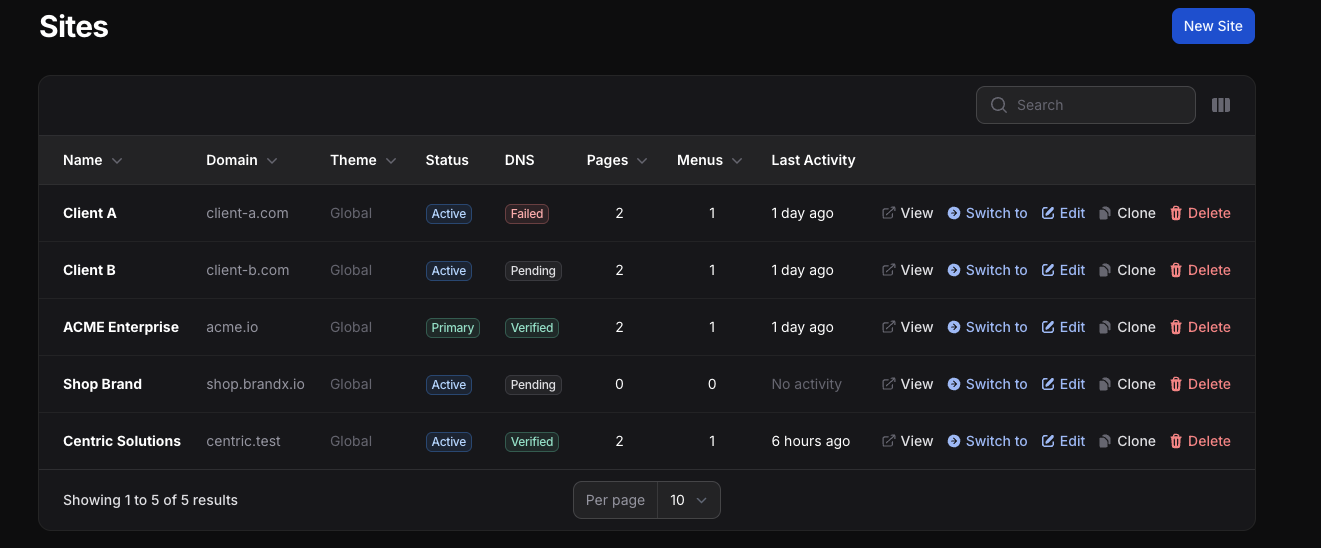
#Clone a Site
From the sites list, click Clone on any site to duplicate it with:
- All pages (preserving parent-child hierarchy)
- All menus and menu items (preserving nested structure)
- All setting overrides
- Theme and locale assignment
You provide a new name and domain for the clone.
#What's Per-Site vs Global
Per-site: Pages, menus, themes, site settings (name, logo, contact, SEO, branding, maintenance mode, code injection)
Global (shared): Posts, categories, media library, plugins, user accounts, roles & permissions, language settings
#Adding Custom Domains (Server Setup)
Each custom domain requires:
- DNS — Point the domain's A/AAAA record or CNAME to your server
- Web server — Configure your server to accept the domain (wildcard or explicit). Document root must point to TallCMS
public/ - TLS — Certificates are provisioned automatically after domain verification. If using a reverse proxy like Caddy, this is automatic. For Nginx/Apache, use Certbot or your hosting provider.
Example: Nginx catch-all server block
server {
    listen 80;
    listen 443 ssl;
    server_name site-a.com site-b.com *.yourdomain.com;

    root /var/www/tallcms/public;
    index index.php;

    location / {
        try_files $uri $uri/ /index.php?$query_string;
    }

    location ~ \.php$ {
        fastcgi_pass unix:/var/run/php/php8.4-fpm.sock;
        fastcgi_param SCRIPT_FILENAME $realpath_root$fastcgi_script_name;
        include fastcgi_params;
    }
}
Example: Apache catch-all virtual host
<VirtualHost *:80>
    ServerName site-a.com
    ServerAlias site-b.com *.yourdomain.com
    DocumentRoot /var/www/tallcms/public

    <Directory /var/www/tallcms/public>
        AllowOverride All
        Require all granted
    </Directory>
</VirtualHost>
Using a server management tool? The exact setup depends on your stack. For a production-ready reference using Caddy + Cloudflare + Nginx + Ploi with automatic TLS for both wildcard subdomains and custom domains, see our guide: Multi-Tenant SaaS on DigitalOcean with Caddy, Cloudflare, Nginx and Ploi.
#Scheduling Re-verification
The re-verification command is auto-registered to run hourly. Make sure the Laravel scheduler is active:
# Add to your server's crontab
* * * * * cd /path-to-your-project && php artisan schedule:run >> /dev/null 2>&1
You can also run it manually:
php artisan tallcms:reverify-domains
#Common Pitfalls
"404 when visiting my new site's domain" The domain must resolve to your server via DNS and be registered as a site in the admin. The site must be active.
"Verify Domain says 'not configured'" Go to Multisite Settings and enter your server IP or CNAME target.
"Domain shows as Stale or Failed" DNS records no longer point to the expected target. Update DNS and click Verify Domain to re-check.
"Theme doesn't change on the frontend" Check the site switcher — make sure you selected the correct site before activating the theme.
"Settings I didn't change show as overrides" Only settings you modify create overrides. Use Reset to global to clear unintended overrides.
#Licensing
One license = one TallCMS installation. Unlimited sites.
- First year: $149 (plugin + updates & support)
- Renewal: $79/year
- Expired licenses keep working — updates pause until renewal
Other premium plugins (Pro, Mega Menu) may require their own per-site activation. Multisite does not change how other plugins are licensed.
#Tags
multisite, multi-site, multi-domain, multi-tenant, sites, domains, agency, saas, platform, cms
The author
TallCMS is an open-source CMS built for Laravel teams who love the TALL stack (Tailwind, Alpine, Laravel, Livewire). It focuses on a clean editing experience, flexible page building (sections/blocks), and developer-friendly extensibility—so you can ship marketing sites, portals, and content-driven apps without fighting your stack.
We build plugins, themes, and building blocks that fit naturally into modern Laravel + Filament workflows—prioritising performance, maintainability, and a great authoring UX.
From the same author
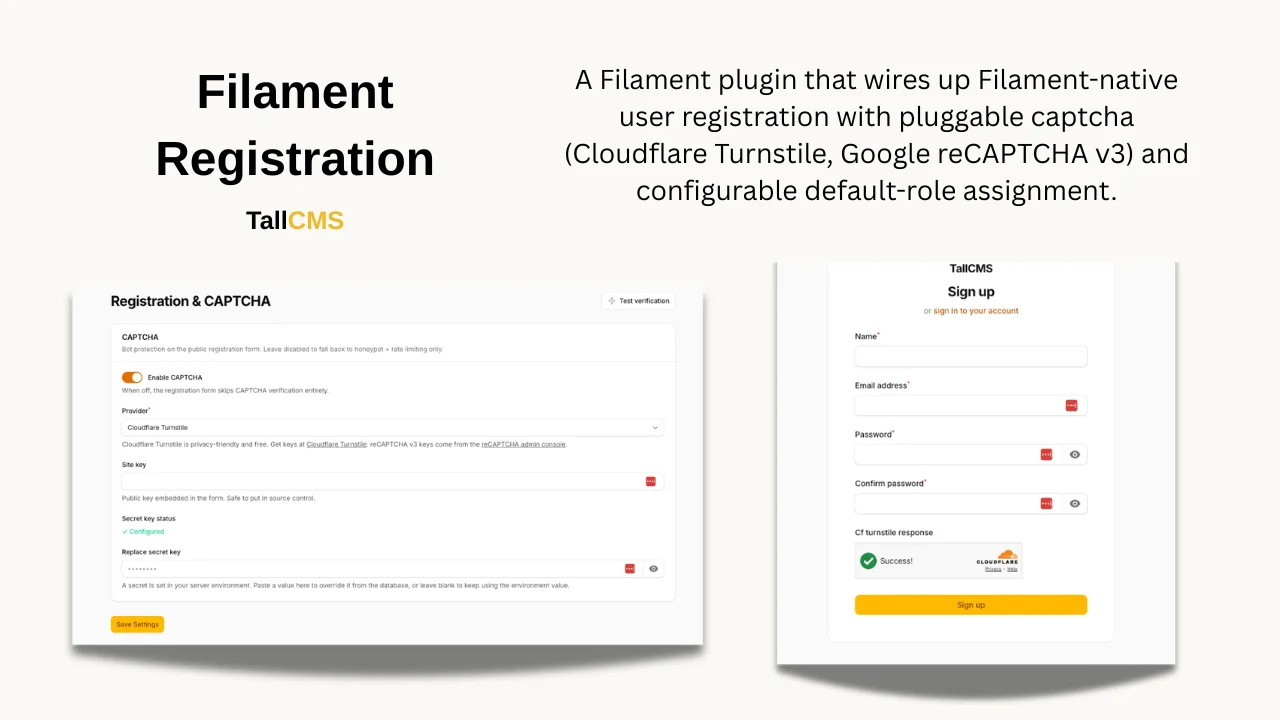
Registration Plugin
A Filament v5 plugin that wires up Filament-native user registration with pluggable captcha (Cloudflare Turnstile, Google reCAPTCHA v3) and configurable default-role assignment.
Author:
TallCMS
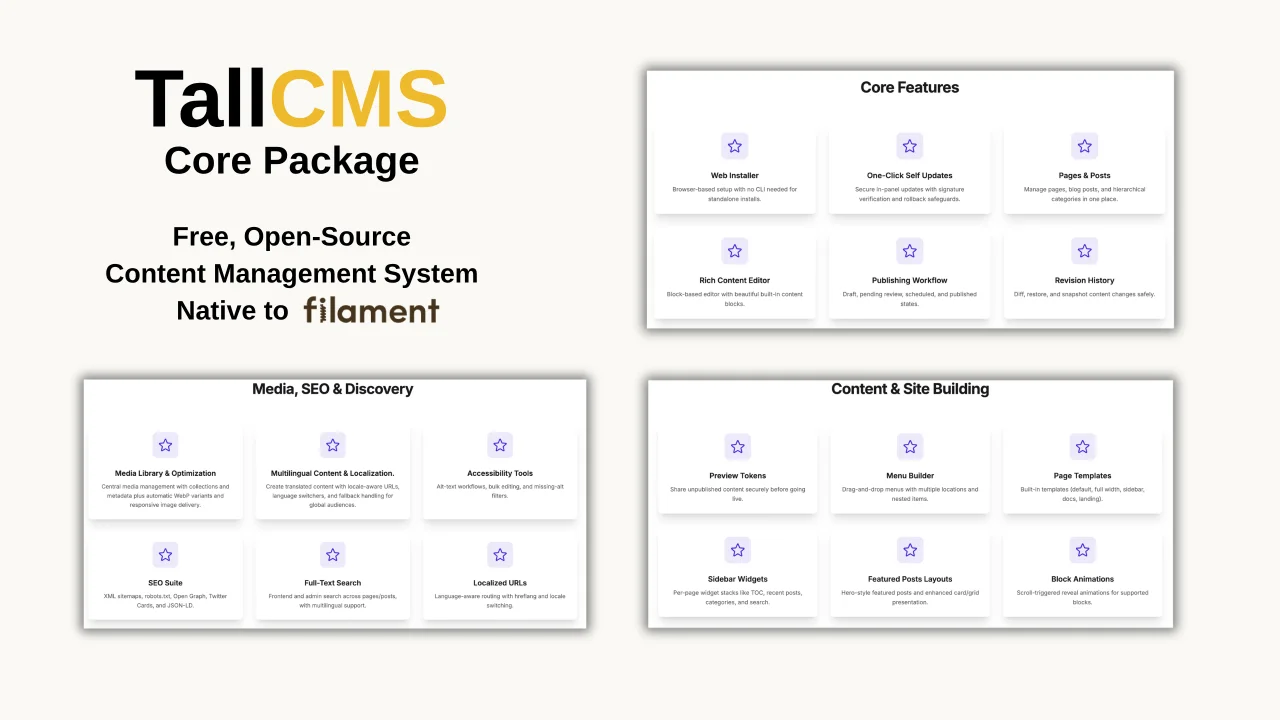
TallCMS Core
TallCMS is a flexible, open-source content management plugin for Filament that gives your admin panel a full-featured CMS out of the box. It leverages the full power of Filament's Tiptap editor and its block system, letting you compose rich, structured content using reusable blocks. With page and post management, Menu management, a media library, SEO tools, and a modular plugin architecture, everything integrates seamlessly into your existing Filament dashboard.
Author:
TallCMS
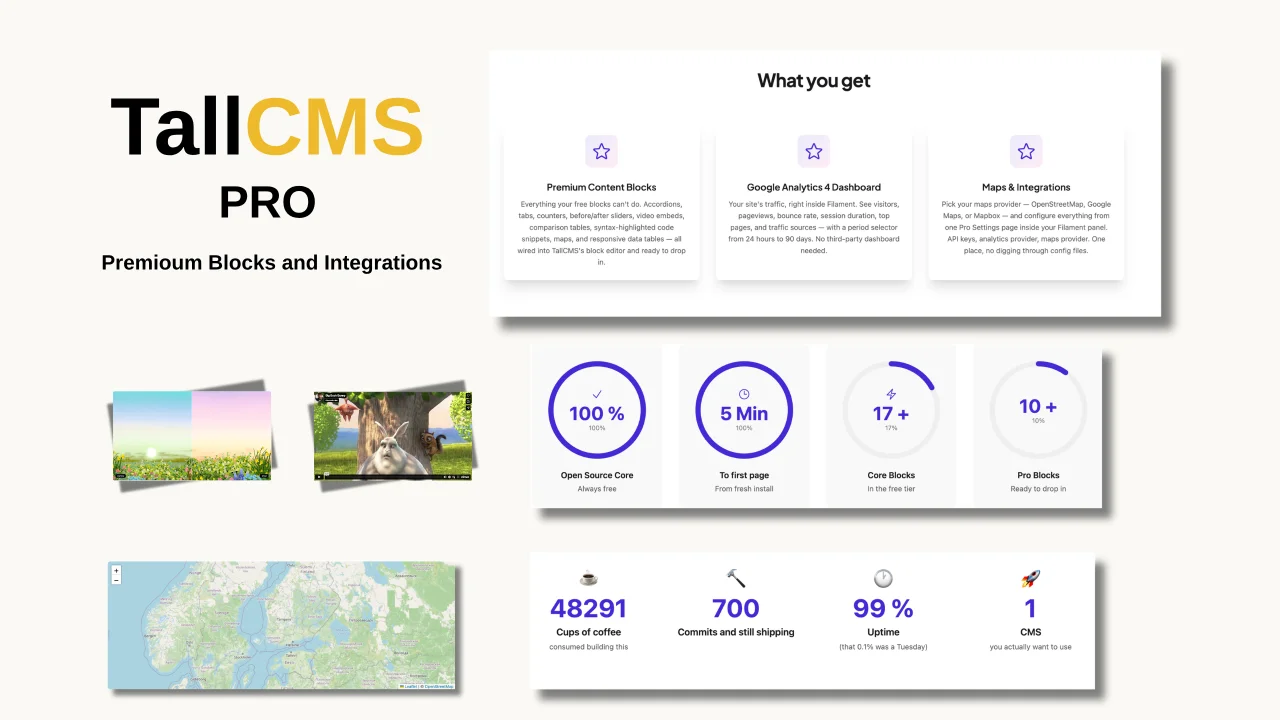
TallCMS Pro
TallCMS Pro supercharges your TallCMS installation with premium content blocks, a built-in Google Analytics 4 dashboard, and flexible map integrations — all managed from a single Pro Settings page inside your Filament panel. Requires TallCMS Core(free) to be installed. TallCMS Pro is an add-on plugin that extends the core CMS with premium features. The premium blocks drop straight into TallCMS's rich content editor: accordions, tabs, animated counters, responsive data tables, side-by-side
Author:
TallCMS
Featured Plugins
A selection of plugins curated by the Filament team

Custom Dashboards
Let your users build and share their own dashboards with a drag-and-drop interface. Define your data sources in PHP and let them do the rest.
 Filament

Advanced Tables (formerly Filter Sets)
Supercharge your tables with powerful features like user-customizable views, quick filters, multi-column sorting, advanced table searching, convenient view management, and more. Compatible with Resource Panel Tables, Relation Managers, Table Widgets, and Table Builder!
 Kenneth Sese

Spotlight Pro
Browse your Filament Panel with ease. Filament Spotlight Pro adds a Spotlight like Command Palette to your Filament Panel.
 Dennis Koch

