TallCMS Pro
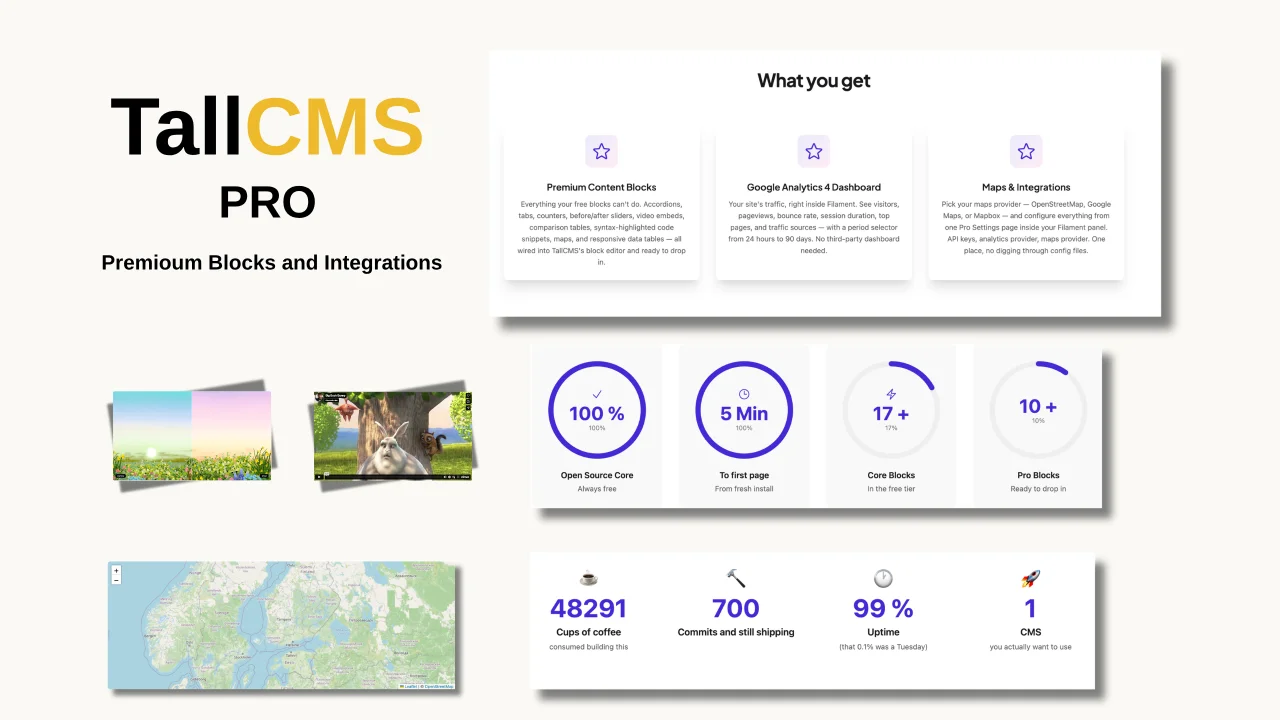
CommunityTallCMS Pro supercharges your TallCMS installation with premium content blocks, a built-in Google Analytics 4 dashboard, and flexible map integrations — all managed from a single Pro Settings page inside your Filament panel. Requires TallCMS Core(free) to be installed. TallCMS Pro is an add-on plugin that extends the core CMS with premium features. The premium blocks drop straight into TallCMS's rich content editor: accordions, tabs, animated counters, responsive data tables, side-by-side
filament/
namespace. Review the source and install at your own risk. Found
malware or an unresolved security issue the author won't
address?
Report it
.
 Author:
TallCMS
Author:
TallCMS
Documentation
#Overview
TallCMS Pro gives you the building blocks that turn basic pages into polished, interactive experiences — without writing code or installing a dozen separate packages.
Drop in an animated counter for your stats page, a before/after slider for your portfolio, tabbed content for your documentation, syntax-highlighted code blocks for your dev blog, or a comparison table for your pricing page. Every block is designed, animated, and responsive out of the box.
Then connect your analytics (GA4, Plausible, or Fathom) and see traffic on your dashboard. Wire up your contact forms to Mailchimp, ConvertKit, or Brevo so leads flow straight into your list. Add interactive maps to your contact page — OpenStreetMap works free with no API key.
Built for content creators who want professional blocks without a page builder. Built for agencies who need consistent, branded content components across client sites. Built for developers who want clean, accessible output without frontend work.
Download the plugin here
#What You Get
#Premium Content Blocks
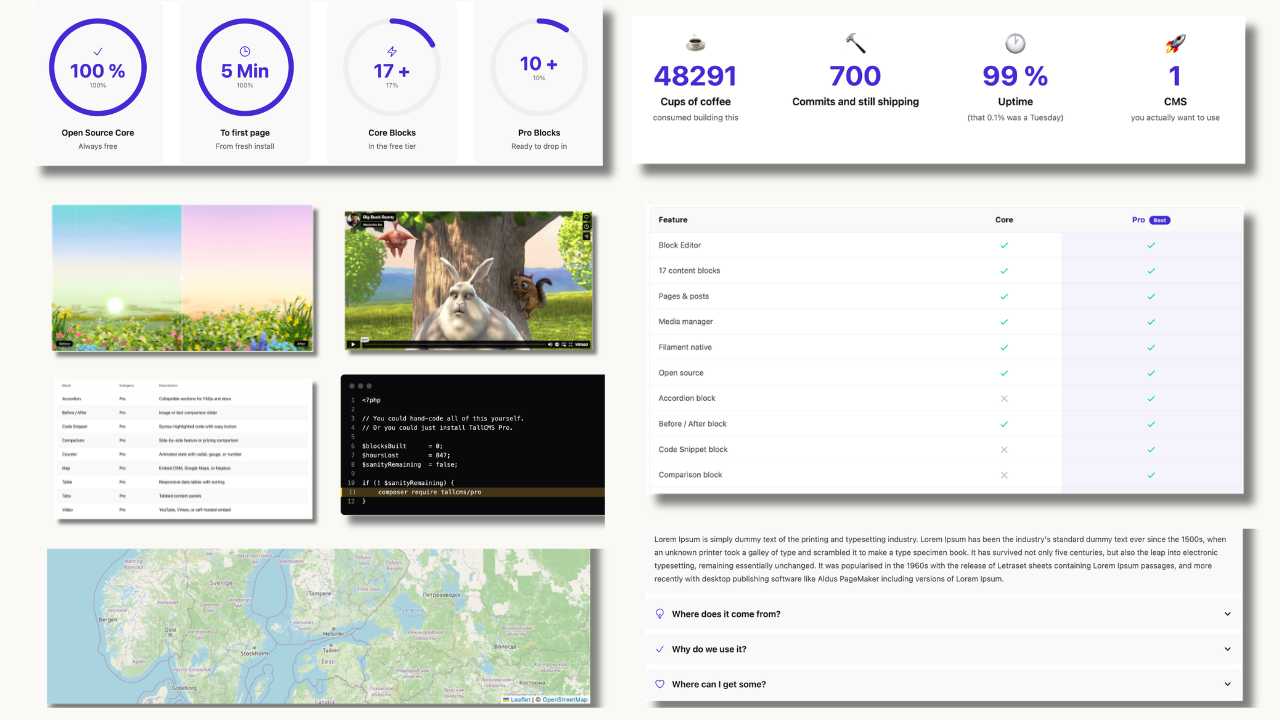
All Pro blocks appear in the page/post editor's block picker under the Pro category. Each block has full Filament form configuration — no code required.
#Accordion
Collapsible content sections — ideal for FAQs, terms, or organized information.
- Allow multiple sections open simultaneously or single-expand mode
- Default expanded state per section
- Rich content per section
- Smooth animation
#Tabs
Organize content into horizontal or vertical tabbed sections.
- Horizontal or vertical layout
- Custom tab labels with optional icons
- Rich content per tab
- Underline or boxed tab style
#Counter
Animated statistics that count up when scrolled into view.
- Start and end values with animation duration
- Prefix/suffix (e.g. "$", "%", "+")
- Decimal places
- Radial progress and gauge display modes
- Title and description per counter
#Table
Responsive data tables with professional styling.
- Header row toggle
- Striped rows and hover highlighting
- Column alignment (left, center, right)
- Responsive horizontal scroll on mobile
#Comparison
Side-by-side feature comparison tables — perfect for pricing and plan pages.
- Multiple comparison columns
- Feature rows with check/cross icons
- Highlight a featured/recommended column
- Custom column headers and descriptions
#Video
Embed videos from multiple sources with privacy and performance options.
- YouTube (with privacy-enhanced mode), Vimeo, self-hosted (MP4, WebM)
- Autoplay, loop, muted options
- Custom aspect ratios
- Lazy loading for performance
#Before/After
Image comparison slider for showing transformations, redesigns, or progress.
- Horizontal or vertical orientation
- Custom initial slider position
- Before/after labels
- Touch and mouse drag support
#Code Snippet
Syntax-highlighted code blocks with copy-to-clipboard — for dev blogs, documentation, and tutorials.
- 10+ languages: PHP, JavaScript, TypeScript, Python, HTML, CSS, JSON, Bash, SQL, and more
- 10 color themes: Dracula, GitHub Dark, One Dark, Nord, Monokai, VS Code Dark, and others
- Line numbers toggle
- Copy button
- Custom filename display
#Map
Interactive maps with marker support — no API key required with the default OpenStreetMap provider.
- OpenStreetMap — free, no API key required (default)
- Google Maps — requires API key
- Mapbox — requires access token
- Custom coordinates, zoom level (1-20), marker with popup
#FAB / Speed Dial
Floating action button with expandable speed dial menu — for CTAs, quick links, or support actions.
- Multiple action items with icons and links
- Customizable trigger icon and colors
- Position options (bottom-right, bottom-left, etc.)
- Expand direction (up, left, right)
#Analytics Dashboard
A dashboard widget that shows your site's traffic at a glance. Configure once, see metrics every time you log in.
Metrics shown: Visitors, pageviews, bounce rate, session duration, top pages, traffic sources, and visitor trend chart with period selector (24h, 7d, 30d, 90d).
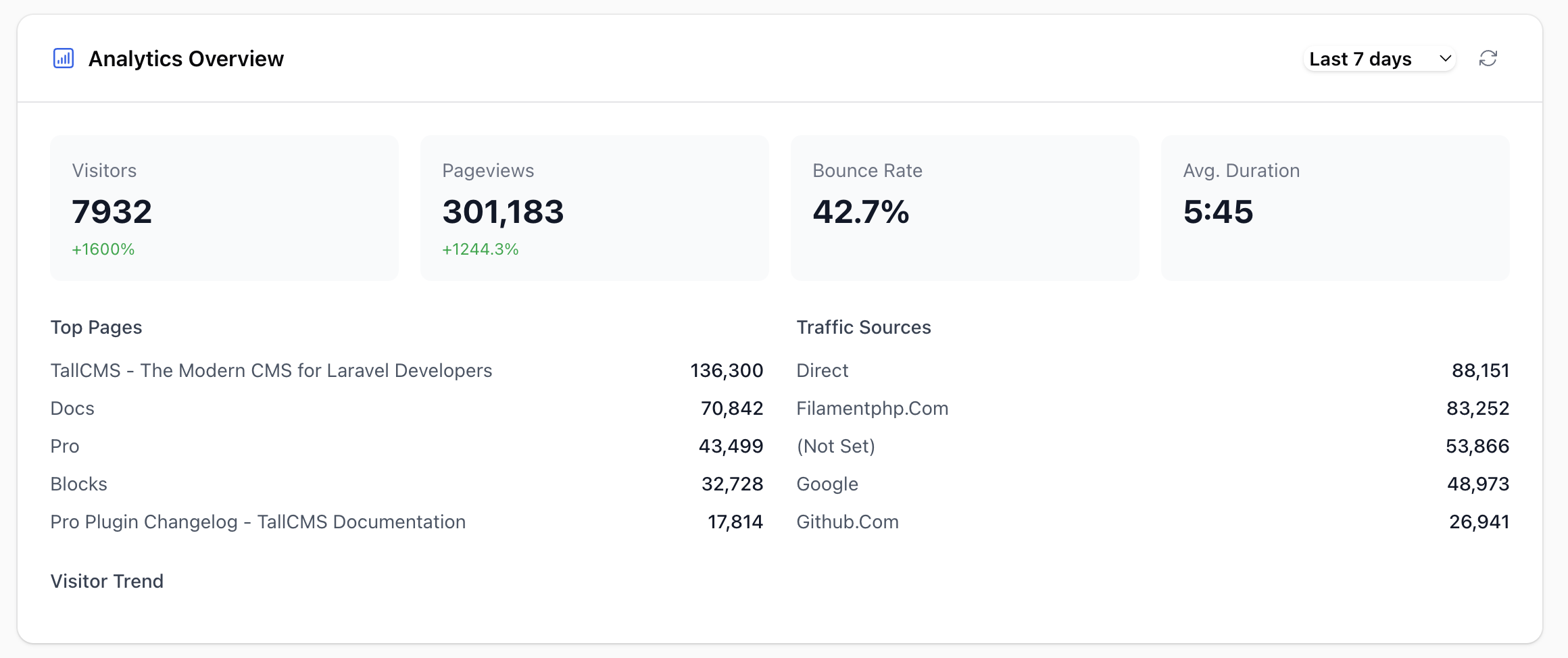
Three providers supported:
#Google Analytics 4
- Create a Google Cloud project and enable the Google Analytics Data API
- Create a service account and download the JSON key
- Add the service account email as a Viewer in your GA4 property
- Go to Admin > Settings > Pro Settings > Analytics
- Select Google Analytics 4, enter your Property ID and paste the JSON key
#Plausible Analytics
- Go to Admin > Settings > Pro Settings > Analytics
- Select Plausible, enter your site domain and API key
#Fathom Analytics
- Go to Admin > Settings > Pro Settings > Analytics
- Select Fathom, enter your Site ID and API key
#Email Marketing
Connect your contact forms to email marketing platforms. When a visitor submits a contact form, their email is automatically synced to your list in the background — no Zapier, no webhooks, no code.
#How It Works
- A visitor submits a Contact Form block or Hero block embedded form on your site
- TallCMS saves the submission to the database (as normal)
- The Pro plugin dispatches a background job to sync the contact to your email marketing provider
- The job runs asynchronously on your queue — form submission is never slowed down
- If the sync fails (API down, rate limited), the job retries automatically (3 attempts with backoff)
The integration hooks into TallCMS's built-in TallcmsContactSubmission model. Any form that creates a contact submission triggers the sync — no extra configuration per form.
#Supported Providers
Mailchimp
- Go to Admin > Settings > Pro Settings > Email Marketing
- Select Mailchimp
- Enter your API Key (found in Mailchimp > Account > Extras > API keys)
- Enter your Audience ID (found in Mailchimp > Audience > Settings > Audience name and defaults)
ConvertKit
- Select ConvertKit
- Enter your API Key (found in ConvertKit > Settings > Advanced > API)
- Enter your Form ID (the numeric ID from the form's URL in ConvertKit)
Brevo (Sendinblue)
- Select Brevo
- Enter your API Key (found in Brevo > Settings > SMTP & API > API Keys)
- Enter your List ID (the numeric ID of the contact list)
#Queue Setup
Email marketing sync runs as a queued job. For the sync to process in the background, you need a running queue worker.
For production (recommended):
php artisan queue:work --sleep=3 --tries=3 --max-time=3600
Or use a process manager like Supervisor:
[program:tallcms-queue]
command=php /path/to/tallcms/artisan queue:work --sleep=3 --tries=3 --max-time=3600
autostart=true
autorestart=true
user=www-data
numprocs=1
redirect_stderr=true
stdout_logfile=/var/log/tallcms-queue.log
For development/testing, TallCMS defaults to the sync queue driver (set in .env), which processes jobs immediately during the request. This works but is slower — the form submission waits for the API call to complete.
# Development (default) — jobs run inline
QUEUE_CONNECTION=sync

# Production — jobs run in background
QUEUE_CONNECTION=database
If using database queue, make sure you've run php artisan queue:table && php artisan migrate to create the jobs table.
#Multisite
On multisite installations, email marketing is per-site configurable. Each licensed site can have its own provider and list:
- Site A → Mailchimp, Audience "Newsletter A"
- Site B → ConvertKit, Form "Leads B"
- Site C (no Pro license) → uses global default
Select a site in the admin switcher before configuring Pro Settings. Use "Reset to Global Defaults" to remove per-site overrides.
#Troubleshooting
"Contacts not appearing in my list"
- Check that your queue worker is running (
php artisan queue:work) - If using
syncqueue, checkstorage/logs/laravel.logfor errors - Verify your API key and list/form ID are correct
- Check
failed_jobstable:php artisan queue:failed
"Form submissions are slow"
- You're likely using the
syncqueue driver. Switch todatabaseorredisin.envand start a queue worker.
"Some contacts sync but others don't"
- Check
failed_jobsfor specific errors (rate limiting, invalid email, etc.) - Retry failed jobs:
php artisan queue:retry all
"Email marketing works on one site but not another"
- On multisite, each site needs its own Pro license for per-site settings
- Check which provider is configured for that site in Pro Settings
- Unlicensed sites use the global configuration
#Documentation
#Installation
- Upload the plugin ZIP via Admin > System > Plugins — migrations run automatically
- Activate your license in Admin > System > Plugins (click the license key icon on the plugin card)
- Pro blocks immediately appear in the Rich Content Editor under the "Pro" category
Requirements: TallCMS (free, open-source CMS built on Filament) 2.0+, PHP 8.2+, Filament 5
#Maps Configuration
The Map block works out of the box with OpenStreetMap (free, no API key). For Google Maps or Mapbox:
Google Maps:
- Enable Maps JavaScript API in Google Cloud Console
- Create an API key
- Enter it in Admin > Settings > Pro Settings > Maps
Mapbox:
- Create an account at mapbox.com and get an access token
- Enter it in Admin > Settings > Pro Settings > Maps
#Troubleshooting
Blocks not appearing in the editor
- Check that the plugin is installed and your license is active
- Clear cache:
php artisan cache:clear
Analytics widget shows "Not Configured"
- Verify your Property ID / Site ID is correct
- Ensure credentials are valid and have the right permissions
- Test the connection in Pro Settings
Maps not loading
- Verify your API key or access token
- Check the browser console for errors
- Ensure the Maps JavaScript API is enabled (Google Maps)
Counter not animating
- The count-up animation triggers when the block scrolls into view
- Check that JavaScript is not blocked by your browser
#Licensing
TallCMS Pro uses per-site licensing. Each site (domain) that uses Pro features requires its own license activation.
- First year: $29 (plugin + updates & support)
- Renewal: $15/year
- Expired licenses keep working — updates pause until renewal
- 24-hour validation cache with 7-day offline grace period
#Tags
pro, premium, blocks, analytics, google-analytics, plausible, fathom, maps, video, accordion, tabs, code, comparison, counter, email-marketing, cms
The author
TallCMS is an open-source CMS built for Laravel teams who love the TALL stack (Tailwind, Alpine, Laravel, Livewire). It focuses on a clean editing experience, flexible page building (sections/blocks), and developer-friendly extensibility—so you can ship marketing sites, portals, and content-driven apps without fighting your stack.
We build plugins, themes, and building blocks that fit naturally into modern Laravel + Filament workflows—prioritising performance, maintainability, and a great authoring UX.
From the same author
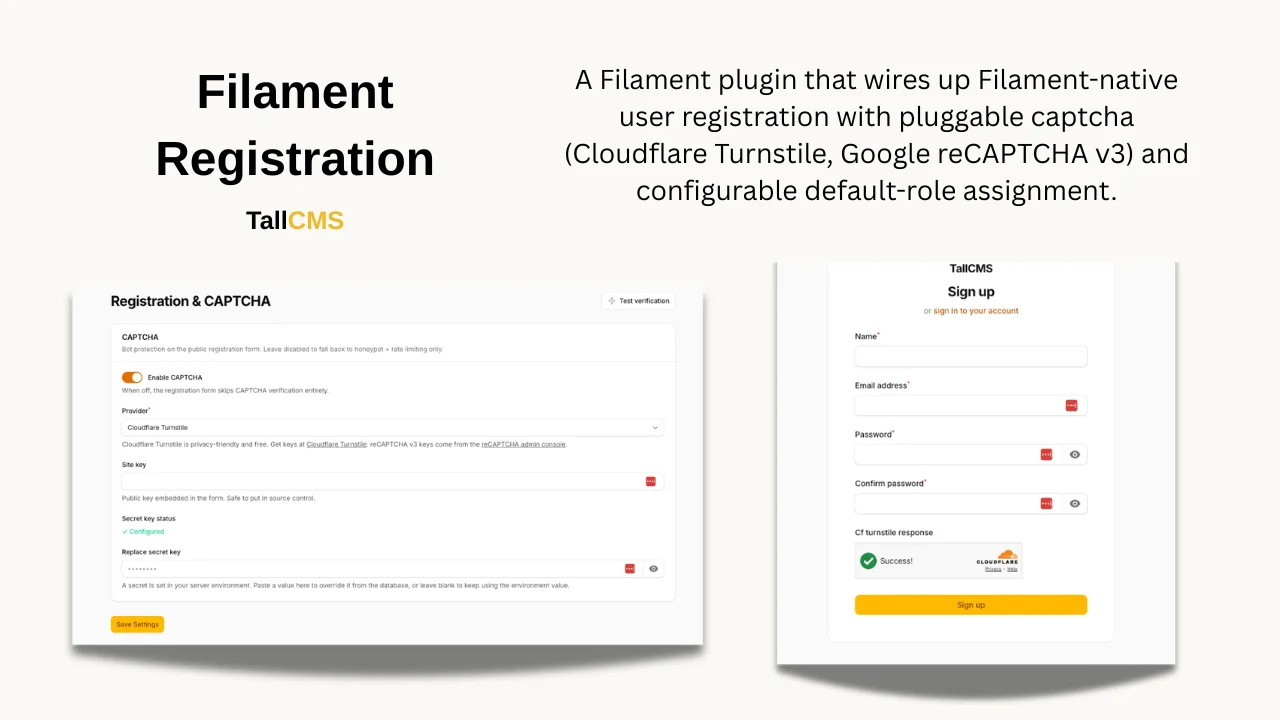
Registration Plugin
A Filament v5 plugin that wires up Filament-native user registration with pluggable captcha (Cloudflare Turnstile, Google reCAPTCHA v3) and configurable default-role assignment.
Author:
TallCMS
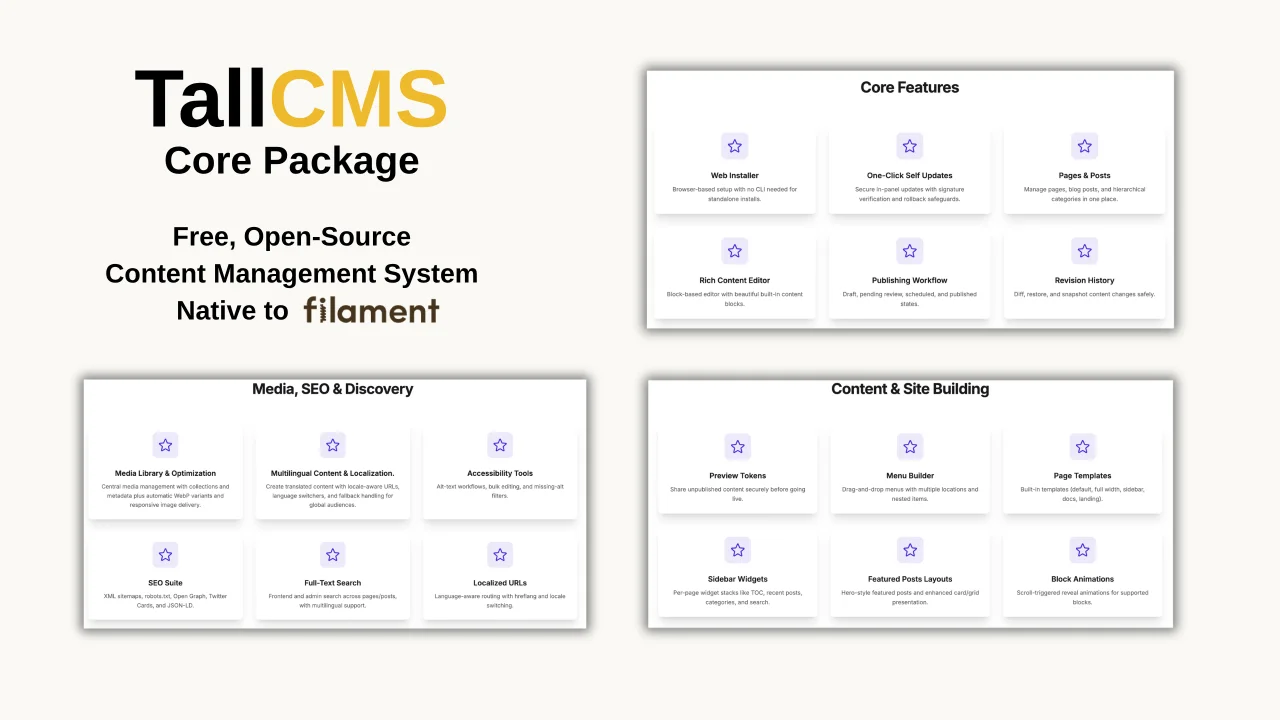
TallCMS Core
TallCMS is a flexible, open-source content management plugin for Filament that gives your admin panel a full-featured CMS out of the box. It leverages the full power of Filament's Tiptap editor and its block system, letting you compose rich, structured content using reusable blocks. With page and post management, Menu management, a media library, SEO tools, and a modular plugin architecture, everything integrates seamlessly into your existing Filament dashboard.
Author:
TallCMS
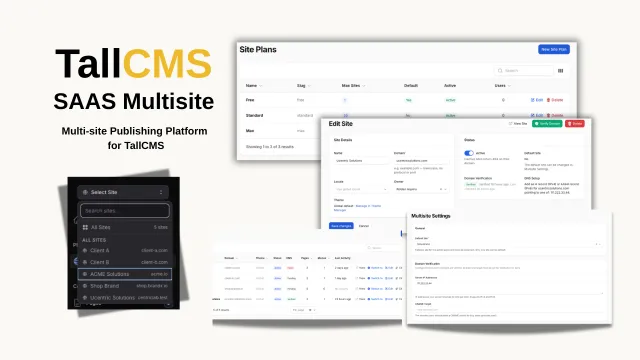
TallCMS SAAS Multisite
Multi-site management for TallCMS. Run multiple websites from one Filament admin panel — each with its own domain, theme, content, and settings.
Author:
TallCMS
Featured Plugins
A selection of plugins curated by the Filament team

Custom Dashboards
Let your users build and share their own dashboards with a drag-and-drop interface. Define your data sources in PHP and let them do the rest.
 Filament

Data Lens
Advanced Data Visualization for Laravel Filament - a premium reporting solution enabling custom column creation, sophisticated filtering, and enterprise-grade data insights within admin panels.
 Padmission

Custom Fields
Eliminate custom field migrations forever. Let your users create and manage form fields directly in Filament admin panels with 20+ built-in field types, validation, and zero database changes.
 Relaticle

