Nestable Tree
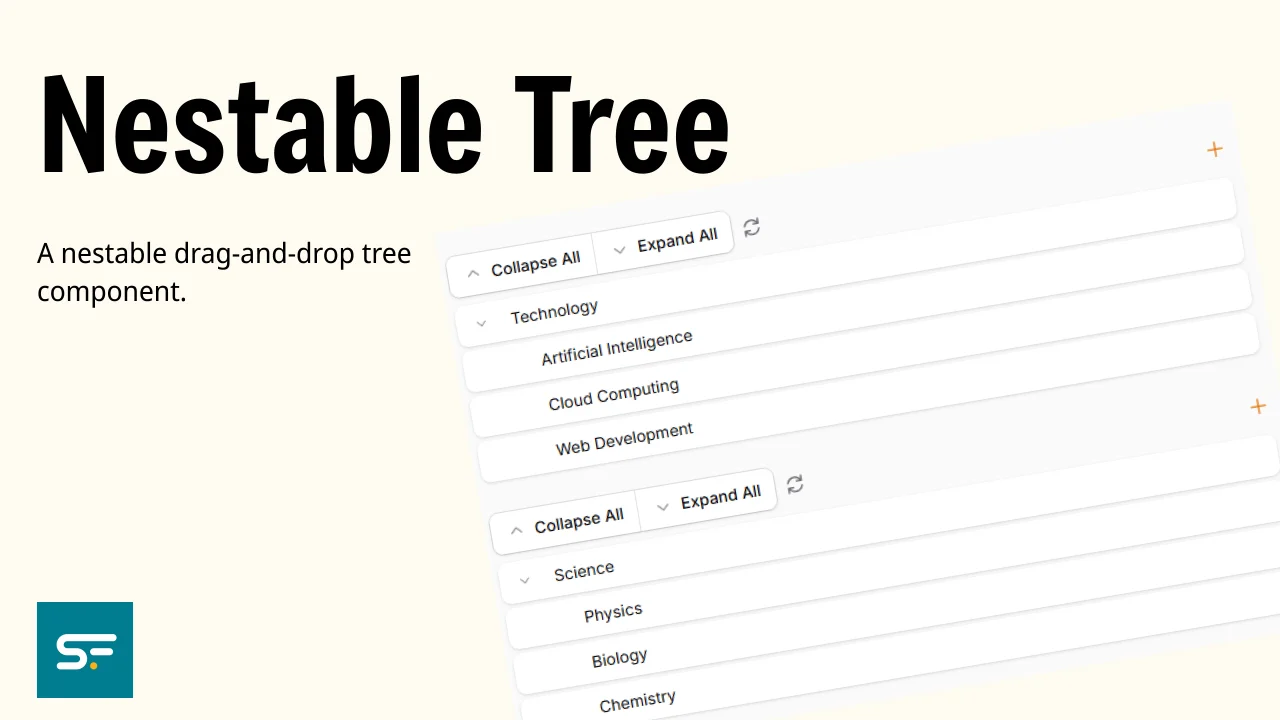
A nestable drag-and-drop tree component. Supports Eloquent models (including kalnoy/nestedset), static record arrays, per-node actions, multi-tree pages, cross-tree drag-and-drop, lazy loading, and async child loading.
 Author:
Solution Forest
Author:
Solution Forest
Documentation
- Which Package Should I Use?
- Installation
- Quick Start
- Tree Configuration Reference
- Saving Order After Drag & Drop
- Node Actions
- Toolbar Actions
- Multiple Trees on One Page
- Async / Lazy Loading
- Plain Eloquent Model (no NodeTrait)
- Artisan Generators
- Testing
- Changelog
- Contributing
- Security Vulnerabilities
- Credits
- License




A nestable drag-and-drop tree component for Filament v4 and v5. Supports Eloquent models (including kalnoy/nestedset), static record arrays, per-node actions, multi-tree pages, cross-tree drag-and-drop, lazy loading, and async child loading.
Example usage — see the fixture pages in this repository.
#Which Package Should I Use?
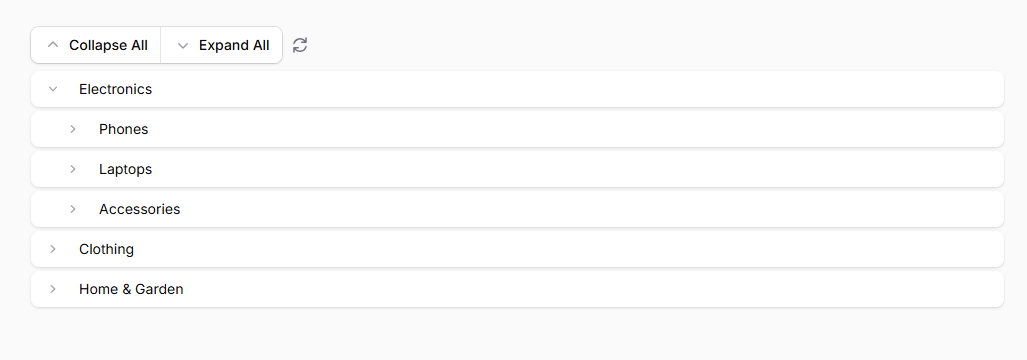
- Need a simple tree solution with quick setup? Use filament-tree.
- Need to handle heavy-load menus or large, complex trees? Use this package (
filament-nestable-tree).
#Installation
composer require solution-forest/filament-nestable-tree
[!IMPORTANT] If you are using Filament Panels with a custom theme, add the plugin's views to your theme CSS file so Tailwind can scan them:
@source '../../../../vendor/solution-forest/filament-nestable-tree/resources/**/*.blade.php';If you have not yet set up a custom theme, follow the Filament theming guide first.
#Quick Start
#1 — Standalone Tree Page
Create a Filament page that shows a tree:
php artisan make:filament-tree-page CategoryTreePage
use SolutionForest\FilamentNestableTree\Filament\Pages\TreePage;
use SolutionForest\FilamentNestableTree\Tree;

class CategoryTreePage extends TreePage
{
    protected static ?string $navigationLabel = 'Categories';

    public function tree(Tree $tree): Tree
    {
        return $tree->model(Category::class)->labelField('title');
    }
}
#2 — Resource Tree Page (replaces ListRecords)
php artisan make:filament-tree-resource-page ManageCategoryTree
use SolutionForest\FilamentNestableTree\Filament\Resources\Pages\TreePage;
use SolutionForest\FilamentNestableTree\Tree;

class ManageCategoryTree extends TreePage
{
    public static string $resource = CategoryResource::class;

    public function tree(Tree $tree): Tree
    {
        return parent::tree($tree)   // includes default EditAction + DeleteAction
            ->model(Category::class)
            ->labelField('title');
    }
}
Register the page in your resource's getPages():
public static function getPages(): array
{
    return [
        'index' => ManageCategoryTree::route('/'),
    ];
}
#3 — Tree Widget
php artisan make:filament-tree-widget CategoryTreeWidget
use SolutionForest\FilamentNestableTree\Filament\Widgets\Tree as TreeWidget;
use SolutionForest\FilamentNestableTree\Tree;

class CategoryTreeWidget extends TreeWidget
{
    public function tree(Tree $tree): Tree
    {
        return $tree->model(Category::class)->labelField('title');
    }
}
#4 — Embed in Any Livewire Component (InteractsWithTree)
Add the InteractsWithTree trait to any Livewire component (including custom pages, widgets, or plain Livewire components) to embed a tree without extending a base class:
use Livewire\Component;
use SolutionForest\FilamentNestableTree\Concerns\InteractsWithTree;
use SolutionForest\FilamentNestableTree\Tree;

class MyCustomPage extends Component
{
    use InteractsWithTree;

    public function tree(Tree $tree): Tree
    {
        return $tree->model(Category::class)->labelField('title');
    }
}
Then render the tree in your Blade view:
@include('filament-nestable-tree::livewire.components.tree', [
    'wireNodesProperty'  => 'treeNodes',
    'treeKeyName'        => null,
    'treeConfig'         => $this->getCachedTree(),
    'isSearchable'       => $this->getCachedTree()->isSearchable(),
    'allowDragDrop'      => $this->getCachedTree()->isDraggable(),
    'allowCrossCategory' => $this->getCachedTree()->isCrossCategoryAllowed(),
    'toolbarActions'     => $this->getCachedTree()->getToolbarActions(),
    'lazy'               => $this->getCachedTree()->isLazy(),
    'hasNodeActions'     => ! empty($this->getCachedTree()->getNodeActions()),
])
Livewire automatically calls
mountInteractsWithTree()after your component'smount()to populate the tree nodes — no manual setup required.
#Tree Configuration Reference
All options are fluent methods on the Tree instance returned from tree() or trees().
| Method | Default | Description |
|---|---|---|
->model(Category::class) |
null |
Eloquent model to load the tree from |
->records([...]) |
[] |
Static nested/flat array (alternative to model) |
->labelField('name') |
'name' |
Attribute used as the display label |
->recordKeyField('id') |
'id' |
Attribute used as the unique identifier |
->parentKeyField('parent_id') |
'parent_id' |
Attribute used as the parent reference |
->childrenField('children') |
'children' |
Attribute that holds nested children |
->maxDepth(3) |
-1 (unlimited) |
Maximum nesting depth for drag-and-drop |
->maxVisibleDepth(5) |
4 |
Maximum rendered depth in the flat list view |
->searchable() |
false |
Show the search input and highlight matching labels |
->draggable(false) |
true |
Enable or disable drag-and-drop reordering |
->allowCrossCategory() |
false |
Allow nodes to move between root-level branches |
->lazy() |
false |
Defer node loading until after first render |
->asyncChildren(fn) |
null |
Load children on-demand when a node is expanded |
->saveOrderUsing(fn) |
null |
Closure to persist reorder; receives the nested nodes array |
->getRecordUsing(fn) |
null |
Custom closure to resolve a node record by its ID |
->nodeActions([...]) |
[] |
Per-node action buttons (edit, delete, custom) |
->appendToolbarActions([...]) |
— | Add buttons to the toolbar (append to defaults) |
#Saving Order After Drag & Drop
#Option 1 — Automatic (kalnoy/nestedset)
If your model uses the kalnoy/nestedset NodeTrait, the tree calls rebuildTree() automatically when the Save button is clicked — no extra configuration required:
use Kalnoy\Nestedset\NodeTrait;

class Category extends Model
{
    use NodeTrait;
}
public function tree(Tree $tree): Tree
{
    return $tree->model(Category::class)->labelField('title');
}
#Option 2 — Custom callback
public function tree(Tree $tree): Tree
{
    return $tree
        ->model(Category::class)
        ->saveOrderUsing(function (array $nodes): void {
            // $nodes is the full nested array from Alpine
            foreach ($nodes as $index => $node) {
                Category::where('id', $node['id'])->update(['sort_order' => $index]);
            }
        });
}
If neither option is configured, a MissingSaveOrderCallbackException is thrown at runtime when save is triggered.
Save button in toolbar
The default toolbar includes a Save button that is hidden until a drag-drop reorder occurs. You can also add your own conditional save action:
use Filament\Actions\Action;

public function tree(Tree $tree): Tree
{
    return $tree
        ->appendToolbarActions([
            Action::make('save_order')
                ->label('Save')
                ->icon('heroicon-o-check')
                ->extraAttributes(['x-show' => 'hasUnsavedOrder', 'x-cloak' => true])
                ->action('saveOrder'),
        ]);
}
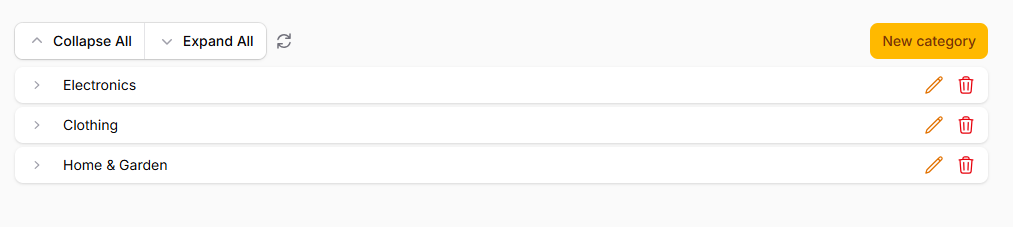
#Node Actions
Add per-node action buttons:
use Filament\Actions\DeleteAction;
use Filament\Actions\EditAction;

public function tree(Tree $tree): Tree
{
    return $tree
        ->model(Category::class)
        ->nodeActions([
            EditAction::make()
                ->iconButton()
                ->icon('heroicon-o-pencil')
                ->size('sm'),
            DeleteAction::make()
                ->iconButton()
                ->icon('heroicon-o-trash')
                ->size('sm')
                ->color('danger'),
        ]);
}
#Custom node actions
use Filament\Actions\Action;
use Filament\Forms\Components\TextInput;
use Filament\Schemas\Schema;

->nodeActions(fn (Tree $tree) => [
    Action::make('rename')
        ->iconButton()
        ->icon('heroicon-o-pencil')
        ->schema([TextInput::make('title')->required()])
        ->fillForm(fn ($record): array => is_array($record) ? $record : $record->toArray())
        ->action(function (array $data, $record, array $arguments) use ($tree): void {
            // $record is the Eloquent model or the array node
            // $arguments['nodeId'] is the node's primary key
            $record->update(['title' => $data['title']]);
        })
        ->after(fn ($livewire) => $livewire->dispatch('tree-refresh')),
])
#getRecordUsing — custom record resolution
By default, when a node action fires the plugin resolves the record from the database (for model-based trees) or the flat records() array (for static trees). Override this for custom lookups:
->getRecordUsing(function (int|string $id, Tree $tree, $livewire): mixed {
    return Category::withTrashed()->find($id);
})
#Toolbar Actions
Pass Action or ActionGroup instances via ->appendToolbarActions():
use Filament\Actions\Action;
use Filament\Actions\ActionGroup;
use Filament\Actions\CreateAction;

public function tree(Tree $tree): Tree
{
    return $tree
        ->model(Category::class)
        ->appendToolbarActions([
            CreateAction::make('create_node')
                ->model(Category::class)
                ->schema(fn (Schema $schema) => $this->form($schema))
                ->after(fn ($livewire) => $livewire->dispatch('tree-refresh'))
                ->extraAttributes(['style' => 'margin-left: auto;']),

            ActionGroup::make([
                Action::make('import')->label('Import'),
                Action::make('export')->label('Export'),
            ])->label('More'),
        ]);
}
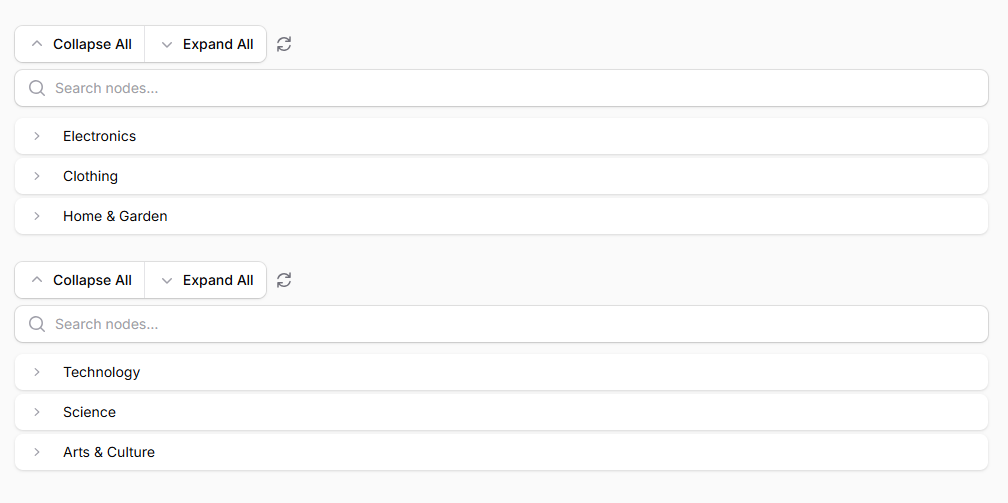
#Multiple Trees on One Page
Override trees() instead of tree() to render multiple independent trees:
use SolutionForest\FilamentNestableTree\Filament\Pages\TreePage;
use SolutionForest\FilamentNestableTree\Tree;

class MultiTreePage extends TreePage
{
    public function trees(): array
    {
        return [
            'categories' => Tree::make()->model(Category::class)->searchable()->labelField('title'),
            'tags'       => Tree::make()->model(Tag::class)->searchable()->labelField('name'),
        ];
    }
}
#Cross-tree drag & drop
To allow nodes to be dragged from one named tree to another, enable ->allowCrossCategory() and handle the tree-cross-move event:
class MultiTreePage extends TreePage
{
    public function trees(): array
    {
        $electronicsId = Category::where('title', 'Electronics')->value('id');
        $clothingId    = Category::where('title', 'Clothing')->value('id');

        $createAction = fn (string $category) => CreateAction::make('create_' . $category)
            ->iconButton()
            ->icon('heroicon-o-plus')
            ->after(fn ($livewire) => $livewire->dispatch('tree-refresh'))
            ->schema([
                TextInput::make('name')->required(),
            ])
            ->model(Tag::class)
            ->action(function (array $data, ?string $model) use ($category, $electronicsId, $clothingId): void {
                $categoryId = match ($category) {
                    'technology' => $electronicsId,
                    'science'    => $clothingId,
                    default       => null,
                };

                $model ??= Tag::class;
                $model::create([
                    'name' => $data['name'],
                    'category_id' => $categoryId,
                ]);
            });

        return [
            'technology' => Tree::make()
                ->records(fn () => Tag::where('category_id', $electronicsId)
                    ->defaultOrder()->get()->toTree()->toArray())
                ->labelField('name')
                ->allowCrossCategory()
                ->saveOrderUsing(fn (array $nodes) => Tag::rebuildTree($nodes))
                ->appendToolbarActions([$createAction('technology')]),

            'science' => Tree::make()
                ->records(fn () => Tag::where('category_id', $clothingId)
                    ->defaultOrder()->get()->toTree()->toArray())
                ->labelField('name')
                ->allowCrossCategory()
                ->saveOrderUsing(fn (array $nodes) => Tag::rebuildTree($nodes))
                ->appendToolbarActions([$createAction('science')]),
        ];
    }

    /**
     * Called automatically when a node is dragged from one tree to another.
     */
    public function handleCrossTreeMove(
        string $fromTreeKey,
        string $toTreeKey,
        int|string $nodeId,
        mixed $destinationParentId = null,
    ): void {
        $tag = Tag::find($nodeId);

        if (! $tag) {
            return;
        }

        $newCategoryTitle = $this->treeCategories[$toTreeKey] ?? null;
        $newCategoryId    = $newCategoryTitle
            ? Category::where('title', $newCategoryTitle)->value('id')
            : null;

        if ($destinationParentId) {
            $parent = Tag::find($destinationParentId);
            if ($parent) {
                $tag->appendToNode($parent)->save();
            }
        } else {
            $tag->saveAsRoot();
        }

        if ($newCategoryId) {
            $tag->update(['category_id' => $newCategoryId]);
        }

        $this->dispatch('tree-refresh');
    }
}
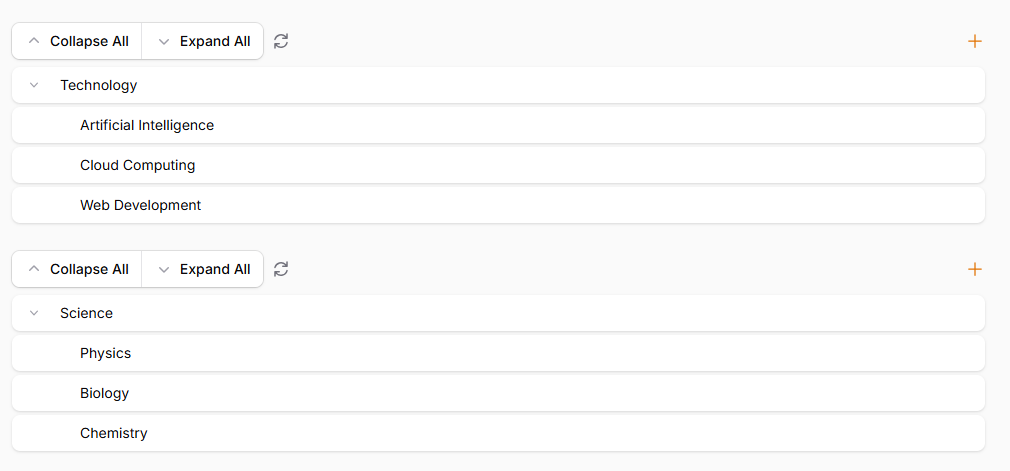
#Static records partitioned by a field
Use ->records() closures to split a single flat array across multiple trees by a partition field (e.g. category_id). Each tree sees only its own nodes; cross-tree drags update the partition field; saving one tree leaves the other tree's nodes untouched.
class CategoryPartitionedTreePage extends TreePage
{
    /** Flat node store — replace with database reads in production. */
    public static array $nodes = [];

    private const TREE_CATEGORY_MAP = ['tree1' => 1, 'tree2' => 2];

    protected $listeners = ['tree-cross-move' => 'handleCrossTreeMove'];

    public function trees(): array
    {
        return [
            'tree1' => Tree::make()
                ->labelField('title')
                ->allowCrossCategory()
                ->records(fn () => $this->asTree(
                    collect(static::$nodes)->where('category_id', 1)->values()->all()
                ))
                ->saveOrderUsing($this->saveOrderForCategory(1)),

            'tree2' => Tree::make()
                ->labelField('title')
                ->allowCrossCategory()
                ->records(fn () => $this->asTree(
                    collect(static::$nodes)->where('category_id', 2)->values()->all()
                ))
                ->saveOrderUsing($this->saveOrderForCategory(2)),
        ];
    }

    /**
     * Flatten + tag each saved node with its category, then merge back with
     * nodes that belong to other categories so nothing gets lost on save.
     */
    private function saveOrderForCategory(int $categoryId): Closure
    {
        return function (array $nodes) use ($categoryId): void {
            $saved  = collect($this->asFlatten($nodes))
                ->map(fn ($n) => array_merge($n, ['category_id' => $categoryId]))
                ->all();

            $others = collect(static::$nodes)
                ->filter(fn ($n) => ($n['category_id'] ?? null) != $categoryId)
                ->values()
                ->all();

            static::$nodes = array_merge($others, $saved);
        };
    }

    /**
     * Update the partition field (category_id) and parent_id when a node is
     * dragged between trees.  Silently ignored for unknown tree keys.
     */
    public function handleCrossTreeMove(
        string $fromTreeKey,
        string $toTreeKey,
        int|string $nodeId,
        mixed $destinationParentId = null,
    ): void {
        $destCategory = self::TREE_CATEGORY_MAP[$toTreeKey] ?? null;
        if ($destCategory === null) {
            return;
        }

        static::$nodes = collect(static::$nodes)
            ->map(function ($node) use ($nodeId, $destCategory, $destinationParentId) {
                if ((string) $node['id'] === (string) $nodeId) {
                    $node['category_id'] = $destCategory;
                    $node['parent_id']   = $destinationParentId;
                }
                return $node;
            })
            ->all();

        $this->dispatch('tree-refresh');
    }

    // ── Helpers ────────────────────────────────────────────────────────────────

    /** Flat parent_id array → nested children array. */
    private function asTree(array $flat): array
    {
        $map = [];
        foreach ($flat as $item) {
            $map[$item['id']] = $item + ['children' => []];
        }
        $tree = [];
        foreach ($map as $id => &$node) {
            if ($node['parent_id'] === null || ! isset($map[$node['parent_id']])) {
                $tree[] = &$node;
            } else {
                $map[$node['parent_id']]['children'][] = &$node;
            }
        }
        return $tree;
    }

    /** Nested children array → flat array (strips children key). */
    private function asFlatten(array $tree): array
    {
        $flat = [];
        foreach ($tree as $item) {
            $children = $item['children'] ?? [];
            unset($item['children']);
            $flat[] = $item;
            if (! empty($children)) {
                $flat = array_merge($flat, $this->asFlatten($children));
            }
        }
        return $flat;
    }
}
Key points
->records()accepts aClosure— it is re-evaluated on every Livewire hydration so each tree always reflects the latest state of$nodes.saveOrderForCategory()merges the newly-ordered nodes back with nodes from other categories so a save on tree1 never discards tree2's data.TREE_CATEGORY_MAPis the single source of truth that links tree keys to partition values; add entries here when adding more trees.- For a database-backed version replace the
static::$nodesarray with Eloquent queries — the structure oftrees(),handleCrossTreeMove, andsaveOrderForCategorystays identical.
#Async / Lazy Loading
#->lazy() — defer initial load
Renders the component shell immediately and loads nodes in a second Livewire request. Useful for large trees:
Tree::make()->model(Category::class)->lazy()
#->asyncChildren() — expand-on-demand
Load children only when a node is expanded for the first time. The closure receives the parent node's ID:
Tree::make()
    ->model(Category::class)
    ->asyncChildren(function (int|string $parentId): array {
        return Category::where('parent_id', $parentId)->get()->toArray();
    })
When async children are enabled, the root-level nodes are loaded normally on mount. Child nodes are fetched via a Livewire call when the user expands a parent for the first time, and cached client-side for subsequent toggles.
#Plain Eloquent Model (no NodeTrait)
You can use the package with any plain Eloquent model that has a parent_id column.
No kalnoy/nestedset NodeTrait is required.
#Minimal schema
Schema::create('posts', function (Blueprint $table) {
    $table->id();
    $table->string('name');
    $table->unsignedInteger('order')->default(0);
    $table->foreignId('parent_id')->nullable()->constrained('posts')->nullOnDelete();
    $table->timestamps();
});
#Option A — model with a children() relationship
Define a self-referencing HasMany on the model:
class Post extends Model
{
    public function children(): HasMany
    {
        return $this->hasMany(Post::class, 'parent_id')->orderBy('order')->with('children');
    }
}
Then pass the model to the tree. The package performs a recursive eager load via the relationship on initial mount:
public function tree(Tree $tree): Tree
{
    return $tree
        ->model(Post::class)
        ->labelField('name')
        ->parentKeyField('parent_id')
        ->saveOrderUsing(function (array $nodes): void {
            $this->saveOrder($nodes);
        });
}

private function saveOrder(array $nodes, ?int $parentId = null, int $start = 0): void
{
    foreach ($nodes as $index => $node) {
        Post::where('id', $node['id'])->update([
            'parent_id' => $parentId,
            'order'     => $start + $index,
        ]);
        if (! empty($node['children'])) {
            $this->saveOrder($node['children'], (int) $node['id'], 0);
        }
    }
}
#Option B — manual tree build with records()
Use ->records() when you want full control over how the nested array is built
(e.g., no relationship on the model):
public function tree(Tree $tree): Tree
{
    return $tree
        ->labelField('name')
        ->records(fn () => $this->buildTree(Post::orderBy('order')->get()))
        ->saveOrderUsing(function (array $nodes): void {
            $this->saveOrder($nodes);
        });
}

private function buildTree(Collection $items, mixed $parentId = null): array
{
    return $items
        ->where('parent_id', $parentId)
        ->map(fn (Post $item) => array_merge($item->toArray(), [
            'children' => $this->buildTree($items, $item->id),
        ]))
        ->values()
        ->toArray();
}
#Async children with a plain model
Combine ->asyncChildren() with ->model(). On mount, only root nodes are returned.
Children are loaded by the callback when the user expands a node:
->model(Post::class)
->asyncChildren(function (int|string $parentId): array {
    return Post::where('parent_id', $parentId)->orderBy('order')->get()->toArray();
})
#Artisan Generators
# Standalone Filament page
php artisan make:filament-tree-page CategoryTreePage

# Resource page (replaces ListRecords)
php artisan make:filament-tree-resource-page ManageCategoryTree

# Widget
php artisan make:filament-tree-widget CategoryTreeWidget
#Testing
composer test
#Changelog
Please see CHANGELOG for more information on what has changed recently.
#Contributing
Please see CONTRIBUTING for details.
#Security Vulnerabilities
Please review our security policy on how to report security vulnerabilities.
#Credits
#License
The MIT License (MIT). Please see License File for more information.
The author
From the same author
Translate Field
Filament Translate Field is a library for Filament CMS that simplifies managing multiple translatable fields in different languages.
Author:
Solution Forest

Inspire CMS Pro
InspireCMS is a flexible, un-opinionated content engine for Laravel, built on Filament.
Author:
Solution Forest

Simple Lightbox
A simple and lightweight solution for implementing a lightbox feature in your Filament admin panel
Author:
Solution Forest

Inspire CMS
InspireCMS is a flexible, un-opinionated content engine for Laravel, built on Filament.
Author:
Solution Forest
Featured Plugins
A selection of plugins curated by the Filament team

Custom Dashboards
Let your users build and share their own dashboards with a drag-and-drop interface. Define your data sources in PHP and let them do the rest.
 Filament

Data Lens
Advanced Data Visualization for Laravel Filament - a premium reporting solution enabling custom column creation, sophisticated filtering, and enterprise-grade data insights within admin panels.
 Padmission

Spotlight Pro
Browse your Filament Panel with ease. Filament Spotlight Pro adds a Spotlight/Raycast like Command Palette to your Filament Panel.
 Dennis Koch

