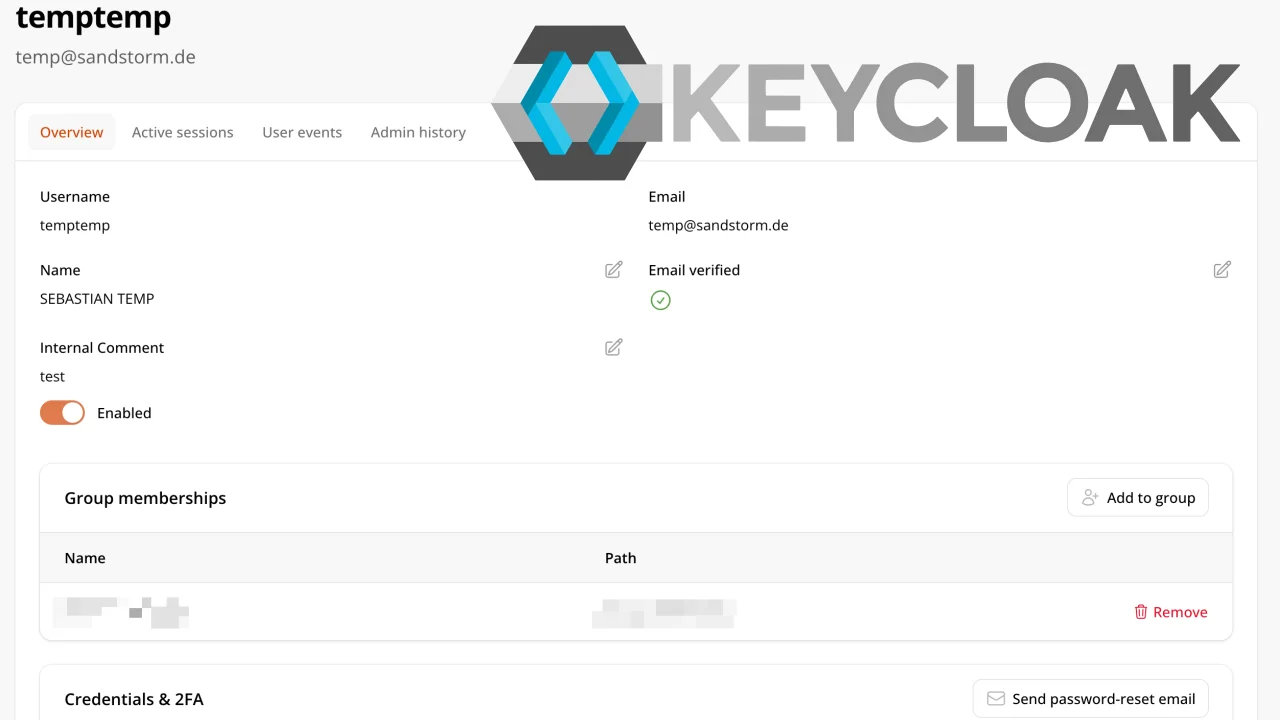
Keycloak Admin UI
CommunityA Filament admin panel to manage Keycloak users through the Keycloak Admin REST API.
 Author:
Sebastian Kurfürst (sandstorm)
Author:
Sebastian Kurfürst (sandstorm)
Package health
BetaAutomated checks of this plugin's Composer package
15 checks
- Failed: GitHub Actions pinned to SHA — View details on Plumb
- Skipped: GitLab CI includes pinned to SHA
- Passed: Open security advisories
- Passed: Dependabot PR responsiveness — No open Dependabot PRs.
- Skipped: Renovate MR responsiveness
- Failed: Dependabot or Renovate configured — No dependency updater configuration found. View details on Plumb
- Skipped: Dependency update cooldown configured
- Failed: Provides a security policy — View details on Plumb
- Passed: Abandoned or archived — No consulted source marks the package abandoned (packagist, github).
- Passed: Commit and release recency — Active: last commit 1 days ago; last release 1 days ago.
-
Passed:
composer.lock not committed by library
—
composer.lockis absent from the released dist archive. - Passed: Dist archive is lean
-
Passed:
Current Laravel version supported
—
Package dependencies resolve together with current Laravel
13.0. -
Passed:
Current PHP version supported
—
Constraint
^8.3supports current PHP8.5. - Skipped: Current Symfony version supported
filament/
namespace. Review the source and install at your own risk. Found
malware or an unresolved security issue the author won't
address?
Report it
.
Documentation
A Filament v4 admin panel to manage Keycloak users through the Keycloak Admin REST API. Keycloak is the source of
truth — there is no local user mirror. This package is UI only; every HTTP call goes through the standalone client
library sandstorm/keycloak-admin-api.
- Target: Filament v4, PHP ^8.3, Keycloak 26.5.3+.
- Features: searchable user list; per-user detail with Identity (edit + enable toggle + User-Profile attributes), Groups (add/remove), Security/2FA (remove second factors), Active sessions (log out all), User events, and Admin history; and a "Send password-reset email" action.
The whole package is work in progress, and is extended as needed.
Thanks to BroodfondsMakers for sponsoring the development of this package, and for agreeing to Open Source it!
#Installation
composer require sandstorm/filament-keycloak-admin
Register the plugin on a panel:
use Sandstorm\FilamentKeycloakAdmin\FilamentKeycloakAdminPlugin;

$panel->plugin(FilamentKeycloakAdminPlugin::make());
#Panel integration
Where the module shows up, and who sees it, is configured on the plugin instance:
use Filament\Support\Icons\Heroicon;
use Sandstorm\FilamentKeycloakAdmin\FilamentKeycloakAdminPlugin;

$panel->plugin(
    FilamentKeycloakAdminPlugin::make()
        ->authorize(fn (): bool => auth()->user()?->can('manage-keycloak-users') ?? false)
        ->navigationLabel('Login accounts')
        ->navigationGroup('User management')
        ->navigationIcon(Heroicon::OutlinedKey)
        ->navigationSort(30),
);
| Method | Default | Effect |
|---|---|---|
authorize(Closure|bool) |
true (everyone) |
Who may use the module. Gates canAccess() on both the list and the detail page, so an unauthorized admin gets a 403 on the URL as well as no menu entry. |
navigationLabel(Closure|string|null) |
'Keycloak Users' |
Name in the main menu; also the list page's own title. |
navigationGroup(Closure|string|UnitEnum|null) |
null (top level) |
Parent menu category to list the module under. |
navigationParentItem(Closure|string|null) |
null |
Nests the module under another navigation item (by its label) instead of under a group. |
navigationIcon(Closure|string|BackedEnum|null) |
Heroicon::OutlinedUsers |
Menu icon. Pass null for no icon. Ignored while a navigation group is set — see below. |
navigationSort(Closure|int|null) |
null |
Position within its menu group. |
registerNavigation(Closure|bool) |
true |
Whether the module appears in the menu at all. false keeps it reachable by URL (still subject to authorize()) — for panels that link to it themselves. |
Every setter also accepts a closure, evaluated on each access, so the value may depend on the authenticated admin or on runtime configuration:
#Configuration
The plugin reads resolved config('filament-keycloak-admin.*'), the consuming app owns
the authoritative config. Provide config/filament-keycloak-admin.php in your app:
return [
    'connection' => [
        'backchannel_url'    => 'http://keycloak.internal:8080/', // required
        'frontend_url'       => 'https://login.example/',         // optional, defaults to backchannel_url
        'administration_url' => null,                             // optional, defaults to frontend_url
        'realm'              => 'YourRealm',
        'client_id'          => 'admin-panel-serviceaccount',
        'client_secret'      => '…',
    ],
    'auth_mode' => 'service_account', // 'service_account' | 'sso' (act-as-user; see Auth modes below)
    'http' => [
        'connect_timeout' => 5,
        'timeout'         => 15,
    ],
    'pw_reset' => [
        'lifespan'     => 43200,
        'client_id'    => null,
        'redirect_uri' => null,
    ],
];
The package publishes only a structure-only stub (keys + docs, no values, no env()).
#Connection URLs
The three URLs follow Keycloak's hostname nomenclature, because a Keycloak instance can be reachable under a different address per channel:
| Key | Keycloak option | Used for |
|---|---|---|
backchannel_url |
--hostname-backchannel-dynamic |
This application's own calls: the Admin REST API and the service-account token endpoint. Frequently an internal/cluster address. |
frontend_url |
--hostname |
Anything the admin's browser is sent to. |
administration_url |
--hostname-admin |
The administration console's own base URL. |
Only backchannel_url is required; administration_url falls back to frontend_url, which falls back to
backchannel_url.
Only the backchannel URL is used today; the other two exist so a browser is never handed an internal address.
#Auth modes
service_account— aclient_credentialsgrant on a confidential client with the requiredrealm-managementroles:view-users,manage-users,query-users,query-groups(plusview-eventsfor the event tabs). This is one shared identity for all actions.sso(act-as-user) — the Admin-API bearer is the logged-in admin's own Keycloak token, so Keycloak evaluates that person's fine-grained permissions and attributes admin events to them.FilamentSsoTokenProviderreads the token throughAdminKeycloakSession. We recommend you to installheloufir/filament-keycloak-ssofor the bundledHeloufirAdminKeycloakSessionadapter.
#Testing
Use mise (see mise.toml):
composer install
mise run test              # unit/feature suite (hermetic, no Keycloak)
mise run analyse           # PHPStan
mise run lint              # Pint
mise run e2e               # full E2E cycle: boot Keycloak → integration suite → tear down
#End-to-end against a real Keycloak
mise run e2e boots a throwaway Keycloak 26.5.3 (tests/Integration/docker-compose.yml) importing two realms and runs
the opt-in integration suite against it. To iterate:
mise run e2e:up            # boot Keycloak (both realms) on http://localhost:9911
mise run test:integration  # run the integration suite (sets KEYCLOAK_E2E_BASE_URL for you)
mise run e2e:down          # tear down
Log into the Keycloak admin console at http://localhost:9911 with admin / admin (the
KC_BOOTSTRAP_ADMIN_* creds in the compose file). Seeded users all have password changeit.
Two realms are imported so the sso act-as-user path is proven in both authorization modes:
| Realm | Admin Permissions (FGAP) | Notable seeded users |
|---|---|---|
test-realm |
off (classic roles) | admin-user (realm-management roles), login-user (none), jane in /staff |
test-realm-fgap |
on | admin-user, login-user, sarah + jane in /staff, emma in /endusers |
#FGAP staff policy (baked into realm-import-fgap.json)
Staff read everyone, edit endusers, can't touch other staff:
match-staff  = Group policy → members of /staff
                │
   ┌────────────┴─────────────────────────────┐
   ▼                                           ▼
"staff can view all"                  "staff can manage endusers"
 Users · view · All users              Groups · manage-members · group /endusers
   │                                           │
   ▼                                           ▼
 sarah ──view──▶ everyone            sarah ──manage──▶ emma (∈/endusers)  ✔
                                     sarah ──manage──▶ jane (∈/staff)     ✘ 403
#License
MIT. See LICENSE.md.
The author
Sebastian Kurfürst is a co-founder, managing director, and CTO of Sandstorm Media GmbH—a mid-sized software agency specializing in sustainable and long-lasting digital solutions. For over 15 years, he has been designing sophisticated software architectures, overseeing the relaunches of major digital platforms, and serving as a member of the core team for the open-source project Neos CMS. As CTO, Sebastian advises clients on architectural trade-offs, long-term maintainability, scalable systems, and robust, flexibly operable infrastructures. His approach combines practical experience from numerous projects with deep technical understanding. He regularly shares his knowledge through presentations, workshops, and community events.
Featured Plugins
A selection of plugins curated by the Filament team

Custom Dashboards
Let your users build and share their own dashboards with a drag-and-drop interface. Define your data sources in PHP and let them do the rest.
 Filament

Custom Fields
Eliminate custom field migrations forever. Let your users create and manage form fields directly in Filament admin panels with 20+ built-in field types, validation, and zero database changes.
 Relaticle
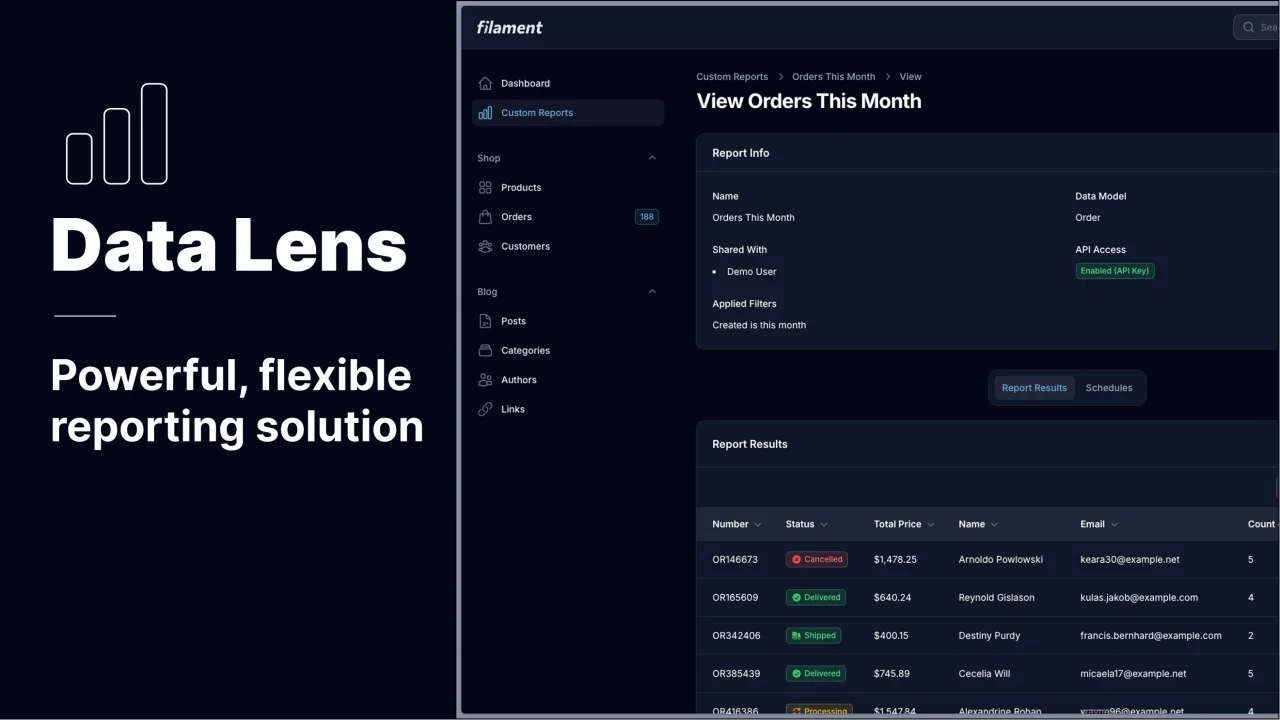
Data Lens
Advanced Data Visualization for Laravel Filament - a premium reporting solution enabling custom column creation, sophisticated filtering, and enterprise-grade data insights within admin panels.
 Padmission
