
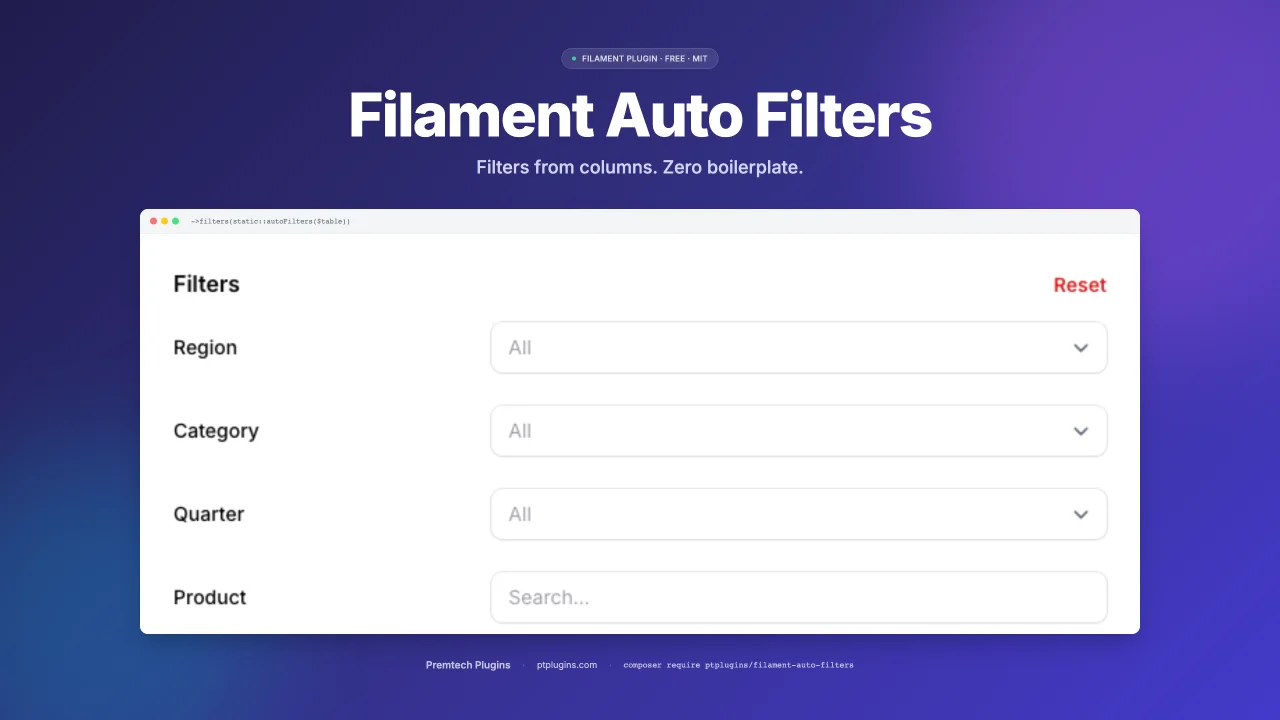
Auto Filters
CommunityAutomatic table filters for FilamentPHP v3, v4, and v5 based on your column definitions. Stop writing repetitive filter code — just define your columns and get smart filters for free.
 Author:
PtPlugins
Author:
PtPlugins
Package health
BetaAutomated checks of this plugin's Composer package
15 checks
- Skipped: GitHub Actions pinned to SHA
- Skipped: GitLab CI includes pinned to SHA
- Passed: Open security advisories
- Passed: Dependabot PR responsiveness — No open Dependabot PRs.
- Skipped: Renovate MR responsiveness
- Skipped: Dependabot or Renovate configured
- Skipped: Dependency update cooldown configured
- Failed: Provides a security policy — View details on Plumb
- Passed: Abandoned or archived — No consulted source marks the package abandoned (packagist, github).
- Passed: Commit and release recency — Active: last commit 0 days ago; last release 0 days ago.
-
Passed:
composer.lock not committed by library
—
composer.lockis absent from the released dist archive. - Passed: Dist archive is lean
-
Warning:
Current Laravel version supported
—
Package does not co-install with current Laravel
13.0; the newest co-installable line is12.0, which receives security patches only (until 2027-02-24). -
Passed:
Current PHP version supported
—
Constraint
^8.2supports current PHP8.5. - Skipped: Current Symfony version supported
filament/
namespace. Review the source and install at your own risk. Found
malware or an unresolved security issue the author won't
address?
Report it
.
Documentation
- The Problem
- Installation
- Quick Start
- Full Example: Employee Management
- Overriding Specific Filters
- Skipping Columns
- Combining Overrides and Skips
- Distinct-Value Select Filters
- Panel Order and Grouping
- API Reference
- autoFilters(Table $table, array $overrides = [], array $skip = [], bool|array $distinct = false, array $except = [], ?Closure $distinctOptionsUsing = null, array $order = []): array
- orderFilters(array $filters, array $order): array
- groupFilters(array $filters, Table $table, array $groups, bool $collapsed = true): array
- makeFilterSection(string $heading, array $components, bool $collapsed): Section
- makeDistinctSelectFilter(Table $table, string $name, string $label, ?Closure $optionsUsing = null): ?SelectFilter
- distinctColumnValues(Table $table, string $name): array
- makeTernaryFilter(string $name, string $label): TernaryFilter
- makeSelectFilter(string $name, string $label, array|Closure $options): SelectFilter
- makeDateRangeFilter(string $name, string $label): Filter
- makeTextFilter(string $name, string $label): Filter
- resolveColumn(string $name): array
- Configuration
- Recommended UX: Slide-Over Panel + Inline Labels
- How Column Detection Works
- Requirements
- License
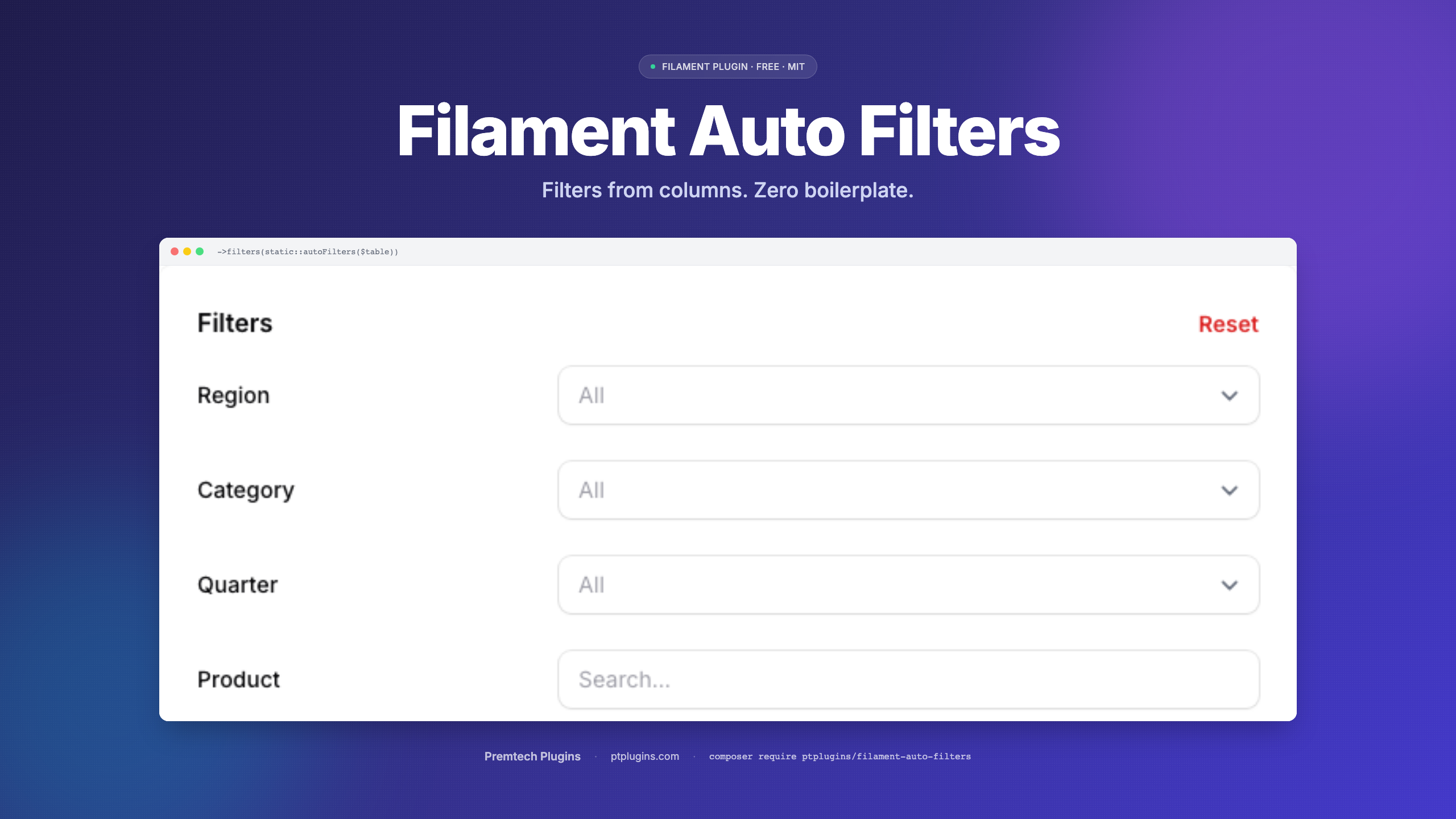
Automatic table filters for FilamentPHP v3, v4, and v5 based on your column definitions. Stop writing repetitive filter code - just define your columns and get smart filters for free.
Single codebase across all three Filament major versions - same trait, same API.

🎯 Try it live · ptplugins.com/demo/auto-filters - no signup, click any column, see filters generate themselves.
#The Problem
Every Filament resource needs filters. For a typical table with 10 columns, you end up writing 10 filter definitions - most of which follow the same patterns. Date columns get date pickers, text columns get search inputs, relationships get whereHas queries.
Before (manual filters for each column):
public static function table(Table $table): Table
{
    return $table
        ->columns([
            TextColumn::make('name'),
            TextColumn::make('email'),
            TextColumn::make('department.name'),
            TextColumn::make('hired_at')->date(),
            TextColumn::make('data.position'),
        ])
        ->filters([
            Filter::make('name')
                ->form([TextInput::make('value')->label('Name')])
                ->query(fn (Builder $q, array $data) => /* ... */),
            Filter::make('email')
                ->form([TextInput::make('value')->label('Email')])
                ->query(fn (Builder $q, array $data) => /* ... */),
            Filter::make('department.name')
                ->form([TextInput::make('value')->label('Department')])
                ->query(fn (Builder $q, array $data) => $q->whereRelation(/* ... */)),
            Filter::make('hired_at')
                ->form([DatePicker::make('from'), DatePicker::make('until')])
                ->query(fn (Builder $q, array $data) => /* ... */),
            Filter::make('data.position')
                ->form([TextInput::make('value')->label('Position')])
                ->query(fn (Builder $q, array $data) => /* ... using JSON arrow notation */),
        ]);
}
After (one line):
->filters(static::autoFilters($table))
#Installation
composer require ptplugins/filament-auto-filters
The package auto-discovers its service provider. No manual registration needed.
#Publish Configuration (optional)
php artisan vendor:publish --tag=auto-filters-config
#Quick Start
Add the trait to your Filament resource and call autoFilters():
use PtPlugins\FilamentAutoFilters\Concerns\HasAutoFilters;

class EmployeeResource extends Resource
{
    use HasAutoFilters;

    public static function table(Table $table): Table
    {
        return $table
            ->columns([/* ... */])
            ->filters(static::autoFilters($table));
    }
}
That's it. Every TextColumn in your table now has a filter.
#Full Example: Employee Management
Let's walk through a real-world scenario. You're building an HR module with an Employee model that has direct columns, a department relationship, and a JSON data column for flexible fields.
#The Model
class Employee extends Model
{
    // Direct columns
    const NAME = 'name';
    const EMAIL = 'email';
    const HIRED_AT = 'hired_at';
    const SALARY = 'salary';

    // JSON data column fields
    const D_POSITION = 'data.position';
    const D_OFFICE = 'data.office';

    // Relationships
    const R_DEPARTMENT_NAME = 'department.name';
    const R_MANAGER_NAME = 'manager.name';

    protected $casts = [
        'hired_at' => 'date',
        'data' => 'array',
    ];

    public function department(): BelongsTo
    {
        return $this->belongsTo(Department::class);
    }

    public function manager(): BelongsTo
    {
        return $this->belongsTo(Employee::class, 'manager_id');
    }
}
#The Resource
use Filament\Tables\Columns\TextColumn;
use Filament\Tables\Table;
use PtPlugins\FilamentAutoFilters\Concerns\HasAutoFilters;

class EmployeeResource extends Resource
{
    use HasAutoFilters;

    protected static ?string $model = Employee::class;

    public static function table(Table $table): Table
    {
        return $table
            ->columns([
                TextColumn::make(Employee::NAME)
                    ->label('Name')
                    ->searchable(),

                TextColumn::make(Employee::EMAIL)
                    ->label('Email'),

                TextColumn::make(Employee::R_DEPARTMENT_NAME)
                    ->label('Department'),

                TextColumn::make(Employee::R_MANAGER_NAME)
                    ->label('Manager'),

                TextColumn::make(Employee::HIRED_AT)
                    ->label('Hired')
                    ->date(),

                TextColumn::make(Employee::SALARY)
                    ->label('Salary')
                    ->numeric(),

                TextColumn::make(Employee::D_POSITION)
                    ->label('Position'),

                TextColumn::make(Employee::D_OFFICE)
                    ->label('Office'),
            ])
            ->filters(static::autoFilters($table));
    }
}
#What Gets Generated
The plugin inspects each column and generates the right filter type. Detection rules:
| Column | Filter |
|---|---|
TextColumn (date / datetime) |
Date range picker (from / until) |
TextColumn (default) |
Text search (LIKE %...%) |
TextColumn with dot notation rel.col |
Text search via whereRelation() |
TextColumn with data.X prefix |
Text search via JSON arrow data->X |
IconColumn->boolean() |
Ternary (Yes / No / All) |
SelectColumn->options([...]) |
Select filter with same options |
| Other column types | Skipped - pass an explicit filter via overrides |
For our Employee example (8 columns), all 8 filters are generated from zero lines of filter code. Same applies to a table mixing IconColumn and SelectColumn - they get their right filter automatically.
#Overriding Specific Filters
Auto-generated filters are great for most columns. But sometimes you need a SelectFilter with specific options, or custom logic. Pass your explicit filters as overrides - they replace any auto-generated filter with the same name:
->filters(static::autoFilters($table, overrides: [
    // Replace the auto-generated text filter for department
    // with a select dropdown instead
    static::makeSelectFilter(
        Employee::R_DEPARTMENT_NAME,
        'Department',
        Department::pluck('name', 'name')
    ),

    // Custom filter with your own logic
    SelectFilter::make(Employee::SALARY)
        ->label('Salary Range')
        ->options([
            'junior' => 'Under 50k',
            'mid' => '50k - 100k',
            'senior' => 'Over 100k',
        ]),
]))
Result: department.name and salary use your custom filters. The remaining 6 columns still get auto-generated filters.
Overrides get inline labels too. When inline_labels is true (the default), autoFilters() applies inlineLabel() to your overrides as well, so the whole panel keeps one uniform Label [input] rhythm - you don't have to inline each override by hand. This works for SelectFilter / TernaryFilter overrides (like the SelectFilter::make(Employee::SALARY) above). An override you build with ->form([...]) is the one exception - inline those yourself (see the note below).
#Skipping Columns
Some columns don't need filters. Pass their names in the skip array:
->filters(static::autoFilters($table, skip: [
    'deleted_at',
    Employee::SALARY,
]))
#Combining Overrides and Skips
->filters(static::autoFilters($table,
    overrides: [
        static::makeSelectFilter(
            Employee::R_DEPARTMENT_NAME,
            'Department',
            Department::pluck('name', 'name')
        ),
    ],
    skip: [
        'deleted_at',
    ]
))
Rules:
- Filters come out in column order - the panel mirrors the table header
- An override takes the slot of the column it replaces (matched by original name or
filterName()slug); overrides matching no column are appended last - Columns in the
skiplist are skipped - Everything else gets an auto-generated filter
#Distinct-Value Select Filters
A text filter is the safe default, but users often want a dropdown of the values that actually exist - e.g. a multi-select of the cost amounts present on one event. Opt in with distinct:
// Every plain text column becomes a multi-select of its distinct values,
// except the free-text ones you list
->filters(static::autoFilters($table,
    distinct: true,
    except: ['notes', 'description'],
))

// ...or only the columns you name (direct, JSON data.key or relation.column)
->filters(static::autoFilters($table,
    distinct: ['cost', 'data.city', 'department.name'],
))
How it behaves:
- Options are the distinct, non-null values from the table's own query - scopes and constraints (e.g. a relation manager's owner record) are kept, ordering and eager loads are dropped. Values are sorted naturally and used as both key and label.
- Date columns are never converted.
- A column with no values, or with more than
distinct_max_options(default50) distinct values, silently stays a text filter - a 5000-row list never gets a 5000-option select. - Options are resolved when the filters are built (one
SELECT DISTINCTper column). On large tables name a few columns instead ofdistinct: true, or supply your own resolver:
->filters(static::autoFilters($table,
    distinct: static::costColumns(),
    distinctOptionsUsing: fn (string $column, Table $table): array => Cache::remember(
        "rm_cost_opts:{$this->getOwnerRecord()->getKey()}:{$column}",
        now()->addHour(),
        fn () => $table->getQuery()->distinct()->pluck($column)->all(),
    ),
))
The resolver receives the original column name and returns either a flat list of values (sorted naturally, value doubles as label) or a ready value => label map when you want formatted labels (order and labels kept as-is). null / empty values are dropped and the threshold still applies.
#Panel Order and Grouping
Column order is a good default - the panel mirrors the table header. But a panel people use every day usually wants its own order, and the filters a team reaches for first rarely sit first in the table.
Pass order with the labels (or filter names) in the order you want:
->filters(static::autoFilters($table,
    overrides: [...],
    order: [
        'Year',
        'Team',
        'Submitter',
        'Product',
        'Status',
    ],
))
- Entries are matched against the filter's label first, then its name, so either works - and a stakeholder can hand you the list as they read it on screen.
- Date range filters are one filter with two fields, so they appear once in the list.
- The list does not have to be exhaustive: filters you leave out keep their relative order and follow the listed ones, so a column added later shows up at the end instead of disappearing.
- Labels are compared with whitespace collapsed, so a column label broken across lines for the table header (
"Sent to payment\non") still matches'Sent to payment on'.
#Collapsed groups
Fifty filters bury the handful people actually use. Fold the long tail behind a heading with groupFilters():
->filters(static::autoFilters($table, order: static::FILTER_ORDER))
->filtersFormSchema(fn (array $filters): array => static::groupFilters(
    $filters,
    $table,
    [
        'Approvals & dates' => [
            'Approved by', 'Approval date',
            'Contract date', 'Created at', 'Last modified',
        ],
    ],
))
->filtersFormWidth('md')
->filtersTriggerAction(fn (Action $action) => $action->slideOver())
- Each section lands where its first member sat, so the order from
order:carries over; everything else stays at the top level. - Sections are collapsed by default - pass
collapsed: falseto have them open. - A group whose members are all missing from this table produces no section, so one shared schema can serve several resources.
- Override
makeFilterSection()to restyle the wrapper.
#API Reference
#autoFilters(Table $table, array $overrides = [], array $skip = [], bool|array $distinct = false, array $except = [], ?Closure $distinctOptionsUsing = null, array $order = []): array
The main method. Inspects every column in the table, in column order, and generates an appropriate filter for TextColumn, IconColumn->boolean(), and SelectColumn. Other column types are skipped - pass them explicitly via overrides. See Distinct-Value Select Filters for distinct, except and distinctOptionsUsing, and Panel Order and Grouping for order.
#orderFilters(array $filters, array $order): array
Reorders a filter array against a list of labels and/or filter names. Unlisted filters keep their relative order and follow the listed ones. Called for you when autoFilters() receives order.
#groupFilters(array $filters, Table $table, array $groups, bool $collapsed = true): array
A filtersFormSchema() callback that folds the named filters into collapsible sections. $groups maps a section heading to the labels and/or filter names it holds.
#makeFilterSection(string $heading, array $components, bool $collapsed): Section
The section wrapper used by groupFilters(). Override to restyle it.
#makeDistinctSelectFilter(Table $table, string $name, string $label, ?Closure $optionsUsing = null): ?SelectFilter
Builds a multi-select of a column's distinct values, or returns null (caller falls back to a text filter) when there are none or more than distinct_max_options.
#distinctColumnValues(Table $table, string $name): array
Distinct non-null values of a direct / JSON / relationship column in the table's current query.
#makeTernaryFilter(string $name, string $label): TernaryFilter
Creates a yes/no/all ternary filter for a boolean column. Handles direct, JSON, and relationship columns the same way as the other helpers.
#makeSelectFilter(string $name, string $label, array|Closure $options): SelectFilter
Creates a select dropdown filter that automatically handles:
- Direct columns - standard
whereInquery - JSON columns (
data.xxx) - usesattribute()with arrow notation - Relationship columns (
rel.col) - useswhereHasquery
By default, select filters are multiple-choice and searchable (configurable).
#makeDateRangeFilter(string $name, string $label): Filter
Creates a date range filter with "from" and "until" date pickers. Handles relationship and JSON columns the same way.
#makeTextFilter(string $name, string $label): Filter
Creates a text search filter (LIKE contains). Handles relationship and JSON columns automatically.
#resolveColumn(string $name): array
Resolves a column name into its type and query components. Used internally, but available if you need to build custom filters with the same column-detection logic.
Returns:
['type' => FilterType::Direct, 'query_column' => 'name']['type' => FilterType::Relationship, 'relationship' => 'department', 'column' => 'name']['type' => FilterType::Json, 'query_column' => 'data->position']
#Configuration
Publish the config file to customize defaults:
php artisan vendor:publish --tag=auto-filters-config
// config/auto-filters.php
return [
    'text_search_placeholder' => 'Search...', // Placeholder for text inputs
    'date_format'             => 'd.m.Y',     // Display format in filter indicators
    'select_multiple'         => true,         // Allow multi-select by default
    'select_searchable'       => true,         // Searchable dropdowns by default
    'inline_labels'           => true,         // Apply ->inlineLabel() to every auto-filter
    'prefer_pikaday'          => false,        // Use Pikaday for date filters when installed
    'sanitize_names'          => true,         // Slug unsafe (dotted/spaced) column names
    'distinct_max_options'    => 50,           // Max distinct values for a `distinct` select
];
#Optional: Pikaday date picker
Date range filters use Filament's native DatePicker by default. If you install the lightweight ptplugins/filament-pikaday package (no jQuery, no moment.js), you can route every auto-generated date filter through it instead - set prefer_pikaday => true:
composer require ptplugins/filament-pikaday
// config/auto-filters.php
'prefer_pikaday' => true,
The flag is a no-op when Pikaday isn't installed - auto-filters falls back to the native DatePicker automatically, so it's safe to enable in shared config.
inline_labels defaults to true because that's what pairs best with the recommended slide-over panel below. Set it to false if you keep the default Filament dropdown layout (the dropdown is narrow and inline labels can look cramped) or if you simply prefer stacked labels.
#Recommended UX: Slide-Over Panel + Inline Labels
Out of the box Filament renders filters as a dropdown attached to a small "Filter" button - fine for one or two filters, cramped once a table has six or more. With auto-generated filters every column suddenly has a filter, so the dropdown stops scaling.
By default the trait applies inlineLabel() to every form field it generates (label on the left of the input, single row per filter - controlled by inline_labels in the config). That layout is tuned for a wide panel - pair it with a slide-over on the Resource and you get a "Linear / Notion"-style filter sidebar like our live demo:
use Filament\Tables\Table;

public static function table(Table $table): Table
{
    return $table
        ->columns([/* ... */])
        ->filters(static::autoFilters($table))
        ->filtersFormWidth('md')                         // sm | md | lg | xl
        ->filtersTriggerAction(
            fn ($action) => $action->slideOver(),         // open on the right
        );
}
What changes for the user:
- Click Filter → panel slides in from the right.
- Each filter is one row:
Label [input](frominlineLabel()). - Apply / Reset live in the panel footer; close =
Escor click outside. - Table reclaims the vertical space the old dropdown took.
This is purely Filament's Table API - no extra CSS, no Livewire plumbing. The trait stays focused on filter generation; this snippet is the matching presentation.
#Uniform inline labels across every filter type
When inline_labels is true (the default), every auto-generated filter renders with an inline label on the left and the input on the right, including the awkward cases that don't accept inlineLabel() directly:
| Filter type | How inline label is applied |
|---|---|
Text search (makeTextFilter) |
TextInput::inlineLabel() in the filter's ->form() schema |
Date range (makeDateRangeFilter) |
Two stacked rows (Date from, Date until) - both DatePicker::inlineLabel(). Avoids the asymmetric "label only on first input" layout that a single-row layout produces. |
Select (makeSelectFilter) |
SelectFilter::modifyFormFieldUsing(fn ($f) => $f->inlineLabel()) (SelectFilter doesn't have a ->form() we can put inlineLabel() on directly) |
Ternary (makeTernaryFilter) |
Same as Select - TernaryFilter::modifyFormFieldUsing(fn ($f) => $f->inlineLabel()). Filament's TernaryFilter builds its own form schema, so the regular inlineLabel() on a child component would never reach it. |
Overrides (SelectFilter / TernaryFilter) |
autoFilters() runs the shared applyInlineLabel() helper over every override you pass, so a hand-built SelectFilter::make(...) matches the auto-generated ones with no extra code. |
Result: every row in the slide-over reads as [Label] [input] - same vertical rhythm whether the column behind it is text, date, boolean, select, JSON, or a relationship, and whether it was auto-generated or supplied as an override.
Set inline_labels => false in the published config to skip all of the above and get stacked labels instead - better suited to the default dropdown layout.
The one case
autoFilters()can't inline for you: an override built withFilter::make()->form([...]). Filament returns a user-supplied form schema verbatim and never runsmodifyFormFieldUsingon it, soapplyInlineLabel()(and therefore the override pass) is a no-op there. Add->inlineLabel()to every form component in the schema yourself - exactly as the package's own text and date filters do.
#How Column Detection Works
The plugin uses a simple naming convention to detect column types:
name            → Direct column    → WHERE name LIKE '%...%'
hired_at        → Date column      → WHERE hired_at >= ? AND hired_at <= ?
department.name → Relationship     → whereHas('department', fn($q) => $q->where('name', ...))
data.position   → JSON column      → WHERE data->position LIKE '%...%'
- Dot notation with a
data.prefix → JSON arrow notation - Dot notation without
data.prefix → Eloquent relationship - No dots → direct database column
- Date/DateTime detection uses Filament's built-in
isDate()/isDateTime()methods onTextColumn
#Requirements
- PHP 8.2+
- FilamentPHP 3.x, 4.x, or 5.x (single codebase across all three)
- Laravel 10, 11, or 12
#License
MIT
The author
From the same author

Pikaday
Pikaday date picker field for FilamentPHP — lightweight, dependency-light date input with min/max dates, year range, first-day-of-week, and full i18n.
Author:
PtPlugins
Number Input
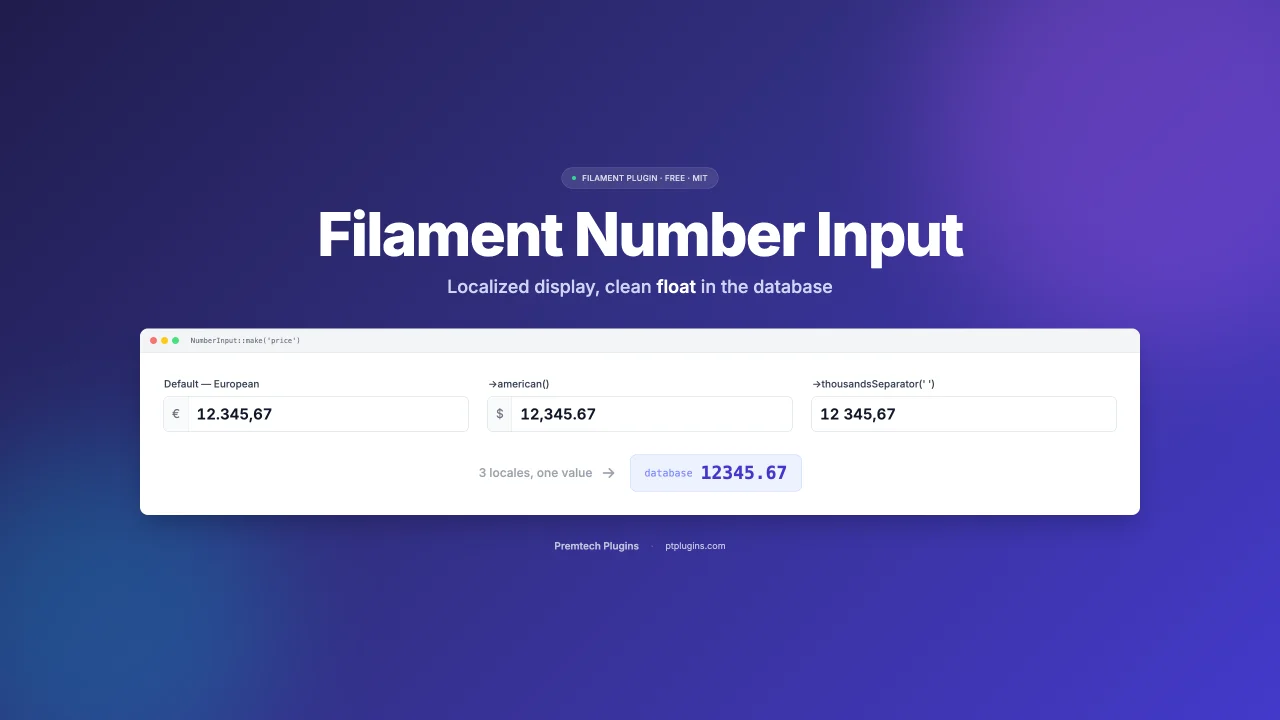
A locale-aware numeric input field for FilamentPHP v3, v4, and v5. The user types and sees a localized number (European 12.345,67 or US 12,345.67); your model always stores a clean float (12345.67).
Author:
PtPlugins
Pivot Table Free
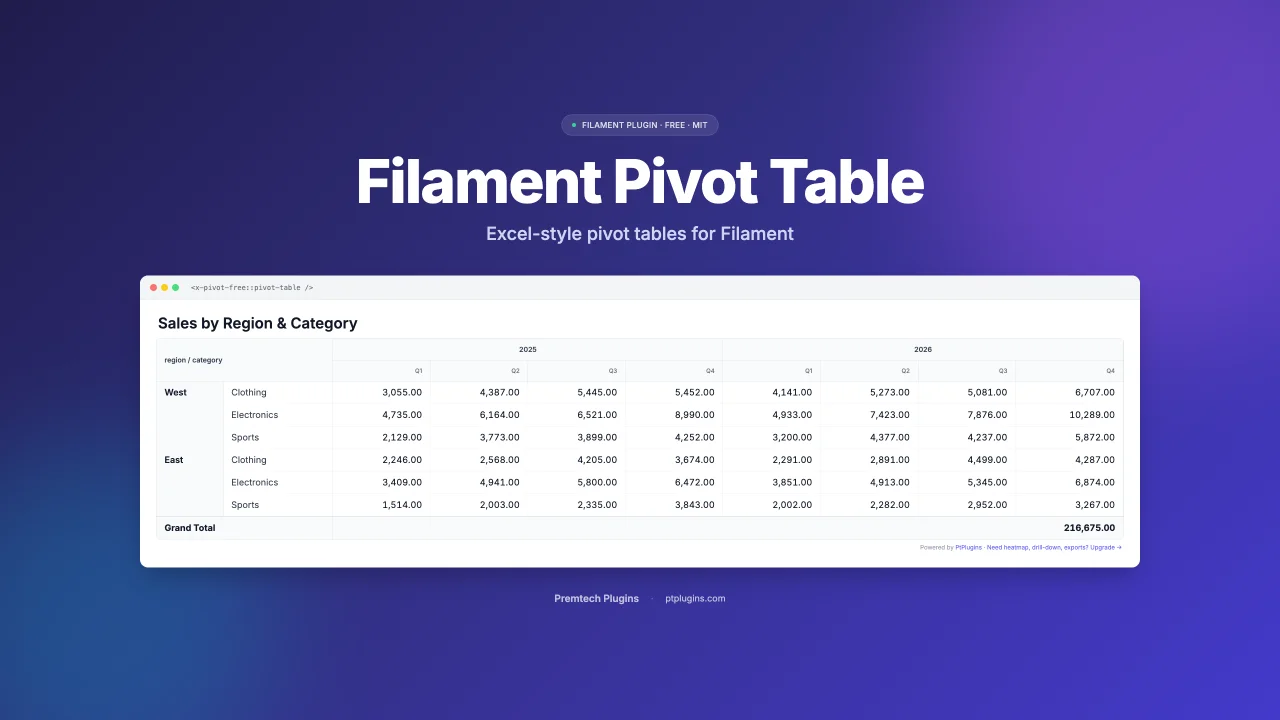
Free pivot table Blade component for FilamentPHP. Group Eloquent records into a 2-dimensional pivot with Sum aggregation. Works with Filament 3, 4, and 5.
Author:
PtPlugins
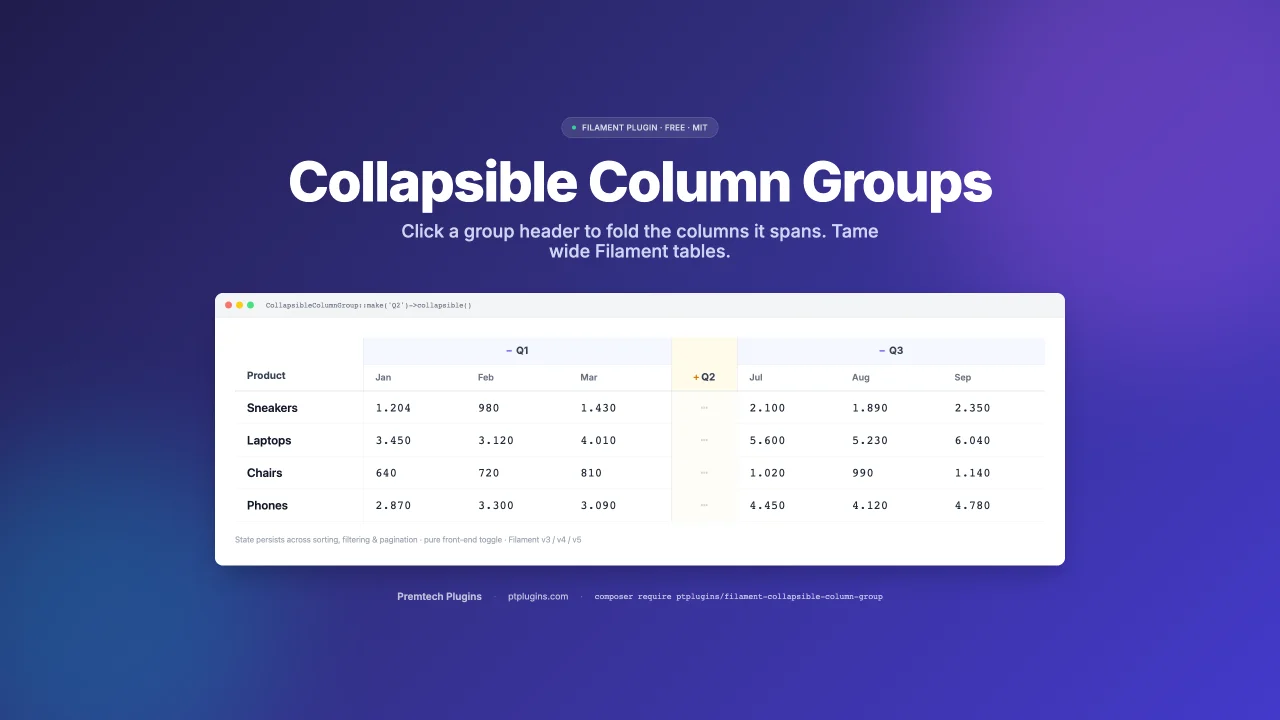
Collapsible Column Group
Collapsible (expand/collapse) column groups for FilamentPHP tables — v3, v4, and v5. Click a group header and the columns it spans fold away into a thin placeholder; click again to bring them back.
Author:
PtPlugins
Featured Plugins
A selection of plugins curated by the Filament team

Custom Dashboards
Let your users build and share their own dashboards with a drag-and-drop interface. Define your data sources in PHP and let them do the rest.
 Filament

Noir Theme
A theme that gives panels a focused, refined look with near-black surfaces, crisp actions, and restrained color.
Filament

Advanced Tables (formerly Filter Sets)
Supercharge your tables with powerful features like user-customizable views, quick filters, multi-column sorting, advanced table searching, convenient view management, and more. Compatible with Resource Panel Tables, Relation Managers, Table Widgets, and Table Builder!
 Kenneth Sese

