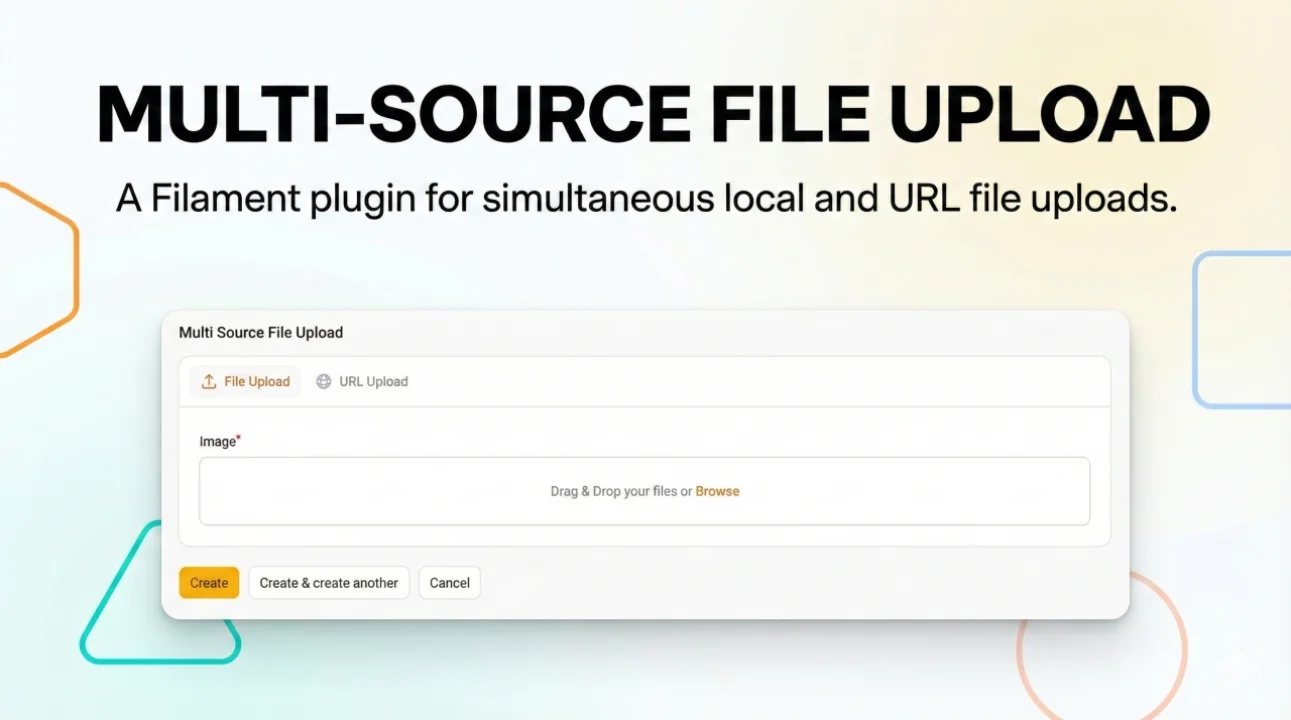
Multi Source File Upload
A plugin that enables multi-source file uploads, allowing users to upload files either from their device or via a URL.
 Author:
Prajwal Banstola
Author:
Prajwal Banstola
Documentation
A Filament plugin that enables multi-source file uploads, allowing users to upload files either from their device or via a URL.
Supports conditional required fields and only-image upload restrictions.
#Features
- Upload files from your device or provide a direct URL.
- Tabs UI for toggling between upload sources.
- Conditional required validation for both file and URL fields.
- Optionally restrict uploads to images only.
- Monitors file upload to hide/show tabs dynamically.
- Configurable labels, icons, and polling intervals.
#Installation
composer require przwl/multi-source-file-upload
If you are using Laravel < 10 or not using package discovery, add the service provider:
// config/app.php

'providers' => [
    ...
    Przwl\MultiSourceFileUpload\MultiSourceFileUploadServiceProvider::class,
],
#Configuration
Optionally publish the config:
php artisan vendor:publish --tag="multi-source-file-upload-config"
You can customize:
- Poll interval (
poll_interval) - Labels (
labels.file_upload,labels.url_upload) - Icons (
icons.file_upload,icons.url_upload)
// config/multi-source-file-upload.php

return [
    'poll_interval' => 50, // ms
    'labels' => [
        'file_upload' => 'File Upload',
        'url_upload' => 'URL Upload',
    ],
    'icons' => [
        'file_upload' => 'heroicon-o-arrow-up-tray',
        'url_upload' => 'heroicon-o-globe-alt',
    ]
];
#Usage
In your Filament form, use the MultiSourceFileUpload component by spreading its schema into your form.
#Complete Example
use Filament\Forms\Form;
use Przwl\MultiSourceFileUpload\Components\MultiSourceFileUpload;

public function form(Form $form): Form
{
    return $form
        ->schema([
            TextInput::make('title')
                ->required(),

            // Use the multi-source file upload component
                ...(MultiSourceFileUpload::make('image', 'image_url')
                    ->required()
                    ->image())
                    ->getSchema(),


            // Other form fields...
        ]);
}
Both "file" and "url" tabs are coordinated: uploading a file clears the URL; supplying a URL clears the file field.
Important: Make sure to set the database fields (e.g.,
imageandimage_url) to->nullable()in your migration file, since only one field will be filled at a time.
// Example migration
Schema::create('your_table', function (Blueprint $table) {
    $table->id();
    $table->string('image')->nullable();
    $table->string('image_url')->nullable();
    // ...
});
#How It Works
- The plugin uses a Tabs interface for "File" and "URL" upload.
- When a file is uploaded, the URL field is disabled, and vice versa.
- Only one source can be filled at a time.
- Uses Alpine.js for hiding the tab when a file upload is detected.
- Poll interval for DOM updates is configurable in the config.
#Advanced
You can customize required logic or column span (see the implementation for details):
  ...(MultiSourceFileUpload::make('image', 'image_url')
    ->required()
    ->image())
    ->getSchema(),
#License
MIT
The author
I'm a passionate Backend Web Developer with a strong focus on Laravel and RESTful API development. I have experience building scalable, maintainable systems and crafting intuitive full-stack solutions. I work hands-on with Laravel, FilamentPHP, Livewire, and modern testing practices, with a constant drive to improve performance, code quality, and developer experience.
From the same author

Featured Plugins
A selection of plugins curated by the Filament team

Custom Dashboards
Let your users build and share their own dashboards with a drag-and-drop interface. Define your data sources in PHP and let them do the rest.
 Filament

Spotlight Pro
Browse your Filament Panel with ease. Filament Spotlight Pro adds a Spotlight/Raycast like Command Palette to your Filament Panel.
 Dennis Koch

Custom Fields
Eliminate custom field migrations forever. Let your users create and manage form fields directly in Filament admin panels with 20+ built-in field types, validation, and zero database changes.
 Relaticle

