Cine Reserve
A seamless, user-friendly plugin for adding interactive movie seat selection and booking functionality to any Laravel application.
 Author:
Prajwal Banstola
Author:
Prajwal Banstola
Documentation
- 🎬 Features
- 📦 Installation
- ⚙️ Quick Configuration
- 🚀 Quick Start
- 📸 Preview
- 📖 Complete Integration Guide
- 💰 Pricing Feature
- 🎨 Customization
- 🎯 Events
- 📝 Available Movie Properties
- ⚠️ Important: File Storage Configuration
- 🎨 Color Options
- 📄 License
- 👤 Author
A seamless, user-friendly plugin for adding interactive movie seat selection and booking functionality to any Laravel application.
#🎬 Features
- Interactive Seat Selection: Beautiful, Customizable animated seat selection interface
- Movie Information Display: Showcase movie details.
- Customizable Colors: Choose seat colors for booked, available and selected seats.
- Dynamic Layout: Configure rows and seats per row via config
- Maximum Selection Limit: Set limits on seat selection per session
- Pricing Display: Built-in pricing UI with price per seat and total calculation
- Dark Mode Support: Fully supports Filament's dark mode
- Extensible: Easy to extend and customize
#Screenshots
#Light Mode
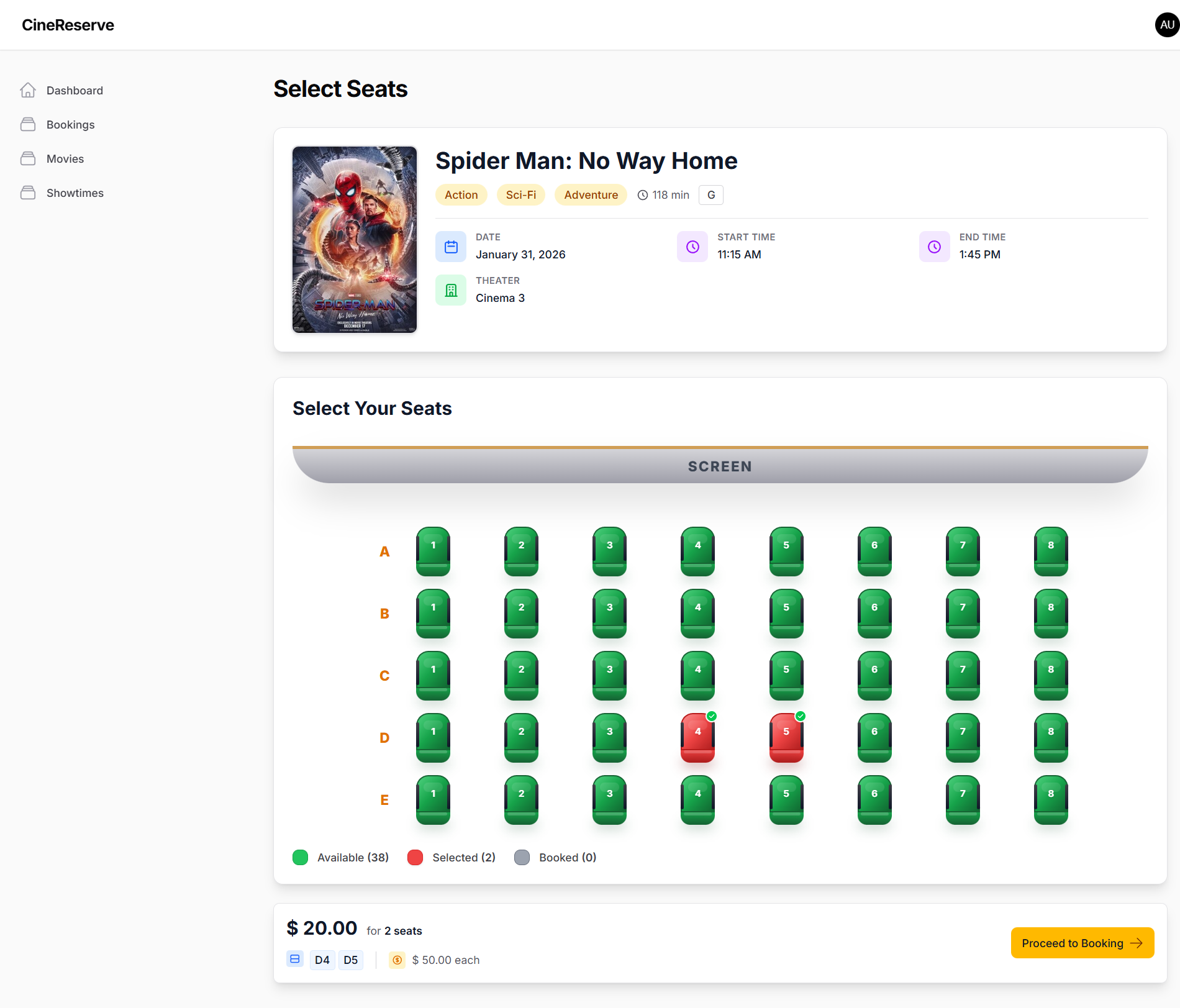
#Dark Mode
.png)
#📦 Installation
#Install via Composer
composer require przwl/cine-reserve
#Register Plugin
In AdminPanelProvider.php:
Register the plugin from ->plugins([])
use Przwl\CineReserve\Filament\CineReserve;

public function panel(Panel $panel): Panel
{
    return $panel
        ->plugins([
            CineReserve::make(),
        ]);
}
#Publish Config
php artisan vendor:publish --tag=cine-reserve-config
#⚙️ Quick Configuration
Edit config/cine-reserve.php:
// Navigation
'register_navigation' => false,        // Show/hide navigation item

// Movie Information
'show_movie_information' => true,      // Show/hide movie information component
'movie_information_fields' => [
    'poster' => true,
    'title' => true,
    'genre' => true,
    'duration' => true,
    'rating' => true,
    'date' => true,
    'start_time' => true,
    'end_time' => true,
    'theater' => true,
],

// Screen & Layout
'show_screen' => true,                 // Show/hide screen indicator
'select_seats_title_position' => 'left', // 'left', 'center', or 'right'

// Seat layout
'rows' => ['A', 'B', 'C', 'D', 'E'],
'seats_per_row' => 8,

// Maximum seats per selection (null = unlimited)
'max_selection_limit' => null,

// Seat colors
'seat_colors' => [
    'available' => 'green',
    'selected' => 'red',
    'booked' => 'gray',
],

// Pricing configuration
'price_per_seat' => 10.00,            // Price per seat (all seats same price)
'show_price_per_seat' => true,         // Display price per seat in UI
'currency_symbol' => '$',              // Currency symbol for price display
#🚀 Quick Start
#1. Create Custom SelectSeats Page
php artisan make:filament-page CustomSelectSeats --type=custom
#2. Extend SelectSeats Class
namespace App\Filament\Pages;

use Przwl\CineReserve\Filament\Pages\SelectSeats;
use App\Models\Movie;
use App\Models\Showtime;
use App\Models\Booking;
use Illuminate\Support\Facades\Storage;

class CustomSelectSeats extends SelectSeats
{
    public ?int $showtimeId = null;
    public $total = 0;

    public function mount(?int $showtimeId = null): void
    {
        parent::mount();

        if ($showtimeId) {
            $this->showtimeId = $showtimeId;
            $this->loadShowtimeData($showtimeId);
        }
    }

    protected function loadShowtimeData(int $showtimeId): void
    {
        $showtime = Showtime::with('movie')->findOrFail($showtimeId);
        $movie = $showtime->movie;

        // Set movie information
        $this->movieTitle = $movie->title;
        $this->moviePosterUrl = $movie->poster_url ? Storage::disk('public')->url($movie->poster_url) : null;
        $this->movieGenre = $movie->genre;
        $this->movieDuration = $movie->duration . ' min';
        $this->movieRating = $movie->rating;
        $this->movieDate = $showtime->date->format('F j, Y');
        $this->movieStartTime = \Carbon\Carbon::parse($showtime->start_time)->format('g:i A');
        $this->movieEndTime = \Carbon\Carbon::parse($showtime->end_time)->format('g:i A');
        $this->movieTheater = $showtime->theater_name;

        // Load booked seats
        $this->bookedSeats = Booking::where('showtime_id', $showtimeId)
            ->where('status', '!=', 'cancelled')
            ->get()
            ->pluck('seat_ids')
            ->flatten()
            ->unique()
            ->values()
            ->toArray();
    }


    public function proceed(): void
    {
        if (empty($this->selectedSeats)) {
            Notification::make()
                ->title('Please select at least one seat')
                ->warning()
                ->send();
            return;
        }

        $this->calculateTotal();
        parent::proceed();
    }

    protected function handleBooking(array $selectedSeatDetails): void
    {
        // Create booking
        $booking = Booking::create([
            'showtime_id' => $this->showtimeId,
            'user_id' => Auth::id(),
            'seat_ids' => $this->selectedSeats,
            'total_amount' => $this->total,
            'status' => 'pending',
        ]);

        $this->selectedSeats = [];
        $this->total = 0;

        Notification::make()
            ->title('Seats booked successfully')
            ->success()
            ->send();
    }
}
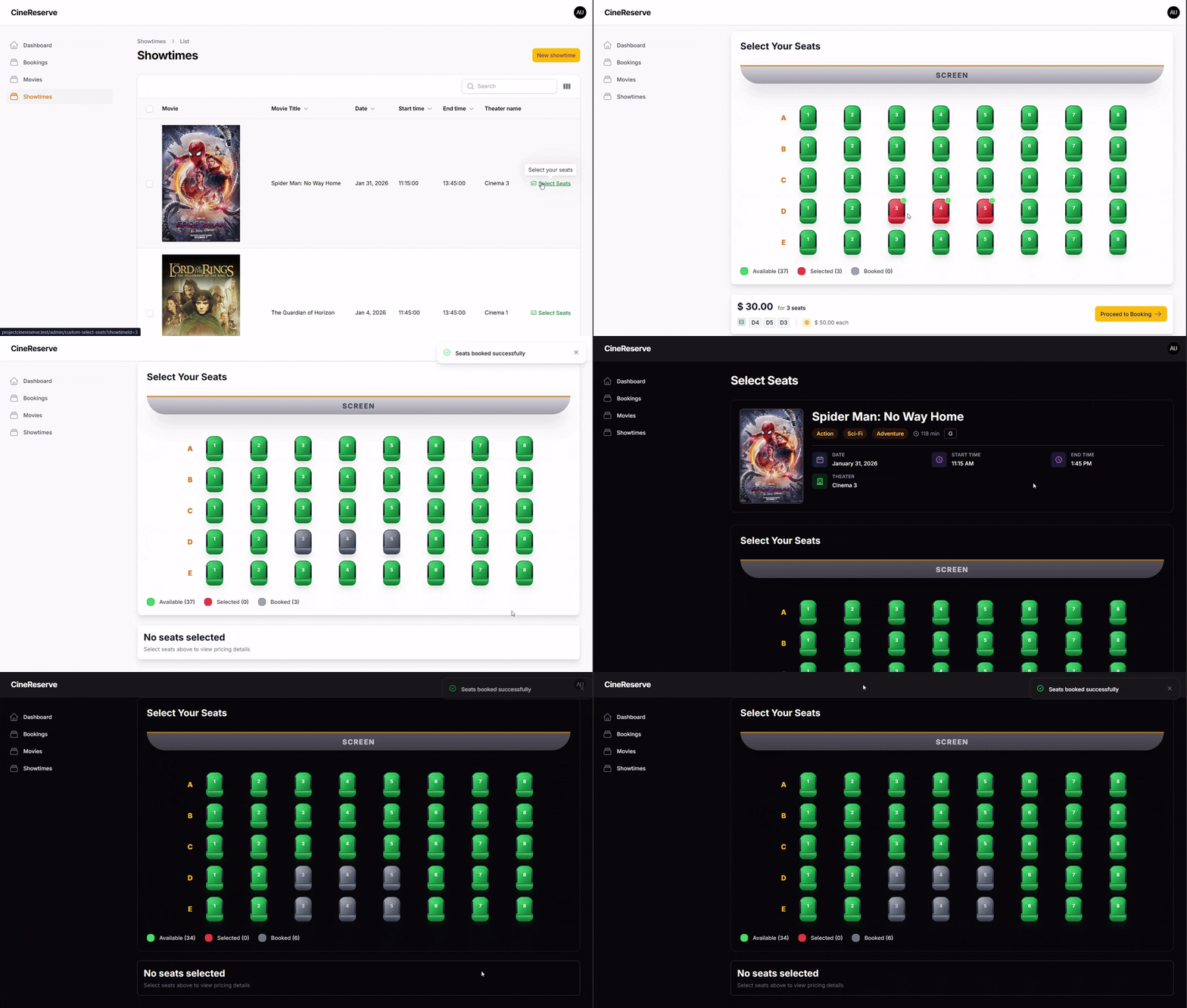
#📸 Preview
#Video Demonstration
#📖 Complete Integration Guide
For detailed integration instructions, database migrations, models, and advanced customization, see the Integration Guide.
#💰 Pricing Feature
CineReserve includes a built-in pricing display system that shows:
- Total Price: Automatically calculated based on selected seats
- Price Per Seat: Configurable via config
- Selected Seat Details: Displays all selected seat labels (e.g., A1, A2, B3)
- Currency Formatting: Customizable currency symbol
#Pricing Configuration
Configure pricing in config/cine-reserve.php:
'price_per_seat' => 10.00,        // Default price per seat
'show_price_per_seat' => true,     // Show/hide price per seat in UI
'currency_symbol' => '$',          // Currency symbol ($, €, ₹, £, etc.)
The pricing is automatically calculated based on the number of selected seats multiplied by the price per seat configured in the config file.
#🎨 Customization
#Override Methods
The SelectSeats class is designed to be easily extensible:
mount()- Load data and initialize booked seatstoggleSeat()- Add validation (e.g., prevent booking already booked seats)proceed()- Add validation before bookinghandleBooking()- Implement booking logic (save to database, notifications, etc.)
#Customize Views
To customize the appearance and layout of the seat selection interface, you can publish the views:
php artisan vendor:publish --tag=cine-reserve-views
This will copy all view files to resources/views/vendor/cine-reserve/ where you can modify them:
select-seats.blade.php- Main seat selection page layoutcomponents/movie-information.blade.php- Movie information display componentpricing-display.blade.php- Pricing information displayproceed-button.blade.php- Proceed to booking buttonscreen.blade.php- Screen indicator component
After publishing, edit these files in resources/views/vendor/cine-reserve/ to match your design requirements. The package will automatically use your customized views instead of the default ones.
#Publish Translations
php artisan vendor:publish --tag=cine-reserve-translations
#🎯 Events
#seatSelected
Emitted when user clicks "Proceed to Booking":
[
    'selectedSeats' => [1, 2, 3],  // Array of seat IDs
    'seatDetails' => [              // Full seat information
        ['id' => 1, 'row' => 'A', 'number' => '1', 'label' => 'A1'],
    ],
    'count' => 3,                   // Number of selected seats
    'total' => 30.00                // Total price (calculated)
]
#📝 Available Movie Properties
Set these properties in your SelectSeats component:
$moviePosterUrl- URL or path to movie poster$movieTitle- Movie title$movieGenre- Movie genre (string, array of strings, or array of enum objects)$movieDuration- Movie duration$movieRating- Movie rating$movieDate- Show date$movieStartTime- Show start time$movieEndTime- Show end time$movieTheater- Theater name$moviePosterAlt- Alt text for poster
#Sample Values
When no movie information is provided, the component automatically displays sample/demo values so you can see how it looks:
- Title: "Sample Movie Title"
- Genre: "Action"
- Duration: "120 min"
- Rating: "PG-13"
- Date: Current date (formatted)
- Start Time: "7:00 PM"
- End Time: "9:30 PM"
- Theater: "Theater 1"
This helps you visualize the component structure before implementing your own data. Once you set the movie properties, the actual data will replace the sample values.
#⚠️ Important: File Storage Configuration
Movie poster images must be stored on the public disk for proper display.
#Configuring Filament FileUpload
When using Filament's FileUpload component for movie posters, ensure you configure it to use the public disk:
use Filament\Forms\Components\FileUpload;

FileUpload::make('poster_url')
    ->image()
    ->disk('public')           // Required: Use public disk
    ->visibility('public')      // Required: Set visibility to public
    ->required(),
Why is this required? The movie information component displays images directly in the browser. Files stored on private disks cannot be accessed via direct URLs and will not display correctly. Using the public disk ensures that poster images are accessible and display properly.
#🎨 Color Options
Available seat colors: amber, gray, red, green, purple, yellow
#📄 License
MIT License - see LICENSE file for details
#👤 Author
prazwal-bns
- Email: prajwalbns15@gmail.com
- GitHub: @prazwal-bns
Built with ❤️ By Prajwal
The author
I'm a passionate Backend Web Developer with a strong focus on Laravel and RESTful API development. I have experience building scalable, maintainable systems and crafting intuitive full-stack solutions. I work hands-on with Laravel, FilamentPHP, Livewire, and modern testing practices, with a constant drive to improve performance, code quality, and developer experience.
From the same author
Featured Plugins
A selection of plugins curated by the Filament team

Custom Dashboards
Let your users build and share their own dashboards with a drag-and-drop interface. Define your data sources in PHP and let them do the rest.
 Filament

Spotlight Pro
Browse your Filament Panel with ease. Filament Spotlight Pro adds a Spotlight/Raycast like Command Palette to your Filament Panel.
 Dennis Koch

Advanced Tables (formerly Filter Sets)
Supercharge your tables with powerful features like user-customizable views, quick filters, multi-column sorting, advanced table searching, convenient view management, and more. Compatible with Resource Panel Tables, Relation Managers, Table Widgets, and Table Builder!
 Kenneth Sese

