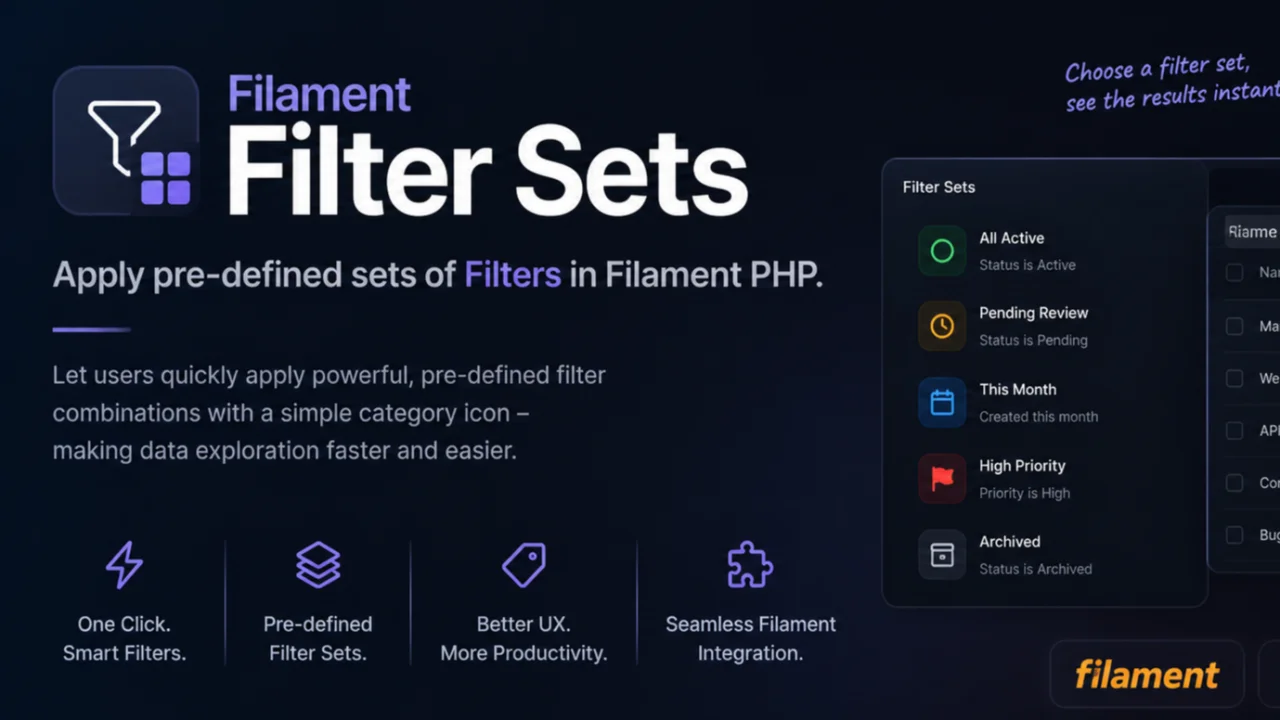
Kingmaker AGM Filter Sets plugin screenshot
Dark mode ready
Multilingual support
Supports v5.x

Kingmaker AGM Filter Sets

Community

Predefined filter sets for Filament tables — apply a whole combination of table filters in one click, from a dropdown in the table toolbar. A filter set is a named bundle of filter state. Instead of asking a user to open the filters panel and set four fields to find "unread quick reads", you declare that combination once and they pick it from a list.

Supported versions:
5.x 4.x
Pratheep BG avatar Author: Pratheep BG

Package health

Beta

Automated checks of this plugin's Composer package

73 / 100
Security 52
Maintenance 100
Ecosystem 100
15 checks
Third-party plugin. This is built by the community, not the Filament team. Filament does not review, endorse, or vet the security of plugins outside the filament/ namespace. Review the source and install at your own risk. Found malware or an unresolved security issue the author won't address? Report it .
Powered by Plumb Last scanned 18 hours ago

Documentation

Filament Filter Sets — apply pre-defined sets of filters in Filament PHP

Packagist Version Packagist Downloads Filament Run PHPUnit Tests License

Predefined filter sets for Filament tables — apply a whole combination of table filters in one click, from a dropdown in the table toolbar.

A filter set is a named bundle of filter state. Instead of asking a user to open the filters panel and set four fields to find "unread quick reads", you declare that combination once and they pick it from a list.

#Requirements

Package Filament Laravel PHP
1.x 4 or 5 11.28+ 8.2+

#Installation

composer require kingmaker/filament-filter-sets

The service provider is auto-discovered. There is nothing to publish and no trait to add.

#Usage

Call filterSets() on the table, alongside your existing filters():

use Filament\Tables\Table;
use Filament\Tables\Filters\TernaryFilter;
use Kingmaker\Filament\FilterSets\FilterSet;

public function table(Table $table): Table
{
    return $table
        ->filters([
            TernaryFilter::make('is_published'),
            // ...
        ])
        ->filterSets([
            FilterSet::make('unread_quick_reads')
                ->label('Unread Quick Reads')
                ->icon('heroicon-o-rocket-launch')
                ->filters([
                    'is_read' => ['value' => false],
                    'read_time' => ['read_time_range' => 'quick'],
                ]),

            FilterSet::make('loved_stories')
                ->icon('heroicon-s-heart')
                ->color('danger')
                ->filters([
                    'min_rating' => ['rating_clause' => 'greater_equal', 'rating_value' => 4],
                ]),
        ]);
}

A swatch icon appears next to the table's search field. Opening it lists every set; clicking one applies it.

#The FilterSet API

Method Description
make(string $name) Creates the set. The name is also the identifier passed to applyTableFilterSet().
label(string $label) The text in the dropdown. Defaults to Str::headline($name)unread_quick_reads becomes Unread Quick Reads.
icon(string|BackedEnum|null $icon) An icon for the dropdown item. Accepts an icon name or Filament's Heroicon enum.
color(?string $color) A Filament colour for the dropdown item, e.g. success.
filters(array|Closure $filters) The filter form state to apply, keyed by filter name.

The array passed to filters() is the same shape the table's filters form uses: the outer key is the filter name, the inner array is that filter's own form state. A filter with a single field — like TernaryFilter — takes ['value' => ...]; a custom Filter with a schema takes one key per field.

#Runtime values

filters() also accepts a Closure, resolved every time the set is read. Use it for anything that depends on the current request:

FilterSet::make('my_drafts')
    ->filters(fn (): array => [
        'author' => ['value' => auth()->id()],
        'is_published' => ['value' => false],
    ]),

#Applying a set programmatically

Every component with a table gains a virtual applyTableFilterSet() method, so you can trigger a set from your own Blade or Livewire code:

<x-filament::button wire:click="applyTableFilterSet('loved_stories')">
    Loved stories
</x-filament::button>

#Behaviour

  • Sets replace, they do not merge. The filters form is reset to its defaults before a set is applied, so switching from one set to another never leaves a stray filter behind.
  • State is filled through the schema, not assigned to the Livewire property, so each field's state casts run. This is what makes a ternary false render as the selected No option rather than falling back to the placeholder.
  • Deferred and live filters are both supported. If the table defers its filters, the set is applied through applyTableFilters(); otherwise through updatedTableFilters().
  • Unknown set names are ignored — calling applyTableFilterSet('nope') leaves the filters exactly as they were.

#Customisation

Publish the trigger view to change the icon, placement or markup:

php artisan vendor:publish --tag=filament-filter-sets-views

Publish the translations to change the trigger's label, or to translate it:

php artisan vendor:publish --tag=filament-filter-sets-translations

#Testing

Filter sets are exercised like any other Livewire call:

Livewire::test(ListStories::class)
    ->call('applyTableFilterSet', 'loved_stories')
    ->assertCanSeeTableRecords([$lovedStory])
    ->assertCanNotSeeTableRecords([$mediocreStory]);

To run this package's own suite:

composer install
composer test

#Changelog

See CHANGELOG.md.

#License

The MIT License (MIT). See LICENSE.md.

The author

Pratheep BG avatar Author: Pratheep BG

A Passionate Web Developer having an interest on the Laravel Framework, focussed on the Code Quality and Readability.

Plugins
2
Stars
7

From the same author