
View Website
CommunityAdd a configurable Visit Website action to the Filament panel topbar.
 Author:
Myo Min Oo
Author:
Myo Min Oo
Package health
BetaAutomated checks of this plugin's Composer package
15 checks
- Skipped: GitHub Actions pinned to SHA
- Skipped: GitLab CI includes pinned to SHA
- Passed: Open security advisories
- Passed: Dependabot PR responsiveness — No open Dependabot PRs.
- Skipped: Renovate MR responsiveness
- Skipped: Dependabot or Renovate configured
- Skipped: Dependency update cooldown configured
- Passed: Provides a security policy
- Passed: Abandoned or archived — No consulted source marks the package abandoned (packagist, github).
- Passed: Commit and release recency — Active: last commit 0 days ago; last release 0 days ago.
-
Failed:
composer.lock not committed by library
—
composer.lockis present in the released dist archive. View details on Plumb - Warning: Dist archive is lean
-
Passed:
Current Laravel version supported
—
Package dependencies resolve together with current Laravel
13.0. -
Passed:
Current PHP version supported
—
Constraint
^8.2supports current PHP8.5. - Skipped: Current Symfony version supported
filament/
namespace. Review the source and install at your own risk. Found
malware or an unresolved security issue the author won't
address?
Report it
.
Documentation
- Screenshot
- Features
- Requirements
- Installation
- Usage
- Configuration
- Defaults
- Screenshots
- Testing
- Security
- Changelog
- Contributing
- Credits
- License
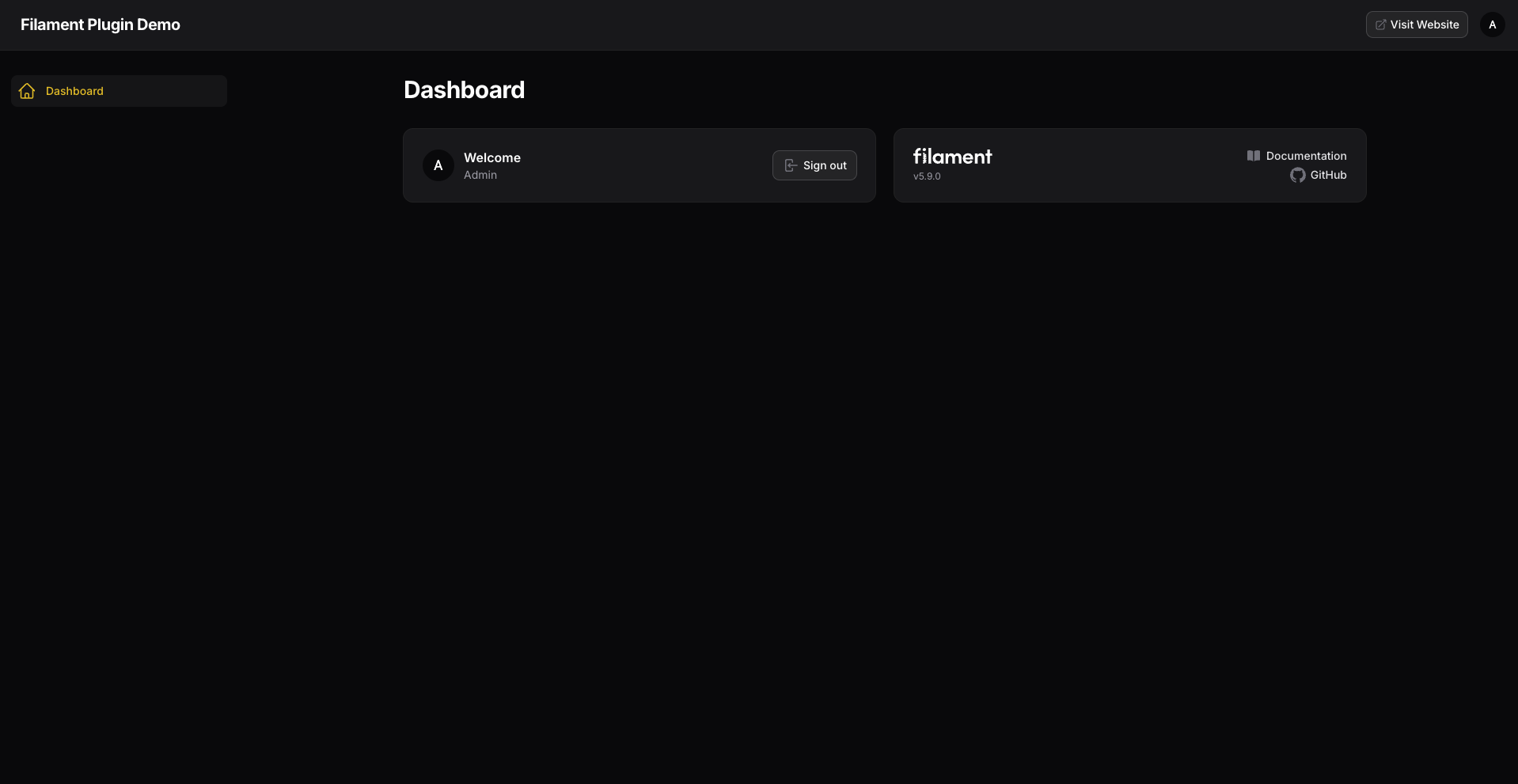
A lightweight Filament 5 panel plugin that adds a configurable “Visit Website” action to the panel topbar.
It provides a quick link from a Filament admin panel to the public website using native Filament UI. The URL, label, icon, tooltip, visibility, and new-tab behavior are configurable. The plugin requires no database tables, migrations, JavaScript, CSS, or frontend assets.
Source repository: Digit7s/filament-view-website



#Screenshot
#Features
- Native Filament topbar integration
- Zero-configuration defaults
- Static or dynamic URL
- Custom label and icon
- Optional tooltip
- Same-tab or new-tab navigation
- Conditional visibility
- No database tables or migrations
- No custom CSS or JavaScript
- Filament 5 support
#Requirements
- PHP
^8.2 - Filament
^5.0
Laravel and Livewire compatibility follows Filament 5.
#Installation
Install the package via Composer:
composer require digit7s/filament-view-website
Laravel package discovery registers the service provider automatically.
#Usage
Register the plugin on each panel where the action should appear:
use Digit7s\FilamentViewWebsite\ViewWebsitePlugin;
use Filament\Panel;

public function panel(Panel $panel): Panel
{
    return $panel
        // ...
        ->plugin(
            ViewWebsitePlugin::make()
        );
}
With no configuration, the plugin:
- links to the Laravel application root (
url('/')); - displays
Visit Website; - uses the
heroicon-o-arrow-top-right-on-squareicon; - opens the website in a new tab; and
- appears before the Filament user menu.
#Configuration
#Custom URL
Configure a static URL:
use Digit7s\FilamentViewWebsite\ViewWebsitePlugin;

ViewWebsitePlugin::make()
    ->url('https://example.com');
#Dynamic URL
The URL may be provided as a closure:
ViewWebsitePlugin::make()
    ->url(fn (): string => config('app.frontend_url'));
Laravel helpers can also be used:
ViewWebsitePlugin::make()
    ->url(fn (): string => route('home'));
#Custom Label
ViewWebsitePlugin::make()
    ->label('Open Website');
#Custom Icon
ViewWebsitePlugin::make()
    ->icon('heroicon-o-globe-alt');
#Tooltip
Set a custom tooltip:
ViewWebsitePlugin::make()
    ->tooltip('Open public website');
Disable the tooltip with ->tooltip(null).
#Open in Same Tab
New-tab navigation is enabled by default. To open the website in the current tab:
ViewWebsitePlugin::make()
    ->openInNewTab(false);
#Conditional Visibility
Use a boolean or closure to control whether the action is rendered:
ViewWebsitePlugin::make()
    ->visible(
        fn (): bool => auth()->user()?->can('view website') ?? false
    );
The package does not provide its own permission system; this only controls conditional rendering.
#Complete Example
ViewWebsitePlugin::make()
    ->url('https://example.com')
    ->label('Visit Website')
    ->icon('heroicon-o-arrow-top-right-on-square')
    ->tooltip('Open public website')
    ->openInNewTab()
    ->visible(fn (): bool => true);
#Defaults
| Option | Default |
|---|---|
| URL | Application root (url('/')) |
| Label | Visit Website |
| Icon | heroicon-o-arrow-top-right-on-square |
| Tooltip | Open public website |
| New tab | Enabled |
| Visible | Yes |
| Position | Before the user menu |
If the resolved URL is blank, the action is not rendered.
The plugin uses native Filament components, so it follows the panel's styling and dark mode. No custom CSS or JavaScript is required.
#Screenshots
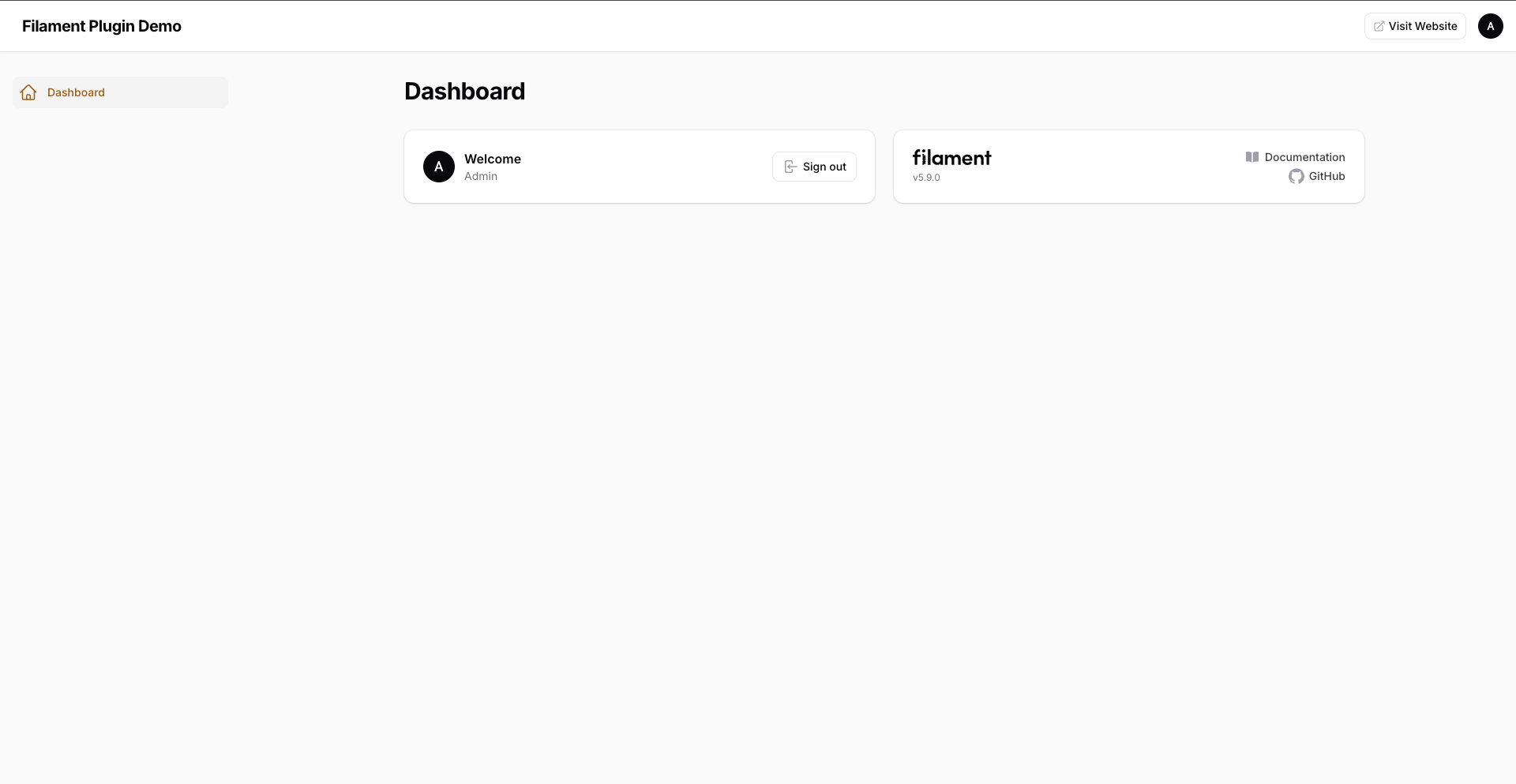
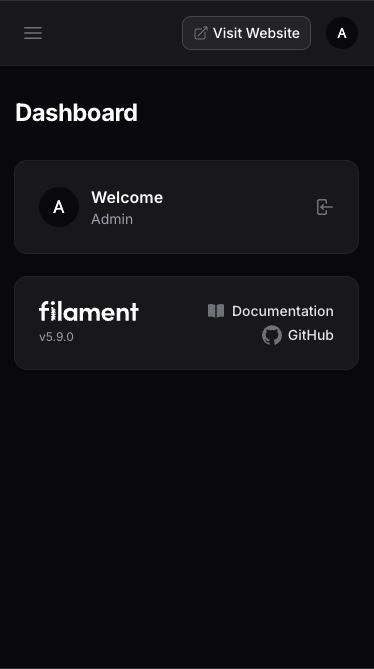
The same integration is also available in light mode and on narrow screens:
#Testing
Run the package checks from the repository directory:
composer test
composer lint
composer test:lint
composer analyse
composer validate --no-check-publish
#Security
Please do not report security vulnerabilities through public GitHub issues. See SECURITY.md for reporting instructions.
#Changelog
See CHANGELOG.md for release history.
#Contributing
Contributions are welcome. Please open an issue or pull request on GitHub.
#Credits
- Myo Min Oo
- Digit7s
#License
The MIT License (MIT). Please see LICENSE.md for more information.
Featured Plugins
A selection of plugins curated by the Filament team

Custom Dashboards
Let your users build and share their own dashboards with a drag-and-drop interface. Define your data sources in PHP and let them do the rest.
 Filament

Compact Theme
A theme that makes data-heavy panels easier to scan by fitting more useful information on each screen.
Filament

Spotlight Pro
Browse your Filament Panel with ease. Filament Spotlight Pro adds a Spotlight like Command Palette to your Filament Panel.
 Dennis Koch

