
TableKit by Maytham Mahdi
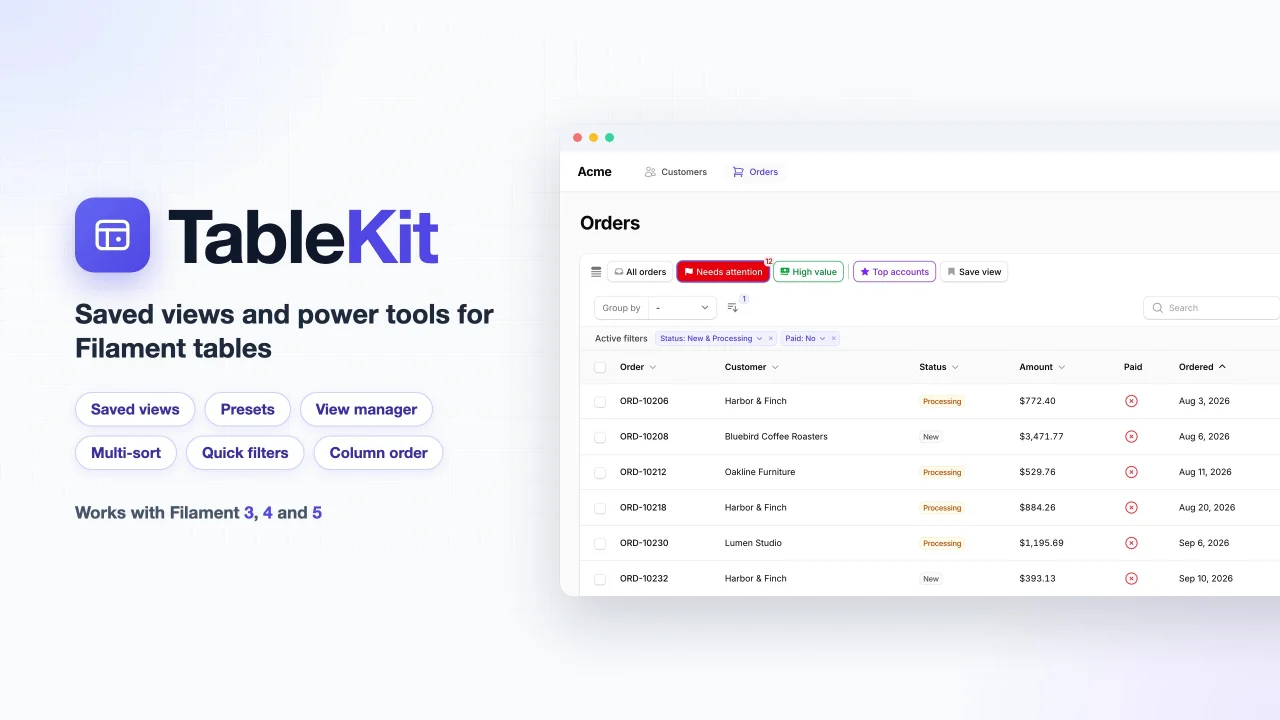
CommunitySaved views and power tools for Filament tables: save filters, sorts and columns as views, add presets, a view manager, multi-sort, quick filter chips and column order. Works with Filament 3, 4 and 5.
 Author:
Maytham Mahdi
Author:
Maytham Mahdi
Package health
Automated checks of this plugin's Composer package
15 checks
- Skipped: GitHub Actions pinned to SHA
- Skipped: GitLab CI includes pinned to SHA
- Passed: Open security advisories
- Passed: Dependabot PR responsiveness — No open Dependabot PRs.
- Skipped: Renovate MR responsiveness
- Skipped: Dependabot or Renovate configured
- Skipped: Dependency update cooldown configured
- Failed: Provides a security policy — View details on Plumb
- Passed: Abandoned or archived — No consulted source marks the package abandoned (packagist, github).
- Passed: Commit and release recency — Active: last commit 0 days ago; last release 1 days ago.
-
Passed:
composer.lock not committed by library
—
composer.lockis absent from the released dist archive. - Passed: Dist archive is lean
-
Passed:
Current Laravel version supported
—
Package dependencies resolve together with current Laravel
13.0. -
Passed:
Current PHP version supported
—
Constraint
^8.2supports current PHP8.5. - Skipped: Current Symfony version supported
filament/
namespace. Review the source and install at your own risk. Found
malware or an unresolved security issue the author won't
address?
Report it
.
Documentation
- What you get
- Which version?
- Installation
- Your first preset
- Documentation
- Security and privacy
- License
Saved views and power tools for Filament tables.
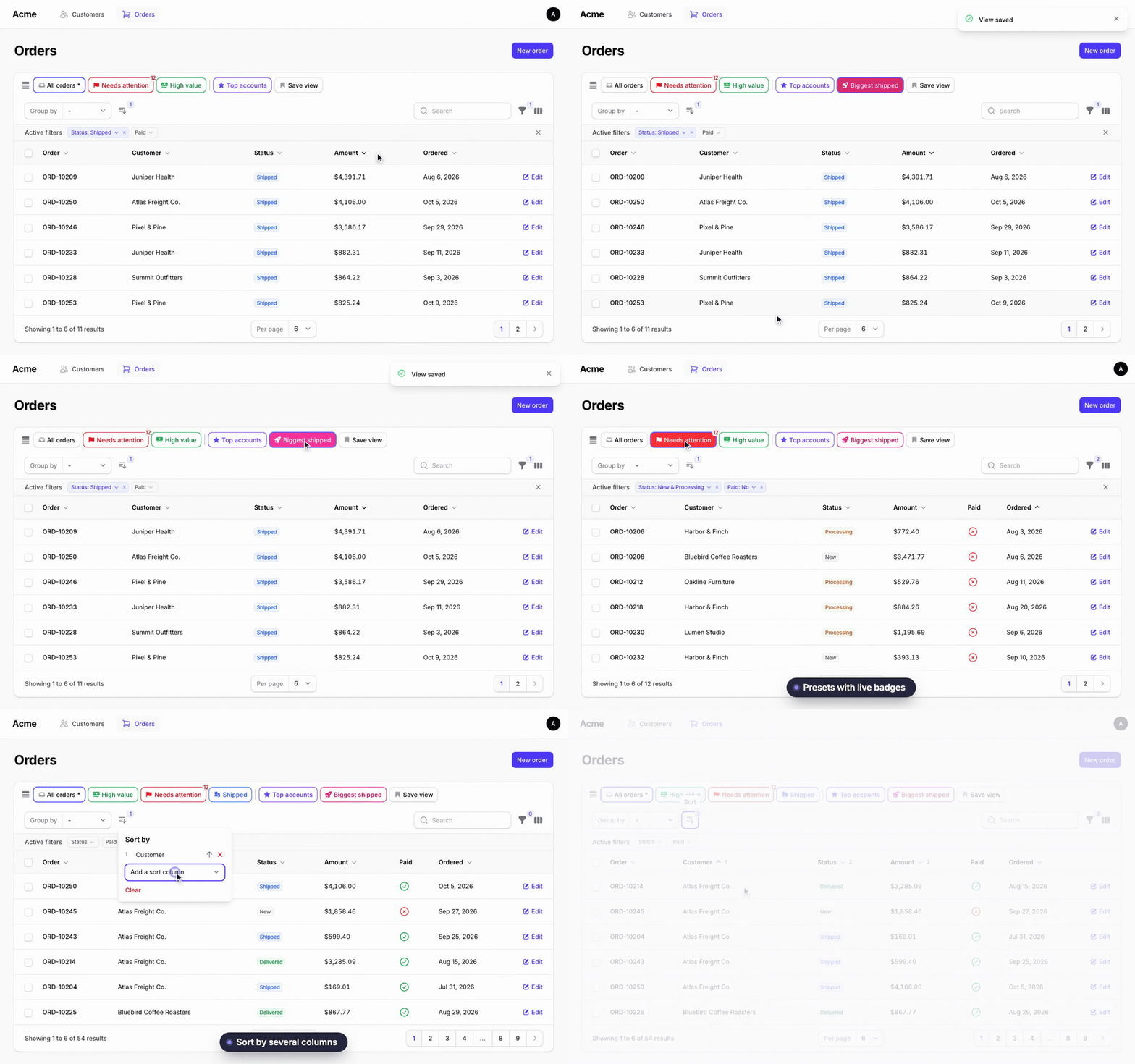
Watch the full demo on YouTube (77 s, with sound)
Website and full documentation: https://maytham553.github.io/filament-tablekit/
TableKit (tablekit/filament-tablekit) lets your users save the state of a table as a named view and open it again in one click. A bar above the table shows their favorite views. You can also ship ready-made views of your own.
You are reading the docs for Filament 5. See Which version? for the other branches.
#What you get
- Saved views: save filters, search, column searches, sort, visible columns, column order and grouping under a name.
- Preset views: views you define in code, with an optional hidden query, a badge and a tooltip.
- View manager: a list to open, favorite, reorder, edit, delete and mark views as default.
- Default view: each user can pick one start view per table, and you can set a default in code.
- Multi-sort: sort by several columns, with a priority for each.
- Quick filters: clickable filter chips, with favorite filters that stay visible.
- Column order: the order from Filament's column manager is saved in views.
- Color and icon pickers: about 120 icons and 24 colors for your views.
- RTL and translations: English and Arabic included.
- Multi-tenancy: views are scoped by user, table and tenant.
#Which version?
Use the TableKit version that matches your Filament version. Composer picks it for you from the Filament you have installed.
| Filament | Livewire | TableKit | Branch | Laravel |
|---|---|---|---|---|
| 5 | 4 | ^5.0 |
main |
11.28+, 12, 13 |
| 4 | 3 | ^4.0 |
filament-v4 |
11.28+, 12, 13 |
| 3 | 3 | ^3.0 |
filament-v3 |
11.28+, 12 |
All versions need PHP 8.2 or newer. Filament 5.0.0, 5.5.0, 5.7.0 and 5.8.0 fail the package tests before they reach plugin code, so they are excluded. The package is tested with Filament 5.10.1 and Livewire 4.4.7.
#Installation
You need an existing Filament 5 panel.
-
Install the package.
composer require tablekit/filament-tablekitNot on Packagist yet, or want a branch? See Install from GitHub.
-
Run the migrations. They load by themselves. If your app owns its migrations, see Database.
php artisan migrate -
Add the trait to a list page, a relation manager or a table widget, for example
app/Filament/Resources/Orders/Pages/ListOrders.php.use TableKit\Concerns\HasTableKit; class ListOrders extends ListRecords { use HasTableKit; }Open the table. The bar with Default and Save view is now above it. No theme or CSS step is needed.
-
Optional: register the plugin in your panel provider (
app/Providers/Filament/AdminPanelProvider.php, insidepanel()). You only need it to change options. Everything works without it.use TableKit\TableKitPlugin; $panel->plugin(TableKitPlugin::make());
#Your first preset
Return presets from the same class. Make the method protected. This one assumes a status filter and a sortable ordered_at column. A filter or column that does not exist is ignored.
use TableKit\Presets\PresetTableView;

protected function getPresetTableViews(): array
{
    return [
        'shipped' => PresetTableView::make()
            ->label('Shipped')
            ->icon('truck')
            ->color('success')
            ->favorite()
            ->defaultFilters(['status' => ['value' => 'shipped']])
            ->defaultSort('ordered_at', 'desc'),
    ];
}
#Documentation
| Page | What is in it |
|---|---|
| Installation | Composer, GitHub, publish tags |
| Configuration | Every config key and plugin option |
| Views | Saved views, the bar, the manager, defaults, reload and the URL |
| Presets | Every preset method, with examples |
| Multi-sort | Sort by several columns |
| Quick filters | Filter chips and favorite filters |
| Columns | Column order in views and presets |
| Colors and icons | Pickers, icon aliases, Tabler remap, translations |
| Database | Tables, connection, tenancy, user keys, stored state |
| Limits | Known limits |
| Testing | Livewire test examples |
| Upgrading | Upgrade notes |
#Security and privacy
- A preset's hidden query is a filter, not access control. Users can drop it at any time. Put real rules in your resource query, policies or global scopes.
- A view stores the search text and filter values the user typed. This can be personal data. Views are not deleted with the user, so delete them when you delete the account. See Database.
- The server checks ownership on every action. View ids and preset keys that come from the browser are checked again on the server.
- Views are scoped by user type, user id, tenant and table. Users never see each other's views.
#License
MIT. See LICENSE.
The author
Maytham Mahdi is a full-stack developer from Iraq with 5+ years of experience building web applications, admin panels and backend systems. He has led development teams, shipped products from idea to launch, and enjoys turning complex problems into simple tools.
Featured Plugins
A selection of plugins curated by the Filament team

Custom Dashboards
Let your users build and share their own dashboards with a drag-and-drop interface. Define your data sources in PHP and let them do the rest.
 Filament

Advanced Tables (formerly Filter Sets)
Supercharge your tables with powerful features like user-customizable views, quick filters, multi-column sorting, advanced table searching, convenient view management, and more. Compatible with Resource Panel Tables, Relation Managers, Table Widgets, and Table Builder!
 Kenneth Sese

Custom Fields
Eliminate custom field migrations forever. Let your users create and manage form fields directly in Filament admin panels with 20+ built-in field types, validation, and zero database changes.
 Relaticle
