

Kenepa Translation Manager by Kenepa
CommunityIntroducing the translation manager - streamline your localization workflow by effortlessly managing, previewing, and syncing translations directly from your admin dashboard.
 Author:
Kenepa
Author:
Kenepa
Package health
Automated checks of this plugin's Composer package
15 checks
- Failed: GitHub Actions pinned to SHA — View details on Plumb
- Skipped: GitLab CI includes pinned to SHA
- Passed: Open security advisories
- Passed: Dependabot PR responsiveness — No open Dependabot PRs.
- Skipped: Renovate MR responsiveness
- Failed: Dependabot or Renovate configured — No dependency updater configuration found. View details on Plumb
- Skipped: Dependency update cooldown configured
- Failed: Provides a security policy — View details on Plumb
- Passed: Abandoned or archived — No consulted source marks the package abandoned (packagist, github).
- Warning: Commit and release recency — Low activity: last commit 264 days ago; last release 264 days ago.
-
Failed:
composer.lock not committed by library
—
composer.lockis present in the released dist archive. View details on Plumb - Passed: Dist archive is lean
-
Passed:
Current Laravel version supported
—
Package dependencies resolve together with current Laravel
13.0. -
Passed:
Current PHP version supported
—
Constraint
^8.2supports current PHP8.5. - Skipped: Current Symfony version supported
filament/
namespace. Review the source and install at your own risk. Found
malware or an unresolved security issue the author won't
address?
Report it
.
Documentation



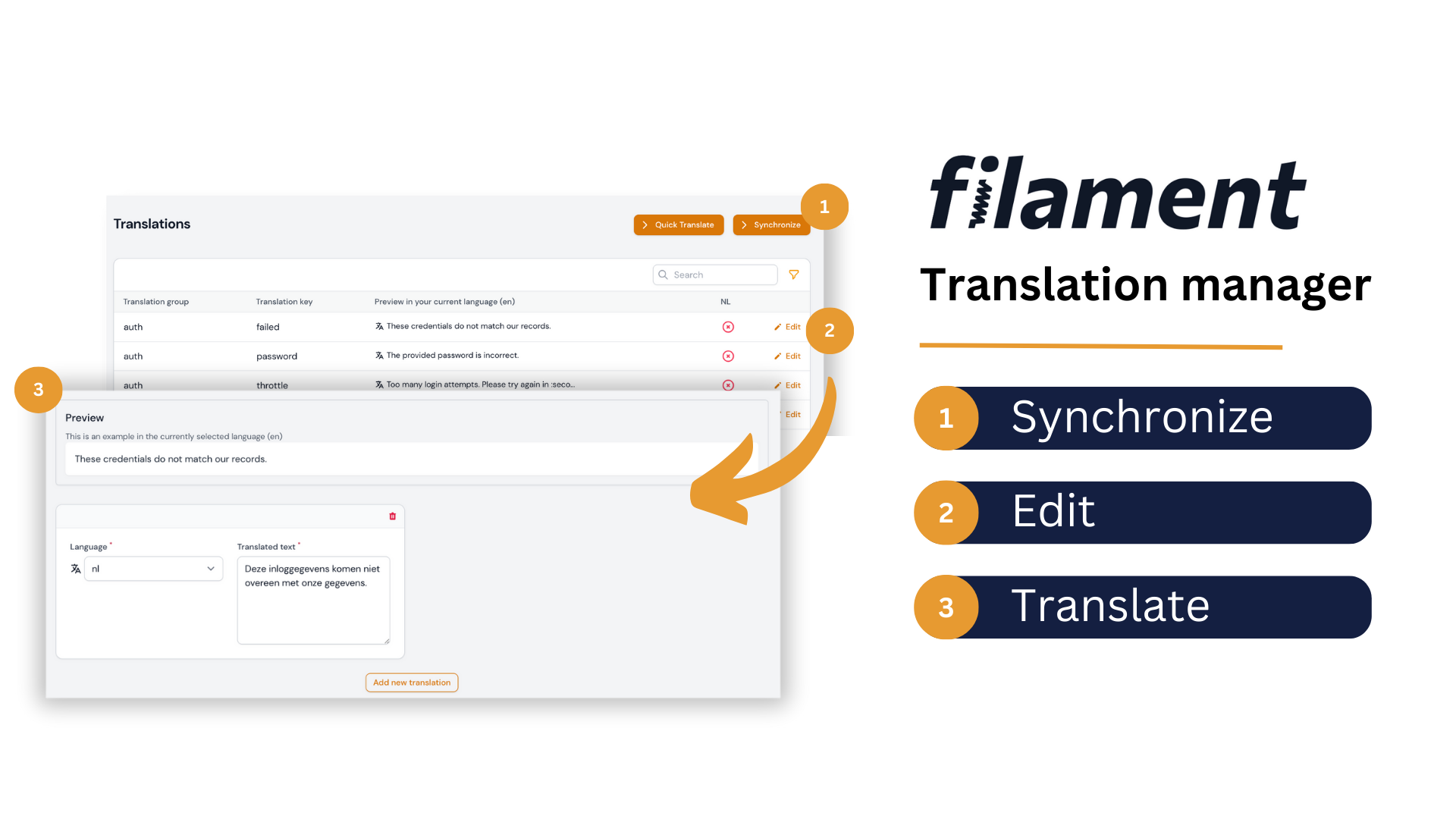
Introducing our Filament translation management tool, which allows you to easily manage, preview, and sync translations with your language files all within your Filament admin dashboard. Say goodbye to relying on developers to edit language files and streamline your localization workflow today.
#Installation
You can install the package via composer:
Install via Composer.
| Plugin Version | Filament Version | PHP Version |
|---|---|---|
| <= 3.x | 2.x | > 8.0 |
| 4.x | 3.x | > 8.1 |
composer require kenepa/translation-manager
You can run the following command to publish the configuration file:
php artisan vendor:publish --tag=translation-manager-config
This package uses spatie/laravel-translation-loader, publish their migration file using:
php artisan vendor:publish --provider="Spatie\TranslationLoader\TranslationServiceProvider" --tag="migrations"
You have to update the migration file to the following:
Schema::create('language_lines', function (Blueprint $table) {
    $table->bigIncrements('id');
    $table->string('group')->index();
    $table->string('key')->index();
    $table->json('text')->default(new \Illuminate\Database\Query\Expression('(JSON_ARRAY())'));
    $table->timestamps();
});
Finally, run the migration.
#Custom Theme Required
In order to compile the package views correctly, we need to create a custom Filament theme first, and then add the following path to its content:
// Located at: /resources/css/filament/admin/tailwind.config.js

import preset from '../../../../vendor/filament/filament/tailwind.config.preset';

export default {
    presets: [preset],
    content: [
        // other content...
        './vendor/kenepa/translation-manager/resources/**/*.blade.php',
    ],
};
#Register the plugin with a panel
use Kenepa\TranslationManager\TranslationManagerPlugin;
use Filament\Panel;

class AdminPanelProvider extends PanelProvider
{
    public function panel(Panel $panel): Panel
    {
        return $panel
            // ...
            ->plugin(TranslationManagerPlugin::make());
    }
}
#Authorization
By default, the translation manager cannot be used by anyone. You need to define the following gate in your AppServiceProvider boot method:
// app/Providers/AppServiceProvider.php

use Illuminate\Support\Facades\Gate;

/**
 * Bootstrap any application services.
 */
public function boot(): void
{
    Gate::define('use-translation-manager', function (?User $user) {
        // Your authorization logic
        return $user !== null && $user->hasRole('admin');
    });
}
If you want to learn more about gates, check out the official documentation.
#Configuration
#available_locales
Determines which locales your application supports. For example:
'available_locales' => [
    ['code' => 'en', 'name' => 'English', 'flag' => 'gb'],
    ['code' => 'nl', 'name' => 'Nederlands', 'flag' => 'nl'],
    ['code' => 'de', 'name' => 'Deutsch', 'flag' => 'de']
]
#language_switcher
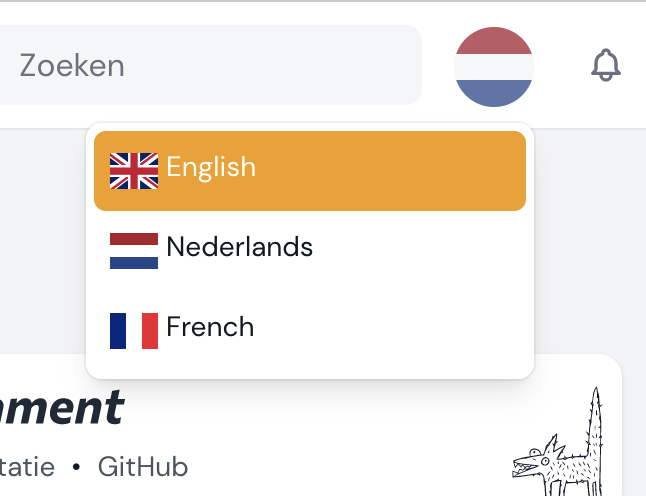
Enable or disable the language switcher feature. This allows users to switch their language - disable if you have your own implementation.
#dont_register_navigation_on_panel_ids
Disable registering the translation manager navigation on certain panel IDs. The following will disable the translation navigation for the guest panel but still allow guest panel users to change the language.
    'dont_register_navigation_on_panel_ids' => [
        'guest'
    ],
#Adding to cluster
Example of adding the translation manager to a cluster:
// config/translation-manager.php
[
  // ...Other config
 'cluster' => \App\Filament\Clusters\Products::class,
]
#Usage
Once installed, the Translation Manager can be accessed via the Filament sidebar menu. Simply click on the "Translation Manager" link to access the translation management screen.
#License
The MIT License (MIT). Please see License File for more information.
The author
From the same author

Resource Lock
Adds resource locking functionality to your site. When a user begins editing a resource, the plugin automatically locks the resource to prevent other users from editing it at the same time. The resource will be automatically unlocked after a set period of time, or when the user saves or discards their changes.
Author:
Kenepa

Multi Widget
The Multi Widget allows you to combine multiple widgets into a single widget, that can be switched using tabs.
Author:
Kenepa

Banner
The banner plugin allows you to easily create, manage, and display banners in your application.
Author:
Kenepa
Featured Plugins
A selection of plugins curated by the Filament team

Compact Theme
A theme that makes data-heavy panels easier to scan by fitting more useful information on each screen.
 Filament

Blueprint
Filament Blueprint is a premium Laravel Boost extension that helps AI agents produce accurate, detailed implementation plans and security reports for Filament apps.
Filament

Spotlight Pro
Browse your Filament Panel with ease. Filament Spotlight Pro adds a Spotlight like Command Palette to your Filament Panel.
 Dennis Koch

