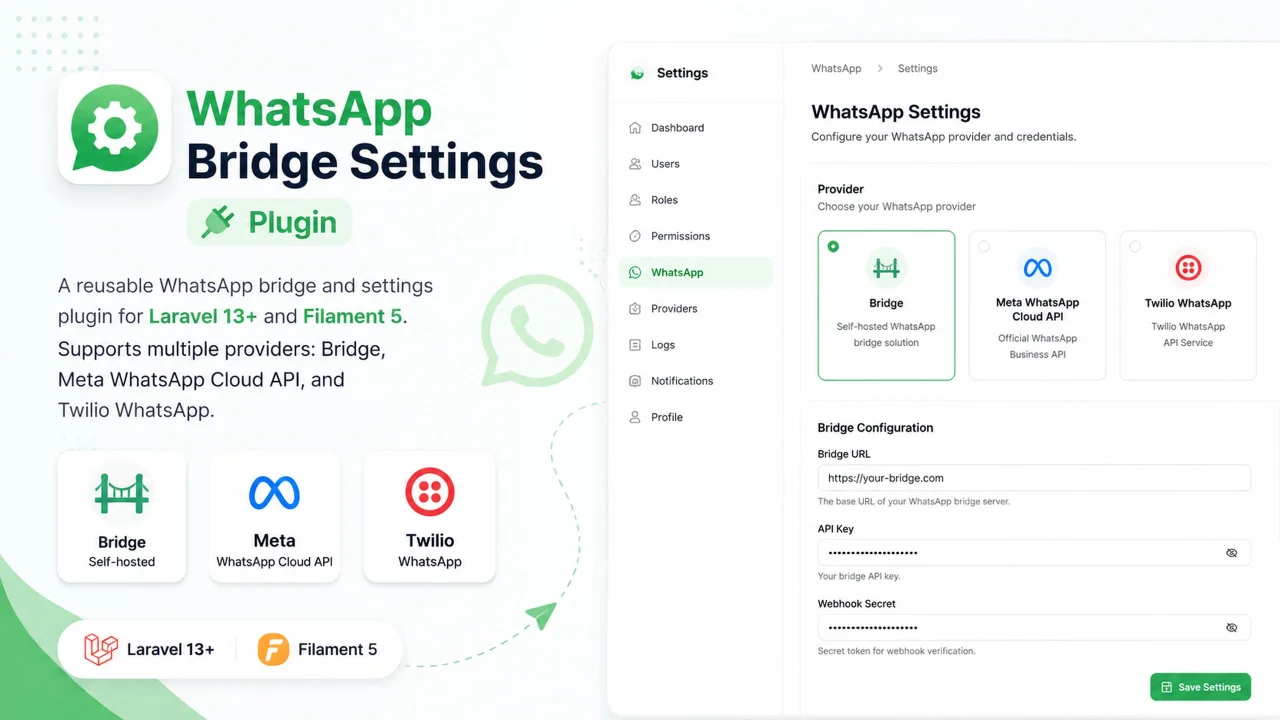
WhatsApp Bridge Settings
CommunityA reusable WhatsApp bridge and settings plugin for Laravel 13+ and Filament 5. Supports multiple providers: Bridge, Meta WhatsApp Cloud API, and Twilio WhatsApp.
 Author:
Islam Abdelkarim
Author:
Islam Abdelkarim
Package health
BetaAutomated checks of this plugin's Composer package
15 checks
- Failed: GitHub Actions pinned to SHA — View details on Plumb
- Skipped: GitLab CI includes pinned to SHA
- Passed: Open security advisories
- Passed: Dependabot PR responsiveness — No open Dependabot PRs.
- Skipped: Renovate MR responsiveness
- Passed: Dependabot or Renovate configured
-
Failed:
Dependency update cooldown configured
—
No cooldown configured in
.github/dependabot.yml. View details on Plumb - Passed: Provides a security policy
- Passed: Abandoned or archived — No consulted source marks the package abandoned (packagist, github).
- Passed: Commit and release recency — Active: last commit 1 days ago; last release 1 days ago.
-
Passed:
composer.lock not committed by library
—
composer.lockis absent from the released dist archive. - Failed: Dist archive is lean — View details on Plumb
-
Passed:
Current Laravel version supported
—
Package dependencies resolve together with current Laravel
13.0. -
Passed:
Current PHP version supported
—
Constraint
^8.3supports current PHP8.5. - Skipped: Current Symfony version supported
filament/
namespace. Review the source and install at your own risk. Found
malware or an unresolved security issue the author won't
address?
Report it
.
Documentation
- Features
- Screenshots
- Installation
- Supported Providers
- Usage
- Architecture
- Testing
- Changelog
- Contributing
- Security
- License





A reusable WhatsApp bridge and settings plugin for Laravel 12+ and Filament 5. Supports multiple providers: Bridge, Meta WhatsApp Cloud API, and Twilio WhatsApp.
#Features
- Multi-provider support - Bridge, Meta, Twilio with per-provider configuration
- Provider selection - Enum-based provider switching with labels and colors
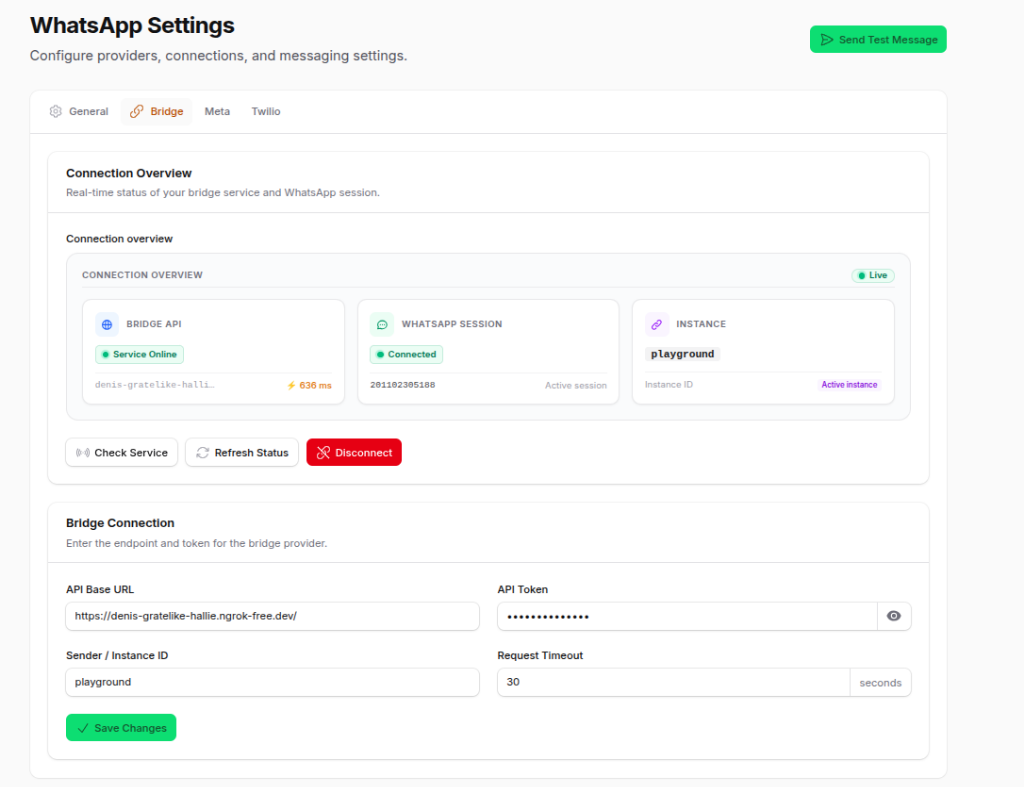
- QR Code pairing - Connect WhatsApp via QR code (Bridge provider)
- Connection status - Real-time connection monitoring with polling
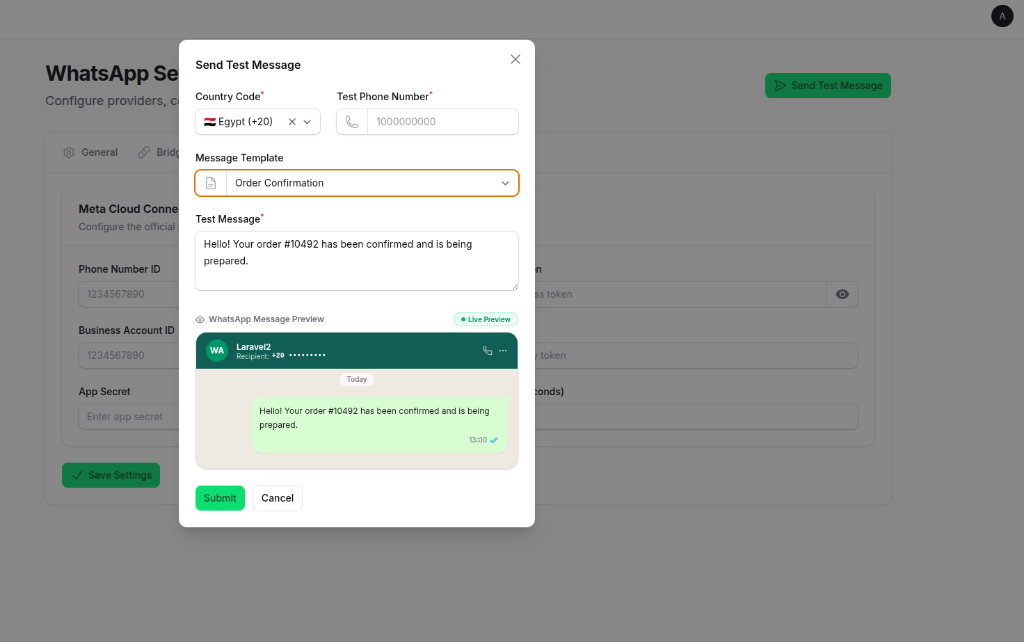
- Test messaging - Send test messages from the settings page
- Encrypted tokens - API tokens encrypted at rest in the database
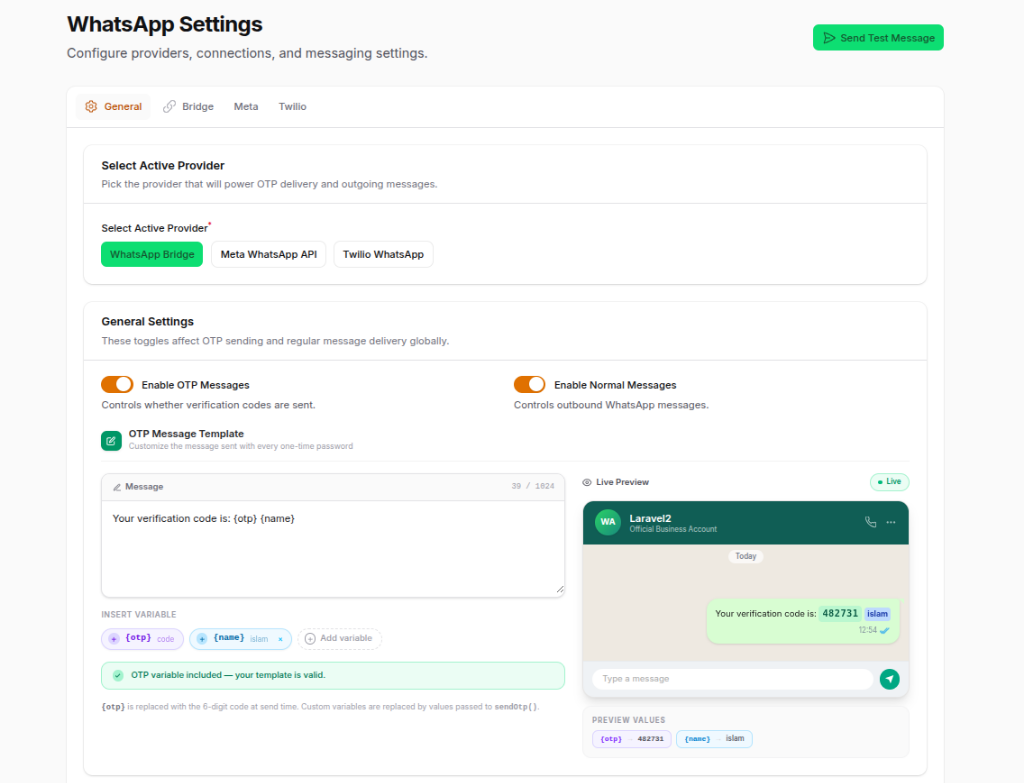
- OTP support - Built-in OTP message templating with custom variables & live preview
- Bilingual - Full English and Arabic translations
#Screenshots
#General Settings & OTP Template Editor
#WhatsApp Bridge Connection Overview
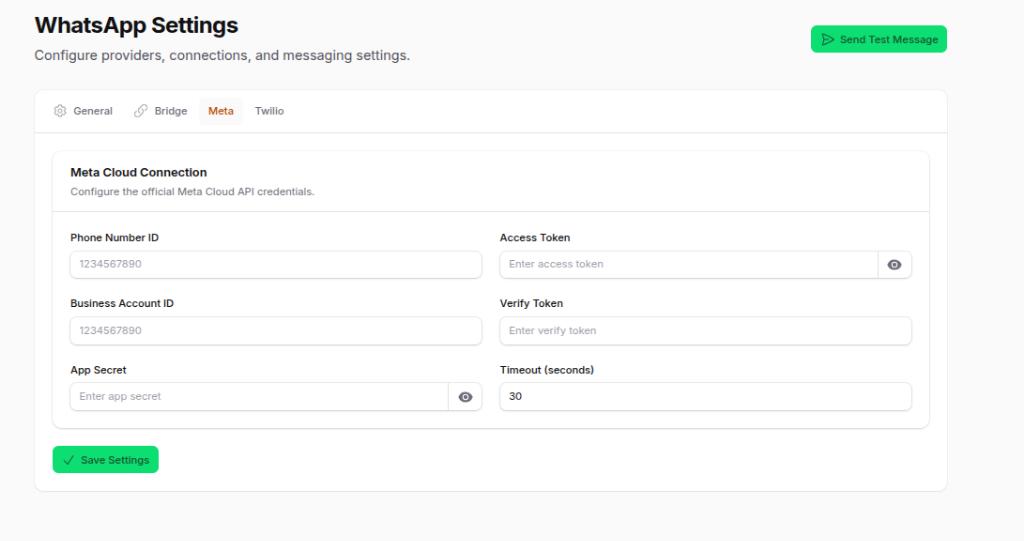
#Meta WhatsApp Cloud API Configuration
#Send Test Message & Live Preview Modal
#Installation
#1. Install via Composer
composer require islamv/whatsapp-bridge-settings-plugin
#2. Publish config
php artisan vendor:publish --tag=whatsapp-bridge-settings-config
#3. Publish migrations
php artisan vendor:publish --tag=whatsapp-bridge-settings-migrations
#4. Run migrations
php artisan migrate
#5. Register the Filament plugin
Add the plugin to your Filament PanelProvider:
use Islamv\WhatsappBridgeSettingsPlugin\WhatsappBridgeSettingsPlugin;

public function panel(Panel $panel): Panel
{
    return $panel
        ->plugin(WhatsappBridgeSettingsPlugin::make());
}
#6. Add Tailwind CSS v4 source paths
Required if your project uses Tailwind CSS v4 (
@import 'tailwindcss'in your CSS entry point).Tailwind v4 only generates CSS for classes it finds in scanned files. Without these entries, all utility classes used by the plugin's views and PHP files will be purged, leaving the settings page completely unstyled.
Run the bundled artisan command to automatically inject the required @source directives:
php artisan whatsapp-bridge-settings:install-tailwind
Then rebuild your CSS:
npm run build
The command appends the following lines to resources/css/app.css (default):
@source '../../vendor/islamv/whatsapp-bridge-settings-plugin/resources/views/**/*.blade.php';
@source '../../vendor/islamv/whatsapp-bridge-settings-plugin/src/**/*.php';
Options:
| Option | Default | Description |
|---|---|---|
--css=path |
resources/css/app.css |
Path to your Tailwind CSS entry file |
--force |
— | Re-inject even if lines are already present |
# Custom CSS file path
php artisan whatsapp-bridge-settings:install-tailwind --css=resources/css/panel.css
The command is idempotent — running it multiple times will not add duplicate lines.
#7. Configure WhatsApp credentials
Open the WhatsApp Settings page in your Filament admin panel and configure your preferred provider. If you are using the local sibling service whatsapp-bridge, the Bridge provider defaults to http://127.0.0.1:3000.
#Supported Providers
#WhatsApp Bridge (Self-hosted)
Self-hosted WhatsApp Web bridge with QR code pairing support.
WHATSAPP_ACTIVE_PROVIDER=bridge
WHATSAPP_BRIDGE_API_BASE_URL=http://127.0.0.1:3000
WHATSAPP_BRIDGE_API_TOKEN=your-token
WHATSAPP_BRIDGE_SENDER=your-sender-id
WHATSAPP_BRIDGE_TIMEOUT=30
#Meta WhatsApp Cloud API
Official Meta WhatsApp Business Cloud API.
WHATSAPP_ACTIVE_PROVIDER=meta
WHATSAPP_META_PHONE_NUMBER_ID=your-phone-number-id
WHATSAPP_META_ACCESS_TOKEN=your-access-token
WHATSAPP_META_BUSINESS_ACCOUNT_ID=your-business-account-id
WHATSAPP_META_VERIFY_TOKEN=your-verify-token
WHATSAPP_META_APP_SECRET=your-app-secret
WHATSAPP_META_TIMEOUT=30
#Twilio WhatsApp
Twilio WhatsApp Messaging API.
WHATSAPP_ACTIVE_PROVIDER=twilio
TWILIO_ACCOUNT_SID=your-account-sid
TWILIO_AUTH_TOKEN=your-auth-token
TWILIO_FROM_NUMBER=+1234567890
TWILIO_TIMEOUT=30
#Common Settings
WHATSAPP_DEFAULT_COUNTRY_CODE=20
WHATSAPP_OTP_ENABLED=true
WHATSAPP_MESSAGES_ENABLED=true
WHATSAPP_TIMEOUT=30
WHATSAPP_OTP_TEMPLATE="Your verification code is: {otp}"
WHATSAPP_LOG_CHANNEL=stack
#Usage
#Send a normal message via Facade
use Islamv\WhatsappBridgeSettingsPlugin\Facades\WhatsappBridge;

WhatsappBridge::sendMessage('201000000000', 'Hello from Laravel!');
#Send an OTP via Facade
use Islamv\WhatsappBridgeSettingsPlugin\Facades\WhatsappBridge;

$otp = '123456';

WhatsappBridge::sendOtp('201000000000', $otp);
#Using the Enum
use Islamv\WhatsappBridgeSettingsPlugin\Enums\WhatsappProvider;

// Get provider label
WhatsappProvider::Bridge->getLabel(); // 'WhatsApp Bridge'

// Get provider color
WhatsappProvider::Meta->getColor(); // 'info'

// Iterate all providers
foreach (WhatsappProvider::cases() as $provider) {
    echo $provider->getLabel();
}
#Using Dependency Injection
use Islamv\WhatsappBridgeSettingsPlugin\Contracts\WhatsappProviderInterface;

class SendOrderConfirmation
{
    public function __construct(
        protected WhatsappProviderInterface $whatsapp
    ) {}

    public function handle(): void
    {
        $this->whatsapp->sendMessage(
            '201000000000',
            'Your order is confirmed.'
        );
    }
}
#Using the OTP Sender
use Islamv\WhatsappBridgeSettingsPlugin\Services\WhatsappOtpSender;

class SendVerificationCode
{
    public function __construct(
        protected WhatsappOtpSender $otpSender
    ) {}

    public function handle(): void
    {
        $otp = random_int(100000, 999999);

        $this->otpSender->send('201000000000', (string) $otp);
    }
}
#Architecture
src/
├── WhatsappBridgeSettingsPlugin.php          # Filament plugin registration
├── WhatsappBridgeSettingsPluginServiceProvider.php
├── Contracts/
│   └── WhatsappProviderInterface.php         # Provider contract
├── Enums/
│   └── WhatsappProvider.php                  # Provider enum with label and color
├── Concerns/
│   ├── ManagesPhoneNumbers.php               # Phone normalization and masking
│   ├── HasLogChannel.php                     # Log channel resolution
│   └── HandlesOtpMessages.php                # OTP template rendering
├── Services/
│   ├── WhatsappBridge.php                    # Bridge HTTP implementation
│   ├── MetaWhatsapp.php                      # Meta Cloud API implementation
│   ├── TwilioWhatsapp.php                    # Twilio API implementation
│   └── WhatsappOtpSender.php                 # OTP sending service
├── Settings/
│   └── WhatsappSettingsRepository.php        # Multi-provider settings storage
├── Filament/
│   └── Pages/
│       └── WhatsappSettingsPage.php          # Filament settings page
└── Facades/
    └── WhatsappBridge.php                    # Facade

resources/
├── lang/
│   ├── en/messages.php
│   └── ar/messages.php
└── views/

config/
└── whatsapp-bridge-settings.php

database/
└── migrations/
    └── create_whatsapp_bridge_settings_table.php

tests/
├── ConfigTest.php
├── ServiceProviderTest.php
├── ProviderSelectionTest.php
├── WhatsappBridgeTest.php
├── MetaWhatsappTest.php
├── TwilioWhatsappTest.php
├── WhatsappOtpSenderTest.php
└── WhatsappSettingsRepositoryTest.php
#Testing
vendor/bin/phpunit
#Changelog
See CHANGELOG.md for recent changes.
#Contributing
See CONTRIBUTING.md for contribution guidelines.
#Security
See SECURITY.md for security policies and vulnerability reporting.
#License
The MIT License (MIT). See LICENSE for more information.
The author
From the same author
Featured Plugins
A selection of plugins curated by the Filament team

Custom Dashboards
Let your users build and share their own dashboards with a drag-and-drop interface. Define your data sources in PHP and let them do the rest.
 Filament

Custom Fields
Eliminate custom field migrations forever. Let your users create and manage form fields directly in Filament admin panels with 20+ built-in field types, validation, and zero database changes.
 Relaticle

Blueprint
Filament Blueprint is a premium Laravel Boost extension that helps AI agents produce accurate, detailed implementation plans and security reports for Filament apps.
Filament

