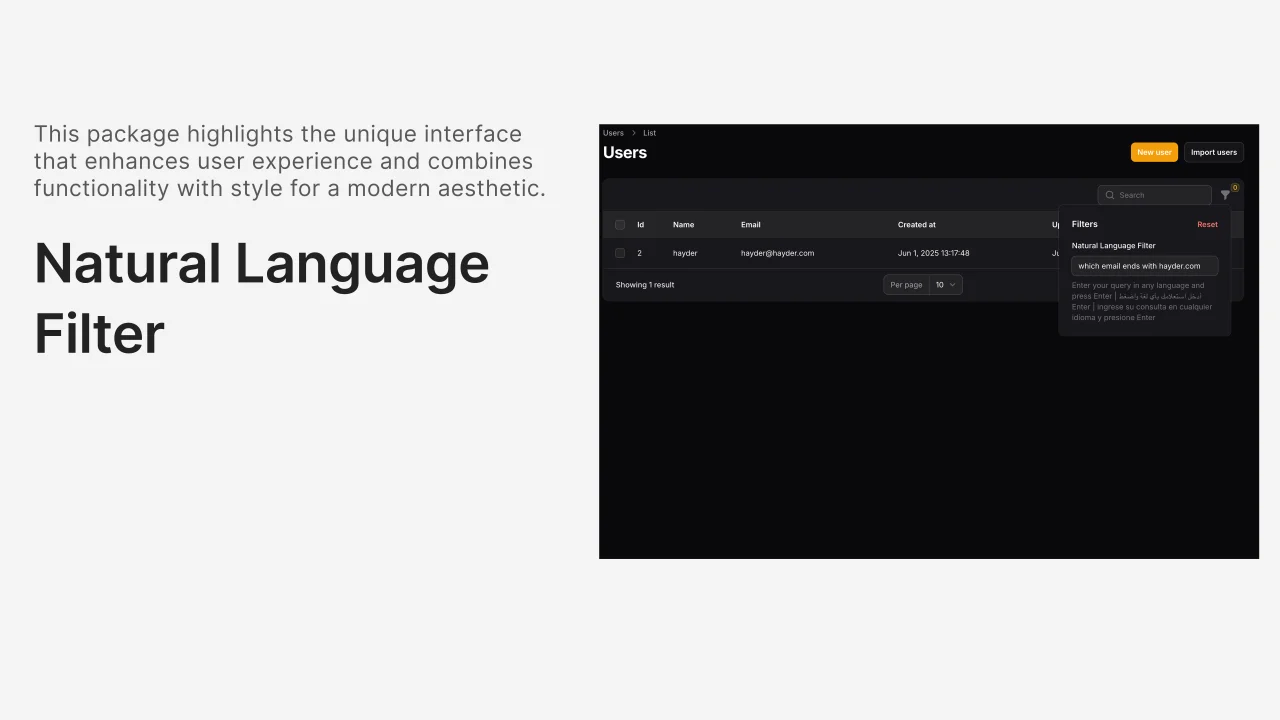
Natural Language Filter
CommunityAI-powered natural language filtering for Filament tables that supports any language and converts human queries into database filters.
filament/
namespace. Review the source and install at your own risk. Found
malware or an unresolved security issue the author won't
address?
Report it
.
 Author:
Hayder Hatem
Author:
Hayder Hatem
Documentation
- Installation
- Configuration
- Usage
- How it works
- Examples
- Universal Language Support 🌍
- Configuration Options
- Requirements
- License
A simple Filament filter that converts natural language text into database queries using AI.
#Installation
composer require hayderhatem/filament-natural-language-filter
#Configuration
- Publish the config file:
php artisan vendor:publish --tag="filament-natural-language-filter-config"
- Add your OpenAI API key to your
.envfile:
OPENAI_API_KEY=your-openai-api-key-here
#Usage
Add the filter to your Filament table:
use HayderHatem\FilamentNaturalLanguageFilter\Filters\NaturalLanguageFilter;

public function table(Table $table): Table
{
    return $table
        ->columns([
            // your columns
        ])
        ->filters([
            NaturalLanguageFilter::make()
                ->availableColumns([
                    'id',
                    'name',
                    'email',
                    'status',
                    'created_at',
                    'updated_at'
                ])
        ]);
}
#Search Modes
You can configure how the filter triggers searches:
#Submit Mode (Default) - Search on Enter key
NaturalLanguageFilter::make()
    ->availableColumns(['name', 'email', 'status'])
    ->submitSearch() // Users press Enter to search
#Live Mode - Search as you type
NaturalLanguageFilter::make()
    ->availableColumns(['name', 'email', 'status'])
    ->liveSearch() // Search happens automatically as user types
#Manual Mode Configuration
NaturalLanguageFilter::make()
    ->availableColumns(['name', 'email', 'status'])
    ->searchMode('live') // or 'submit'
#When to Use Each Mode
Submit Mode (Default) - Best for:
- Large datasets where live search might be slow
- Complex queries that users want to perfect before searching
- Reducing API calls to OpenAI (only search when user is ready)
Live Mode - Best for:
- Instant feedback and better user experience
- Smaller datasets where performance isn't a concern
- Users who prefer immediate results as they type
#How it works
- User enters natural language: "show users named john created after 2023"
- AI processes the text: Converts it to structured filters based on your available columns
- Database query is built:
WHERE name LIKE '%john%' AND created_at > '2023-01-01' - Results are filtered: Table shows matching records
#Examples
- "users named john" →
WHERE name LIKE '%john%' - "active users" →
WHERE status = 'active' - "created after 2023" →
WHERE created_at > '2023-01-01' - "email contains gmail" →
WHERE email LIKE '%gmail%'
#Universal Language Support 🌍
The filter supports ANY language with automatic AI translation and understanding:
#Multi-Language Examples
English:
- "show users named john" →
WHERE name LIKE '%john%' - "created after 2023" →
WHERE created_at > '2023-01-01'
Arabic (العربية):
- "الاسم يحتوي على أحمد" →
WHERE name LIKE '%أحمد%' - "أنشئ بعد 2023" →
WHERE created_at > '2023-01-01'
Spanish (Español):
- "usuarios con nombre juan" →
WHERE name LIKE '%juan%' - "creado después de 2023" →
WHERE created_at > '2023-01-01'
French (Français):
- "nom contient marie" →
WHERE name LIKE '%marie%' - "créé après 2023" →
WHERE created_at > '2023-01-01'
German (Deutsch):
- "benutzer mit namen hans" →
WHERE name LIKE '%hans%' - "erstellt nach 2023" →
WHERE created_at > '2023-01-01'
Chinese (中文):
- "姓名包含张三" →
WHERE name LIKE '%张三%' - "2023年后创建" →
WHERE created_at > '2023-01-01'
Japanese (日本語):
- "田中という名前のユーザー" →
WHERE name LIKE '%田中%' - "2023年以降に作成" →
WHERE created_at > '2023-01-01'
#How It Works
- AI Language Detection: Automatically detects the input language
- Natural Understanding: Maps language-specific keywords to operators
- Value Preservation: Keeps original values in their native language/script
- Mixed Language: Handles mixed-language queries seamlessly
#Mixed Language Queries
The AI can handle mixed-language queries naturally:
- "name يحتوي على john" ✅
- "usuario con email gmail.com" ✅
- "姓名 contains 张三" ✅
#Configuration Options
// config/filament-natural-language-filter.php
return [
    'model' => 'gpt-3.5-turbo', // OpenAI model
    'openai' => [
        'api_key' => env('OPENAI_API_KEY'),
        'max_tokens' => 500,
        'temperature' => 0.1,
    ],
    'cache' => [
        'enabled' => true,
        'ttl' => 3600, // 1 hour
    ],
    'languages' => [
        'universal_support' => true,
        'auto_detect_direction' => true,
        'preserve_original_values' => true,
    ],
];
#Environment Variables
OPENAI_API_KEY=your-openai-api-key-here
FILAMENT_NL_FILTER_UNIVERSAL_SUPPORT=true
FILAMENT_NL_FILTER_AUTO_DETECT_DIRECTION=true
FILAMENT_NL_FILTER_PRESERVE_ORIGINAL_VALUES=true
#Requirements
- PHP 8.1+
- Laravel 10+
- Filament 3+
- OpenAI API key
#License
MIT
The author
Full-stack developer specializing in Laravel and Filament ecosystem development. Passionate about creating developer tools that simplify complex workflows and enhance user experience. Creator of innovative Filament packages that leverage AI technology to make data management more intuitive and accessible.
From the same author
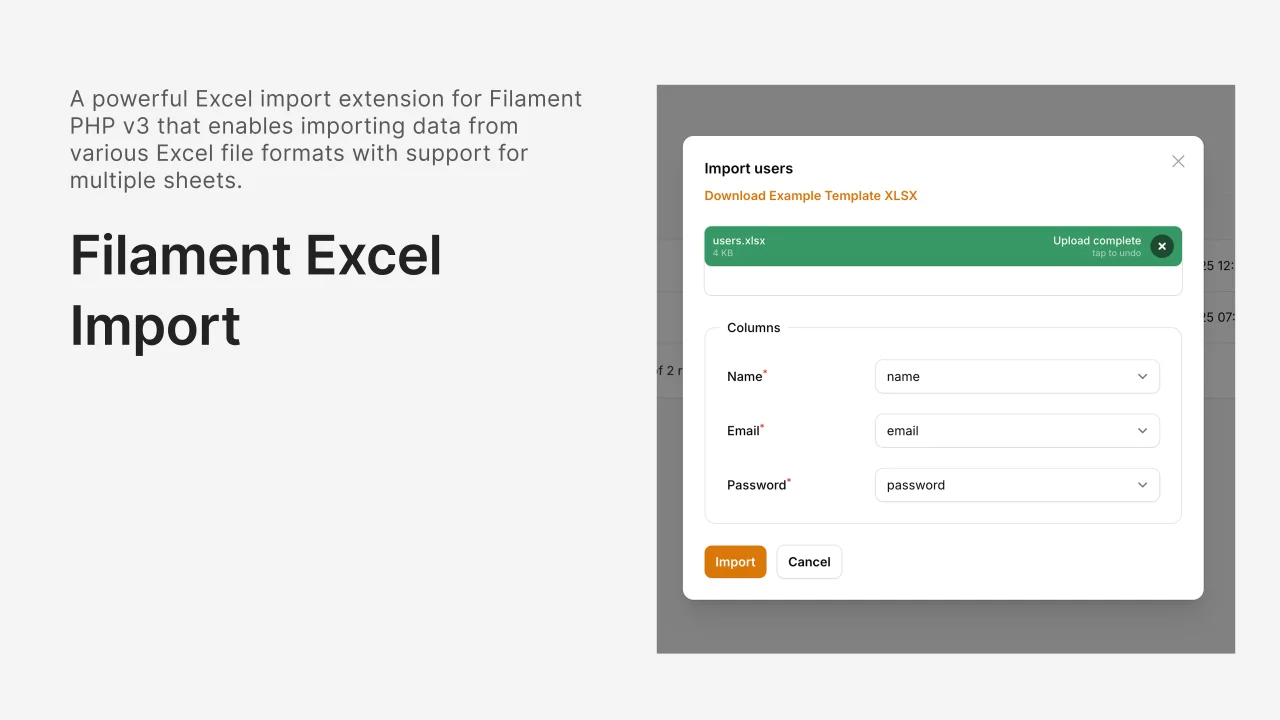
Excel Import
A powerful and flexible Excel import package for Filament that extends the native import functionality with enhanced features, better error handling, and comprehensive validation.
Author:
Hayder Hatem
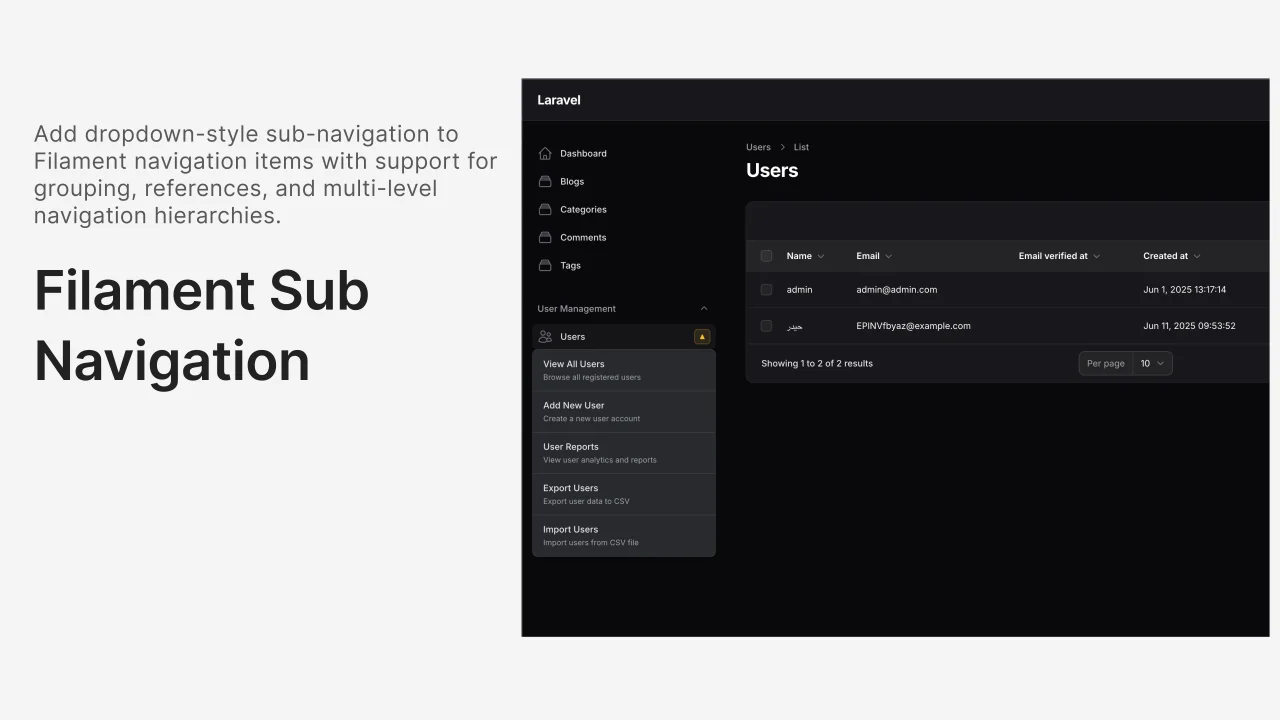
Sub Navigation
Add beautiful dropdown sub-navigation menus to your Filament sidebar navigation items with just one trait! Features dark mode support, mobile responsive design, and seamless integration.
Author:
Hayder Hatem
Featured Plugins
A selection of plugins curated by the Filament team

Blueprint
Filament Blueprint is a premium Laravel Boost extension that helps AI agents produce accurate, detailed implementation plans and security reports for Filament apps.
 Filament

Advanced Tables (formerly Filter Sets)
Supercharge your tables with powerful features like user-customizable views, quick filters, multi-column sorting, advanced table searching, convenient view management, and more. Compatible with Resource Panel Tables, Relation Managers, Table Widgets, and Table Builder!
 Kenneth Sese

Custom Fields
Eliminate custom field migrations forever. Let your users create and manage form fields directly in Filament admin panels with 20+ built-in field types, validation, and zero database changes.
 Relaticle
