Mollie Billing by GravityWeb
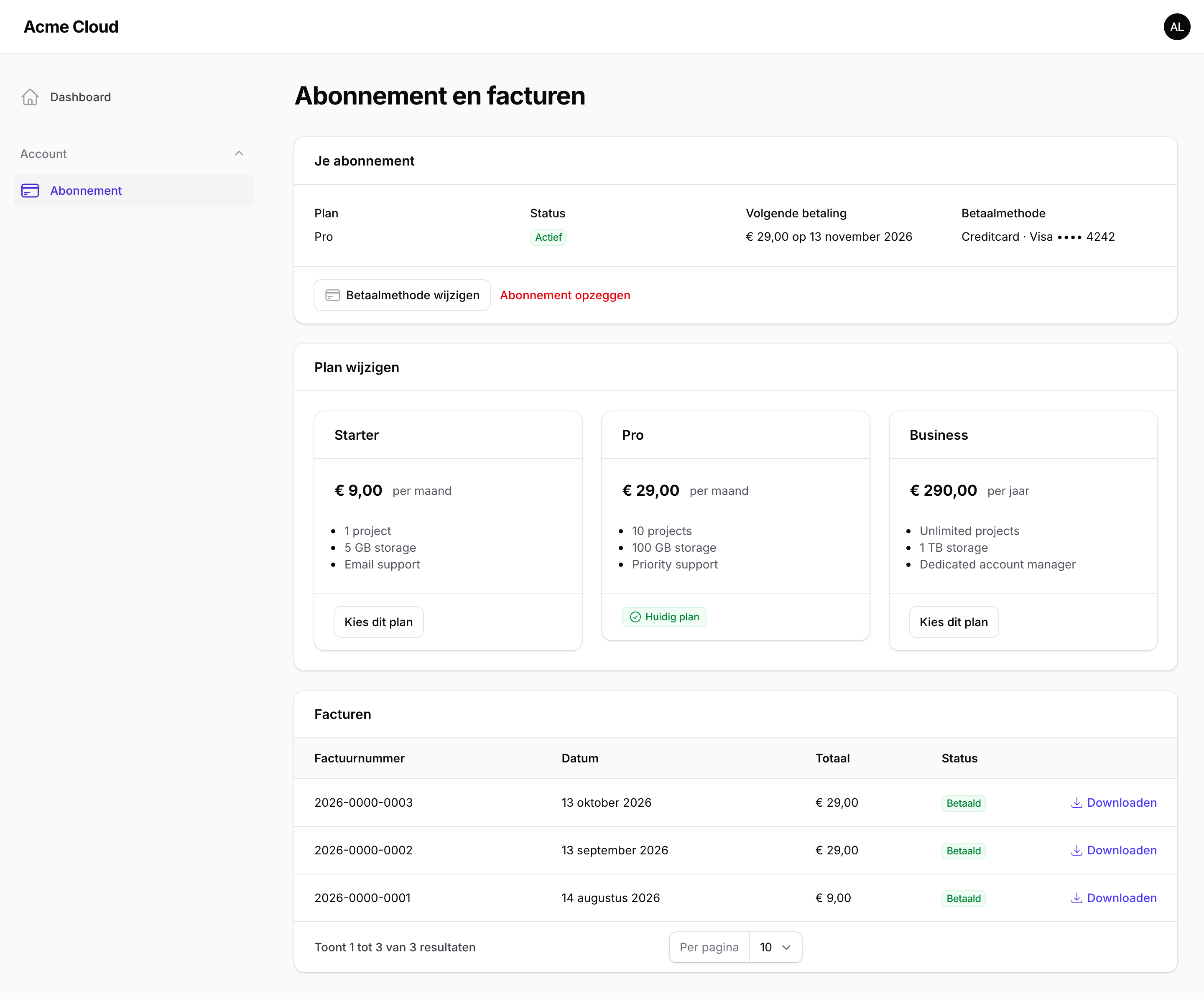
CommunityA customer billing portal for Laravel Cashier Mollie, where customers manage their subscription, switch plans, update their payment method and download their invoices.
filament/
namespace. Review the source and install at your own risk. Found
malware or an unresolved security issue the author won't
address?
Report it
.
 Author:
GravityWeb
Documentation
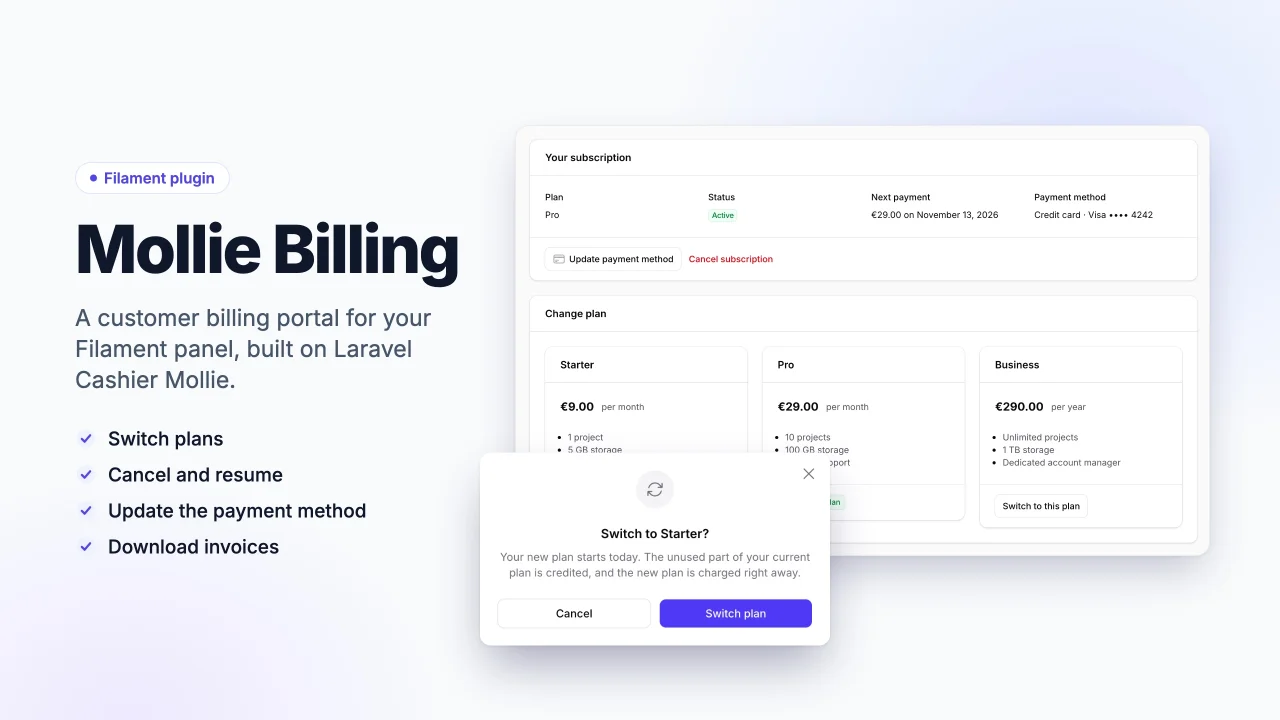
A customer billing portal for Filament, built on Mollie's official Laravel Cashier Mollie.
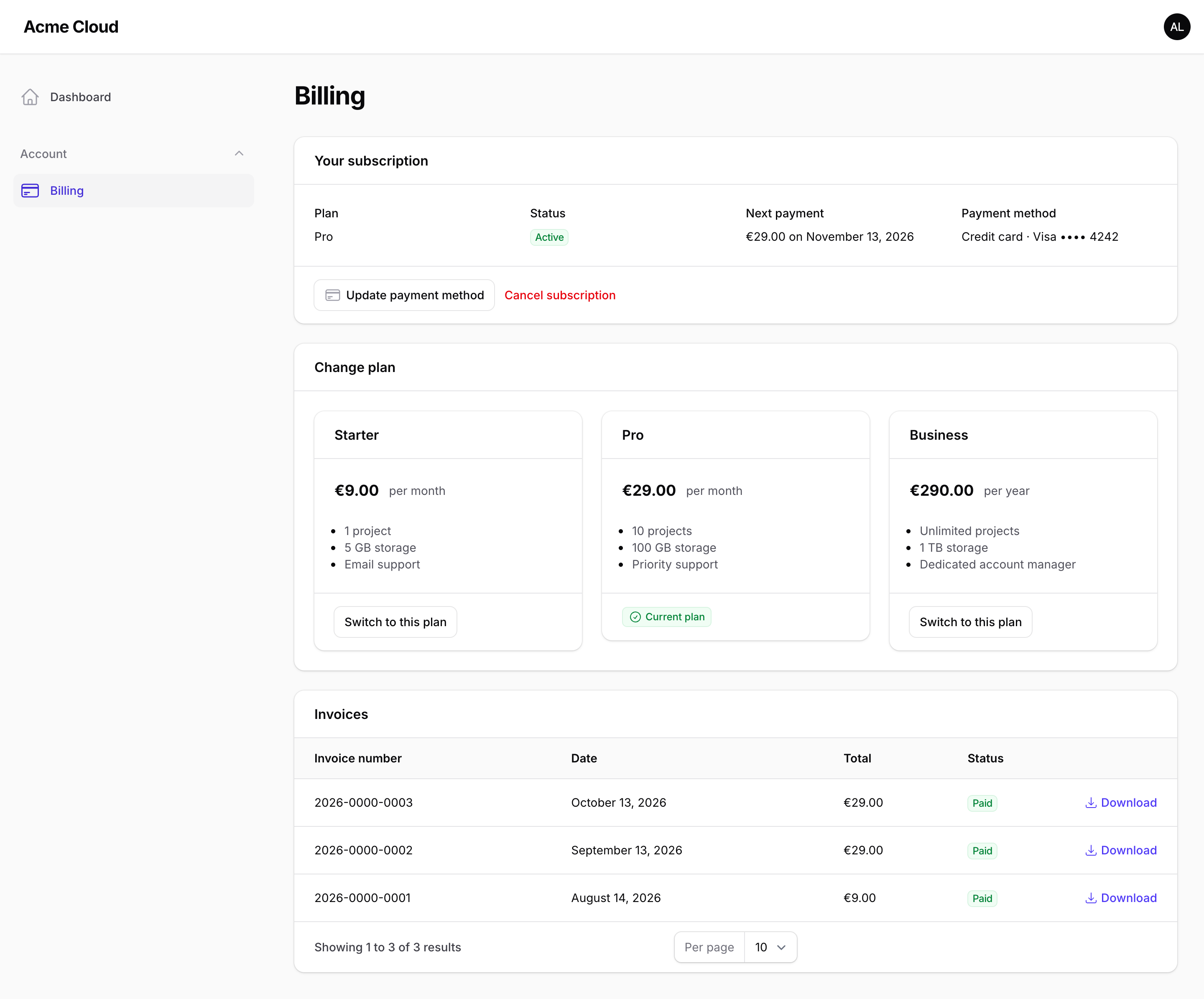
Your customers see their subscription, switch plans, cancel and resume, update their payment method and download their invoices, all inside your Filament panel. The plugin is a UI layer only: every billing operation goes through Cashier Mollie.
#Features
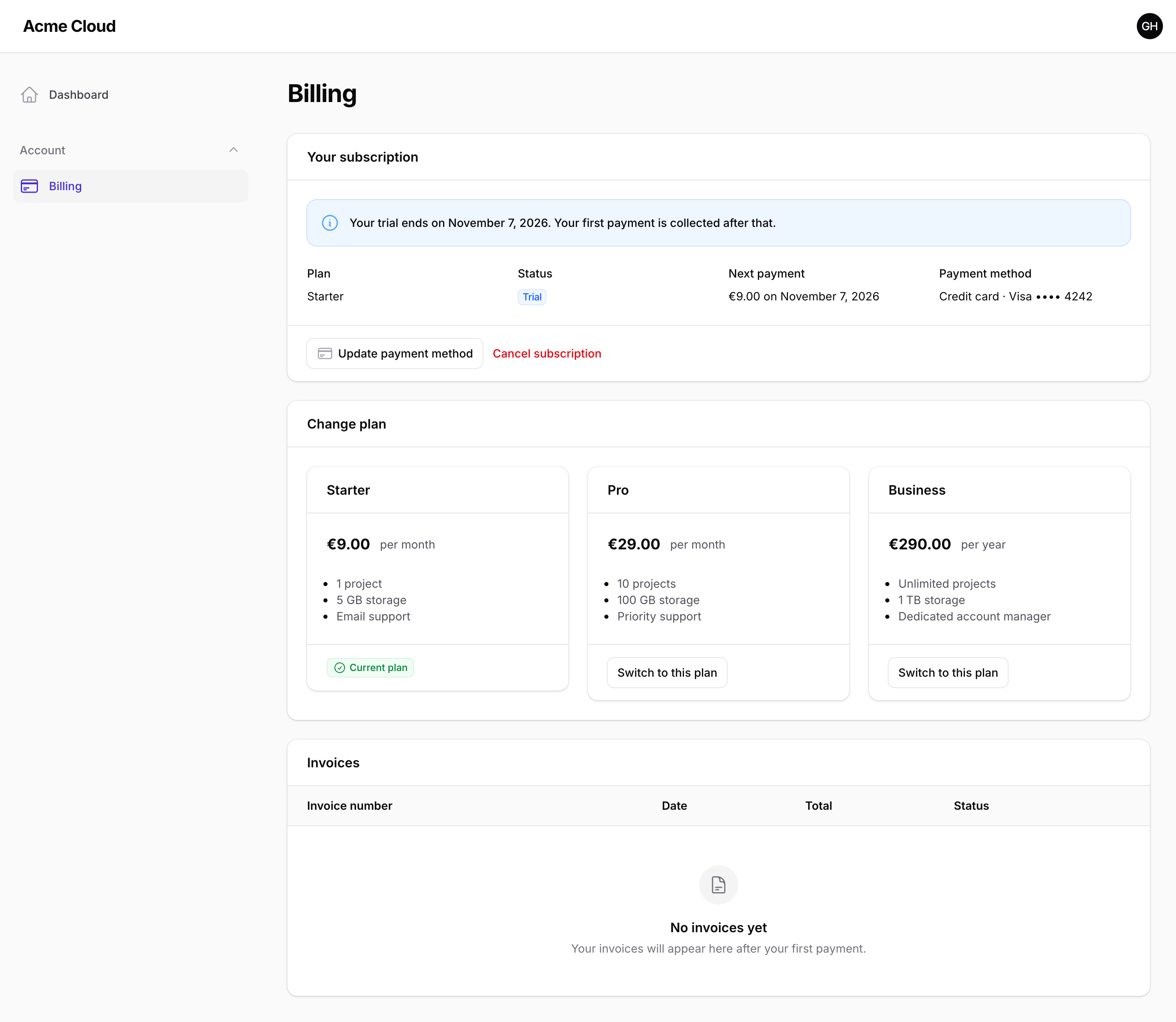
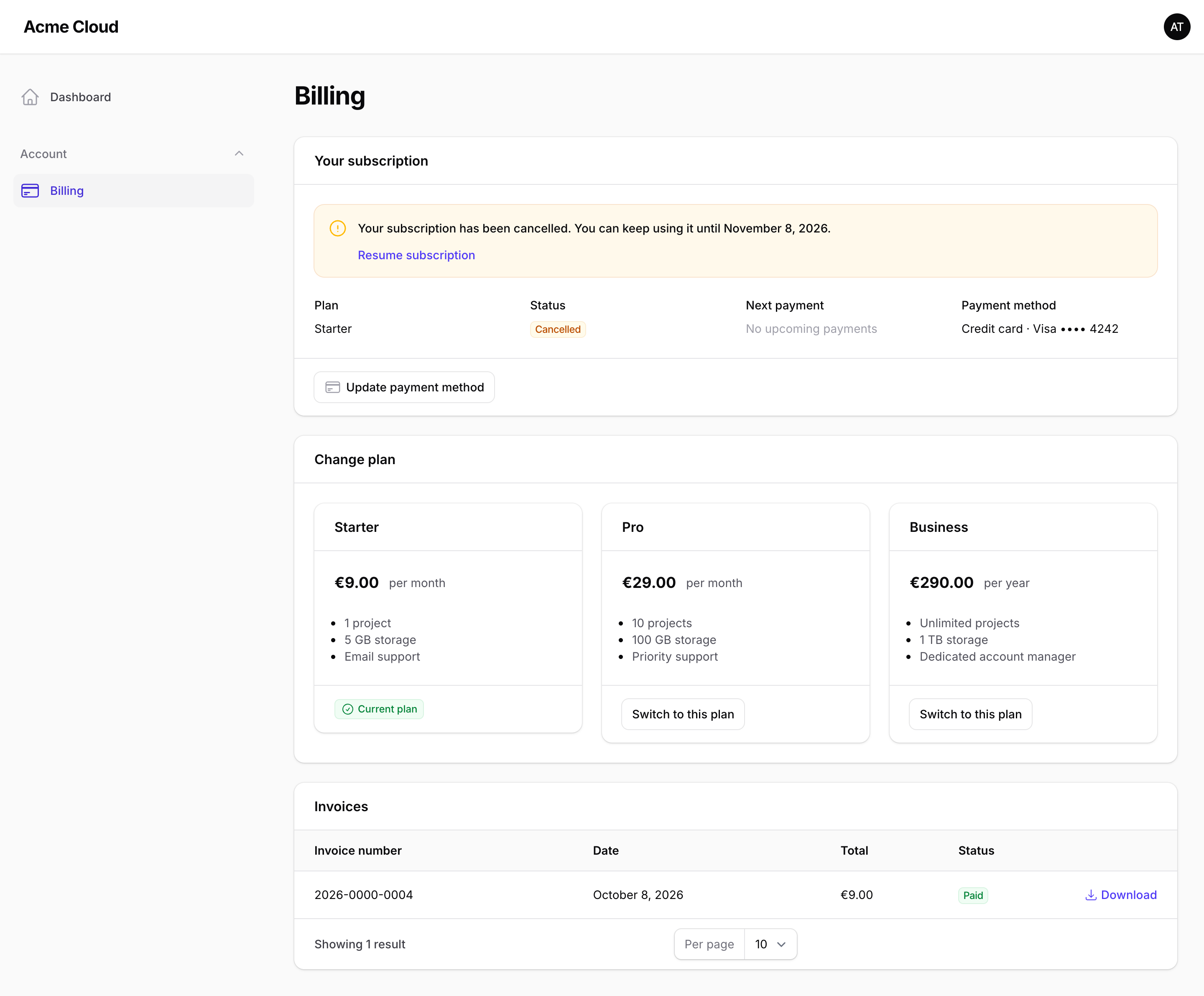
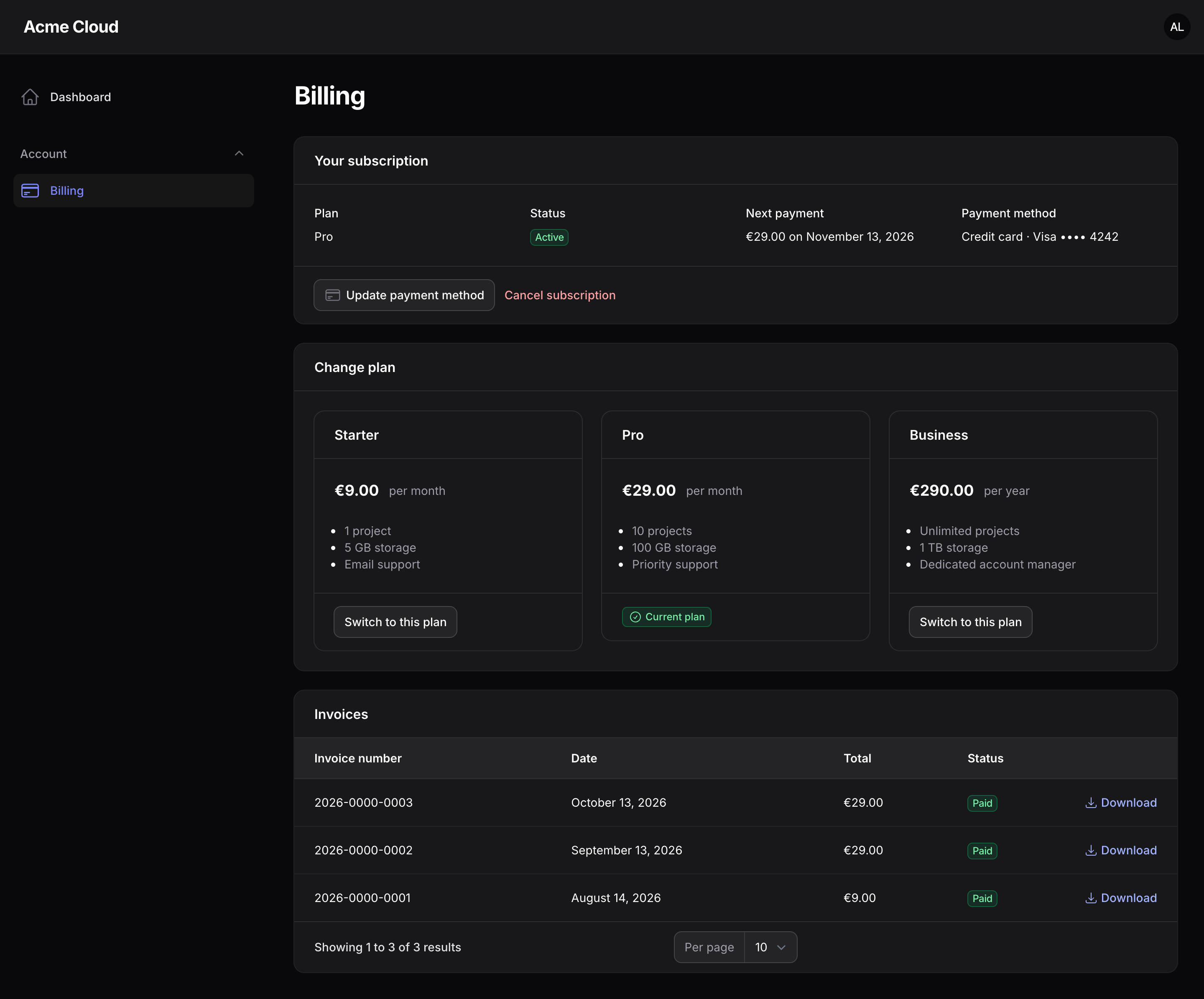
- Current subscription: plan, status (active, trial, cancelled, ended), next payment date and amount, and payment method.
- Plan switching: plans come from
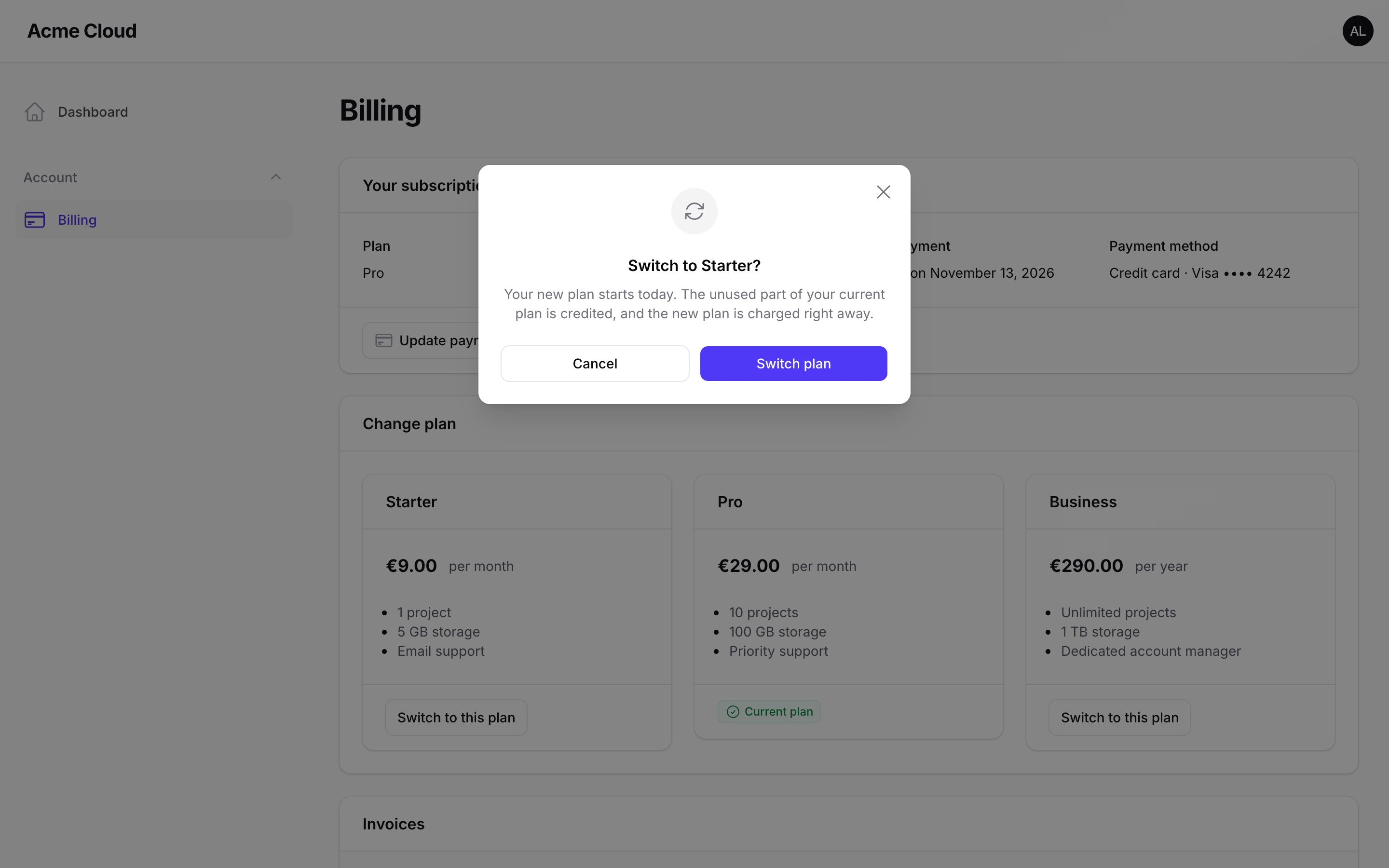
config/cashier_plans.php. Customers can switch right away or at the end of the billing cycle. - Cancel and resume: cancel with a confirmation modal, then resume any time during the grace period.
- Invoices: every order as an invoice, with a PDF download.
- Payment method: update the mandate through Mollie's checkout.
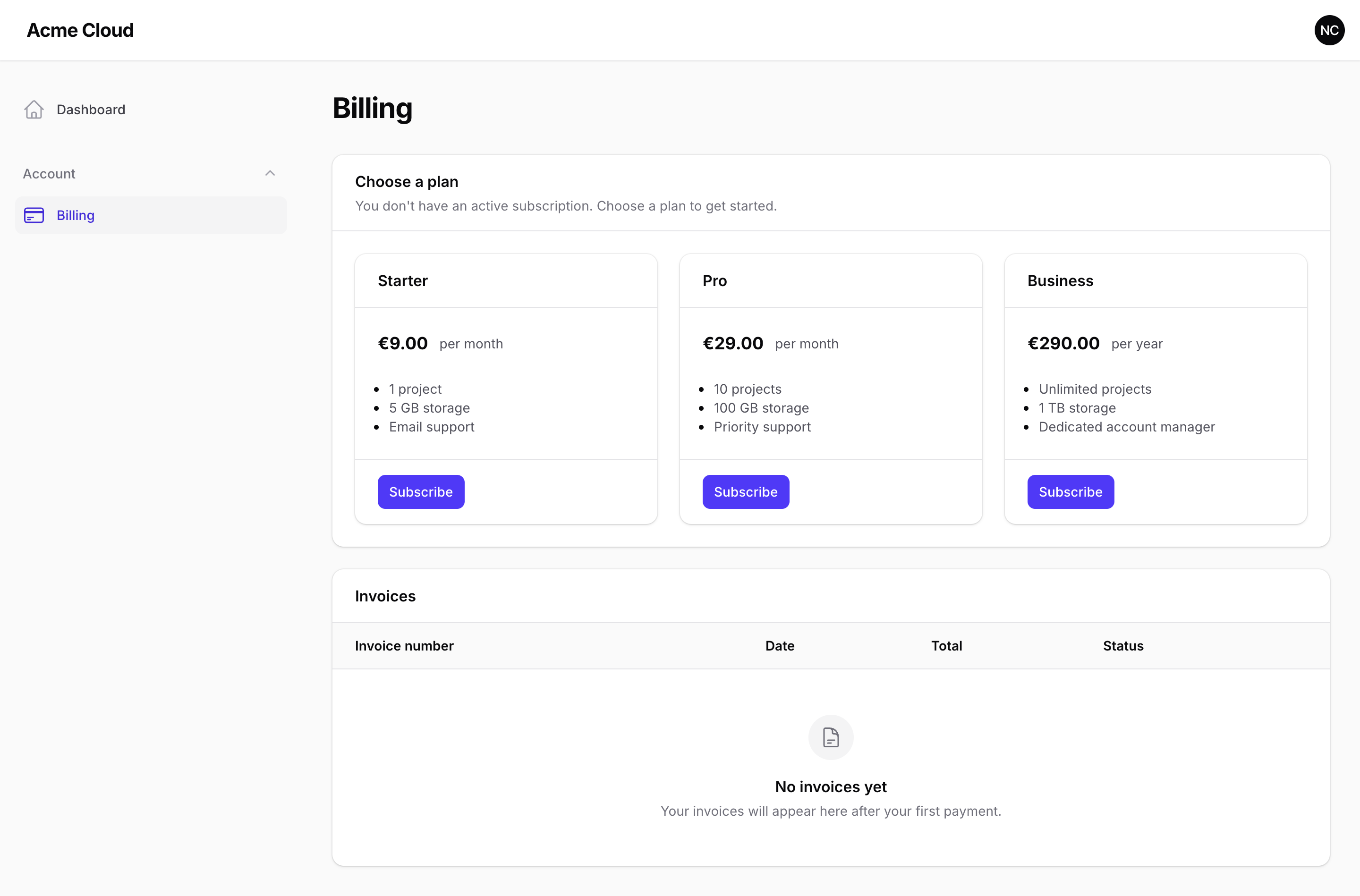
- Empty state: customers without a subscription see your plans with a Subscribe button that starts the Mollie checkout.
- English, Dutch, German and French included. Light and dark mode. Works on mobile.
- Built from Filament's own components, so no custom theme is needed.
#Requirements
- PHP 8.2 or higher
- Laravel 12 or 13
- Filament 5
- Laravel Cashier Mollie 2.21 or higher, installed and configured: migrations run, plans configured, webhooks reachable and
cashier:runscheduled
#Installation
You need a license, which you can buy on Anystack.
1. Install the package. Add the private Composer repository, then require the package:
composer config repositories.filament-mollie-billing composer https://filament-mollie-billing.composer.sh
composer require gravityweb/filament-mollie-billing
When Composer asks for credentials, use the email address of your license as the username and your license key as the password. To skip the prompt on servers and in CI, store them in auth.json:
composer config http-basic.filament-mollie-billing.composer.sh [email protected] your-license-key
2. Make your billable model ready. It uses Cashier's Billable trait and provides the address shown on invoices:
use Laravel\Cashier\Billable;
use Laravel\Cashier\Order\Contracts\ProvidesInvoiceInformation;

class User extends Authenticatable implements ProvidesInvoiceInformation
{
    use Billable;

    public function getInvoiceInformation(): array
    {
        return [$this->name, $this->email];
    }

    public function getExtraBillingInformation(): ?string
    {
        return null;
    }
}
3. Register the plugin in your panel provider:
use GravityWeb\FilamentMollieBilling\FilamentMollieBillingPlugin;

public function panel(Panel $panel): Panel
{
    return $panel
        // ...
        ->plugin(FilamentMollieBillingPlugin::make());
}
4. Give your plans a name and features (optional). Add a label and features to each plan in config/cashier_plans.php. Both may be translation keys:
'pro' => [
    'label' => 'Pro',
    'features' => ['10 projects', '100 GB storage', 'Priority support'],
    'amount' => ['value' => '29.00', 'currency' => 'EUR'],
    'interval' => '1 month',
    'description' => 'Acme Pro (monthly)',
],
Without a label, the plan's description is shown.
5. Open the portal at /{panel}/billing. It appears in the navigation as "Billing".
#Configuration
Configure the plugin per panel:
FilamentMollieBillingPlugin::make()
    ->billableResolver(fn () => auth()->user()->currentTeam) // default: the authenticated user
    ->subscriptionName('default')       // the Cashier subscription to manage
    ->plans(['starter', 'pro'])          // default: every plan in cashier_plans.php
    ->hidePlans(['legacy'])              // never offered, still shown as the current plan
    ->swapAtNextCycle()                  // default: swap right away
    ->trialDays(14)                      // trial for new subscriptions, default: none
    ->showPaymentMethod(false)           // skip the Mollie API call for the payment method
    ->slug('billing')
    ->navigationGroup('Account')
    ->navigationLabel('Billing')
    ->navigationIcon('heroicon-o-credit-card')
    ->navigationSort(10)
    ->registerNavigation(false);         // keep the page, hide the menu item
Every option also accepts a closure.
The defaults for these options live in a config file, which you can publish:
php artisan vendor:publish --tag=filament-mollie-billing-config
| Key | Default | Description |
|---|---|---|
subscription_name |
'default' |
The Cashier subscription the portal manages. |
plans |
null |
Plan keys to offer. null offers every plan in cashier_plans.php. |
hidden_plans |
[] |
Plans that are never offered. |
swap |
'now' |
'now' uses Cashier's swap(), 'next_cycle' uses swapNextCycle(). |
trial_days |
null |
Trial days for new subscriptions. |
payment_method.show |
true |
Show the current payment method. |
payment_method.cache_ttl |
600 |
Seconds to cache the payment method from Mollie. |
process_payment_on_return |
true |
Process a paid checkout as soon as the customer returns. See below. |
invoice.view |
'cashier::receipt' |
The Blade view rendered into invoice PDFs. |
invoice.data |
[] |
Extra data passed to the invoice view. |
#Translations and views
php artisan vendor:publish --tag=filament-mollie-billing-translations
php artisan vendor:publish --tag=filament-mollie-billing-views
#How it works
- Subscribing. "Subscribe" calls
newSubscription(). Customers without a valid mandate are sent to the Mollie checkout for the first payment. Customers with a valid mandate are subscribed right away. - Returning from Mollie. After a checkout, Mollie sends the customer back to the portal. The portal checks the payment with Mollie and, once it is paid, runs Cashier's own first payment webhook handler. The new subscription or payment method then shows up right away, even before Mollie's webhook arrives. Cashier's handler is idempotent, so the webhook that arrives later does nothing. Set
process_payment_on_returntofalseto leave this to the webhook only. - Switching plans. By default, the new plan starts today. Cashier credits the unused time of the old plan and charges the new plan using the customer's mandate. During a trial, nothing is charged until the trial ends. With
swapAtNextCycle(), the switch happens at the end of the billing cycle. - Cancelling. Uses Cashier's
cancel(). The subscription stays active until the end of the billing cycle (or the trial), and the customer can resume until then. - Payment method. Shown from the customer's Mollie mandate. This takes an API call, so the result is cached per mandate. If Mollie can't be reached, the page still loads and shows "Not available".
#FAQ
Do I need to build a custom Filament theme? No. The portal only uses Filament's own components.
Can teams or companies be the billable instead of users?
Yes. Return any model that uses Cashier's Billable trait from billableResolver(). Customers without a billable can't open the page.
Why do customers pay €1.00 to update their payment method?
Mollie only creates a mandate after a payment. Cashier adds this amount to the customer's balance, so it is deducted from the next invoice. The amount is set in config/cashier.php under update_payment_method.amount.
How do I test locally?
Mollie refuses to create a payment whose webhook URL it can't reach, such as localhost. Run a tunnel like Expose or ngrok and point Cashier's webhook URLs at it. Cashier accepts full URLs for webhook_url, aftercare_webhook_url and first_payment.webhook_url in config/cashier.php.
Mollie says "No suitable payment methods found" or "The payment method is not enabled". Subscriptions need a payment method that supports recurring payments: SEPA Direct Debit (used for recurring payments after iDEAL or Bancontact), credit card or PayPal. Enable one of them for your website profile in the Mollie dashboard, in both test and live mode.
How do I change the invoice PDF?
Publish Cashier's views (php artisan vendor:publish --tag=cashier-views) and edit receipt.blade.php, or point invoice.view to your own view.
Who renews subscriptions?
Cashier Mollie. Schedule php artisan cashier:run as described in Cashier's documentation.
Does this work with Stripe? No. It is built for Laravel Cashier Mollie only.
#Screenshots
 |
 |
 |
 |
 |
 |
#Support
Found a bug or missing a feature? Open an issue in this repository.
#License
This is commercial software. See LICENSE.md. Licenses are sold on Anystack.
Featured Plugins
A selection of plugins curated by the Filament team
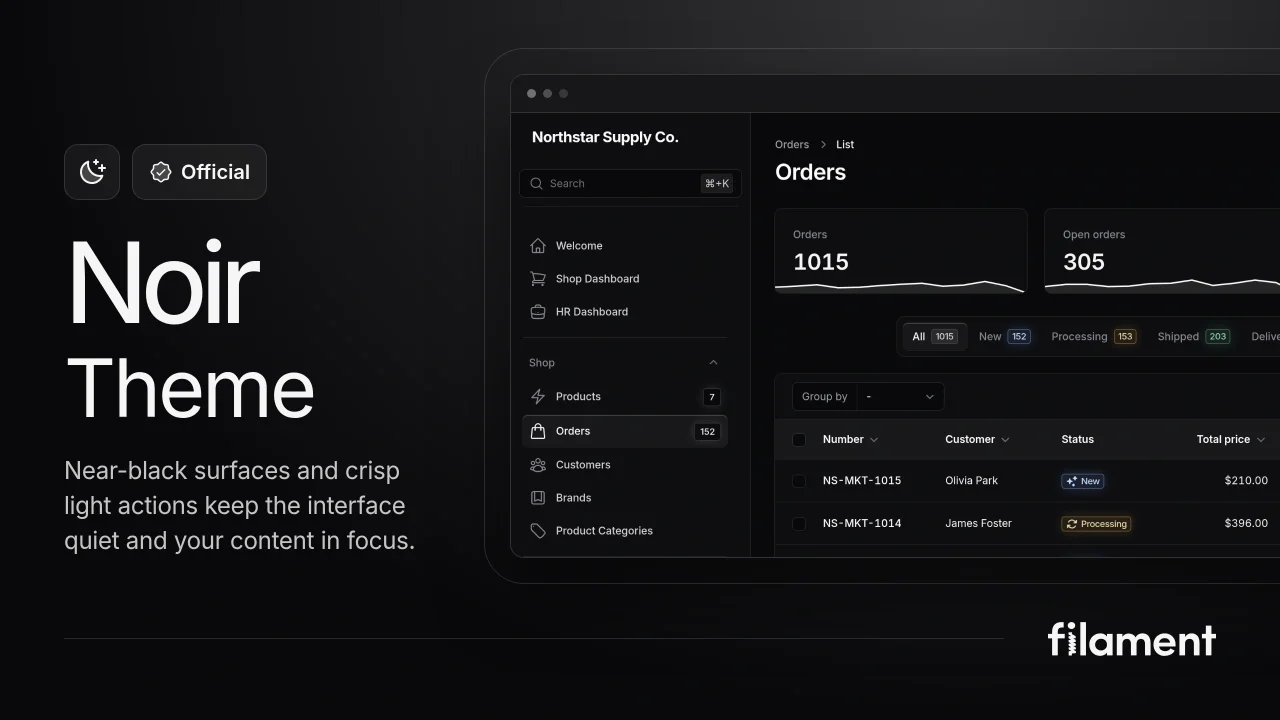
Noir Theme
A theme that gives panels a focused, refined look with near-black surfaces, crisp actions, and restrained color.
 Filament
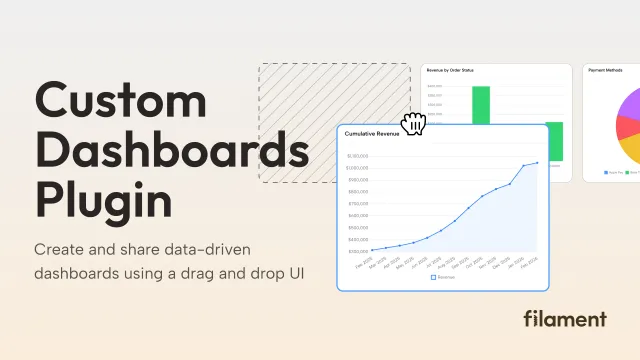
Custom Dashboards
Let your users build and share their own dashboards with a drag-and-drop interface. Define your data sources in PHP and let them do the rest.
Filament
Custom Fields
Eliminate custom field migrations forever. Let your users create and manage form fields directly in Filament admin panels with 20+ built-in field types, validation, and zero database changes.
 Relaticle