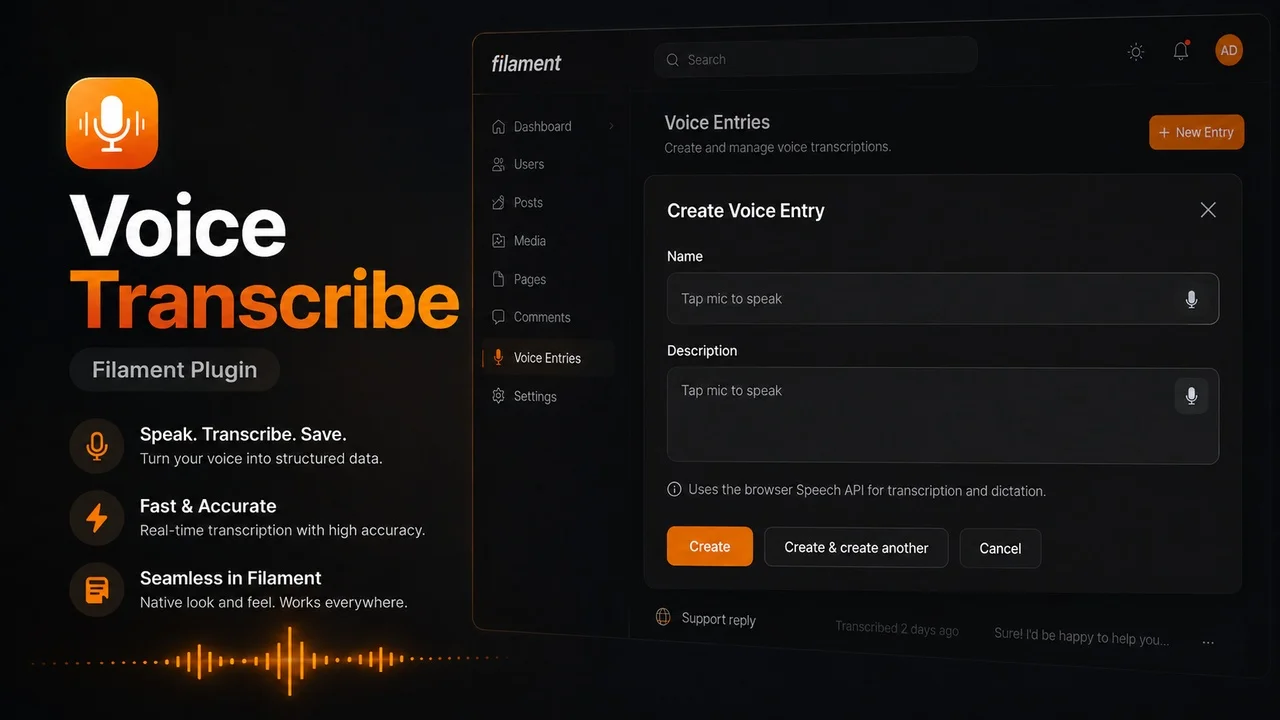
Voice Transcribe
CommunityAdd voice transcription and text-to-speech controls to Filament forms and infolists using the browser Speech APIs.
filament/
namespace. Review the source and install at your own risk. Found
malware or an unresolved security issue the author won't
address?
Report it
.
 Author:
Glebson Santos
Author:
Glebson Santos
Documentation
Filament Voice Transcribe adds voice-powered components to Filament forms and infolists.
Use it to transcribe speech into form fields with the browser Speech Recognition API, or to read infolist text aloud with the browser Speech Synthesis API.
#Installation
Install the package via Composer:
composer require glebsons4ntos/filament-voice-transcribe
Publish the Filament assets:
php artisan filament:assets
You should run this command again after updating the package so Filament can publish the latest JavaScript and CSS assets.
#Usage
#Voice Input
Use VoiceInput when you need a regular text input with a voice button.
use GlebsonS4ntos\FilamentVoiceTranscribe\Forms\VoiceInput;

VoiceInput::make('name')
    ->voiceLanguage('pt-BR');
You may place the voice button before or after the input:
VoiceInput::make('name')
    ->voiceLanguage('pt-BR')
    ->prefixVoiceButton();

VoiceInput::make('name')
    ->voiceLanguage('pt-BR')
    ->suffixVoiceButton();
The button can also be rendered outside the input wrapper:
VoiceInput::make('name')
    ->voiceLanguage('pt-BR')
    ->inlineVoiceButton(false);
#Voice Textarea
Use VoiceTextarea for longer text.
use GlebsonS4ntos\FilamentVoiceTranscribe\Forms\VoiceTextarea;

VoiceTextarea::make('description')
    ->voiceLanguage('pt-BR')
    ->rows(5);
The voice button can be positioned around the textarea:
VoiceTextarea::make('description')
    ->voiceLanguage('pt-BR')
    ->bottomRightVoiceButton();
Available positions:
->topLeftVoiceButton()
->topCenterVoiceButton()
->topRightVoiceButton()
->centerLeftVoiceButton()
->centerRightVoiceButton()
->bottomLeftVoiceButton()
->bottomCenterVoiceButton()
->bottomRightVoiceButton()
#Voice Text Entry
Use VoiceTextEntry in infolists when you want to display text and let the user listen to it.
use GlebsonS4ntos\FilamentVoiceTranscribe\Infolists\VoiceTextEntry;

VoiceTextEntry::make('description')
    ->voiceLanguage('pt-BR');
It extends Filament's TextEntry, so you can combine it with common text entry methods:
VoiceTextEntry::make('description')
    ->voiceLanguage('pt-BR')
    ->copyable();
You may also move the voice button:
VoiceTextEntry::make('description')
    ->voiceLanguage('pt-BR')
    ->suffixVoiceButton();
#Language
Set the browser speech language with voiceLanguage():
->voiceLanguage('pt-BR')
->voiceLanguage('en-US')
->voiceLanguage('es-ES')
The value should be a valid BCP 47 language tag supported by the browser and operating system.
#Browser Support
This package uses the browser Web Speech API, so support depends on the user's browser and device.
- Speech recognition is not available in every browser.
- Voice transcription is automatically disabled when the browser does not support the Speech Recognition API.
- Speech synthesis voices depend on the operating system and installed voices.
- If a language voice is not installed, the browser may fall back to a default voice.
Featured Plugins
A selection of plugins curated by the Filament team

Blueprint
Filament Blueprint is a premium Laravel Boost extension that helps AI agents produce accurate, detailed implementation plans and security reports for Filament apps.
 Filament

Custom Fields
Eliminate custom field migrations forever. Let your users create and manage form fields directly in Filament admin panels with 20+ built-in field types, validation, and zero database changes.
 Relaticle

Custom Dashboards
Let your users build and share their own dashboards with a drag-and-drop interface. Define your data sources in PHP and let them do the rest.
Filament

