VSCode Filament
A Visual Studio Code extension that provides syntax highlighting and autocompletion for Laravel Filament UI components in Blade files.
 Author:
Feras Abdalrahman
Author:
Feras Abdalrahman
Documentation
- Installation
- Features
- Autocompletion Features
- Supported Components
- Usage Examples
- Requirements
- Support This Project
- Icon System Support
- Usage
- Intelligent Autocompletion
- Extension Settings
- Known Issues
A Visual Studio Code extension that provides syntax highlighting and autocompletion for Laravel Filament UI components in Blade files.
#Installation
#From VS Code Marketplace
You can install directly from the VS Code Marketplace.
#Using Terminal
You can install this extension through the VS Code Marketplace:
-
Launch VS Code Quick Open (Ctrl+P)
-
Paste the following command and press enter:
ext install doonfrs.vscode-filament
#Features
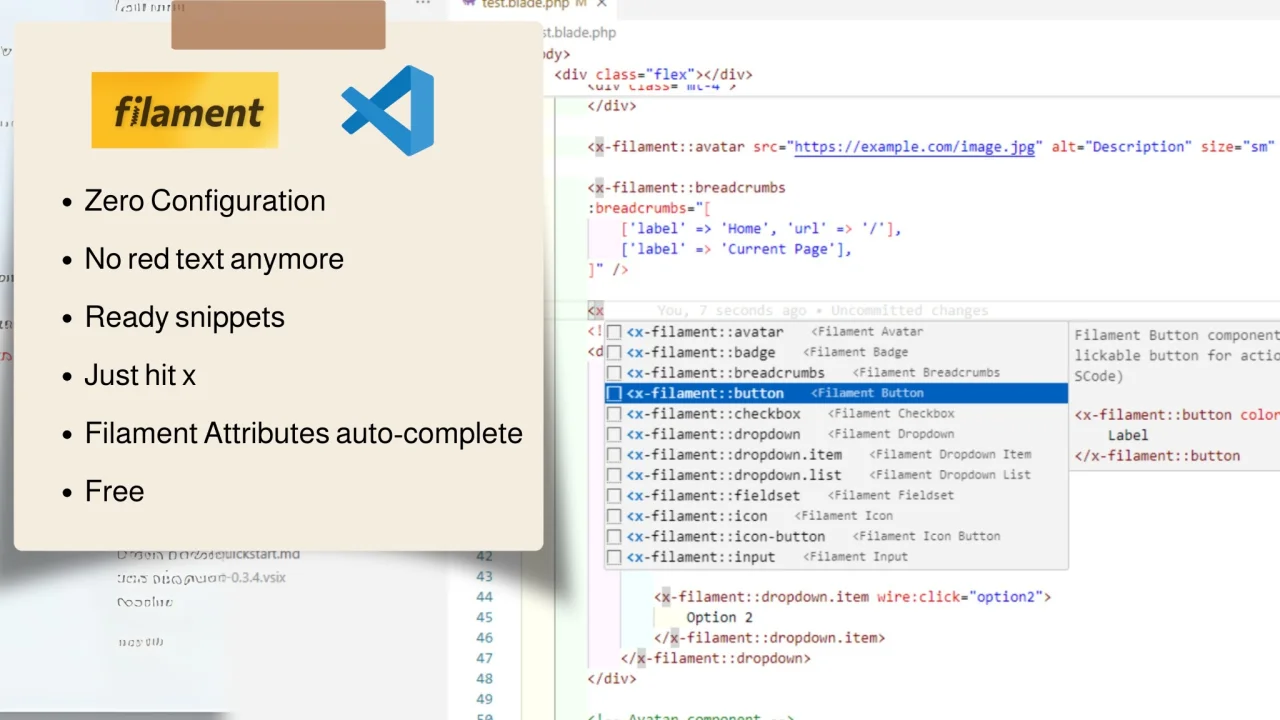
- Syntax Highlighting: Properly highlights Filament UI components in Blade files without showing them as errors
- Smart Autocompletion: Provides context-aware suggestions for components and attributes
- Component Snippets: Ready-to-use snippets for all Filament UI components with proper attribute placeholders
- Intelligent Attributes: Suggests component-specific attributes with appropriate value options
- Documentation Tooltips: Displays helpful documentation for components and attributes as you type
- Quick Start Typing: Begin typing
<x-filament::to see all available components - Icon System Support: Complete autocompletion for Filament's comprehensive icon system
- Blade Integration: Seamlessly works with other Blade features and extensions
#Autocompletion Features
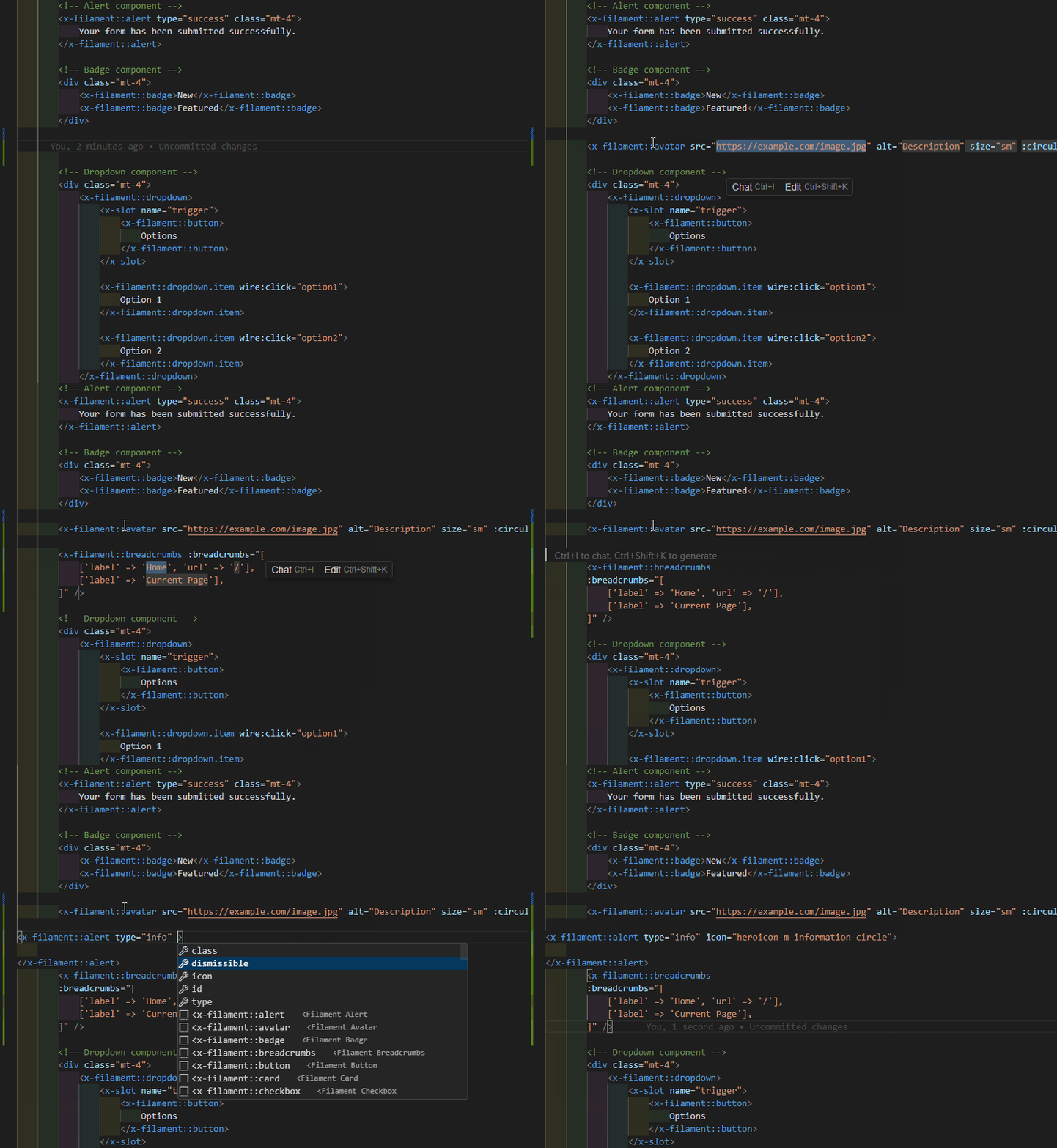
This extension provides several types of autocompletion to improve your workflow:
#Component Autocompletion
- Type
<xor<x-filament::to see all available Filament components - Automatically provides appropriate self-closing tags for components like
<x-filament::icon /> - Shows component documentation in tooltips when selecting components
#Attribute Autocompletion
- Component-specific attributes appear automatically when typing inside a component tag
- Common attributes like
class,id, and Livewire directives are always available - Boolean attributes (like
disabled) are inserted without value placeholders
#Value Autocompletion
- Intelligent dropdown suggestions for attribute values where appropriate
- Predefined options for attributes like
color,size, andplacement - Smart handling of boolean values for attributes with
:prefix
#Icon System Autocompletion
- Complete support for Filament's icon system with the following snippets:
x-filament::icon- Base icon componenticon-panel- Panel Builder iconsicon-form- Form Builder iconsicon-table- Table Builder iconsicon-notification- Notification iconsicon-action- Action iconsicon-infolist- Infolist Builder iconsicon-ui- UI Component iconsfilament-svg-icon- Template for custom SVG icons
#Supported Components
This extension supports all Filament UI components from the official documentation:
#UI Components
x-filament::avatar x-filament::badge x-filament::breadcrumbs x-filament::icon x-filament::loading-indicator x-filament::section x-filament::tabs
#Action Components
x-filament::button x-filament::dropdown x-filament::icon-button x-filament::link x-filament::modal
#Form Components
x-filament::checkbox x-filament::fieldset x-filament::input x-filament::input.wrapper x-filament::select
#Table Components
x-filament::pagination
#Usage Examples
#Basic Component Usage
<x-filament::button>
    Submit Form
</x-filament::button>
#Component with Attributes
<x-filament::button color="primary" size="lg" icon="heroicon-o-check">
    Save Changes
</x-filament::button>
#Using Icons
<!-- Basic icon usage -->
<x-filament::icon name="heroicon-o-home" />

<!-- Icon with size -->
<x-filament::icon name="heroicon-o-user" size="lg" />

<!-- Using icon aliases -->
<x-filament::icon name="actions::edit-action" />
#Requirements
- Visual Studio Code 1.75.0 or higher
#Support This Project
If you find Filament UI for VSCode useful, please consider supporting its development:

You can also become a GitHub sponsor: Sponsor @doonfrs
Your support will encourage me to dedicate more time to keeping this useful package updated and well-documented.
#Icon System Support
This extension provides comprehensive support for Filament's icon system:
- Icon Component: Use
x-filament::iconwith name and size attributes - Icon Aliases: Autocomplete for all icon aliases from the Filament documentation
- Icon Categories: Organized snippets for different icon categories:
- Panel Builder icons (
icon-panel) - Form Builder icons (
icon-form) - Table Builder icons (
icon-table) - Notifications icons (
icon-notification) - Actions icons (
icon-action) - Infolist Builder icons (
icon-infolist) - UI Component icons (
icon-ui)
- Panel Builder icons (
- Custom SVG Icons: Template for creating custom SVG icons (
filament-svg-icon)
For the complete list of available icons, see the Filament Icons Documentation.
#Usage
- Install the extension from the VSCode marketplace
- Open a
.blade.phpfile - Start typing
<x-filament::and the autocompletion will show the available components - Select a component to insert it with proper attributes and formatting
- Tab through the placeholders to fill in the values
#Intelligent Autocompletion
This extension provides context-aware suggestions:
- Component-specific attributes are suggested when typing within a component tag
- Attribute values have intelligent dropdown options where appropriate (colors, sizes, etc.)
- Documentation is displayed in tooltips as you type
#Extension Settings
This extension doesn't add any VSCode settings.
#Known Issues
If you find any issues, please report them on the GitHub repository.
The author
I am Feras, a senior full-stack developer with 10+ years of expertise in delivering high-performance web and mobile solutions. Skilled in PHP, Node.js, Flutter, and cloud technologies, I consistently create scalable applications that drive exceptional business value.
Featured Plugins
A selection of plugins curated by the Filament team

Custom Dashboards
Let your users build and share their own dashboards with a drag-and-drop interface. Define your data sources in PHP and let them do the rest.
 Filament

Custom Fields
Eliminate custom field migrations forever. Let your users create and manage form fields directly in Filament admin panels with 20+ built-in field types, validation, and zero database changes.
 Relaticle

Data Lens
Advanced Data Visualization for Laravel Filament - a premium reporting solution enabling custom column creation, sophisticated filtering, and enterprise-grade data insights within admin panels.
 Padmission