
Socialite by Tom Janssen
CommunityFilament support for `laravel/socialite`.
 Author:
Tom Janssen
Package health
Automated checks of this plugin's Composer package
15 checks
- Failed: GitHub Actions pinned to SHA — View details on Plumb
- Skipped: GitLab CI includes pinned to SHA
- Passed: Open security advisories
- Failed: Dependabot PR responsiveness — Stale Dependabot PRs: oldest general PR is 181 days old. View details on Plumb
- Skipped: Renovate MR responsiveness
- Passed: Dependabot or Renovate configured
-
Failed:
Dependency update cooldown configured
—
No cooldown configured in
.github/dependabot.yml. View details on Plumb - Passed: Provides a security policy
- Passed: Abandoned or archived — No consulted source marks the package abandoned (packagist, github).
- Passed: Commit and release recency — Active: last commit 6 days ago; last release 188 days ago.
-
Passed:
composer.lock not committed by library
—
composer.lockis absent from the released dist archive. - Warning: Dist archive is lean
-
Passed:
Current Laravel version supported
—
Package dependencies resolve together with current Laravel
13.0. -
Passed:
Current PHP version supported
—
Constraint
^8.2supports current PHP8.5. - Skipped: Current Symfony version supported
filament/
namespace. Review the source and install at your own risk. Found
malware or an unresolved security issue the author won't
address?
Report it
.
Documentation
- Installation
- Events
- Scopes
- Optional parameters
- Visibility
- Provider client errors
- Stateless Authentication
- Changelog
- Contributing
- Security Vulnerabilities
- Credits
- License


Add OAuth2 login through Laravel Socialite to Filament. OAuth1 (eg. Twitter) is not supported at this time.
#Installation
Install the package via composer:
composer require dutchcodingcompany/filament-socialite
Publish and migrate the migration file:
php artisan vendor:publish --tag="filament-socialite-migrations"
php artisan migrate
Other configuration files include:
php artisan vendor:publish --tag="filament-socialite-config"
php artisan vendor:publish --tag="filament-socialite-views"
php artisan vendor:publish --tag="filament-socialite-translations"
You need to register the plugin in the Filament panel provider (the default filename is app/Providers/Filament/AdminPanelProvider.php). The following options are available:
use DutchCodingCompany\FilamentSocialite\FilamentSocialitePlugin;
use DutchCodingCompany\FilamentSocialite\Provider;
use Filament\Support\Colors;
use Laravel\Socialite\Contracts\User as SocialiteUserContract;
use Illuminate\Contracts\Auth\Authenticatable;

// ...
->plugin(
    FilamentSocialitePlugin::make()
        // (required) Add providers corresponding with providers in `config/services.php`.
        ->providers([
            // Create a provider 'gitlab' corresponding to the Socialite driver with the same name.
            Provider::make('gitlab')
                ->label('GitLab')
                ->icon('fab-gitlab')
                ->color(Color::hex('#2f2a6b'))
                ->outlined(false)
                ->stateless(false)
                ->scopes(['...'])
                ->with(['...']),
        ])
        // (optional) Override the panel slug to be used in the oauth routes. Defaults to the panel's configured path.
        ->slug('admin')
        // (optional) Enable/disable registration of new (socialite-) users.
        ->registration(true)
        // (optional) Enable/disable registration of new (socialite-) users using a callback.
        // In this example, a login flow can only continue if there exists a user (Authenticatable) already.
        ->registration(fn (string $provider, SocialiteUserContract $oauthUser, ?Authenticatable $user) => (bool) $user)
        // (optional) Change the associated model class.
        ->userModelClass(\App\Models\User::class)
        // (optional) Change the associated socialite class (see below).
        ->socialiteUserModelClass(\App\Models\SocialiteUser::class)
);
This package automatically adds 2 routes per panel to make the OAuth flow possible: a redirector and a callback. When
setting up your external OAuth app configuration, enter the following callback URL (in this case for the Filament
panel with ID admin and the github provider):
https://example.com/admin/oauth/callback/github
A multi-panel callback route is available as well that does not contain the panel ID in the url. Instead, it determines
the panel ID from an encrypted state input (...?state=abcd1234). This allows you to create a single OAuth
application for multiple Filament panels that use the same callback URL. Note that this only works for stateful OAuth
apps:
https://example.com/oauth/callback/github
If in doubt, run php artisan route:list to see which routes are available to you.
#Icons
You can specify a custom icon for each of your login providers. You can add Font Awesome brand icons made available through Blade Font Awesome by running:
composer require owenvoke/blade-fontawesome
#Registration flow
This package supports account creation for users. However, to support this flow it is important that the password
attribute on your User model is nullable. For example, by adding the following to your users table migration.
Or you could opt for customizing the user creation, see below.
$table->string('password')->nullable();
#Domain Allow list
This package supports the option to limit the users that can login with the OAuth login to users of a certain domain. This can be used to setup SSO for internal use.
->plugin(
    FilamentSocialitePlugin::make()
        // ...
        ->registration(true)
        ->domainAllowList(['localhost'])
);
#Changing how an Authenticatable user is created or retrieved
You can use the createUserUsing and resolveUserUsing methods to change how a user is created or retrieved.
use DutchCodingCompany\FilamentSocialite\FilamentSocialitePlugin;
use Laravel\Socialite\Contracts\User as SocialiteUserContract;

->plugin(
    FilamentSocialitePlugin::make()
        // ...
        ->createUserUsing(function (string $provider, SocialiteUserContract $oauthUser, FilamentSocialitePlugin $plugin) {
            // Logic to create a new user.
        })
        ->resolveUserUsing(function (string $provider, SocialiteUserContract $oauthUser, FilamentSocialitePlugin $plugin) {
            // Logic to retrieve an existing user.
        })
        ...
);
#Change how a Socialite user is created or retrieved
In your plugin options in your Filament panel, add the following method:
// app/Providers/Filament/AdminPanelProvider.php
->plugins([
    FilamentSocialitePlugin::make()
        // ...
        ->socialiteUserModelClass(\App\Models\SocialiteUser::class)
This class should at the minimum implement the FilamentSocialiteUser interface, like so:
namespace App\Models;

use DutchCodingCompany\FilamentSocialite\Models\Contracts\FilamentSocialiteUser as FilamentSocialiteUserContract;
use Illuminate\Contracts\Auth\Authenticatable;
use Laravel\Socialite\Contracts\User as SocialiteUserContract;

class SocialiteUser implements FilamentSocialiteUserContract
{
    public function getUser(): Authenticatable
    {
        //
    }

    public static function findForProvider(string $provider, SocialiteUserContract $oauthUser): ?self
    {
        //
    }

    public static function createForProvider(
        string $provider,
        SocialiteUserContract $oauthUser,
        Authenticatable $user
    ): self {
        //
    }
}
#Check if the user is authorized to use the application
You can use the authorizeUserUsing method to check if the user is authorized to use the application. Note: by default this method check if the user's email domain is in the domain allow list.
use DutchCodingCompany\FilamentSocialite\FilamentSocialitePlugin;
use Laravel\Socialite\Contracts\User as SocialiteUserContract;

->plugin(
    FilamentSocialitePlugin::make()
        // ...
        ->authorizeUserUsing(function (FilamentSocialitePlugin $plugin, SocialiteUserContract $oauthUser) {
            // Logic to authorize the user.
            return FilamentSocialitePlugin::checkDomainAllowList($plugin, $oauthUser);
        })
        // ...
);
#Change login redirect
When your panel has multi-tenancy enabled, after logging in, the user will be redirected to their default tenant.
If you want to change this behavior, you can call the 'redirectAfterLoginUsing' method on the FilamentSocialitePlugin.
use DutchCodingCompany\FilamentSocialite\FilamentSocialitePlugin;
use DutchCodingCompany\FilamentSocialite\Models\Contracts\FilamentSocialiteUser as FilamentSocialiteUserContract;
use DutchCodingCompany\FilamentSocialite\Models\SocialiteUser;

FilamentSocialitePlugin::make()
    ->redirectAfterLoginUsing(function (string $provider, FilamentSocialiteUserContract $socialiteUser, FilamentSocialitePlugin $plugin) {
        // Change the redirect behaviour here.
    });
#Events
There are a few events dispatched during the authentication process:
InvalidState(InvalidStateException $exception): When trying to retrieve the oauth (socialite) user, an invalid state was encounteredOauthClientError(string $provider, ClientException|RequestException $exception): When the provider answers with a client error (4xx) while retrieving the oauth (socialite) user, for example because the user denied access. Only dispatched whenhandleOauthClientErrors()is enabled.Login(FilamentSocialiteUserContract $socialiteUser): When a user successfully logs inRegistered(string $provider, SocialiteUserContract $oauthUser, FilamentSocialiteUserContract $socialiteUser): When a user and socialite user is successfully registered and logged in (when enabled in config)RegistrationNotEnabled(string $provider, SocialiteUserContract $oauthUser, ?Auhthenticatable $user): When a user tries to login with an unknown account and registration is not enabledSocialiteUserConnected(string $provider, SocialiteUserContract $oauthUser, FilamentSocialiteUserContract $socialiteUser): When a socialite user is created for an existing userUserNotAllowed(SocialiteUserContract $oauthUser): When a user tries to login with an email which domain is not on the allowlist
#Scopes
Scopes can be added to the provider on the panel, for example:
use DutchCodingCompany\FilamentSocialite\FilamentSocialitePlugin;
use DutchCodingCompany\FilamentSocialite\Provider;

FilamentSocialitePlugin::make()
    ->providers([
        Provider::make('github')
            ->label('Github')
            ->icon('fab-github')
            ->scopes([
                // Add scopes here.
                'read:user',
                'public_repo',
            ]),
    ]),
#Optional parameters
You can add optional parameters to the request by adding a with key to the provider on the panel, for example:
use DutchCodingCompany\FilamentSocialite\FilamentSocialitePlugin;
use DutchCodingCompany\FilamentSocialite\Provider;

FilamentSocialitePlugin::make()
    ->providers([
        Provider::make('github')
            ->label('Github')
            ->icon('fab-github')
            ->with([
                // Add scopes here.
                // Add optional parameters here.
                'hd' => 'example.com',
            ]),
    ]),
#Visibility
You can set the visibility of a provider, if it is not visible, buttons will not be rendered. All functionality will still be enabled.
use DutchCodingCompany\FilamentSocialite\FilamentSocialitePlugin;
use DutchCodingCompany\FilamentSocialite\Provider;

FilamentSocialitePlugin::make()
    ->providers([
        Provider::make('github')
            ->visible(fn () => true),
    ]),
#Provider client errors
When the provider answers with a client error (4xx) while retrieving the oauth user, for example because the user denied access on the consent screen, the exception is thrown by default. To send the user back to the login form with the "login failed" message instead:
use DutchCodingCompany\FilamentSocialite\FilamentSocialitePlugin;

->plugin(
    FilamentSocialitePlugin::make()
        // ...
        ->handleOauthClientErrors()
);
The OauthClientError event is dispatched with the exception. Server errors (5xx) and connection errors are still thrown, so they reach your exception handler.
#Stateless Authentication
You can add stateless parameters to the provider configuration in the config/services.php config file, for example:
'apple' => [
    'client_id' => '...',
    'client_secret' => '...',
    'stateless'=>true,
]
Note: you cannot use the state parameter, as it is used to determine from which Filament panel the user came from.
#Changelog
Please see CHANGELOG for more information on what has changed recently.
#Contributing
Please see CONTRIBUTING for details.
#Security Vulnerabilities
Please review our security policy on how to report security vulnerabilities.
#Credits
#License
The MIT License (MIT). Please see License File for more information.
The author
Tom is a developer from The Netherlands. He works at Dutch Coding Company_.
Featured Plugins
A selection of plugins curated by the Filament team

Blueprint
Filament Blueprint is a premium Laravel Boost extension that helps AI agents produce accurate, detailed implementation plans and security reports for Filament apps.
 Filament
Advanced Tables (formerly Filter Sets)
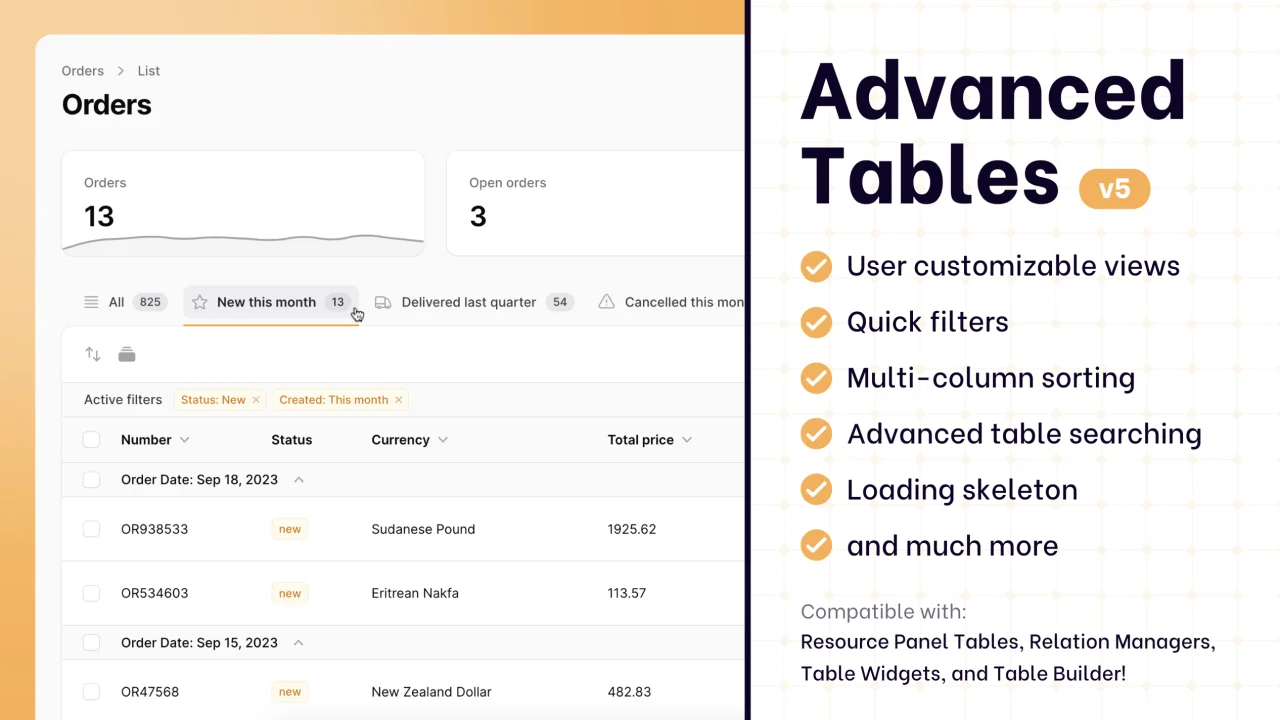
Supercharge your tables with powerful features like user-customizable views, quick filters, multi-column sorting, advanced table searching, convenient view management, and more. Compatible with Resource Panel Tables, Relation Managers, Table Widgets, and Table Builder!
 Kenneth Sese
Custom Fields
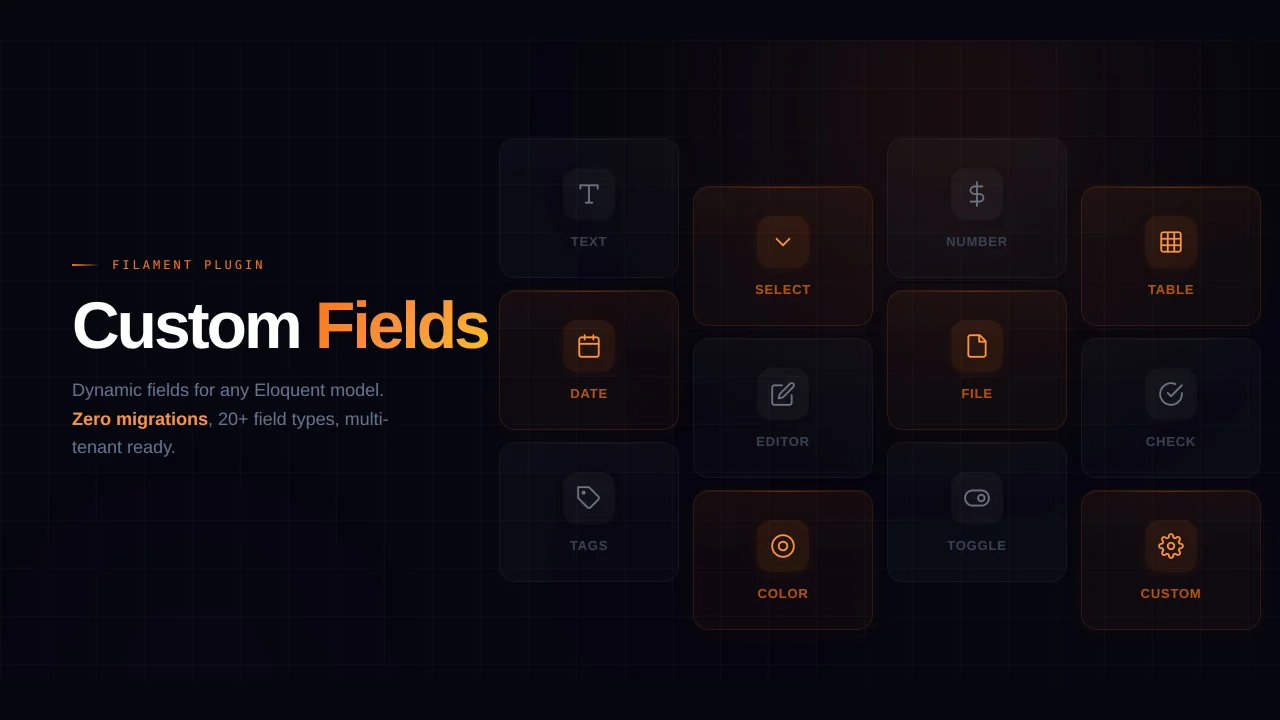
Eliminate custom field migrations forever. Let your users create and manage form fields directly in Filament admin panels with 20+ built-in field types, validation, and zero database changes.
 Relaticle