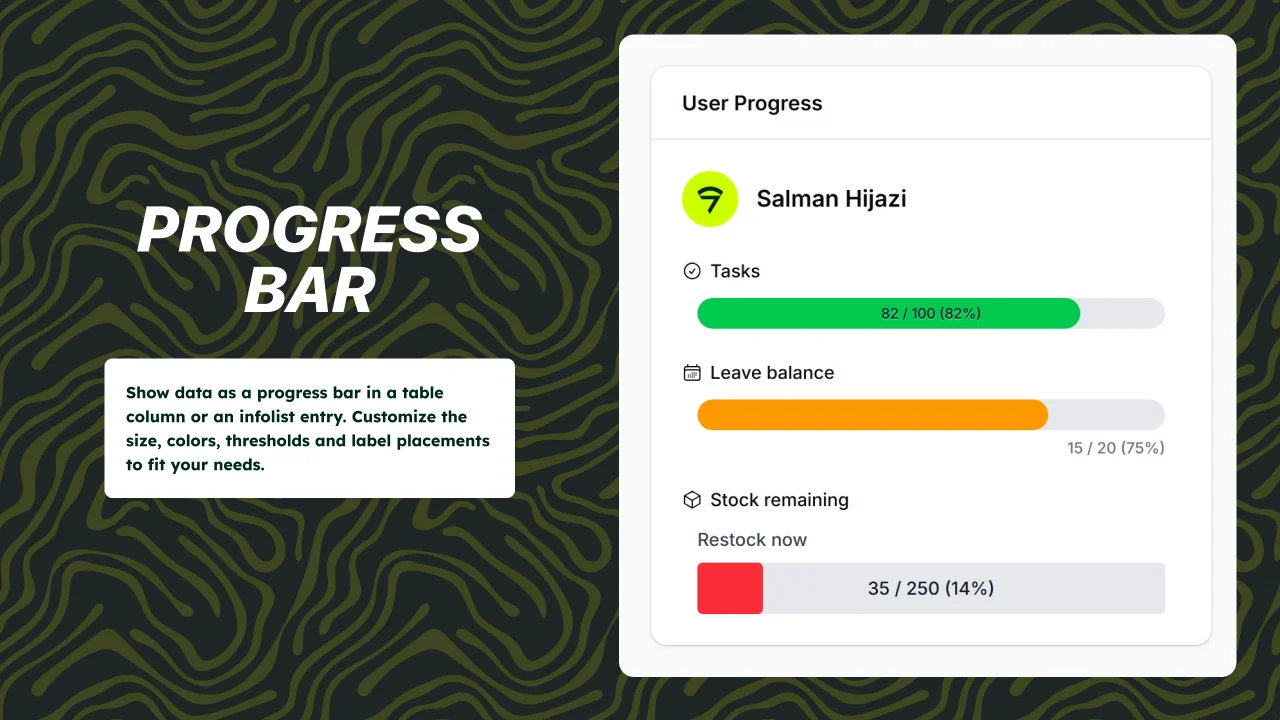
Progress Bar
CommunityReusable and customizable progress bar components for Filament 5 tables and infolists.
 Author:
Devletes
Author:
Devletes
Package health
BetaAutomated checks of this plugin's Composer package
15 checks
- Passed: GitHub Actions pinned to SHA
- Skipped: GitLab CI includes pinned to SHA
- Passed: Open security advisories
- Passed: Dependabot PR responsiveness — No open Dependabot PRs.
- Skipped: Renovate MR responsiveness
- Passed: Dependabot or Renovate configured
- Passed: Dependency update cooldown configured
- Passed: Provides a security policy
- Passed: Abandoned or archived — No consulted source marks the package abandoned (packagist, github).
- Passed: Commit and release recency — Active: last commit 12 days ago; last release 91 days ago.
-
Passed:
composer.lock not committed by library
—
composer.lockis absent from the released dist archive. - Passed: Dist archive is lean
-
Passed:
Current Laravel version supported
—
Package dependencies resolve together with current Laravel
13.0. -
Passed:
Current PHP version supported
—
Constraint
^8.2supports current PHP8.5. - Skipped: Current Symfony version supported
filament/
namespace. Review the source and install at your own risk. Found
malware or an unresolved security issue the author won't
address?
Report it
.
Documentation
- Requirements
- Installation
- Quick start
- Providing data
- Display
- Thresholds and coloring
- Closure parameters
- Recipes
- API reference
- Integration examples
- Need something custom?
- Have you seen our Orbit theme?
- Credits
- License



Reusable progress bar components for Filament 5 tables and infolists.
- Single shared API across
ProgressBarColumnandProgressBarEntry - Three-tier (success / warning / danger) coloring out of the box, with custom colors via CSS values
ascendinganddescendingthreshold directions for low-is-bad metrics (fuel, stock, battery)- Optional threshold map for any number of states with custom names
- Three sizes, two text positions, custom border radius
- Self-contained stylesheet, dark-mode aware
- Proper
role="progressbar"semantics
#Requirements
- PHP
^8.2 - Filament
^5.0
#Installation
composer require devletes/filament-progress-bar
Then publish Filament assets so the package stylesheet is available to your panel:
php artisan filament:assets
The package ships its own stylesheet via Filament's asset manager — there is nothing to add to your custom Tailwind theme.
#Quick start
#Table column
use Devletes\FilamentProgressBar\Tables\Columns\ProgressBarColumn;

ProgressBarColumn::make('used')
    ->maxValue(fn ($record) => $record->quota)
    ->showProgressValue()
    ->showPercentage();
#Infolist entry
use Devletes\FilamentProgressBar\Infolists\Components\ProgressBarEntry;

ProgressBarEntry::make('leave_progress')
    ->label('Sick Leave')
    ->icon('heroicon-o-heart')
    ->iconColor('primary')
    ->getStateUsing(fn ($record) => [
        'progress' => $record->leave_used,
        'total' => $record->leave_total,
    ]);
#Providing data
The component accepts two styles of state:
1. A numeric value paired with maxValue(...):
ProgressBarColumn::make('used')
    ->maxValue(fn ($record) => $record->quota);
2. A structured array containing both the current value and the total:
ProgressBarColumn::make('leave_progress')
    ->state(fn ($record) => [
        'progress' => $record->used_days,
        'total' => $record->allocated_days,
    ]);
When the structured form is used, both keys are looked up flexibly. The first matching key wins:
| Role | Accepted keys |
|---|---|
| Current value | progress, current, value, used |
| Total | total, max, available, quota |
A missing or zero total resolves to 0% rather than throwing.
#Display
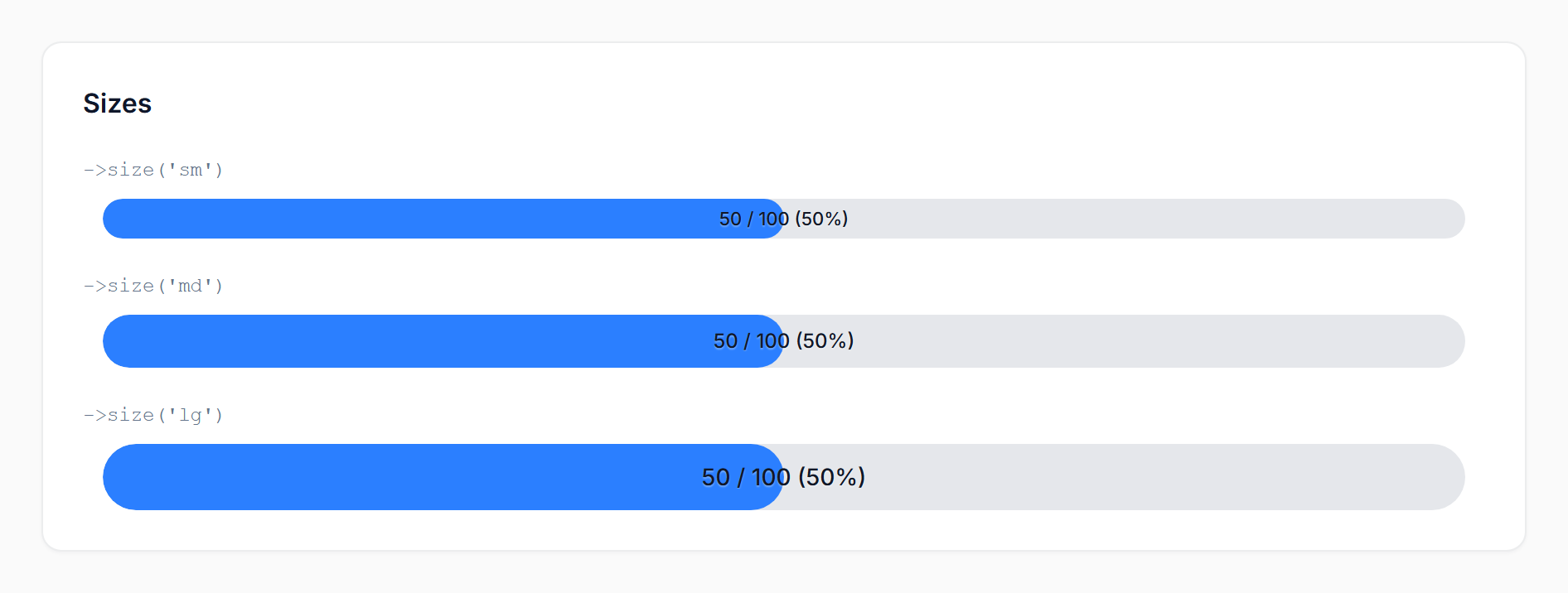
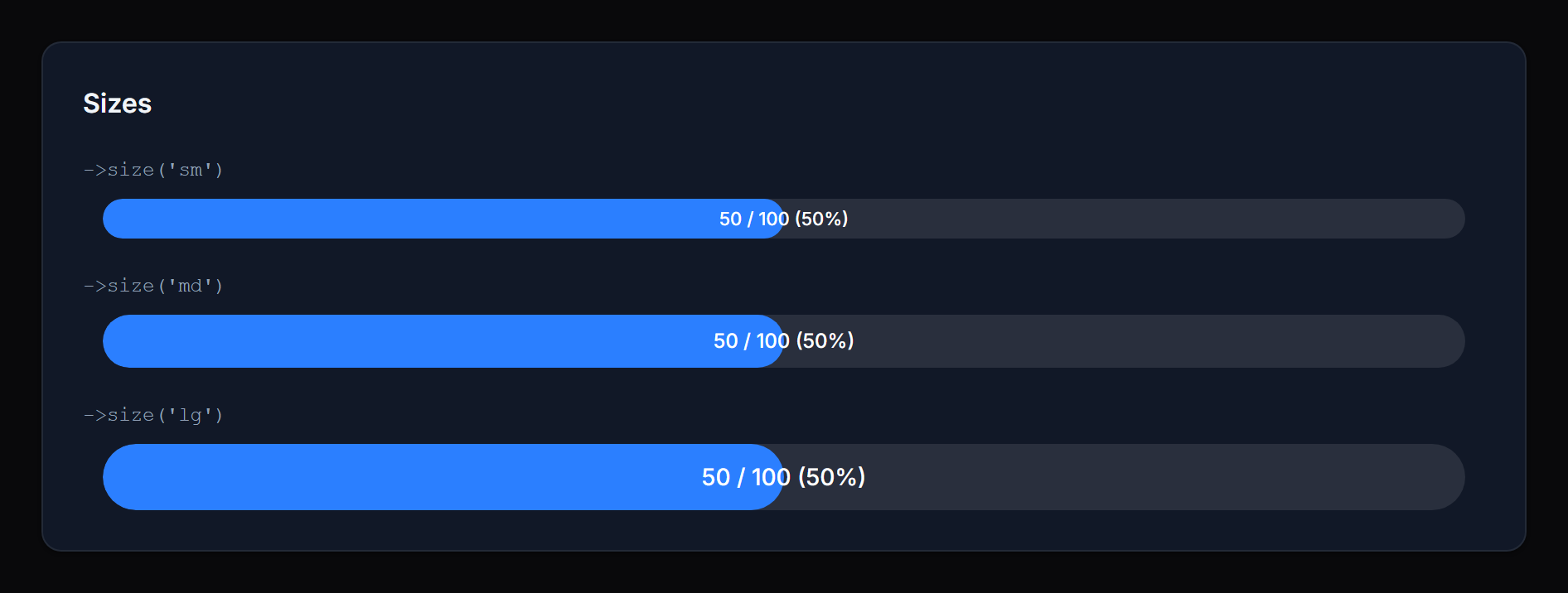
#Size
Method: size('sm' | 'md' | 'lg')
Controls the bar height and inside-text size. Defaults to sm. Invalid values fall back to the default.
 |
 |
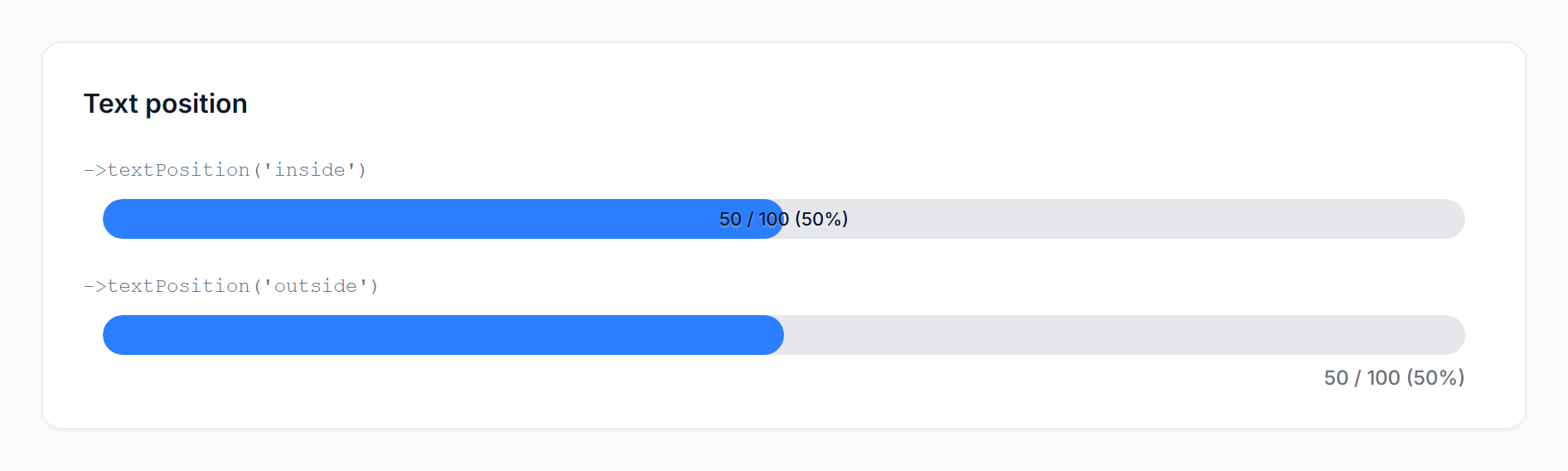
#Text position
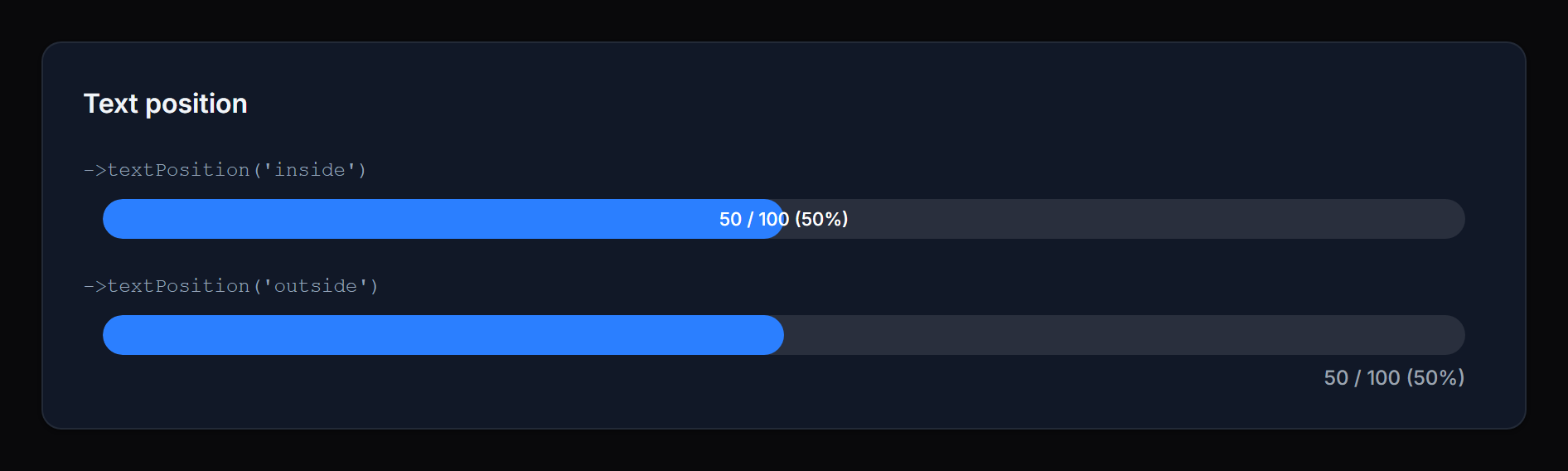
Method: textPosition('inside' | 'outside')
inside(default): the value/percentage is rendered on top of the fill, centered horizontally. Best for compact rows where you want the number visually anchored to the bar.outside: the value/percentage is rendered in a row beneath the bar, right-aligned. Best when you want a clean bar visual without text overlap, or when the value would be hard to read at low percentages.
 |
 |
#Show / hide value & percentage
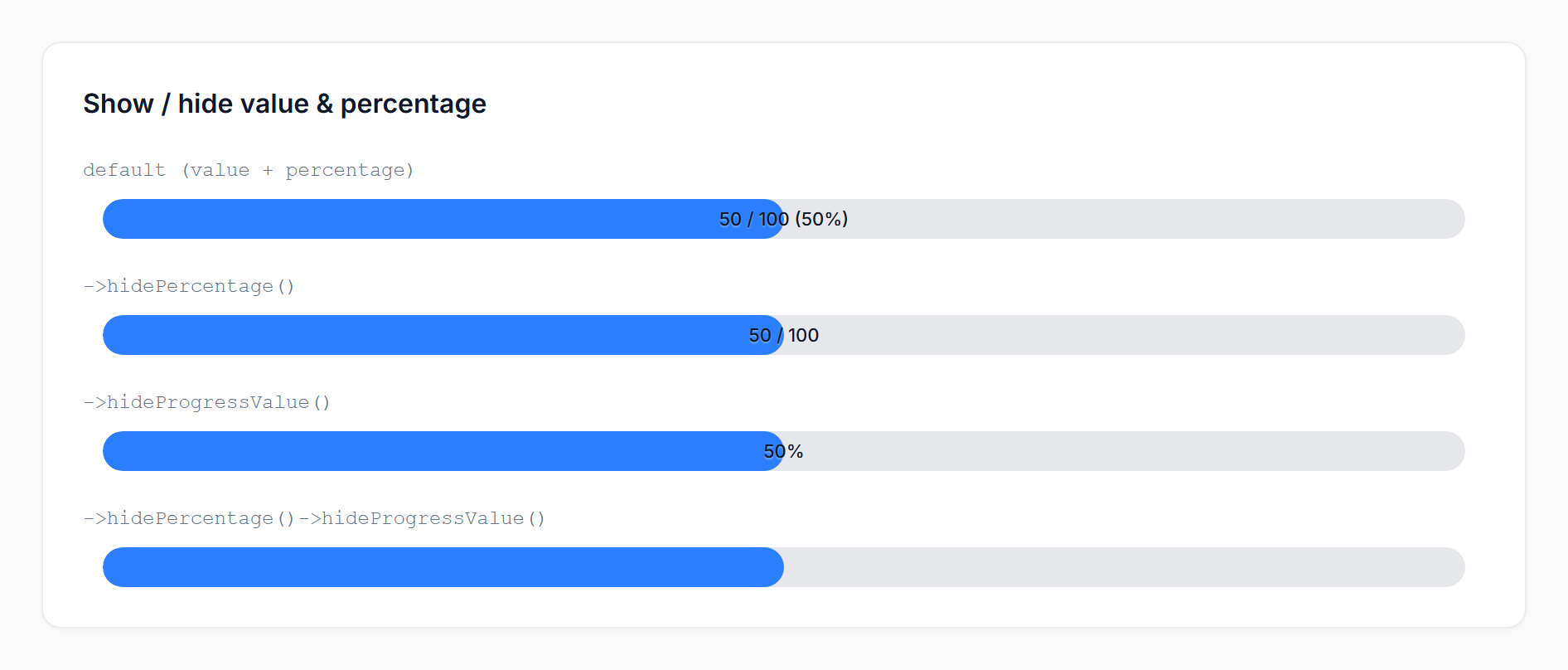
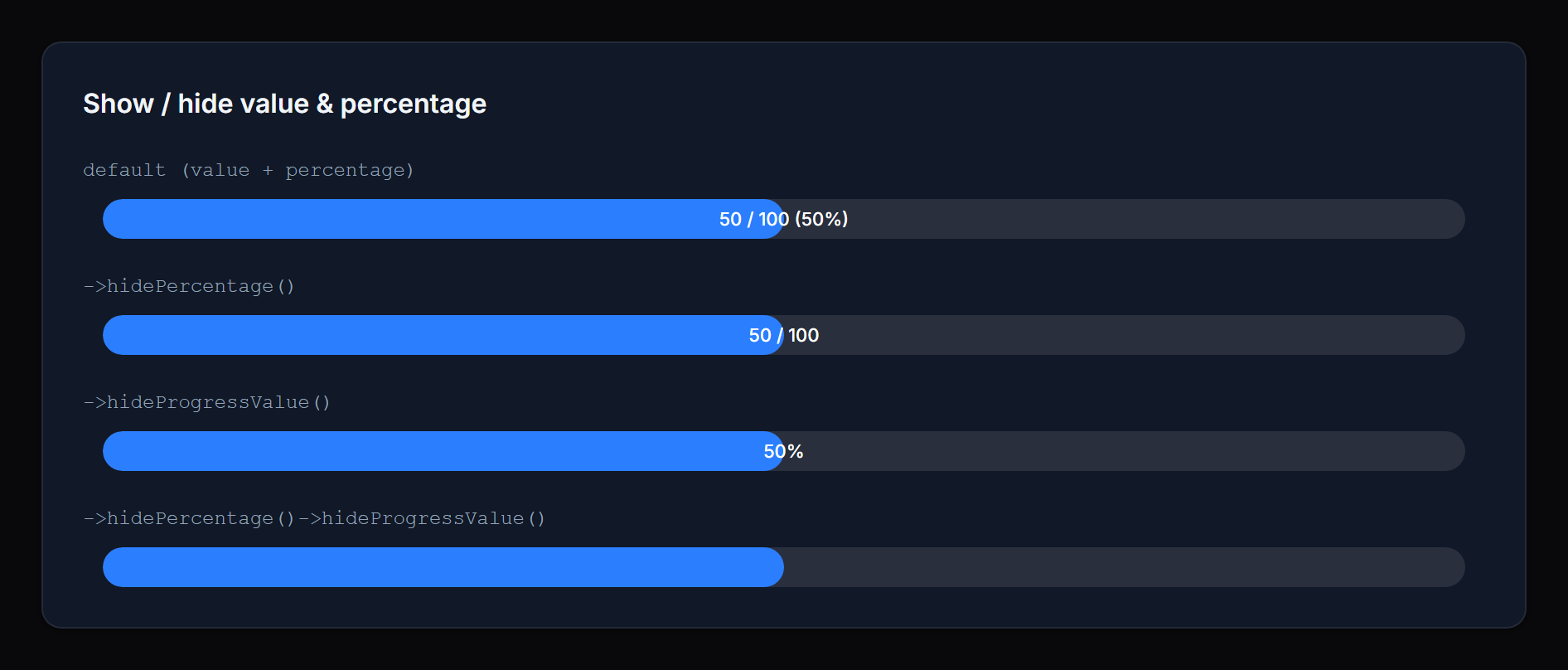
Methods: showPercentage() / hidePercentage() / showProgressValue() / hideProgressValue()
Toggle each portion of the display text independently. When both are visible the text reads value / max (percentage). When only one is visible it appears alone. When both are hidden the bar renders without any text.
 |
 |
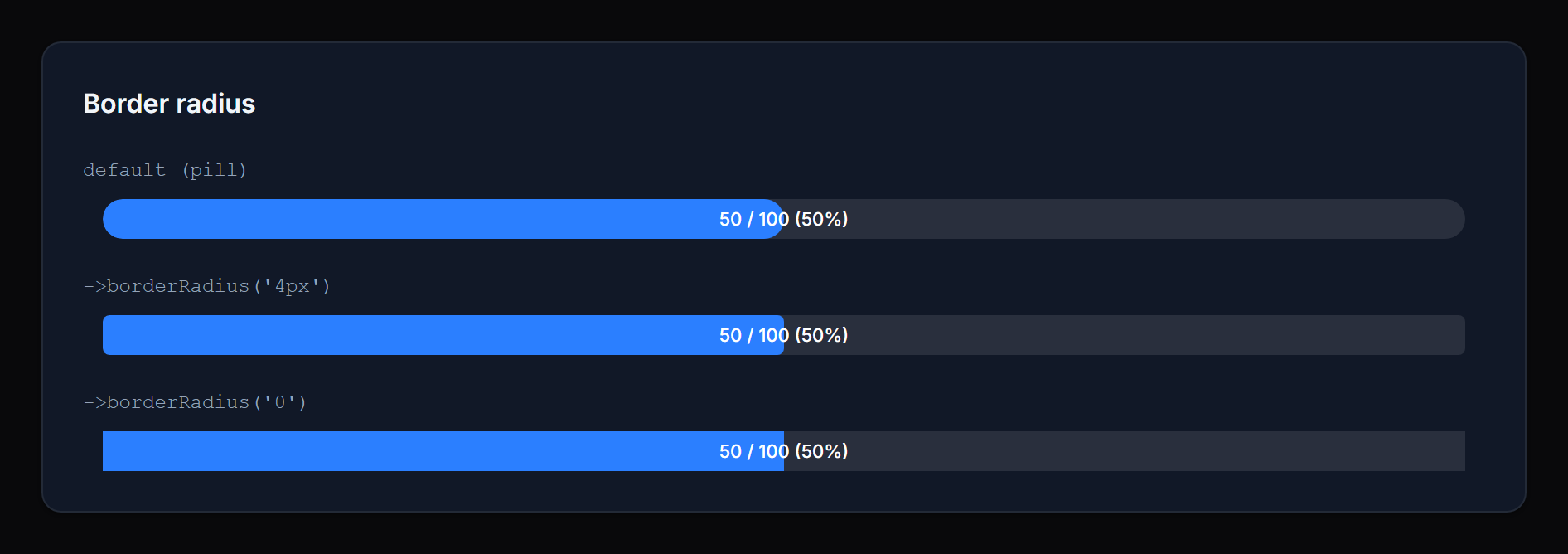
#Border radius
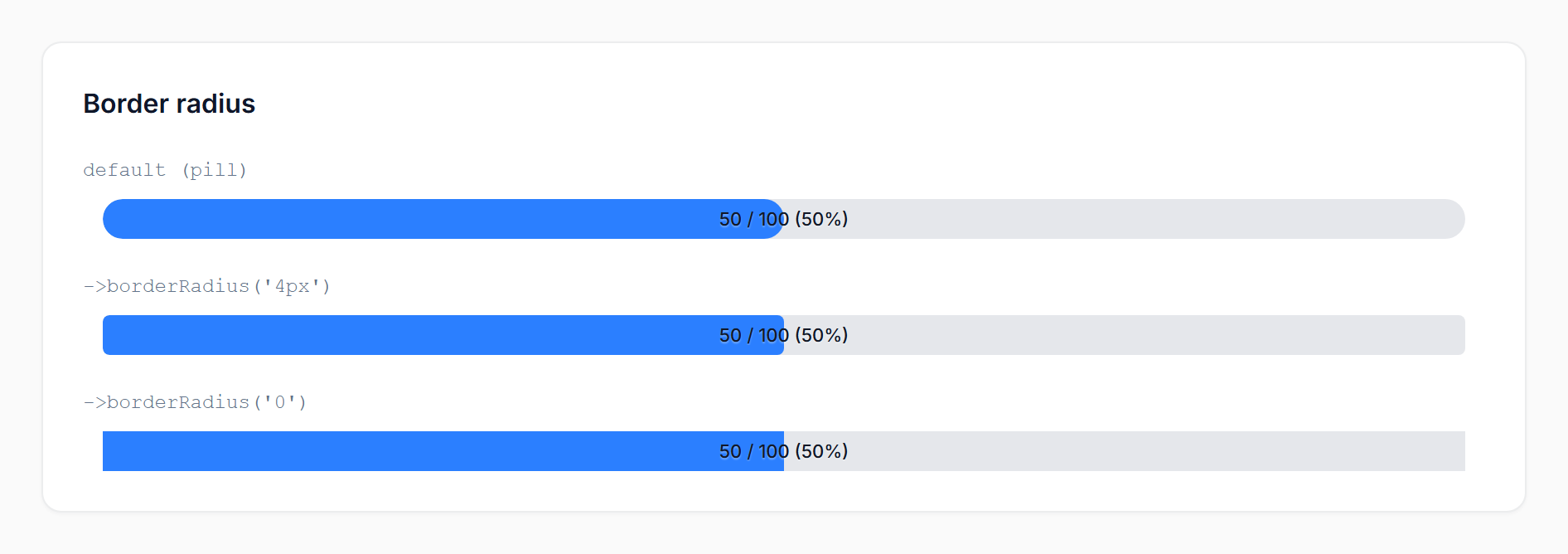
Method: borderRadius(string $value)
Override the bar's corner radius with any valid CSS length — pixels, rems, percentages, custom properties, or calc() expressions:
->borderRadius('4px')
->borderRadius('0.5rem')
->borderRadius('calc(var(--radius) * 2)')
Pass null (or omit the call) to keep the default pill shape (9999px).
 |
 |
Values containing
;,<,>,{,}, or quotes are silently dropped to prevent inline-style injection. Stick to standard CSS length syntax.
#Thresholds and coloring
The bar resolves a status from the percentage and renders a color for that status. Two threshold APIs are available — start with the simple one and reach for the map only when three states aren't enough.
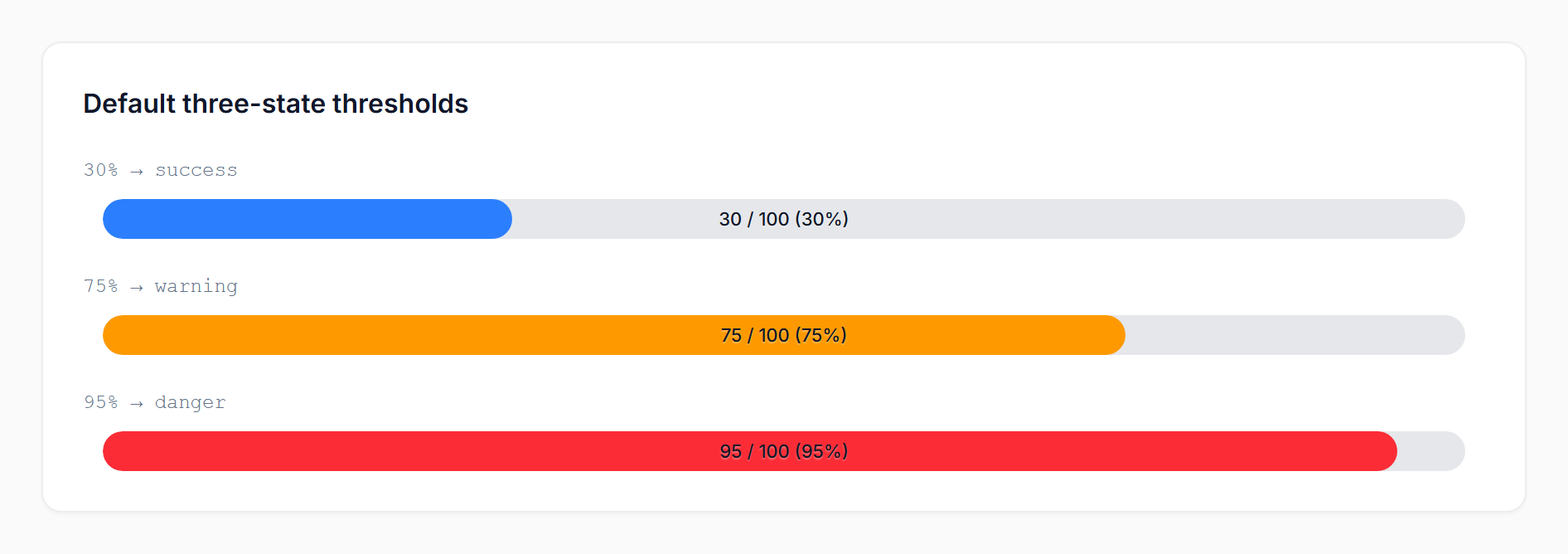
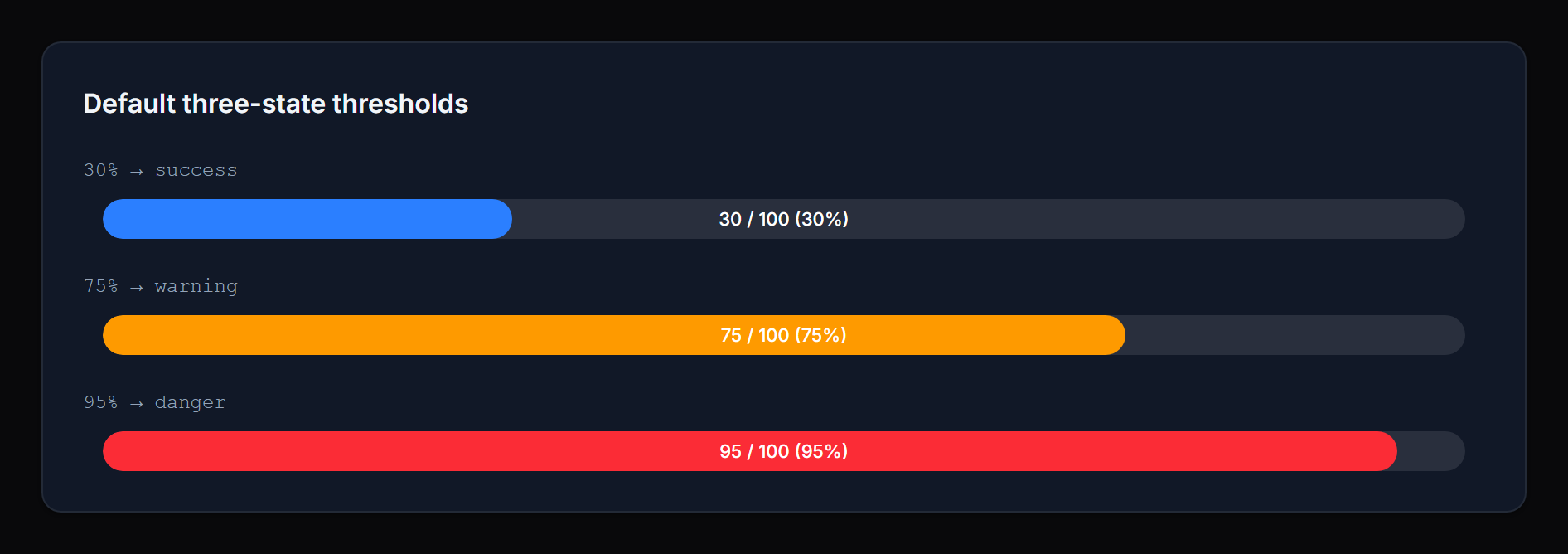
#Three-state mode (default)
success → warning → danger, with thresholds you can tune individually:
ProgressBarColumn::make('cpu')
    ->warningThreshold(70)   // ≥ 70% → warning
    ->dangerThreshold(90);   // ≥ 90% → danger
Defaults: warning = 70, danger = 90.
 |
 |
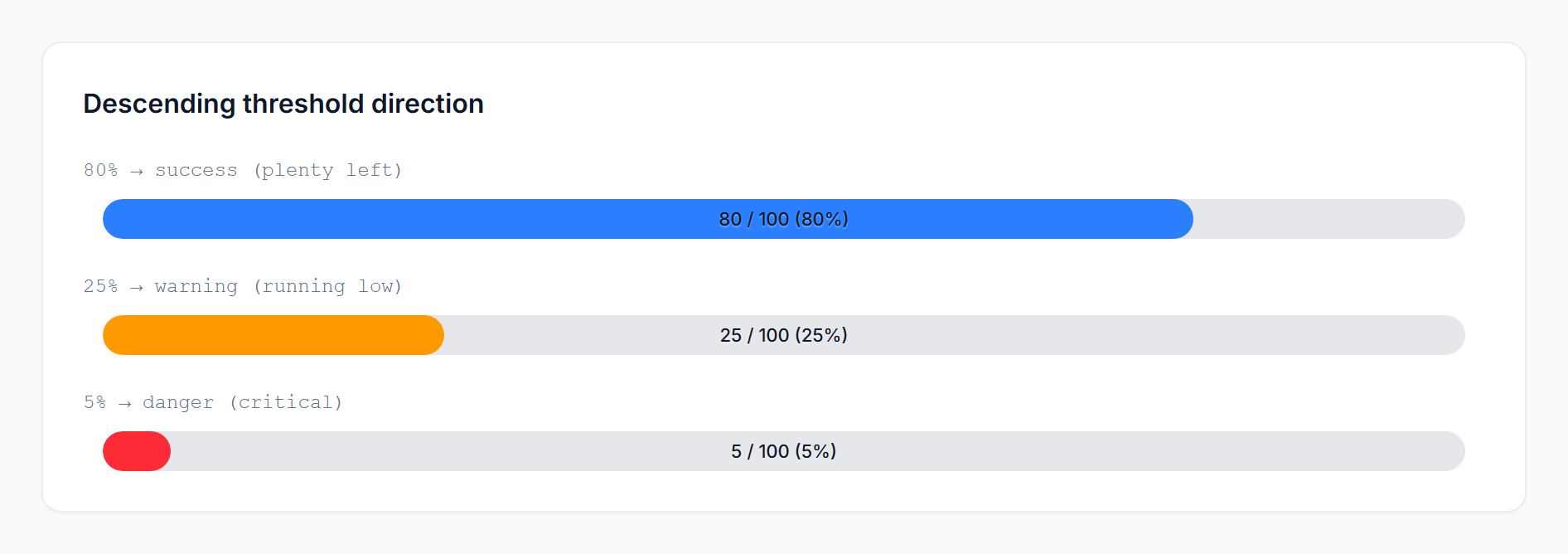
#Threshold direction
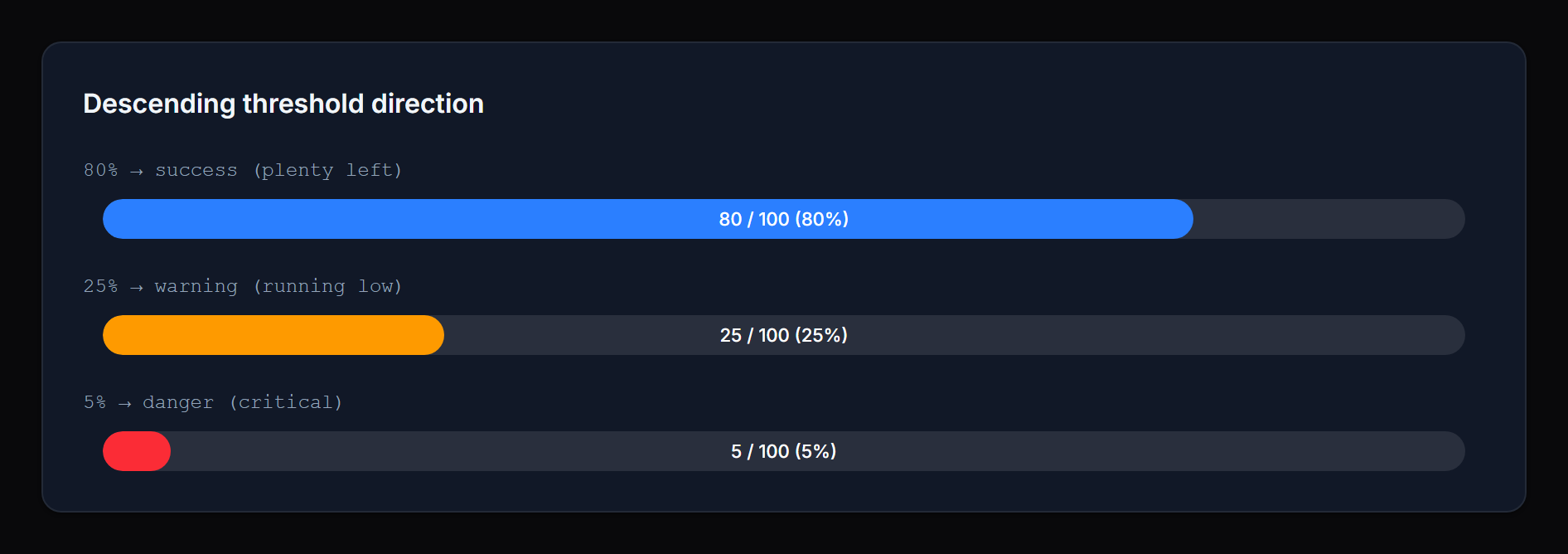
By default higher percentages escalate toward danger (CPU, memory, used quota). For metrics where lower is worse (fuel, stock, battery), flip the direction:
ProgressBarColumn::make('battery_percent')
    ->thresholdDirection('descending')
    ->warningThreshold(30)   // ≤ 30% → warning
    ->dangerThreshold(10);   // ≤ 10% → danger
In descending mode the package uses sane defaults (warning = 30, danger = 10) and clamps danger ≤ warning.
 |
 |
#Threshold map (advanced)
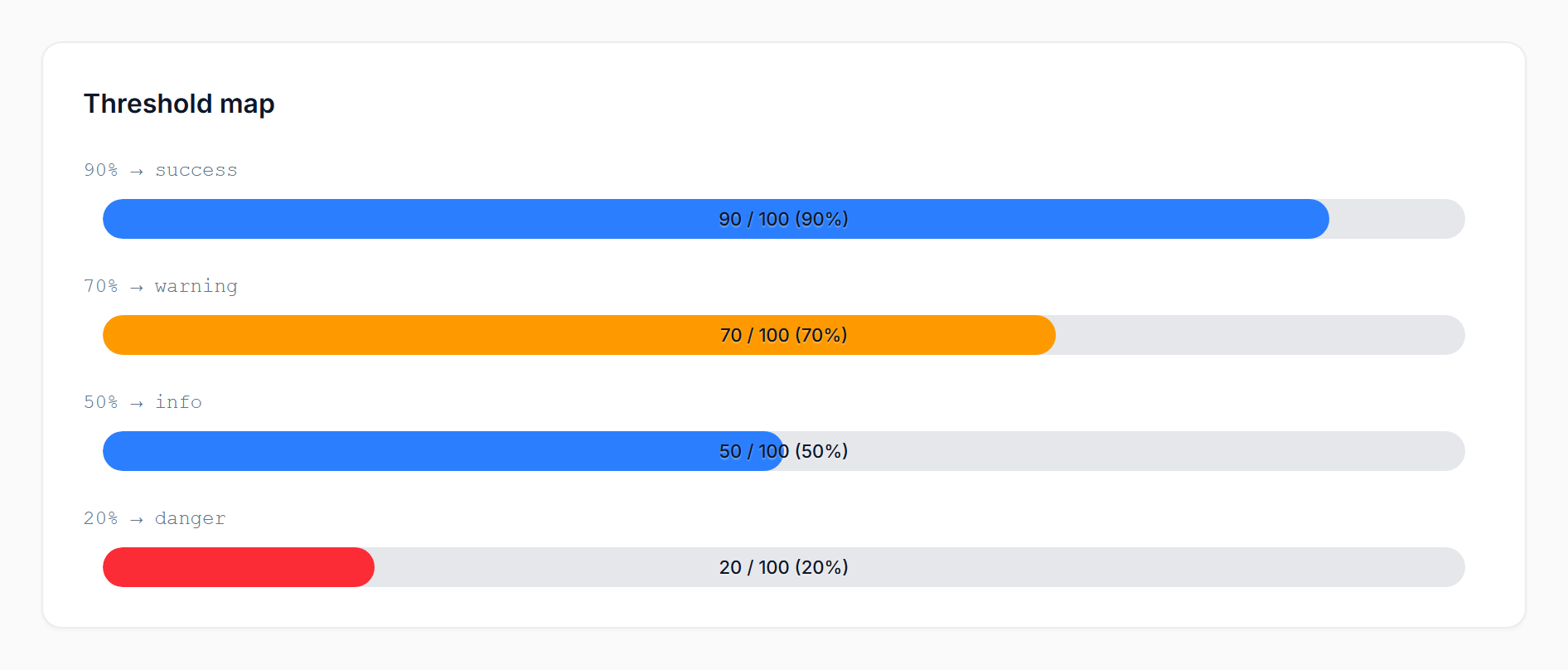
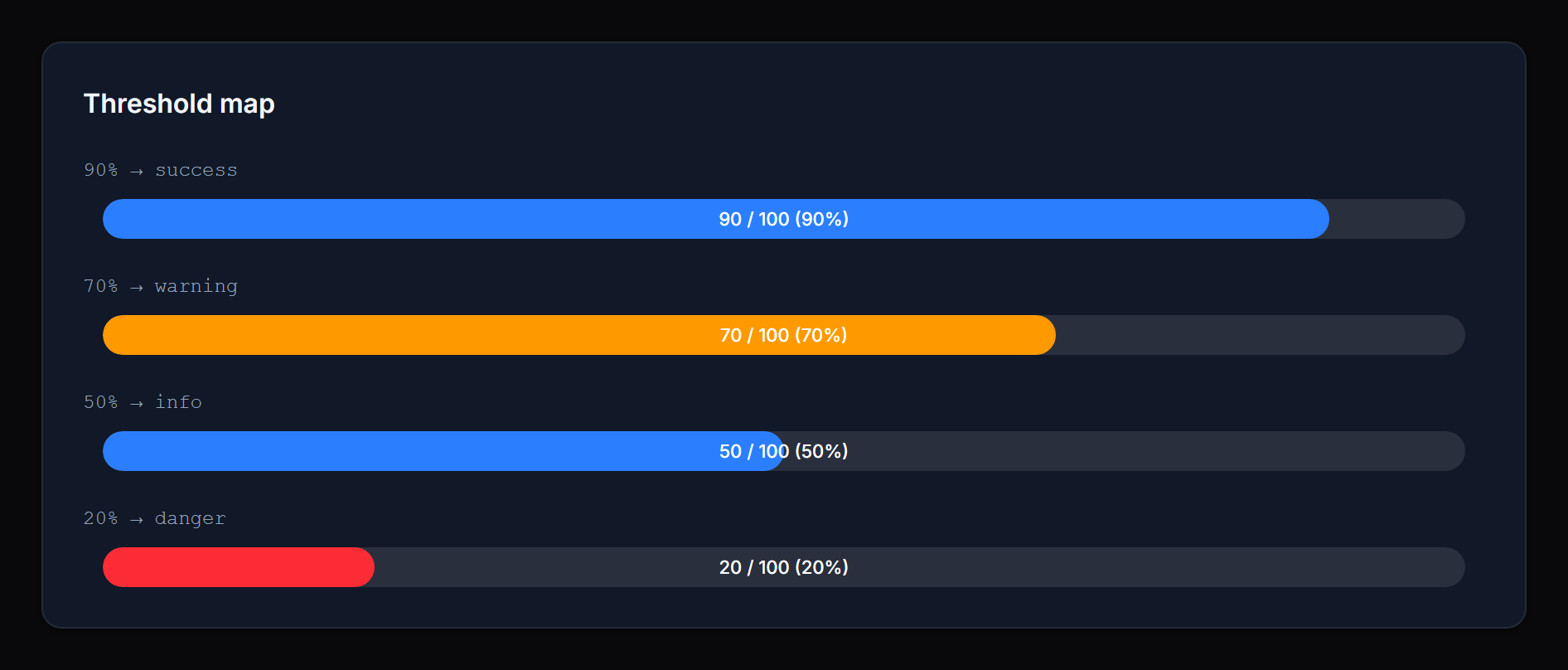
For more than three states, or for non-monotonic mappings, pass a map of floor => status. The status name can be anything you want:
ProgressBarColumn::make('score')
    ->thresholds([
        80 => 'success',
        60 => 'warning',
        40 => 'info',
        0  => 'danger',
    ]);
Keys are interpreted as percentage floors — the highest matching floor wins. The example above maps ≥80 to success, 60–79 to warning, 40–59 to info, and <40 to danger.
 |
 |
If you omit a 0 floor, the lowest-defined status extends down to 0. For example, [80 => 'success', 10 => 'info'] resolves 0–79 to info (no implicit success fallback below the lowest floor).
The three legacy statuses — success, warning, danger — keep their package defaults (var(--primary-500), var(--warning-500), var(--danger-500)). Any other status name (e.g. info, gray, secondary, or a custom one registered via your panel's ->colors([...])) auto-resolves to var(--{status}-500). No extra configuration needed.
For one-off colors that don't map to a Filament color (e.g. you want a specific 'excellent' status to be a particular shade of green), use statusColors([...]):
->statusColors([
    'excellent' => 'rgb(16 185 129)',
])
Likewise, custom labels for any status name go through statusLabels([...]):
->statusLabels([
    'info' => fn (int $percentage) => "Watch ({$percentage}%)",
])
#Colors
Three named setters cover the default statuses. Each accepts any CSS color value or a closure:
->successColor('rgb(16 185 129)')
->warningColor(fn ($record) => $record->is_critical ? '#ff0000' : 'orange')
->dangerColor('var(--my-danger-color)')
Defaults reference Filament's CSS variables (var(--primary-500), var(--warning-500), var(--danger-500)), so the bar inherits your panel's theme automatically.
For custom statuses (map mode), use statusColors([...]). When both statusColors and the named setters define the same status, the map wins — named setters fill in any keys the map omits.
#Labels
Per-status labels are shown above the bar in infolist entries only (table columns intentionally skip them for compact rows). They accept a string or a closure receiving useful context:
->successLabel('On track')
->warningLabel(fn (int $percentage) => "Watch ({$percentage}%)")
->dangerLabel(fn (float $current, ?float $total) => "{$current} / {$total} used")
For custom statuses (map mode), use statusLabels([...]).
#Closure parameters
Most setters accept a closure. The following parameters are injected when present:
$state— the raw column/entry state$record— the Eloquent model$current— the resolved current value (float)$total— the resolved total (float|null)$percentage— the integer percentage (0–100)$status— the resolved status name
The percentage- and status-aware parameters are populated after the bar's value has been resolved, so closures used for colors and labels can branch on the final percentage.
#Recipes
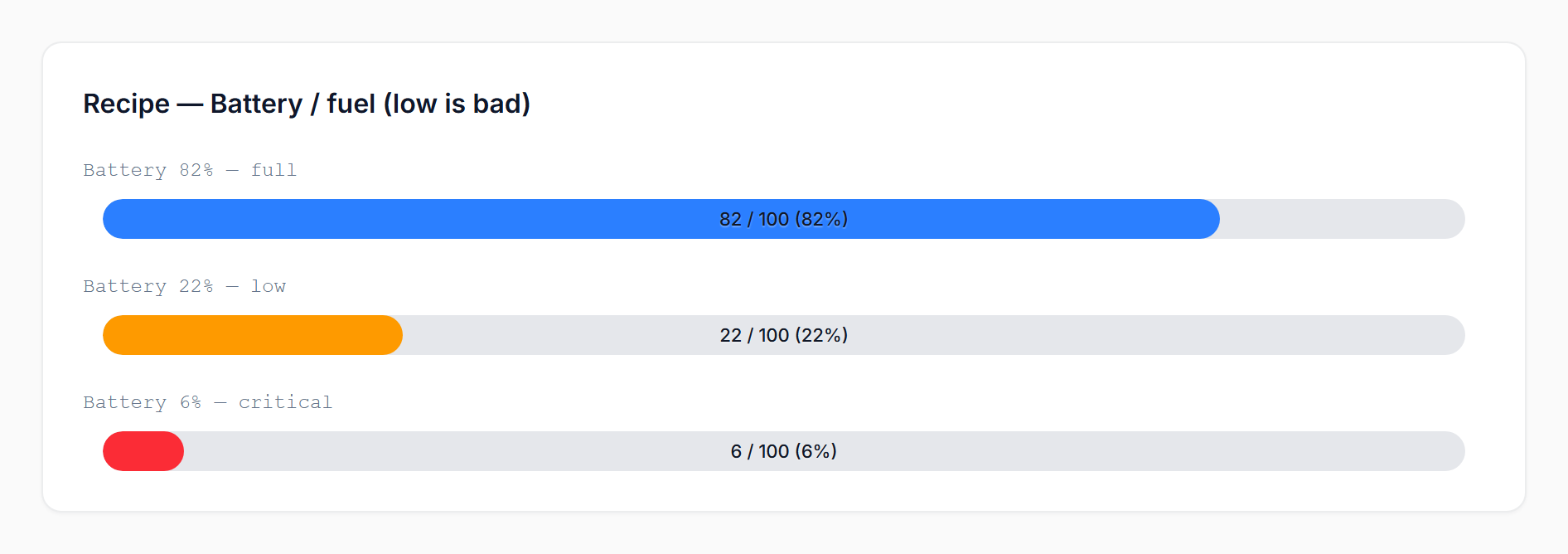
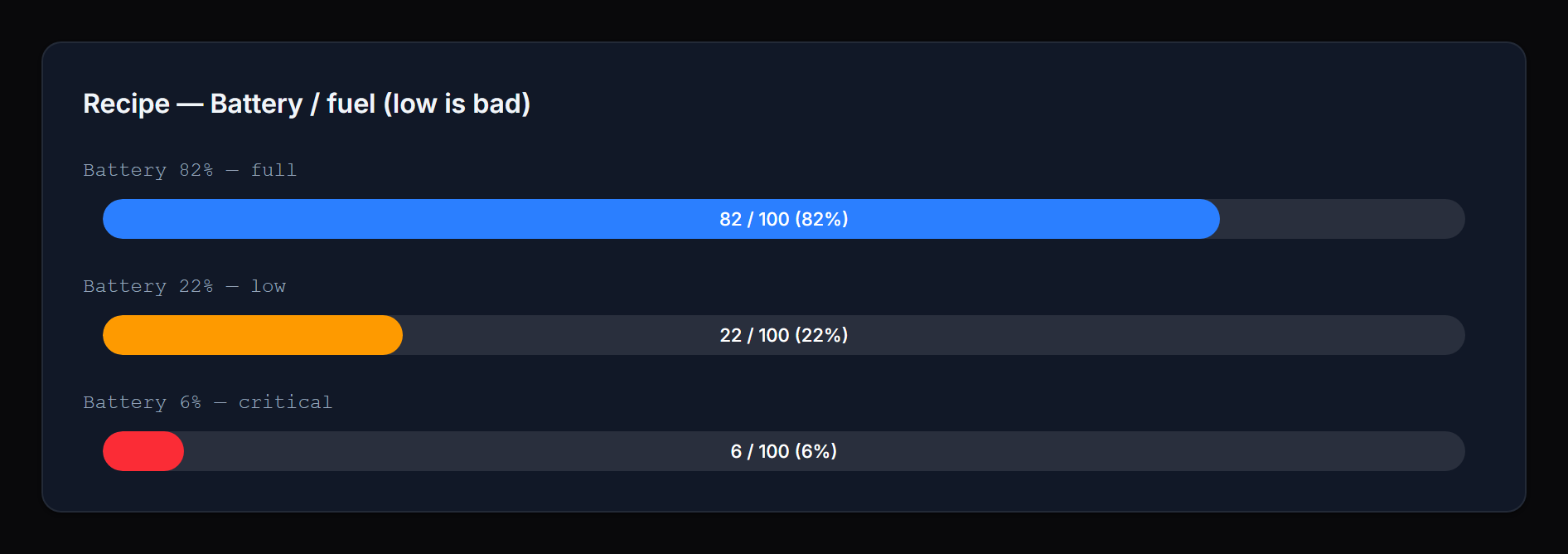
Battery / fuel (low is bad):
ProgressBarColumn::make('battery_percent')
    ->thresholdDirection('descending')
    ->warningThreshold(30)
    ->dangerThreshold(10);
 |
 |
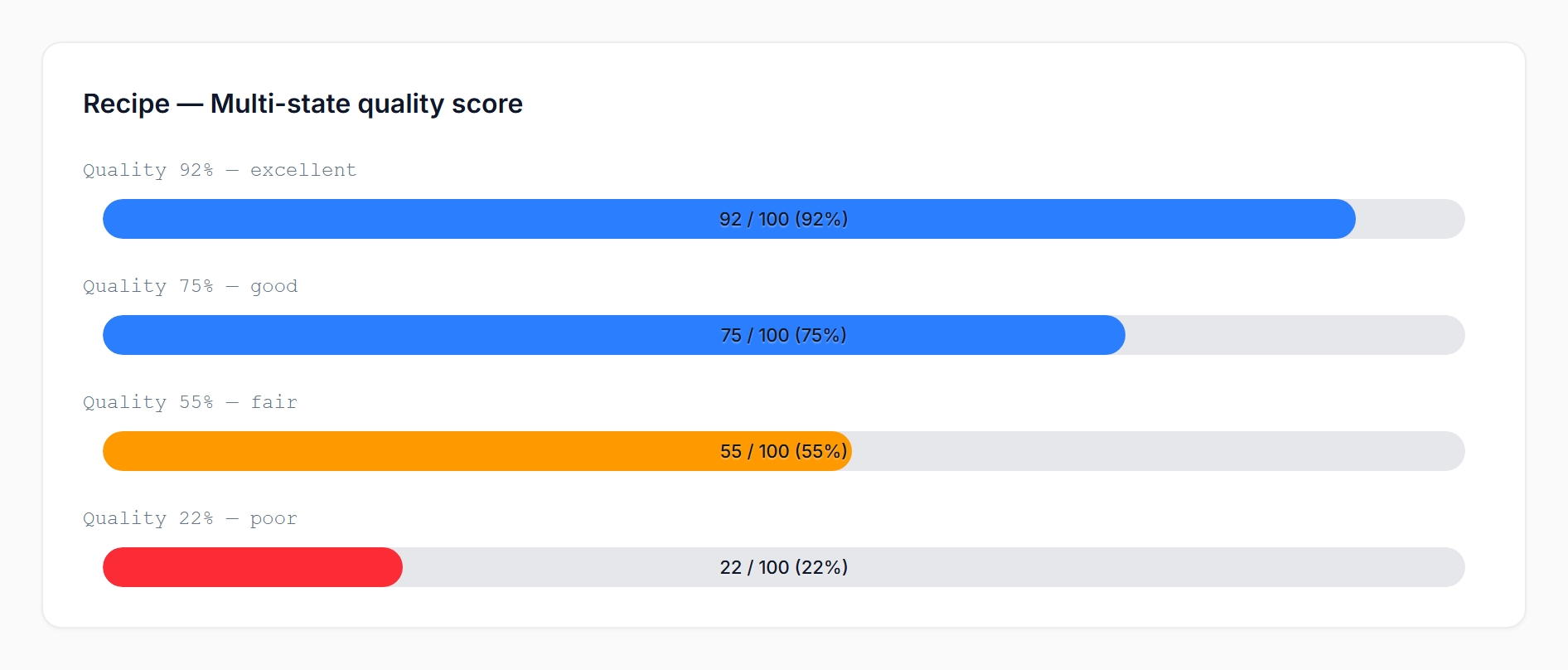
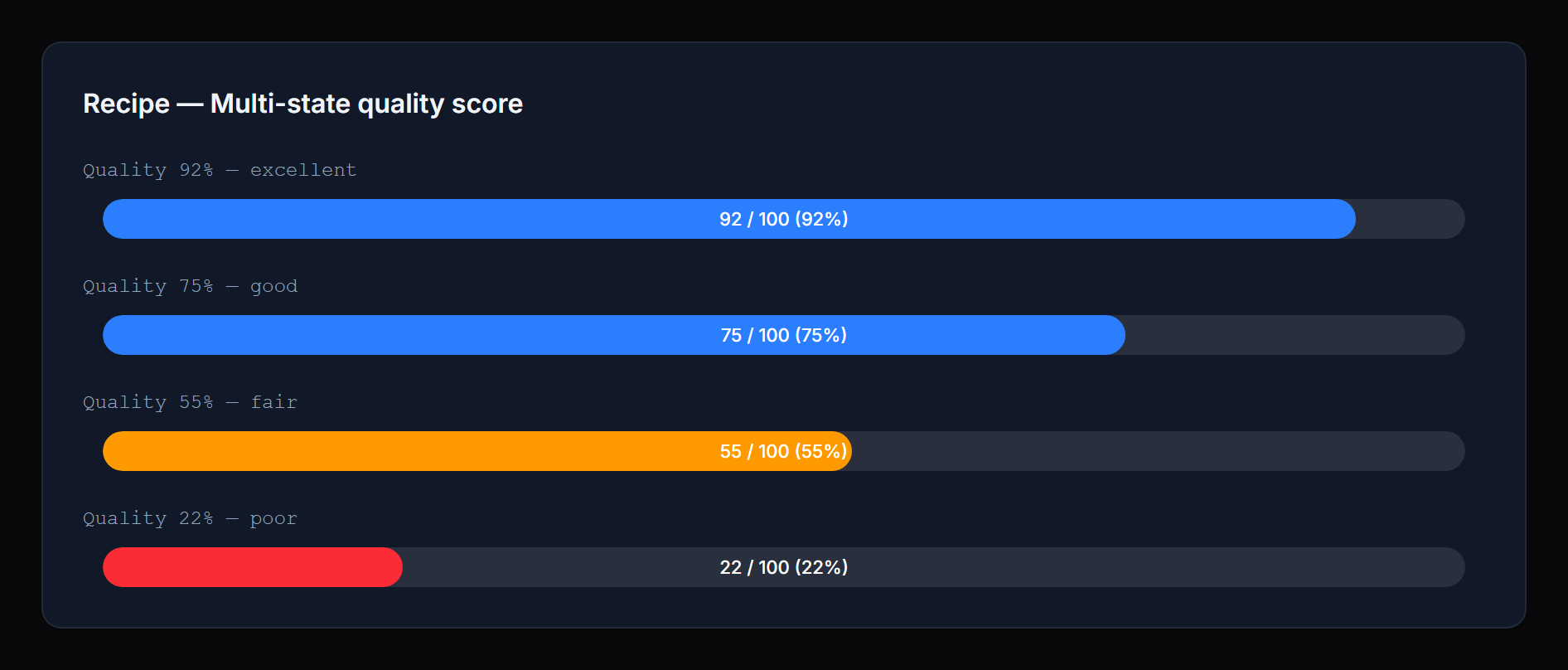
Multi-state quality score (using Filament's built-in colors):
ProgressBarColumn::make('quality')
    ->thresholds([
        90 => 'success',
        70 => 'info',
        40 => 'warning',
        0  => 'danger',
    ]);
 |
 |
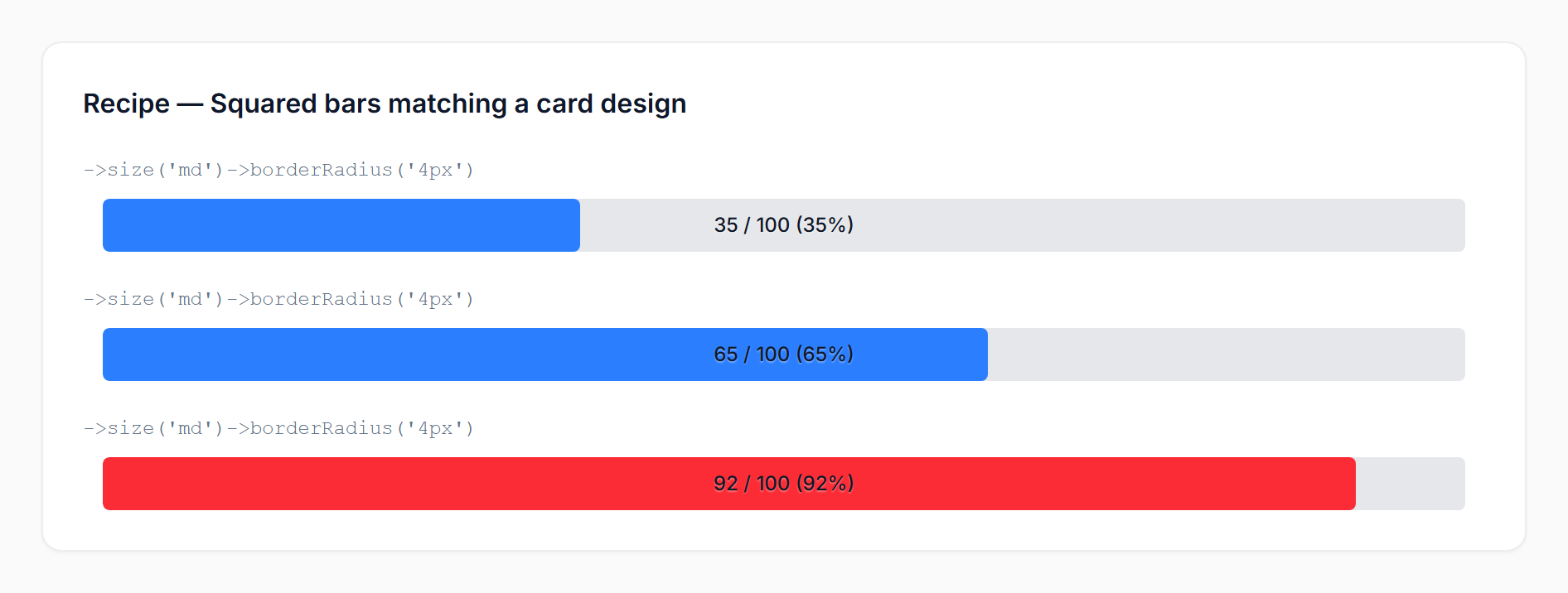
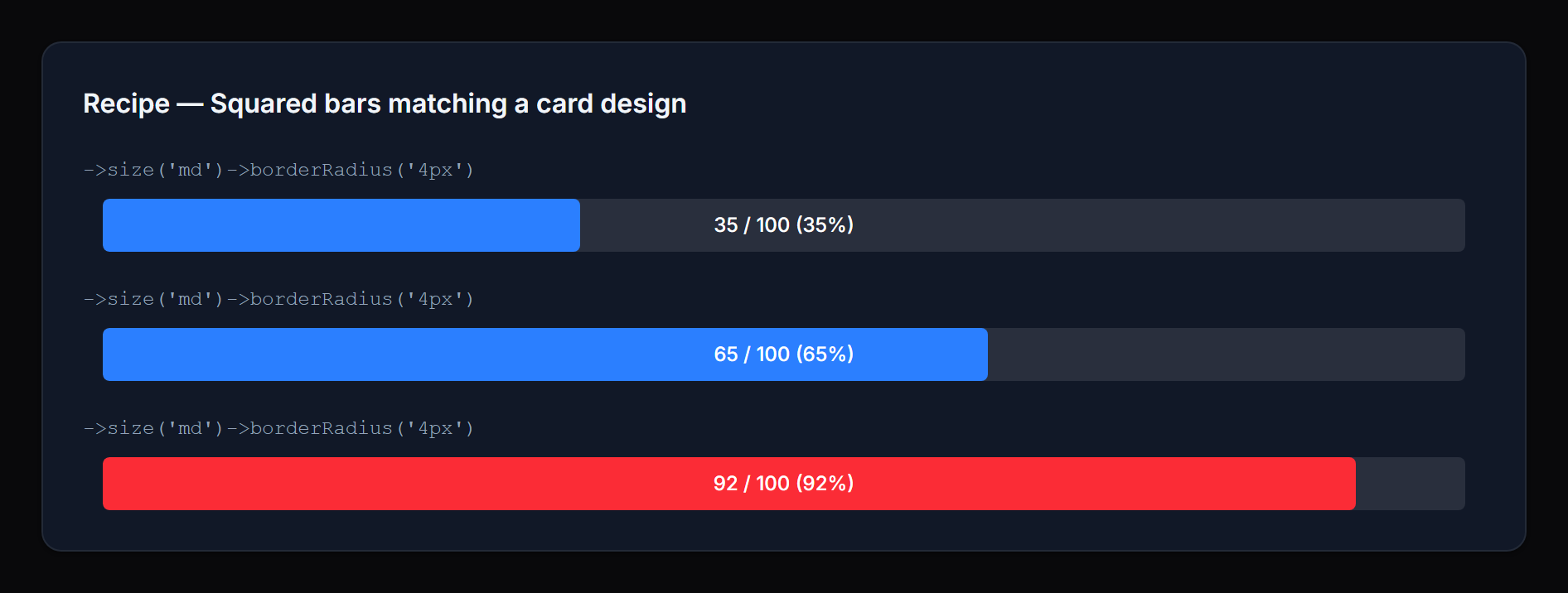
Squared bars matching a card design system:
ProgressBarColumn::make('used')
    ->maxValue(fn ($record) => $record->quota)
    ->borderRadius('4px')
    ->size('md');
 |
 |
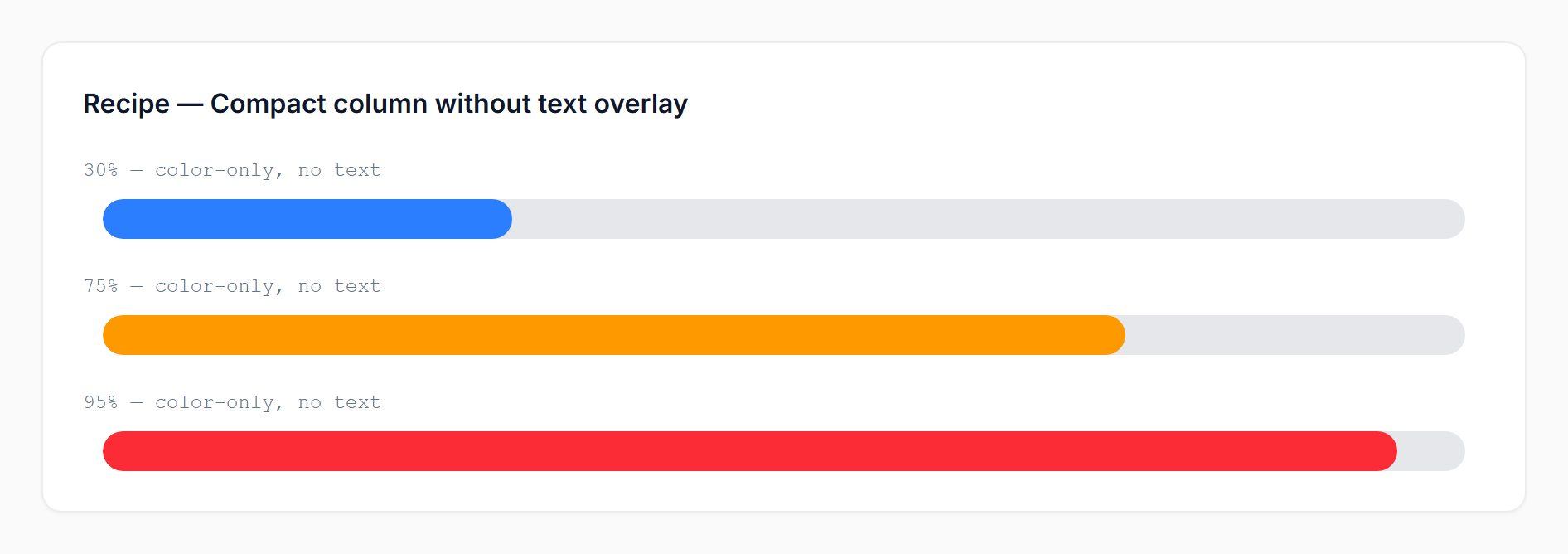
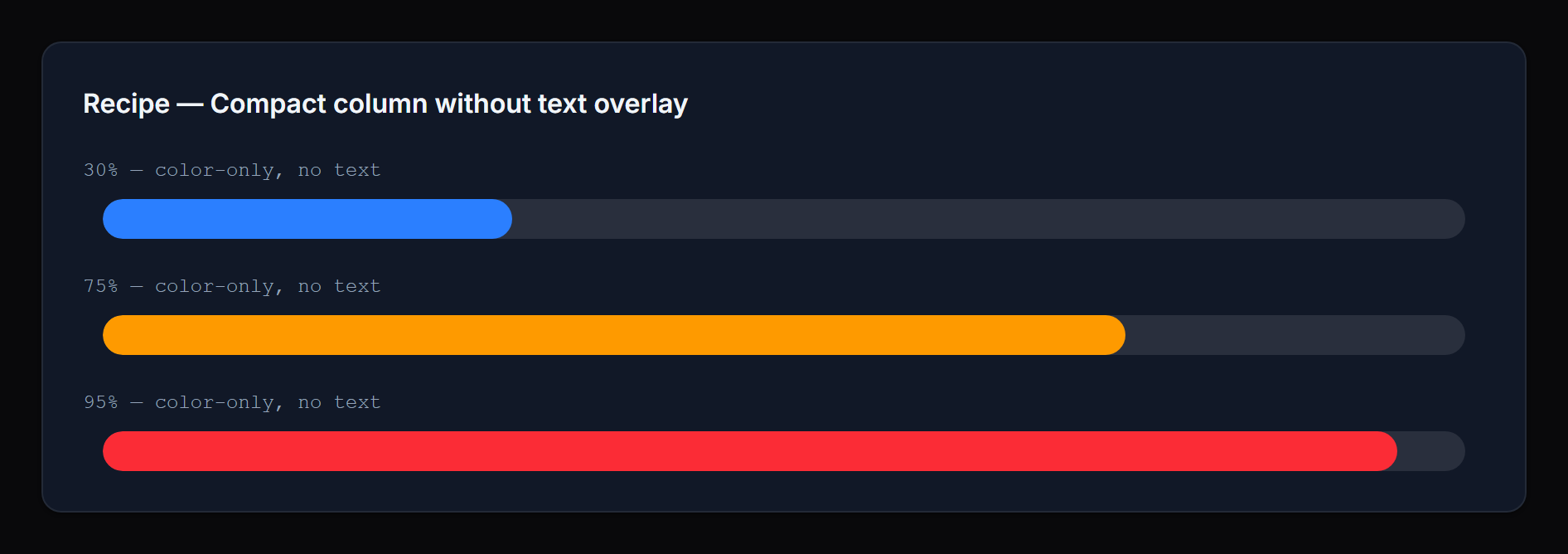
Compact column without any text overlay:
ProgressBarColumn::make('leave_progress')
    ->state(fn ($record) => [
        'progress' => $record->leave_used,
        'total' => $record->leave_total,
    ])
    ->hideProgressValue()
    ->hidePercentage();
 |
 |
Dynamic per-record color:
ProgressBarColumn::make('progress')
    ->successColor(fn ($record) => $record->is_priority ? '#7c3aed' : null);
Infolist entry with icon, inline label, and rich danger text:
ProgressBarEntry::make('inventory')
    ->label('Stock remaining')
    ->icon('heroicon-o-cube')
    ->iconColor('primary')
    ->inlineLabel()
    ->getStateUsing(fn ($record) => [
        'progress' => $record->stock,
        'total' => $record->capacity,
    ])
    ->thresholdDirection('descending')
    ->warningThreshold(40)
    ->dangerThreshold(15)
    ->dangerLabel(fn (float $current, ?float $total) => "Only {$current} left of {$total}");
#API reference
#Value
| Method | Notes |
|---|---|
maxValue(int|float|Closure|null) |
Used with a numeric state value |
state(...) / getStateUsing(...) |
Filament native; pass a structured array for current+total |
#Display
| Method | Notes |
|---|---|
size('sm'|'md'|'lg') |
Default sm |
textPosition('inside'|'outside') |
Default inside |
showPercentage(bool|Closure) / hidePercentage(bool|Closure) |
Default shown |
showProgressValue(bool|Closure) / hideProgressValue(bool|Closure) |
Default shown |
borderRadius(string|Closure|null) |
Any CSS length; default pill |
#Thresholds
| Method | Notes |
|---|---|
warningThreshold(int|float|Closure) |
Default 70 (or 30 in descending) |
dangerThreshold(int|float|Closure) |
Default 90 (or 10 in descending) |
thresholdDirection('ascending'|'descending'|Closure) |
Default ascending |
thresholds(array|Closure) |
Tier overrides OR a [floor => status] map |
#Colors
| Method | Notes |
|---|---|
successColor(string|Closure|null) |
Default var(--primary-500) |
warningColor(string|Closure|null) |
Default var(--warning-500) |
dangerColor(string|Closure|null) |
Default var(--danger-500) |
statusColors(array|Closure|null) |
Map of status => color for custom statuses |
#Labels (infolist entries only)
| Method | Notes |
|---|---|
successLabel(string|Closure|null) |
Hidden by default |
warningLabel(string|Closure|null) |
Hidden by default |
dangerLabel(string|Closure|null) |
Hidden by default |
statusLabels(array|Closure|null) |
Map of status => label for custom statuses |
#Infolist-only
The ProgressBarEntry extends Filament's Entry and supports the standard label(...), inlineLabel(), hiddenLabel(), icon(...), and iconColor(...) methods.
#Integration examples
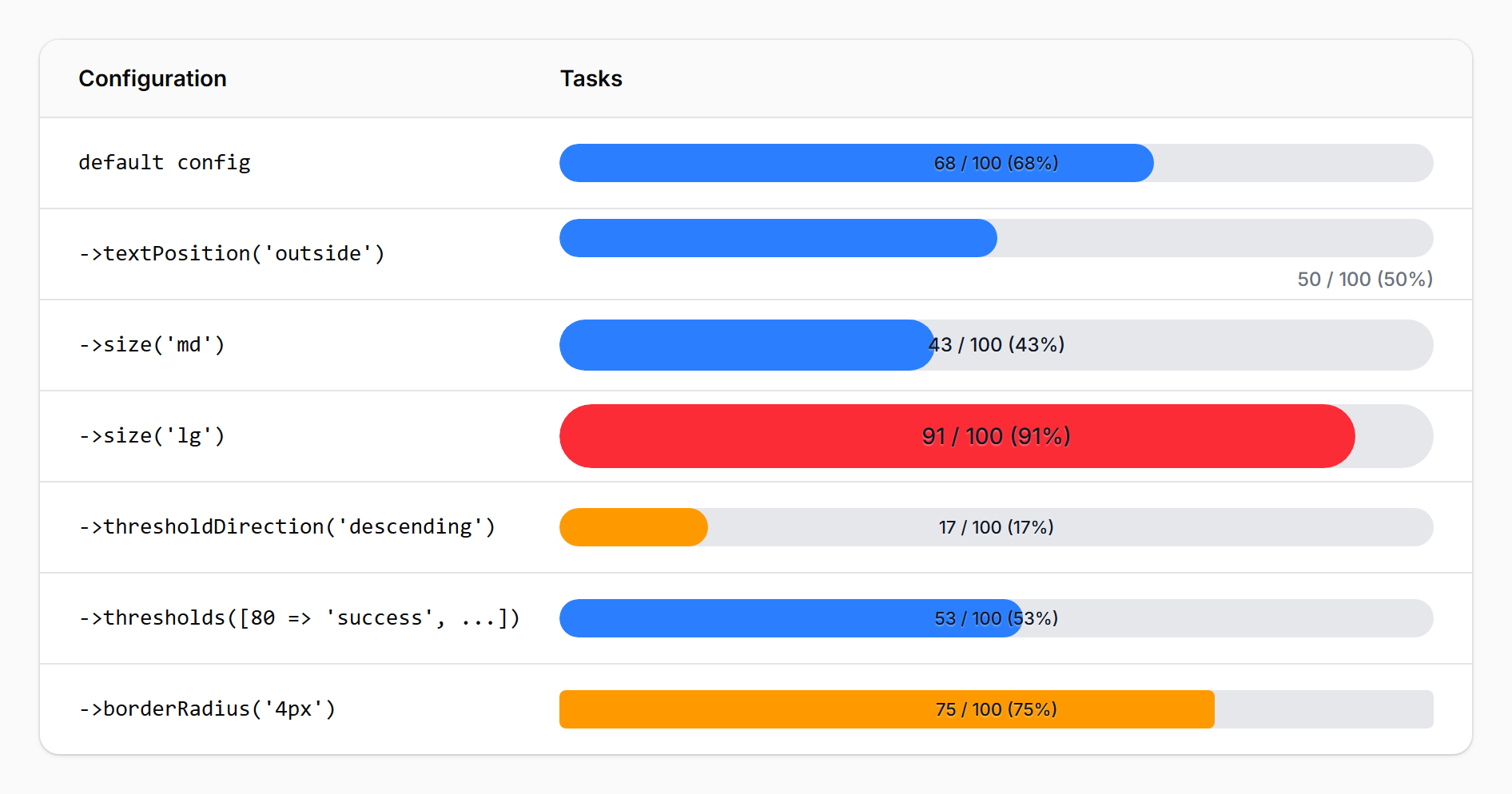
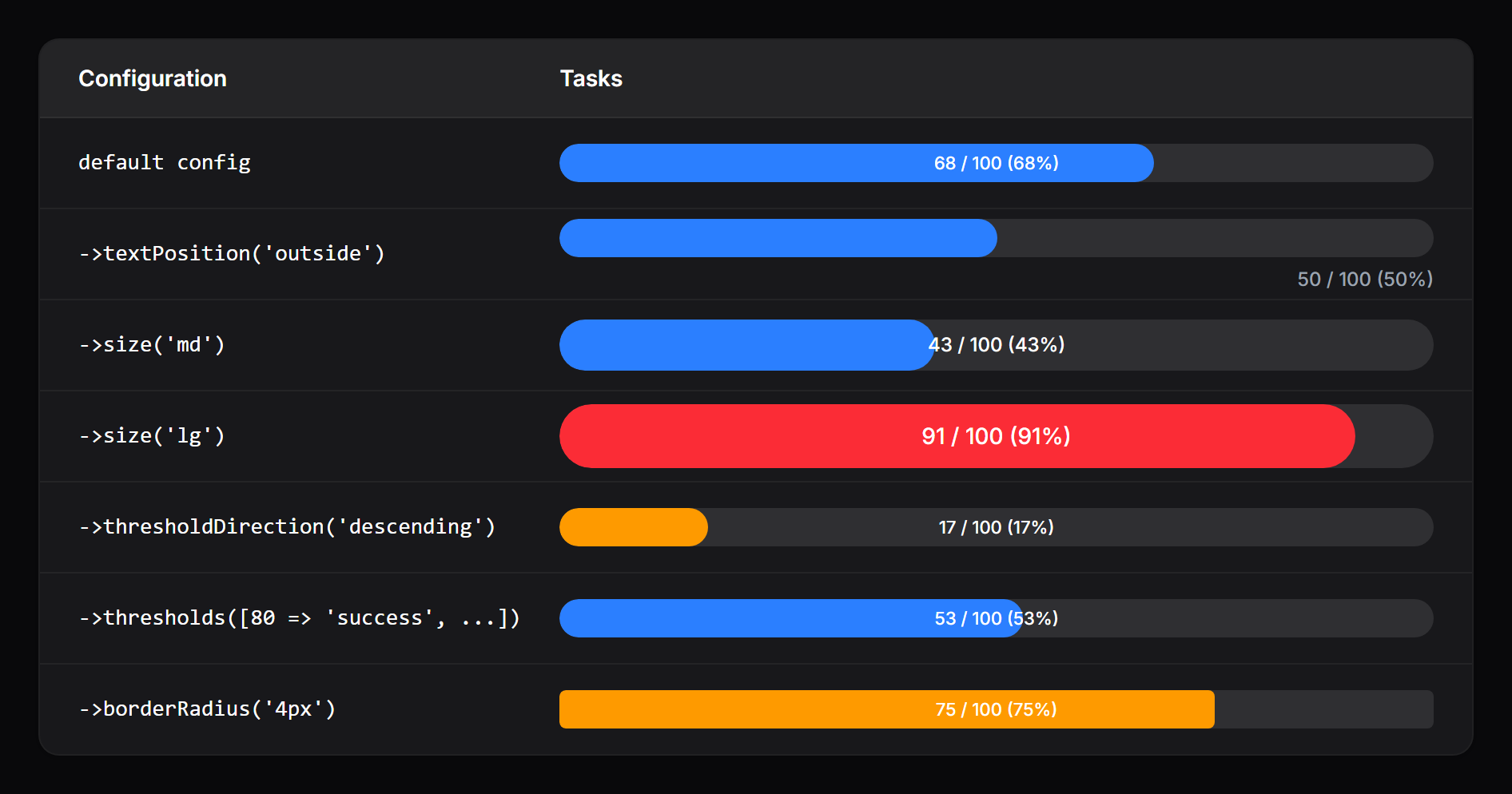
A ProgressBarColumn rendered inside a Filament resource table:
 |
 |
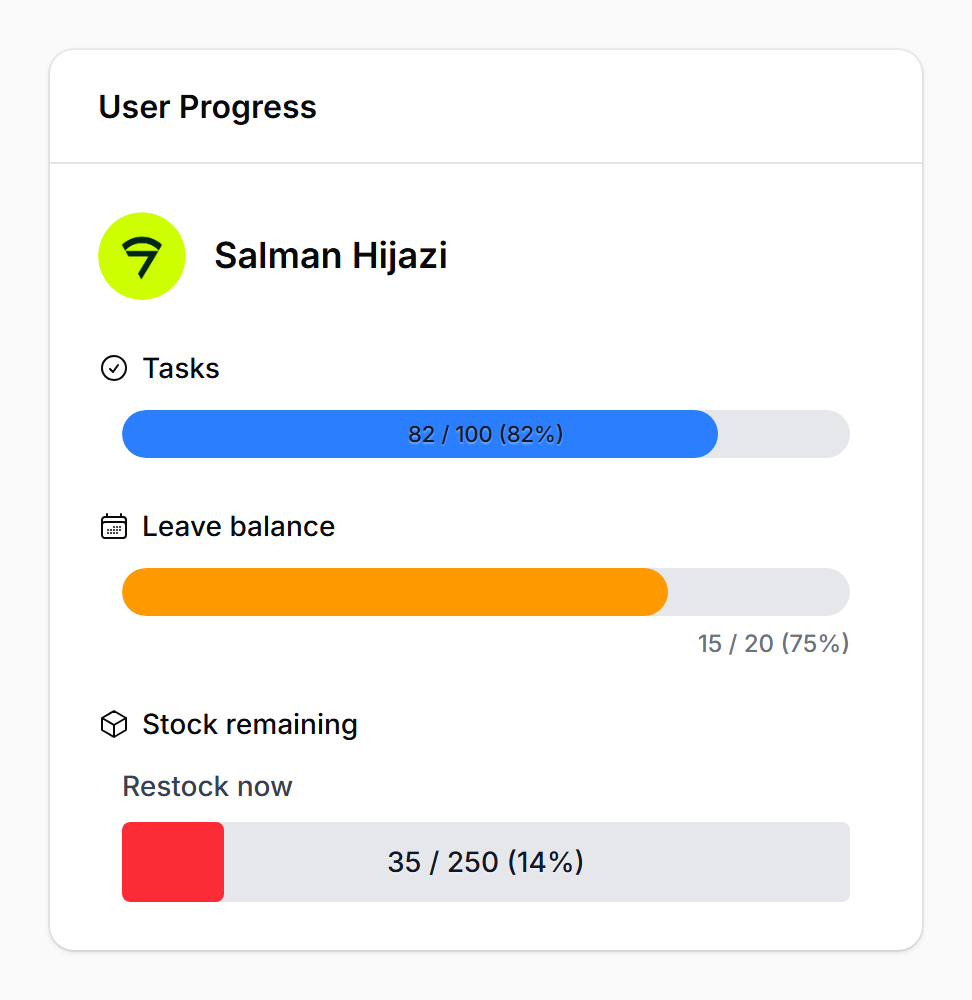
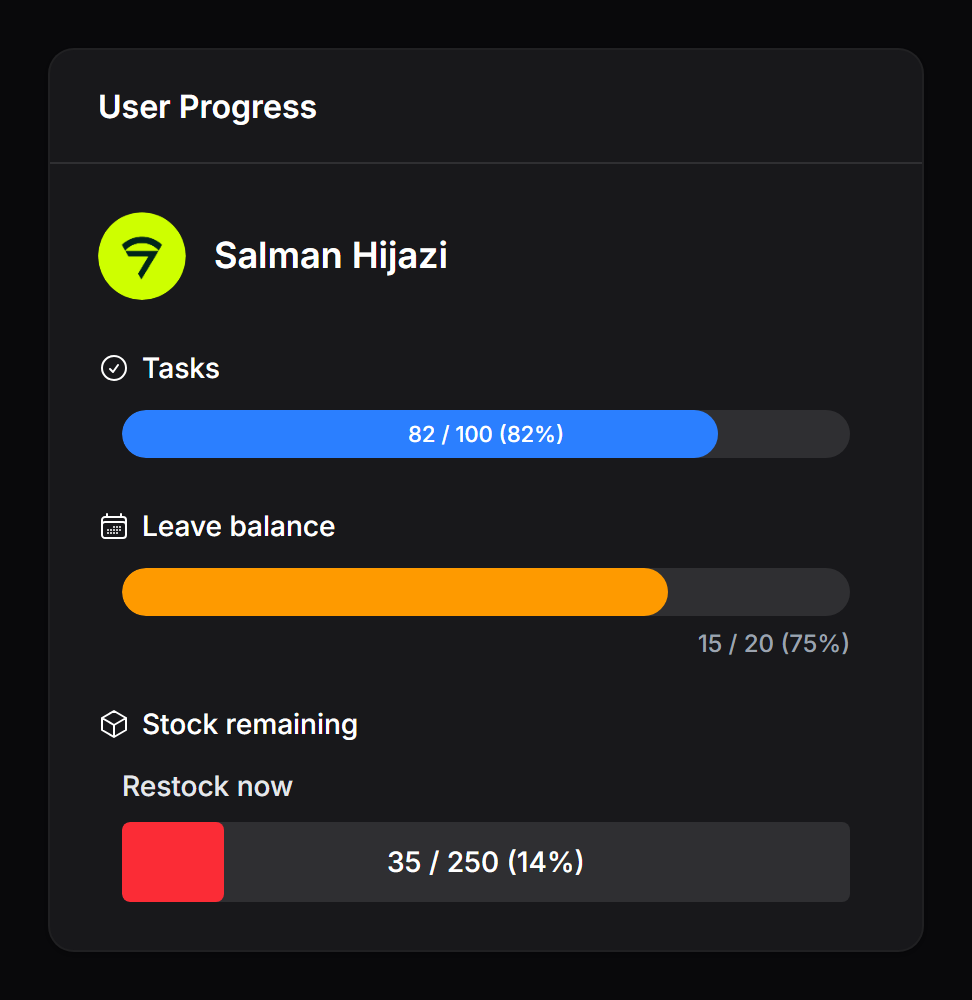
A ProgressBarEntry inside an infolist with icons, custom labels, and a descending-threshold "Stock remaining" bar:
 |
 |
#Need something custom?
We build production Filament panels and plugins for teams that want to ship fast without compromising on polish. If you need a custom feature, an extended variant of this package, or a fully bespoke component built for your stack, we can help.
- Browse the rest of our Filament work: filament.devletes.com
- Get in touch: salman@devletes.com
Typical engagements: new Filament plugins, custom resources/widgets/actions, theme + UX work, integrations with your existing services, and one-off tailored forks of our open-source packages.
#Have you seen our Orbit theme?
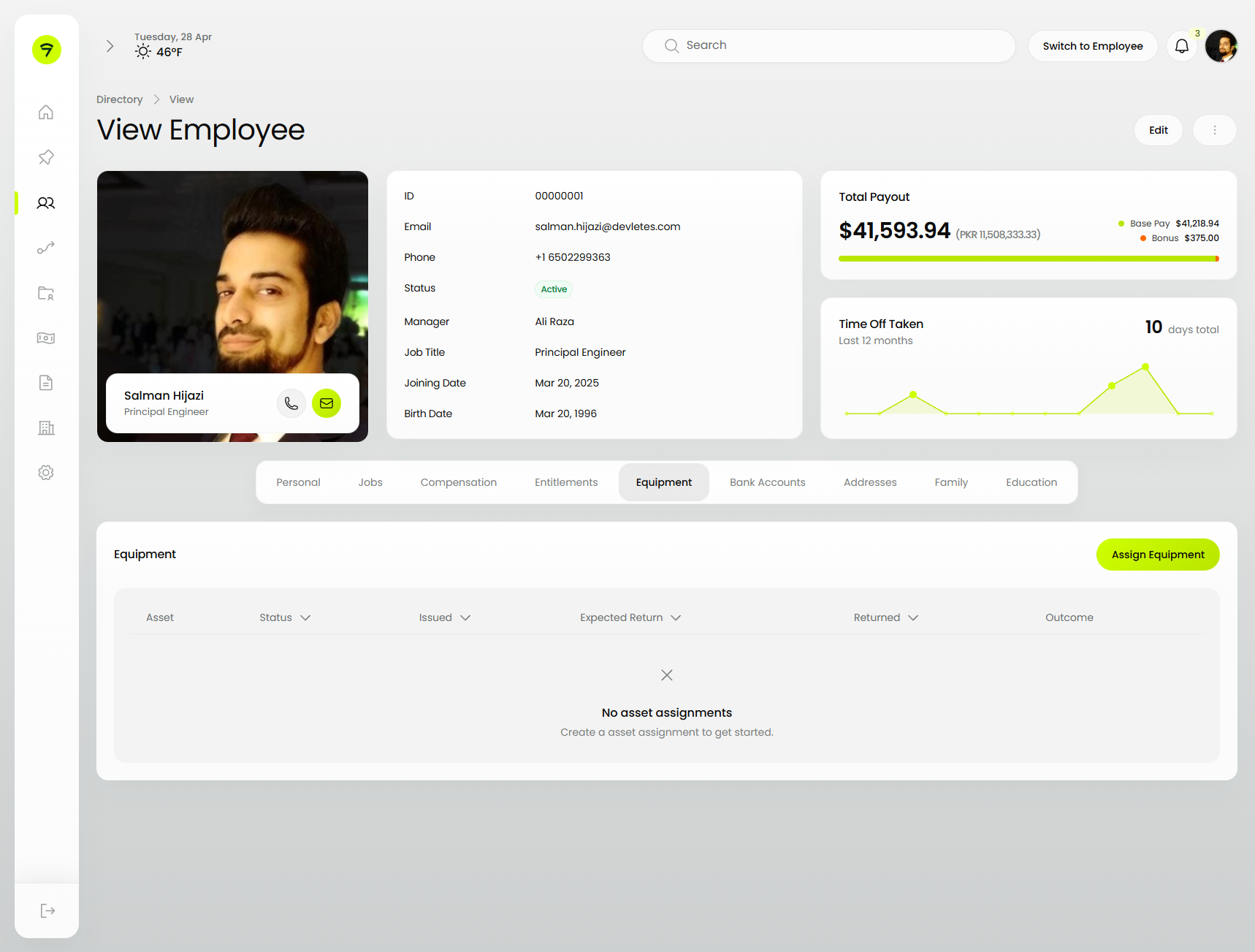
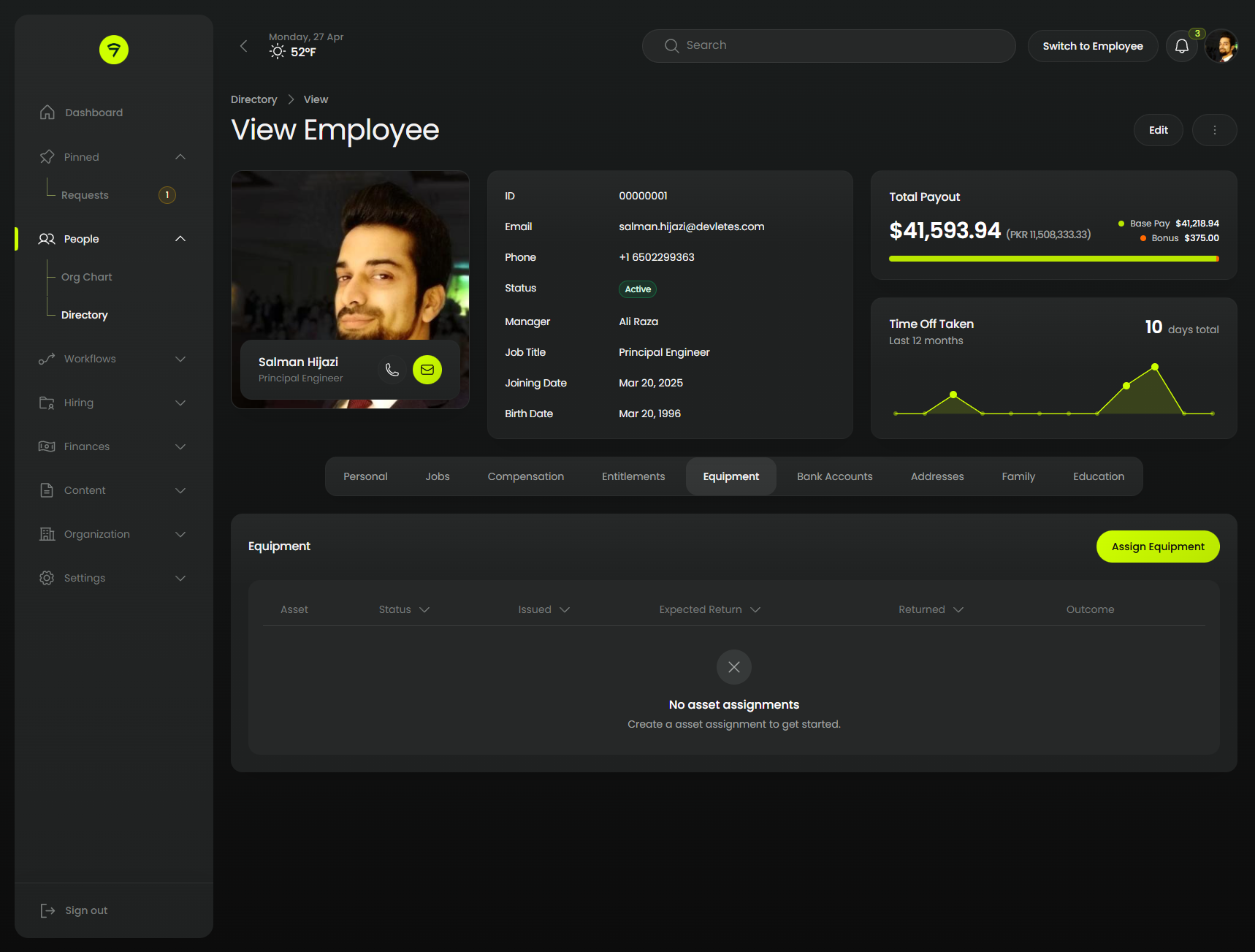
Orbit is our dark-first theme for Filament 5. Every panel surface is restyled — sidebar, topbar, forms, tables, modals, notifications.
 |
 |
#Credits
#License
MIT. See LICENSE.md.
The author
From the same author
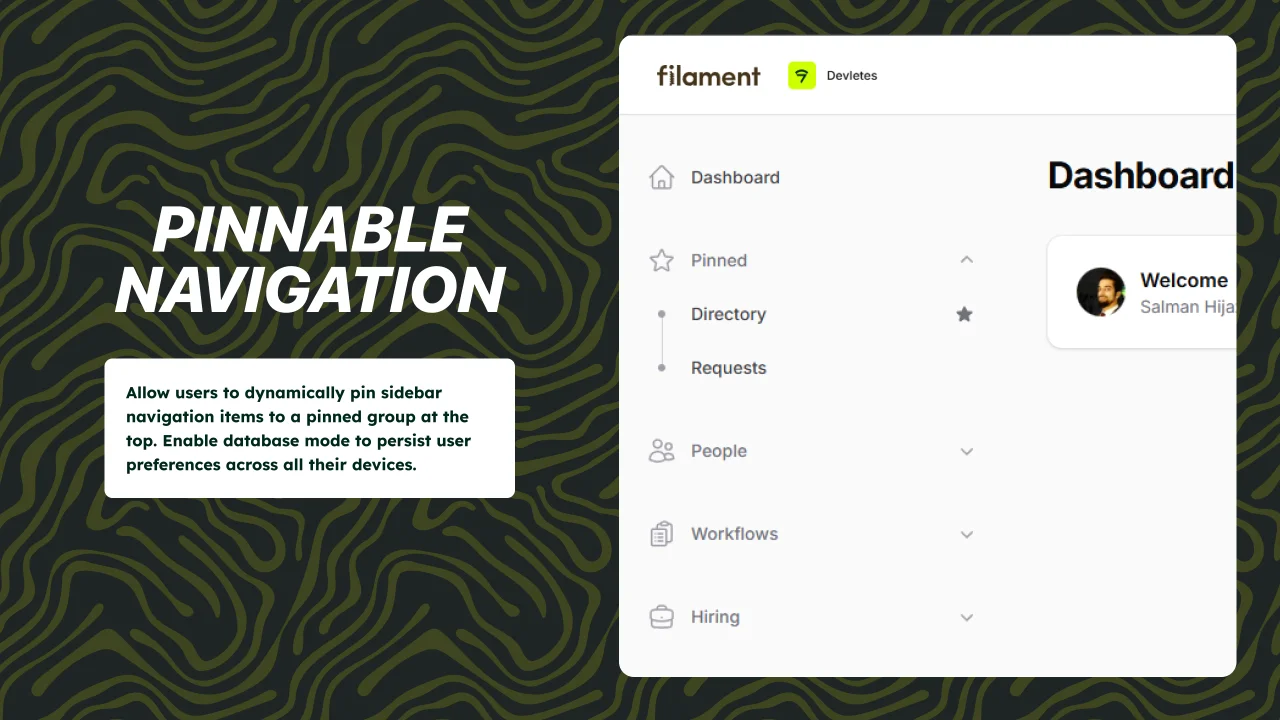
Pinnable Navigation
Pinnable navigation support for Filament 5 panels.
Author:
Devletes
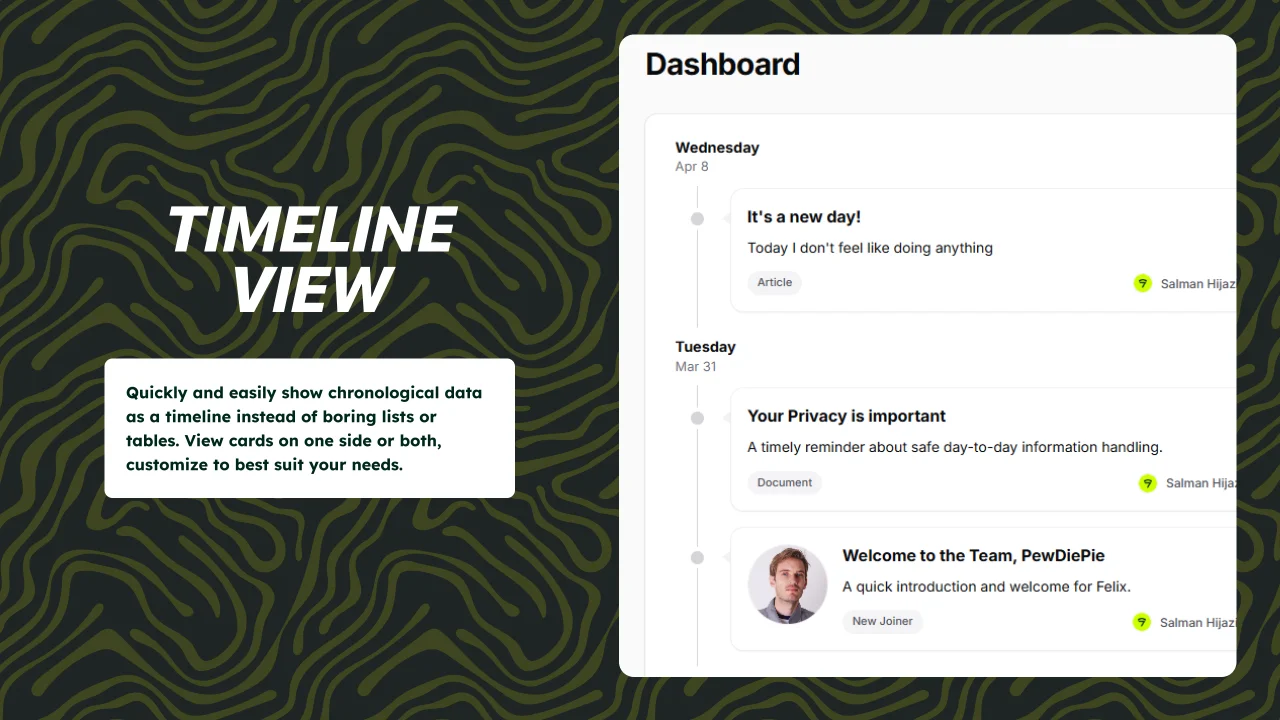
Timeline View
Quickly and easily show chronological data as a timeline instead of boring lists or tables. View cards on one side or both, customize to best suit your needs.
Author:
Devletes
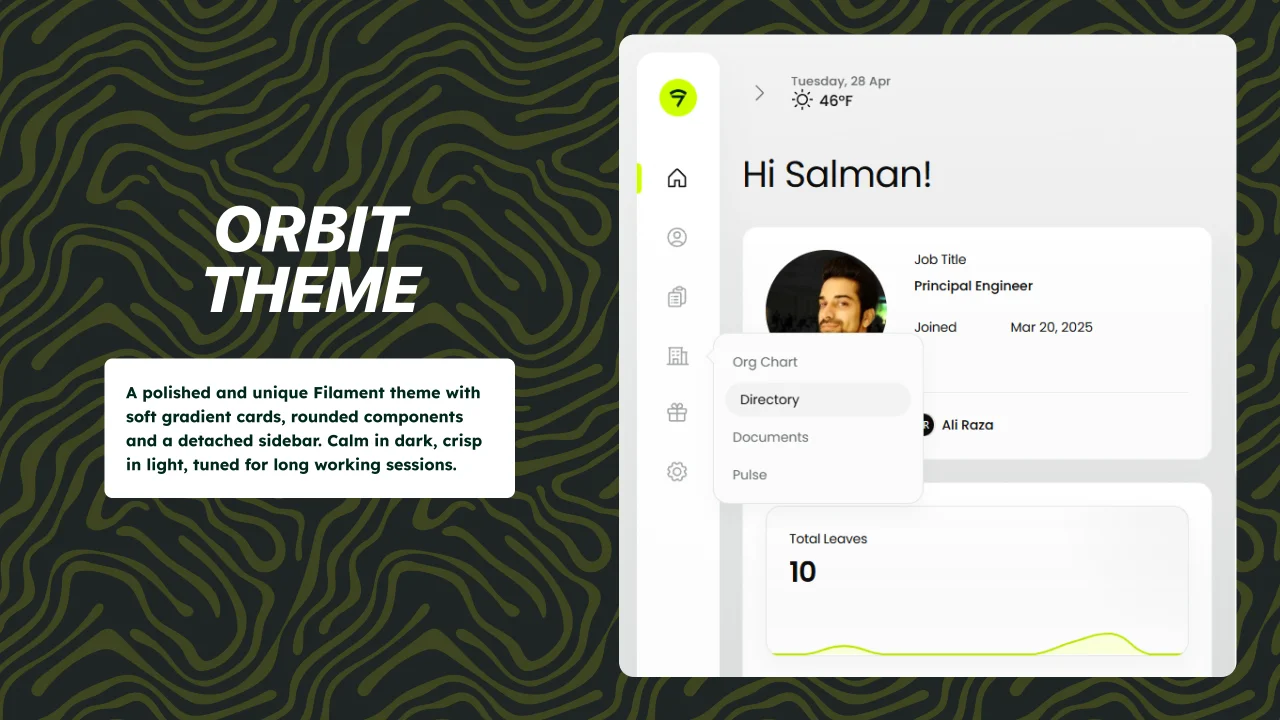
Orbit Theme
A polished and unique Filament theme with soft gradient cards, rounded components and a detached sidebar. Calm in dark, crisp in light, tuned for long working sessions.
Author:
Devletes
Featured Plugins
A selection of plugins curated by the Filament team

Blueprint
Filament Blueprint is a premium Laravel Boost extension that helps AI agents produce accurate, detailed implementation plans and security reports for Filament apps.
 Filament

Spotlight Pro
Browse your Filament Panel with ease. Filament Spotlight Pro adds a Spotlight like Command Palette to your Filament Panel.
 Dennis Koch

Custom Dashboards
Let your users build and share their own dashboards with a drag-and-drop interface. Define your data sources in PHP and let them do the rest.
Filament

