

Select Tree
CommunityThe multi-level select field lets you pick one or multiple options from a list that's neatly organized into different levels.
 Author:
CodeWithDennis
Author:
CodeWithDennis
Package health
BetaAutomated checks of this plugin's Composer package
15 checks
- Failed: GitHub Actions pinned to SHA — View details on Plumb
- Skipped: GitLab CI includes pinned to SHA
- Passed: Open security advisories
- Passed: Dependabot PR responsiveness — No open Dependabot PRs.
- Skipped: Renovate MR responsiveness
- Warning: Dependabot or Renovate configured — Updater does not cover the JavaScript ecosystem, which has a committed lockfile.
-
Failed:
Dependency update cooldown configured
—
No cooldown configured in
.github/dependabot.yml. View details on Plumb - Passed: Provides a security policy
- Passed: Abandoned or archived — No consulted source marks the package abandoned (packagist, github).
- Passed: Commit and release recency — Active: last commit 0 days ago; last release 18 days ago.
-
Passed:
composer.lock not committed by library
—
composer.lockis absent from the released dist archive. - Passed: Dist archive is lean
-
Passed:
Current Laravel version supported
—
Package dependencies resolve together with current Laravel
13.0. -
Passed:
Current PHP version supported
—
Constraint
^8.2supports current PHP8.5. - Skipped: Current Symfony version supported
filament/
namespace. Review the source and install at your own risk. Found
malware or an unresolved security issue the author won't
address?
Report it
.
Documentation
- Installation
- Relationships
- Usage without relationships
- Custom Query
- Methods
- Filters
- Screenshots
- Contributing
- Security Vulnerabilities
- Credits
- License


If you're using Filament 3.x, check out the compatible version of this package here.
This package adds a dynamic select tree field to your Laravel / Filament application, allowing you to create interactive hierarchical selection dropdowns based on relationships. It's handy for building selection dropdowns with various customization options.
#Installation
You can install the package via composer:
composer require codewithdennis/filament-select-tree:4.x
php artisan filament:assets
#Relationships
Use the tree for a BelongsToMany relationship
SelectTree::make('categories')
    ->relationship('categories', 'name', 'parent_id')
Use the tree for a BelongsTo relationship
SelectTree::make('category_id')
    ->relationship('category', 'name', 'parent_id')
#Usage without relationships
Use the tree without relationship
SelectTree::make('category_id')
    ->query(fn() => Category::query(), 'name', 'parent_id')
#Custom Query
Customize the parent query
SelectTree::make('categories')
    ->relationship(relationship: 'categories', titleAttribute: 'name', parentAttribute: 'parent_id', modifyQueryUsing: fn($query) => $query));
Customize the child query
SelectTree::make('categories')
    ->relationship(relationship: 'categories', titleAttribute: 'name', parentAttribute: 'parent_id', modifyChildQueryUsing: fn($query) => $query));
Note: when you filter the parent query, any results found by the child query whose parents have been filtered out will be promoted to root nodes by default (to prevent empty result sets).
To disable this feature, use the strictNullParentRootNodes() configuration method
SelectTree::make('categories')
    ->relationship(relationship: 'categories', titleAttribute: 'name', parentAttribute: 'parent_id', modifyQueryUsing: fn($query) => $query->where('id', 1))
    ->strictNullParentRootNodes(); // only children of parent results from the parent query will be included in the tree
#Methods
Set a custom placeholder when no items are selected
->placeholder(__('Please select a category'))
Enable the selection of groups
->enableBranchNode()
Customize the label when there are zero search results
->emptyLabel(__('Oops, no results have been found!'))
Display the count of children alongside the group's name
->withCount()
Keep the dropdown open at all times
->alwaysOpen()
Add the list as a static DOM element so that it doesn't overlap content
->staticList()
Set nodes as dependent
->independent(false)
Expand the tree with selected values (only works if field is dependent)
->expandSelected(false)
Set the parent's null value to -1, allowing you to use -1 as a sentinel value (default = null)
->parentNullValue(-1)
All groups will be opened to this level
->defaultOpenLevel(2)
Specify the list's force direction. Options include: auto (default), top, and bottom.
->direction('top')
Display individual leaf nodes instead of the main group when all leaf nodes are selected
->grouped(false)
Return parent node value if all of its children are selected, instead of individual leaf nodes.
->isGroupedValue()
Hide tags and display a count of selected items instead
->showTags(false)
Customize the text shown if showTags is set to false, e.g. "{count} {tagsCountText}"
->tagsCountText('elements selected')
Hide the clearable icon
->clearable(false)
Activate the search functionality
->searchable();
Disable specific options in the tree
->disabledOptions([2, 3, 4])
Hide specific options in the tree
->hiddenOptions([2, 3, 4])
Allow soft deleted items to be displayed
->withTrashed()
Specify a different key for your model. For example: you have id, code and parent_code. Your model uses id as key, but the parent-child relation is established between code and parent_code
->withKey('code')
Store fetched models for additional functionality
->storeResults()
Now you can access the results in disabledOptions or hiddenOptions
->disabledOptions(function ($state, SelectTree $component) {
    $results = $component->getResults();
})
By default, the type of selection in the tree (single or multiple) is determined by the relationship type: BelongsTo for single selection and BelongsToMany for multiple selection. If you want to
explicitly set the selection type, use:
->multiple(false)
you can change the tree key with the following method.
->treeKey('my-cool-tree')
If you need to prepend an item to the tree menu, use the prepend method. This method accepts an array or a closure. It is useful when the tree-select is used as a filter (see example below).
use Filament\Tables\Filters\Filter;
use Illuminate\Database\Eloquent\Builder;
use CodeWithDennis\FilamentSelectTree\SelectTree;
->filters([
    Filter::make('tree')
        ->form([
            SelectTree::make('category')
                ->relationship('categories', 'name', 'parent_id')
                ->enableBranchNode()
                ->multiple(false)
                ->prepend([
                    'name' => 'Uncategorized Records',
                    'value' => -1,
                    'parent' => null, // optional
                    'disabled' => false, // optional
                    'hidden' => false, // optional
                    'children' => [], // optional
                ])
        ])
        ->query(function (Builder $query, array $data) {
            return $query->when($data['categories'], function (Builder $query, $categories) {
                if (collect($categories)->contains('-1')) {
                    $query->whereDoesntHave('categories');
                }
                return $query->orWhereHas('categories',
                    fn(Builder $query) => $query->whereIn('id', $categories));
            });
        })
])
If you need to append an item to the tree menu, use the append method. This method also accepts an array or a closure.
->schema([
    SelectTree::make('category')
        ->relationship('categories', 'name', 'parent_id')
        ->enableBranchNode()
        ->multiple(false)
        ->append([
            'name' => 'Uncategorized Records',
            'value' => -1,
            'parent' => null, // optional
            'disabled' => false, // optional
            'hidden' => false, // optional
            'children' => [], // optional
        ])
    ])
If you need full control over the tree structure, you can use getTreeUsing to provide a custom tree array, or a closure that resolves to an array.
Using an array:
SelectTree::make('categories')
    ->getTreeUsing([
        [
            'name' => 'Parent Category',
            'value' => '1',
            'children' => [
                [
                    'name' => 'Child Category',
                    'value' => '2',
                    'children' => [],
                ],
            ],
        ],
        [
            'name' => 'Another Category',
            'value' => '3',
            'children' => [],
        ],
    ])
Using a closure for dynamic data:
SelectTree::make('categories')
    ->getTreeUsing(function () {
        return Category::query()
            ->get()
            ->map(fn ($category) => [
                'name' => $category->name,
                'value' => $category->id,
                'children' => $category->children->map(fn ($child) => [
                    'name' => $child->name,
                    'value' => $child->id,
                    'children' => [],
                ])->toArray(),
            ])
            ->toArray();
    })
The tree structure should follow this format:
[
    [
        'name' => 'Display Name',
        'value' => 'option_value',
        'disabled' => false, // optional
        'hidden' => false, // optional
        'children' => [], // optional
    ],
]
#Filters
Use the tree in your table filters. Here's an example to show you how.
use Filament\Tables\Filters\Filter;
use Illuminate\Database\Eloquent\Builder;
use CodeWithDennis\FilamentSelectTree\SelectTree;
->filters([
    Filter::make('tree')
        ->form([
            SelectTree::make('categories')
                ->relationship('categories', 'name', 'parent_id')
                ->independent(false)
                ->enableBranchNode(),
        ])
        ->query(function (Builder $query, array $data) {
            return $query->when($data['categories'], function ($query, $categories) {
                return $query->whereHas('categories', fn($query) => $query->whereIn('id', $categories));
            });
        })
        ->indicateUsing(function (array $data): ?string {
            if (! $data['categories']) {
                return null;
            }

            return __('Categories') . ': ' . implode(', ', Category::whereIn('id', $data['categories'])->get()->pluck('name')->toArray());
        })
])
#Screenshots
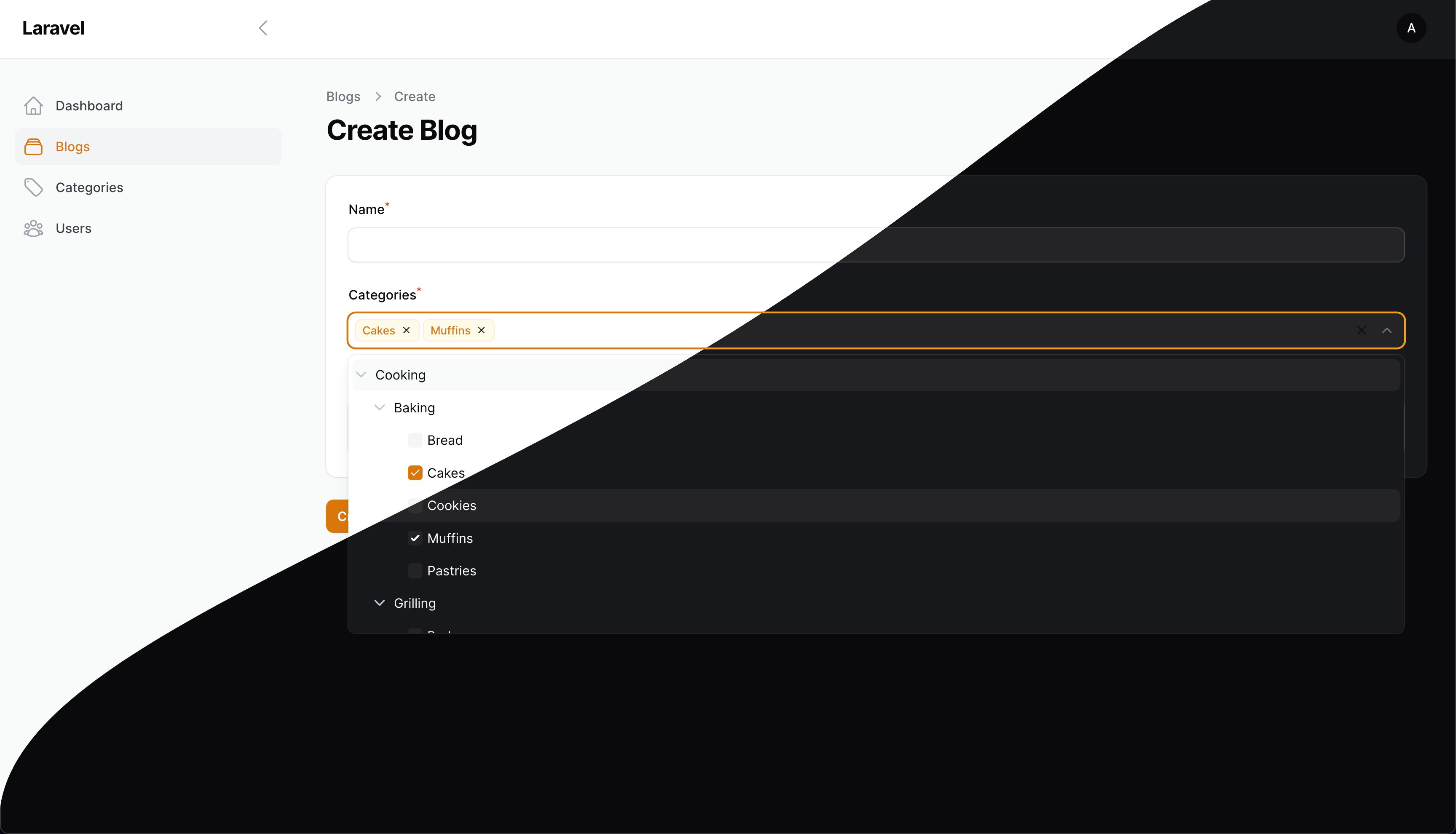
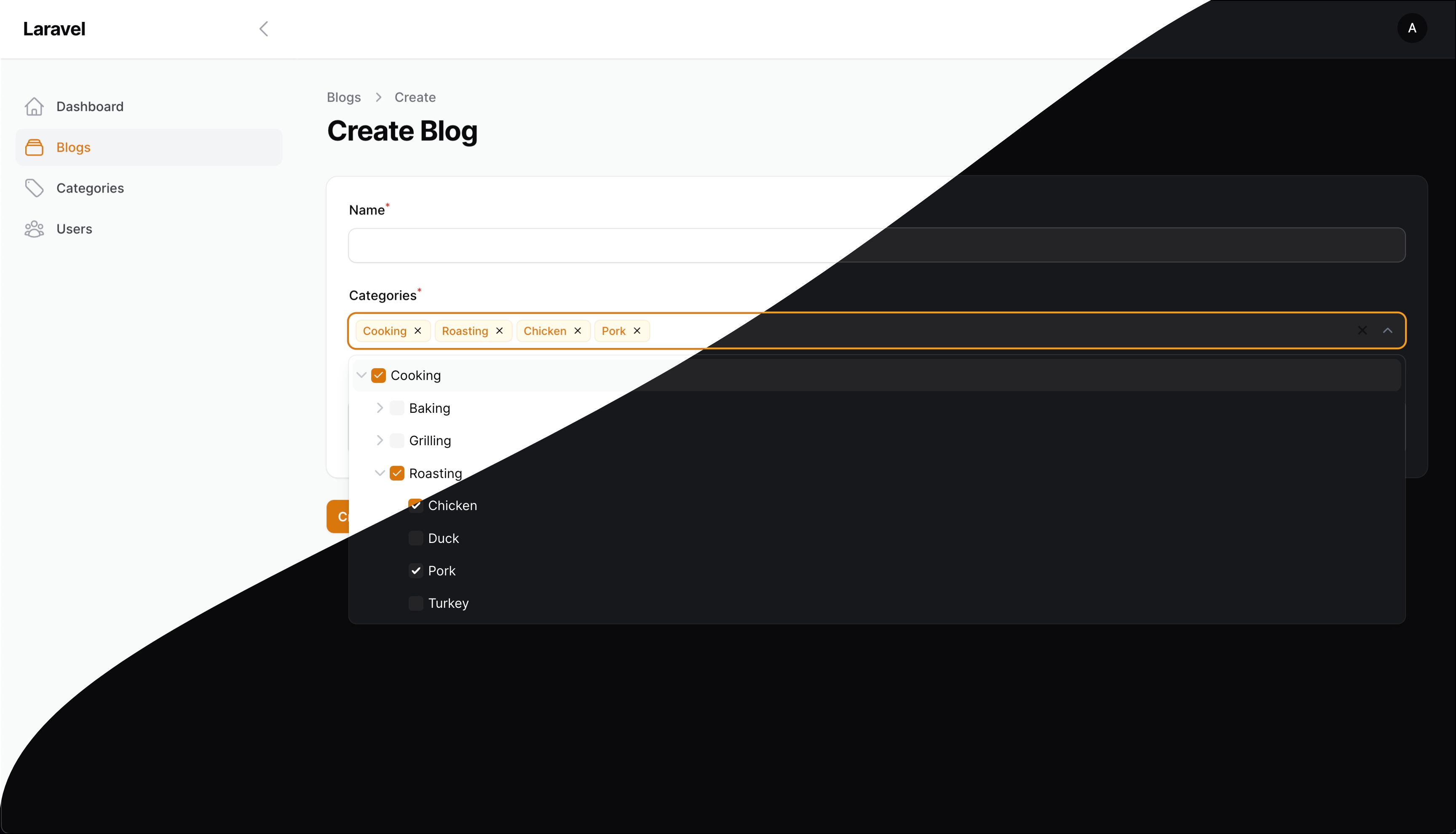
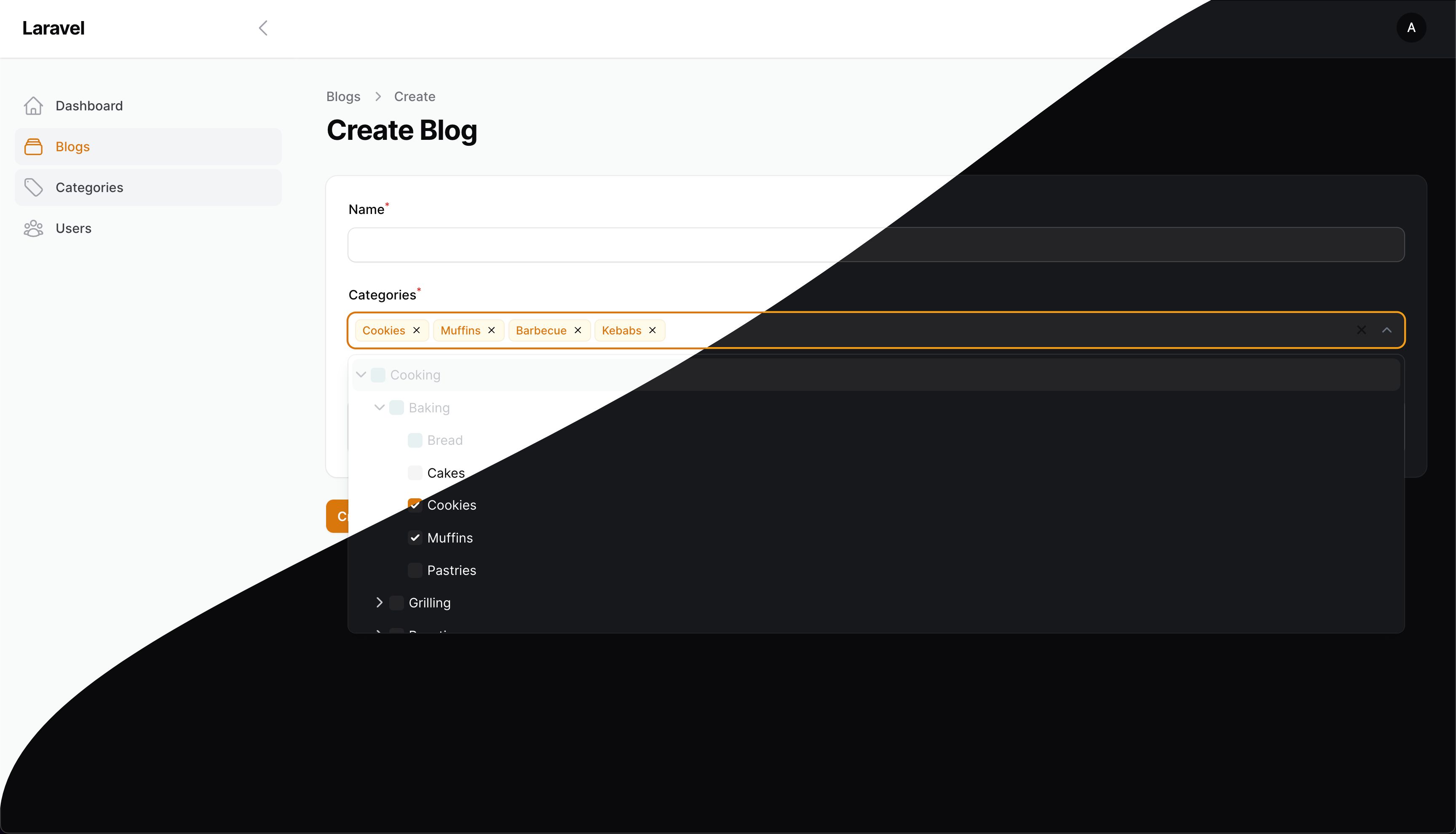
#Contributing
Please see CONTRIBUTING for details.
#Security Vulnerabilities
Please review our security policy on how to report security vulnerabilities.
#Credits
#License
The MIT License (MIT). Please see License File for more information.
The author
I build Laravel & FilamentPHP plugins, tinker with code, and game way too much when I’m off the clock.
From the same author
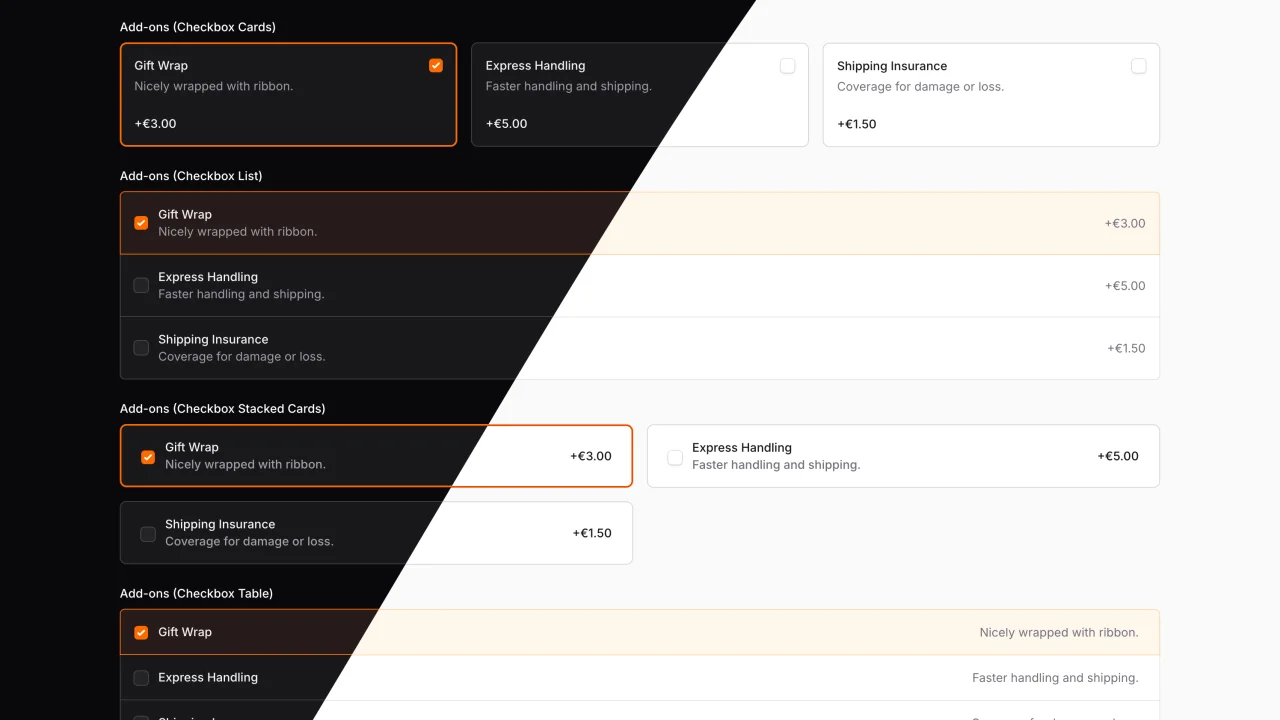
Advanced Choice
A beautifully styled, fully customizable set of radio group components for FilamentPHP.
Author:
CodeWithDennis

Larament
Kickstart your project and save time with Larament! This time-saving starter kit includes a Laravel project with FilamentPHP already installed and set up, along with extra features.
Author:
CodeWithDennis

Advanced Components
This plugin extends existing FilamentPHP components with advanced features and enhanced functionality.
Author:
CodeWithDennis

Theme Inspector
Easily see the fi- class of any element on the page by hovering over it. A tooltip displays the class name, and you can copy it with a click!
Author:
CodeWithDennis
Featured Plugins
A selection of plugins curated by the Filament team

Noir Theme
A theme that gives panels a focused, refined look with near-black surfaces, crisp actions, and restrained color.
 Filament

Custom Dashboards
Let your users build and share their own dashboards with a drag-and-drop interface. Define your data sources in PHP and let them do the rest.
Filament

Spotlight Pro
Browse your Filament Panel with ease. Filament Spotlight Pro adds a Spotlight like Command Palette to your Filament Panel.
 Dennis Koch

