Poll
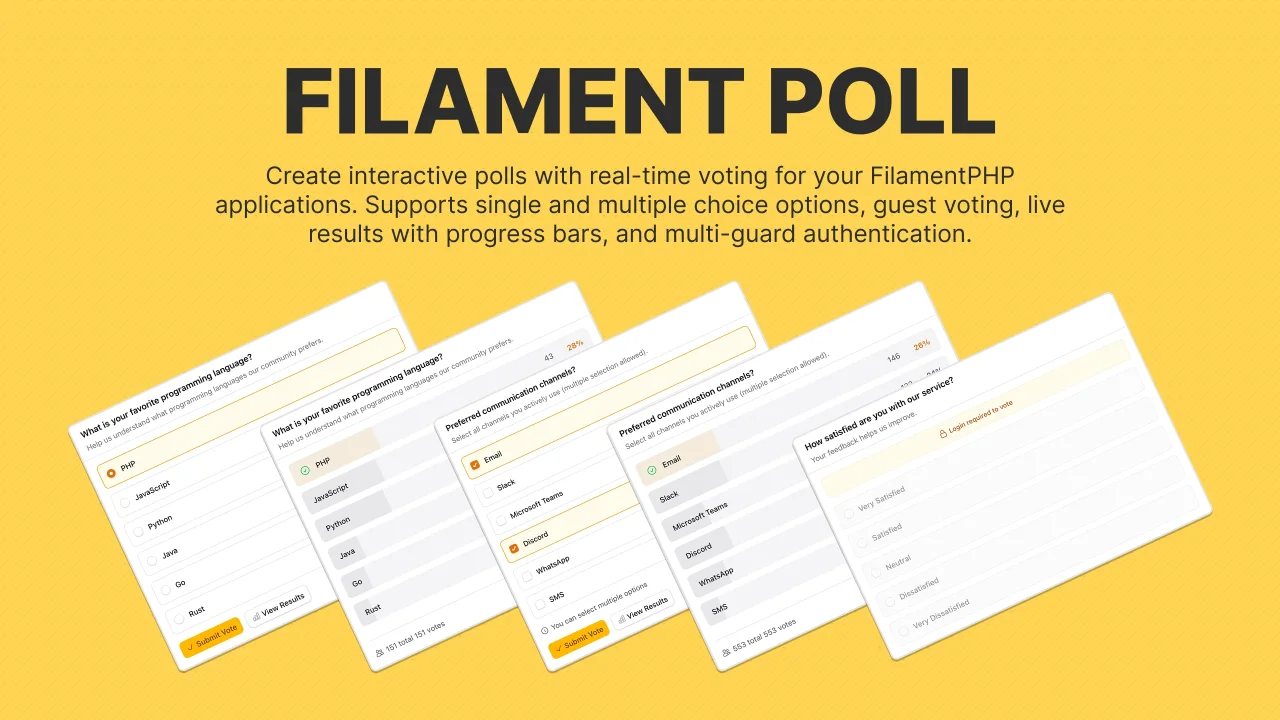
CommunityCreate and manage interactive polls with real-time voting, support for single/multiple-choice, guest participation with session tracking and more.
 Author:
Caresome
Author:
Caresome
Package health
BetaAutomated checks of this plugin's Composer package
13 checks
-
Warning:
Current Laravel version supported
—
Package does not co-install with current Laravel
13.0; the newest co-installable line is12.0, which still receives active support but is not the current stable. -
Passed:
Current PHP version supported
—
Constraint
^8.2|^8.3|^8.4supports current PHP8.5. - Skipped: Current Symfony version supported
- Passed: Abandoned or archived — No consulted source marks the package abandoned (packagist, github).
- Passed: Commit and release recency — Active: last commit 173 days ago; last release 173 days ago.
-
Passed:
composer.lock not committed by library
—
composer.lockis absent from the released dist archive. - Passed: Dist archive is lean
- Failed: GitHub Actions pinned to SHA — View details on Plumb
- Passed: Open security advisories
- Passed: Dependabot PR responsiveness — No open Dependabot PRs.
- Failed: Dependabot or Renovate configured — No dependency updater configuration found. View details on Plumb
- Skipped: Dependency update cooldown configured
- Failed: Provides a security policy — View details on Plumb
filament/
namespace. Review the source and install at your own risk. Found
malware or an unresolved security issue the author won't
address?
Report it
.
Documentation
- Table of Contents
- Features
- Requirements
- Quick Start
- Installation
- Configuration
- Usage
- Events
- Security Considerations
- Testing
- Accessibility
- License
A FilamentPHP v5 plugin for creating and managing interactive polls with Livewire-powered components.
#Table of Contents
- Features
- Requirements
- Quick Start
- Installation
- Configuration
- Usage
- Events
- Testing
- Security
- Accessibility
- License
#Features
- Easy Management - Create and manage polls through Filament admin panel
- Flexible Voting - Single or multiple choice polls
- Guest Support - Optional guest voting with session tracking
- Real-time Updates - Live vote counting with configurable polling intervals
- Rich Display - Results with percentages and progress bars
- Scheduled Closing - Set poll closing dates
- Interactive UI - Livewire-powered voting experience
- Simple Integration - Blade component for easy frontend use
- Event System - Listen to poll lifecycle events
- Accessible - WCAG 2.1 AA compliant
#Requirements
- PHP 8.2 or higher
- Laravel 11.x or 12.x
- FilamentPHP 5.x
#Quick Start
composer require caresome/filament-poll
php artisan vendor:publish --tag="filament-poll-migrations"
php artisan migrate
Register the plugin in your panel provider:
use Caresome\FilamentPoll\PollPlugin;

public function panel(Panel $panel): Panel
{
    return $panel
        ->plugins([
            PollPlugin::make(),
        ]);
}
Display a poll on your frontend:
<x-caresome::filament-poll :poll-id="1" />
#Installation
#Step 1: Install Package
composer require caresome/filament-poll
#Step 2: Publish and Run Migrations
php artisan vendor:publish --tag="filament-poll-migrations"
php artisan migrate
#Step 3: Optional Publishing
Publish config file (for customizing table names):
php artisan vendor:publish --tag="filament-poll-config"
Publish views (for customization):
php artisan vendor:publish --tag="filament-poll-views"
#Configuration
#Basic Setup
Add the plugin to your Filament panel provider:
use Caresome\FilamentPoll\PollPlugin;

public function panel(Panel $panel): Panel
{
    return $panel
        ->plugins([
            PollPlugin::make(),
        ]);
}
#Configuration Options
The plugin provides chainable methods to customize behavior:
#Navigation
PollPlugin::make()
    ->navigationIcon('heroicon-o-chart-bar')
    ->navigationSort(10)
| Method | Description | Default |
|---|---|---|
navigationIcon() |
Set navigation icon | heroicon-o-chart-bar |
navigationSort() |
Set navigation sort order | - |
#Poll Defaults
PollPlugin::make()
    ->isActiveByDefault(true)
    ->allowGuestVotingByDefault(false)
    ->multipleChoiceByDefault(false)
    ->showResultsBeforeVotingByDefault(false)
    ->showVoteCountByDefault(true)
| Method | Description | Default |
|---|---|---|
isActiveByDefault() |
Polls are active by default | true |
allowGuestVotingByDefault() |
Allow guest voting | false |
multipleChoiceByDefault() |
Enable multiple choice | false |
showResultsBeforeVotingByDefault() |
Show results before voting | false |
showVoteCountByDefault() |
Display vote counts | true |
#Limits & Performance
PollPlugin::make()
    ->maxPollOptions(20)
    ->maxOptionTextLength(255)
    ->pollingInterval('5s')
| Method | Description | Default |
|---|---|---|
maxPollOptions() |
Maximum poll options | 20 |
maxOptionTextLength() |
Max characters per option | 255 |
pollingInterval() |
Live update interval (null to disable) | 5s |
#Authentication
PollPlugin::make()
    ->authGuard('admin')
| Method | Description | Default |
|---|---|---|
authGuard() |
Set authentication guard | Auto-detect from panel |
useDefaultAuthGuard() |
Use Laravel's default guard | - |
How it works:
- Auto-detects the Filament panel's guard
- Falls back to Laravel's default guard
- Supports multi-guard applications
Example:
PollPlugin::make()
    ->authGuard('admin')
#Complete Example
use Caresome\FilamentPoll\PollPlugin;

public function panel(Panel $panel): Panel
{
    return $panel
        ->plugins([
            PollPlugin::make()
                ->navigationIcon('heroicon-o-chart-bar')
                ->navigationSort(10)
                ->isActiveByDefault(true)
                ->allowGuestVotingByDefault(false)
                ->multipleChoiceByDefault(false)
                ->showResultsBeforeVotingByDefault(false)
                ->showVoteCountByDefault(true)
                ->maxPollOptions(20)
                ->maxOptionTextLength(255)
                ->pollingInterval('5s')
                ->authGuard('admin'),
        ]);
}
#Custom Table Names
Publish the config file and modify table names:
php artisan vendor:publish --tag="filament-poll-config"
return [
    'table_names' => [
        'polls' => 'custom_polls',
        'poll_options' => 'custom_poll_options',
        'poll_votes' => 'custom_poll_votes',
    ],
];
#Usage
#1. Create Polls
Navigate to the Polls resource in your Filament admin panel:
- Click "New Poll"
- Enter poll question and options
- Configure settings (guest voting, multiple choice, etc.)
- Set closing date (optional)
- Save and publish
#2. Display Polls on Frontend
#Using Blade Component (Recommended)
By Poll ID:
<x-caresome::filament-poll :poll-id="1" />
By Poll Model:
<x-caresome::filament-poll :poll="$poll" />
#Using Livewire Component
@livewire('caresome::filament-poll', ['poll' => $poll])
#3. Passing Polls to Views
In your controller:
use Caresome\FilamentPoll\Models\Poll;

public function index()
{
    $poll = Poll::where('is_active', true)->first();

    return view('welcome', compact('poll'));
}
In your view:
@if($poll)
    <x-caresome::filament-poll :poll="$poll" />
@endif
#Events
The package dispatches lifecycle events for custom integrations.
#Available Events
| Event | When Fired | Properties |
|---|---|---|
PollCreated |
New poll created | $event->poll |
PollVoted |
Vote is cast | $event->poll, $event->vote |
PollClosed |
Poll closes | $event->poll |
#Listening to Events
In EventServiceProvider:
use Caresome\FilamentPoll\Events\{PollCreated, PollVoted, PollClosed};

protected $listen = [
    PollCreated::class => [
        SendPollNotification::class,
    ],
    PollVoted::class => [
        TrackAnalytics::class,
    ],
    PollClosed::class => [
        SendResultsSummary::class,
    ],
];
Using Event::listen():
use Illuminate\Support\Facades\Event;
use Caresome\FilamentPoll\Events\PollVoted;

Event::listen(PollVoted::class, function (PollVoted $event) {
    $poll = $event->poll;
    $vote = $event->vote;

});
#Example Use Cases
- Send notifications when polls are created
- Track voting analytics
- Trigger webhooks on vote events
- Archive closed polls
- Send result summaries to stakeholders
#Security Considerations
#Overview
The package implements multiple security layers for vote tracking and prevention of abuse.
#Vote Tracking Methods
| User Type | Tracking Method | Duplicate Prevention |
|---|---|---|
| Authenticated | User ID | Database unique constraint |
| Guest | Session ID + IP Address | Database unique constraint |
#Security Notes
Authenticated Users:
- ✅ One vote per user per poll
- ✅ Database-level enforcement
- ✅ High security
Guest Voting:
- ⚠️ Session + IP tracking (reasonable protection)
- ⚠️ Can vote again if cookies cleared
- ⚠️ VPN users share IPs (but unique sessions prevent conflicts)
- 🔒 Disable for high-security polls:
allowGuestVotingByDefault(false)
#Performance
The package includes built-in optimizations:
- ✅ Eager loading prevents N+1 queries
- ✅ Database indexes on frequently queried fields
- ✅ Cached vote counting
- ✅ Efficient query constraints
#Testing
#Run Tests
composer test
composer test-coverage
#Using Factories
The package provides factories for testing:
use Caresome\FilamentPoll\Models\{Poll, PollOption, PollVote};

$poll = Poll::factory()->active()->multipleChoice()->create();

$option = PollOption::factory()->forPoll($poll)->create();

$vote = PollVote::factory()->forOption($option)->authenticated(1)->create();
$vote = PollVote::factory()->forOption($option)->guest()->create();
#Available Factory States
| Model | States |
|---|---|
| Poll | active(), inactive(), closed(), open(), neverCloses(), multipleChoice(), singleChoice(), allowGuestVoting(), requireAuth() |
| PollOption | forPoll($poll) |
| PollVote | forOption($option), authenticated($userId), guest() |
#Accessibility
WCAG 2.1 AA compliant with full accessibility support:
| Feature | Implementation |
|---|---|
| ARIA Labels | All interactive elements labeled |
| Keyboard Navigation | Full keyboard support |
| Screen Readers | Comprehensive announcements |
| Focus Management | Visible indicators, logical tab order |
| Live Regions | Real-time updates announced |
| Semantic HTML | Proper use of fieldset, legend, etc. |
| Progress Bars | Accessible with ARIA attributes |
#License
The MIT License (MIT). See LICENSE.md for details.
The author
From the same author
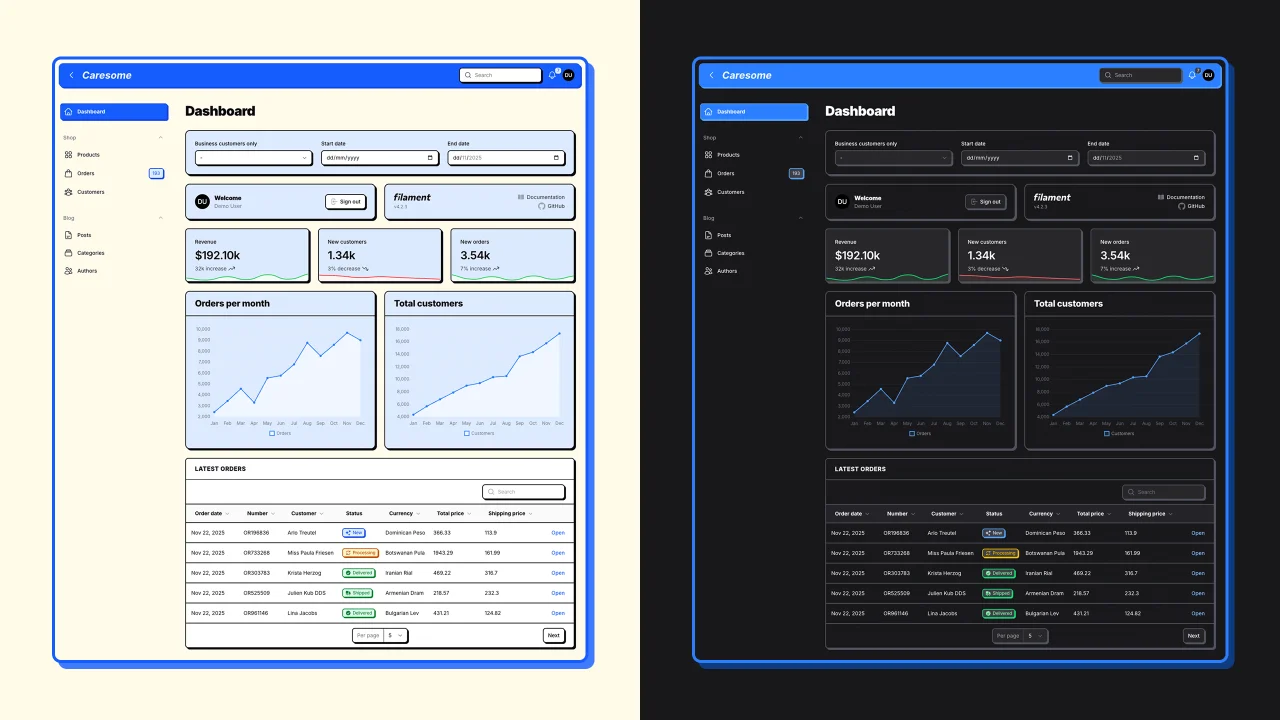
Neobrutalism Theme
A neobrutalism theme for FilamentPHP admin panels
Author:
Caresome

Auth Designer
Transform Filament's default auth pages into stunning, brand-ready experiences with customizable layouts, media backgrounds, and theme switching.
Author:
Caresome
Featured Plugins
A selection of plugins curated by the Filament team

Custom Dashboards
Let your users build and share their own dashboards with a drag-and-drop interface. Define your data sources in PHP and let them do the rest.
 Filament

Advanced Tables (formerly Filter Sets)
Supercharge your tables with powerful features like user-customizable views, quick filters, multi-column sorting, advanced table searching, convenient view management, and more. Compatible with Resource Panel Tables, Relation Managers, Table Widgets, and Table Builder!
 Kenneth Sese

Custom Fields
Eliminate custom field migrations forever. Let your users create and manage form fields directly in Filament admin panels with 20+ built-in field types, validation, and zero database changes.
 Relaticle
