Laravel Swarm Observability
CommunityA free, read-only Filament panel for Laravel Swarm: inspect run flows, steps, memory, durable state, and audit health in one place.
filament/
namespace. Review the source and install at your own risk. Found
malware or an unresolved security issue the author won't
address?
Report it
.
 Author:
Daniel Berry
Author:
Daniel Berry
Documentation
- Requirements
- Installation
- Authorization
- Seeing your data
- The panel
- Configuration
- Read-only by design
- Building your own surfaces
- License
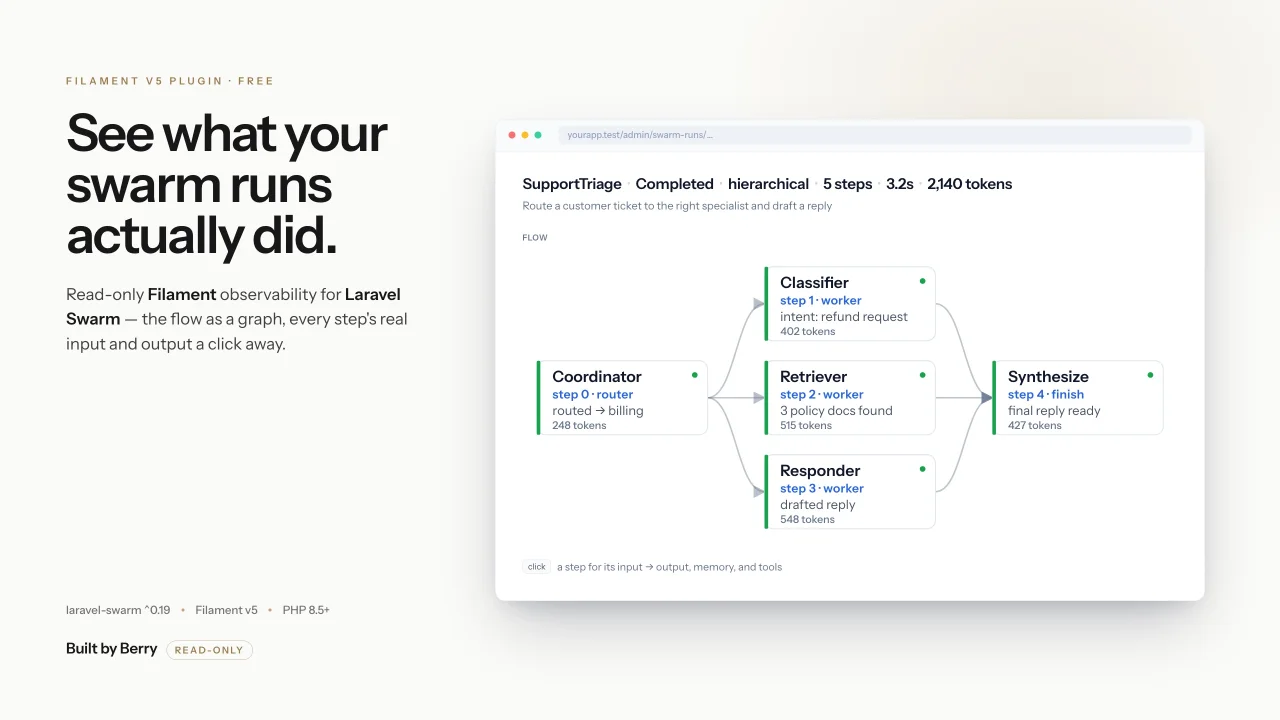
A free, read-only Filament observability panel for Laravel Swarm. It reads your swarm run history into your existing Filament v5 panel and makes it legible: the run flow as a graph, each step's real input and output a click away, and cost and latency where you look first.
The panel is run-centric. A run is the hero object, so navigation is just two destinations — Runs and Health. Durable execution, memory, streaming, audit, artifacts, and failure are shown as facets of a run, in context, not as separate tables.
View-only by design. Every surface reads persisted data through Swarm's public read-only contracts — never the internal cipher, never a mutating call. Sealed fields are display-decrypted per row; an undecryptable value degrades to a marker rather than leaking ciphertext. Operator control (pause / resume / cancel / signal) is deliberately out of scope — it lives in the separate operator console.
#Requirements
- PHP 8.5+
- Filament 5.x
builtbyberry/laravel-swarm^0.19 (its public read-only inspection contracts)
#Installation
Install the package:
composer require builtbyberry/laravel-swarm-filament
Register the plugin on a Filament panel:
use BuiltByBerry\LaravelSwarmFilament\SwarmFilamentPlugin;

public function panel(Panel $panel): Panel
{
    return $panel->plugin(SwarmFilamentPlugin::make());
}
Optionally publish the config to customize the navigation group and the authorization ability:
php artisan vendor:publish --tag=swarm-filament-config
#Authorization
Access is deny-by-default. Every surface — resource, page, and widget —
authorizes against a configurable Gate
ability before it renders or appears in navigation. The default ability is
viewSwarmObservability.
You must define that Gate to grant access. With no Gate defined (or no authenticated user), the ability is denied and the surfaces stay hidden — this is the most common reason the panel appears empty after install:
use Illuminate\Support\Facades\Gate;

// in a service provider's boot()
Gate::define('viewSwarmObservability', fn ($user) => $user->is_admin);
To turn the package gate off entirely, set the ability to null (or ''). Every
surface then becomes visible to any user who can reach the Filament panel — these
hooks are the surface's authorization, so this grants access rather than deferring
to a per-resource policy. Use it only when the panel itself is already locked down:
'authorization' => ['ability' => null],
The gate is applied once per surface kind — resources through SwarmResource, pages
through SwarmPage, widgets through SwarmWidget — so authorization cannot drift
surface-to-surface.
#Seeing your data
This panel is a viewer. What it shows depends on how laravel-swarm core is configured — not on this package. Two core settings matter:
-
Persist runs to the database. The panel reads the run-history tables. If core is using the default cache persistence, there is nothing for the panel to read:
SWARM_PERSISTENCE_DRIVER=database -
Enable capture so step inputs, outputs, and artifacts are recorded. With capture off, fields render as
none/unavailablerather than content. Artifacts are gated on outputs, so enable both:SWARM_CAPTURE_INPUTS=true SWARM_CAPTURE_OUTPUTS=true SWARM_CAPTURE_ARTIFACTS=true SWARM_CAPTURE_ACTIVE_CONTEXT=true
Run php artisan swarm:install if you haven't already — it publishes the core config
and runs the migrations that create the run-history, artifacts, durable, and audit
tables the panel reads.
#The panel
#Runs
A filter / sort / paginate index of swarm runs over plaintext-only columns, led by an aggregate strip — total runs, needs-attention count, recent p50 latency, and recent token throughput. Each row scans as a plain-language line: what the run was asked to do, with status, duration, and tokens.
#The run page
One story, top to bottom:
- A plain-language headline — outcome, shape, and cost / latency.
- The request that started the run.
- The flow as the spine: a server-computed SVG graph of the real execution DAG — the authored route plan, the durable branch / child tree, or the topology-derived flow, richest first. No JS graph dependency; theme-aware and CSP-safe.
- Click any step for everything about it: input → output, tokens, duration, attempts, the memory it wrote and could see, and the tools it called.
- The final output, rendered as Markdown.
#Run facets
Folded into the run, shown only when they apply:
- Failure — a failed run shows the captured exception and the node that threw, not just a red badge.
- Artifacts — a read-only list of what the run produced, each with its producing agent.
- Durable execution — for durable runs, what the run is blocked on (waits), signals received, progress markers, and retry / recovery / timeout status.
- Streaming — a per-node timeline of the append-only causal log, including void-edge markers.
- Audit trail — a compact, one-line-per-event timeline of the evidence the run
emitted, via a non-consuming read that coexists with the
swarm:relaydrainer.
#Health
A pass / fail / degraded readiness view of the durable and audit persistence lanes — a page plus a companion dashboard widget — sourced from the public read seams. No payloads, no control actions.
#Configuration
Published to config/swarm-filament.php:
| Key | Type | Default | Purpose |
|---|---|---|---|
navigation.group |
string |
'Swarm' |
The Filament navigation group every surface is placed under. |
navigation.sort |
int|null |
null |
Optional sort order for the group. |
authorization.ability |
string|null |
'viewSwarmObservability' |
The Gate ability every surface authorizes against (deny-by-default). null turns the gate off. |
#Read-only by design
- Reads persisted data only through laravel-swarm's public read contracts
(
InspectsDurableRuns,ReadableRunHistoryStore,SnapshotsMemory,StreamEventStore,ReadableAuditOutbox, and the app's optionalReadableSwarmAuditSink) — never the internal cipher. - The runs index binds a model that selects only plaintext columns; sealed columns are never projected into a table cell.
- Sealed payloads are display-decrypted per field, through a single chokepoint that
masks
sw0:ciphertext at any nesting depth. An undecryptable value renders asunavailable, never as ciphertext. - No surface mutates a run; an accidental write fails loud.
#Building your own surfaces
To add your own Swarm-scoped Filament surfaces on the same deny-by-default gate, extend the abstract bases:
BuiltByBerry\LaravelSwarmFilament\Resources\SwarmResourceBuiltByBerry\LaravelSwarmFilament\Pages\SwarmPageBuiltByBerry\LaravelSwarmFilament\Widgets\SwarmWidget
Each applies the viewSwarmObservability gate once, so any surface you build inherits
the same authorization contract.
#License
The author
I'm Daniel Berry, the founder of Built by Berry. I build operational AI — the systems, agents, and training that companies use to run their day-to-day work — and I ship open-source Laravel and Filament tooling along the way, including Swarm, a platform for coordinating AI agents across real workflows.
Featured Plugins
A selection of plugins curated by the Filament team

Blueprint
Filament Blueprint is a premium Laravel Boost extension that helps AI agents produce accurate, detailed implementation plans and security reports for Filament apps.
 Filament
Spotlight Pro
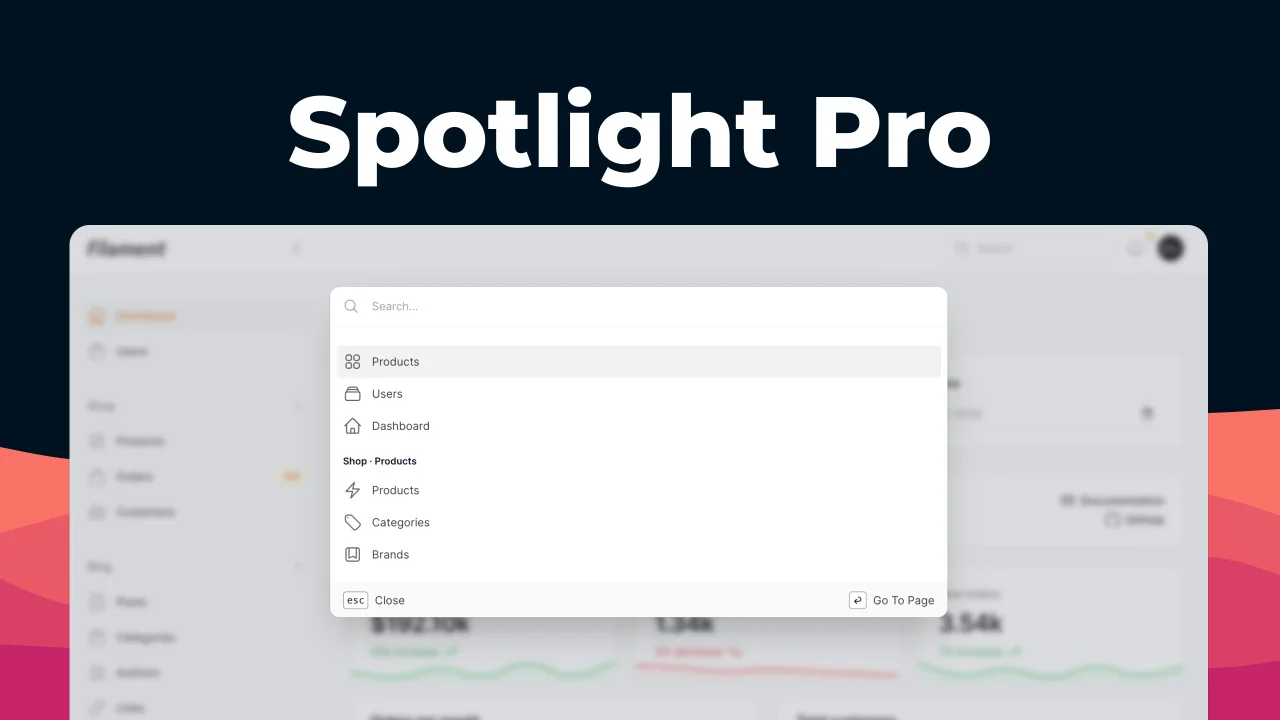
Browse your Filament Panel with ease. Filament Spotlight Pro adds a Spotlight/Raycast like Command Palette to your Filament Panel.
 Dennis Koch
Advanced Tables (formerly Filter Sets)
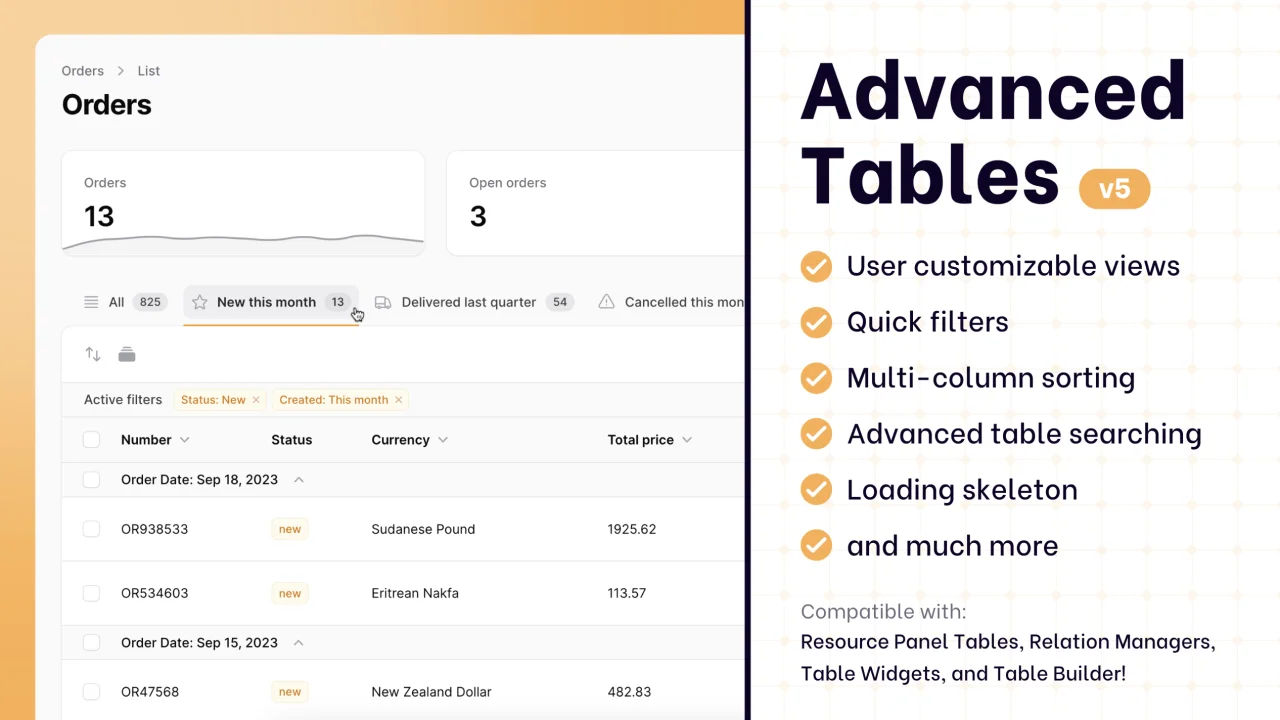
Supercharge your tables with powerful features like user-customizable views, quick filters, multi-column sorting, advanced table searching, convenient view management, and more. Compatible with Resource Panel Tables, Relation Managers, Table Widgets, and Table Builder!
 Kenneth Sese
