
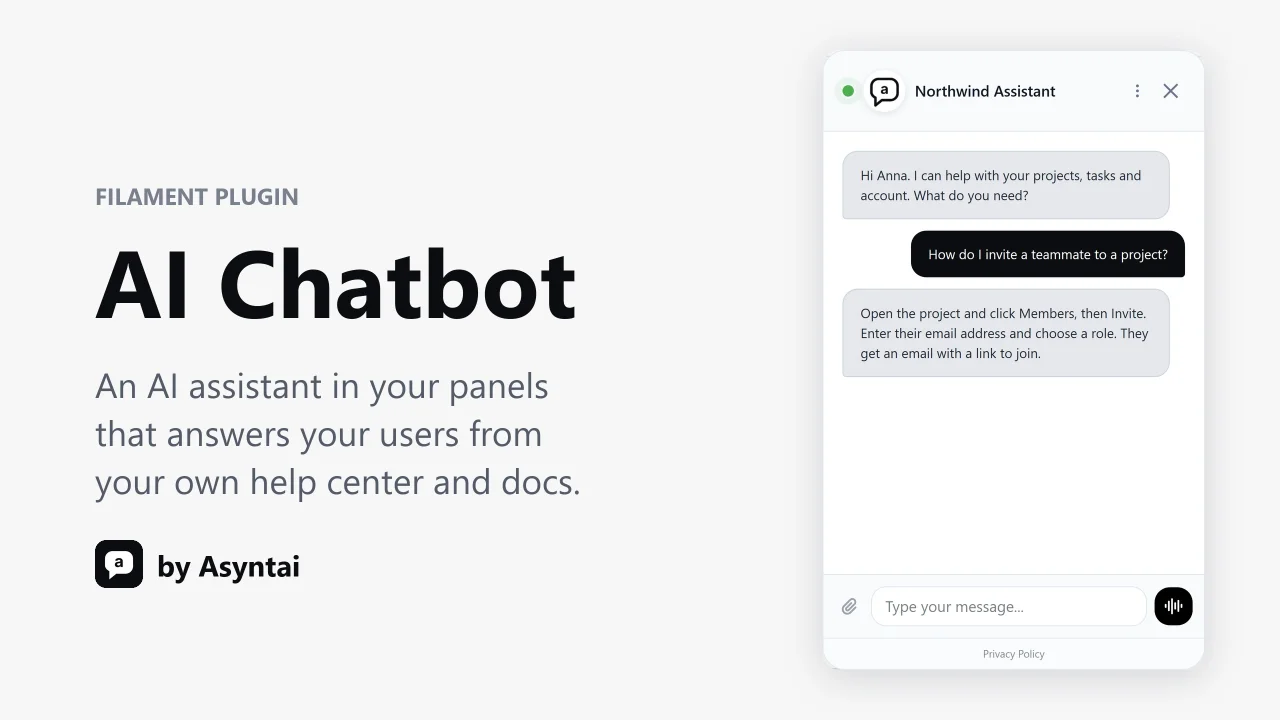
AI Chatbot by Asyntai
CommunityAdd an AI chat assistant to your panels that answers your users from your own help center and docs, in more than 80 languages.
 Author:
Asyntai
Author:
Asyntai
Package health
Automated checks of this plugin's Composer package
15 checks
- Skipped: GitHub Actions pinned to SHA
- Skipped: GitLab CI includes pinned to SHA
- Passed: Open security advisories
- Passed: Dependabot PR responsiveness — No open Dependabot PRs.
- Skipped: Renovate MR responsiveness
- Skipped: Dependabot or Renovate configured
- Skipped: Dependency update cooldown configured
- Failed: Provides a security policy — View details on Plumb
- Passed: Abandoned or archived — No consulted source marks the package abandoned (packagist, github).
- Passed: Commit and release recency — Active: last commit 0 days ago; last release 0 days ago.
-
Passed:
composer.lock not committed by library
—
composer.lockis absent from the released dist archive. - Passed: Dist archive is lean
-
Passed:
Current Laravel version supported
—
Package dependencies resolve together with current Laravel
13.0. -
Passed:
Current PHP version supported
—
Constraint
^8.1supports current PHP8.5. - Skipped: Current Symfony version supported
filament/
namespace. Review the source and install at your own risk. Found
malware or an unresolved security issue the author won't
address?
Report it
.
Documentation
- Install
- Where the widget ID comes from
- Options
- Personal answers
- Your public Laravel pages
- What the plugin does
- Answering from your content
- Removing it
- Tests
- Support
- Licence
Add the Asyntai AI chat assistant to your Filament panels. It answers your users' questions from your own content, such as your help center, docs and FAQs, in more than 80 languages, day and night.
Works with Filament 3, 4 and 5.
#Install
composer require asyntai/filament-ai-chatbot
Add your widget ID to .env:
ASYNTAI_WIDGET_ID=asyntai_1a2b3c4d5e6f
Register the plugin on your panel:
use Asyntai\FilamentAiChatbot\AiChatbotPlugin;

public function panel(Panel $panel): Panel
{
    return $panel
        // ...
        ->plugin(AiChatbotPlugin::make());
}
Open the panel. The chat bubble is on every page, including the sign-in page.
#Where the widget ID comes from
Open the Install page in your Asyntai dashboard.
The widget ID is the value of data-asyntai-id in the snippet shown there. It
starts with asyntai_.
Creating an account is free, and the Free plan is enough to try the widget.
#Options
Every option also accepts a closure.
AiChatbotPlugin::make()
    // A widget ID for this panel. It wins over ASYNTAI_WIDGET_ID.
    ->widgetId('asyntai_1a2b3c4d5e6f')

    // Data about the signed-in user that the assistant can use in its answers.
    ->userContext(fn ($user) => [
        'name' => $user->name,
        'plan' => $user->plan,
    ])

    // Show the widget only when the closure returns true.
    ->visible(fn () => auth()->user()?->is_customer)

    // Advanced. Load the widget from another URL.
    ->scriptUrl('https://widget.asyntai.com/static/js/chat-widget.js');
To set the defaults in a config file:
php artisan vendor:publish --tag=ai-chatbot-config
#Personal answers
With ->userContext(), the assistant knows who is asking. It can greet users
by name and answer questions about their own account. The closure runs only for
signed-in users, so guests on the sign-in page get the widget without any user
data. User context is part of the Asyntai Standard and Pro plans.
#Your public Laravel pages
The same package puts the assistant on any Blade page outside the panel, for
example your marketing site. Add this before </body> in your layout:
<x-ai-chatbot::widget />
It reads the same ASYNTAI_WIDGET_ID. It also takes widget-id,
script-url and :user-context attributes.
#What the plugin does
- It adds one small script at the end of each panel page. The script loads the widget after the page has loaded, so your panel always renders first.
- It works with Filament's SPA mode. When users move between pages, the chat stays open and the conversation continues.
- Panels without the plugin stay as they are.
- A missing or malformed widget ID never breaks a page. The plugin shows no widget and writes one warning to your Laravel log that says how to fix it.
#Answering from your content
Asyntai reads your published pages. Add your help center or website URL in the dashboard, and the assistant answers from those pages. You can also add documents, and question and answer pairs.
#Removing it
Remove the ->plugin(AiChatbotPlugin::make()) line and run
composer remove asyntai/filament-ai-chatbot.
#Tests
composer install
vendor/bin/phpunit
#Support
Email [email protected], or read the Filament guide.
#Licence
MIT. See LICENSE.
The author
Asyntai is an AI chatbot platform for websites, help centers and apps. It answers visitors and users from your own content in more than 80 languages, day and night. We build free plugins that add the Asyntai assistant to popular platforms.
Featured Plugins
A selection of plugins curated by the Filament team

Compact Theme
A theme that makes data-heavy panels easier to scan by fitting more useful information on each screen.
 Filament

Sharp Theme
A theme that gives panels a precise, technical look with square corners, strong borders, and clear contrast.
Filament

Custom Fields
Eliminate custom field migrations forever. Let your users create and manage form fields directly in Filament admin panels with 20+ built-in field types, validation, and zero database changes.
 Relaticle

