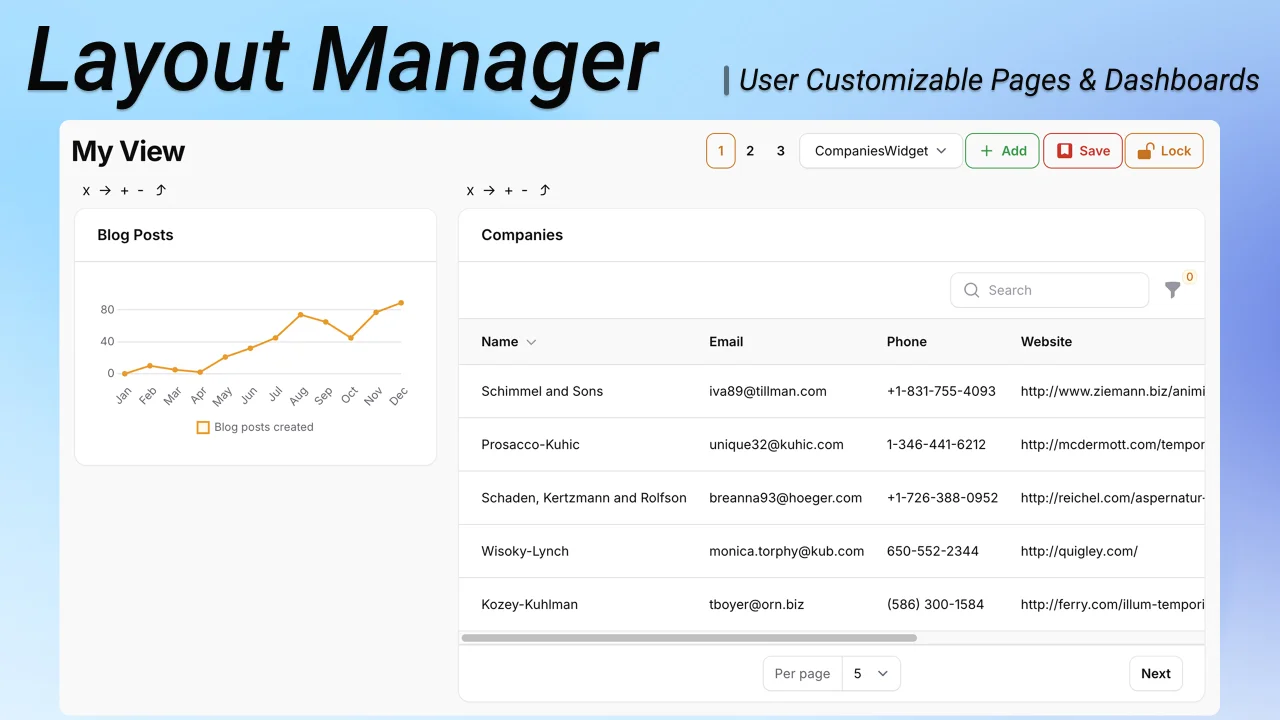
Layout Manager
CommunityEnables users to create and customize their own widget layouts.
 Author:
August Sosick
Author:
August Sosick
Package health
BetaAutomated checks of this plugin's Composer package
15 checks
- Failed: GitHub Actions pinned to SHA — View details on Plumb
- Skipped: GitLab CI includes pinned to SHA
- Passed: Open security advisories
- Warning: Dependabot PR responsiveness — Stale Dependabot PRs: oldest general PR is 174 days old.
- Skipped: Renovate MR responsiveness
- Warning: Dependabot or Renovate configured — Updater does not cover the JavaScript ecosystem, which has a committed lockfile.
-
Failed:
Dependency update cooldown configured
—
No cooldown configured in
.github/dependabot.yml. View details on Plumb - Passed: Provides a security policy
- Passed: Abandoned or archived — No consulted source marks the package abandoned (packagist, github).
- Passed: Commit and release recency — Active: last commit 104 days ago; last release 104 days ago.
-
Passed:
composer.lock not committed by library
—
composer.lockis absent from the released dist archive. - Passed: Dist archive is lean
-
Passed:
Current Laravel version supported
—
Package dependencies resolve together with current Laravel
13.0. -
Passed:
Current PHP version supported
—
Constraint
^8.2supports current PHP8.5. - Skipped: Current Symfony version supported
filament/
namespace. Review the source and install at your own risk. Found
malware or an unresolved security issue the author won't
address?
Report it
.
Documentation
- Allow users to create & customize their own FilamentPHP pages composed of Livewire components
- Demo
- Table of Contents
- Installation
- Usage
- Multiple Layouts
- Customization
- Child Component Data Stores
- Changelog
- Contributing
- Security Vulnerabilities
- Credits
- License


#Allow users to create & customize their own FilamentPHP pages composed of Livewire components
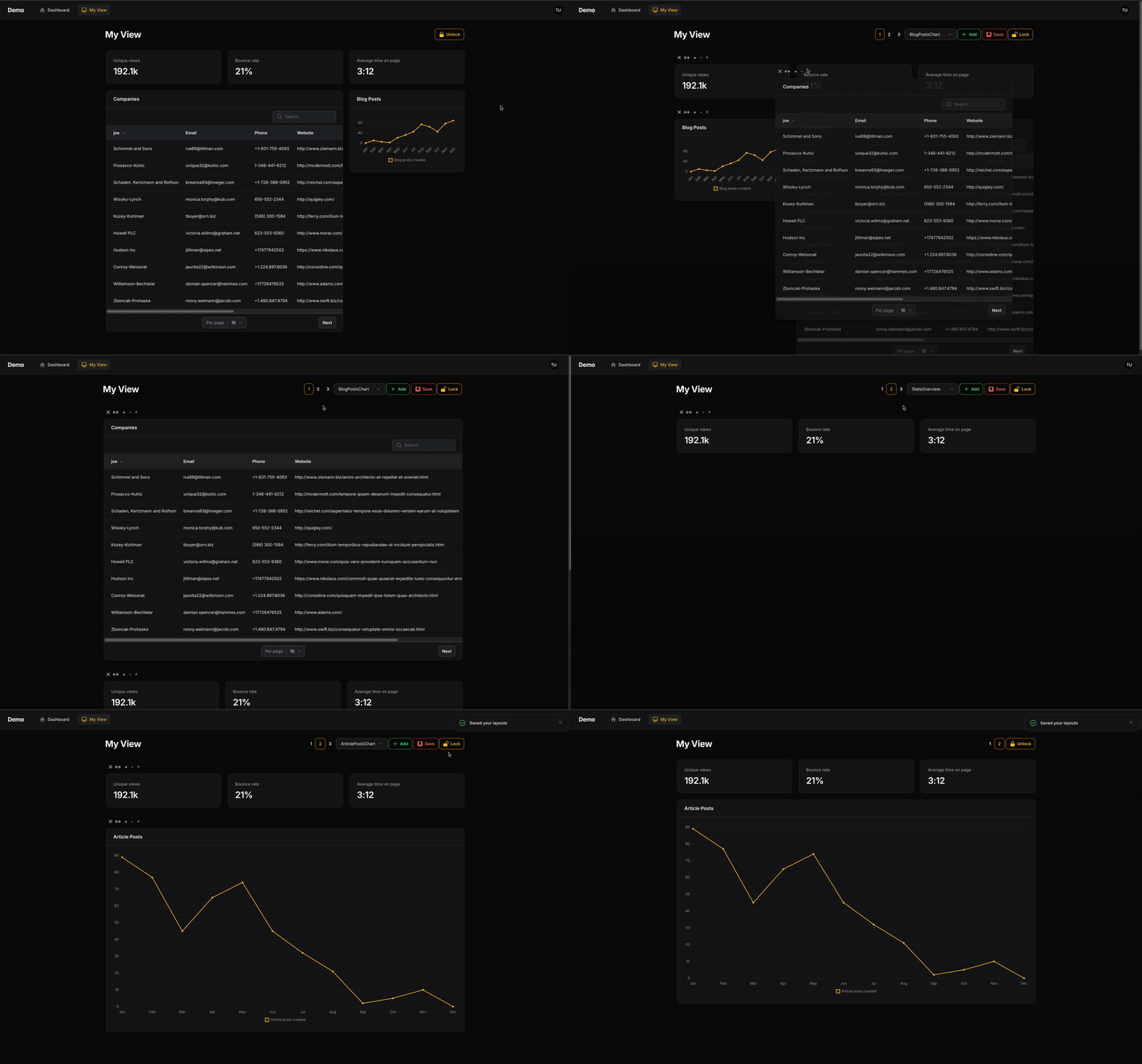
#Demo
#Table of Contents
- Installation
- Usage
- Multiple Layouts
- Customization
- Saving Layouts to a Database
- Adding Header Actions
- Wrapping in a FilamentPHP page
- Child Component Data Stores
- Changelog
- Contributing
- Security Vulnerabilities
- Credits
- Open For Work
- License
#Installation
You can install the package via composer:
#Filament V5 + Filament V4
composer require asosick/filament-layout-manager:^2.1
#Filament V3 - no longer supported
composer require asosick/filament-layout-manager:^1.0
You can publish the config file with:
php artisan vendor:publish --tag="filament-layout-manager-config"
Optionally, you can publish the views using
php artisan vendor:publish --tag="filament-layout-manager-views"
Optionally, you can publish the translation files using
php artisan vendor:publish --tag="filament-layout-manager-translations"
#Usage
The easiest way to use Filament Layout Manager is by creating a new page.
#1. Generate a new page
# Replace TestPage with your new page's name
php artisan make:filament-page TestPage
#2. Extend your page from LayoutManagerPage
Your custom page needs to extend from use Asosick\FilamentLayoutManager\Pages\LayoutManagerPage;
use Asosick\FilamentLayoutManager\Pages\LayoutManagerPage;
class TestPage extends LayoutManagerPage {}
#3. Remove auto-generated $view property
To ensure to correct view is rendered, please delete the autogenerated view property in your new Page class. The view to be used is defined in LayoutManagerPage and this property overrides it.
use Asosick\FilamentLayoutManager\Pages\LayoutManagerPage;
class TestPage extends LayoutManagerPage
{
 //    protected static string $view = 'filament.pages.custom-page'; <- DELETE OR COMMENT THIS
}
#4. Define your components
You can now define the livewire components you'd like users to be able to add to this new page using the getComponents() method:
class TestPage extends LayoutManagerPage
{
    protected function getComponents(): array
    {
        // Replace with your chosen components
        return [
            LivewireComponent::class,
            CompaniesWidget::class,
            BlogPostsChart::class,
        ];
    }
}
You can now visit your page, unlock your layout, and begin reorganizing.
#Grid columns
You can specify the number of columns in your layout grid as so from inside your new custom page.
protected function getGridColumns(): int
{
    return 6; // Max of 12
}
The layout manager includes the required tailwind styles up to a grid size of 12.
#Passing Widget Data
Similar to a traditional filament page, you are able to pass data directly to your widgets. (Support for passing data to custom components coming soon...)
NOTE: Data passed to this widget will be applied to all its instances. For component specific data, see section below on component data stores
class TestPage extends LayoutManagerPage
{
    protected function getComponents(): array
    {
        return [
            CompaniesWidget::make([
                'company' => 'Apple'
            ]),
        ];
    }
}
This passes your data ['company'=>'Apple'] to your widget in a data property. You can access that in your mount() function or via a direct property like any Livewire component.
class CompaniesWidget extends BaseWidget
{
    public array $data;
    public function mount(array $data){
        $this->data = $data;
    }
//... other methods & properties
}
#Renaming Selection Options
The names associated with your selected components can be changed by overriding the getComponentSelectOptions method in your custom page. Be sure to order the array you provided to match the order of the components you provided
class TestPage extends LayoutManagerPage
{
    protected function getComponents(): array
    {
        return [
            CompaniesWidget::class, //Default select option is `CompaniesWidget`
        ];
    }

    protected function getComponentSelectOptions(): array
    {
        return ['My Company Widget'];
    }
}
#Multiple Layouts
Users are able to define multiple layouts they can switch between.
Each layout is mapped to a keybinding based on its number:
command+1 | ctrl+1=> layout 1command+2 | ctrl+2=> layout 2- so forth...
Change the default number of views using the getLayoutCount() function in your page class or update the configuration file.
#Customization
Filament Layout Manager wraps your Livewire components inside a customizable class, allowing users to modify them.
This wrapper class is different from your Page class or its Blade view. The Page class renders the wrapper component, while the wrapper enables user manipulation of Livewire components.
The wrapper class that must be extended to enable customization is Asosick\FilamentLayoutManager\Http\Livewire\LayoutManager.php
In order to customize say the colour of one of the header buttons, first:
#1) Publish the configuration file
php artisan vendor:publish --tag="filament-layout-manager-config"
#2) Extend LayoutManager
Create a new class in your application called (for example) App\Livewire\CustomLayoutManager.php
and extend that class off of Asosick\FilamentLayoutManager\Http\Livewire\LayoutManager.php
namespace App\Livewire;
use Asosick\FilamentLayoutManager\Http\Livewire\LayoutManager;
use Filament\Actions\Action;

class CustomLayoutManager extends LayoutManager
{
    /* Example of changing the colour of the add button to red */
    public function addAction(): Action
    {
        return parent::addAction()->color('danger');
    }
}
#3) Update config
Update your configuration to point to your new custom class.
// newly published config file
return [
    'layout_manager' => \App\Livewire\CustomLayoutManager::class,
    // Other settings
    // ...
];
I recommend exploring the code in LayoutManager when digging into customization. You'll want to ensure you're still calling the require methods on actions you edit.
#Saving Layouts to a Database
By default, layouts are saved in the user's session and are not persisted
In order to save your user's layout to a database (or file, etc.), you'll need to
- Override
LayoutManageras shown above - Implement a new
save()function to persist the layout - Implement a new
load()function to load the layout
Where a user's layout is saved in your database and how that is managed is your concern.
There needs to be somewhere to store this information. Perhaps a json column on your user's table called settings for example. You'll need to create a column if it doesn't exist in your DB.
#Example
Assumes a settings json column on your user's model where settings can be stored.
namespace App\Livewire;

use Asosick\FilamentLayoutManager\Http\Livewire\LayoutManager;
use Illuminate\Support\Arr;

class CustomLayoutManager extends LayoutManager
{
    public function save(): void
    {
        $user = auth()->user();
        $user->settings = [
            'container' => $this->container
        ];
        $user->save();
    }

    public function load(): void
    {
        $user = auth()->user();
        $this->container = Arr::get(
            json_decode($user->settings, true),
            'container',
            []
        );
    }
}
#Adding Header Actions
Header actions can be added to the right of the 'Lock' button by overriding the getHeaderActions() method in your custom LayoutManager (NOT your custom page).
Example:
namespace App\Livewire;

use Asosick\FilamentLayoutManager\Http\Livewire\LayoutManager;
use Filament\Actions\Action;
use Illuminate\Support\Facades\Log;

class CustomLayoutManager extends LayoutManager
{
    public function getHeaderActions(): array
    {
        return [
            Action::make('hello')
                ->action(fn () => Log::info('hello world!')),
            Action::make('goodbye')
                ->action(fn () => Log::info('goodbye world!')),
        ];
    }
}
#(Optional) Wrapping in a FilamentPHP page
By default, the LayoutManagerPage is not rendered with the traditional FilamentPHP page tags. If, for some reason, you need everything wrapped in a FilamentPHP page, you can enable that as so:
namespace App\Filament\Pages;
use Asosick\FilamentLayoutManager\Pages\LayoutManagerPage;
use Filament\Actions\Action;

class TestPage extends LayoutManagerPage
{
    /* Wrap the LayoutManager component in a traditional filament page */
    public function shouldWrapInFilamentPage(): bool
    {
        return true;
    }

    /* Can now use existing filament header actions */
    protected function getHeaderActions(): array
    {
        return [
            Action::make('my-header-action')
        ];
    }
}
or
/* In filament-layout-manage.php config file */
'wrap_in_filament_page' => true,
You may need to override some filament css hooks to get the spacing right for what you need.
#Child Component Data Stores
Components can save data about themselves (like table filters or form values) and restore it when the user returns to the page.
#Why is this useful?
For example, in my application, I wanted table widgets to remember the filters users applied across sessions.
Filament does provide a persistToSession() option for tables, but this does not work for multiple table widgets or across sessions.
#Event Hook
I've provided a livewire event for you to utilize for this purpose.
Each livewire component rendered through your layout manager is passed a value called container_key used to keep track of its data.
Component specific data is passed via the store property.
Each livewire component can dispatch an event to the LayoutManager class to update it's store which is saved alongside your layout data.
#Getting the component key and store
Define the container_key and store properties in your widget or component class
/*
Provide the following as part of your child component (like a widget class), to get the id and your data (in store).
*/
public string $container_key;
public array $store;

public function mount(string $container_key, array $store){
    $this->container_key = $container_key;
    $this->store = $store;
}
#Updating the component's store
Execute the following anywhere in your child-component (like a table widget), while replacing the store: [] with actual data.
$this->dispatch('component-store-update',
    id: $this->container_key,
    store: []
);
(For example, I dispatch the above in my table widget where store is all the current table filters)
#Using the store
Your components store property is passed just like any livewire property on reloads of your layout.
#Customizing
This component-store-update event method is present in LayoutManager meaning if you want to change it's behaviour, you are free to do so in your custom layout manager.
How to create a custom layout manager is detailed above in this README.
#Changelog
Please see CHANGELOG for more information on what has changed recently.
#Contributing
Please see CONTRIBUTING for details. All contributors welcome - don't be shy :)
#Security Vulnerabilities
Please review our security policy on how to report security vulnerabilities.
#Credits
#License
The MIT License (MIT). Please see License File for more information.
Featured Plugins
A selection of plugins curated by the Filament team

Blueprint
Filament Blueprint is a premium Laravel Boost extension that helps AI agents produce accurate, detailed implementation plans and security reports for Filament apps.
 Filament

Custom Dashboards
Let your users build and share their own dashboards with a drag-and-drop interface. Define your data sources in PHP and let them do the rest.
Filament

Advanced Tables (formerly Filter Sets)
Supercharge your tables with powerful features like user-customizable views, quick filters, multi-column sorting, advanced table searching, convenient view management, and more. Compatible with Resource Panel Tables, Relation Managers, Table Widgets, and Table Builder!
 Kenneth Sese

