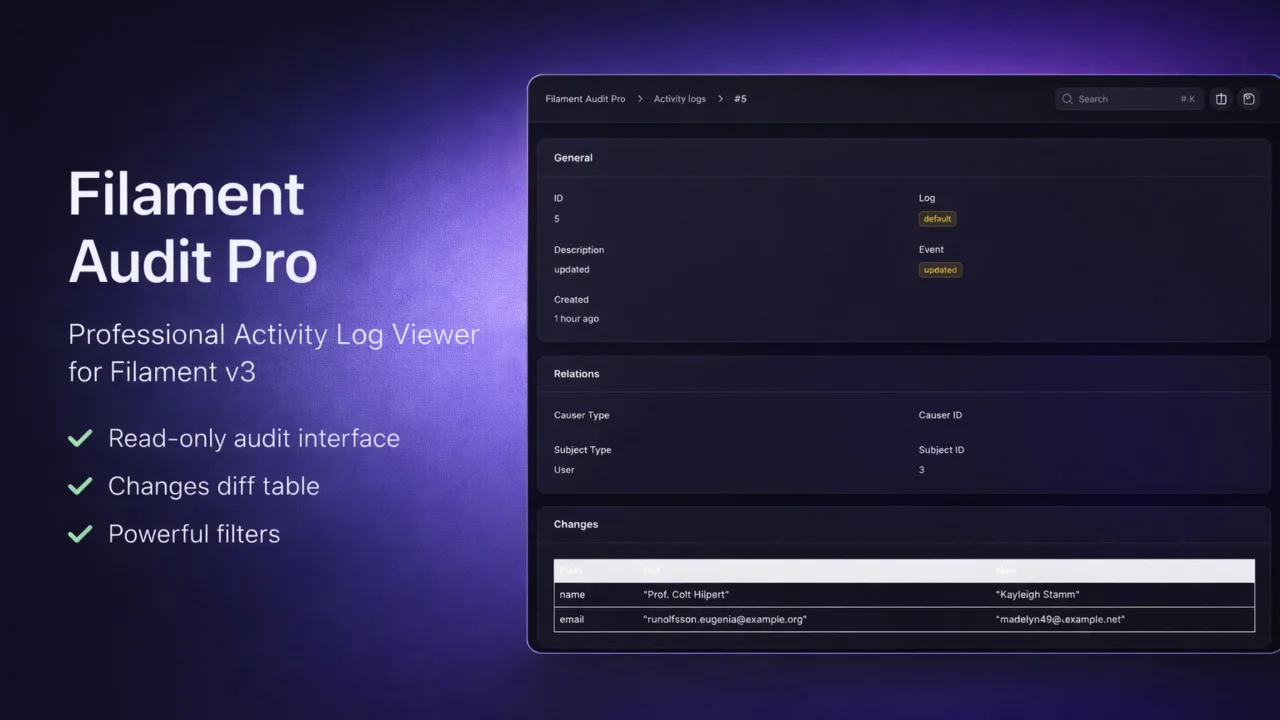
Audit Pro
CommunityAdvanced Activity Log viewer for Filament v3 powered by Spatie Activitylog.
filament/
namespace. Review the source and install at your own risk. Found
malware or an unresolved security issue the author won't
address?
Report it
.
 Author:
Dmitry Arnaut
Author:
Dmitry Arnaut
Documentation
- 📦 Overview
- ✨ Features
- Install & configure Spatie Activitylog
- Add the LogsActivity trait to your model
- Log custom events (optional)
- Ensure Spatie stores old and attributes
- Mask / hide sensitive fields
- Option A: Filament Shield (recommended)
- Option B: Resource authorization
- Option C: Panel-level access
- Notes
#📦 Overview
Filament Audit Pro brings a powerful audit log interface directly into your Filament admin panel.
Built on top of spatie/laravel-activitylog, it provides a production-ready UI to:
- View all system activities
- Track model changes
- Inspect causers & subjects
- Monitor events in real time
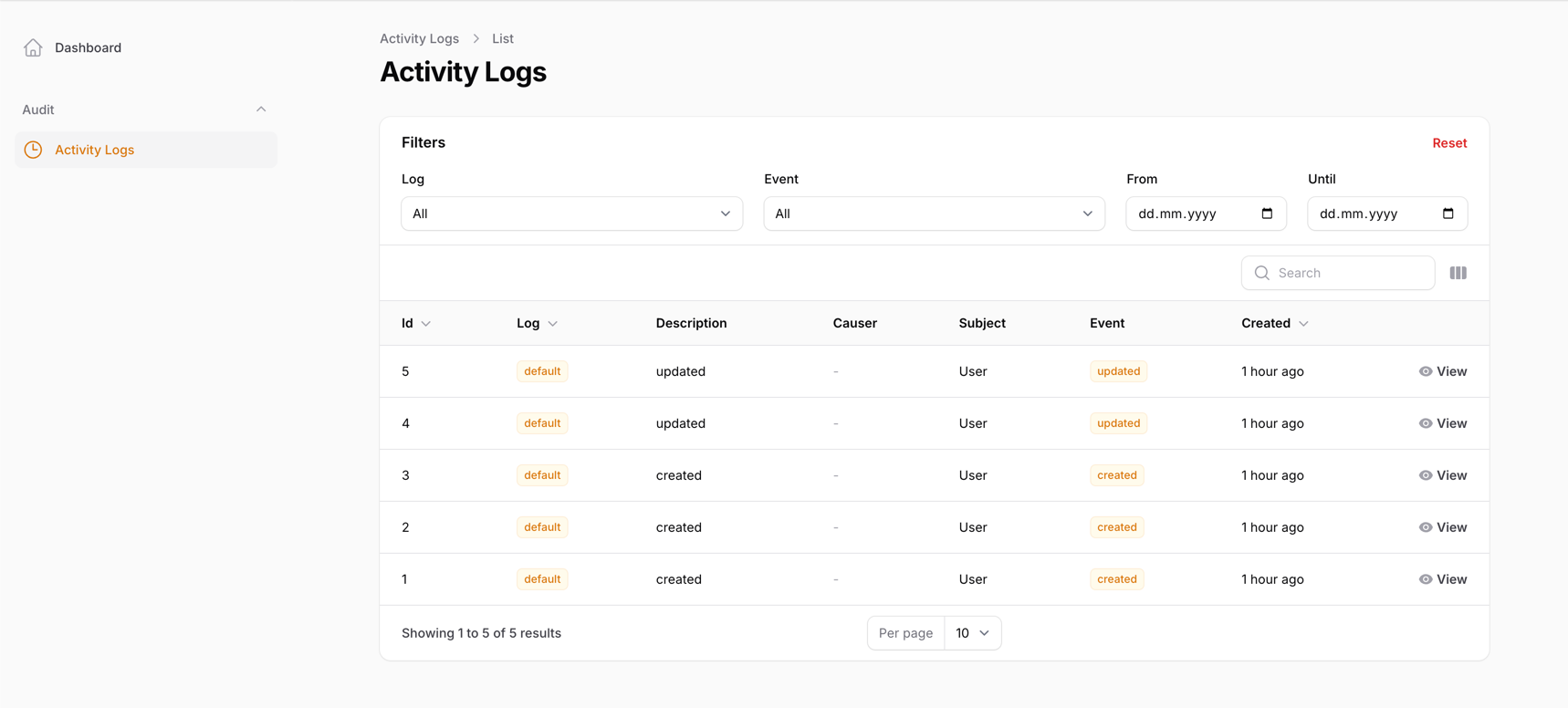
- Filter & search logs efficiently
Perfect for SaaS apps, admin dashboards, and enterprise back-offices.
#✨ Features
- Filament Resource for Activity Logs
- Advanced filters (event, causer, subject)
- JSON properties viewer
- Change diff inspection
- User & model relations
- Global search support
- Multi-panel compatible
- Dark mode ready
- Localization support
- Production-ready performance
composer require arnautdev/filament-audit-pro

composer require spatie/laravel-activitylog

php artisan vendor:publish --provider="Spatie\Activitylog\ActivitylogServiceProvider" --tag="activitylog-migrations"

php artisan migrate

php artisan vendor:publish --tag="filament-audit-pro-config"
After installation, you must register the plugin inside your Filament panel.
Open your AdminPanelProvider (or custom panel provider) and register the plugin:
use Arnautdev\FilamentAuditPro\FilamentAuditProPlugin;

public function panel(Panel $panel): Panel
{
    return $panel
        ->plugins([
            FilamentAuditProPlugin::make(),
        ]);
}
This plugin displays logs produced by spatie/laravel-activitylog.
To start recording activities, enable logging for the models you want to audit.
#Install & configure Spatie Activitylog
If you haven't done it yet, follow the Spatie installation steps and run migrations.
#Add the LogsActivity trait to your model
Example:
use Illuminate\Database\Eloquent\Model;
use Spatie\Activitylog\Traits\LogsActivity;
use Spatie\Activitylog\LogOptions;

class Order extends Model
{
    use LogsActivity;

    public function getActivitylogOptions(): LogOptions
    {
        return LogOptions::defaults()
            ->logOnly(['status', 'total'])
            ->logOnlyDirty()
            ->dontSubmitEmptyLogs();
    }
}
#Log custom events (optional)
activity()
    ->log('Something happened');

Or attach a subject / causer:

activity()
    ->performedOn($order)
    ->causedBy(auth()->user())
    ->withProperties([
        'attributes' => ['status' => 'paid'],
        'old' => ['status' => 'pending'],
    ])
    ->log('Order updated');
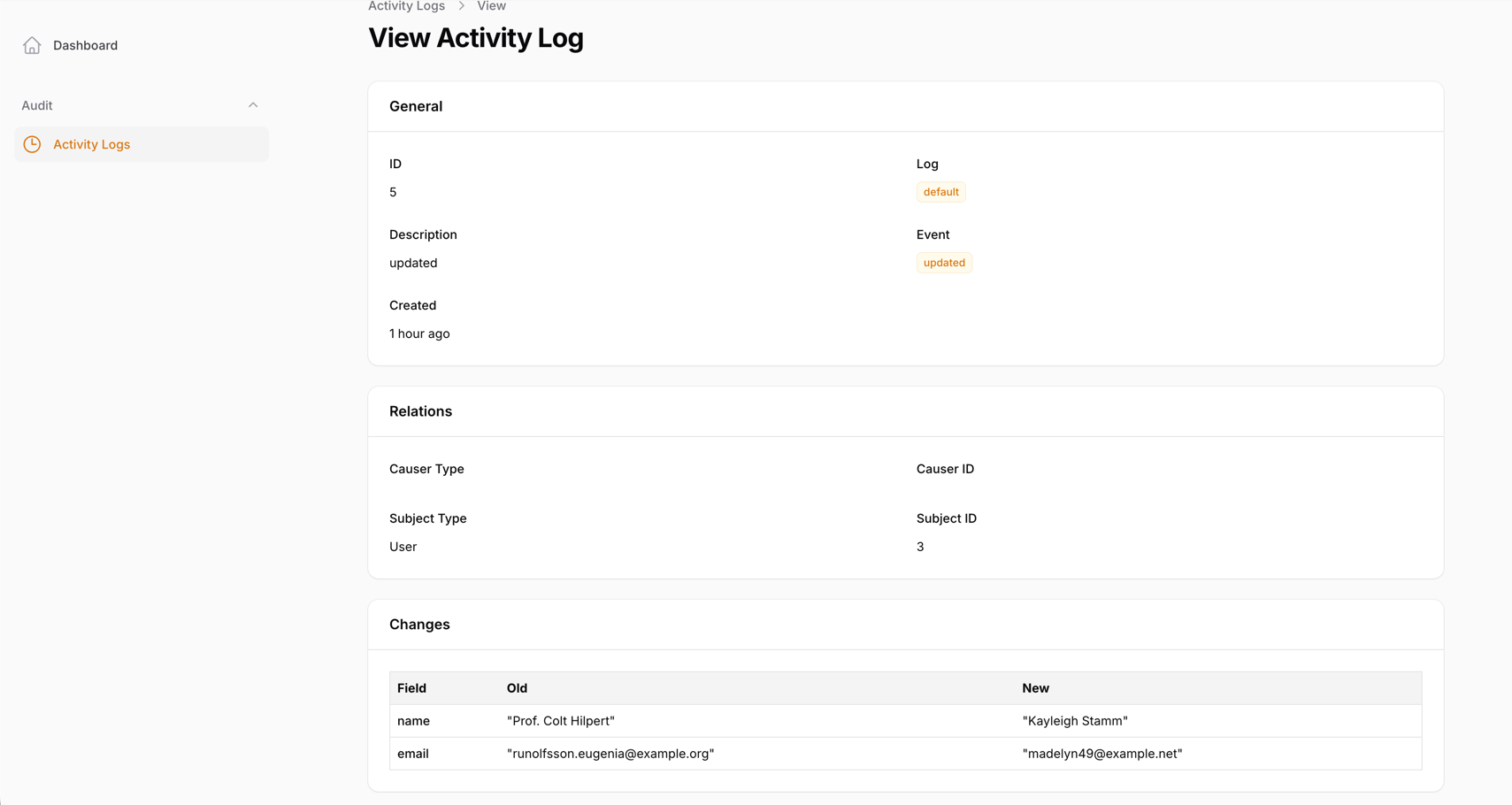
The View page includes a Changes section that displays a diff table:
- Old values (from
properties.old) - New values (from
properties.attributes)
This is especially useful when using logOnlyDirty() in Spatie Activitylog.
#Ensure Spatie stores old and attributes
Example of manual logging:
activity()
    ->withProperties([
        'old' => ['name' => 'Old'],
        'attributes' => ['name' => 'New'],
    ])
    ->log('User updated');
#Mask / hide sensitive fields
You can hide or mask sensitive fields in the diff table using the plugin config.
Publish config (optional):
php artisan vendor:publish --tag="filament-audit-pro-config"
Then configure:
// config/filament-audit-pro.php
return [
    'diff' => [
        // Completely hide fields from the diff table:
        'hidden_fields' => [
            'password',
            'remember_token',
            'token',
        ],

        // Mask fields (keep key but replace value):
        'masked_fields' => [
            'email',
            'phone',
        ],

        // Replacement used for masked values:
        'mask' => '********',
    ],
];
Tip: Use hidden_fields for secrets, and masked_fields for personal data you still want to indicate as “changed”.
By default, the Activity Log resource is read-only:
- No create actions
- No edit actions
- View page only
How you restrict access depends on your Filament setup.
#Option A: Filament Shield (recommended)
If you use Filament Shield, generate permissions and assign them to roles.
Typical permissions:
view_any_activity_logview_activity_log
(Exact names depend on your resource policy / Shield configuration.)
#Option B: Resource authorization
You can restrict access by implementing authorization in your app:
#1) Register a Policy for the Activity model
Example policy methods:
viewAnyview
Then ensure Filament is using it.
#Option C: Panel-level access
If your panel is only accessible to admins, that may be enough.
#Notes
- This plugin does not force a permission system.
- The recommended approach is to use Filament Shield or your own policies.
#List page
#View page & changes
The author
Full-stack Laravel developer and Filament plugin author with over 12 years of experience building scalable SaaS platforms, admin panels, and custom tools. Creator of high-quality, production-ready Filament plugins focused on performance, developer experience, and clean architecture.
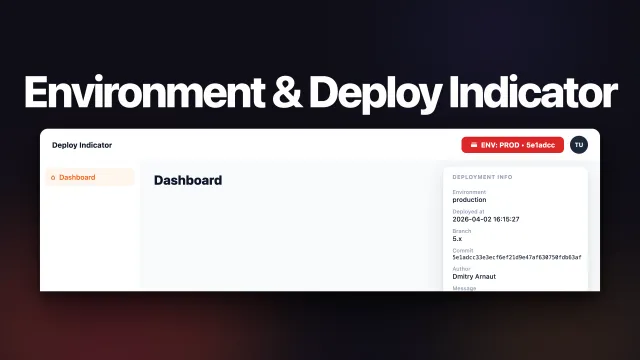
From the same author
Featured Plugins
A selection of plugins curated by the Filament team

Blueprint
Filament Blueprint is a premium Laravel Boost extension that helps AI agents produce accurate, detailed implementation plans and security reports for Filament apps.
 Filament

Custom Fields
Eliminate custom field migrations forever. Let your users create and manage form fields directly in Filament admin panels with 20+ built-in field types, validation, and zero database changes.
 Relaticle

Spotlight Pro
Browse your Filament Panel with ease. Filament Spotlight Pro adds a Spotlight like Command Palette to your Filament Panel.
 Dennis Koch
