
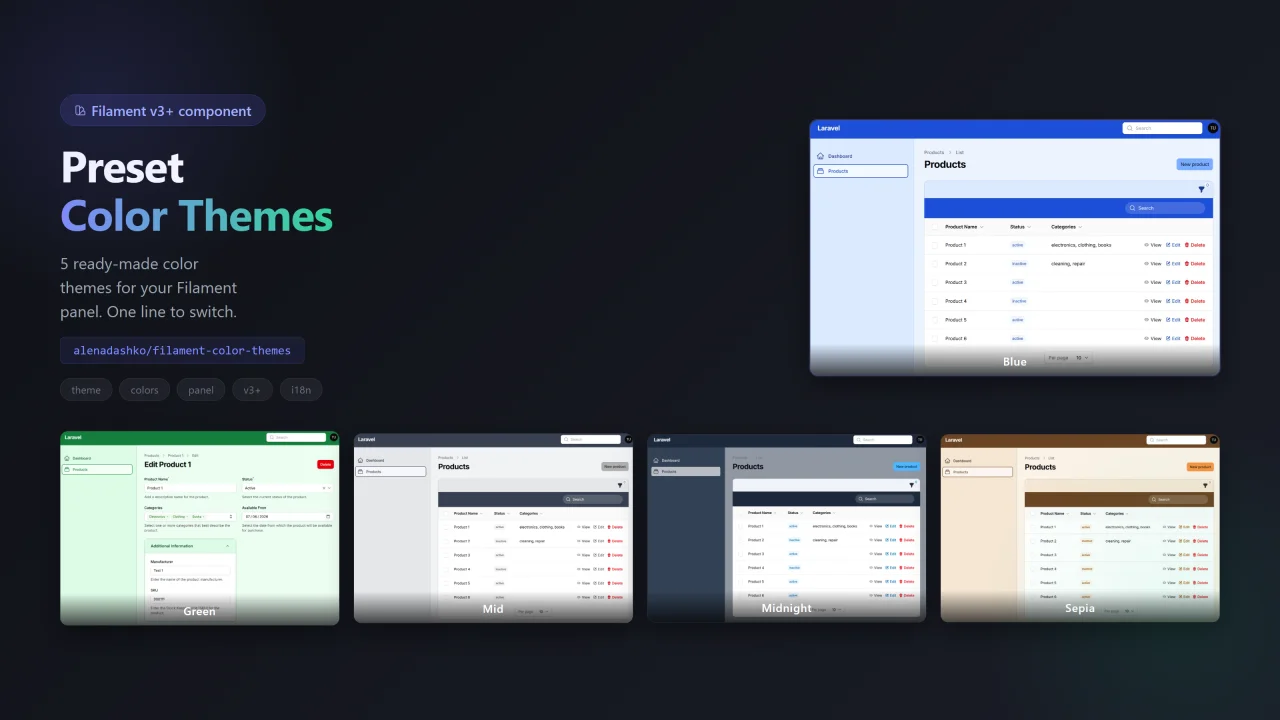
Color Themes
CommunityFilament Color Themes allows your users to switch between multiple professionally designed color palettes directly from the user menu — no custom CSS, no rebuilding assets, and no complicated configuration.
 Author:
Alona
Author:
Alona
Package health
BetaAutomated checks of this plugin's Composer package
15 checks
- Skipped: GitHub Actions pinned to SHA
- Skipped: GitLab CI includes pinned to SHA
- Passed: Open security advisories
- Passed: Dependabot PR responsiveness — No open Dependabot PRs.
- Skipped: Renovate MR responsiveness
- Skipped: Dependabot or Renovate configured
- Skipped: Dependency update cooldown configured
- Failed: Provides a security policy — View details on Plumb
- Passed: Abandoned or archived — No consulted source marks the package abandoned (packagist, github).
- Passed: Commit and release recency — Active: last commit 0 days ago; last release 21 days ago.
-
Passed:
composer.lock not committed by library
—
composer.lockis absent from the released dist archive. - Passed: Dist archive is lean
-
Passed:
Current Laravel version supported
—
Package dependencies resolve together with current Laravel
13.0. -
Passed:
Current PHP version supported
—
Constraint
^8.1supports current PHP8.5. - Skipped: Current Symfony version supported
filament/
namespace. Review the source and install at your own risk. Found
malware or an unresolved security issue the author won't
address?
Report it
.
Documentation
A Filament PHP plugin that adds panel color theme selection from the user menu.
#Features
- Theme switcher in the user menu (next to light/dark/system), with icon swatches
- Five themes:
- ForestGreen
- Office Blue
- Midtone
- Sepia
- Midnight
- Selecting a theme updates the panel primary color, sidebar, and topbar
- Color themes and light/dark/system are mutually exclusive
- Multilingual (EN / RU), easy to extend
#Requirements
- PHP 8.1+
- Filament 3.2+ or 5.x
- Laravel 10+ / 11+ / 12+
#Installation
#1. Require the package
From Packagist (no repositories / path needed):
composer require alenadashko/filament-color-themes
Important: remove any leftover path repository for this package from the app composer.json / composer config, for example:
composer config --unset repositories.filament-color-themes
Otherwise Composer still looks for ../filament-color-themes and fails even though the package is on Packagist.
Local path development (optional)
Only if you develop against a local clone — url must point to a real folder next to (or absolute path relative to) the app:
composer config repositories.filament-color-themes path C:/work/filament-color-themes
composer require alenadashko/filament-color-themes:@dev
#2. Register the plugin in your Panel Provider
Add the plugin to AdminPanelProvider (or your panel provider):
use AlenaDashko\FilamentColorThemes\ColorThemesPlugin;

public function panel(Panel $panel): Panel
{
    return $panel
        // ...
        ->plugin(ColorThemesPlugin::make());
}
After installing or updating the plugin, clear caches:
php artisan filament:optimize-clear
php artisan optimize:clear
php artisan view:clear
Your AdminPanelProvider should look like this:
use AlenaDashko\FilamentColorThemes\ColorThemesPlugin;
use AlenaDashko\FilamentColorThemes\Http\Middleware\ApplyColorTheme;

return $panel
    ->plugin(ColorThemesPlugin::make())
    ->middleware([
        ApplyColorTheme::class,
    ], isPersistent: true);
isPersistent: true is required for Livewire.
#3. (Optional) Publish config and translations
php artisan vendor:publish --tag="filament-color-themes-config"
php artisan vendor:publish --tag="filament-color-themes-translations"
#How it works
When a theme is selected, the plugin updates the primary palette (unless the panel already defines it via ->colors()). Sidebar, topbar, and filter chrome use dedicated theme colors (cardBackground / cardBorder / cardText) in CSS — Filament’s default Zinc gray is left alone so placeholders, Selects, and form text stay readable.
#Panel ->colors() and themes
Colors you define on the panel keep working while a theme is active. For example, with a brand primary:
return $panel
    ->colors([
        'primary' => '#ED1A38',
    ])
    ->plugin(ColorThemesPlugin::make());
Buttons, links and other primary elements stay #ED1A38 in every theme; the theme still styles the topbar, sidebar, and gray surfaces. If you want the active theme to fully override panel colors instead (the pre-1.1 behavior):
->plugin(
    ColorThemesPlugin::make()
        ->overridePanelColors()
)
Restrict access to the user-menu theme switcher:
->plugin(
    ColorThemesPlugin::make()
        ->canView(fn (): bool => auth()->user()?->isAdmin() ?? false)
)
#Configuration
File: config/filament-color-themes.php
| Key | Description | Default |
|---|---|---|
session_key |
Session key for the selected theme | filament_color_theme |
default |
Default theme (null = none until selected) |
null |
Available theme keys: forest-green, office-blue, midtone, sepia, midnight.
#Localization
Translations live in:
resources/lang/en/color-themes.phpresources/lang/ru/color-themes.php
The language is taken from the Laravel locale (config('app.locale')). To add a language, create resources/lang/{locale}/color-themes.php and publish the translations.
#License
MIT
The author
From the same author
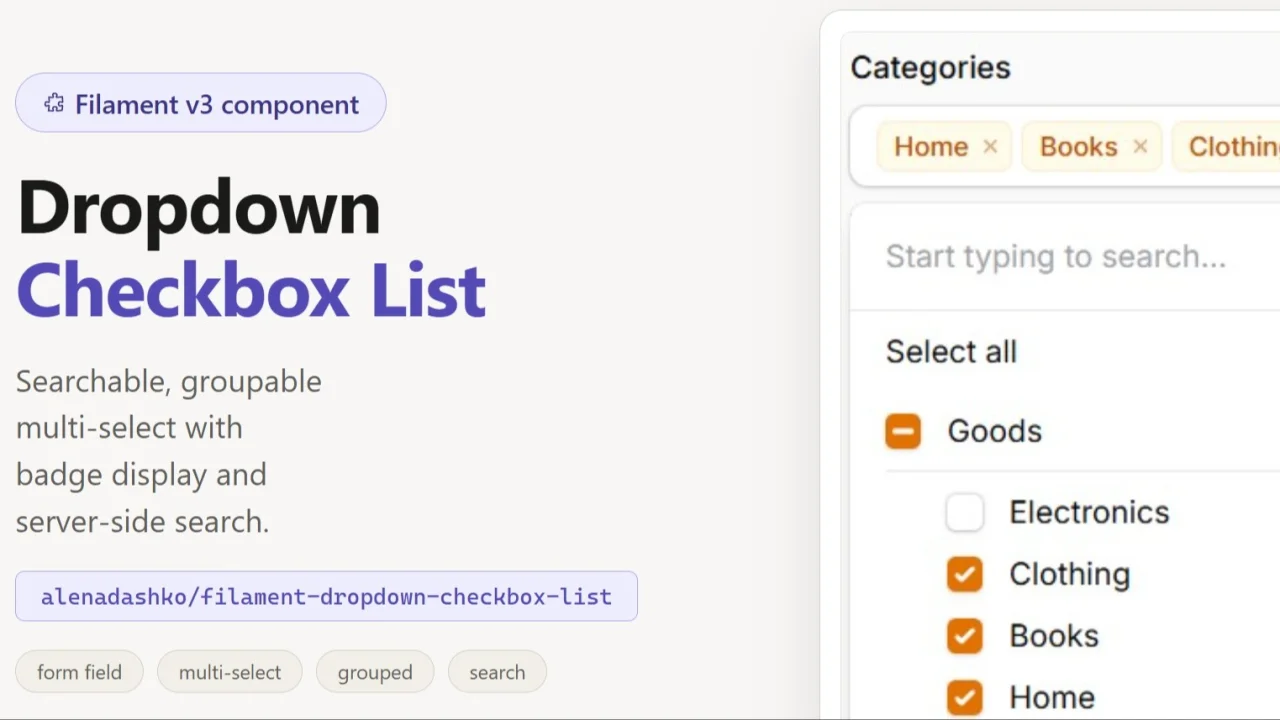
DropdownCheckboxList
A compact, searchable dropdown version of Filament's CheckboxList — selected values display as removable badges, with support for server-side search on large datasets.
Author:
Alona
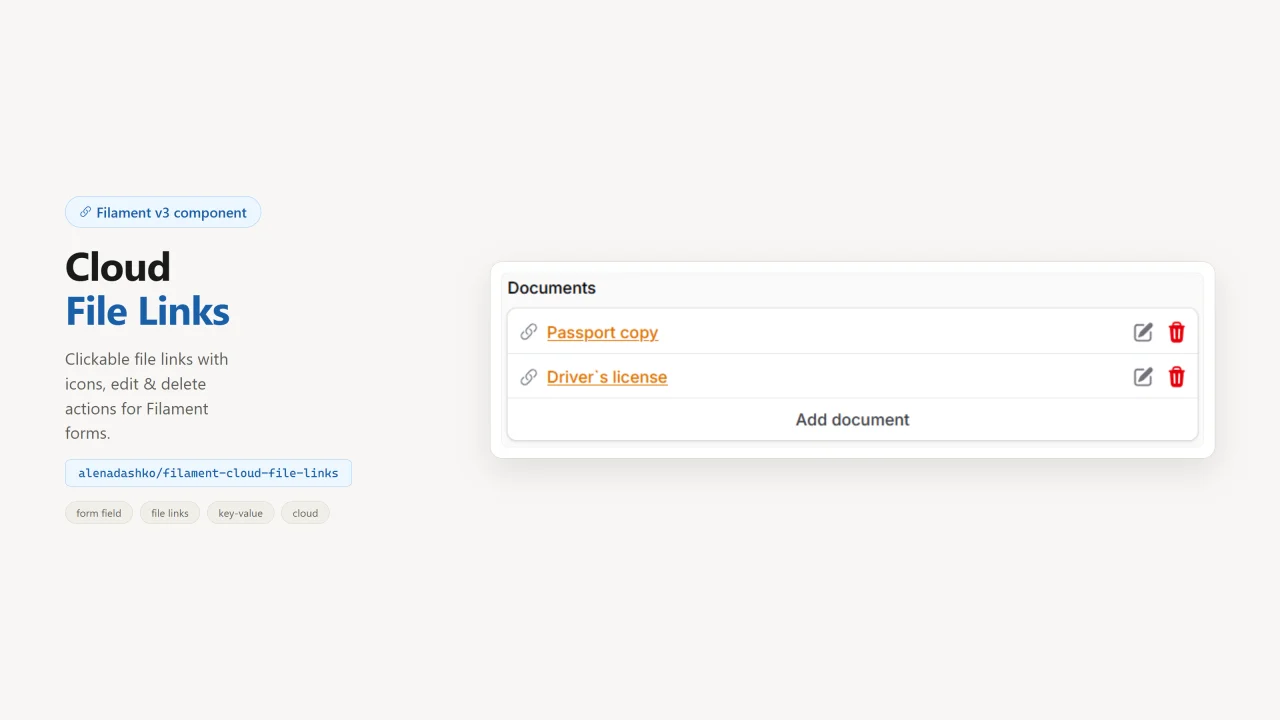
CloudFileLinks
A KeyValue-style Filament form field for cloud file links: clickable names, edit/delete actions, and file-type icons.
Author:
Alona
Featured Plugins
A selection of plugins curated by the Filament team

Compact Theme
A theme that makes data-heavy panels easier to scan by fitting more useful information on each screen.
 Filament

Custom Fields
Eliminate custom field migrations forever. Let your users create and manage form fields directly in Filament admin panels with 20+ built-in field types, validation, and zero database changes.
 Relaticle

Noir Theme
A theme that gives panels a focused, refined look with near-black surfaces, crisp actions, and restrained color.
Filament

