
Atelier - A visual page builder
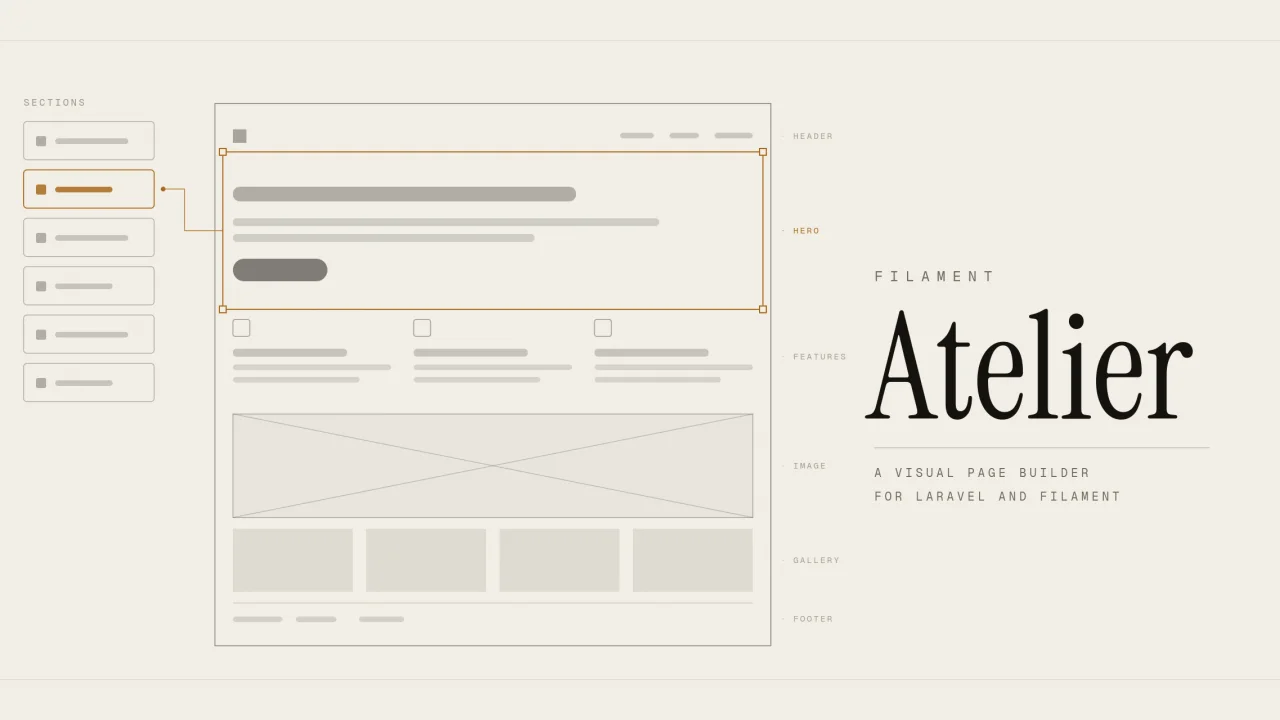
CommunityA visual page builder where developers define blocks in code and clients arrange them in a full-screen editor with a live preview that renders the real page.
 Author:
Abdulkader Safi
Author:
Abdulkader Safi
Package health
BetaAutomated checks of this plugin's Composer package
15 checks
- Passed: GitHub Actions pinned to SHA
- Skipped: GitLab CI includes pinned to SHA
- Passed: Open security advisories
- Passed: Dependabot PR responsiveness — No open Dependabot PRs.
- Skipped: Renovate MR responsiveness
- Passed: Dependabot or Renovate configured
- Passed: Dependency update cooldown configured
- Passed: Provides a security policy
- Passed: Abandoned or archived — No consulted source marks the package abandoned (packagist, github).
- Passed: Commit and release recency — Active: last commit 9 days ago; last release 9 days ago.
-
Passed:
composer.lock not committed by library
—
composer.lockis absent from the released dist archive. - Passed: Dist archive is lean
-
Passed:
Current Laravel version supported
—
Package dependencies resolve together with current Laravel
13.0. -
Passed:
Current PHP version supported
—
Constraint
^8.3supports current PHP8.5. - Skipped: Current Symfony version supported
filament/
namespace. Review the source and install at your own risk. Found
malware or an unresolved security issue the author won't
address?
Report it
.
Documentation
- Requirements
- Installation
- Using your own layout
- The editor
- Layouts
- Writing a block
- Design tokens
- SEO
- Multi-language pages
- Configuration
- Upgrading
- Known limits
- Links
A visual page builder for Laravel, built as a Filament plugin.
A developer defines the sections in code. The client builds pages from them in a full-screen editor and watches the real page update as they type. The public site stays server-rendered Blade, multi-language, and fast.
A page is stored as a JSON tree of typed blocks and rendered by Blade at request time. A block type is one PHP class plus one Blade view, and the class returns a Filament schema which becomes its settings form. The preview renders the real page through the public layout and the public stylesheet, so what you see is what ships.
#Requirements
- PHP 8.3 or newer
- Laravel 12 or 13
- Filament 5
- Tailwind 4 on the front end
#Installation
composer require safi/filament-atelier
php artisan vendor:publish --tag=filament-atelier-config
php artisan vendor:publish --tag=filament-atelier-migrations
php artisan migrate
php artisan storage:link
storage:link is not optional. Uploaded images go to the public disk, and without the symlink every image in the builder and on the live site is broken, with no error anywhere to tell you why.
#Register the plugin
In your panel provider:
use Safi\Atelier\AtelierPlugin;
use Safi\Atelier\Blocks\DefaultBlocks;

->plugins([
    AtelierPlugin::make()
        ->blocks(DefaultBlocks::all()),
])
DefaultBlocks::all() is the set Atelier ships: hero, features, rich text, image, gallery, logo wall, testimonials, FAQ, call to action. Pass your own array to cherry-pick, and add your own classes alongside them.
#Point Tailwind at the block views
This step fails silently. Skip it and every block renders unstyled, with nothing in the console or the log to say why. Tailwind scans source files and has no idea your vendor directory exists.
In resources/css/app.css:
@source '../../vendor/safi/filament-atelier/resources/views/**/*.blade.php';
Then npm run build. Blocks you write live in your own app, which Tailwind already scans.
#Decide what owns /
Atelier registers a catch-all for /{slug} and /{locale}/{slug}, registered last so your own routes still win. A fresh Laravel app has a welcome route on /; remove it if you want the CMS to own the home page.
#Configure locales
In config/atelier.php:
'locales' => [
    'en' => ['label' => 'English', 'dir' => 'ltr'],
    'ar' => ['label' => 'العربية', 'dir' => 'rtl'],
],
The set is yours. One locale is fine and the language switcher hides itself; add as many as the site needs, in any language. The two above are a starting point, not a requirement, and dir is ltr or rtl per locale.
The first locale is the default and lives at /{slug}. Every other locale lives at /{locale}/{slug}. Decide this before you create pages: changing it later means migrating the per-locale maps inside every block tree on every page.
#Using your own layout
atelier.layout points at the Blade view wrapping the rendered blocks, and pointing it at your own is the normal way to give a client site its own shell. That is the site-wide default; Layouts below covers registering several and letting each page pick one. Either way a layout receives $blocks (the rendered HTML), $locale, $page, $title and $preview.
Include the two partials:
<!DOCTYPE html>
<html lang="{{ $locale }}">
<head>
    <meta charset="utf-8">
    <meta name="viewport" content="width=device-width, initial-scale=1">

    {{-- Title, description, canonical, hreflang, Open Graph, Twitter, and
         noindex on previews. Emits its own <title>, so don't write one. --}}
    @include('atelier::partials.meta')

    @vite(['resources/css/app.css'])

    {{-- Design tokens. After your stylesheet, so they win. --}}
    @include('atelier::partials.tokens')
</head>
<body>
    <header>Your navigation</header>
    <main>{!! $blocks !!}</main>
    <footer>Your footer</footer>
</body>
</html>
Both failures are silent. Without partials.meta the page renders perfectly and carries no title, description, canonical, hreflang or Open Graph tags, and previews stop being noindex. Without partials.tokens every var(--atelier-*) resolves to nothing, so the background and spacing controls quietly do nothing and RTL locales lose their font stack.
#The editor
Pages in the panel nav, then a page row, then its settings, then Edit page content for the builder.
Settings and content are separate screens on purpose. Slug and SEO are set once; content is what you come back to.
Page settings hold the title and a tab per locale carrying the slug, meta title, meta description, social share image and canonical URL. The header has Edit page content, View live, Publish, Unpublish and Delete.
The builder is full screen, outside the panel chrome:
- The sidebar shows the section list, each row labelled by the section's own heading rather than "Block 4", with move, duplicate, hide and delete. Selecting a row swaps the list for that section's fields.
- The middle is the live preview, rendering the real page through the public layout and the public stylesheet. Click a section in the preview to select it.
- The toolbar carries the status badge, desktop, tablet and mobile widths at fixed sizes, the locale switcher, a signed preview link that expires, and Publish.
Every change writes the draft immediately, so there is no Save button. The live page reads a separate column and cannot change until you press Publish. An unpublished page 404s, so a half-finished page cannot leak. Hiding a section keeps it in the editor and removes it from the public page, which is the reversible alternative to deleting.
Publishing snapshots the tree into atelier_page_revisions, pruned to revisions.keep. Page::restoreRevision() copies one back into the draft. There is no UI for browsing revisions yet.
#Layouts
A site is rarely one shell. Marketing pages want a navbar and a footer, documentation wants a sidebar, a landing page often wants neither. The blocks are the same either way, so the shell is a per-page choice.
Register the layouts you have written where you register blocks:
AtelierPlugin::make()
    ->blocks(DefaultBlocks::all())
    ->layouts([
        'site' => ['label' => 'Navbar and footer', 'view' => 'layouts.site'],
        'docs' => ['label' => 'Sidebar', 'view' => 'layouts.docs'],
        'bare' => 'layouts.bare',
    ]);
The short form is just a view name, and the label comes from the key. A Layout dropdown
appears in page settings listing them, and hides itself when no layouts are registered.
Leaving it empty uses the site-wide atelier.layout.
The choice is page-level rather than per locale, because a layout is structure and both locales share one structure by design.
A layout receives $blocks, $page, $locale, $title and $preview. Echo $blocks
unescaped inside an element carrying data-atelier-canvas, which is what the editor swaps
on every preview refresh, and include both partials as shown above. The editor's preview
renders through the same layout the public page will use: a preview through a different
shell is a preview that lies.
Delete a layout from the panel provider and pages still naming it fall back to the site-wide default rather than erroring.
#Writing a block
One PHP class and one Blade view. Nothing inside the plugin changes.
namespace App\Blocks;

use Filament\Forms\Components\TextInput;
use Filament\Forms\Components\Textarea;
use Safi\Atelier\Blocks\BaseBlock;
use Safi\Atelier\Media;

class StatsBlock extends BaseBlock
{
    public static function type(): string
    {
        return 'stats';            // registry key, and the view name
    }

    public static function icon(): string
    {
        return 'heroicon-o-chart-bar';
    }

    public static function category(): string
    {
        return 'Content';          // groups it in the picker
    }

    /** Shared controls this block opts into. */
    public static function supports(): array
    {
        return ['background', 'padding'];
    }

    /** Fields stored per locale. */
    public static function translatable(): array
    {
        return ['heading'];
    }

    /** Starting values when the block is added to a page. */
    public static function defaults(): array
    {
        return ['heading' => ['en' => 'By the numbers']];
    }

    public function schema(): array
    {
        return [
            TextInput::make('heading')->live(debounce: 400),
            Textarea::make('body')->rows(3)->live(debounce: 400),
            Media::upload('image', 'Image')->live(),
        ];
    }
}
Then resources/views/blocks/stats.blade.php in your app:
<section {{ $shared->class(['px-6 py-16']) }}>
    <div class="mx-auto max-w-3xl">
        @if ($heading = $attributes['heading'] ?? null)
            <h2 class="text-3xl font-semibold">{{ $heading }}</h2>
        @endif
    </div>
</section>
And register it:
AtelierPlugin::make()->blocks([
    ...DefaultBlocks::all(),
    \App\Blocks\StatsBlock::class,
])
#Five things that will bite you otherwise
->live(debounce: 400)is what makes the preview update as you type. A field without it only refreshes when focus leaves it. This is the most common "why isn't the preview updating".- Put
{{ $shared }}on the outer element, usually as$shared->class([...]). It carries the block id that click-to-select needs and the styles from any control the block declared insupports(). Writedata-atelier-block="{{ $id }}"by hand instead and the block still works, it just never gets the shared controls. translatable()fields are stored as{"en": "...", "ar": "..."}. Everything else is shared across locales. Repeaters can be translatable too, and then the whole list is per locale.- Use
Media::upload()in the schema andMedia::url()in the view. Never callStorage::url()yourself.FileUploadstate is not reliably a string: it is an array keyed by uuid while editing and[]when empty, andMedia::url()is where that is handled. - Reference design tokens, not literal colours. A field storing
{"token": "color.primary"}is resolved tovar(--atelier-color-primary)before your view runs, so changing the token changes every page using it.
#What the view receives
| Variable | What it is |
|---|---|
$attributes |
The block's fields, collapsed to the current locale and token-resolved |
$shared |
Attribute bag for the root element: the block id, plus supports() styling |
$id |
Stable block id |
$locale |
Current locale code |
$editing |
True in the preview, false on the public page |
$children |
Rendered child blocks, for nesting |
$editing is for showing something in the editor that should not ship, like an empty-state placeholder.
#Design tokens
Colour, font, spacing and width are emitted as CSS custom properties into the head of both the public page and the editor preview, from the same layout, so the two cannot drift.
Defaults live in Safi\Atelier\Tokens and atelier.tokens overrides them key by key, so changing one colour does not mean restating the group:
'tokens' => [
    'color' => ['primary' => '#0f766e'],
    'font' => ['arabic' => '"IBM Plex Sans Arabic", sans-serif'],
],
The font swap rides on a [dir="rtl"] rule rather than a locale code, so every RTL locale gets it for free. The token is named arabic after the stack it ships with; point it at whatever face your RTL language needs.
#SEO
Each page carries per-locale meta title, meta description, social share image and canonical
URL, rendered into the head with Open Graph and Twitter tags alongside hreflang between
locales.
Two toggles per locale control indexing. Marking a locale noindex emits the robots tag and drops that URL from the sitemap, one switch for both. Nofollow is independent: a page can be indexed and still not pass link credit.
A sitemap is served at /sitemap.xml, listing every published, indexable page in every
locale with xhtml:link alternates and lastmod from the publish time. Drafts and
noindexed pages never appear.
/robots.txt points at it and disallows the preview route and the panel. Laravel ships a
real public/robots.txt, and a file on disk is served before any route runs, so delete
that file to use this one, or copy the Sitemap: line into yours. Set
atelier.robots.disallow_panel to your panel path, or null to leave it crawlable.
#Structured data
Every page emits one <script type="application/ld+json"> holding a graph: the
Organization (or the LocalBusiness subtype set on the Site details screen), the WebSite,
this WebPage, a BreadcrumbList derived from a nested slug, and whichever page type the
page picked.
Page type is a select on the page settings screen: standard page, about, contact,
listing, article, service, product, event or person. Picking one reveals the few fields that
type needs. Page-shaped types refine the WebPage node; thing-shaped types get their own
node linked through mainEntity, because a page about a product is not a product.
There are two ways to get the rest into the head, and you will use both.
A block can describe itself. Implement structuredData() and the block contributes nodes
built from data the client already typed into it:
public static function structuredData(array $attributes, string $locale, string $url): array
{
    return [[
        '@type' => 'FAQPage',
        '@id' => StructuredData::id($url, 'faq'),
        'inLanguage' => $locale,
        'mainEntity' => collect($attributes['items'] ?? [])->map(fn (array $item) => [
            '@type' => 'Question',
            'name' => $item['question'],
            'acceptedAnswer' => ['@type' => 'Answer', 'text' => $item['answer']],
        ])->all(),
    ]];
}
The attributes arrive collapsed to the locale with tokens resolved, exactly as the view
receives them, so the schema cannot describe something different from what rendered. Nodes
sharing an @id merge, which is how two FAQ blocks on one page become one FAQPage. The
shipped FaqBlock does this already.
Or it can be typed on the page. Under Structured data, a tab per schema type: FAQ questions and a breadcrumb trail, per locale, on a page built from anything at all.
That second path is not a fallback, it is the normal one for a site whose blocks you wrote
yourself. A custom FAQ section has no structuredData() unless somebody remembered to add
it, and nobody should have to edit a PHP class to get an FAQ into the head. Typed entries win
over derived ones, so typing a question a block already provides replaces it rather than
listing it twice.
⚠️ Google expects FAQ data to correspond to something a visitor can see on the page. Typed questions are for content that is there in another form, prose most often, not for questions that appear nowhere.
#Pages Atelier does not own
A real client site is rarely only Atelier pages. There is usually a blog or a services resource with its own model, its own panel tab and its own routes, and those URLs belong in the sitemap too. Hand them over when you register the plugin:
use App\Models\Post;
use Safi\Atelier\AtelierPlugin;
use Safi\Atelier\Blocks\DefaultBlocks;

->plugins([
    AtelierPlugin::make()
        ->blocks(DefaultBlocks::all())
        ->sitemap([
            fn () => Post::published()->get()->map(fn (Post $post) => [
                'loc' => route('blog.show', $post),
                'lastmod' => $post->updated_at,
            ]),
        ]),
])
A source is a closure, or the name of an invokable class resolved from the container, which is the better home once it needs its own query:
->sitemap([App\Sitemap\ServiceUrls::class])
Each source returns an iterable of URLs. The short form is a plain string:
fn () => ['https://example.com/pricing', 'https://example.com/contact']
The long form takes lastmod (a string or any DateTimeInterface) and alternates keyed
by locale:
fn () => [[
    'loc' => route('blog.show', $post),
    'lastmod' => $post->updated_at,
    'alternates' => ['ar' => route('blog.show', [$post, 'locale' => 'ar'])],
]]
Sources are called when the sitemap is requested, never at boot, so they are free to query.
URLs are deduplicated on loc, so listing something Atelier already knows about is
harmless. A source that throws takes the sitemap down with it on purpose: a sitemap quietly
missing half a site is worse than one that fails where somebody notices.
Entries from your own sources are listed as given. Atelier does not check whether they are published, indexable or reachable, because only your model knows that. Filter in the source.
#Renaming a slug
Changing a published page's slug writes a 301 from the old URL, and the public route consults those before it 404s. The redirect stores the page rather than a target slug, so a page renamed twice sends both old URLs to wherever it lives now, with no chain to follow. An unpublished target 404s instead: sending someone to a 404 is worse than the 404 itself.
#Multi-language pages
Translatable attributes hold a per-locale map inside one tree, so every language shares one section order. A missing translation falls back to the default locale rather than rendering a hole.
Each locale has its own slug row, its own SEO fields and its own URL, with hreflang pointing between them and dir="rtl" on any locale that declares it. The accepted cost of one tree is that a translation cannot have a different section order from the default locale.
#Configuration
| Key | What it does |
|---|---|
locales |
Which languages exist, and the dir of each. Any number, one is fine. The first is the default and has no URL prefix. |
layout |
The Blade layout wrapping rendered blocks. Both the preview and the public page use it. |
tokens |
Design token overrides. Anything omitted falls back to the shipped set. |
preview.debounce |
Milliseconds after typing stops before the preview refreshes. |
preview.widths |
Pixel widths for the desktop, tablet and mobile switcher. |
preview.link_expiry_minutes |
How long a shareable preview link stays valid. |
media.disk |
Disk for uploads. Must be public. |
media.directory |
Folder within that disk. |
revisions.keep |
Snapshots kept per page, pruned on publish. |
robots.disallow_panel |
Panel path to disallow in robots.txt. null leaves it crawlable. |
#Upgrading
New tables ship as new migration files, never as an edit to one that already ran, so after every update:
composer update safi/filament-atelier
php artisan vendor:publish --tag=filament-atelier-migrations
php artisan migrate
vendor:publish skips files you already have, so this copies only what is new. Skipping it fails late rather than loudly: the panel loads, and the missing table surfaces the first time someone uses the feature that needs it. The changelog says which releases need it.
#Known limits
Worth knowing before you promise anything to a client:
- Block types are code only. Creating them from the panel is not built, and that is deliberate: it is what stops a client breaking the design.
- Reordering is arrow buttons, not drag, and new sections are added at the end.
- No revisions UI. Snapshots are written and restore works from code.
- No header, footer, contact form or raw HTML block in the shipped set yet.
- Translations share the section order with the default locale. One tree, translated text, by design.
- Not multi-tenant. One install, one site.
#Links
- Wiki, including an agent quickstart and how the data model is shaped
- Changelog
- Security policy
- Issues
The author
I'm Abdulkader, a lead software engineer from Lebanon, based in Kuwait.
I've been building software since I was 13.
I work on web and mobile apps, AI products, and the developer tools in between, and I still treat every project like it's the one people will remember.
Featured Plugins
A selection of plugins curated by the Filament team

Blueprint
Filament Blueprint is a premium Laravel Boost extension that helps AI agents produce accurate, detailed implementation plans and security reports for Filament apps.
 Filament

Custom Dashboards
Let your users build and share their own dashboards with a drag-and-drop interface. Define your data sources in PHP and let them do the rest.
Filament

Spotlight Pro
Browse your Filament Panel with ease. Filament Spotlight Pro adds a Spotlight like Command Palette to your Filament Panel.
 Dennis Koch

