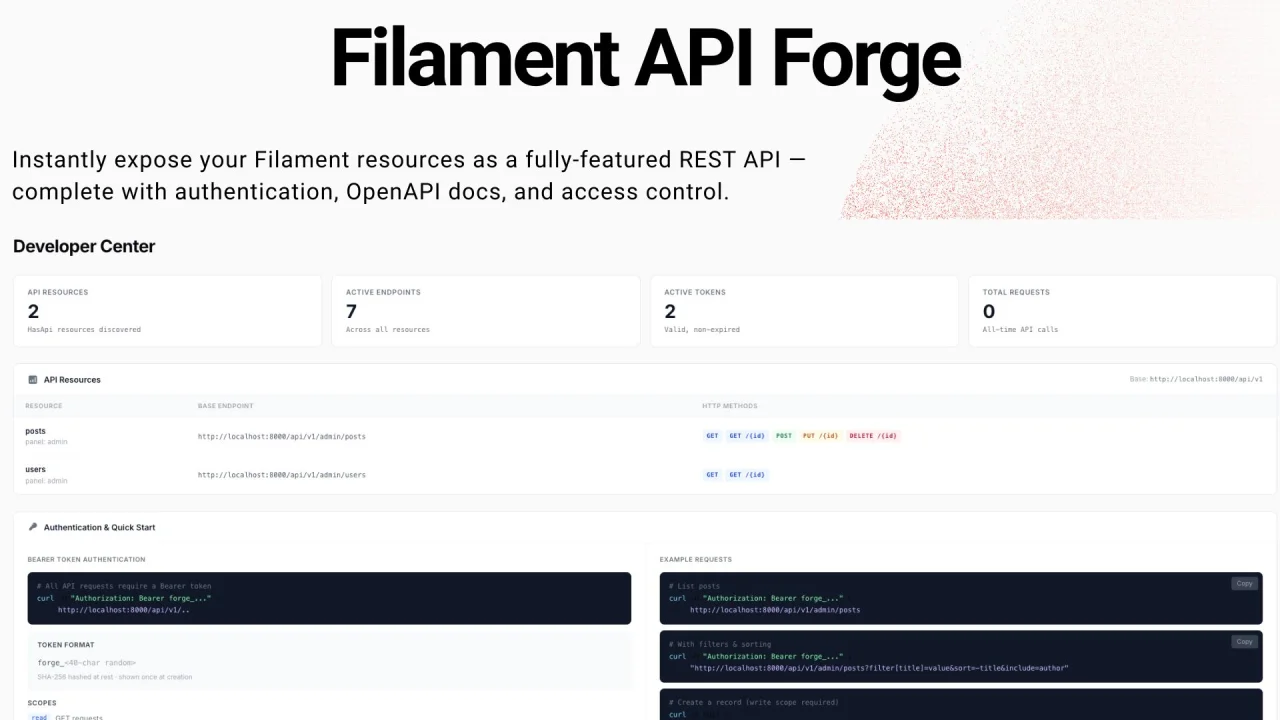
API Forge
Automatically expose your Filament Resources as fully-featured REST APIs — with hash-based authentication, OpenAPI documentation, per-resource access control, rate limiting, and IP restrictions. No Sanctum required.
 Author:
Yusuf Genc
Author:
Yusuf Genc
Documentation
- Screenshots
- Features
- Requirements
- Installation
- Setup
- Authentication
- Making API Requests
- Response Format
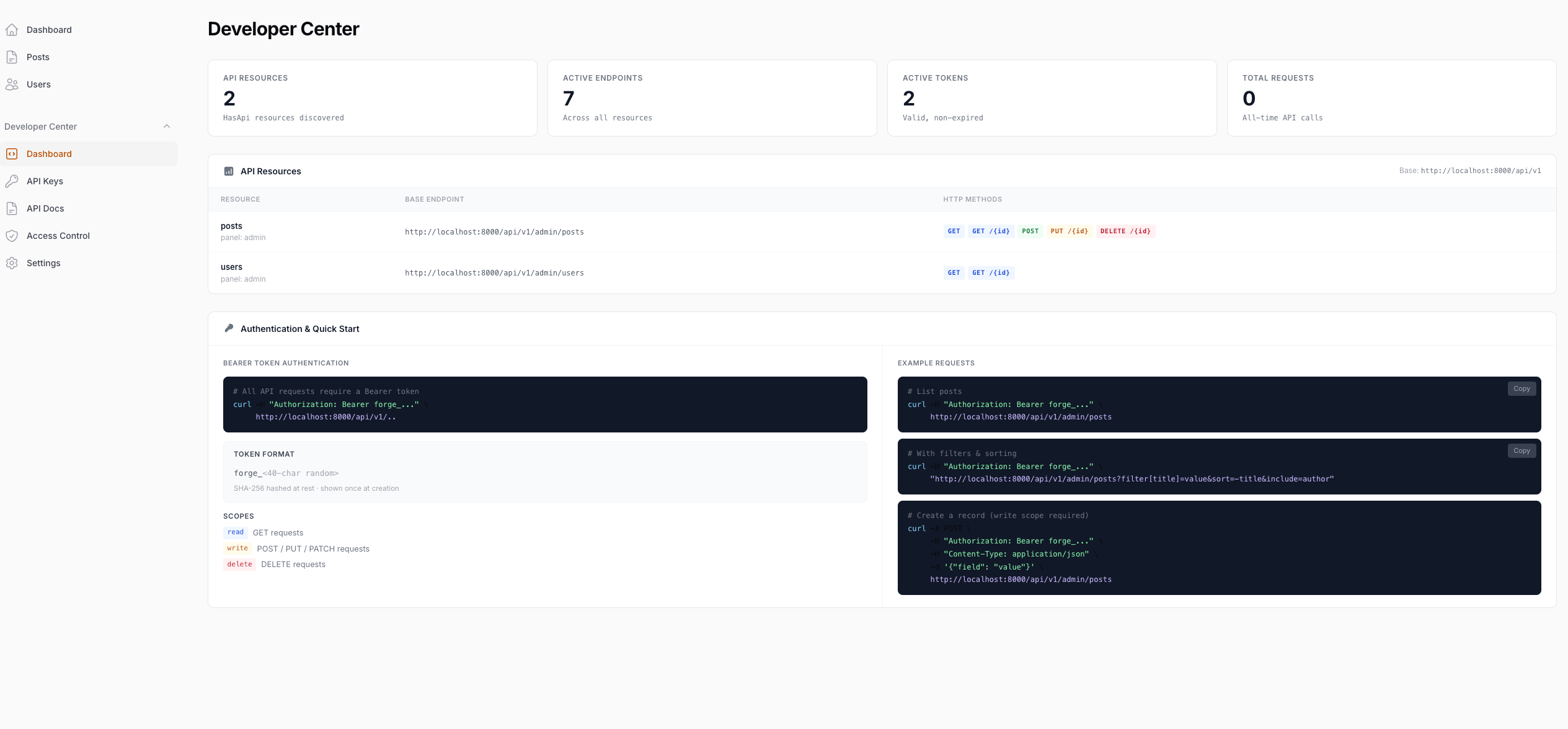
- Developer Center
- Access Control
- Public API Docs
- Route Segment
- Request Counters
- Configuration
- License
- Credits
Automatically expose your Filament Resources as fully-featured REST APIs — with hash-based authentication, interactive OpenAPI documentation, per-resource access control, rate limiting, and IP restrictions. No Sanctum required.



#Screenshots
Developer Center
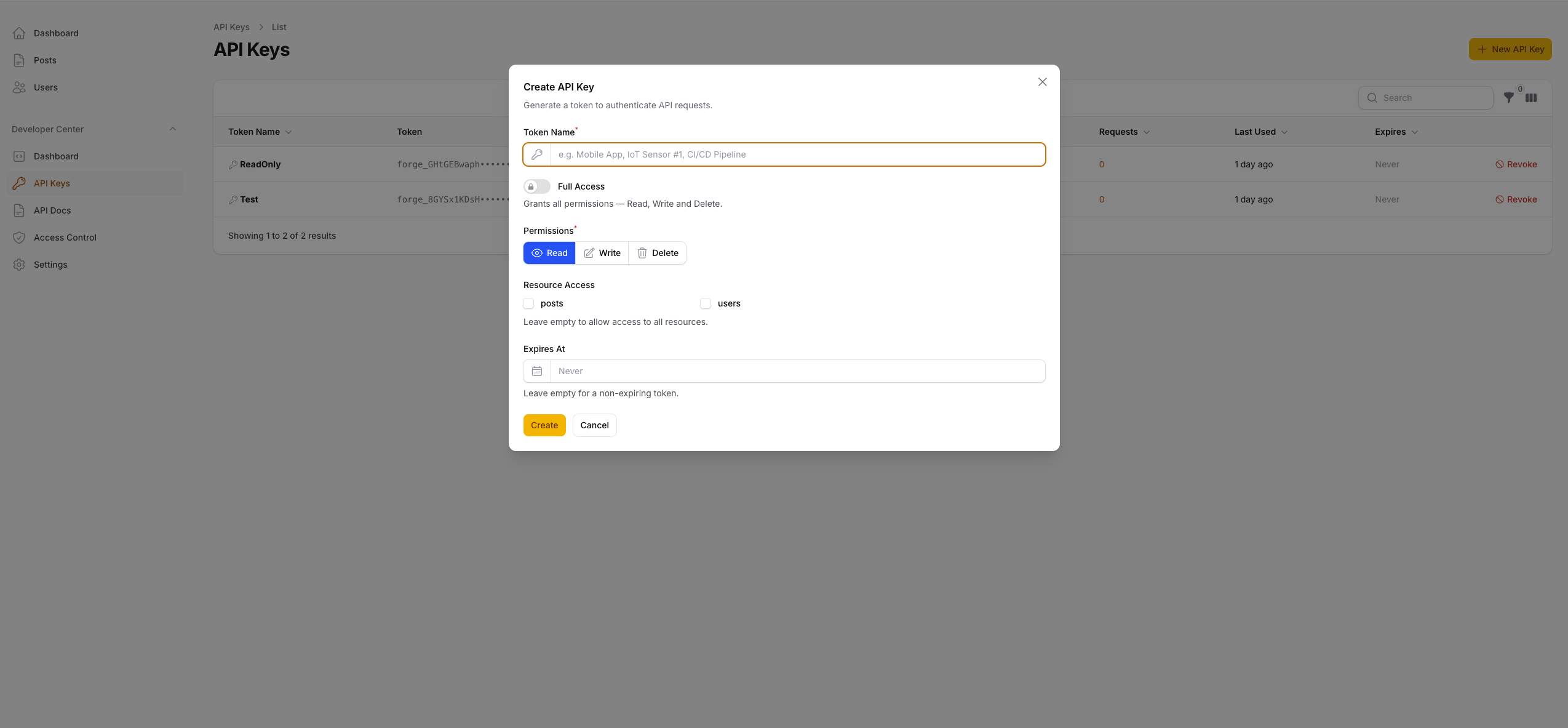
API Keys
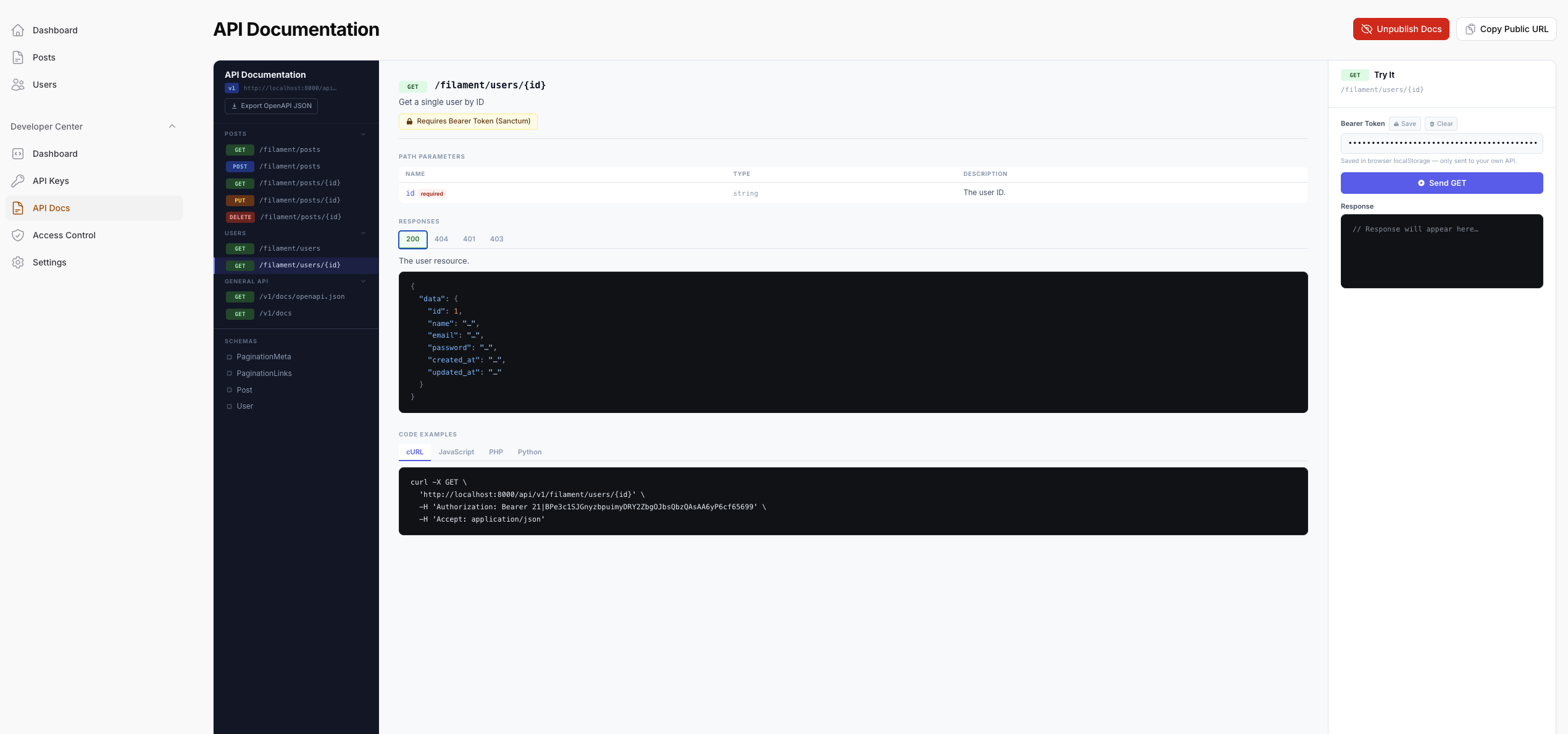
API Docs
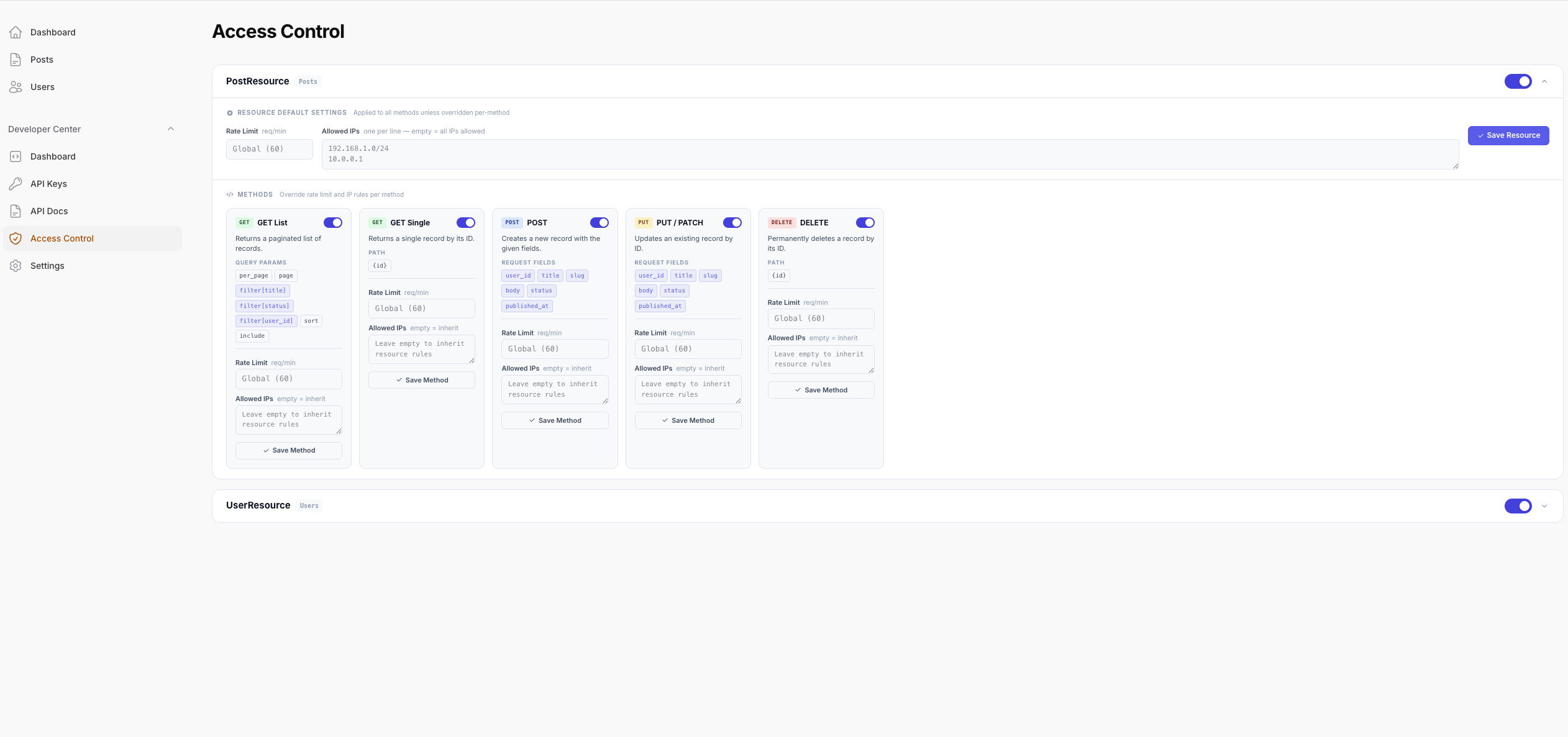
Access Control
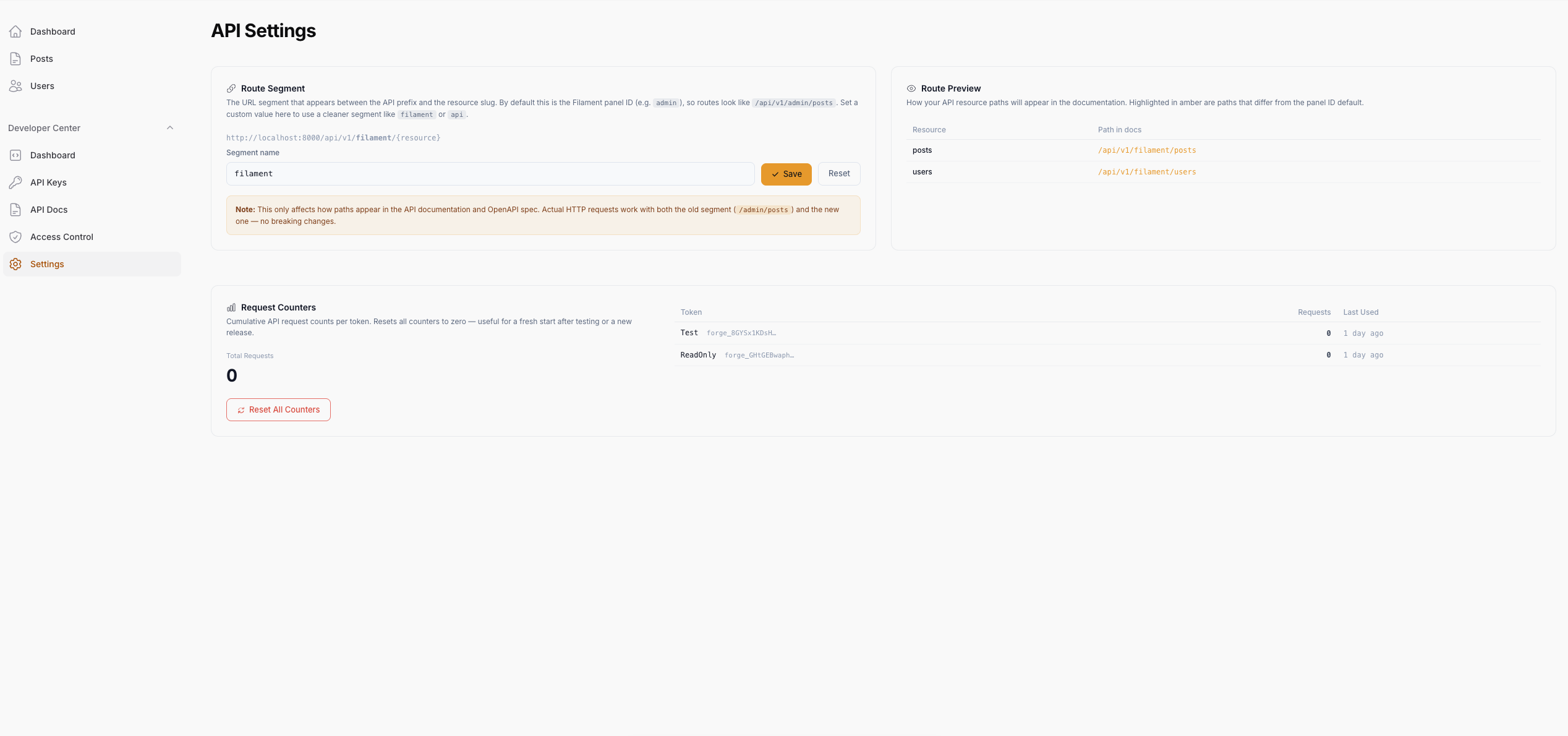
Settings
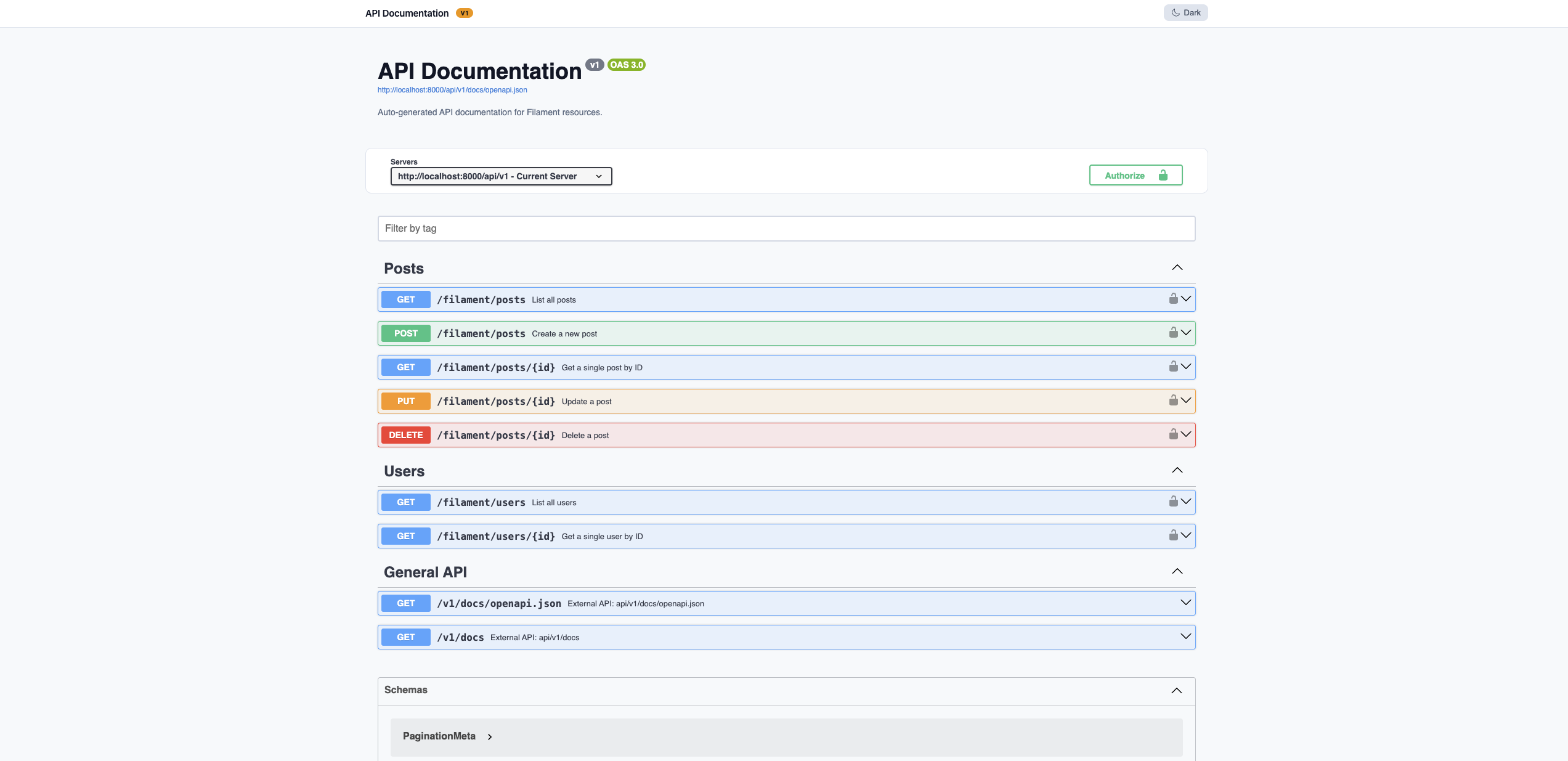
Public Docs — Light Mode
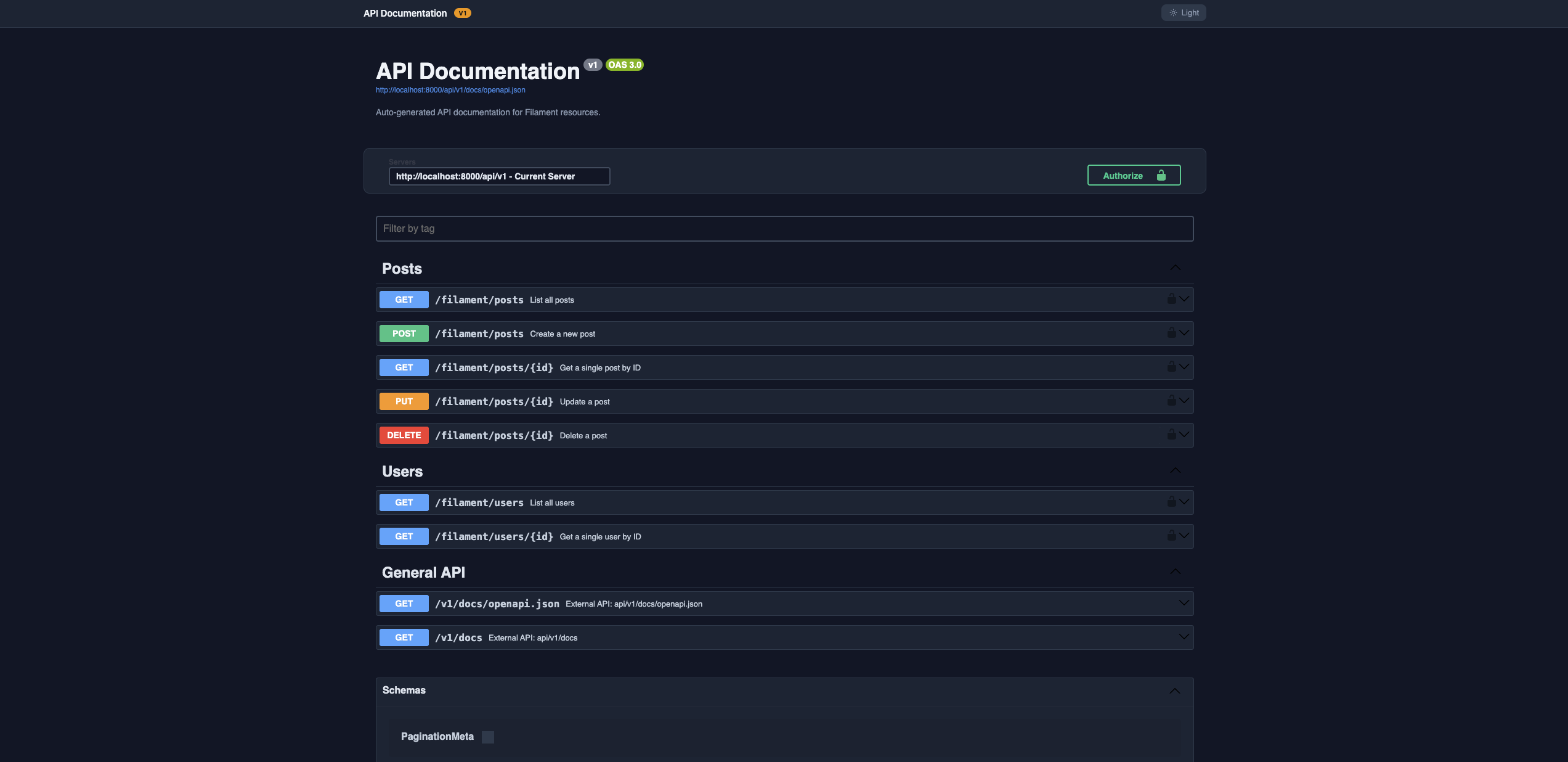
Public Docs — Dark Mode
#Features
| Feature | Description |
|---|---|
| Auto-Discovery | Detects any Resource implementing HasApi — zero manual route registration |
| Hash-Based Auth | forge_ prefix tokens (SHA-256 hashed at rest), Stripe/OpenAI style |
| CRUD Endpoints | index, show, store, update, destroy — enable only what you need |
| Spatie Query Builder | Filtering, sorting, field selection, eager loading, full-text search out of the box |
| Scope Enforcement | Per-token read / write / delete scopes, plus * for full access |
| Access Control | Dedicated panel page — enable/disable methods or entire resources, set rate limits and IP rules |
| Rate Limiting | Global, per-resource, and per-method limits — method overrides resource, resource overrides global |
| IP Restrictions | Whitelist IPs per resource or per method (CIDR, wildcard, exact) |
| OpenAPI Docs | Dynamically generated OpenAPI 3.0 spec with interactive Swagger UI |
| Public Docs | Publish your API docs to a standalone public URL with a single click — light/dark mode included |
| Route Segment | Replace the panel ID in API paths with a custom segment (e.g. /filament/posts) |
| Request Counters | Per-token request count tracking with abbreviated display (1K, 2.4M) and one-click reset |
| Developer Center | Dashboard, API key management, documentation, access control, and settings — all in one panel group |
#Requirements
- PHP 8.2+
- Laravel 12+
- Filament 5.x
- Spatie Laravel Query Builder 5+
#Installation
composer require yusufgenc/filament-api-forge
Publish and run the migrations:
php artisan vendor:publish --tag="filament-api-forge-migrations"
php artisan migrate
Optionally publish the config file:
php artisan vendor:publish --tag="filament-api-forge-config"
#Setup
#1. Register the Plugin
Add FilamentApiForgePlugin to your panel provider:
use YusufGenc34\FilamentApiForge\FilamentApiForgePlugin;

public function panel(Panel $panel): Panel
{
    return $panel
        ->plugin(
            FilamentApiForgePlugin::make()
                ->apiKeys()     // API key management
                ->docs()        // API Docs + Access Control + Settings pages
                ->dashboard()   // Developer Center dashboard
        );
}
All three are enabled by default. You can disable any section:
FilamentApiForgePlugin::make()
    ->apiKeys()
    ->docs(false)       // hide docs, access control, and settings pages
    ->dashboard(false)  // hide the dashboard
#2. Expose a Resource
Implement HasApi on any Filament Resource and define apiConfig():
use YusufGenc34\FilamentApiForge\Contracts\HasApi;

class PostResource extends Resource implements HasApi
{
    public static function apiConfig(): array
    {
        return [
            'allowed_methods'   => ['index', 'show', 'store', 'update', 'destroy'],
            'allowed_filters'   => ['title', 'status', 'category_id'],
            'allowed_sorts'     => ['title', 'created_at', 'published_at'],
            'allowed_includes'  => ['author', 'category'],
            'allowed_fields'    => ['id', 'title', 'slug', 'body', 'status', 'published_at'],
            'searchable'        => ['title', 'body'],
            'scopes'            => ['read', 'write', 'delete'],
            'validation_rules'  => [
                'title'  => ['required', 'string', 'max:255'],
                'body'   => ['required', 'string'],
                'status' => ['required', 'in:draft,published,archived'],
            ],
        ];
    }
}
#apiConfig() Reference
| Key | Type | Description |
|---|---|---|
allowed_methods |
string[] |
CRUD operations to expose: index, show, store, update, destroy |
allowed_filters |
string[] |
Columns clients can filter by (?filter[title]=foo) |
allowed_sorts |
string[] |
Columns clients can sort by (?sort=-created_at) |
allowed_includes |
string[] |
Eloquent relations to eager-load (?include=author) |
allowed_fields |
string[] |
Columns clients can select (?fields[posts]=id,title) |
searchable |
string[] |
Columns searched via ?search=query |
scopes |
string[] |
Required token scopes: read, write, delete |
validation_rules |
array |
Explicit rules for store/update. Falls back to allowed_fields → $fillable |
#3. Enrich the OpenAPI Docs (optional)
Decorate your Resource class with PHP 8 attributes to improve generated documentation:
use YusufGenc34\FilamentApiForge\Attributes\ApiTag;
use YusufGenc34\FilamentApiForge\Attributes\ApiDescription;
use YusufGenc34\FilamentApiForge\Attributes\ApiOperations;
use YusufGenc34\FilamentApiForge\Attributes\ApiIgnore;

#[ApiTag('Posts')]
#[ApiDescription('Manage blog posts and articles.')]
#[ApiOperations(
    index:   'List all posts with filtering and sorting',
    store:   ['summary' => 'Create a post', 'description' => 'Requires **write** scope.'],
    destroy: ['summary' => 'Delete a post', 'description' => 'Requires **delete** scope.'],
)]
class PostResource extends Resource implements HasApi { ... }
| Attribute | Description |
|---|---|
#[ApiTag('Name')] |
Groups endpoints under a named tag in the OpenAPI spec |
#[ApiDescription('...')] |
Sets the resource description |
#[ApiOperations(...)] |
Per-method summaries and descriptions |
#[ApiIgnore] |
Excludes the resource from the spec entirely |
#Authentication
All API requests must include a Bearer token:
curl -H "Authorization: Bearer forge_xxxxxxxxxxxxxxxxxxxxxxxxxxxxxxxxxxxxxxxxxxxx" \
     https://yourapp.com/api/v1/admin/posts
#Token Format
Tokens use the forge_ prefix followed by 40 random characters (238 bits of entropy). The plain-text token is shown once at creation — only its SHA-256 hash is stored.
#Scopes
| Scope | Allowed operations |
|---|---|
read |
GET (index, show) |
write |
POST, PUT, PATCH (store, update) |
delete |
DELETE (destroy) |
* |
Full access |
Tokens can also be restricted to specific resources via Resource Access in the API Keys page.
#Making API Requests
The base URL pattern is:
{APP_URL}/api/v1/{segment}/{resource_slug}
Where {segment} is the panel ID (admin) by default, or a custom route segment if configured.
#Examples
# List with filtering, sorting, and pagination
GET /api/v1/admin/posts?filter[status]=published&sort=-created_at&per_page=25

# Single record
GET /api/v1/admin/posts/1

# Create
POST /api/v1/admin/posts
Content-Type: application/json
{"title": "Hello World", "body": "...", "status": "draft"}

# Update
PUT /api/v1/admin/posts/1
Content-Type: application/json
{"status": "published"}

# Delete
DELETE /api/v1/admin/posts/1
#Query Parameters
| Parameter | Example | Description |
|---|---|---|
filter[field] |
?filter[status]=published |
Filter by field value (partial match) |
sort |
?sort=-created_at |
Sort ascending or descending (prefix - for desc) |
include |
?include=author,category |
Eager-load relations |
fields[resource] |
?fields[posts]=id,title |
Sparse fieldsets |
search |
?search=laravel |
Full-text search across searchable columns |
per_page |
?per_page=50 |
Results per page (capped by max_per_page config) |
#Response Format
#Collection (index)
{
  "data": [
    { "id": 1, "title": "Hello World", "status": "published" }
  ],
  "links": {
    "first": "/api/v1/admin/posts?page=1",
    "last":  "/api/v1/admin/posts?page=5",
    "prev":  null,
    "next":  "/api/v1/admin/posts?page=2"
  },
  "meta": {
    "current_page": 1,
    "last_page": 5,
    "per_page": 15,
    "total": 73,
    "api_version": "v1",
    "resource": "Posts"
  }
}
#Single record (show / store / update)
{
  "data": {
    "id": 1,
    "title": "Hello World",
    "status": "published",
    "created_at": "2026-01-01T00:00:00.000000Z"
  }
}
#Error responses
| Status | error key |
Cause |
|---|---|---|
401 |
unauthenticated |
Missing or invalid token |
403 |
insufficient_scope |
Token lacks required scope |
403 |
resource_not_allowed |
Token restricted to other resources |
403 |
ip_forbidden |
Client IP is not whitelisted |
404 |
not_found |
Resource or record not found / disabled |
405 |
method_not_allowed |
Method is disabled for this resource |
422 |
(validation) | Request data failed validation |
429 |
rate_limit_exceeded |
Too many requests |
#Developer Center
The Developer Center is embedded in your Filament panel under the Developer Center navigation group.
| Page | URL | Description |
|---|---|---|
| Dashboard | /admin/developer/dashboard |
Stats overview (resources, endpoints, tokens, total requests with abbreviated counts), resource list, and quick-start examples |
| API Keys | /admin/developer/api-keys |
Create, inspect, and revoke tokens with scope and resource restrictions |
| API Docs | /admin/developer/api-docs |
Interactive OpenAPI documentation with try-it-out panel and Publish Docs button |
| Access Control | /admin/developer/access-control |
Enable/disable resources and individual methods; set rate limits and IP whitelists per resource or method |
| Settings | /admin/developer/settings |
Configure route segment, view route preview, and reset request counters |
#Access Control
The Access Control page lets you manage per-resource settings without touching code.
- Enable / Disable a Resource — toggle the resource on or off. Disabled resources return
404. - Enable / Disable Methods — toggle specific HTTP methods. Disabled methods return
405. - Rate Limiting — set limits at resource or method level. Method limits override resource limits, which override the global config value.
- IP Restrictions — whitelist IPs at resource or method level. Supports exact IPs, CIDR ranges (
10.0.0.0/8), and wildcards (192.168.1.*).
#Public API Docs
The Publish Docs button on the API Docs page makes your documentation available at a public URL — no login required:
GET /api/v1/docs
The page uses Swagger UI with full light/dark mode support (default light, toggle persisted in localStorage). When unpublished, the URL returns 403.
The Copy Public URL button (visible when published) shows the URL in a notification for easy copying.
#Route Segment
By default, API paths include the Filament panel ID:
/api/v1/admin/posts
You can replace admin with any custom segment from Developer Center → Settings, or via environment variable:
API_FORGE_ROUTE_SEGMENT=filament
Result:
/api/v1/filament/posts
Note: Both the original panel-ID paths and the new segment work simultaneously — no breaking changes to existing integrations.
The Settings page shows a live Route Preview table so you can see exactly how paths will appear in the docs before saving.
#Request Counters
Every API call increments the request_count on the token used. The Dashboard displays the all-time total with abbreviated formatting (1.2K, 3.5M, 2.1B — hover for exact value).
From Settings → Request Counters you can:
- See per-token counts (top 10 by usage, with last-used time)
- Reset all counters to zero with a single click (useful after testing or a new release)
#Configuration
// config/filament-api-forge.php

return [
    'api_prefix'     => env('API_FORGE_PREFIX', 'api/v1'),
    'api_version'    => env('API_FORGE_VERSION', 'v1'),
    'rate_limit'     => env('API_FORGE_RATE_LIMIT', 60),  // global req/min

    // Custom URL segment to replace the panel ID in API paths
    // null = use panel ID (default)
    'route_segment'  => env('API_FORGE_ROUTE_SEGMENT', null),

    'auth' => [
        'enabled'                 => true,
        'default_expiration_days' => 365,
    ],

    'docs' => [
        'enabled'     => true,
        'title'       => 'API Documentation',
        'description' => 'Auto-generated API documentation for Filament resources.',
        'theme'       => 'dark',
    ],

    'discovery' => [
        'auto_discover'   => true,
        'allowed_methods' => ['index', 'show', 'store', 'update', 'destroy'],
        'middleware'      => ['api'],
    ],

    'pagination' => [
        'default_per_page' => 15,
        'max_per_page'     => 100,
    ],

    'query_builder' => [
        'enable_filters'  => true,
        'enable_sorts'    => true,
        'enable_includes' => true,
        'enable_fields'   => true,
    ],
];
#License
This package is open-sourced software licensed under the MIT license.
#Credits
Built by Yusuf Genc.
Powered by Filament and Spatie Laravel Query Builder.
The author
I am a Senior Full-Stack Developer with over 10 years of experience. I build scalable microservice architectures using modern technologies, primarily PHP and Golang, and develop end-to-end solutions specifically for WMS, e-commerce, and SaaS projects. While focusing on performance, sustainability, and clean code, I treat security as an integral part of the development process.
Featured Plugins
A selection of plugins curated by the Filament team

Custom Dashboards
Let your users build and share their own dashboards with a drag-and-drop interface. Define your data sources in PHP and let them do the rest.
 Filament

Advanced Tables (formerly Filter Sets)
Supercharge your tables with powerful features like user-customizable views, quick filters, multi-column sorting, advanced table searching, convenient view management, and more. Compatible with Resource Panel Tables, Relation Managers, Table Widgets, and Table Builder!
 Kenneth Sese

Data Lens
Advanced Data Visualization for Laravel Filament - a premium reporting solution enabling custom column creation, sophisticated filtering, and enterprise-grade data insights within admin panels.
 Padmission

