Nestedset
Filament nestedset tree build on kalnoy/nestedset.
 Author:
wsmallnews
Author:
wsmallnews
Documentation
- Overview
- Screenshots
- Installation
- Prepare your model
- Usage
- Advanced features
- Changelog
- Contributing
- Security Vulnerabilities
- Credits
- License




Supports Filament v4 and v5. If you are currently using Filament v3, please refer to this link here
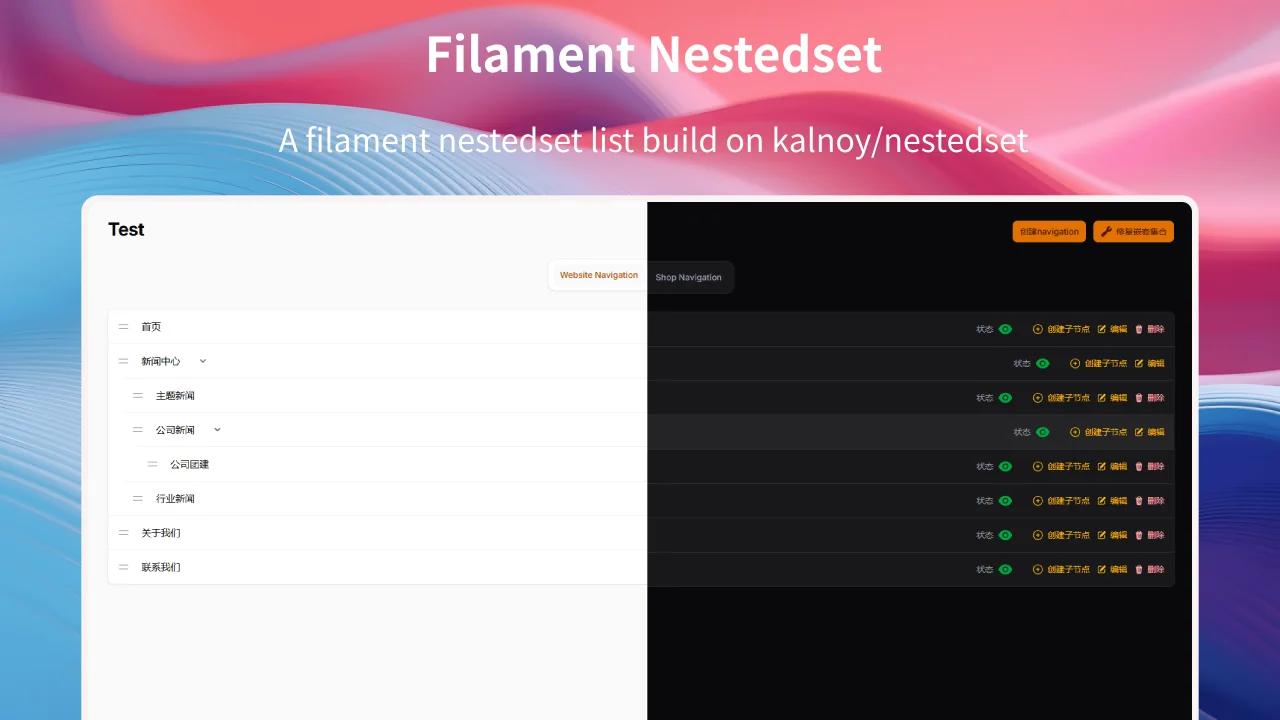
Filament nestedset tree build on kalnoy/nestedset, support multi language. support Multi-tenancy
#Overview
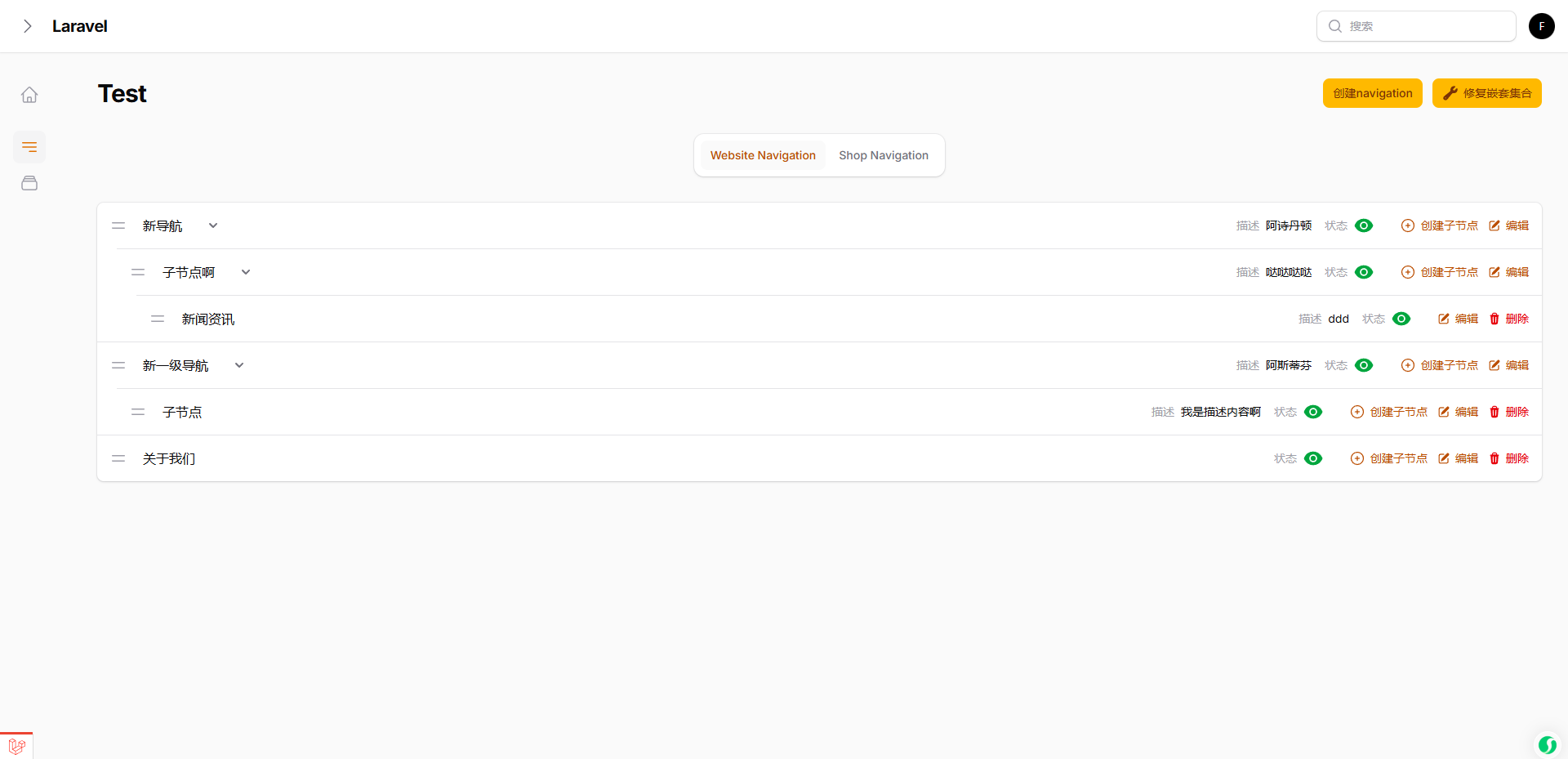
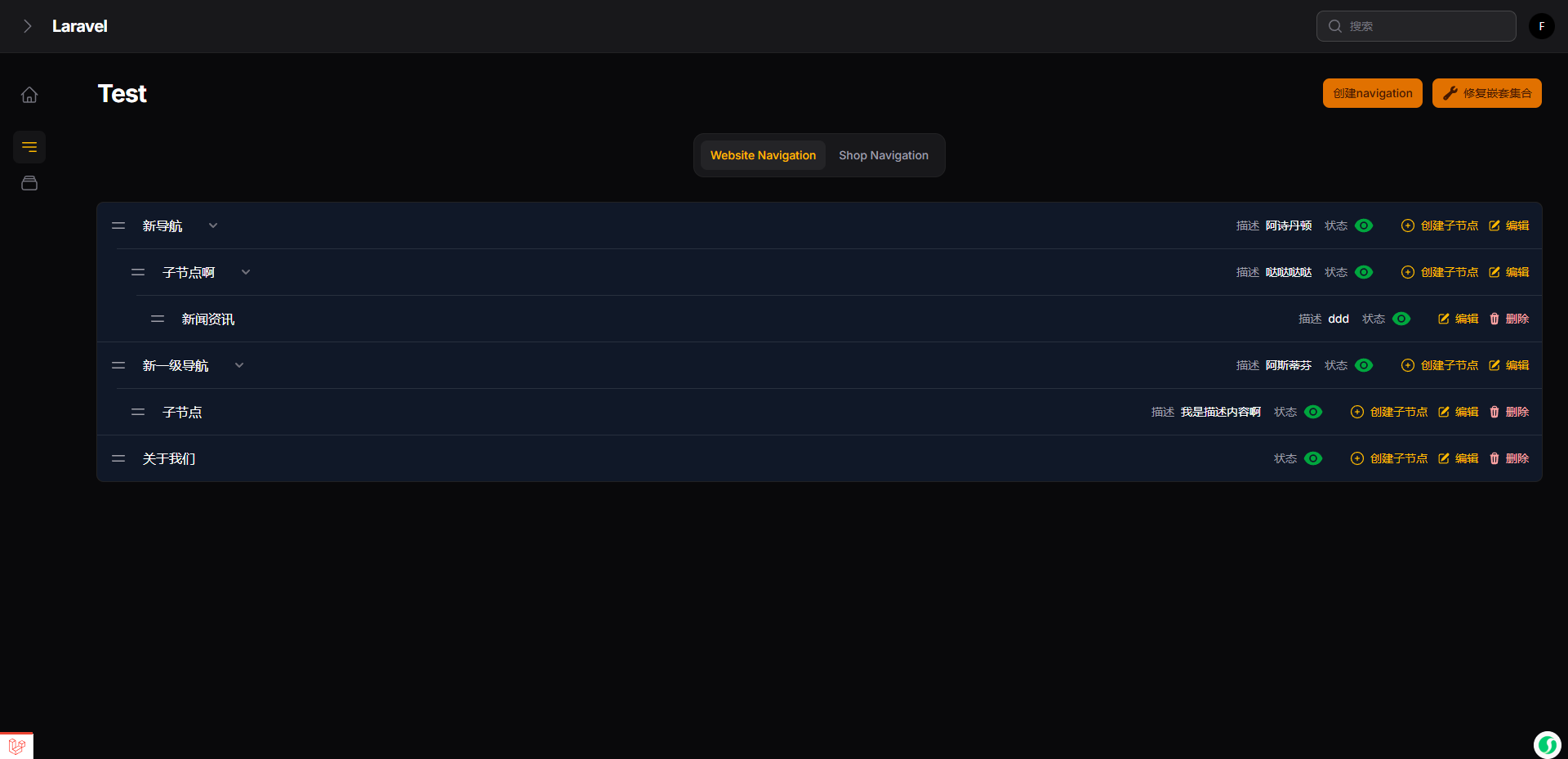
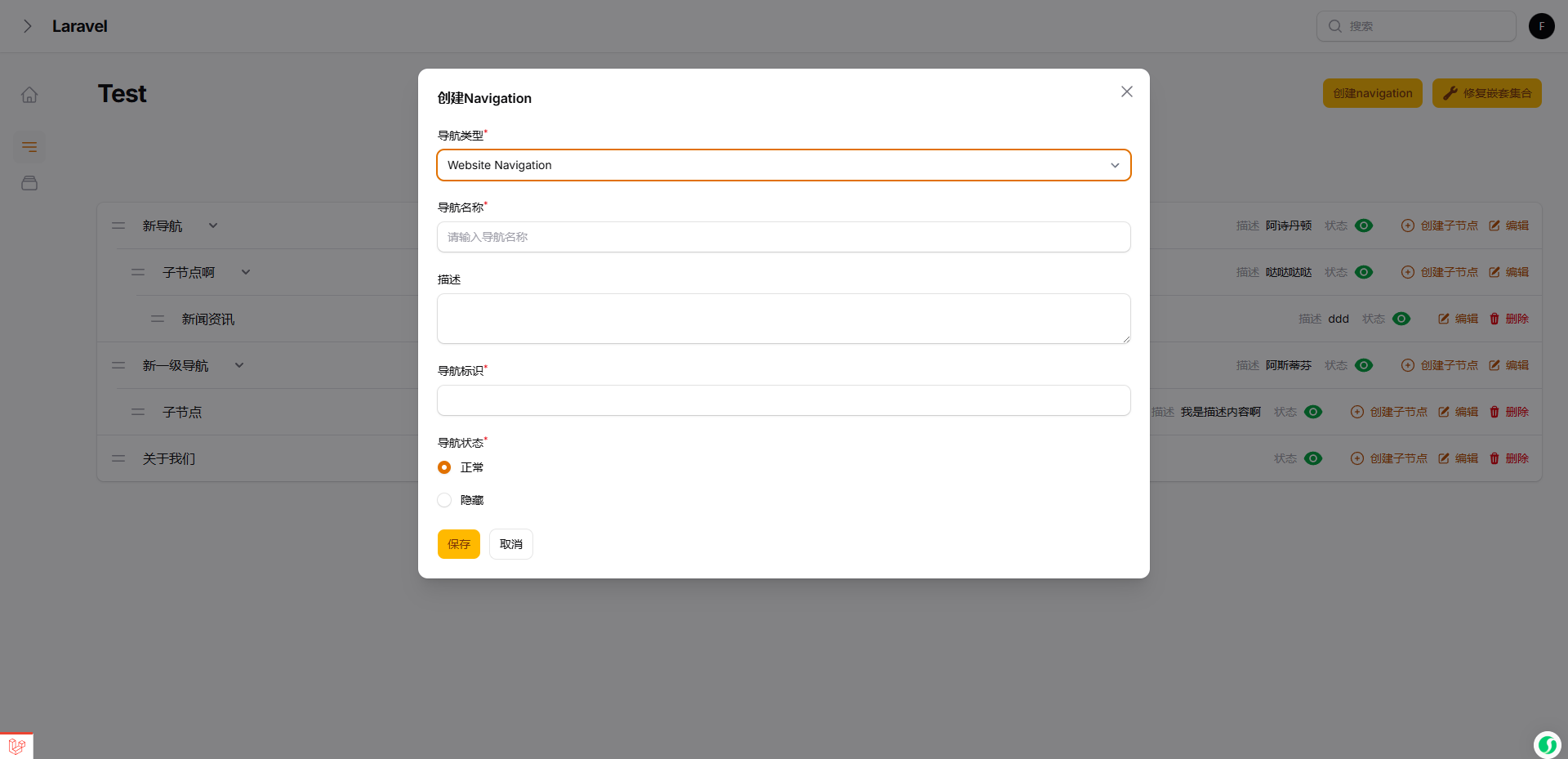
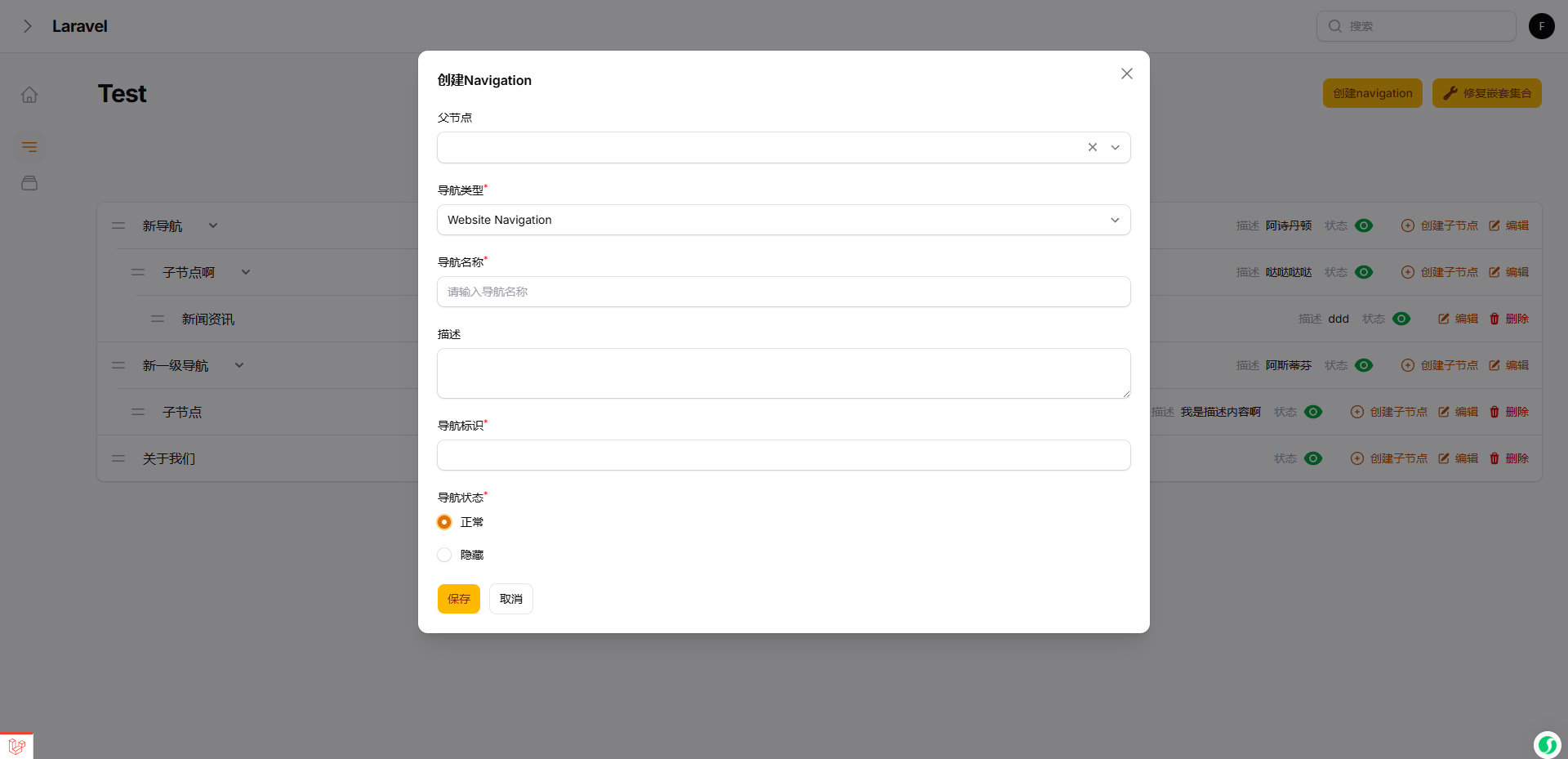
- Elegant UI, consistent with the default style of the filament page
- The Filament nestedset plugin is built on kalnoy/nestedset
- ParentSelect field depends on codewithdennis/filament-select-tree
- Some features are borrowed from 15web/filament-tree
- Support multi-tenancy, you can easily create nestedset pages among multiple tenants
- Nestedset level is unlimited by default, but you can limit the nestedset levels if you wish
- Support tabs consistent with the Listing records of the filament panel. You can switch between different nestedset data through tabs on the current page
#Screenshots
#Installation
You can install the package via composer:
composer require wsmallnews/filament-nestedset:^2.0
The current release is compatible with both Filament v4 and v5.
You can publish the config file with:
php artisan vendor:publish --tag="sn-filament-nestedset-config"
Optionally, you can publish the views using
php artisan vendor:publish --tag="sn-filament-nestedset-views"
Multi language support, you can publish the language files using
php artisan vendor:publish --tag="sn-filament-nestedset-translations"
This is the contents of the published config file:
return [
    /**
     * Restrict deletion of nodes with children
     */
    'allow_delete_parent' => false,

    /*
     * Restrict deletion of root nodes, even if 'allow_delete_parent' is true, root nodes can be deleted.
     */
    'allow_delete_root' => false,

    /**
     * create action show parent select field
     */
    'create_action_modal_show_parent_select' => true,

    /**
     * Display the "Create Child Node" action in each row (if 'create_action_modal_show_parent_select' is false, This field should be set to true)
     */
    'show_create_child_node_action_in_row' => true,

    /**
     * By default, the CSS file will be automatically loaded globally. If you use a filament custom theme, you can disable the automatic loading of the CSS file
     */
    'autoload_assets' => true,
];
#Prepare your model
<?php

namespace App\Models;

use Illuminate\Database\Eloquent\Model;
use Kalnoy\Nestedset\NodeTrait;
...

class YouModel extends Model
{
    use NodeTrait;

    ...
}
You should add fields to your model. replacing your_model_table with the name of your model table
Add fields in the new model
<?php

use Illuminate\Database\Migrations\Migration;
use Illuminate\Database\Schema\Blueprint;
use Illuminate\Support\Facades\Schema;

return new class extends Migration
{
    public function up(): void
    {
        Schema::create('your_model_table', function (Blueprint $table) {
            ...
            $table->nestedSet();
            ...
        });
    }
};
Add fields to an existing model
<?php

use Illuminate\Database\Migrations\Migration;
use Illuminate\Database\Schema\Blueprint;
use Illuminate\Support\Facades\Schema;

return new class extends Migration
{
    public function up(): void
    {
        Schema::table('your_model_table', function (Blueprint $table) {
            $table->nestedSet();
        });
    }
};
And run the migration
php artisan migrate
#Usage
#Create the nestedset page
php artisan make:filament-nestedset-page
#Please define attribute name of the nodes in your tree, eg. title or name
<?php

namespace App\Filament\Pages;

use Wsmallnews\FilamentNestedset\Pages\NestedsetPage;

class Test extends NestedsetPage
{
    ...

    protected static string $recordTitleAttribute = 'name';
    ...

}
By default, the plugin will use the recordTitleAttribute attribute to display the node name in the tree. If you want to use another attribute, you can define the getRecordLabel method, Support HtmlString.
<?php

namespace App\Filament\Pages;

use Illuminate\Database\Eloquent\Model;
use Illuminate\Support\HtmlString;
use Wsmallnews\FilamentNestedset\Pages\NestedsetPage;

class Test extends NestedsetPage
{
    ...

    public function getRecordLabel(Model $item): HtmlString | string
    {
        return $item->{static::getRecordTitleAttribute()} ?? ' ';
    }
    ...
}
#Define form schema
If the schema for create and edit are the same, you can define the schema method.
<?php

namespace App\Filament\Pages;

use Wsmallnews\FilamentNestedset\Pages\NestedsetPage;

class Test extends NestedsetPage
{
    ...

    protected function schema(array $arguments): array
    {
        return [
            //
        ];
    }
    ...
}
If the schema for create and edit are different, you can define createSchema and editSchema methods separately.
<?php

namespace App\Filament\Pages;

use Wsmallnews\FilamentNestedset\Pages\NestedsetPage;

class Test extends NestedsetPage
{
    ...

    protected function createSchema(array $arguments): array
    {
        return [
            //
        ];
    }
    protected function editSchema(array $arguments): array
    {
        return [
            //
        ];
    }

    ...
}
#Define the prompt text when the tree is empty
<?php

namespace App\Filament\Pages;

use Wsmallnews\FilamentNestedset\Pages\NestedsetPage;

class Test extends NestedsetPage
{
    ...

    protected static ?string $emptyLabel = 'no test data';

    ...

}
#Limit nestedset level
Nestedset level is unlimited by default, you can limit the nestedset levels by:
<?php

namespace App\Filament\Pages;

use Wsmallnews\FilamentNestedset\Pages\NestedsetPage;

class Test extends NestedsetPage
{
    ...

    protected static ?int $level = 3;

    // Alternatively, you may use the getLevel() to define a dynamic level

    public function getLevel(): ?int
    {
        return static::$level;
    }

    ...

}
#Other customizable properties
<?php

namespace App\Filament\Pages;

use Wsmallnews\FilamentNestedset\Pages\NestedsetPage;

class Test extends NestedsetPage
{
    ...

    protected static ?string $model = NavigationModel::class;

    protected static ?string $modelLabel = 'Test Management';

    protected static ?string $title = 'Page Title';

    protected static ?string $navigationLabel = 'Test Navigation';

    protected static ?string $navigationGroup = 'Test Group';

    protected static ?string $slug = 'tests';

    protected static string $recordTitleAttribute = 'name';

    protected static ?string $pluralModelLabel = 'Test Management';

    protected static ?int $navigationSort = 1;

    ...
}
#Display additional attributes
You can define additional attributes to display in each row through the infolistSchema method
<?php

namespace App\Filament\Pages;

use Wsmallnews\FilamentNestedset\Pages\NestedsetPage;

class Test extends NestedsetPage
{
    ...
    protected function infolistSchema(): array
    {
        return [];
    }
    ...
}
By default, the infolist will be displayed at the md breakpoint and above. You can change the display breakpoint by setting $infolistHiddenEndpoint.
<?php

namespace App\Filament\Pages;

use Wsmallnews\FilamentNestedset\Pages\NestedsetPage;

class Test extends NestedsetPage
{
    ...
    protected static string $infolistHiddenEndpoint = 'lg';
    ...
}
By default, the infolist will be right-aligned. You can change the alignment by setting $infolistAlignment.
<?php

namespace App\Filament\Pages;

use Filament\Support\Enums\Alignment;
use Wsmallnews\FilamentNestedset\Pages\NestedsetPage;

class Test extends NestedsetPage
{
    ...
    protected static Alignment $infolistAlignment = Alignment::Left;
    ...
}
#Advanced features
#Multi-tenancy support
Multi-tenancy features is supported by default. If your filament panel supports multi-tenancy, you need to add the getScopeAttributes method to your model and add the team_id field.
Multi-tenancy features is implemented based on kalnoy/nestedset scoped feature. You can view detailed documentation here
<?php

namespace App\Models;

use Illuminate\Database\Eloquent\Model;
...

class YouModel extends Model
{
    ...

    public function getScopeAttributes(): array
    {
        return ['team_id', ...];
    }

    ...
}
If your filament panel supports multi-tenancy, but the current page doesn't need to distinguish tenancy, just set $isScopedToTenant = false in the page.
<?php

namespace App\Filament\Pages;

use Wsmallnews\FilamentNestedset\Pages\NestedsetPage;

class Test extends NestedsetPage
{
    ...
    protected static bool $isScopedToTenant = false;
    ...
}
#Tabs support
Tabs are implemented based on kalnoy/nestedset scoped feature. You can view detailed documentation here
Set the associated tab field name using tabFieldName. And setting tabs array, you don't need to add the current tab condition on the tab, as the tab condition will be automatically appended to kalnoy/nestedset scoping parameters.
<?php

namespace App\Filament\Pages;

use Wsmallnews\FilamentNestedset\Pages\NestedsetPage;

class Test extends NestedsetPage
{
    ...

    protected static ?string $tabFieldName = 'type';

    public function getTabs(): array
    {
        return [
            'web' => Tab::make()->label('Website Navigation'),
            'shop' => Tab::make()->label('Shop Navigation')
        ];
    }

    ...
}
You need to add the getScopeAttributes method to your model and add the field set by tabFieldName (type in this case).
<?php

namespace App\Models;

use Illuminate\Database\Eloquent\Model;
...

class YouModel extends Model
{
    ...

    public function getScopeAttributes(): array
    {
        return ['type', ...];
    }

    ...
}
#Additional scope parameters
If you need to set additional scope parameters for kalnoy/nestedset scoping
Define the nestedScoped method
<?php

namespace App\Filament\Pages;

use Wsmallnews\FilamentNestedset\Pages\NestedsetPage;

class Test extends NestedsetPage
{
    ...

    public function nestedScoped()
    {
        return ['category_id' => 5];
    }
    ...
}
You need to add the getScopeAttributes method to your model and add the field set.
<?php

namespace App\Models;

use Illuminate\Database\Eloquent\Model;
...

class YouModel extends Model
{
    ...

    public function getScopeAttributes(): array
    {
        return ['category_id', ...];
    }

    ...
}
#Add custom eloquent query conditions
<?php

namespace App\Filament\Pages;

use Wsmallnews\FilamentNestedset\Pages\NestedsetPage;

class Test extends NestedsetPage
{
    ...

    public function getEloquentQuery($query)
    {
        return $query->where('status', 'normal');
    }
    ...
}
#Nestedset Livewire component
#Overview
- The property
showLevelcan be set to nestedset show level - The property
emptyLabelcan be set to nestedset empty state - The method
getRecordLabelcustom nestedset node label - The method
getHasActivemark active status - You can customize the view by using the
viewandrecordViewproperties - You can use the
getRecordUrlmethod to customize the href jump link, which defaults to insertinghref="JavaScript:;" - When clicking on the nestedset leaf node, a
sn-filament-nestedset-leaf-clickevent will be triggered - When clicking on nestedset non leaf nodes, a
sn-filament-nestedset-node-clickevent will be triggered - Suggest choosing between
eventandgetRecordUrl
#Example
<?php

namespace App\Livewire\Components;

use App\Models\Category;
use Illuminate\Database\Eloquent\Model;
use Illuminate\Support\HtmlString;
use Livewire\Attributes\On;
use Wsmallnews\FilamentNestedset\Livewire\Components\Nestedset;

use function Filament\Support\generate_href_html;

class Categories extends Nestedset
{
    public function getRecordLabel(Model $record): HtmlString | string
    {
        return $record->name_label;
    }

    public function getHasActive(Model $record): bool
    {
        return $record->has_active;
    }

    #[On('sn-filament-nestedset-leaf-click')]
    public function clickCategory($recordId)
    {
        $this->categoryId = $recordId;
    }
    // ... or
    public function getRecordUrl(Model $record): string | HtmlString | null
    {
        return generate_href_html(route('categories.show', $record->id), false);
    }


    public function getNestedset()
    {
        return Category::normal()->defaultOrder()
            ->get()->toTree();
    }
}
#Custom theme
By default, the CSS file will be automatically loaded globally. If you use a filament custom theme, you can disable the automatic loading of the CSS file
Disable the automatic loading of the CSS file
<?php
return [
    ...

    'autoload_assets' => false,
];
You should add the following code to your custom theme file. If you custom theme file is /resources/css/filament/admin/theme.css
@import '../../../../vendor/wsmallnews/filament-nestedset/resources/css/index.css';
#Changelog
Please see CHANGELOG for more information on what has changed recently.
#Contributing
Please see CONTRIBUTING for details.
#Security Vulnerabilities
Please review our security policy on how to report security vulnerabilities.
#Credits
#License
The MIT License (MIT). Please see License File for more information.
Featured Plugins
A selection of plugins curated by the Filament team

Custom Dashboards
Let your users build and share their own dashboards with a drag-and-drop interface. Define your data sources in PHP and let them do the rest.
 Filament

Custom Fields
Eliminate custom field migrations forever. Let your users create and manage form fields directly in Filament admin panels with 20+ built-in field types, validation, and zero database changes.
 Relaticle

Data Lens
Advanced Data Visualization for Laravel Filament - a premium reporting solution enabling custom column creation, sophisticated filtering, and enterprise-grade data insights within admin panels.
 Padmission