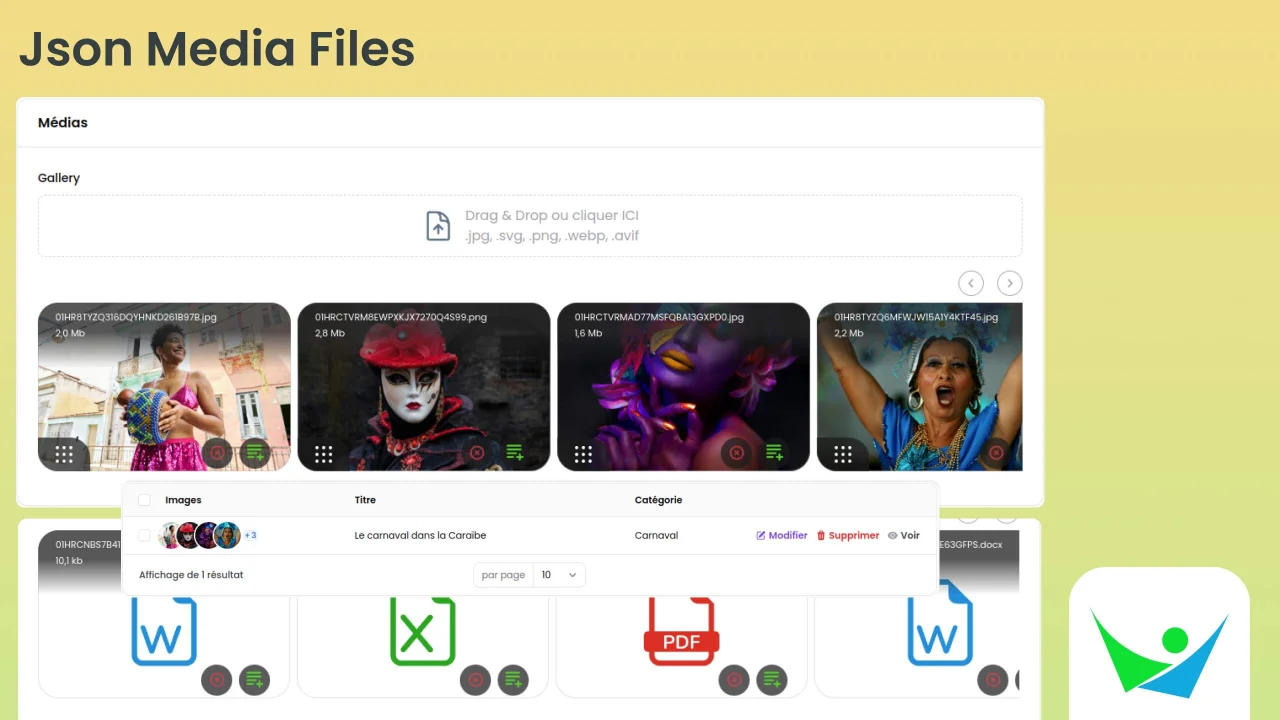
Json Media
CommunityA json field media plugin for Filament Forms|Tables|Infolists.
filament/
namespace. Review the source and install at your own risk. Found
malware or an unresolved security issue the author won't
address?
Report it
.
 Author:
RAMESAY Daniel
Author:
RAMESAY Daniel
Documentation
- Features
- Requirements
- Installation
- Configuration
- Discord
- Usage
- Testing
- Changelog
- Contributing
- Security Vulnerabilities
- Credits
- License



This package add a json field media for images/documents to filament V3.x and fluents api for front-end in Laravel to display photos and url link for documents ...
It is a simple and easy way to manage media in your Laravel application using Filament.
V3x doc => Filament V3.x
#Features
- Fluent API: A fluent API for managing media in your Laravel application.
- Blade Components: Blade components for displaying media in your Laravel application.
- Custom Properties: Custom properties for media, allowing you to add additional informations to your media.
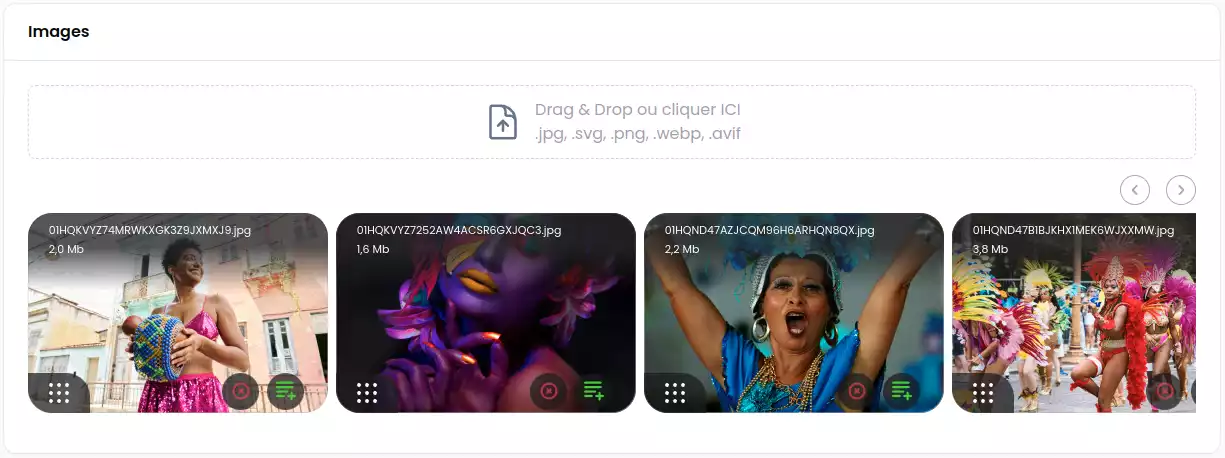
#Requirements
V4.x => Filament V4.x (^PHP 8.2 need)
#Installation
You can install the package via composer:
composer require webplusm/gallery-json-media
#Configuration
Publish the config file with:
php artisan vendor:publish --tag="gallery-json-media-config"
You can change the driver for cropping :
use Spatie\Image\Enums\ImageDriver;
return [
    ...
    'images' => [
        'driver' => ImageDriver::Gd, // or ImageDriver::Imagick
    ],
    ...
]
#Translations
You can publish the translations :
php artisan vendor:publish --tag="gallery-json-media-translations"
#CSS configuration
- You need to create a theme for your panel if you don't have one already,
- and then add the following to your
theme.cssfile:
@import '../../../../vendor/webplusm/gallery-json-media/resources/css/json-media.css';
Optionally, you can publish the views using, but please if you don't know what it is, don't do it.
php artisan vendor:publish --tag="gallery-json-media-views"
#Discord
Find it on discord
#Usage
#Prepare your model
use GalleryJsonMedia\JsonMedia\Concerns\InteractWithMedia;
use GalleryJsonMedia\JsonMedia\Contracts\HasMedia;

class Page extends Model implements HasMedia
{
    use HasFactory;
    use InteractWithMedia;

    protected $casts =[
        'images' => 'array',
        'documents' => 'array',
    ];

    // for auto-delete media thumbnails
    protected function getFieldsToDeleteMedia(): array {
        return ['images','documents'];
    }
    ...

}
#In Filament Forms
use GalleryJsonMedia\Form\JsonMediaGallery;
JsonMediaGallery::make('images')
    ->directory('page')
    ->reorderable()
    ->acceptedFileTypes()
    ->visibility() // only public for now - NO S3
    ->maxSize(4 * 1024)
    ->minSize()
    ->maxFiles(2)
    ->minFiles(1)
    ->replaceTitleByAlt() // If you want to show alt customProperties  against file name
    ->image() // only images by default , u need to choose one method (image or document)
    ->document() // only documents (eg: pdf, doc, xls,...)
    ->downloadable()
    ->deletable()
    ->withCustomProperties(
       customPropertiesSchema: [
            ...some form fields here
        ],
       editCustomPropertiesOnSlideOver: true,
       editCustomPropertiesTitle: "Edit customs properties"
    )
    ->editableCustomProperties(bool|Closure) // if you want to enable/disable the custom properties edition ;
#Show your media in a grid way
You can now view your medias in grid list like this :
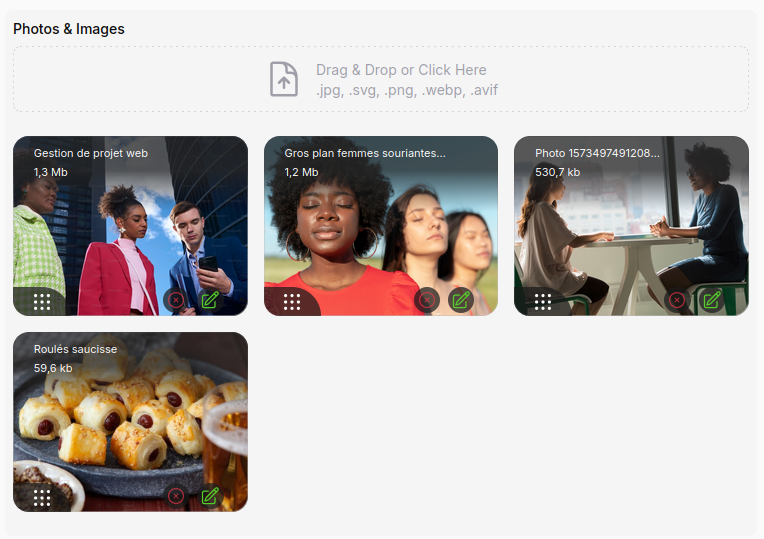
use GalleryJsonMedia\Tables\Columns\JsonMediaColumn;
JsonMediaGallery::make('images')
    ...
    ->displayOnGrid()
#In Filament Tables

use GalleryJsonMedia\Tables\Columns\JsonMediaColumn;
JsonMediaColumn::make('images')
    ->avatars(bool|Closure)
#In Filament Infolists
use GalleryJsonMedia\Infolists\JsonMediaEntry;
use GalleryJsonMedia\Infolists\JsonDocumentsEntry;
JsonMediaEntry::make('images')
    ->avatars()
    ->thumbHeight(100)
    ->thumbWidth(100)
    ->visible(static fn(array|null $state)=> filled($state))


// or for Documents, you can download them here
GalleryJsonMedia\Infolists\JsonDocumentsEntry::make('documents')
    ->columns(4)
    ->columnSpanFull()
#In Blade Front-end
<!-- for media -->
@foreach($page->getMedias('images') as $media)
    <div style="display: flex;gap: .5rem">
        {{ $media }}
    </div>
@endforeach

<!-- For documents -->
<div>
    <ul>
        @foreach($page->getDocuments('documents') as $document)
            <li>
                <a href="{{ $document->getUrl() }}" target="_blank">
                    {{ $document->getCustomProperty('title') }}
                </a>
            </li>
        @endforeach
    </ul>
</div>
You can also control the entire view to render the media by passing a blade file to your view like this :
@foreach($page->getMedias('images') as $media)
    <div style="display: flex;gap: .5rem">
        {{ $media->withImageProperties( width : 200,height: 180)->withView('page.json-media') }}
    </div>
 @endforeach


<!-- the json-media.blade.php -->
@php
   use GalleryJsonMedia\JsonMedia\Media;
   /** @var Media $media*/
   $media
@endphp
<figure class="" style="width: {{ $media->width }}px">
    <img class="object-cover w-full aspect-video" loading="lazy"
         src="{{ $media->getCropUrl(width: $media->width,height: $media->height) }}"
         alt="{{ $media->getCustomProperty('alt') }}"
         width="{{ $media->width }}"
         height="{{ $media->height }}"
    >
</figure>
#Testing
composer test
#Changelog
Please see CHANGELOG for more information on what has changed recently.
#Contributing
Please see CONTRIBUTING for details.
#Security Vulnerabilities
Please review our security policy on how to report security vulnerabilities.
#Credits
#License
The MIT License (MIT). Please see License File for more information.
Featured Plugins
A selection of plugins curated by the Filament team

Custom Dashboards
Let your users build and share their own dashboards with a drag-and-drop interface. Define your data sources in PHP and let them do the rest.
 Filament

Advanced Tables (formerly Filter Sets)
Supercharge your tables with powerful features like user-customizable views, quick filters, multi-column sorting, advanced table searching, convenient view management, and more. Compatible with Resource Panel Tables, Relation Managers, Table Widgets, and Table Builder!
 Kenneth Sese

Custom Fields
Eliminate custom field migrations forever. Let your users create and manage form fields directly in Filament admin panels with 20+ built-in field types, validation, and zero database changes.
 Relaticle

