
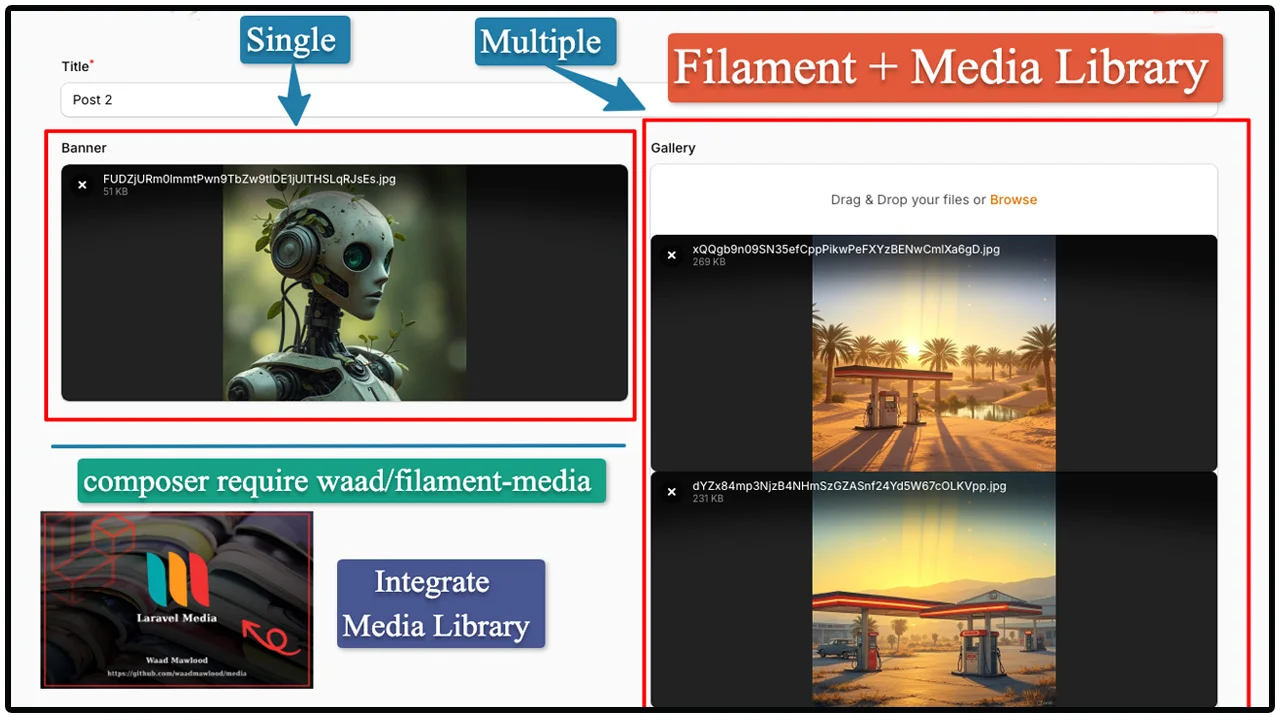
Media Library by Waad Mawlood
CommunityFilament Integrate to Laravel Media Library package. Integrate with https://github.com/waadmawlood/media
 Author:
Waad Mawlood
Author:
Waad Mawlood
Package health
Automated checks of this plugin's Composer package
15 checks
- Skipped: GitHub Actions pinned to SHA
- Skipped: GitLab CI includes pinned to SHA
- Passed: Open security advisories
- Passed: Dependabot PR responsiveness — No open Dependabot PRs.
- Skipped: Renovate MR responsiveness
- Skipped: Dependabot or Renovate configured
- Skipped: Dependency update cooldown configured
- Failed: Provides a security policy — View details on Plumb
- Passed: Abandoned or archived — No consulted source marks the package abandoned (packagist, github).
- Warning: Commit and release recency — Low activity: last commit 181 days ago; last release 181 days ago.
-
Passed:
composer.lock not committed by library
—
composer.lockis absent from the released dist archive. - Passed: Dist archive is lean
-
Passed:
Current Laravel version supported
—
Package dependencies resolve together with current Laravel
13.0. -
Passed:
Current PHP version supported
—
Constraint
^8.1supports current PHP8.5. - Skipped: Current Symfony version supported
filament/
namespace. Review the source and install at your own risk. Found
malware or an unresolved security issue the author won't
address?
Report it
.
Documentation
- Requirements
- Installation
- Setup & Usage
- Reordering multiple files (index)
- Preview images in tables
- Pruning old media
- Testing
- License
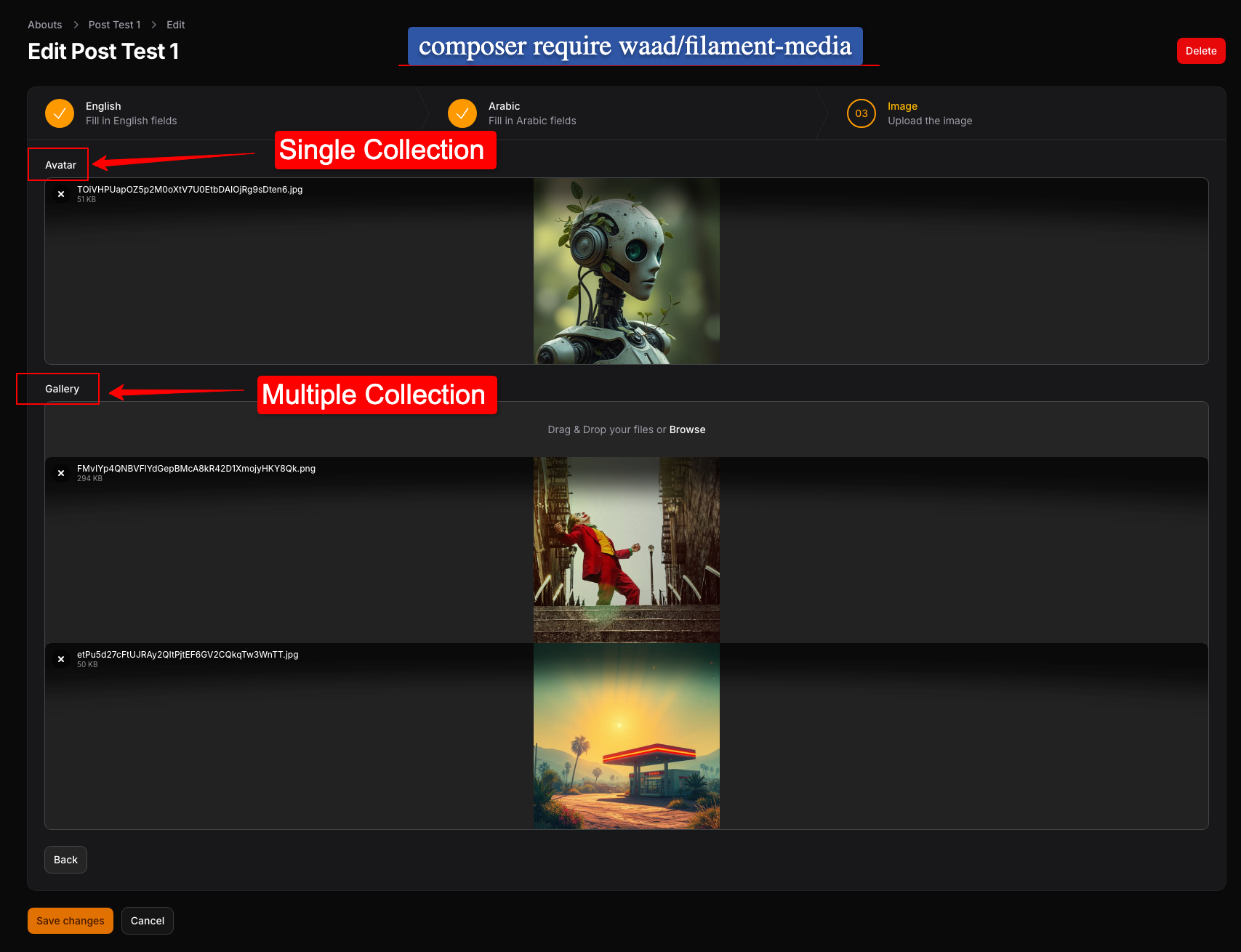
This package integrates Filament v3/v4/v5 with the waad/media manager. It is an alternative to spatie/laravel-medialibrary for projects on waad/media. The MediaUpload form component aligns with your Eloquent model’s registerCollections() (single vs multiple, disks, labels).
#Requirements
- PHP:
^8.1 - Filament:
^3.0|^4.0|^5.0 - Livewire:
^3.5|^4.0 - waad/media:
^4.1
#Installation
You can install the package via composer:
composer require waad/filament-media
#Setup & Usage
Since this package works in tandem with waad/media, your Eloquent Models should use the HasMedia trait and implement registerCollections: waad/media Package.
php artisan vendor:publish --provider="Waad\Media\MediaServiceProvider"
use Illuminate\Database\Eloquent\Model;
use Waad\Media\HasMedia;

class Post extends Model
{
    use HasMedia;

    public function registerCollections(array $attributes = []): array
    {
        return [
            'avatar' => [
                'disk' => 's3',
                'bucket' => 'avatars',
                'label' => 'User Avatar',
                'single' => true, // Only keeps one file
            ],
            'gallery' => [
                'disk' => 'public',
                'bucket' => 'photos',
                'label' => 'Photo Gallery',
                'single' => false, // Allows multiple files
            ],
        ];
    }
}
MediaUpload::make('name') uses the field name as the waad/media collection by default. Call ->collection(...) only when the Filament field name should differ from the collection key (string), or when the collection must be resolved at runtime (Closure); pass null to rely on evaluation falling back to the field name.
Now, in your Filament resource or form:
use Waad\FilamentMedia\Forms\Components\MediaUpload;

public static function form(Form $form): Form
{
    return $form
        ->schema([
            // Single file when registerCollections has 'single' => true for this key
            MediaUpload::make('avatar'),

            // Multiple files when 'single' => false; reorderable uses waad/media `index`
            MediaUpload::make('gallery')
                ->reorderable()
                ->image()
                ->maxSize(2048),

            // Single vs multiple follows `registerCollections`; other FileUpload APIs apply as usual
        ]);
}
The component loads existing media IDs for previews, syncs new uploads via syncMedia, removes files with deleteMedia, and persists reorder when only existing items change.
#Reordering multiple files (index)
For collections with 'single' => false, you can enable drag-and-drop reordering with Filament’s reorderable() (same as FileUpload). Order is stored in waad/media’s index column on the media table.
- Loading the form: existing files are listed sorted by
index, then by id, so the UI matches the saved order. - Saving the form: when only existing media are present (no new uploads in that save), the component writes the current list order back to the database as
indexvalues (1,2,3, …) for that collection.
MediaUpload::make('gallery')
    ->reorderable()
    ->image(),
Use this together with a multi-file collection in registerCollections(). Single-file collections ignore ordering.
#Preview images in tables
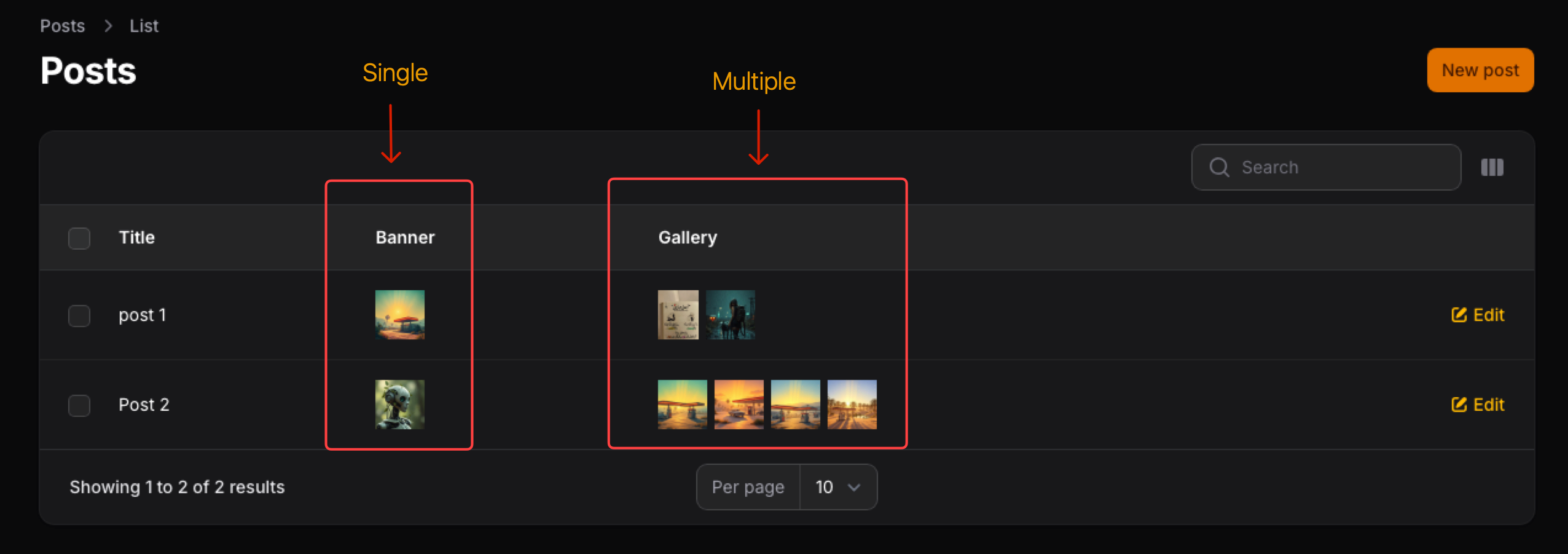
In list/table views, use Filament’s ImageColumn and resolve URLs from your model with waad/media’s getCollectionUrls() (provided by HasMedia). Pass the same collection name you use in registerCollections() and in MediaUpload::make(...).
use Filament\Tables\Columns\ImageColumn;

ImageColumn::make('banner')
    ->getStateUsing(fn ($record) => $record->getCollectionUrls('banner')),
ImageColumn::make('gallery')
    ->getStateUsing(fn ($record) => $record->getCollectionUrls('gallery')),
- For a single-file collection (
'single' => true),getCollectionUrlstypically returns one URL string (or an empty value when there is no file). - For a multi-file collection, it returns an array of URLs;
ImageColumncan show them as a stacked preview when the state is an array.
Adjust the column name (banner here) to match your collection key.
#Pruning old media
waad/media registers the media:prune Artisan command. It removes media files and database rows according to the retention setting prune_media_after_day in your published config/media.php (see the waad/media docs for details).
Run it manually or on a schedule (for example Laravel’s scheduler in routes/console.php):
php artisan media:prune
#Testing
This package uses Pest for testing. To run tests:
composer test
#License
This package is open-sourced software licensed under the MIT license.
The author
From the same author
Featured Plugins
A selection of plugins curated by the Filament team

Noir Theme
A theme that gives panels a focused, refined look with near-black surfaces, crisp actions, and restrained color.
 Filament

Blueprint
Filament Blueprint is a premium Laravel Boost extension that helps AI agents produce accurate, detailed implementation plans and security reports for Filament apps.
Filament

Custom Fields
Eliminate custom field migrations forever. Let your users create and manage form fields directly in Filament admin panels with 20+ built-in field types, validation, and zero database changes.
 Relaticle

