
Connection Indicator
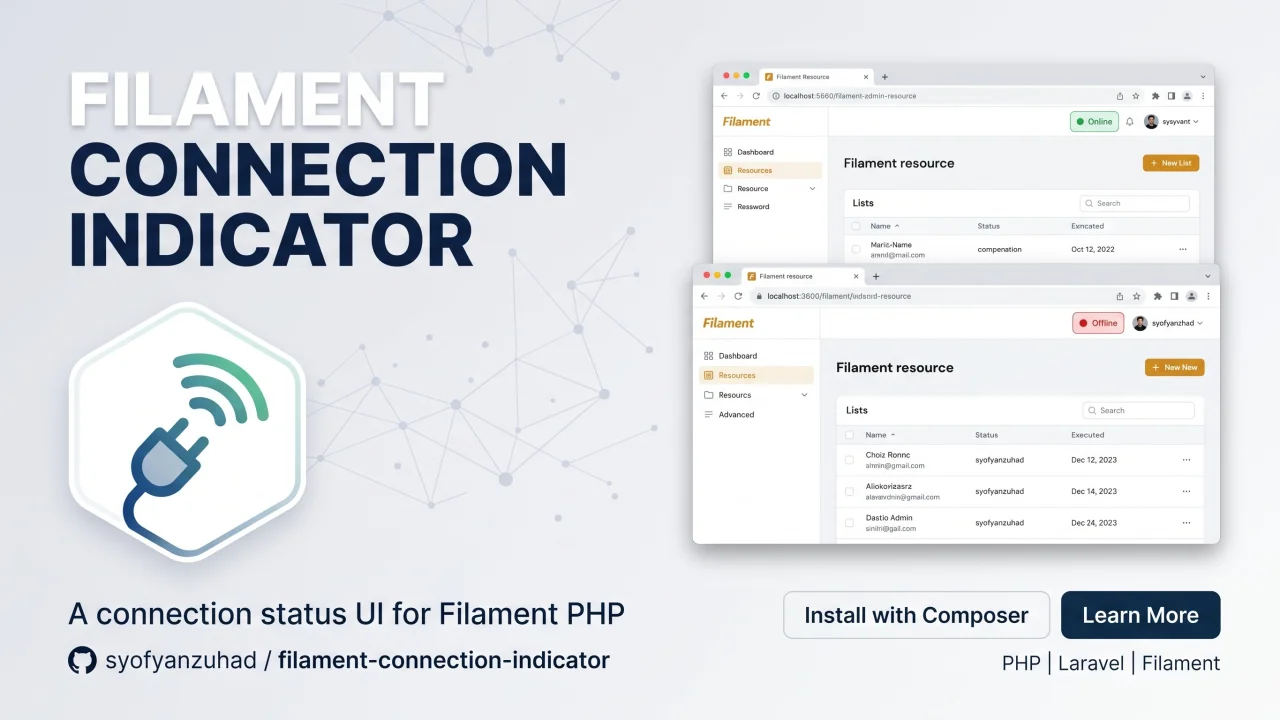
CommunityA zero-dependency, client-side Filament plugin that renders a real-time pulsing signal dot in your Filament panel (defaulting before the user menu). It uses the browser's native Network Information API and navigator.onLine to reflect connection quality without any WebSocket polling or server round-trips.
 Author:
Syofyan Zuhad
Author:
Syofyan Zuhad
Package health
BetaAutomated checks of this plugin's Composer package
15 checks
- Passed: GitHub Actions pinned to SHA
- Skipped: GitLab CI includes pinned to SHA
- Passed: Open security advisories
- Passed: Dependabot PR responsiveness — No open Dependabot PRs.
- Skipped: Renovate MR responsiveness
- Passed: Dependabot or Renovate configured
- Passed: Dependency update cooldown configured
- Passed: Provides a security policy
- Passed: Abandoned or archived — No consulted source marks the package abandoned (packagist, github).
- Passed: Commit and release recency — Active: last commit 1 days ago; last release 1 days ago.
-
Passed:
composer.lock not committed by library
—
composer.lockis absent from the released dist archive. - Passed: Dist archive is lean
-
Passed:
Current Laravel version supported
—
Package dependencies resolve together with current Laravel
13.0. -
Passed:
Current PHP version supported
—
Constraint
^8.2supports current PHP8.5. - Skipped: Current Symfony version supported
filament/
namespace. Review the source and install at your own risk. Found
malware or an unresolved security issue the author won't
address?
Report it
.
Documentation
- Signal States
- Installation
- Usage
- Configuration
- Browser Compatibility
- Testing
- Changelog
- Contributing
- Security Vulnerabilities
- Credits
- License





A zero-dependency, client-side Filament plugin that renders a real-time pulsing signal dot in your Filament panel (defaulting before the user menu). It uses the browser's native Network Information API and navigator.onLine to reflect connection quality without any WebSocket polling or server round-trips.
#Signal States
| Status | Color | Condition |
|---|---|---|
checking |
Gray #9ca3af |
Initial check / rechecking |
online |
Green #22c55e |
Online, effectiveType = 4g (or API unsupported) |
moderate |
Yellow #eab308 |
effectiveType = 3g |
slow |
Orange #f97316 |
effectiveType = 2g / slow-2g |
offline |
Red #ef4444 |
navigator.onLine === false |
#Installation
You can install the package via composer:
composer require syofyanzuhad/filament-connection-indicator
You can publish the config file with:
php artisan vendor:publish --tag="connection-indicator-config"
Optionally, you can publish the views using:
php artisan vendor:publish --tag="connection-indicator-views"
#Usage
Register the plugin in your Filament Panel Provider (e.g. AdminPanelProvider.php):
use Syofyanzuhad\ConnectionIndicator\ConnectionIndicatorPlugin;
use Filament\View\PanelsRenderHook;

public function panel(Panel $panel): Panel
{
    return $panel
        ->default()
        ->id('admin')
        ->plugins([
            ConnectionIndicatorPlugin::make(),
        ]);
}
#UI Styles
The indicator supports two visual styles:
-
dot(default) — Pulsing circular dot with smooth ping animation. -
bars— 4-tier vertical signal bars (cellular / Wi-Fi style) that fill dynamically based on connection quality, and shows an offline strike line when disconnected.
You can set the style fluently on the plugin:
// Use vertical signal bars
ConnectionIndicatorPlugin::make()
    ->bars() // or ->style('bars')

// Or explicitly use the pulsing dot
ConnectionIndicatorPlugin::make()
    ->dot() // or ->style('dot')
#Custom Render Hook
By default, the indicator is rendered before the user menu (PanelsRenderHook::USER_MENU_BEFORE). You can customize where it appears:
ConnectionIndicatorPlugin::make()
    ->renderHook(PanelsRenderHook::TOPBAR_END)
#Configuration
This is the contents of the published config file (config/connection-indicator.php):
return [
    /*
    |--------------------------------------------------------------------------
    | Indicator UI Style
    |--------------------------------------------------------------------------
    | Supported options: 'dot', 'bars'
    | Default: 'dot'
    */
    'style' => 'dot',

    /*
    |--------------------------------------------------------------------------
    | Tooltip Labels
    |--------------------------------------------------------------------------
    */
    'labels' => [
        'checking' => 'Checking...',
        'online'   => 'Online',
        'moderate' => 'Slow Connection',
        'slow'     => 'Very Slow',
        'offline'  => 'Offline',
    ],

    /*
    |--------------------------------------------------------------------------
    | Poll Interval (ms)
    |--------------------------------------------------------------------------
    | How often the client re-checks the connection in the background.
    | Default: 30 000 ms (30 s).
    */
    'poll_interval' => 30000,
];
#Browser Compatibility
| API | Availability | Fallback |
|---|---|---|
navigator.onLine |
All modern browsers | — |
navigator.connection (Network Information API) |
Chrome / Edge / Android WebView | Gracefully falls back to online status |
navigator.connection.effectiveType |
Chrome 61+, not Safari / Firefox | Falls back to online if missing |
navigator.connection.rtt |
Chrome 61+, not Safari / Firefox | Omitted from tooltip if null |
The component degrades gracefully: on Safari and Firefox, it still tracks online and offline events in real-time even without network speed metrics.
#Testing
composer test
#Changelog
Please see CHANGELOG for more information on what has changed recently.
#Contributing
Please see CONTRIBUTING for details.
#Security Vulnerabilities
Please review our security policy on how to report security vulnerabilities.
#Credits
#License
The MIT License (MIT). Please see License File for more information.
The author
Hey! I’m Syofyan Zuhad, a fanatical open sourceror and web artisan.
I’m a freelance web developer, focused on building web applications with Laravel.
I enjoy turning ideas into useful tools, especially those that make everyday work simpler, more productive, or just more enjoyable. I build things for clients, experiment with my own ideas, and maintain open-source projects such as Uptime Kita, Katla, and Hobits.
Featured Plugins
A selection of plugins curated by the Filament team

Blueprint
Filament Blueprint is a premium Laravel Boost extension that helps AI agents produce accurate, detailed implementation plans and security reports for Filament apps.
 Filament

Custom Fields
Eliminate custom field migrations forever. Let your users create and manage form fields directly in Filament admin panels with 20+ built-in field types, validation, and zero database changes.
 Relaticle

Soft Theme
A theme that gives panels a warm, approachable look with rounded shapes, gentle colors, and serif headings.
Filament

