
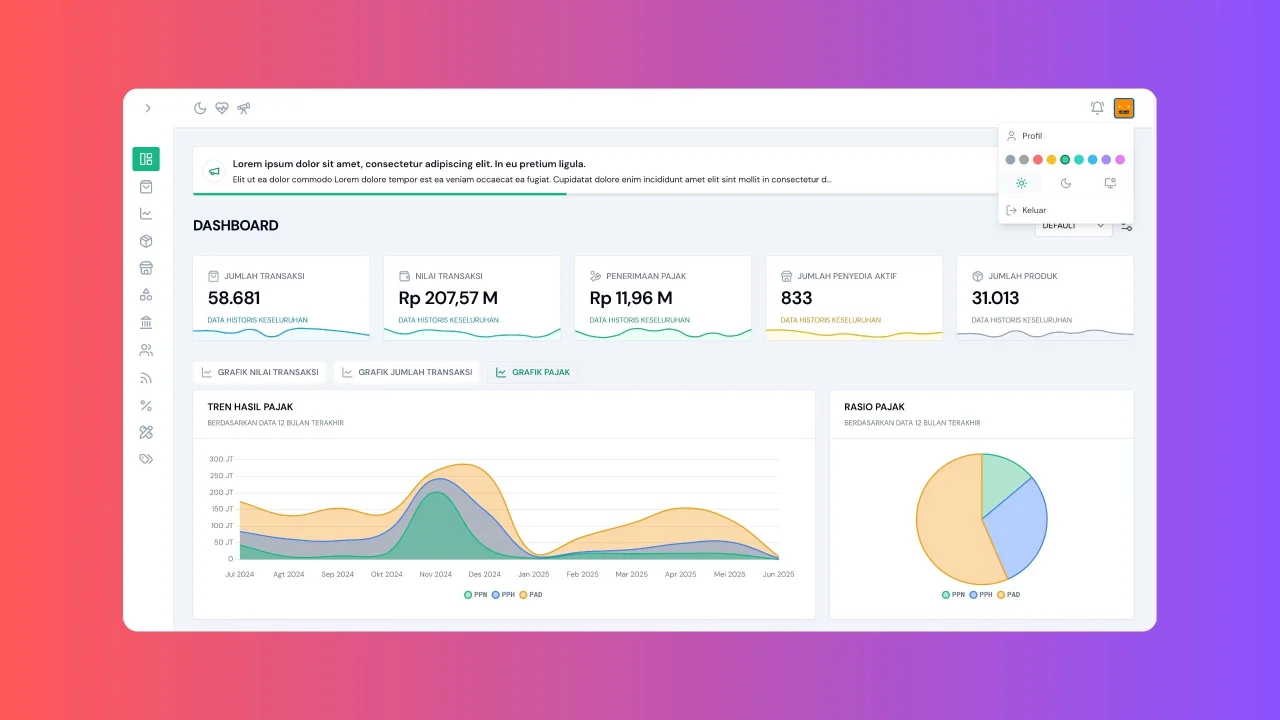
Palette Switcher by Supian M
CommunityEasily switch and customize the UI color palette for your FilamentPHP
 Author:
Supian M
Author:
Supian M
Package health
Automated checks of this plugin's Composer package
15 checks
- Failed: GitHub Actions pinned to SHA — View details on Plumb
- Skipped: GitLab CI includes pinned to SHA
- Passed: Open security advisories
- Passed: Dependabot PR responsiveness — No open Dependabot PRs.
- Skipped: Renovate MR responsiveness
- Failed: Dependabot or Renovate configured — No dependency updater configuration found. View details on Plumb
- Skipped: Dependency update cooldown configured
- Failed: Provides a security policy — View details on Plumb
- Passed: Abandoned or archived — No consulted source marks the package abandoned (packagist, github).
- Passed: Commit and release recency — Active: last commit 0 days ago; last release 286 days ago.
-
Passed:
composer.lock not committed by library
—
composer.lockis absent from the released dist archive. - Passed: Dist archive is lean
-
Passed:
Current Laravel version supported
—
Package dependencies resolve together with current Laravel
13.0. -
Passed:
Current PHP version supported
—
Constraint
^8.2supports current PHP8.5. - Skipped: Current Symfony version supported
filament/
namespace. Review the source and install at your own risk. Found
malware or an unresolved security issue the author won't
address?
Report it
.
Documentation
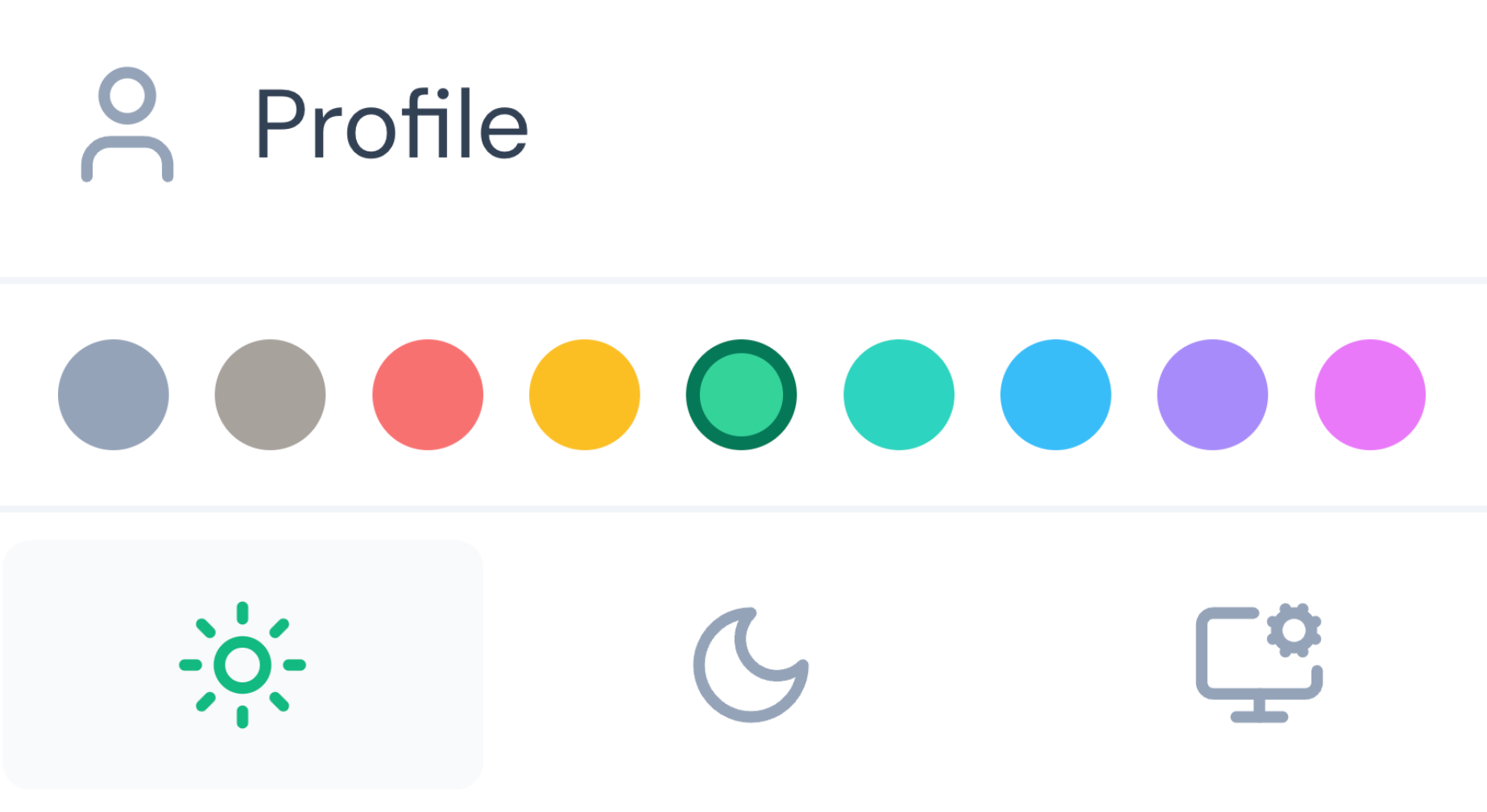



A FilamentPHP plugin that allows users to easily switch and customize the UI color palette in their Filament admin panels. This plugin provides a seamless way to change themes, either per user or globally across the application.
#✨ Features
- ✅ User-specific themes – Each user can choose their preferred color palette.
- 🌐 Global theme support – Apply a single theme for all users.
- 🧠 Conditional visibility – Show or hide the palette switcher based on custom logic.
- 🎨 Custom color palettes – Define your own color schemes or modify existing ones.
- 🌈 Pre-built palettes – Includes 9 beautiful ready-to-use palettes.
- ⚡ Easy integration – Simple installation with minimal configuration.
- 🔧 Flexible customization – Full control over theme application and visibility.
#🚀 Installation
Install the package via Composer:
composer require octopyid/filament-palette
Filament v3 (Tailwind v3) — add plugin views to tailwind.config.js:
content: [
    './vendor/octopyid/filament-palette/resources/**/*.blade.php',
]
Filament v4 (Tailwind v4) — declare sources in your panel theme CSS (paths are relative to this CSS file):
@source '../../../../vendor/octopyid/filament-palette/resources';
Optionally, publish the configuration file:
php artisan vendor:publish --tag=filament-palette
#⚙️ Usage
#Basic Setup
Add the plugin to your Filament panel configuration:
public function panel(Panel $panel): Panel
{
    return $panel->plugin(
        \Octopy\Filament\Palette\PaletteSwitcherPlugin::make()
    );
}
By default, the color palette is applied individually to each user, allowing them to freely choose their preferred colors.
Note for Local Development: If you are using the
arrayornullcache driver in your local environment, the palette switcher will not be able to persist your theme preference across requests. You can explicitly set a persistent cache store for this plugin by addingFILAMENT_PALETTE_CACHE_STORE=fileto your.envfile.
#Global Theme Application;
To apply themes globally across all users:
public function panel(Panel $panel): Panel
{
    return $panel->plugin(
        \Octopy\Filament\Palette\PaletteSwitcherPlugin::make()->applyThemeGlobally(true)
    );
}
#Conditional Visibility
Hide the palette switcher programmatically based on custom conditions:
public function panel(Panel $panel): Panel
{
    return $panel->plugin(
        \Octopy\Filament\Palette\PaletteSwitcherPlugin::make()->hidden(function () {
            return auth()->user()->email === '[email protected]';
        }),
    );
}
#🎨 Customization
#Available Color Palettes
The plugin includes 9 pre-configured palettes:
- Slate – Professional gray-blue theme
- Stone – Warm neutral theme
- Red – Bold red theme
- Amber – Warm orange theme
- Emerald – Fresh green theme
- Teal – Cool blue-green theme
- Sky – Bright blue theme
- Violet – Rich purple theme
- Fuchsia – Vibrant pink theme
#Custom Color Palettes
You can tailor your palettes by editing the configuration file located at config/filament-palette.php. This file gives you full control to define new color schemes or modify
existing ones using various methods.
<?php

use Filament\Support\Colors\Color;

return [
    'default' => env('FILAMENT_PALETTE_DEFAULT', 'slate'),

    'palette' => [
        // Custom palette example using Filament's pre-defined colors
        'custom' => [
            'primary' => Color::Orange,
            'warning' => Color::Amber,
            'danger'  => Color::Red,
            'success' => Color::Green,
            'info'    => Color::Blue,
        ],

        // Custom palette example using HEX codes
        'brand' => [
            'primary' => [
                50 => '#eff6ff',
                100 => '#dbeafe',
                // ... add all shades from 50 to 950 for comprehensive styling
                900 => '#1e3a8a',
                950 => '#1e40af',
            ],
            'warning' => Color::Yellow,
            'danger'  => Color::Red,
            'success' => Color::Emerald,
            'info'    => Color::Sky,
        ],

        // Define a custom primary color directly from a HEX value
        'my-hex-theme' => [
            'primary' => Color::hex('#ff0000'), // This will generate shades based on the given hex code
            'warning' => Color::Yellow,
            'danger'  => Color::Red,
            'success' => Color::Green,
            'info'    => Color::Blue,
        ],

        // Define a custom primary color directly from an RGB value
        'my-rgb-theme' => [
            'primary' => Color::rgb('rgb(0, 128, 0)'), // Example using an RGB string
            'warning' => Color::Amber,
            'danger'  => Color::Red,
            'success' => Color::Green,
            'info'    => Color::Blue,
        ],
        // ... other pre-built palettes
    ],
];
#Cache Store Configuration
By default, the plugin uses your application's default cache store to remember the user's selected theme.
However, if your application uses an ephemeral cache driver like array or null (common in local development), the plugin will automatically fallback to the file cache driver so that your theme preference persists seamlessly across requests. This fallback is automatically disabled during automated testing to maintain test isolation.
If you wish to explicitly set a specific cache store for this plugin (for example, if you want to use redis while your main app uses something else), you can set the following environment variable in your .env file:
FILAMENT_PALETTE_CACHE_STORE=redis
You can also change this directly in the published config/filament-palette.php file:
'cache_store' => env('FILAMENT_PALETTE_CACHE_STORE', 'redis'),
This ensures your users' theme preferences are always saved accurately.
#Removing Unwanted Palettes
Limit the available palettes by removing entries from the palette array:
'palette' => [
    'slate' => [
        'primary' => Color::Slate,
        'warning' => Color::Amber,
        'danger'  => Color::Red,
        'success' => Color::Emerald,
        'info'    => Color::Sky,
    ],
    'emerald' => [
        'primary' => Color::Emerald,
        'warning' => Color::Yellow,
        'danger'  => Color::Red,
        'success' => Color::Emerald,
        'info'    => Color::Sky,
    ],
    // Only these two palettes will be available
],
#🔐 Security
If you discover any security-related issues, please email [email protected] instead of using the issue tracker.
#🙏 Credits
#📄 License
The MIT License (MIT). Please see License File for more information.
The author
A curious engineer who keeps learning, contributing, and building reliable systems that turn ideas into reality.
From the same author
Featured Plugins
A selection of plugins curated by the Filament team

Blueprint
Filament Blueprint is a premium Laravel Boost extension that helps AI agents produce accurate, detailed implementation plans and security reports for Filament apps.
 Filament

Spotlight Pro
Browse your Filament Panel with ease. Filament Spotlight Pro adds a Spotlight like Command Palette to your Filament Panel.
 Dennis Koch

Compact Theme
A theme that makes data-heavy panels easier to scan by fitting more useful information on each screen.
Filament

