
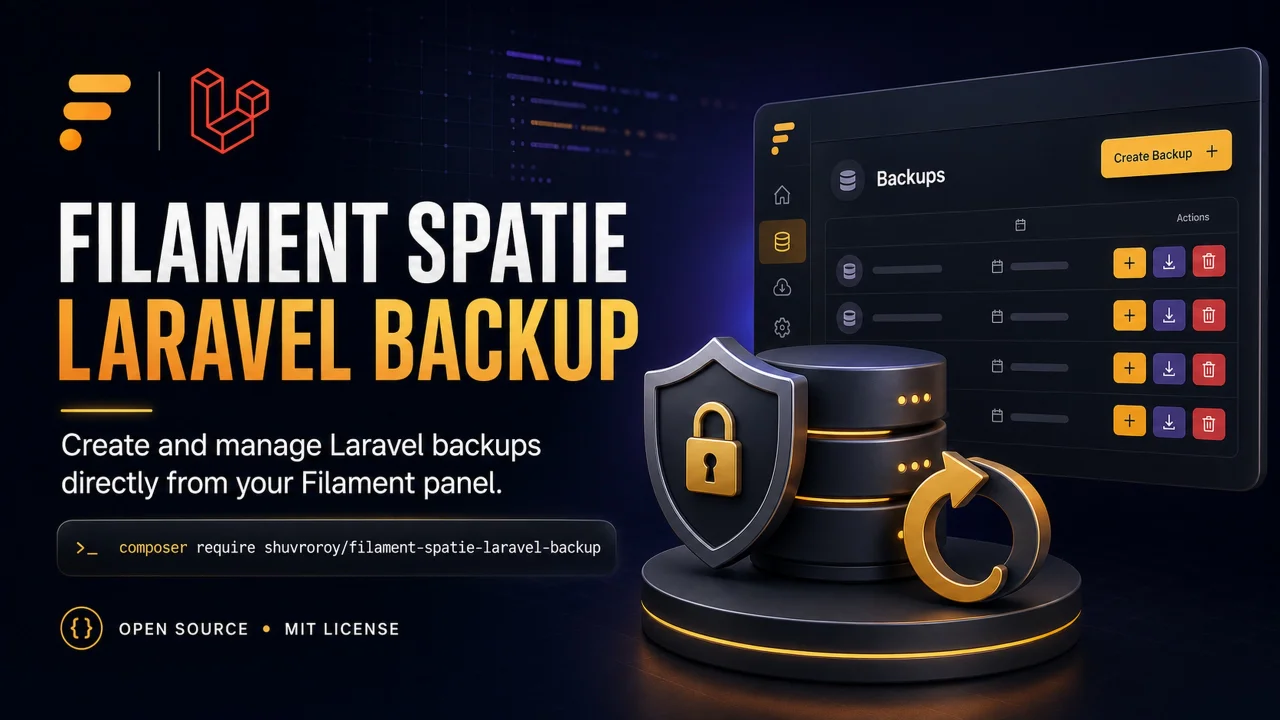
Spatie Laravel Backup by Shuvro Roy
CommunityThis package provides a Filament page that you can create backup of your application by using `spatie/laravel-backup` package.
 Author:
Shuvro Roy
Author:
Shuvro Roy
Package health
Automated checks of this plugin's Composer package
15 checks
- Passed: GitHub Actions pinned to SHA
- Skipped: GitLab CI includes pinned to SHA
- Passed: Open security advisories
- Passed: Dependabot PR responsiveness — No open Dependabot PRs.
- Skipped: Renovate MR responsiveness
- Passed: Dependabot or Renovate configured
- Passed: Dependency update cooldown configured
- Passed: Provides a security policy
- Passed: Abandoned or archived — No consulted source marks the package abandoned (packagist, github).
- Passed: Commit and release recency — Active: last commit 6 days ago; last release 51 days ago.
-
Passed:
composer.lock not committed by library
—
composer.lockis absent from the released dist archive. - Passed: Dist archive is lean
-
Passed:
Current Laravel version supported
—
Package dependencies resolve together with current Laravel
13.0. -
Passed:
Current PHP version supported
—
Constraint
>=8.2 <8.6supports current PHP8.5. - Skipped: Current Symfony version supported
filament/
namespace. Review the source and install at your own risk. Found
malware or an unresolved security issue the author won't
address?
Report it
.
Documentation
- Contents
- Requirements
- Installation
- Quick start
- Permissions
- Configuration
- Restoring backups
- Troubleshooting
- Upgrading
- Testing
- Changelog
- Contributing
- Security Vulnerabilities
- Credits
- License
This package adds a Filament page for creating, monitoring, downloading, and deleting application backups. It uses spatie/laravel-backup to perform and monitor the backups.
#Contents
- Requirements
- Installation
- Quick start
- Permissions
- Filament Shield integration
- Configuration
- Restoring backups
- Troubleshooting
- Upgrading
#Requirements
Version 4 supports the following stack:
| Dependency | Supported versions |
|---|---|
| PHP | 8.2–8.5 |
| Laravel | 12–13 |
| Filament | 4–5 |
| Spatie Laravel Backup | 9–10 |
PHP 8.2 is supported with Laravel 12 and Spatie Laravel Backup 9. Laravel 13 and Spatie Laravel Backup 10 require a newer PHP version.
See the Laravel support policy, PHP supported versions, and Filament support policy for upstream support timelines.
Upgrading from v3? Follow the v4 upgrade guide before changing the package constraint.
#Installation
You can install the package via composer:
composer require shuvroroy/filament-spatie-laravel-backup
Publish and review Spatie Laravel Backup's configuration. This creates config/backup.php, where you define the application name, source files and databases, destination disks, notifications, monitoring, and cleanup strategy:
php artisan vendor:publish --provider="Spatie\Backup\BackupServiceProvider" --tag="backup-config"
Before creating a backup, review these values in config/backup.php:
backup.namebackup.source.files.includeandbackup.source.databasesbackup.destination.disks
The temporary directory and every destination must be writable and have enough free space for the archive. Database backups also require the relevant dump utility, such as mysqldump or pg_dump, to be available to both the web process and queue workers. See Spatie's requirements and installation and setup guide for disk, scheduling, cleanup, monitoring, and database-dump configuration.
Publish the package's assets:
php artisan filament:assets
You can publish the lang file with:
php artisan vendor:publish --tag="filament-spatie-backup-translations"
#Quick start
You first need to register the plugin with Filament. This can be done inside of your PanelProvider, e.g. AdminPanelProvider.
<?php

namespace App\Providers\Filament;

use Filament\Panel;
use Filament\PanelProvider;
use ShuvroRoy\FilamentSpatieLaravelBackup\FilamentSpatieLaravelBackupPlugin;

class AdminPanelProvider extends PanelProvider
{
    public function panel(Panel $panel): Panel
    {
        return $panel
            // ...
            ->plugin(FilamentSpatieLaravelBackupPlugin::make());
    }
}
When registering several plugins at once, use plugins([...]):
return $panel->plugins([
    FirstPlugin::make(),
    FilamentSpatieLaravelBackupPlugin::make(),
]);
Do not pass multiple plugins as arguments to plugin(). That method accepts one plugin, so later arguments will not be registered.
The sync queue is convenient for local development, but production applications should process backups outside the Livewire request. Configure a supported asynchronous connection and start a worker before using the page:
QUEUE_CONNECTION=database
php artisan queue:work database
Complete any setup required by your chosen driver and keep the worker running with a process monitor. See Laravel's queue documentation and the queue configuration below.
#Permissions
The package checks these Laravel Gate abilities before showing its backup actions:
create-backup— create a new backup.download-backup— download an existing backup.delete-backup— delete an existing backup.
Define them with plain Laravel gates in a service provider if you do not use a permissions package. Replace the example condition with your application's authorization rule:
<?php

namespace App\Providers;

use App\Models\User;
use Illuminate\Support\Facades\Gate;
use Illuminate\Support\ServiceProvider;

class AppServiceProvider extends ServiceProvider
{
    public function boot(): void
    {
        Gate::define('create-backup', fn (User $user): bool => (bool) $user->is_admin);
        Gate::define('download-backup', fn (User $user): bool => (bool) $user->is_admin);
        Gate::define('delete-backup', fn (User $user): bool => (bool) $user->is_admin);
    }
}
To restrict access to the entire page, configure the plugin separately:
FilamentSpatieLaravelBackupPlugin::make()
    ->authorize(fn (): bool => auth()->user()?->can('view-backups') ?? false)
If you use Spatie Laravel Permission, register the same three action permissions with that package. For Filament Shield, follow the integration guide below to make them available in the role editor.
#Filament Shield integration
The following example uses Shield 4.3.1 or later with Filament 4 or 5. Complete Shield's installation first, including adding Spatie's HasRoles trait to your user model and registering FilamentShieldPlugin in the same panel as the backup plugin.
The backup actions use custom permissions. Seeding permission records alone does not add them to Shield's role editor: you must also declare them in Shield's configuration and enable its Custom Permissions tab.
Publish Shield's configuration if you have not already done so:
php artisan vendor:publish --tag="filament-shield-config"
Merge these entries into the existing arrays in config/filament-shield.php, keeping your other settings, custom permissions, and excluded pages:
use ShuvroRoy\FilamentSpatieLaravelBackup\Pages\Backups;

return [
    // ...
    'shield_resource' => [
        // ...
        'tabs' => [
            // ...
            'custom_permissions' => true,
        ],
    ],

    'permissions' => [
        // ...
        'format_custom_permission_keys' => false,
    ],

    'custom_permissions' => [
        // ...
        'view-backups' => 'View backups',
        'create-backup' => 'Create backup',
        'download-backup' => 'Download backup',
        'delete-backup' => 'Delete backup',
    ],

    'pages' => [
        // ...
        'exclude' => [
            // ...
            Backups::class,
        ],
    ],
    // ...
];
Keep these permission keys exactly as shown. Shield normally formats custom keys using its configured case; for example, create-backup becomes CreateBackup with the default PascalCase setting, which does not match this plugin's check. Setting permissions.format_custom_permission_keys to false preserves all custom keys, so keep any other custom keys consistent with their existing database names. If you use Shield's buildPermissionKeyUsing() callback, it must also preserve these backup keys. See Shield's custom permission documentation.
In this example, view-backups controls access to the entire page. Wire it to the backup plugin in your panel provider:
use BezhanSalleh\FilamentShield\FilamentShieldPlugin;
use ShuvroRoy\FilamentSpatieLaravelBackup\FilamentSpatieLaravelBackupPlugin;

return $panel->plugins([
    FilamentShieldPlugin::make(),
    FilamentSpatieLaravelBackupPlugin::make()
        ->authorize(fn (): bool => auth()->user()?->can('view-backups') ?? false),
]);
The pages.exclude entry prevents Shield from also generating a separate page permission such as View:Backups. The package page uses the plugin's authorize() callback, so assigning a generated page permission alone does not restrict page access. If you registered a custom page with usingPage(), exclude that class instead.
Clear cached configuration, generate permissions for your panel, and reset the permission cache:
php artisan config:clear
php artisan shield:generate --all --option=permissions --panel=admin
php artisan permission:cache-reset
Replace admin with your panel ID. The --all flag includes custom permissions, and --option=permissions generates permission records without generating policies. Shield uses the selected panel's authentication guard; the role and user must use the same guard.
Open Roles, edit the intended role, and select View backups and the desired backup actions under Custom Permissions. Save the role and assign it to the user. Page access and action permissions are separate: view-backups allows the page to open, while the other three permissions control which backup actions are shown. You do not need to run the seeder below when using this Shield workflow.
#Seeder Example
You can create a seeder to register these permissions and assign them to a role:
<?php

namespace Database\Seeders;

use Illuminate\Database\Seeder;
use Spatie\Permission\Models\Permission;
use Spatie\Permission\Models\Role;

class BackupPermissionSeeder extends Seeder
{
    public function run(): void
    {
        $permissions = [
            'download-backup',
            'delete-backup',
            'create-backup',
        ];

        foreach ($permissions as $permission) {
            Permission::firstOrCreate(['name' => $permission]);
        }

        $role = Role::firstOrCreate(['name' => 'backup']);
        $role->givePermissionTo($permissions);

        $user = \App\Models\User::find(1);

        if ($user && ! $user->hasRole('backup')) {
            $user->assignRole('backup');
        }
    }
}
Run the seeder using:
php artisan db:seed --class=BackupPermissionSeeder
#Configuration
#Custom page
Use the plugin methods below to customise navigation. Extend the page only when you need to customise page behaviour, such as its heading:
<?php

namespace App\Filament\Pages;

use ShuvroRoy\FilamentSpatieLaravelBackup\Pages\Backups as BaseBackups;

class Backups extends BaseBackups
{
    public function getHeading(): string
    {
        return 'Application Backups';
    }
}
Then register the extended page class in AdminPanelProvider:
<?php

namespace App\Providers\Filament;

use App\Filament\Pages\Backups;
use Filament\Panel;
use Filament\PanelProvider;
use ShuvroRoy\FilamentSpatieLaravelBackup\FilamentSpatieLaravelBackupPlugin;

class AdminPanelProvider extends PanelProvider
{
    public function panel(Panel $panel): Panel
    {
        return $panel
            // ...
            ->plugin(
                FilamentSpatieLaravelBackupPlugin::make()
                    ->usingPage(Backups::class)
            );
    }
}
#Customising navigation
The default navigation icon is heroicon-o-archive-box-arrow-down. You can customise the icon, label, group, and sort order directly on the plugin without extending the page class:
<?php

namespace App\Providers\Filament;

use Filament\Panel;
use Filament\PanelProvider;
use ShuvroRoy\FilamentSpatieLaravelBackup\FilamentSpatieLaravelBackupPlugin;

class AdminPanelProvider extends PanelProvider
{
    public function panel(Panel $panel): Panel
    {
        return $panel
            // ...
            ->plugin(
                FilamentSpatieLaravelBackupPlugin::make()
                    ->navigationIcon('heroicon-o-server-stack')
                    ->navigationLabel('Backups')
                    ->navigationGroup('Settings')
                    ->navigationSort(3)
            );
    }
}
All navigation methods also accept closures for dynamic values:
FilamentSpatieLaravelBackupPlugin::make()
    ->navigationLabel(fn (): string => __('custom.backups'))
    ->navigationGroup(fn (): ?string => auth()->user()?->isAdmin() === true ? 'Admin' : 'Tools')
Note
Pass null to navigationGroup() to remove the page from any navigation group.
#Using the page in a cluster
Pass the cluster class to the plugin. The navigation group is omitted automatically while the page is clustered:
use App\Filament\Clusters\System;

FilamentSpatieLaravelBackupPlugin::make()
    ->cluster(System::class)
#Customising the polling interval
You can customise the polling interval for the Backups by following the steps below:
<?php

namespace App\Providers\Filament;

use Filament\Panel;
use Filament\PanelProvider;
use ShuvroRoy\FilamentSpatieLaravelBackup\FilamentSpatieLaravelBackupPlugin;

class AdminPanelProvider extends PanelProvider
{
    public function panel(Panel $panel): Panel
    {
        return $panel
            // ...
            ->plugin(
                FilamentSpatieLaravelBackupPlugin::make()
                    ->usingPollingInterval('60s') // default value is 30s
            );
    }
}
Note
Pass null to disable polling.
#Large or remote backup destinations
Backup metadata is cached for 30 seconds by default. The table starts at 10 records per page and offers 10, 25, and 50-record page sizes. You can tune the cache, show only the newest backups, or hide the health summary when a remote disk is especially slow.
Backups are listed newest first. Selecting a disk filter queries and displays only that configured destination, avoiding unnecessary reads from the other backup disks.
The Disk and Backup Type filters update the table immediately without an Apply button. Backup type is inferred from the filename prefix: names beginning with only-db- are shown as Only DB, names beginning with only-files- as Only Files, and all other names as DB & Files. A marker elsewhere in a filename is not treated as a backup type.
FilamentSpatieLaravelBackupPlugin::make()
    ->cacheDuration(60)
    ->backupLimit(15)
    ->statusListRecordsTable(false)
Set cacheDuration(0) to disable metadata caching, or backupLimit(null) to make every backup available to the paginated table.
#Downloading large backups
The Download action opens a signed URL in a new tab and streams the archive in 1 MiB chunks through Laravel's filesystem. It uses a separate HTTP request so Livewire does not buffer and Base64-encode the complete file. This works with the local and remote backup disks supported by Spatie.
Before streaming, the download discards pending ordinary PHP output and removes ordinary buffers where possible. It preserves transport handlers and flushes each chunk. If pending output cannot be discarded safely or a remaining buffer cannot drain safely, the download fails before sending archive bytes.
The complete archive must reach the transport before the streaming callback returns, without relying on PHP shutdown to flush final bytes. Retained lower buffers must drain on every write (chunk_size=1); the top buffer can instead be explicitly flushable. Buffers that could retain a final fragment are rejected, including nested buffers beneath a flushable handler.
The download route uses the panel's authentication, tenant, and page middleware. Each request also checks access to the backups page and the download-backup permission. A signed link does not grant access by itself. If routes are cached, rebuild the route cache after updating the package.
PHP, web server, and proxy timeouts still apply to downloads. The plugin's timeout() and noTimeout() settings configure backup creation jobs, not file transfers.
#Backup type API
Manual backup creation, filename detection, and table filtering use the same enum values:
use ShuvroRoy\FilamentSpatieLaravelBackup\Enums\BackupType;
use ShuvroRoy\FilamentSpatieLaravelBackup\FilamentSpatieLaravelBackup;

BackupType::ONLY_DATABASE->value;      // only-db
BackupType::ONLY_FILES->value;         // only-files
BackupType::DATABASE_AND_FILES->value; // db-and-files

$type = FilamentSpatieLaravelBackup::detectBackupType($backupPath); // BackupType
Extensions that mutate backup files can invalidate one known destination with clearBackupDestinationCache($disk, $backupName), or every configured destination with clearBackupDestinationCaches().
#Configuring the queue
By default, backup jobs use your application's default queue connection and queue. You can route them to a dedicated connection and queue:
<?php

namespace App\Providers\Filament;

use Filament\Panel;
use Filament\PanelProvider;
use ShuvroRoy\FilamentSpatieLaravelBackup\FilamentSpatieLaravelBackupPlugin;

class AdminPanelProvider extends PanelProvider
{
    public function panel(Panel $panel): Panel
    {
        return $panel
            // ...
            ->plugin(
                FilamentSpatieLaravelBackupPlugin::make()
                    ->usingQueueConnection('redis')
                    ->usingQueue('backups')
            );
    }
}
Production queue requirement: configure a non-
syncconnection and run a queue worker. With Laravel's defaultsyncconnection, the backup runs inside the Livewire web request and can still exceed the web server or proxy timeout. The job timeout only mitigates this; it does not make a synchronous backup asynchronous.
Failed backup commands fail the queued job, so asynchronous workers can retry them and record them in the configured failed-jobs store.
Start a worker for the same connection and queue. For the example above, run:
php artisan queue:work redis --queue=backups
#Customising the timeout
You can customise the timeout for the backup job by following the steps below:
<?php

namespace App\Providers\Filament;

use Filament\Panel;
use Filament\PanelProvider;
use ShuvroRoy\FilamentSpatieLaravelBackup\FilamentSpatieLaravelBackupPlugin;

class AdminPanelProvider extends PanelProvider
{
    public function panel(Panel $panel): Panel
    {
        return $panel
            // ...
            ->plugin(
                FilamentSpatieLaravelBackupPlugin::make()
                    ->timeout(120)
            );
    }
}
The value is applied to Laravel's per-job queue timeout. It is also passed to the backup command and PHP's execution time limit when set_time_limit() is available. On hosts where that function is disabled, the package safely leaves PHP's execution limit unchanged. When no value is configured, the PHP and queue-worker defaults apply. For more details, see set_time_limit().
You can also disable the timeout altogether to let the job run as long as needed:
<?php

namespace App\Providers\Filament;

use Filament\Panel;
use Filament\PanelProvider;
use ShuvroRoy\FilamentSpatieLaravelBackup\FilamentSpatieLaravelBackupPlugin;

class AdminPanelProvider extends PanelProvider
{
    public function panel(Panel $panel): Panel
    {
        return $panel
            // ...
            ->plugin(
                FilamentSpatieLaravelBackupPlugin::make()
                    ->noTimeout()
            );
    }
}
Disabling the timeout does not remove the queue worker's memory limit. Size that limit separately for large backups.
#Configuration reference
| Method | Default | Purpose |
|---|---|---|
usingPage() |
Package Backups page |
Register a custom page that extends the package page. |
authorize() |
true |
Control access to the entire backups page. |
usingQueueConnection() |
Application default | Choose the connection used by backup jobs. |
usingQueue() |
Default queue | Choose the queue used by backup jobs. |
usingPollingInterval() |
'30s' |
Set the Livewire polling interval; pass null to disable it. |
cacheDuration() |
30 seconds |
Cache destination metadata; use 0 to disable caching. |
backupLimit() |
null |
Limit the table to the newest configured number of backups. |
statusListRecordsTable() |
true |
Show or hide the backup destination health summary. |
timeout() |
PHP and worker defaults | Set the backup job timeout in seconds. |
noTimeout() |
Not enabled | Set the job timeout to 0. |
cluster() |
null |
Place the page in a Filament cluster. |
navigationIcon() |
heroicon-o-archive-box-arrow-down |
Set the navigation icon. |
navigationLabel() |
Translated Backups label |
Set the navigation label. |
navigationGroup() |
Translated Settings group |
Set the group; pass null to remove it. |
navigationSort() |
1 |
Set the navigation sort order. |
cacheDuration() and timeout() accept zero or greater. backupLimit() accepts null or an integer of at least one. Navigation values and authorize() can also be resolved dynamically with closures where their method signatures allow it.
#Restoring backups
This package creates, lists, downloads, and deletes backups. It intentionally does not restore them: restoring an archive can overwrite live files and databases and requires application-specific validation and recovery steps. Download the archive and follow your application's tested recovery procedure instead.
#Troubleshooting
- Backup permissions are missing from Shield's role editor: follow the Filament Shield integration guide. Declare the exact permission keys in
custom_permissions, enableshield_resource.tabs.custom_permissions, preserve custom key formatting, and regenerate permissions for the correct panel. If the tab is visible but actions are missing, check the role assignments and authentication guard, then reset the permission cache. - “Plugin is not registered for panel”: ensure the backup plugin is actually registered. Use separate
plugin()calls or oneplugins([...])call, especially when combining it with other plugins. - A backup remains pending: make sure a worker is listening on the connection and queue configured with
usingQueueConnection()andusingQueue(). Check the application log and failed-jobs store for the underlying command error. - A manual backup times out in the browser: the application is probably using the
syncqueue. Select an asynchronous connection and keep its worker running; increasingtimeout()alone does not move the work outside the Livewire request. mysqldump,pg_dump, or another dump binary cannot be found: install the utility on the worker host or configure its directory withdump.dump_binary_pathon the relevant connection inconfig/database.php.- The archive cannot be written or a destination is unreachable: verify temporary-directory and destination permissions, available disk space, remote credentials, and network access from the queue-worker host.
- Configuration changes are ignored: clear or rebuild Laravel's configuration cache after changing
config/backup.php,config/filesystems.php, queue settings, or environment variables. Restart long-running queue workers after deployment so they load the new configuration. - “Could not find driver” while an old v2 release creates
backup_destination_*tables: upgrade to v3. The current implementation uses Filament custom data and does not require SQLite or Sushi models. - Slow S3-compatible disks: increase
cacheDuration(), increase or disable polling, setbackupLimit(), or hide the status table as shown above.
#Upgrading
Existing v3 applications should review the v4 upgrade guide before updating. It covers the new polling and cache defaults, paginated backup listings, queue execution timing, and failed-job behavior. The same guide also contains instructions for earlier major versions.
#Testing
composer test
#Changelog
Please see CHANGELOG for more information on what has changed recently.
#Contributing
Please see CONTRIBUTING for details.
#Security Vulnerabilities
Please review our security policy on how to report security vulnerabilities.
#Credits
#License
The MIT License (MIT). Please see License File for more information.
The author
Shuvro is a senior software engineer from Dhaka, BD. He contributes to Filament and lots of other open source projects. He works for MailerLite, a digital email marketing platform.
From the same author
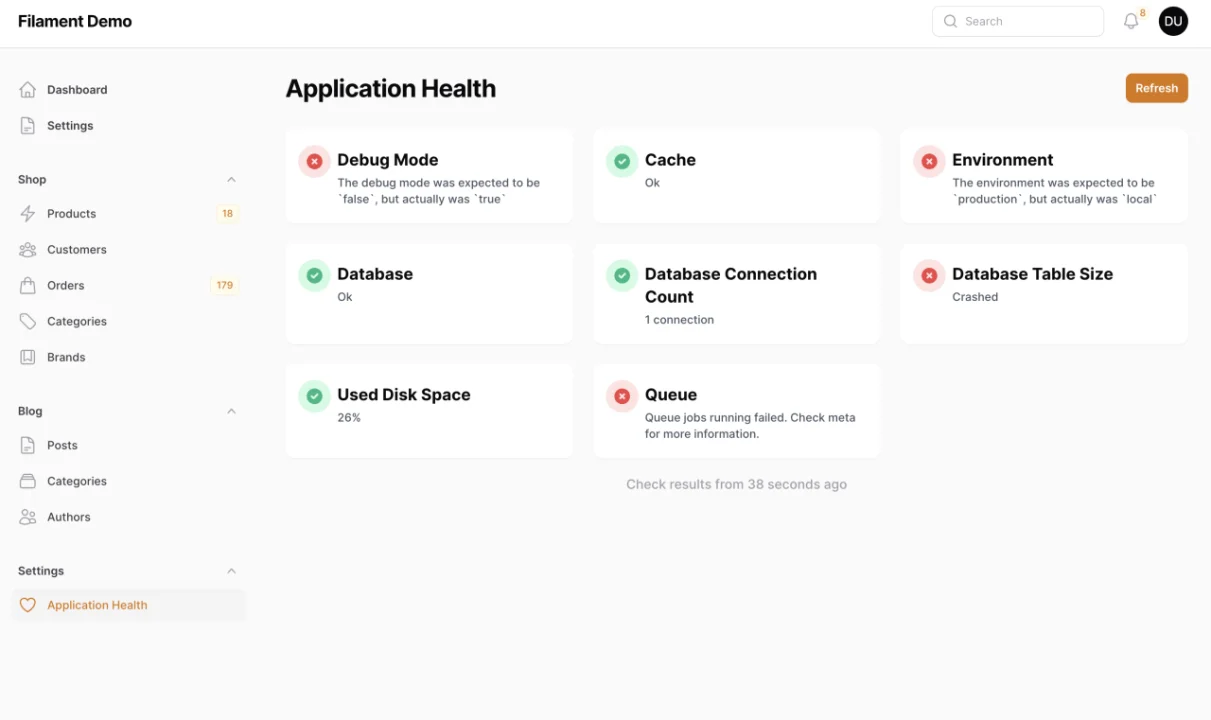
Spatie Laravel Health
This package provides a Filament page that you can monitor the health of your application by registering checks using the `spatie/laravel-health` package.
Author:
Shuvro Roy
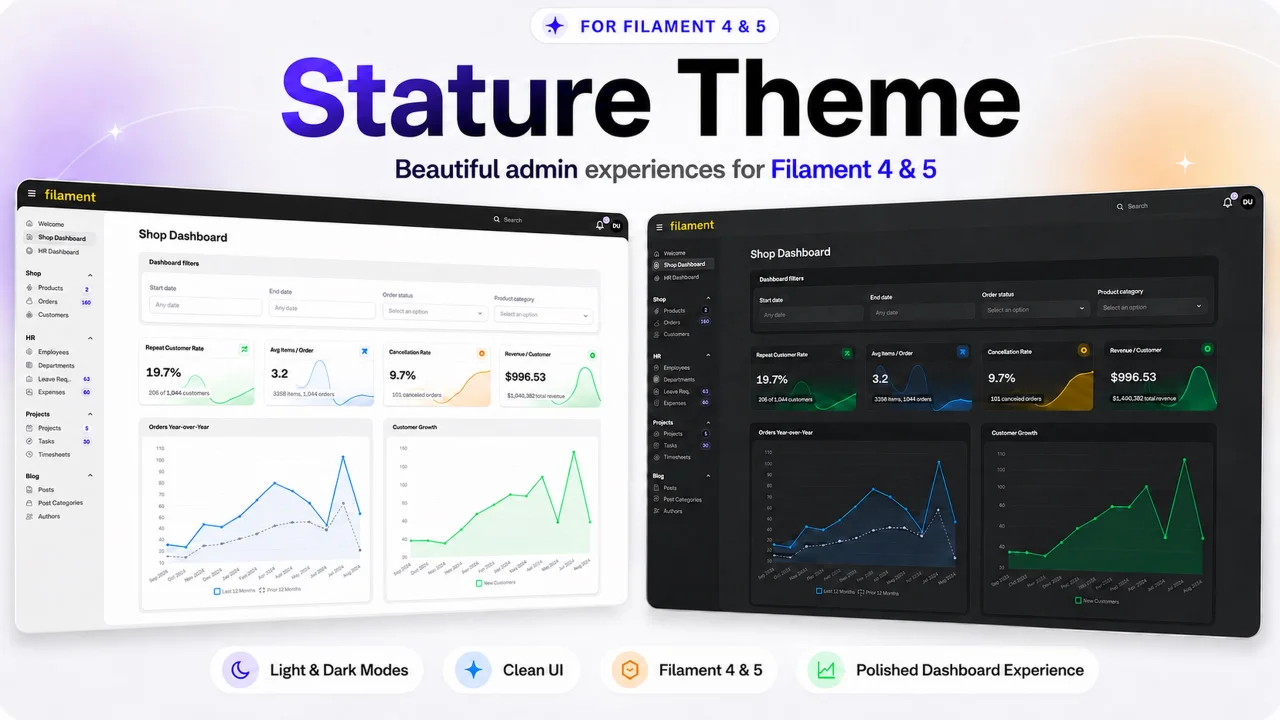
Stature Theme
A polished, compact control panel theme for Filament 4 & 5 with thoughtfully crafted light and dark modes.
Author:
Shuvro Roy
Featured Plugins
A selection of plugins curated by the Filament team

Compact Theme
A theme that makes data-heavy panels easier to scan by fitting more useful information on each screen.
 Filament

Spotlight Pro
Browse your Filament Panel with ease. Filament Spotlight Pro adds a Spotlight like Command Palette to your Filament Panel.
 Dennis Koch

Sharp Theme
A theme that gives panels a precise, technical look with square corners, strong borders, and clear contrast.
Filament

