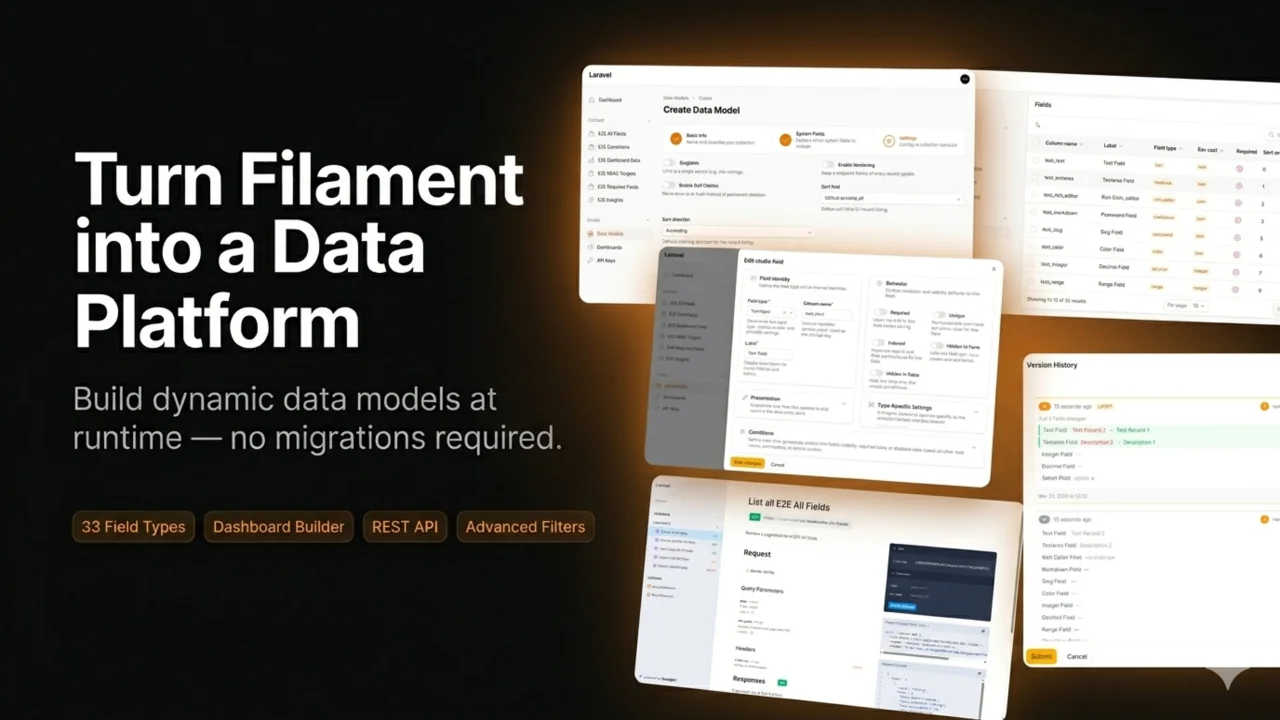
Studio — Custom Fields, Collections & REST API
Create collections with custom fields at runtime — no migrations needed. 33 field types, dashboard builder, REST API, advanced filters, versioning, and multi-tenancy. Powered by EAV storage.
 Author:
Serhii Fedorenko
Author:
Serhii Fedorenko
Documentation
- Screenshots
- Why Filament Studio?
- Features
- Quick Start
- Extending
- Architecture
- Documentation
- Requirements
- Testing
- Changelog
- Contributing
- Security
- Credits
- License
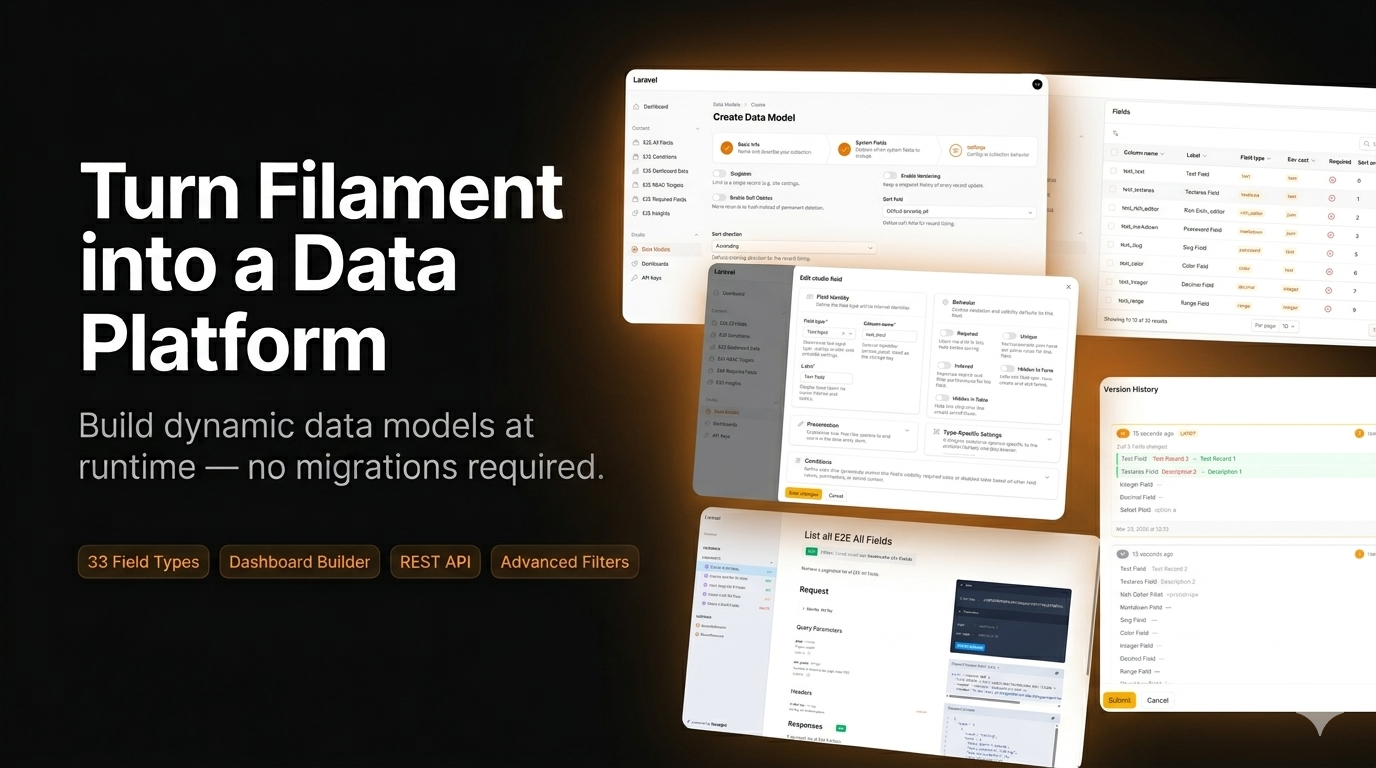




A dynamic data model manager for Filament v5 — create collections, define fields, manage records, and build dashboards, all at runtime. No migrations required.
Filament Studio turns your Filament admin panel into a flexible data platform. Define custom data structures through a visual interface, and the plugin handles the rest: forms, tables, filters, API endpoints, dashboards, and access control — all powered by an EAV (Entity-Attribute-Value) storage engine.
#Screenshots
Collections list
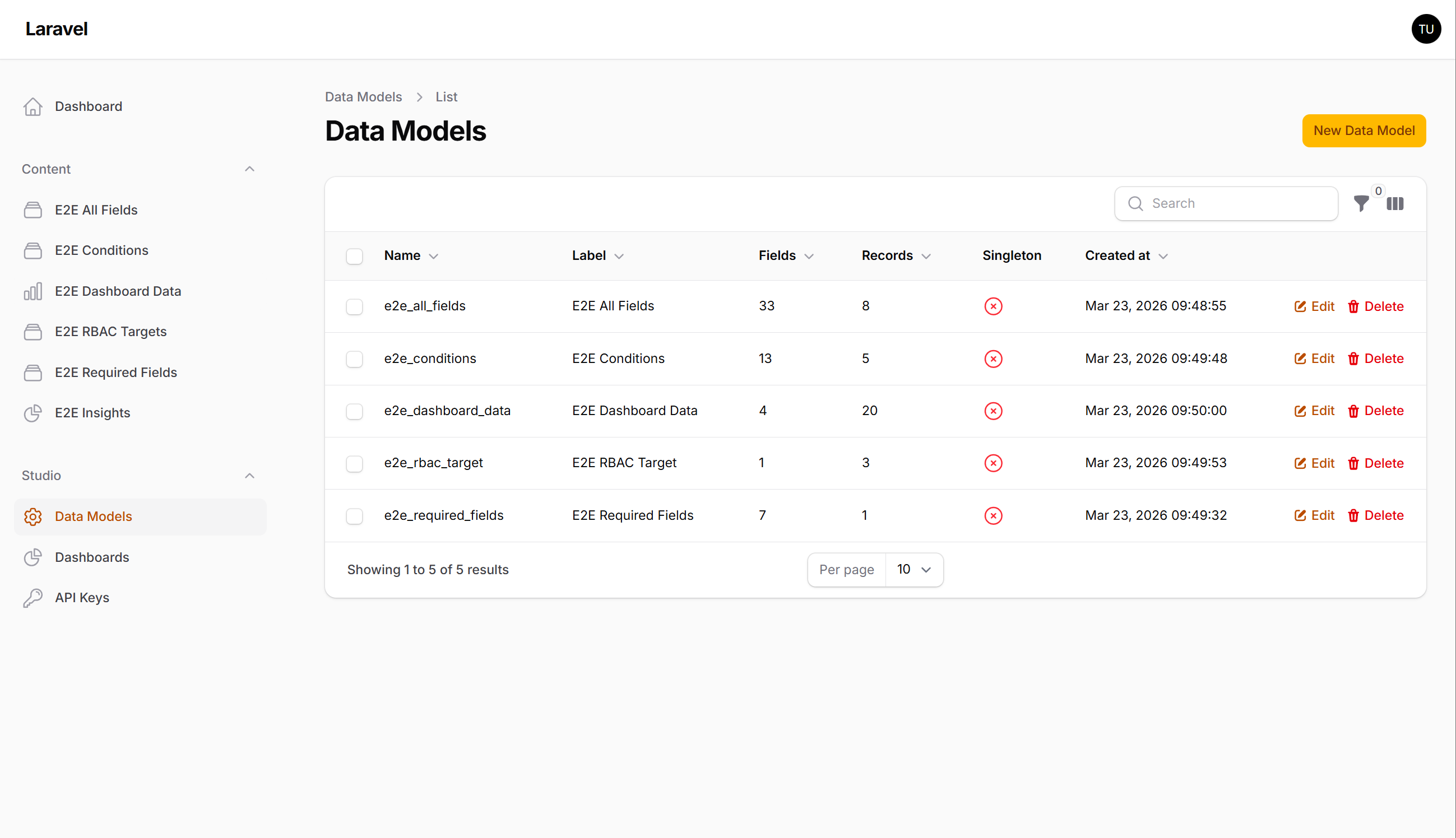
Create collection — Basic Info
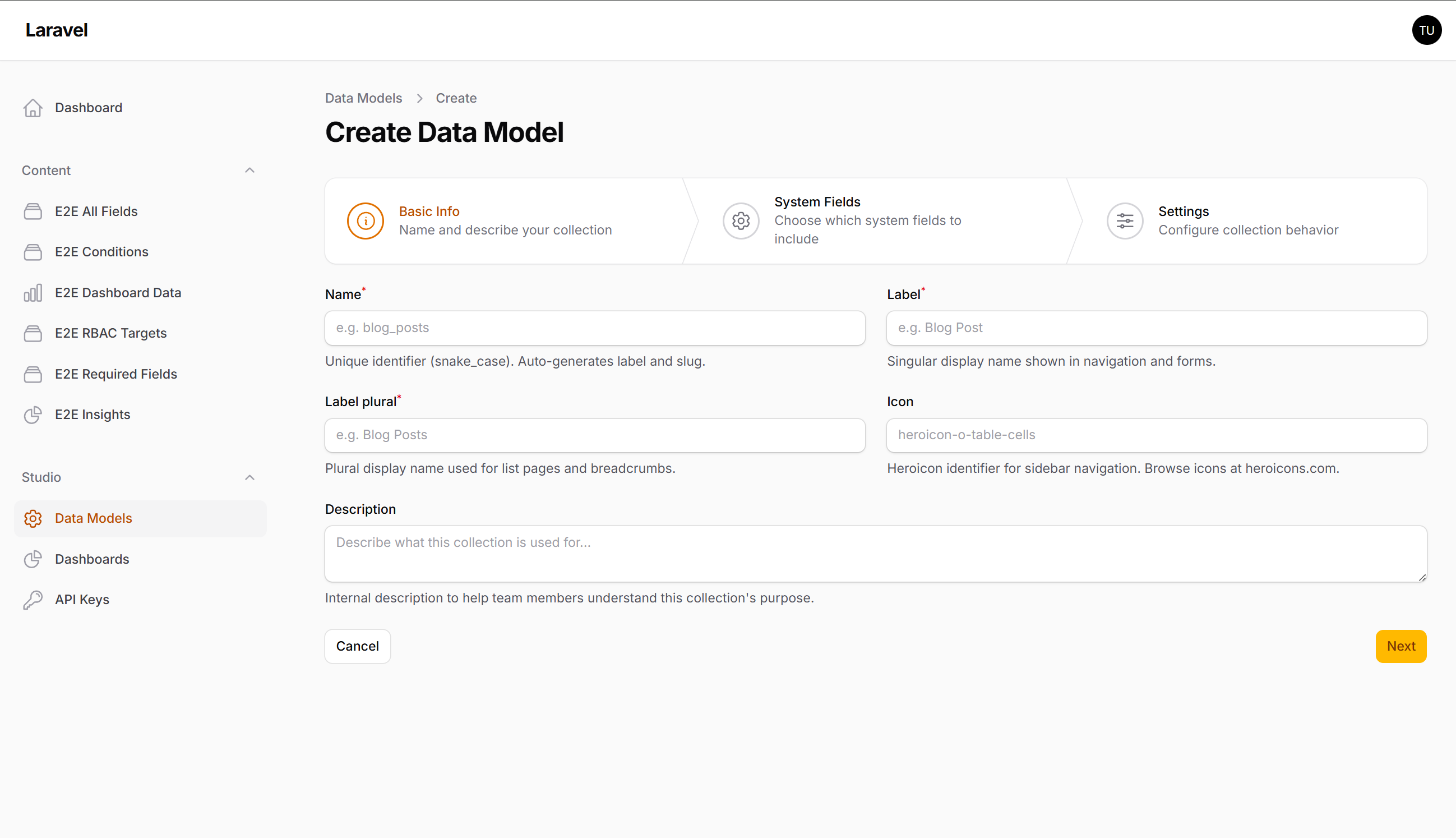
Create collection — System Fields
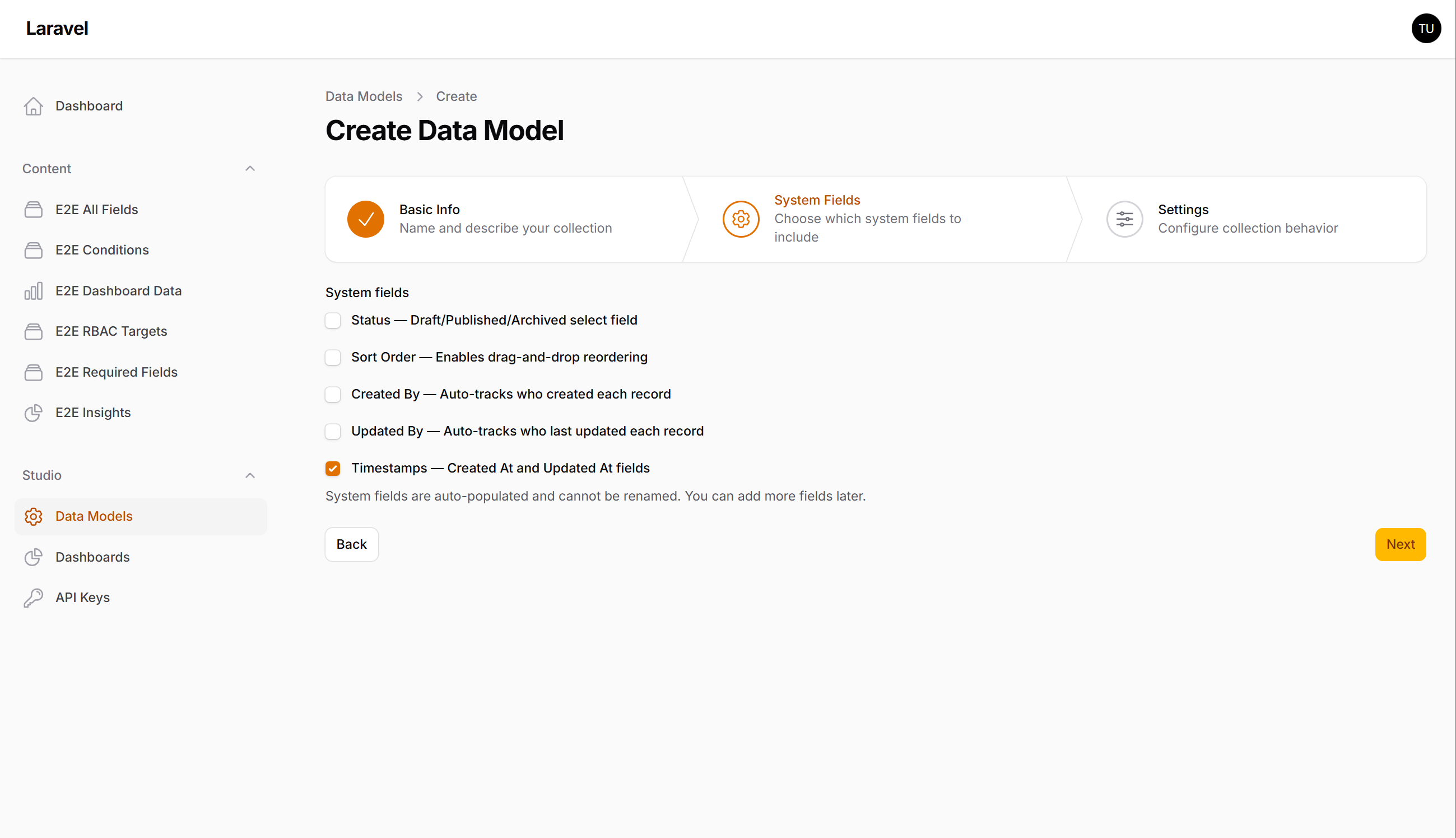
Create collection — Settings
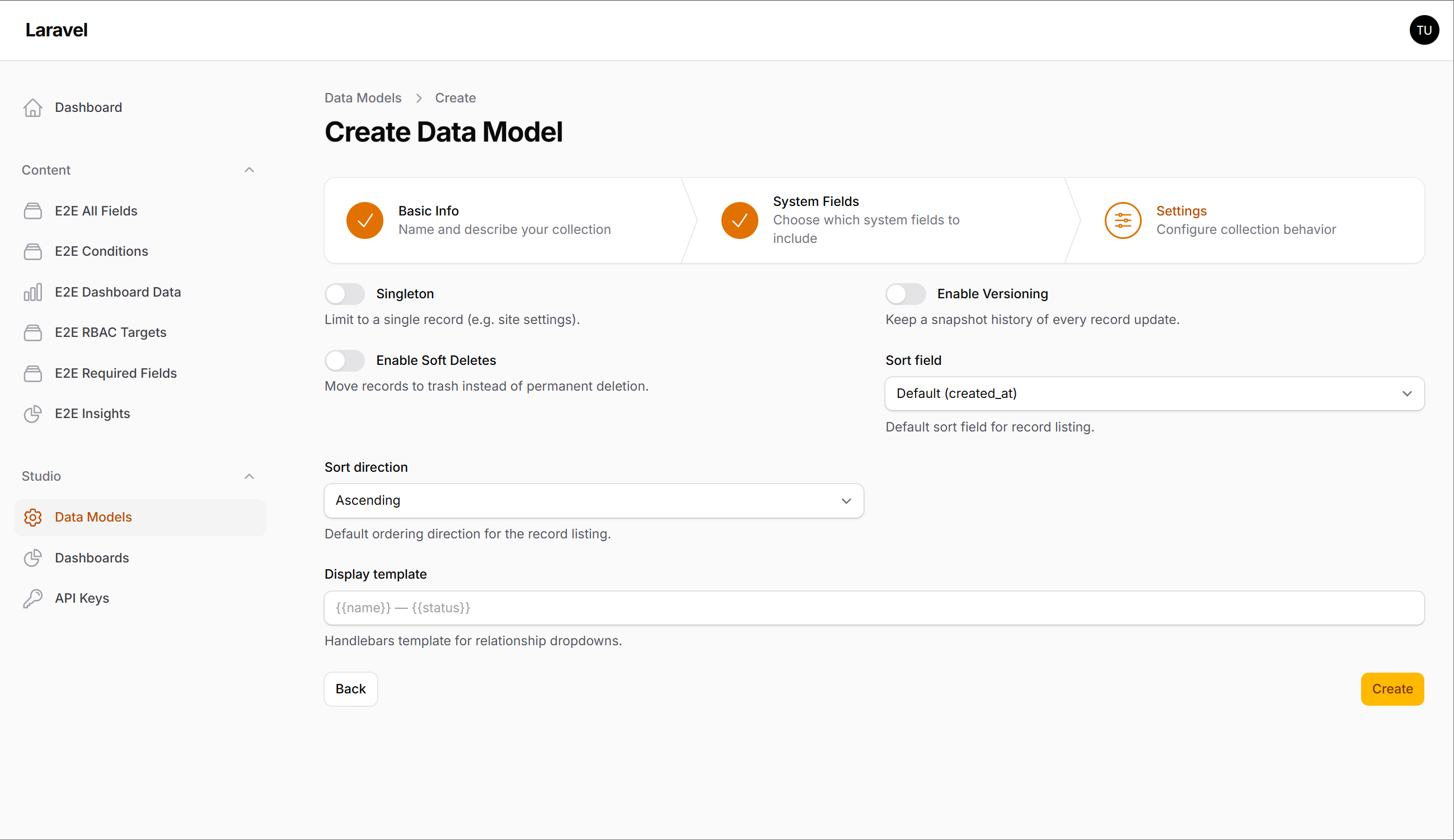
Fields list
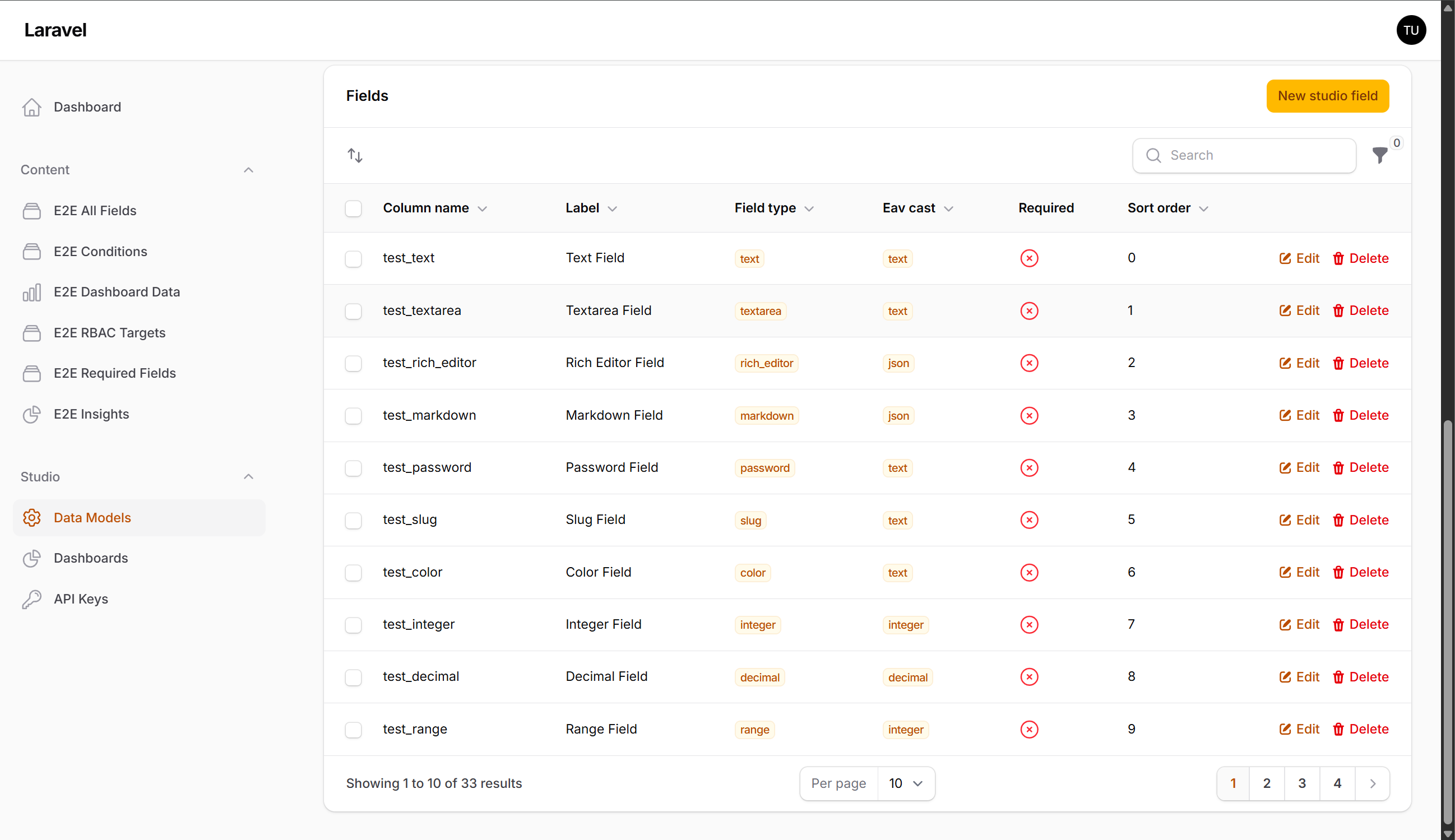
Field editor
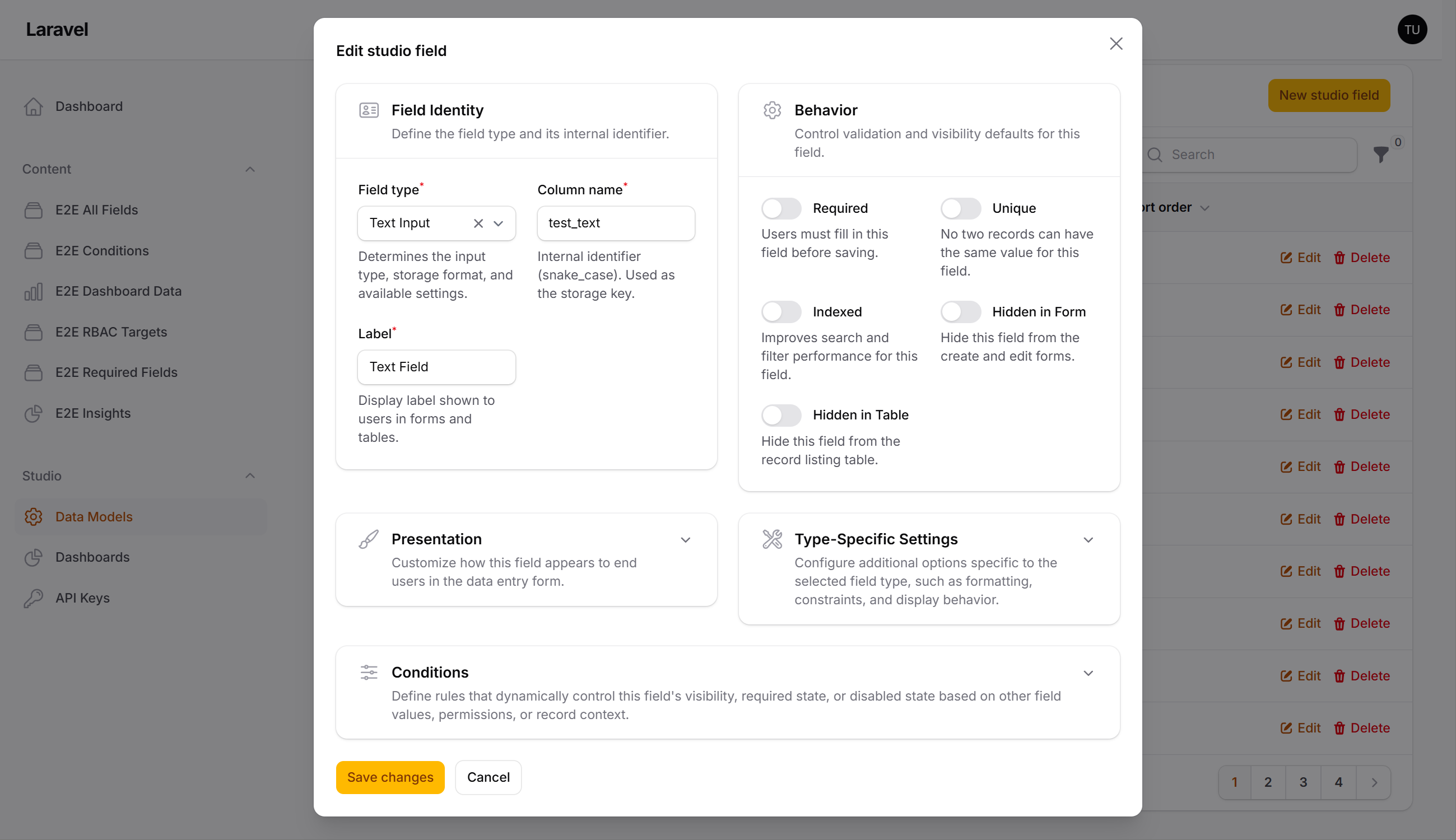
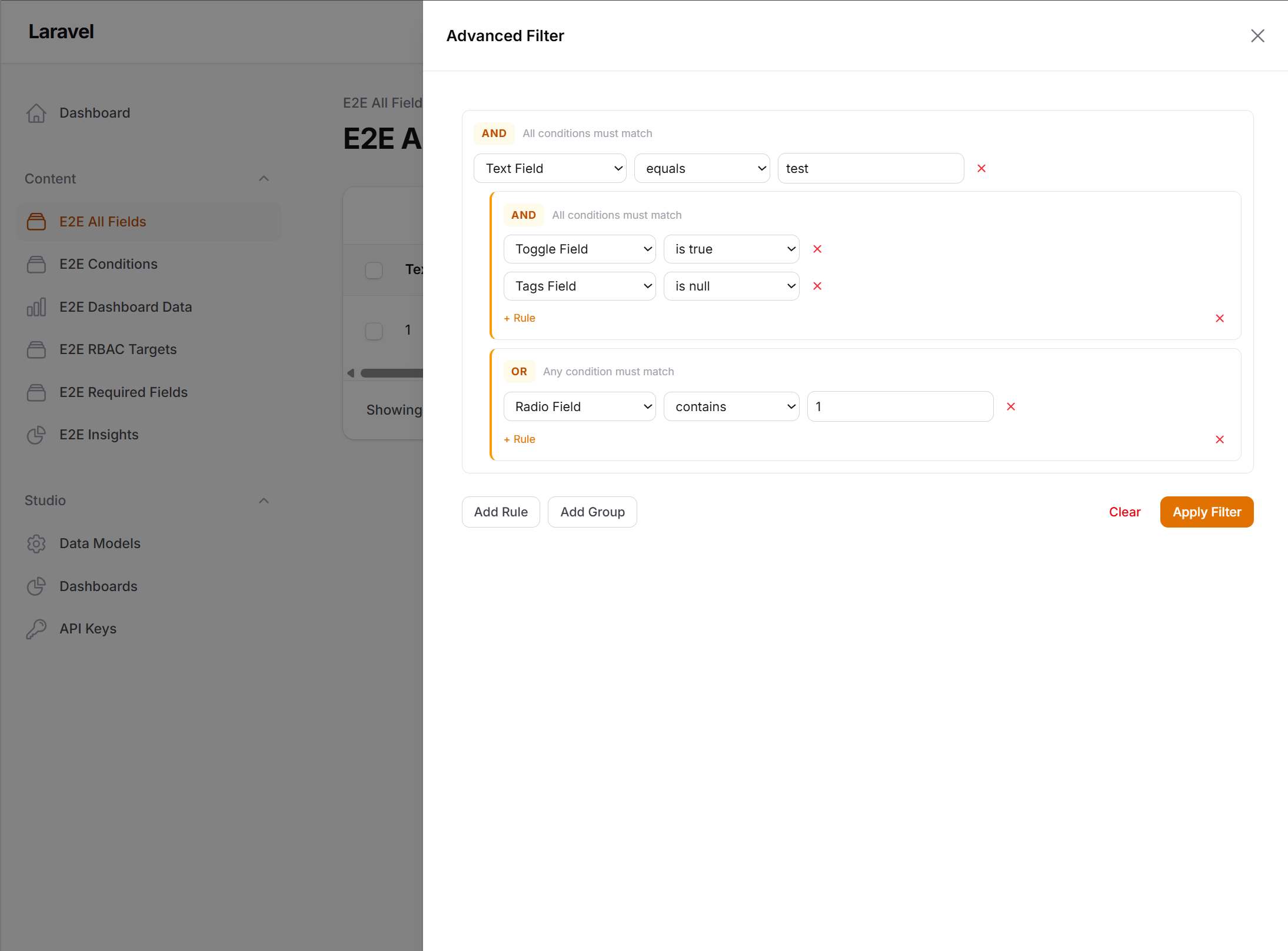
Advanced filter builder
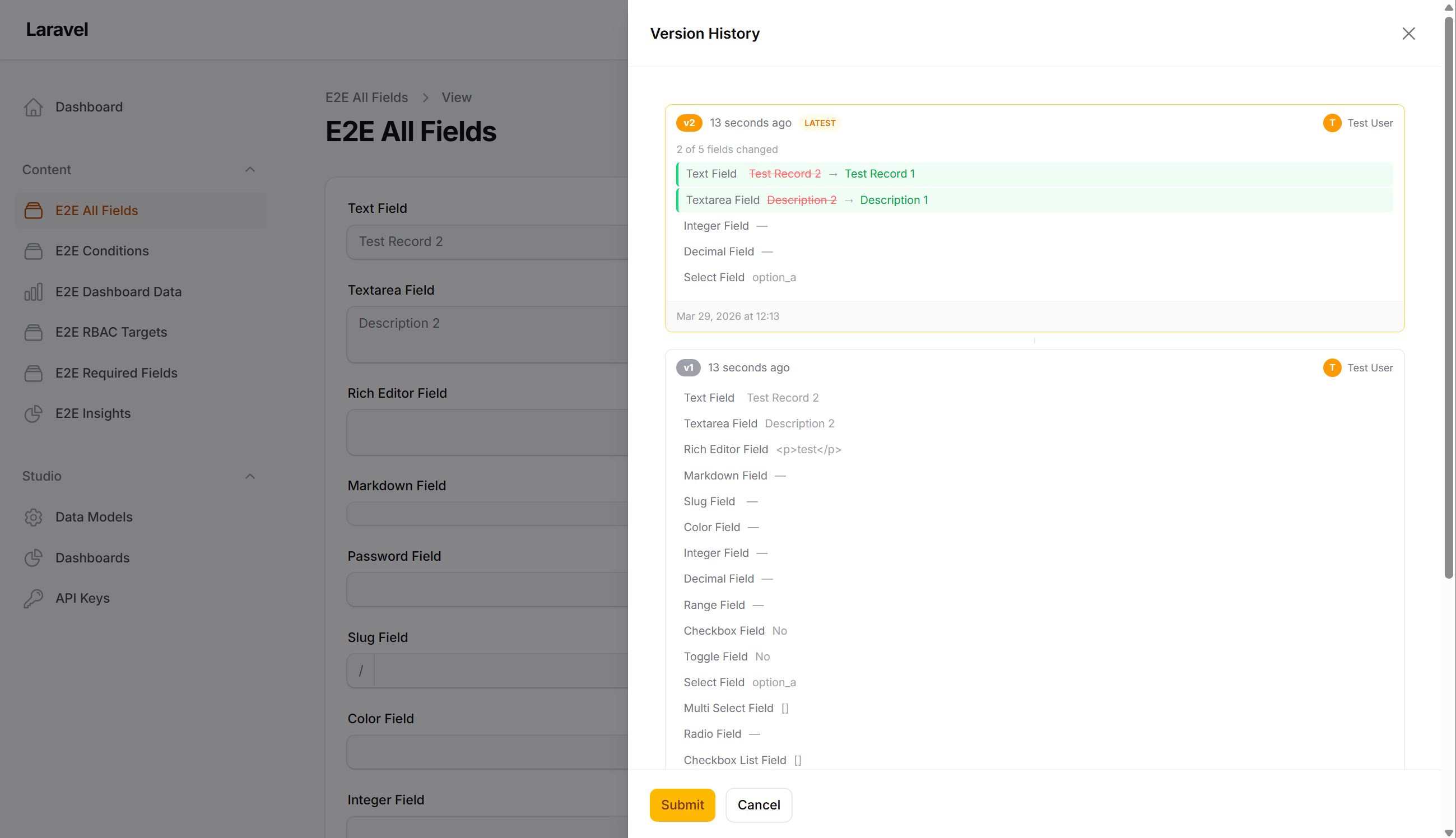
Version history
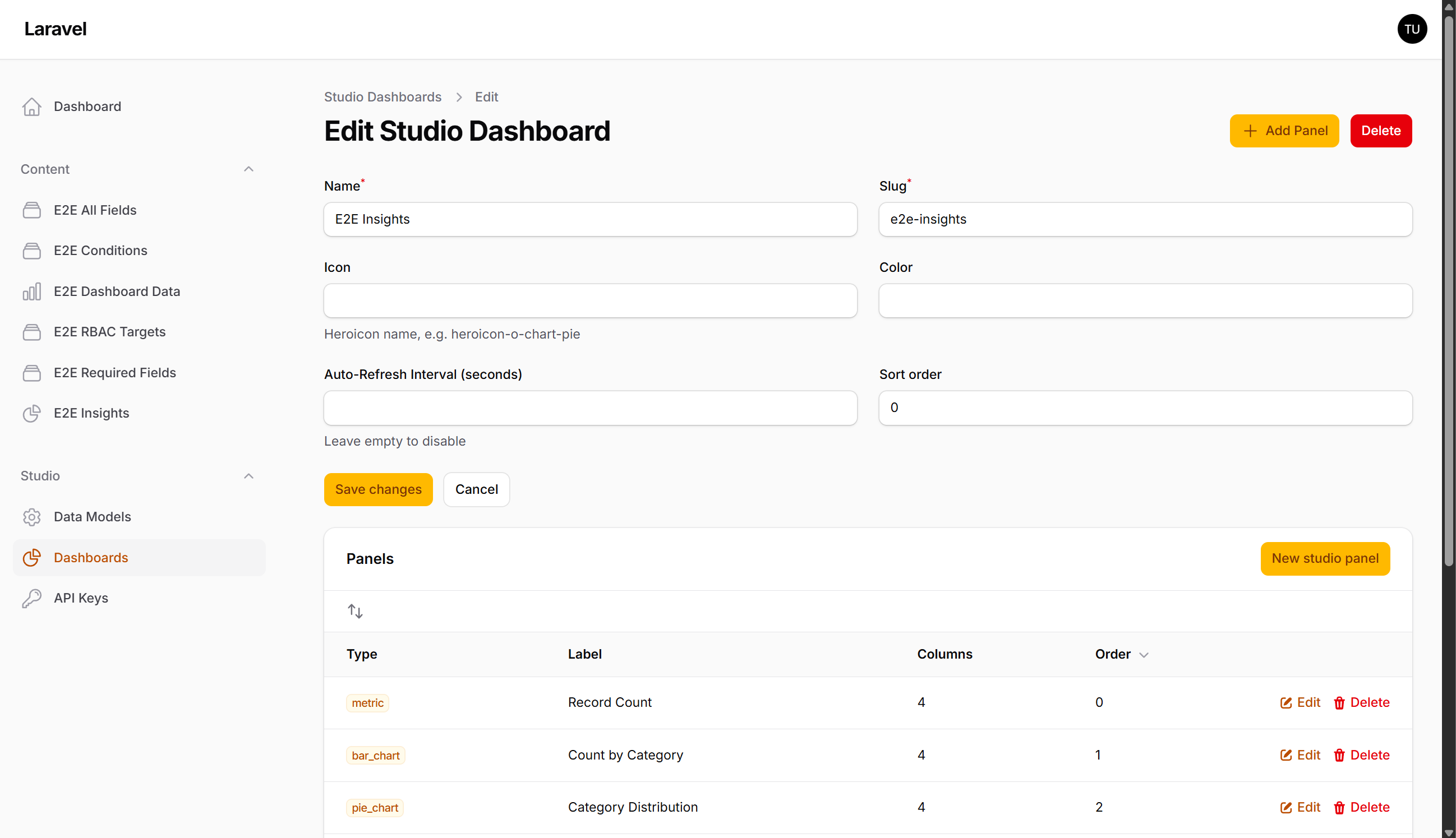
Dashboard editor
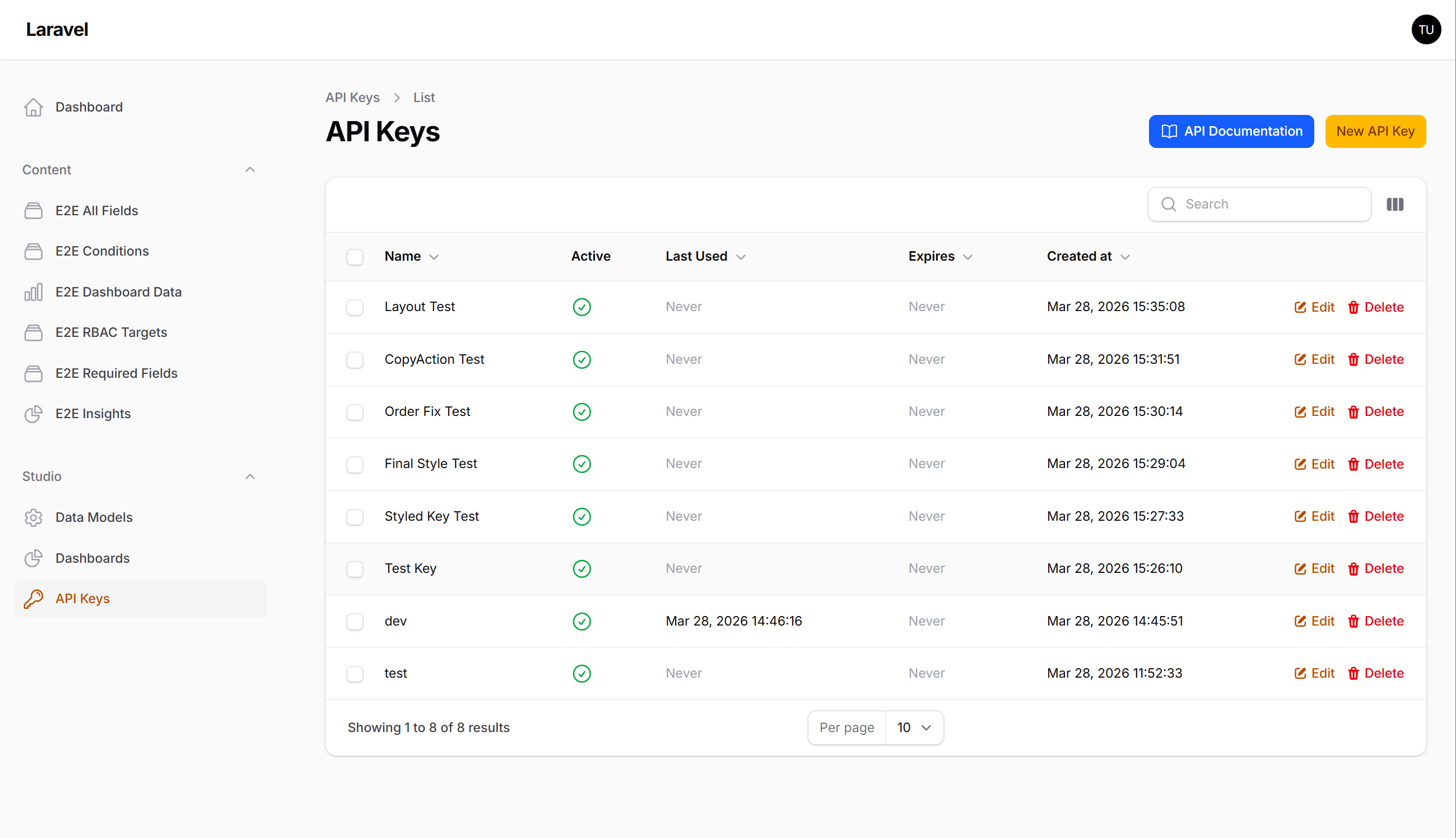
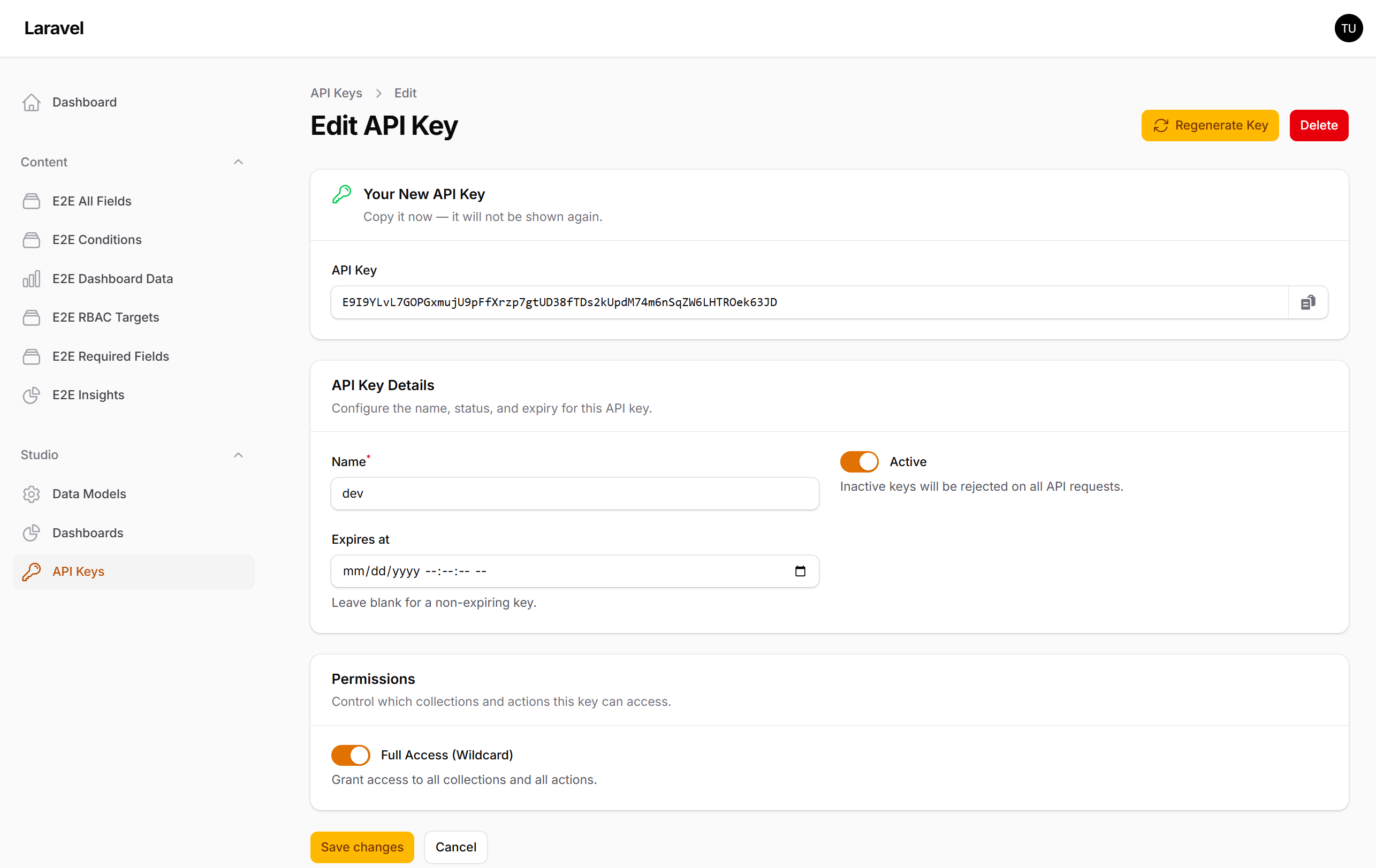
API Keys
API Key editor
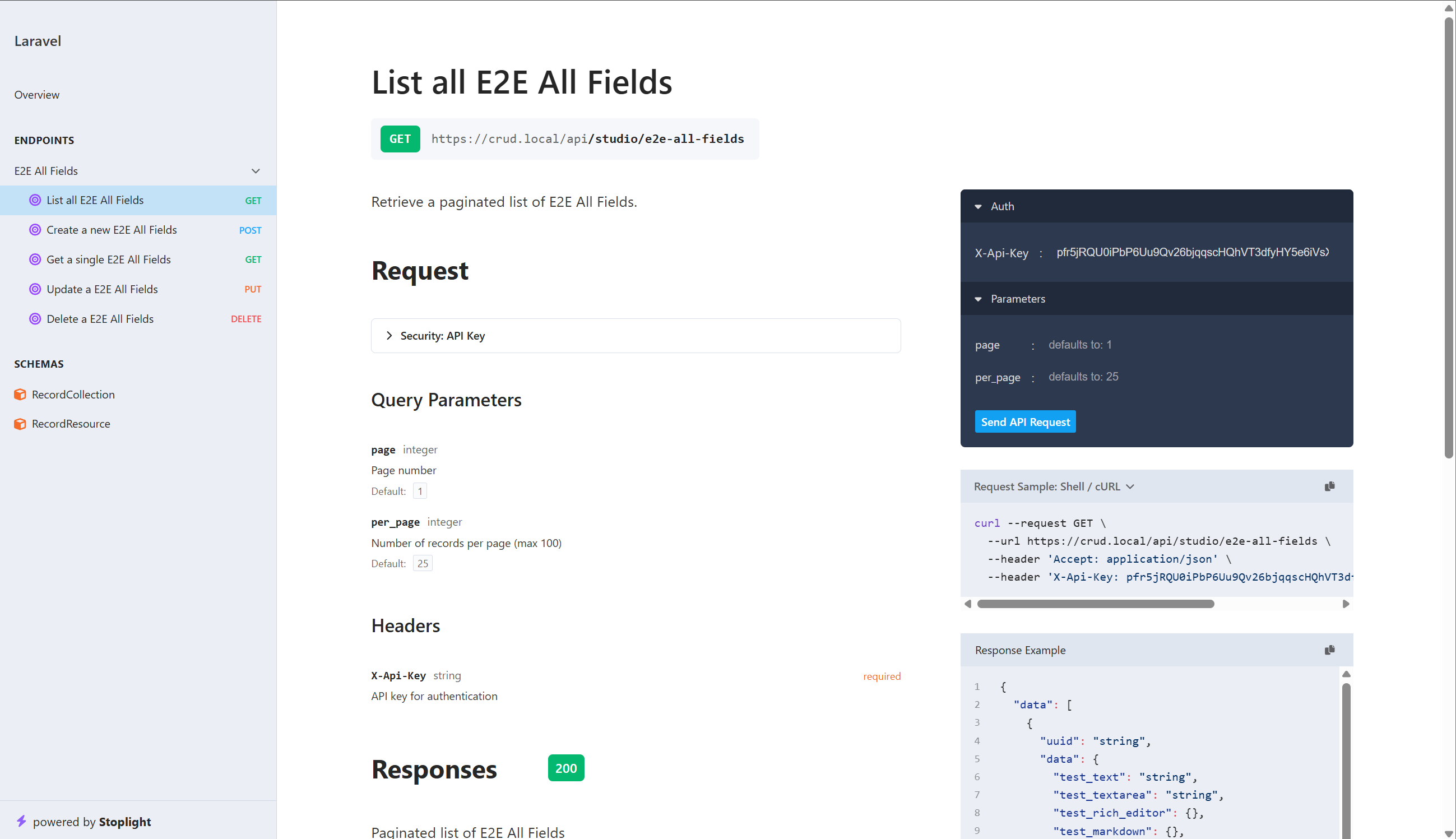
API Documentation
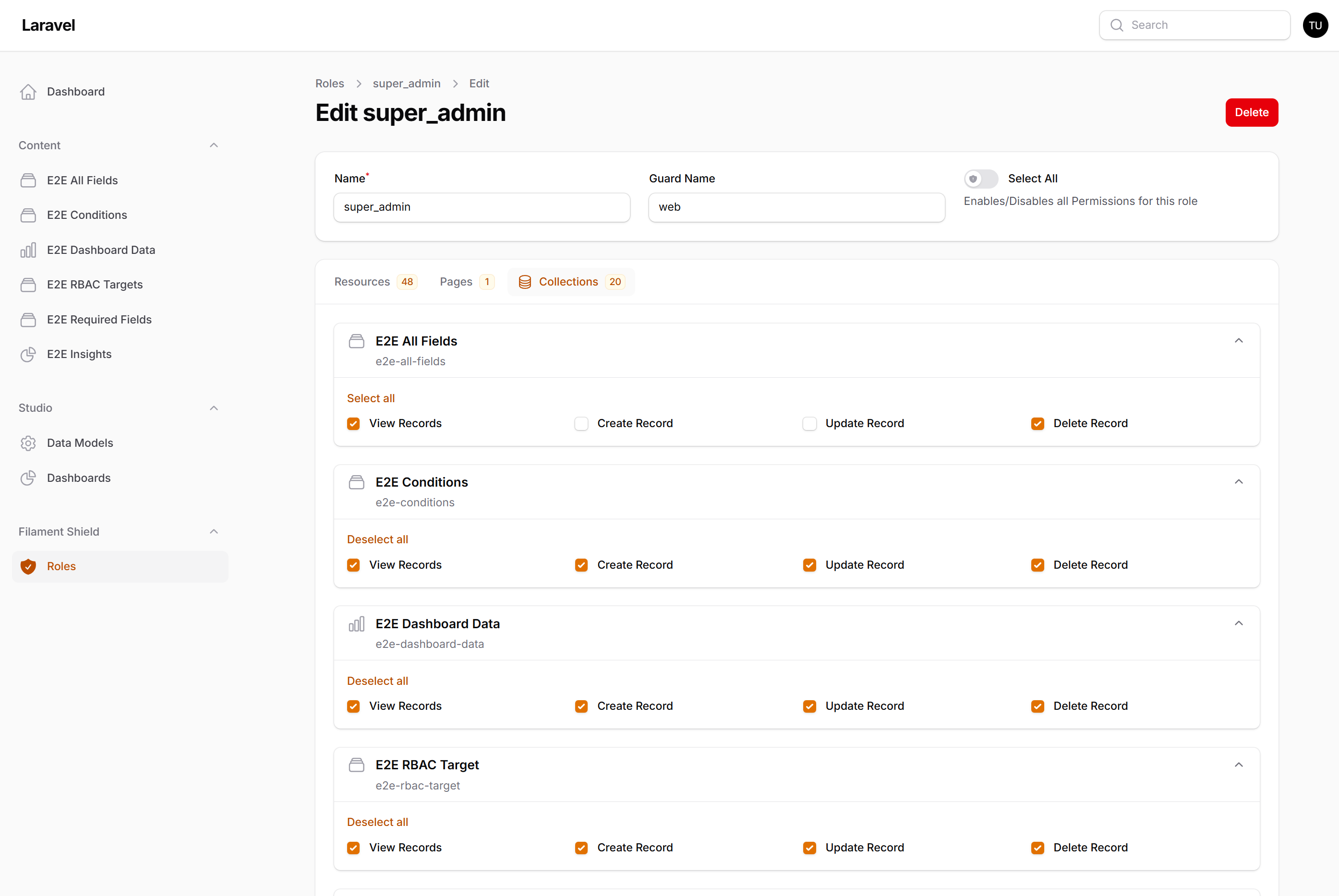
Collection permissions
#Why Filament Studio?
- No migrations per collection — Add new data types at runtime without touching your codebase
- Full Filament integration — Native forms, tables, filters, and actions that look and feel like hand-crafted resources
- Production-ready — Multi-tenancy, multilingual content, authorization, versioning, soft deletes, and audit logging out of the box
- Extensible — Register custom field types, panel types, condition resolvers, and lifecycle hooks
#Features
#Dynamic Collections
Create and manage data collections with custom fields through the admin UI. Each collection gets a fully functional CRUD interface with forms, tables, and filters — generated dynamically from the field definitions.
33 built-in field types across 9 categories:
| Category | Types |
|---|---|
| Text | Text, Textarea, Rich Editor, Markdown, Password, Slug, Color, Hidden |
| Numeric | Integer, Decimal, Range |
| Boolean | Checkbox, Toggle |
| Selection | Select, Multi-Select, Radio, Checkbox List, Tags |
| Date & Time | Date, Time, Datetime |
| File | File, Image, Avatar |
| Relational | Belongs To, Has Many, Belongs To Many |
| Structured | Repeater, Builder, Key-Value |
| Presentation | Section Header, Divider, Callout |
#Dashboard Builder
Build data dashboards with 9 panel types: Metric, List, Time Series, Bar Chart, Line Chart, Pie Chart, Meter, Label, and Variable. Place panels on dashboards (12-column grid), collection pages, or record pages.
Panels support dynamic variables ($CURRENT_USER, $NOW, {{custom}}), aggregate functions (count, sum, avg, min, max), and interactive controls.
#Advanced Filtering
A visual filter builder with 23 operators, nested AND/OR logic, dynamic variables, and saved filter presets. Operators adapt to data type — text fields get "contains" and "starts with", dates get "before" and "after", JSON fields get "contains any/all/none".
#REST API
Auto-generated RESTful API with API key authentication, per-collection permissions, rate limiting, and OpenAPI documentation via Scramble.
#Conditional Logic
Fields can be conditionally visible, required, or disabled based on form values, user permissions, page context, or custom resolvers — with cycle detection for safety.
#Multilingual Content
Opt-in per-locale support for translatable fields. Enable multilingual globally, then configure each collection with its own supported locales and default locale. Mark individual fields as translatable — non-translatable fields (booleans, dates, numbers) store a single value regardless of locale.
- Locale resolution —
?locale=query param >X-Localeheader > session > collection default > global default - Automatic fallback — When a translation is missing, falls back to the default locale with metadata indicating which fields fell back
- Admin locale switcher — Toggle between locales in the record editor; version history includes a per-locale viewer
- API support — All REST endpoints accept locale selection;
?all_locales=truereturns all translations as nested objects - OpenAPI documentation — Locale parameters and
_metaresponse schemas appear automatically in API docs when multilingual is enabled
// config/filament-studio.php
'locales' => [
    'enabled' => true,
    'available' => ['en', 'fr', 'de'],
    'default' => 'en',
],
#Multi-Tenancy
Full tenant isolation across all models. Every collection, record, dashboard, and API key is scoped to its tenant.
#Record Versioning & Soft Deletes
Optional snapshot-based version history with restore capability, including per-locale snapshots for translatable fields. Optional soft deletes to recover deleted records.
#Authorization & Spatie Permissions
Policy-based access control with granular per-collection permissions. When spatie/laravel-permission is installed, Filament Studio automatically syncs permissions for each collection:
- Per-collection CRUD permissions —
studio.collection.{slug}.viewRecords,createRecord,updateRecord,deleteRecord - Global permissions —
studio.manageFields,studio.manageApiKeys - Auto-sync — Permissions are created/removed automatically when collections are created, renamed, or deleted
- Navigation & action enforcement — UI elements (navigation items, create/edit/delete buttons) are hidden when the user lacks the corresponding permission
- Graceful fallback — If Spatie Permission is not installed, all actions are allowed by default
#Quick Start
#Install
composer require flexpik/filament-studio
#Publish & Migrate
php artisan vendor:publish --tag="filament-studio-migrations"
php artisan migrate
#Register the Plugin
use Flexpik\FilamentStudio\FilamentStudioPlugin;

public function panel(Panel $panel): Panel
{
    return $panel
        ->plugins([
            FilamentStudioPlugin::make(),
        ]);
}
Visit your admin panel — you'll find a new Studio section in the sidebar.
#Configure (Optional)
FilamentStudioPlugin::make()
    ->navigationGroup('Content')
    ->enableVersioning()
    ->enableSoftDeletes()
    ->enableApi()
    ->fieldTypes([
        'currency' => CurrencyFieldType::class,
    ])
    ->panelTypes([
        CustomMapPanel::class,
    ]);
Publish the config for environment-level settings:
php artisan vendor:publish --tag="filament-studio-config"
#Extending
#Custom Field Types
Create field types by extending AbstractFieldType:
use Flexpik\FilamentStudio\FieldTypes\AbstractFieldType;
use Flexpik\FilamentStudio\Enums\EavCast;

class RatingFieldType extends AbstractFieldType
{
    protected static string $key = 'rating';
    protected static string $label = 'Rating';
    protected static string $icon = 'heroicon-o-star';
    protected static EavCast $eavCast = EavCast::Integer;
    protected static string $category = 'numeric';

    public function settingsSchema(): array { /* ... */ }
    public function toFilamentComponent(): Component { /* ... */ }
    public function toTableColumn(): ?Column { /* ... */ }
    public function toFilter(): ?Filter { /* ... */ }
}
#Lifecycle Hooks
React to events and modify generated schemas:
FilamentStudioPlugin::afterCollectionCreated(fn ($collection) => /* ... */);
FilamentStudioPlugin::afterFieldAdded(fn ($field) => /* ... */);

FilamentStudioPlugin::modifyFormSchema(fn (array $schema, $collection) => $schema);
FilamentStudioPlugin::modifyTableColumns(fn (array $columns, $collection) => $columns);
FilamentStudioPlugin::modifyQuery(fn ($query) => $query);
#Architecture
Filament Studio uses EAV (Entity-Attribute-Value) storage — data is stored across four core tables instead of creating a table per collection:
| Table | Purpose |
|---|---|
studio_collections |
Schema definitions (name, slug, settings) |
studio_fields |
Field definitions per collection (type, settings, validation) |
studio_records |
Record entries (UUID, collection, tenant) |
studio_values |
Typed data storage (text, integer, decimal, boolean, datetime, JSON columns) |
This approach enables runtime schema changes without migrations while preserving native database sorting and type safety through typed storage columns.
#Documentation
| Guide | Description |
|---|---|
| Installation | Requirements, setup, and verification |
| Configuration | Config file, plugin options, feature flags |
| Field Types | All 33 built-in types, EAV storage, field settings |
| Dashboards & Panels | Dashboard builder, 9 panel types, variables |
| Filtering | 23 operators, filter trees, saved filters |
| REST API | Endpoints, authentication, permissions, rate limiting |
| Conditional Logic | Dynamic visibility, required, and disabled states |
| Authorization | Policies, permissions, Spatie integration |
| Multi-Tenancy | Tenant scoping, lifecycle hooks |
| Multilingual | Locale config, translatable fields, API locale support |
| Record Versioning | Snapshots, restore, soft deletes |
| Hooks & Events | Lifecycle hooks, schema modification |
| Custom Field Types | Building your own field types |
| Custom Panel Types | Building your own dashboard panels |
#Requirements
- PHP 8.3+
- Laravel 11+
- Filament v5
#Testing
vendor/bin/pest
#Changelog
See CHANGELOG for recent changes.
#Contributing
See CONTRIBUTING for details.
#Security
If you discover a security vulnerability, please send an email to the maintainers. All security vulnerabilities will be promptly addressed.
#Credits
#License
The MIT License (MIT). See LICENSE for details.
Featured Plugins
A selection of plugins curated by the Filament team

Custom Dashboards
Let your users build and share their own dashboards with a drag-and-drop interface. Define your data sources in PHP and let them do the rest.
 Filament

Advanced Tables (formerly Filter Sets)
Supercharge your tables with powerful features like user-customizable views, quick filters, multi-column sorting, advanced table searching, convenient view management, and more. Compatible with Resource Panel Tables, Relation Managers, Table Widgets, and Table Builder!
 Kenneth Sese

Data Lens
Advanced Data Visualization for Laravel Filament - a premium reporting solution enabling custom column creation, sophisticated filtering, and enterprise-grade data insights within admin panels.
 Padmission

