Passkeys Plugin
 Author:
Robert Boes
Author:
Robert Boes
Documentation
- Requirements
- Installation
- What you get
- Configuration
- Integrating with a custom EditProfile
- Customising views and strings
- Tenancy
- Testing
- Credits
- License


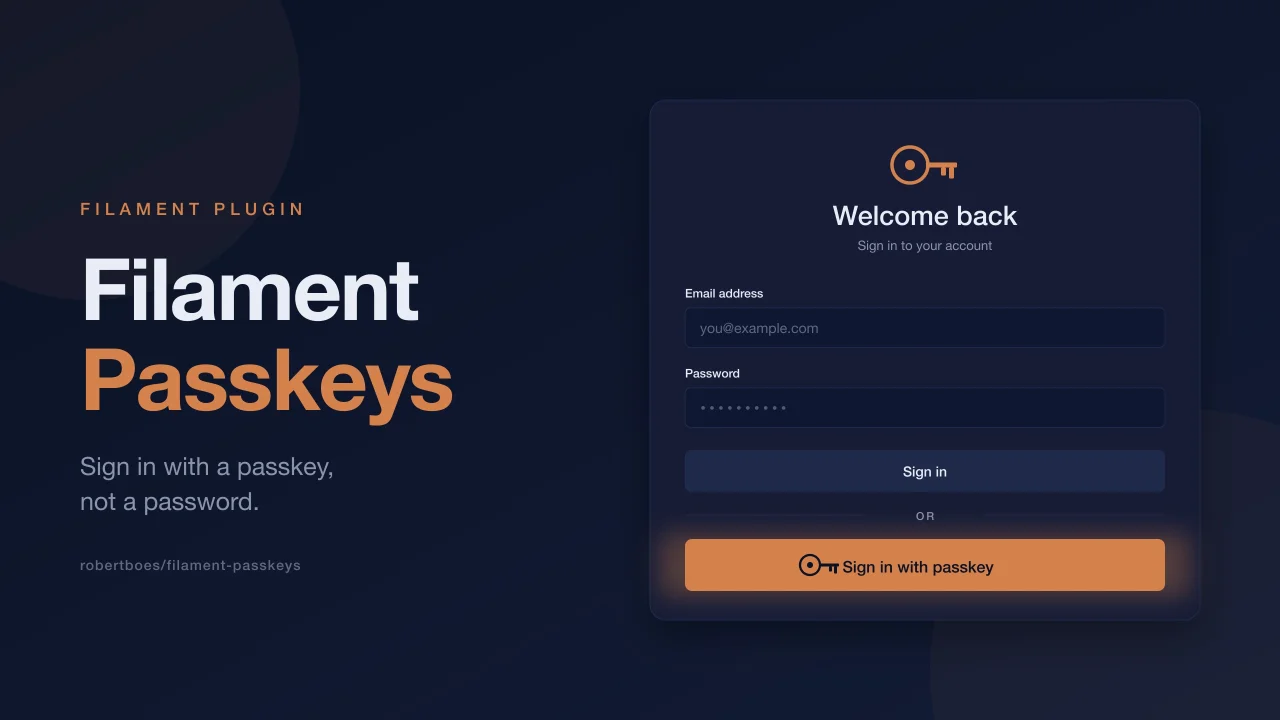
A Filament v5 plugin that hooks laravel/passkeys into your panel. It adds a "Sign in with passkey" button to the login page, and gives users a passkey section on their profile page where they can add or remove keys. Password confirmation is handled with a Filament modal, so users do not get bounced to a separate page mid-flow.
#Requirements
- PHP 8.3+
- Laravel 11, 12, or 13
- Filament v5
laravel/passkeys^0.2
#Installation
Install with Composer:
composer require robertboes/filament-passkeys
Run the install command. It publishes the laravel/passkeys migration and config, runs migrations, and prints the User-model snippet you still need to add:
php artisan filament-passkeys:install
Add the trait and contract to your User model:
use Laravel\Passkeys\Contracts\PasskeyUser;
use Laravel\Passkeys\PasskeyAuthenticatable;

class User extends Authenticatable implements PasskeyUser
{
    use PasskeyAuthenticatable;
}
Register the plugin on your panel:
use RobertBoes\FilamentPasskeys\FilamentPasskeysPlugin;

public function panel(Panel $panel): Panel
{
    return $panel
        // ...
        ->plugin(FilamentPasskeysPlugin::make());
}
The JS bundle is registered as a Filament asset, so it gets published when php artisan filament:assets runs. Most Filament apps already run that automatically after composer install via the post-update-cmd script.
#What you get
With the default config:
- A "Sign in with passkey" button on the panel's login page.
- A "Passkeys" section on the profile page where users can add, name, and remove their own keys.
- A password confirmation modal that wraps add and remove actions, so
laravel/passkeys'spassword.confirmmiddleware can do its job without a full-page redirect. - A status endpoint so the modal only opens when the user actually needs to reconfirm.
The plugin uses Filament's pre-compiled component classes (fi-section, fi-callout, fi-input-wrp, etc.), so you do not need to add the plugin's blade files to your Tailwind content paths.
The standalone management page at /dashboard/passkeys is off by default, because the profile page section covers the same workflow. Enable it with ->withManagePage() if you prefer a dedicated route.
#Configuration
Each surface can be toggled:
FilamentPasskeysPlugin::make()
    ->withLoginButton()          // login page button (default: on)
    ->withProfilePageSection()   // section on the profile page (default: on)
    ->withManagePage()           // standalone /dashboard/passkeys page (default: off)
    ->withUserMenuItem();        // link in the user menu to the standalone page (default: on, requires withManagePage)
Every toggle has a without* counterpart:
FilamentPasskeysPlugin::make()
    ->withoutLoginButton()
    ->withoutProfilePageSection();
Label overrides:
FilamentPasskeysPlugin::make()
    ->loginButtonLabel('Use a passkey')
    ->userMenuItemLabel('My keys');
#Integrating with a custom EditProfile
If you already extend Filament\Auth\Pages\EditProfile, you can drop the passkey section into your own schema instead of letting the plugin inject it:
use RobertBoes\FilamentPasskeys\FilamentPasskeysPlugin;

public function content(Schema $schema): Schema
{
    return $schema->components([
        // your existing components,
        FilamentPasskeysPlugin::passkeysSection(),
    ]);
}
Turn off automatic injection so the section does not render twice:
FilamentPasskeysPlugin::make()->withoutProfilePageSection();
#Customising views and strings
Publish the views if you want to tweak the markup:
php artisan vendor:publish --tag="filament-passkeys-views"
Publish the config:
php artisan vendor:publish --tag="filament-passkeys-config"
Publish the translations:
php artisan vendor:publish --tag="filament-passkeys-translations"
#Tenancy
The plugin works the same with or without tenancy. Filament's EditProfile is panel-level by default, and the optional standalone management page is also registered at the panel root. So /dashboard/passkeys stays at the same URL whether or not the user is currently inside a tenant.
#Testing
composer test
#Credits
- Robert Boes
- Laravel for
laravel/passkeys - Filament for the panel builder
#License
The MIT License (MIT). See License File for more information.
Featured Plugins
A selection of plugins curated by the Filament team

Custom Dashboards
Let your users build and share their own dashboards with a drag-and-drop interface. Define your data sources in PHP and let them do the rest.
 Filament

Data Lens
Advanced Data Visualization for Laravel Filament - a premium reporting solution enabling custom column creation, sophisticated filtering, and enterprise-grade data insights within admin panels.
 Padmission

Spotlight Pro
Browse your Filament Panel with ease. Filament Spotlight Pro adds a Spotlight/Raycast like Command Palette to your Filament Panel.
 Dennis Koch

