

Ace Editor by Rio Dewanto P
CommunityAn ACE editor field for Filament forms with syntax highlighting, themes, autocompletion and many more.
 Author:
Rio Dewanto P
Package health
Automated checks of this plugin's Composer package
15 checks
- Skipped: GitHub Actions pinned to SHA
- Skipped: GitLab CI includes pinned to SHA
- Passed: Open security advisories
- Passed: Dependabot PR responsiveness — No open Dependabot PRs.
- Skipped: Renovate MR responsiveness
- Failed: Dependabot or Renovate configured — No dependency updater configuration found. View details on Plumb
- Skipped: Dependency update cooldown configured
- Failed: Provides a security policy — View details on Plumb
- Passed: Abandoned or archived — No consulted source marks the package abandoned (packagist, github).
- Passed: Commit and release recency — Active: last commit 0 days ago; last release 339 days ago.
-
Passed:
composer.lock not committed by library
—
composer.lockis absent from the released dist archive. - Passed: Dist archive is lean
-
Passed:
Current Laravel version supported
—
Package dependencies resolve together with current Laravel
13.0. -
Passed:
Current PHP version supported
—
Constraint
^8.2supports current PHP8.5. - Skipped: Current Symfony version supported
filament/
namespace. Review the source and install at your own risk. Found
malware or an unresolved security issue the author won't
address?
Report it
.
Documentation
- Requirements
- Version Compatibility
- Installation
- Upgrading from 1.x or 3.0
- Usage
- Publishing
- Supported Features
- Credits
- License


Ace Editor implementation for Filament Form.
#Requirements
- PHP 8.2+
- Laravel 11.28+
- Filament 3.3+, 4.x or 5.x
#Version Compatibility
| Package Version | Filament Version | Status |
|---|---|---|
| 4.4.x | 3.3+, 4.x and 5.x | Latest ✨ |
| 4.2.x to 4.3.x | 3.3+ and 4.x | Legacy |
| 4.0.x to 4.1.x | 4.x | Legacy |
| 3.0.x | 3.x | Legacy |
| 1.x | 3.x | Legacy |
#Installation
composer require riodwanto/filament-ace-editor
php artisan filament:assets
The same release works on Filament 3.3+, 4 and 5, and loads the right stylesheet for your panel. On Filament 3 older than 3.3, use composer require riodwanto/filament-ace-editor:^1.1.
If a Filament 4 panel looks broken after installing, with white inputs and small headings, check for ^3.0 in your composer.json. That version is built for Filament 3 and its styles override the panel theme. The upgrade commands below replace it.
#Upgrading from 1.x or 3.0
composer require riodwanto/filament-ace-editor:^4.4
php artisan filament:assets
Version 4 changes how the field looks by default:
- The default height goes from
16remto40rem. Use->height('16rem')to keep the old size. - The field now has a header and a toolbar. Use
->showHeader(false)to hide the header and->toolbarButtons([...])to choose the buttons.
If you published the views, publish them again with php artisan vendor:publish --tag="filament-ace-editor-views" --force.
#Usage
use Filament\Schemas\Schema;
use Riodwanto\FilamentAceEditor\AceEditor;

public static function form(Schema $schema): Schema
{
    return $schema
        ->components([
            ...
            AceEditor::make('code_editor')
                ->label('Code Editor')
                ->mode('php')
                ->theme('github')
                ->darkTheme('dracula')
                ->fontSize('14px')
                ->cursorStyle('smooth')
                ->softWrapMode('free')
                ->tabSize(4)
                ->useSoftTabs(true)
                ->addExtensions(['language_tools', 'beautify']),
        ]);
}
On Filament 3, the field goes in the same place, using Filament 3's form classes:
use Filament\Forms\Form;
use Riodwanto\FilamentAceEditor\AceEditor;

public static function form(Form $form): Form
{
    return $form
        ->schema([
            AceEditor::make('code_editor')->mode('php'),
        ]);
}
#Available methods
| Method | Info |
|---|---|
| mode | change editor programming language |
| theme | default theme in light mode |
| darkTheme | default theme in dark mode |
| height | set editor height |
| disableDarkTheme | disable darkTheme, theme will be used as default |
| editorConfig | editor config will be initialize after ace loaded. (it is config that used in ace.config) |
| editorOptions | editor options used in ace.editor.options, you can set additional ace option here. |
| addExtensions | by default, not all options available in editorOptions. you must enable extension first with this method. |
| headerTitle | Editor tittle |
| fontSize | Set font size using string (px, rem, em) or integer |
| cursorStyle | Set cursor style: ace, slim, smooth, wide, smooth-slim |
| softWrapMode | Control text wrapping behavior: off, free, printMargin, textWidth |
| showGutter | Show/hide line numbers and breakpoints |
| showPrintMargin | Show/hide vertical print margin line |
| foldStyle | Set code folding style: manual, markbegin, markbeginend |
| tabSize | Set tab size for indentation |
| useSoftTabs | Use spaces instead of tabs for indentation |
| addCompletions | Add your own suggestions to the autocompletion popup |
| addSnippets | Add your own snippets, as trigger and content pairs |
| advancedSnippets | Add snippets and choose how they behave |
| addCommand | Add a command with a keyboard shortcut |
| registerCommands | Add several commands at once |
| codeLensOptions | Show links above lines of code that run a command |
| advancedSearch | Set the starting search options, or turn search off |
| accessibilityOptions | Turn on high contrast or reduced motion for the field |
| setExtensionConfig | Pass settings to an extension |
All default values can be found in the Configuration section below.
#Keyboard
Tab indents inside the editor. To leave it with the keyboard, press Escape, then Tab or Shift+Tab. If Escape closes the autocompletion popup or ends a snippet or multiple cursors, press it once more first. A read-only editor doesn't indent, so Tab leaves it right away.
#Vim and other keybindings
Turn on Vim keybindings with an editor option:
AceEditor::make('code')
    ->editorOptions(['keyboardHandler' => 'ace/keyboard/vim']);
Use ace/keyboard/emacs, ace/keyboard/sublime or ace/keyboard/vscode for the others. To let each user choose, pass the option only when their saved preference asks for it.
In fullscreen, Escape leaves Vim's insert mode, visual mode or search prompt first. From normal mode, it exits fullscreen.
#Large documents
Filament 5 uses Livewire 4, which rejects requests over 1MB by default, so a larger document can't be saved. To allow more, run php artisan livewire:config and raise payload.max_size in config/livewire.php.
#Custom completions and snippets
Ace already suggests keywords and snippets for the selected language. Use addCompletions() and addSnippets() for suggestions only your app knows about, such as the variables in a template:
AceEditor::make('email_template')
    ->mode('html')
    ->addCompletions([
        ['caption' => 'customer.name', 'value' => '{{ customer.name }}', 'meta' => 'Template variable'],
        ['caption' => 'order.total', 'value' => '{{ order.total }}', 'meta' => 'Template variable'],
    ])
    ->addSnippets([
        'ifpaid' => "{% if order.paid %}\n\t\$0\n{% endif %}",
    ]);
The value of a completion is inserted as written. Tab stops such as ${1:name} only work in snippets, which expand when you type the trigger and press Tab.
Use advancedSnippets() to add more snippets and choose how they behave:
AceEditor::make('email_template')
    ->advancedSnippets([
        'autoComplete' => false,
        'customSnippets' => ['ifpaid' => "{% if order.paid %}\n\t\$0\n{% endif %}"],
    ]);
| Option | Default | Effect |
|---|---|---|
customSnippets |
[] |
Snippets as trigger and content pairs, the same as addSnippets() |
autoComplete |
true |
false leaves snippets out of the popup. Tab still expands them |
enable |
true |
false turns snippets off, in the popup and on Tab |
#Custom commands
addCommand() adds one command and registerCommands() adds several. A shortcut works while the editor has focus:
AceEditor::make('code')
    ->addCommand('save', [
        'action' => 'wire:save',
        'shortcut' => 'Ctrl+S',
        'description' => 'Save the record',
    ])
    ->registerCommands([
        'format' => ['action' => 'beautify', 'shortcut' => 'Ctrl+Shift+B'],
        'nextMatch' => ['action' => 'editor.findNext', 'shortcut' => 'F3'],
    ]);
| Action | What it runs |
|---|---|
wire:save |
The public save method of the Livewire component. It also runs in a read-only editor |
editor.findNext |
The findNext method of the Ace editor |
togglecomment |
The Ace command with that name, or beautify to format the code |
Ctrl in a shortcut becomes Command on a Mac. To choose both yourself, use ['win' => 'Ctrl+S', 'mac' => 'Cmd+S']. A shortcut replaces a built-in one that uses the same keys. A command with an unknown action is skipped, with a warning in the browser console.
#Code lens
A code lens is a small link above a line of code. Clicking it runs a command:
AceEditor::make('code')
    ->addCommand('runFunction', ['action' => 'wire:runFunction'])
    ->codeLensOptions([
        'fontSize' => '12px',
        'lenses' => [
            ['match' => '/^function /', 'title' => 'Run', 'command' => 'runFunction'],
            ['row' => 0, 'title' => 'Fold all', 'command' => 'foldall'],
        ],
    ]);
match adds the lens above every matching line and keeps up as the code changes. row fixes it above one line, counted from 0. command is a name from addCommand() or an Ace command. A wire: method receives the line number, as in public function runFunction(int $row).
Lenses only respond to the mouse, so give a command a shortcut when keyboard users need it too.
#Search options
AceEditor::make('code')
    ->advancedSearch(['caseSensitive' => true, 'wholeWord' => true, 'highlightAllMatches' => false]);
| Option | Default | Effect |
|---|---|---|
caseSensitive, wholeWord, regex |
false |
The starting state of those buttons in the search box |
highlightAllMatches |
true |
false highlights only the current match |
enable |
true |
false removes the find and replace commands and buttons, so Ctrl+F opens the browser's search |
#Accessibility options
AceEditor::make('code')
    ->accessibilityOptions(['highContrastMode' => true, 'reducedMotionMode' => true]);
highContrastMode gives the field and its controls stronger borders and focus outlines. reducedMotionMode removes transitions and animations from the field, including the smooth cursor. Both apply to everyone who uses the field. A visitor's own contrast and motion settings in their system still apply without them.
#Extension settings
Ace reads most extension settings as editor options, and warns in the browser console about a name it doesn't know:
AceEditor::make('code')
    ->setExtensionConfig('language_tools', ['enableLiveAutocompletion' => false])
    ->setExtensionConfig('beautify', ['lineBreaksAfterCommasInCurlyBlock' => false]);
Beautify keeps one set of options per page, so when several editors set them, the last one to load wins.
These older option names are accepted but have no effect: category and icon in a command, showOnLineNumber and showInScrollbar in codeLensOptions(), and showOnTrigger in advancedSnippets().
#Publishing
You can publish the views using:
php artisan vendor:publish --tag="filament-ace-editor-views"
You can publish the config file with:
php artisan vendor:publish --tag="filament-ace-editor-config"
#Configuration
This is the contents of the published config file:
return [
    ...

    'base_url' => 'https://cdnjs.cloudflare.com/ajax/libs/ace/1.43.3',
    'file' => 'ace.js',

    'editor_config' => [
        'useWorker' => false
    ],

    'editor_options' => [
        'mode' => 'ace/mode/php',
        'theme' => 'ace/theme/eclipse',
        'enableBasicAutocompletion' => true,
        'enableLiveAutocompletion' => true,
        'liveAutocompletionDelay' => 500,
        'liveAutocompletionThreshold' => 3,
        'enableSnippets' => true,
        'enableInlineAutocompletion' => true,
        'showPrintMargin' => true,
        'wrap' => 'off',
        'animatedScroll' => false,
        'fadeFoldWidgets' => false,
        'displayIndentGuides' => false,
        'highlightGutterLine' => false,
        'showInvisibles' => false,
    ],

    'dark_mode' => [
        'enable' => true,
        'theme' => 'ace/theme/dracula',
    ],

    'enabled_extensions' => [
        'beautify',
        'language_tools',
        'inline_autocomplete',
        'rtl',
        'statusbar',
        'whitespace',
        'searchbox',
    ],

    ...
];
#Supported Features
This package supports most of the powerful features from Ace Editor:
| Feature | Support |
|---|---|
| Syntax highlighting themes | ✅ Full |
| Automatic indent/outdent | ✅ Full |
| Huge document handling | ✅ Full |
| Search and replace | ✅ Full |
| Line wrapping | ✅ Full |
| Multiple cursors and selections | ✅ Full |
| Autocompletion | ✅ Full |
| Snippets | ✅ Full |
| Custom key bindings | ✅ Full |
| Command line interface | ❌ Not supported |

#Credits
#License
The MIT License (MIT). Please see License File for more information.
The author
From the same author

Featured Plugins
A selection of plugins curated by the Filament team
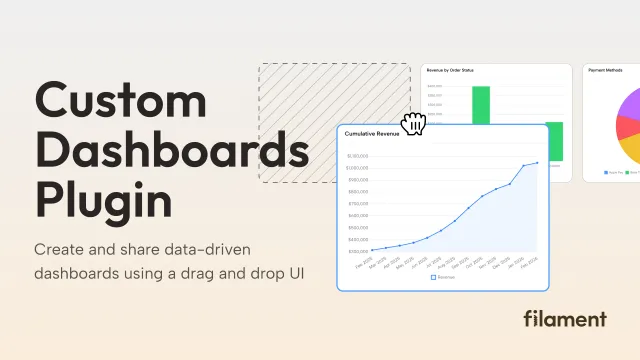
Custom Dashboards
Let your users build and share their own dashboards with a drag-and-drop interface. Define your data sources in PHP and let them do the rest.
 Filament
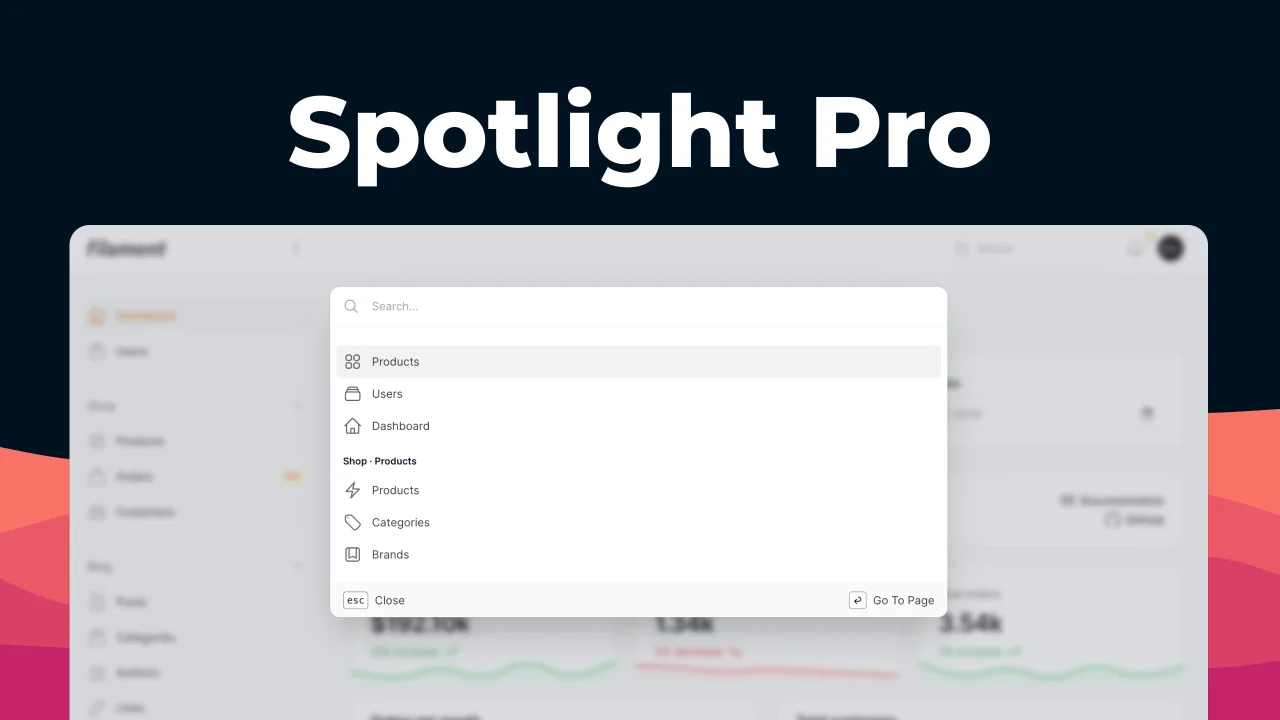
Spotlight Pro
Browse your Filament Panel with ease. Filament Spotlight Pro adds a Spotlight like Command Palette to your Filament Panel.
 Dennis Koch
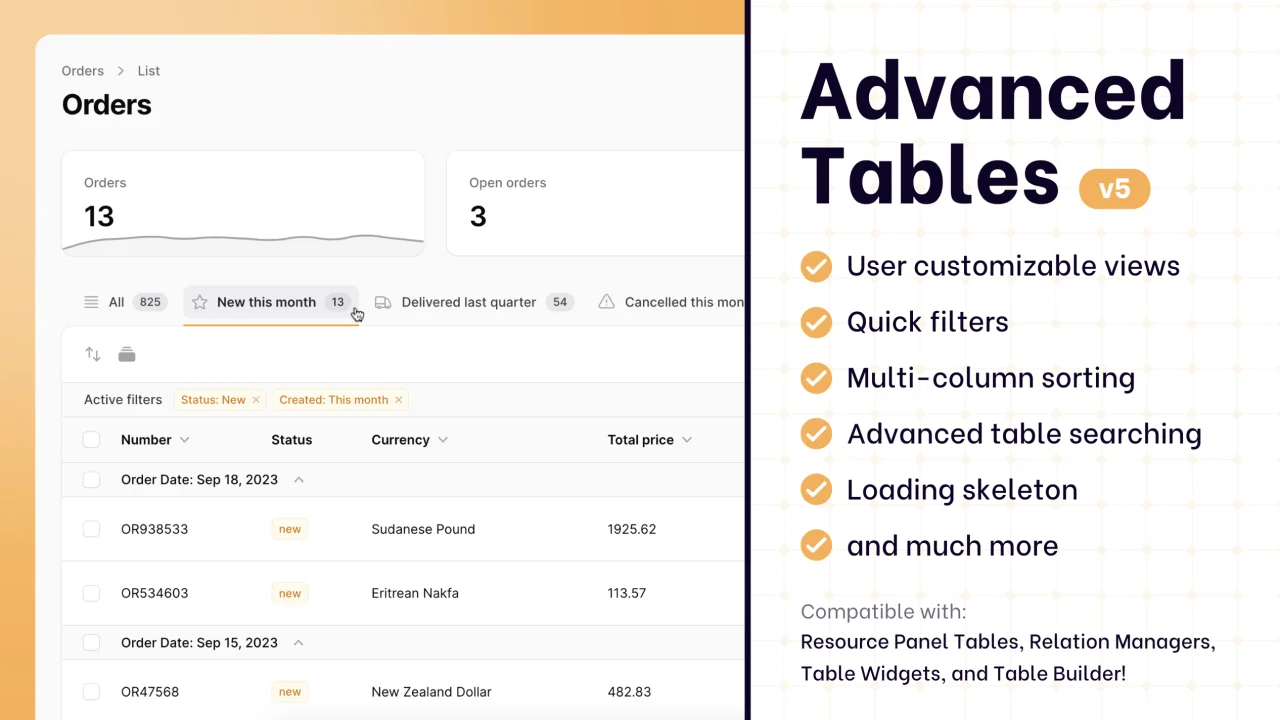
Advanced Tables (formerly Filter Sets)
Supercharge your tables with powerful features like user-customizable views, quick filters, multi-column sorting, advanced table searching, convenient view management, and more. Compatible with Resource Panel Tables, Relation Managers, Table Widgets, and Table Builder!
 Kenneth Sese