
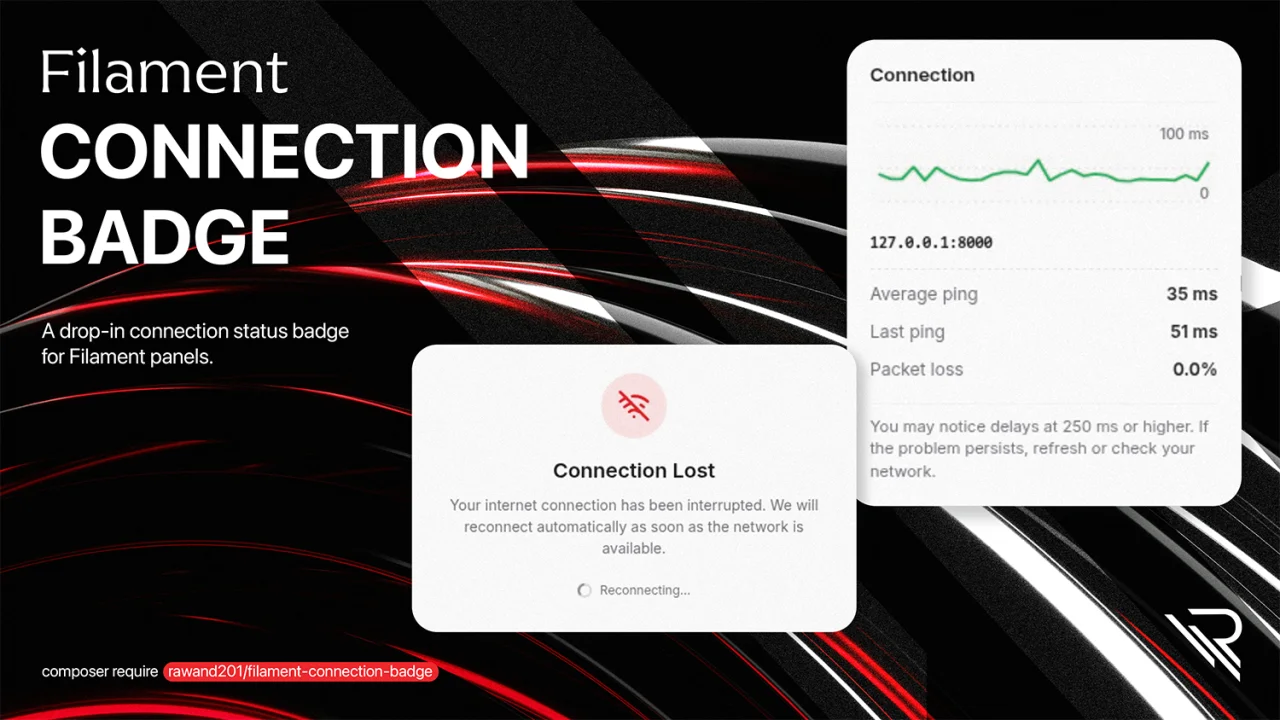
Connection Badge by Rawand Rasool
CommunityA drop-in connection status badge for Filament panels — shows a live signal-bars icon in the topbar, a live ping graph on hover, and a full-screen overlay when the connection drops.
 Author:
Rawand Rasool
Author:
Rawand Rasool
Package health
Automated checks of this plugin's Composer package
15 checks
- Passed: GitHub Actions pinned to SHA
- Skipped: GitLab CI includes pinned to SHA
- Passed: Open security advisories
- Passed: Dependabot PR responsiveness — No open Dependabot PRs.
- Skipped: Renovate MR responsiveness
- Passed: Dependabot or Renovate configured
- Passed: Dependency update cooldown configured
- Passed: Provides a security policy
- Passed: Abandoned or archived — No consulted source marks the package abandoned (packagist, github).
- Passed: Commit and release recency — Active: last commit 0 days ago; last release 107 days ago.
-
Passed:
composer.lock not committed by library
—
composer.lockis absent from the released dist archive. - Passed: Dist archive is lean
-
Passed:
Current Laravel version supported
—
Package dependencies resolve together with current Laravel
13.0. -
Passed:
Current PHP version supported
—
Constraint
^8.2supports current PHP8.5. - Skipped: Current Symfony version supported
filament/
namespace. Review the source and install at your own risk. Found
malware or an unresolved security issue the author won't
address?
Report it
.
Documentation
- Requirements
- Installation
- Configuration
- Features
- How it works
- Localization
- Customization
- Testing
- Changelog
- Credits
- License
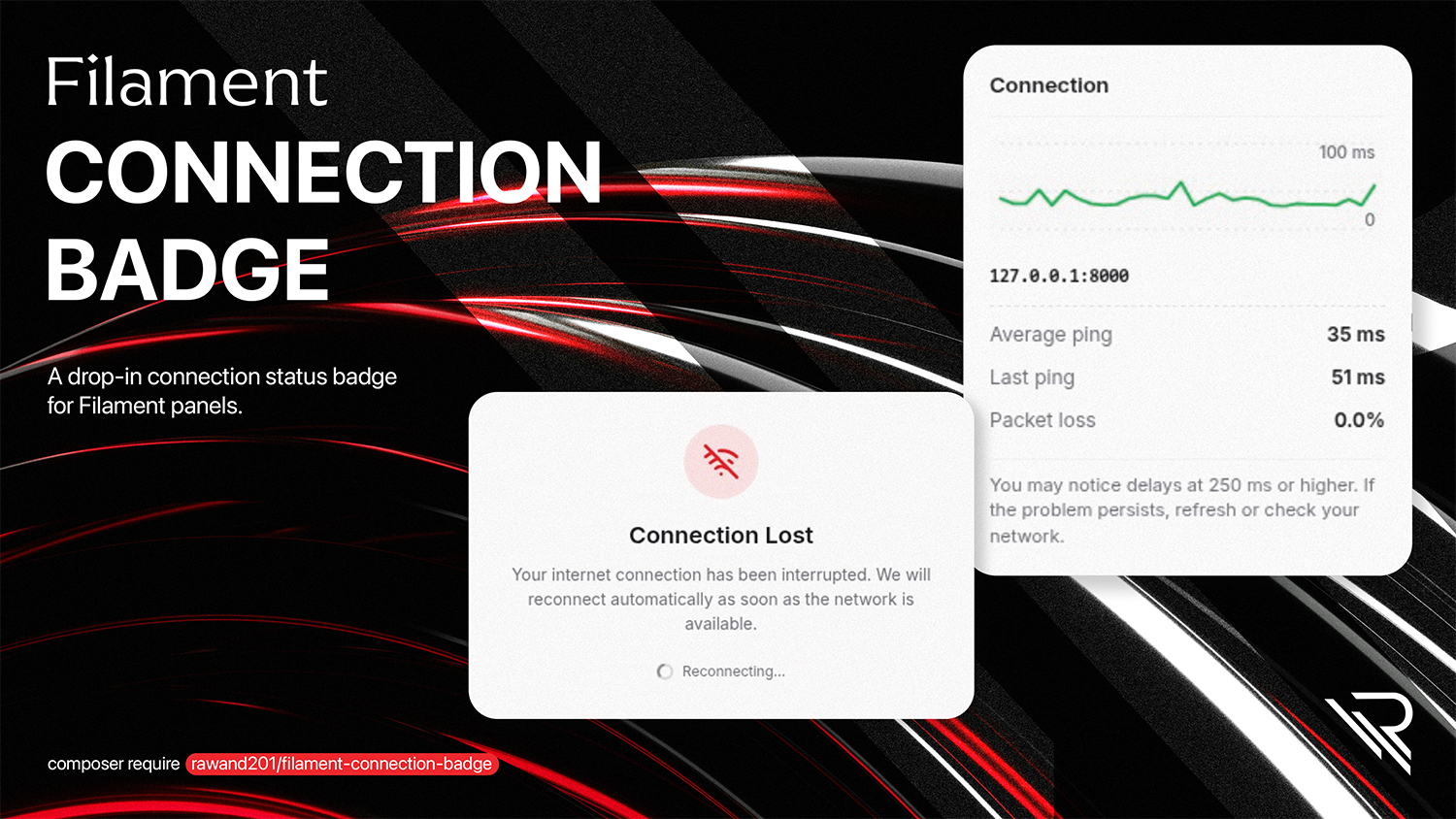




A drop-in connection status badge for Filament panels — shows a live signal-bars icon in the topbar next to the user avatar, a live ping graph on hover, and a full-screen overlay when the connection drops.
Works with Filament v4 and v5, uses Filament's design tokens so it follows your panel's theme and dark mode automatically, and fully supports RTL and multi-language UIs.
#Requirements
| Version | |
|---|---|
| PHP | ^8.2 (8.2 / 8.3 / 8.4) |
| Laravel | 10.x / 11.x / 12.x / 13.x |
| Filament | ^4.0 | ^5.0 |
#Installation
composer require rawand201/filament-connection-badge
The service provider is auto-discovered, so no manual registration is needed.
#Publish assets
php artisan filament:assets
#Publish the config (optional)
php artisan vendor:publish --tag="filament-connection-badge-config"
#Publish translations (optional)
php artisan vendor:publish --tag="filament-connection-badge-translations"
That's it — the badge is now rendered in the topbar of every Filament panel.
#Configuration
The published config/filament-connection-badge.php:
return [

    'enabled' => env('FILAMENT_CONNECTION_BADGE_ENABLED', true),

    // Filament panel hook name (default: before the user menu). See Filament\View\PanelsRenderHook.
    'render_hook' => env(
        'FILAMENT_CONNECTION_BADGE_RENDER_HOOK',
        'panels::user-menu.before'
    ),

    // Optional Gate / policy ability — badge and ping require auth()->user()->can(...) when set
    'permission' => env('FILAMENT_CONNECTION_BADGE_PERMISSION'),

    'show_label' => true,

    'show_overlay' => true,

    'route' => [
        'prefix' => '_filament-connection-badge',
        'middleware' => ['web'],
        'throttle' => env('FILAMENT_CONNECTION_BADGE_THROTTLE'), // e.g. '60,1'; null = no throttle
    ],

    'ping_url' => env('FILAMENT_CONNECTION_BADGE_PING_URL'),

    'ping_interval' => 5000,

    'thresholds' => [
        'full' => 200,
        'medium' => 600,
    ],

    'max_samples' => 30,

];
#Environment variables
FILAMENT_CONNECTION_BADGE_ENABLED=true
FILAMENT_CONNECTION_BADGE_RENDER_HOOK=panels::topbar.end
FILAMENT_CONNECTION_BADGE_PERMISSION=viewConnectionBadge
FILAMENT_CONNECTION_BADGE_PING_URL=/favicon.ico
FILAMENT_CONNECTION_BADGE_THROTTLE=60,1
#Disabling the badge for a specific environment
FILAMENT_CONNECTION_BADGE_ENABLED=false
#Features
- Live signal bars in the topbar — full / medium / low / offline, colored with Filament's
--success-*,--warning-*,--danger-*tokens - Real heartbeat endpoint — the package registers its own JSON
/_filament-connection-badge/pingroute, so the badge actually proves your Laravel application is responding (PHP + router + middleware), not just the static file server - Discord-style hover tooltip with:
- Live sparkline of the last N ping samples
- Average ping, last ping, packet-loss rate
- Host indicator
- Full-screen offline overlay that auto-dismisses when the connection comes back
- Filament v4 & v5 — one package, single code path
- Dark mode — all colors follow the panel theme via CSS variables
- RTL support — built with CSS logical properties; numbers and the ping graph stay LTR (
unicode-bidi: isolate) so measurements stay readable in RTL UIs - i18n — ships with English, Arabic, and Kurdish Sorani translations
- Configurable — enable/disable, render hook, optional
can()permission, optional heartbeat throttling, latency thresholds, route prefix & middleware, ping interval, history size, label visibility, overlay on/off - Zero build step — no Vite, no npm; assets are registered via
FilamentAsset
#How it works
- On every Filament page, a tiny Alpine.js component is rendered via the configured render hook (default
panels::user-menu.before, same asPanelsRenderHook::USER_MENU_BEFORE). - The package registers its own heartbeat route — a named GET endpoint at
route('filament-connection-badge.ping')(default URI/_filament-connection-badge/ping) that returns a small JSON payload{ ok: true, ts: ... }withCache-Control: no-store. - The Alpine component pings that endpoint every
ping_intervalms and measures the round-trip time withperformance.now(). Because the request goes through the Laravel router and middleware stack, a successful ping proves your app is responding — not just nginx serving a static file. - The measured latency is mapped to a quality level using
thresholds. - A rolling buffer of the last
max_samplespings is kept in memory. Failed pings count toward the packet-loss rate and visually break the sparkline. navigator.onLineand theonline/offlineevents are used as an immediate hint; a confirmation ping always follows.- When the browser reports offline (or a ping fails), the badge flips to "Offline" and the optional overlay is shown until the next successful ping.
Nothing is persisted server-side — the route is stateless and the rolling sample buffer lives in the browser.
#Securing the heartbeat route
By default the route uses the web middleware so sessions and cookies work, but it's publicly reachable. You can lock it down in two ways (combinable):
Middleware — require an authenticated session:
'route' => [
    'prefix' => '_filament-connection-badge',
    'middleware' => ['web', 'auth'],
],
Or Filament's panel auth middleware:
'middleware' => ['web', \Filament\Http\Middleware\Authenticate::class],
Permission — set permission (or FILAMENT_CONNECTION_BADGE_PERMISSION) to a Laravel Gate ability or policy method name. When set, the badge is hidden and the ping endpoint returns 403 unless auth()->user()->can($permission). Register the ability in a service provider (e.g. Gate::define('viewConnectionBadge', ...)).
You can also set route.throttle in config (or FILAMENT_CONNECTION_BADGE_THROTTLE, e.g. 60,1) to append Laravel’s throttle:{max},{decayMinutes} middleware to the heartbeat route only.
#Localization
To add another language, publish the translations and copy any of the files:
php artisan vendor:publish --tag="filament-connection-badge-translations"
#Customization
#Override the view
php artisan vendor:publish --tag="filament-connection-badge-views"
#Override the styles
You can either:
- Publish and edit the asset files, or
- Simply add your own CSS targeting the
.fcb-*classes — every color is declared withvar(--gray-*)/var(--success-*)/ etc. so they automatically track your panel's theme.
composer sync-assets
#Testing
composer test
composer analyse   # PHPStan (src/)
#Changelog
See CHANGELOG.
#Credits
#License
The MIT License (MIT). See LICENSE.
The author
Senior Laravel & Filament Developer with strong experience building scalable SaaS and admin systems. Actively working with the Filament ecosystem to create efficient, user-friendly dashboards and custom solutions. Experienced in leading teams, architecting backend systems, and delivering production-ready applications. Passionate about clean code, performance, and developer experience.
From the same author
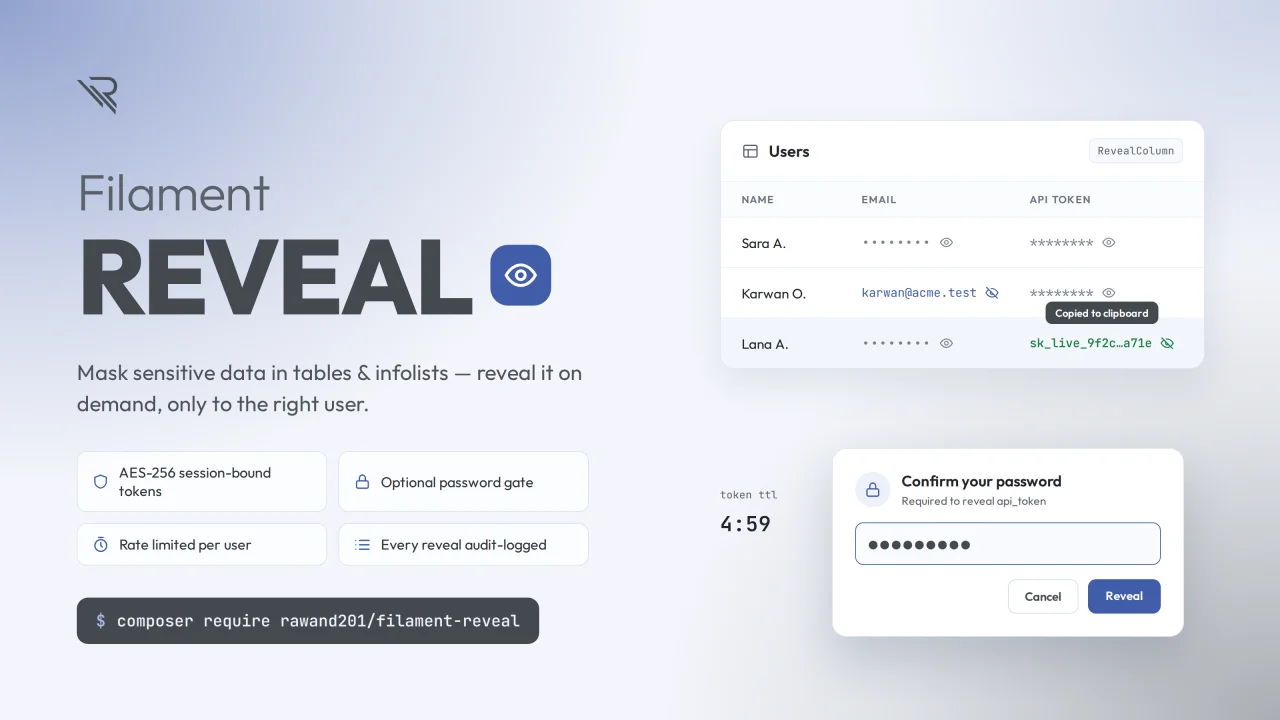
Reveal
Filament column & infolist components to safely reveal sensitive data on demand.
Author:
Rawand Rasool
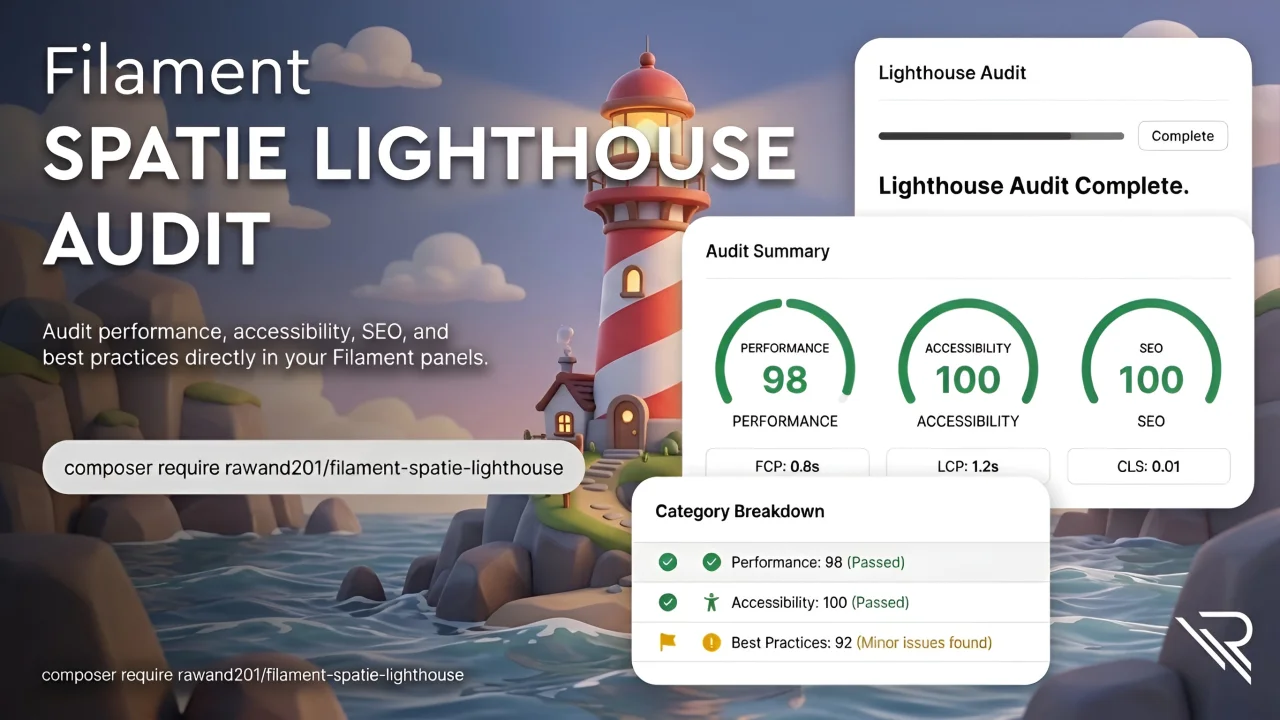
Spatie Lighthouse
A Filament plugin built on spatie/lighthouse-php that brings Google Lighthouse auditing into your admin panel. Enter a URL and get category scores, Core Web Vitals, and failed audits, plus the native Lighthouse HTML report inline or as a download. Supports queued and scheduled audits, per-URL history with auto-pruning, email and Slack notifications, read-only REST endpoints, Artisan commands, lifecycle events, and pluggable result stores (database, cache, or your own) with optional filesystem/S3
Author:
Rawand Rasool
Featured Plugins
A selection of plugins curated by the Filament team

Blueprint
Filament Blueprint is a premium Laravel Boost extension that helps AI agents produce accurate, detailed implementation plans and security reports for Filament apps.
 Filament

Spotlight Pro
Browse your Filament Panel with ease. Filament Spotlight Pro adds a Spotlight like Command Palette to your Filament Panel.
 Dennis Koch

Custom Dashboards
Let your users build and share their own dashboards with a drag-and-drop interface. Define your data sources in PHP and let them do the rest.
Filament

