
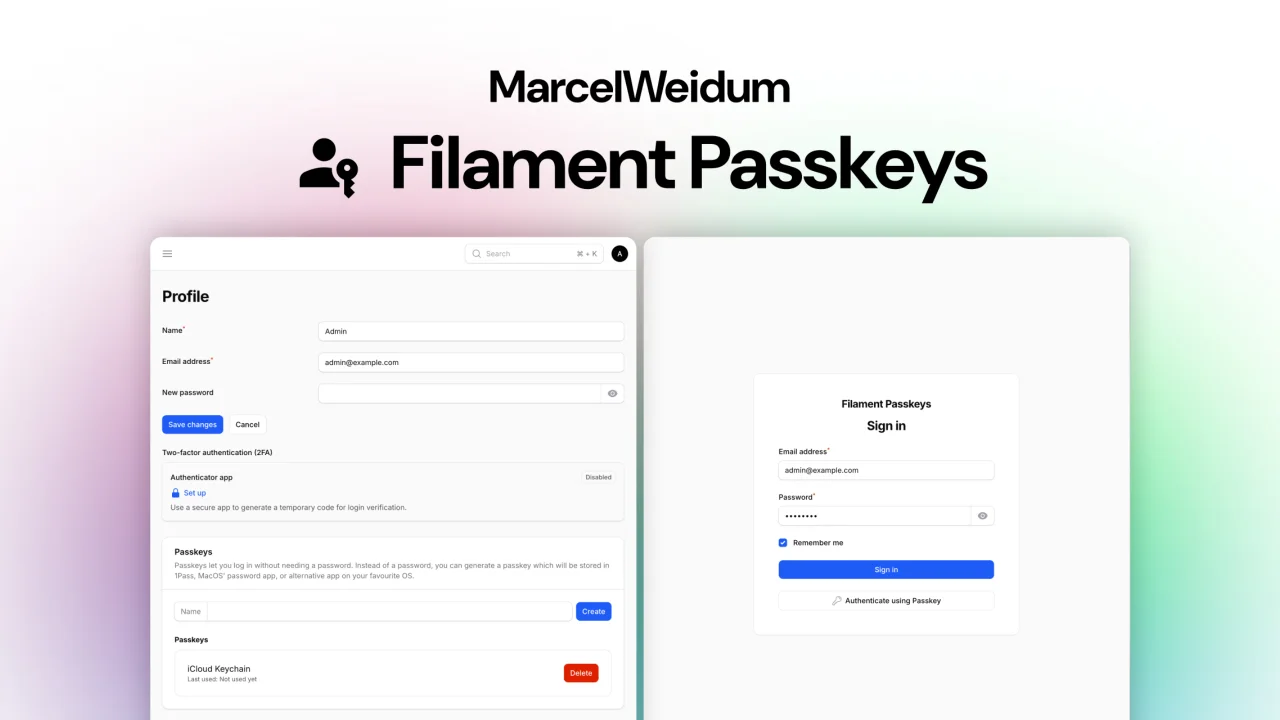
Passkeys by MarcelWeidum
CommunityUse passkeys in your Filament app
 Author:
MarcelWeidum
Author:
MarcelWeidum
Package health
Automated checks of this plugin's Composer package
15 checks
- Failed: GitHub Actions pinned to SHA — View details on Plumb
- Skipped: GitLab CI includes pinned to SHA
- Passed: Open security advisories
- Passed: Dependabot PR responsiveness — No open Dependabot PRs.
- Skipped: Renovate MR responsiveness
- Warning: Dependabot or Renovate configured — Updater does not cover the JavaScript ecosystem, which has a committed lockfile.
-
Failed:
Dependency update cooldown configured
—
No cooldown configured in
.github/dependabot.yml. View details on Plumb - Passed: Provides a security policy
- Passed: Abandoned or archived — No consulted source marks the package abandoned (packagist, github).
- Passed: Commit and release recency — Active: last commit 0 days ago; last release 42 days ago.
-
Passed:
composer.lock not committed by library
—
composer.lockis absent from the released dist archive. - Passed: Dist archive is lean
-
Passed:
Current Laravel version supported
—
Package dependencies resolve together with current Laravel
13.0. -
Passed:
Current PHP version supported
—
Constraint
^8.2supports current PHP8.5. - Skipped: Current Symfony version supported
filament/
namespace. Review the source and install at your own risk. Found
malware or an unresolved security issue the author won't
address?
Report it
.
Documentation
- Version compatibility
- Installation
- Upgrading from the Spatie passkeys package
- Common problems
- Contributing
- Security Vulnerabilities
- Credits
- License





Use passkeys in your filament app.
The current 4.x version uses Laravel's native passkeys package.

#Version compatibility
| Package version | Filament version | Passkeys backend | Use this when |
|---|---|---|---|
4.x |
Filament v5 | Laravel native passkeys (laravel/passkeys) |
Starting a new Filament v5 app or upgrading to Laravel native passkeys |
3.x |
Filament v5 | Spatie passkeys (spatie/laravel-passkeys) |
Staying on the older Spatie-backed implementation |
2.x |
Filament v3 or v4 | Spatie passkeys (spatie/laravel-passkeys) |
Using Filament v3 or v4 |
#Installation
- Install the package via composer:
composer require marcelweidum/filament-passkeys
- Add Laravel's passkey interface and trait to your user model
namespace App\Models;

use Laravel\Passkeys\Contracts\PasskeyUser;
use Laravel\Passkeys\PasskeyAuthenticatable;
// ...

class User extends Authenticatable implements PasskeyUser
{
    use HasFactory, Notifiable, PasskeyAuthenticatable;

    // ...
}
- Publish and run the migrations
php artisan vendor:publish --tag="passkeys-migrations"
php artisan migrate
Laravel registers the passkey routes automatically. You can optionally publish Laravel's passkeys config:
php artisan vendor:publish --tag="passkeys-config"
- Add passkeys plugin to your Filament Panel
Add passkeys to a panel by adding the class to your Filament Panel's plugin() or plugins([]) method.
use MarcelWeidum\Passkeys\PasskeysPlugin;

public function panel(Panel $panel): Panel
{
    return $panel
        ->plugins([
            PasskeysPlugin::make(),
        ])
}
Don't forget to add ->profile() to you panel as well to manage your passkeys.
#Upgrading from the Spatie passkeys package
This package no longer uses spatie/laravel-passkeys. If you are upgrading an existing 3.x application to the native Laravel passkeys version, follow the 3.x to native Laravel upgrade guide.
For existing Spatie-backed applications, do not run Laravel's fresh create_passkeys_table migration against the existing table. The upgrade guide uses this package's conversion migration instead.
(Optional) If you want to customize the translations, you can publish the translations by running:
php artisan vendor:publish --tag="filament-passkeys-translations"
#Common problems
If you're having problems creating passkeys on your profile page, check if your APP_URL in the .env file is set to the correct url of the application.
#Contributing
Please see CONTRIBUTING for details.
#Security Vulnerabilities
Please review our security policy on how to report security vulnerabilities.
#Credits
#License
The MIT License (MIT). Please see License File for more information.
The author
From the same author

Featured Plugins
A selection of plugins curated by the Filament team

Sharp Theme
A theme that gives panels a precise, technical look with square corners, strong borders, and clear contrast.
 Filament

Spotlight Pro
Browse your Filament Panel with ease. Filament Spotlight Pro adds a Spotlight like Command Palette to your Filament Panel.
 Dennis Koch

Advanced Tables (formerly Filter Sets)
Supercharge your tables with powerful features like user-customizable views, quick filters, multi-column sorting, advanced table searching, convenient view management, and more. Compatible with Resource Panel Tables, Relation Managers, Table Widgets, and Table Builder!
 Kenneth Sese
