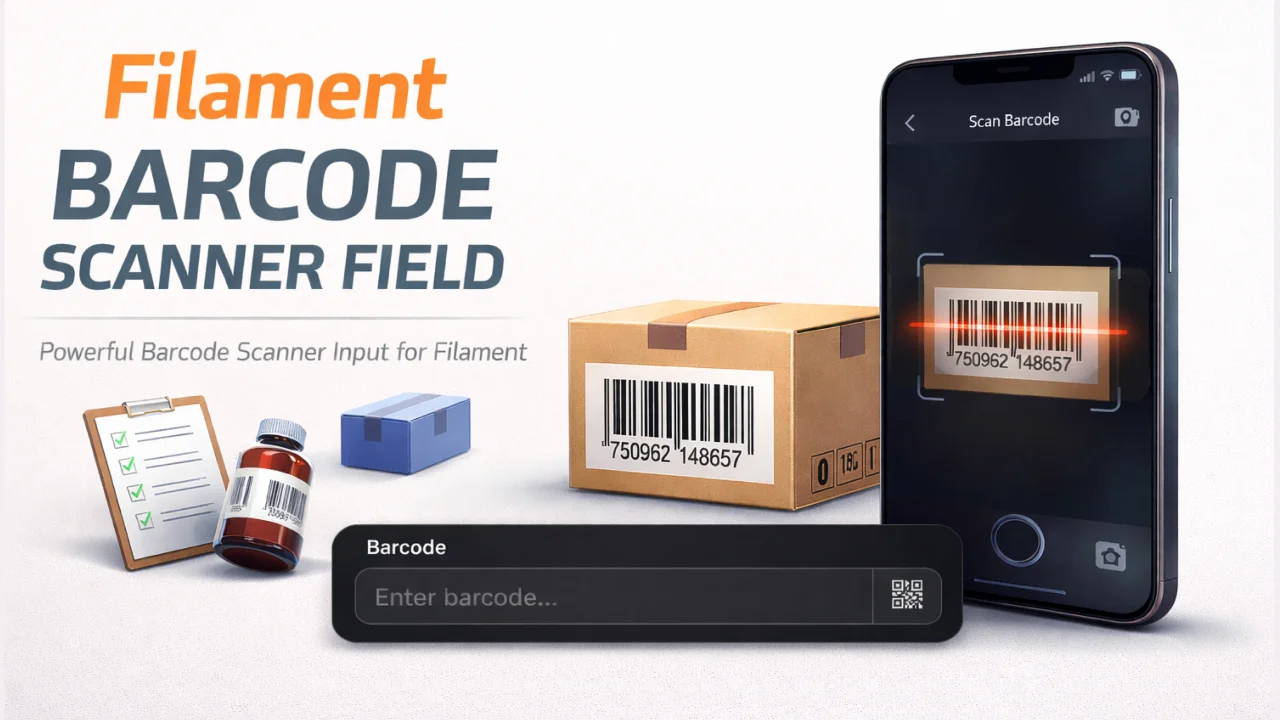
Barcode Scanner Field
A camera-based barcode and QR code scanner input field for Filament forms with a modal interface and real-time scanning.
 Author:
Marcelo Wiebbelling
Author:
Marcelo Wiebbelling
Documentation
- Overview
- Installation
- Usage
- Advanced Usage
- Changelog
- Contributing
- Security Vulnerabilities
- Credits
- License




#Overview
A powerful barcode scanner input field for Filament applications. This package provides an intuitive interface that allows users to scan barcodes using their device's camera directly from your Filament forms. Built with html5-qrcode for reliable cross-browser barcode scanning.
#Features
- Modal Scanner Interface: Opens a clean modal popup for barcode scanning without cluttering your forms
- Real-time Camera Scanning: Uses device camera to scan barcodes instantly
- Customizable Icons: Customize the input suffix icon with any Heroicon
- Responsive Design: Works seamlessly across desktop and mobile devices
- Filament Native: Extends Filament's TextInput with full form validation support
- Livewire Integration: Automatically updates form state when barcode is scanned
- Filament v4 & v5 Compatible: Works with both Filament versions
#Screenshot
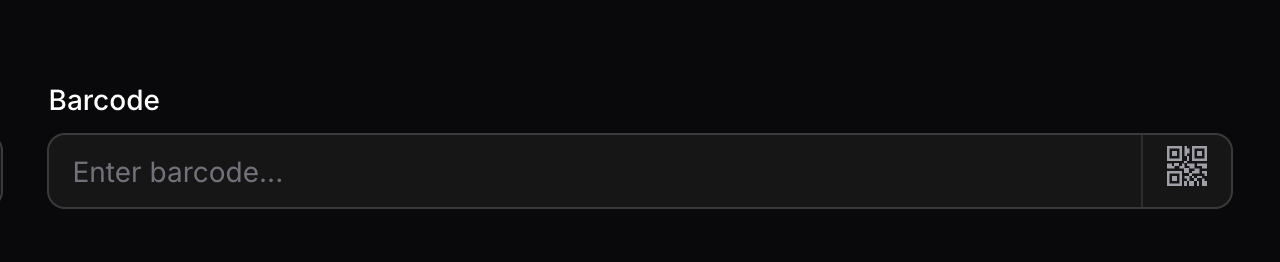
Barcode input field with scan button in dark mode
#Installation
Install the package via Composer:
composer require marcelorodrigo/filament-barcode-scanner-field
The package will automatically register itself.
#Publishing Assets (Optional)
You can publish the config file with:
php artisan vendor:publish --tag="filament-barcode-scanner-field-config"
This is the contents of the published config file:
return [
    // Configuration options can be added here in future versions
];
Optionally, you can publish the views using:
php artisan vendor:publish --tag="filament-barcode-scanner-field-views"
#Usage
Use the BarcodeInput component in your Filament forms:
use Marcelorodrigo\FilamentBarcodeScannerField\Forms\Components\BarcodeInput;

public function form(Form $form): Form
{
    return $form
        ->schema([
            BarcodeInput::make('barcode')
                ->label('Product Barcode')
                ->required(),
        ]);
}
#Basic Example
use Marcelorodrigo\FilamentBarcodeScannerField\Forms\Components\BarcodeInput;

// Simple usage
BarcodeInput::make('sku')
    ->label('SKU Code')
    ->placeholder('Scan or enter barcode...')
    ->required();
#With Custom Icon
use Marcelorodrigo\FilamentBarcodeScannerField\Forms\Components\BarcodeInput;

// Customize with a different Heroicon
BarcodeInput::make('barcode')
    ->icon('heroicon-o-qr-code')
    ->label('Scan Product');
#Available Methods
| Method | Description | Default |
|---|---|---|
icon(string $icon) |
Set a custom Heroicon for the scan button | heroicon-m-qr-code |
label(string | Htmlable | null $label) |
Set the field label | null |
placeholder(string | Htmlable | null $placeholder) |
Set input placeholder | "Enter {label}..." |
required(bool | string $condition = true) |
Make the field required | false |
#Standard Filament Methods
Since BarcodeInput extends TextInput, all standard Filament field methods are supported:
BarcodeInput::make('barcode')
    ->icon('heroicon-o-arrow-right')
    ->label('Product Barcode')
    ->placeholder('Scan or type barcode...')
    ->required()
    ->unique('products', 'barcode')
    ->rules(['min:8', 'max:50'])
    ->helperText('Scan the barcode on the product packaging')
    ->hint('Required')
    ->live()
    ->afterStateUpdated(fn ($state) => $this->lookupProduct($state));
#Supported Languages
This package includes translations for 31 languages:
📝 Translation Structure
All translations follow this structure:
actions.scan_qrcode- Scan button aria-labelmodal.title- Modal header with:labelplaceholdermodal.default_label- Default "Barcode" textmodal.close_button- Close button textfield.placeholder_prefix/suffix- Placeholder constructionfield.default_label- Field label fallback
🇪🇺 European (21)
- 🇬🇧 English (
en) - 🇩🇰 Danish (
da) - 🇳🇱 Dutch (
nl) - 🇫🇮 Finnish (
fi) - 🇫🇷 French (
fr) - 🇩🇪 German (
de) - 🇬🇷 Greek (
el) - 🇭🇺 Hungarian (
hu) - 🇮🇹 Italian (
it) - 🇳🇴 Norwegian (
no) - 🇵🇱 Polish (
pl) - 🇵🇹 Portuguese (
pt) - 🇧🇷 Portuguese Brazil (
pt_BR) - 🇷🇴 Romanian (
ro) - 🇷🇺 Russian (
ru) - 🇸🇰 Slovak (
sk) - 🇪🇸 Spanish (
es) - 🇸🇪 Swedish (
sv) - 🇹🇷 Turkish (
tr) - 🇺🇦 Ukrainian (
uk) - 🇨🇿 Czech (
cs)
🇨🇳 Asian (7)
- 🇨🇳 Chinese Simplified (
zh_CN) - 🇹🇼 Chinese Traditional (
zh_TW) - 🇮🇩 Indonesian (
id) - 🇯🇵 Japanese (
ja) - 🇰🇷 Korean (
ko) - 🇹🇭 Thai (
th) - 🇻🇳 Vietnamese (
vi)
🌍 Middle Eastern & South Asian (3)
- 🇸🇦 Arabic (
ar) - 🇮🇱 Hebrew (
he) - 🇮🇳 Hindi (
hi)
#Publishing Translations
To customize translations or add new languages:
php artisan vendor:publish --tag="filament-barcode-scanner-field-translations"
Translation files will be published to resources/lang/vendor/filament-barcode-scanner-field/.
#Advanced Usage
#Customizing the Scanner Experience
The scanner uses the html5-qrcode library with default settings optimized for common barcodes:
- FPS: 10 frames per second for smooth scanning
- QR Box: 250x250px scanning area
#Handling Scan Results
The barcode value is automatically set to the form field when a barcode is successfully scanned. You can add Livewire event listeners to handle the scanned value:
BarcodeInput::make('barcode')
    ->live()
    ->afterStateUpdated(function ($state, Set $set) {
        // Lookup product by barcode
        $product = Product::where('barcode', $state)->first();

        if ($product) {
            $set('product_name', $product->name);
            $set('price', $product->price);
        }
    });
#Form Validation with Scanned Barcodes
use Filament\Forms\Components\TextInput;
use Filament\Forms\Components\Select;

public function form(Form $form): Form
{
    return $form
        ->schema([
            BarcodeInput::make('barcode')
                ->label('Product Barcode')
                ->required()
                ->rules(['exists:products,barcode'])
                ->validationMessages([
                    'exists' => 'Product with this barcode not found.',
                ]),

            TextInput::make('quantity')
                ->numeric()
                ->required()
                ->default(1),
        ]);
}
#Changelog
Please see CHANGELOG for more information on recent changes.
#Contributing
Please see CONTRIBUTING for details.
#Requirements
- Follow PSR-2 Coding Standard
- Add tests for your changes
- Use Conventional Commits for commit messages
- Document any behavioral changes
#Running Tests
composer test
#Security Vulnerabilities
Please review our security policy on how to report security vulnerabilities.
#Credits
#Inspiration
This package was inspired by jeffersongoncalves/filament-qrcode-field - a QR code field plugin for Filament. Thank you for the great work!
#License
The MIT License (MIT). Please see License File for more information.
The author
Hi! I am Marcelo Wiebbelling, a software engineer who likes to delete code.
Featured Plugins
A selection of plugins curated by the Filament team

Custom Dashboards
Let your users build and share their own dashboards with a drag-and-drop interface. Define your data sources in PHP and let them do the rest.
 Filament

Custom Fields
Eliminate custom field migrations forever. Let your users create and manage form fields directly in Filament admin panels with 20+ built-in field types, validation, and zero database changes.
 Relaticle

Spotlight Pro
Browse your Filament Panel with ease. Filament Spotlight Pro adds a Spotlight/Raycast like Command Palette to your Filament Panel.
 Dennis Koch

