
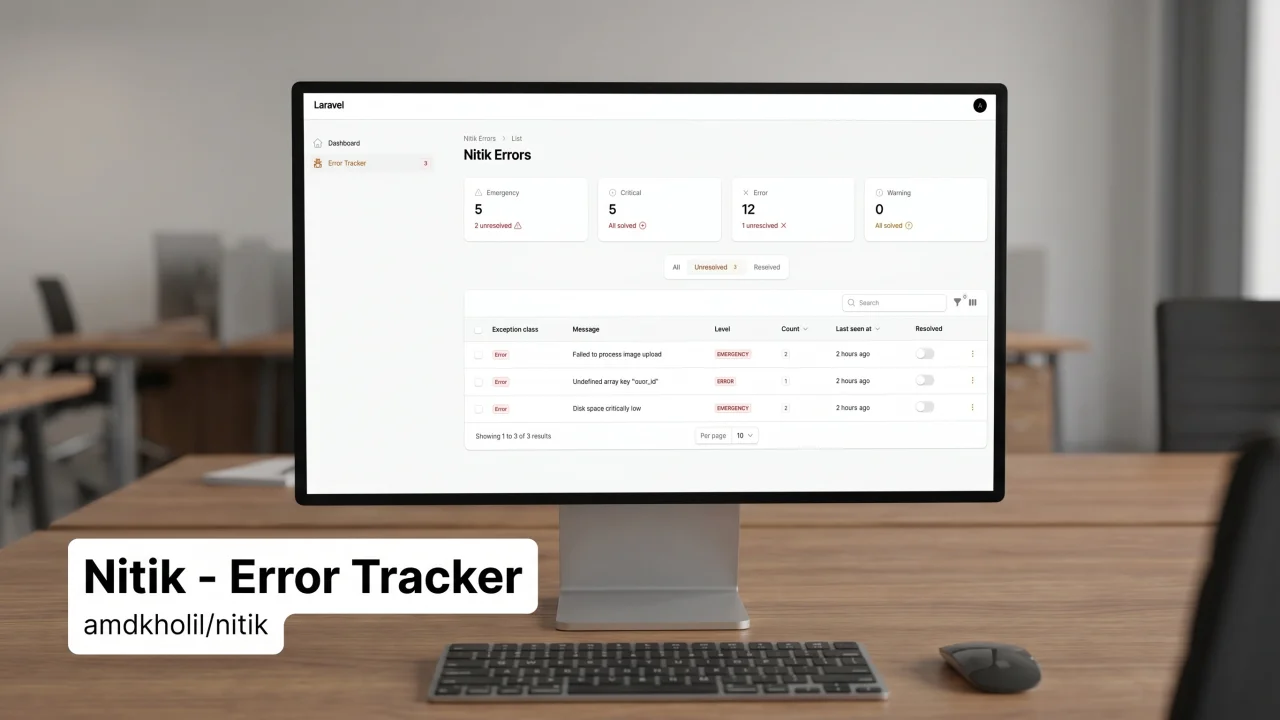
Nitik - Error Tracker
CommunityNitik is a Filament plugin for error tracking — it captures and aggregates unique errors into a database, displays them via a Filament dashboard, complete with smart stack trace filtering, infinite loop protection, and two Artisan commands to clean up old or resolved errors. Compatible with Laravel v11 or higher and Filament v4 or higher.
 Author:
kholil
Author:
kholil
Package health
BetaAutomated checks of this plugin's Composer package
15 checks
- Skipped: GitHub Actions pinned to SHA
- Skipped: GitLab CI includes pinned to SHA
- Passed: Open security advisories
- Passed: Dependabot PR responsiveness — No open Dependabot PRs.
- Skipped: Renovate MR responsiveness
- Skipped: Dependabot or Renovate configured
- Skipped: Dependency update cooldown configured
- Failed: Provides a security policy — View details on Plumb
- Passed: Abandoned or archived — No consulted source marks the package abandoned (packagist, github).
- Passed: Commit and release recency — Active: last commit 9 days ago; last release 9 days ago.
-
Passed:
composer.lock not committed by library
—
composer.lockis absent from the released dist archive. - Passed: Dist archive is lean
-
Passed:
Current Laravel version supported
—
Package dependencies resolve together with current Laravel
13.0. -
Passed:
Current PHP version supported
—
Constraint
^8.1supports current PHP8.5. - Skipped: Current Symfony version supported
filament/
namespace. Review the source and install at your own risk. Found
malware or an unresolved security issue the author won't
address?
Report it
.
Documentation
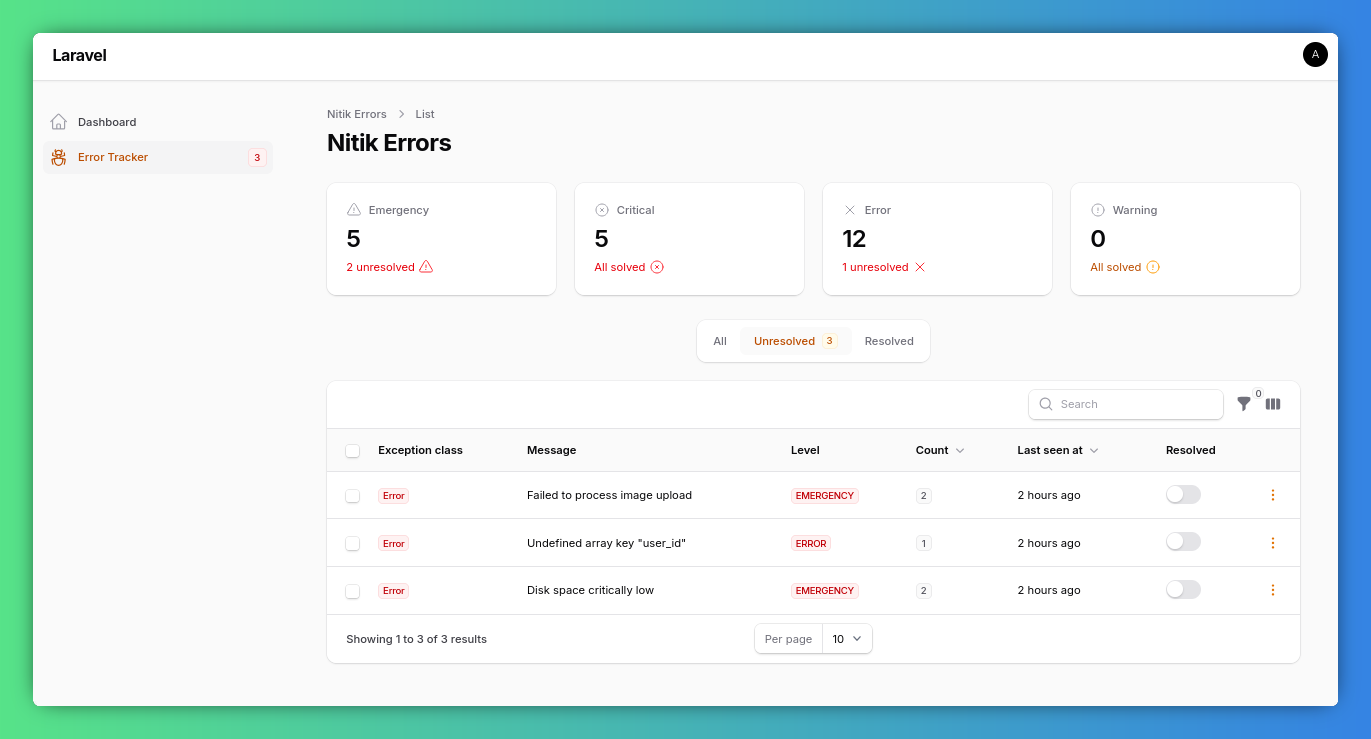
Nitik is a robust error tracking package for Laravel and Filament. It aggregates unique errors into a database and provides a sleek dashboard to manage them.
#Features
- Unique Error Aggregation: Combines similar errors into a single record with a count of occurrences.
- Smart Stack Trace: Captures and filters stack traces for better readability, skipping internal baggage.
- Filament Integration: Comes with a ready-to-use Filament resource to monitor and manage errors.
- Infinite Loop Protection: Prevents recursive logging loops if the database or driver fails.
#Requirements
- PHP:
^8.1 - Laravel:
^10.0 | ^11.0 | ^12.0 - Filament:
^4.0 | ^5.0
#Installation
composer require kholil/nitik
php artisan migrate
#Configuration
#1. Publish Config and Migrations
php artisan vendor:publish --tag=nitik
#2. Add Log Channel
Add the nitik channel to your config/logging.php:
'channels' => [
    'stack' => [
        'driver' => 'stack',
        'channels' => ['single', 'nitik'],
        'ignore_exceptions' => false,
    ],

    'nitik' => [
        'driver' => 'nitik',
        'level' => 'debug',
    ],
    // ...
],
#3. Register Filament Plugin
Add the NitikPlugin to your Filament Panel Provider:
use Kholil\Nitik\NitikPlugin;

public function panel(Panel $panel): Panel
{
    return $panel
        // ...
        ->plugins([
            NitikPlugin::make(),
        ]);
}
#Artisan Commands
Clean up your error records periodically using these commands:
#Clear Resolved Errors
Hapus semua error yang sudah ditandai sebagai 'Resolved'.
php artisan nitik:clear-resolved
#Prune Old Errors
Hapus error lama berdasarkan jumlah hari (default: 30 hari).
php artisan nitik:prune --days=30
#Configuration Options
Edit config/nitik.php to customize behavior:
log_levels: Array of levels (e.g.,error,critical) to capture.ignore_exceptions: List of exception classes to skip (e.g.,NotFoundHttpException).navigation_group: Label for Filament navigation grouping (default:null).
#License
The MIT License (MIT). Please see License File for more information.
The author
Fullstack developer
Laravel | Flutter | Django | Linux
https://devlab.my.id
Featured Plugins
A selection of plugins curated by the Filament team

Noir Theme
A theme that gives panels a focused, refined look with near-black surfaces, crisp actions, and restrained color.
 Filament

Spotlight Pro
Browse your Filament Panel with ease. Filament Spotlight Pro adds a Spotlight like Command Palette to your Filament Panel.
 Dennis Koch

Advanced Tables (formerly Filter Sets)
Supercharge your tables with powerful features like user-customizable views, quick filters, multi-column sorting, advanced table searching, convenient view management, and more. Compatible with Resource Panel Tables, Relation Managers, Table Widgets, and Table Builder!
 Kenneth Sese
