
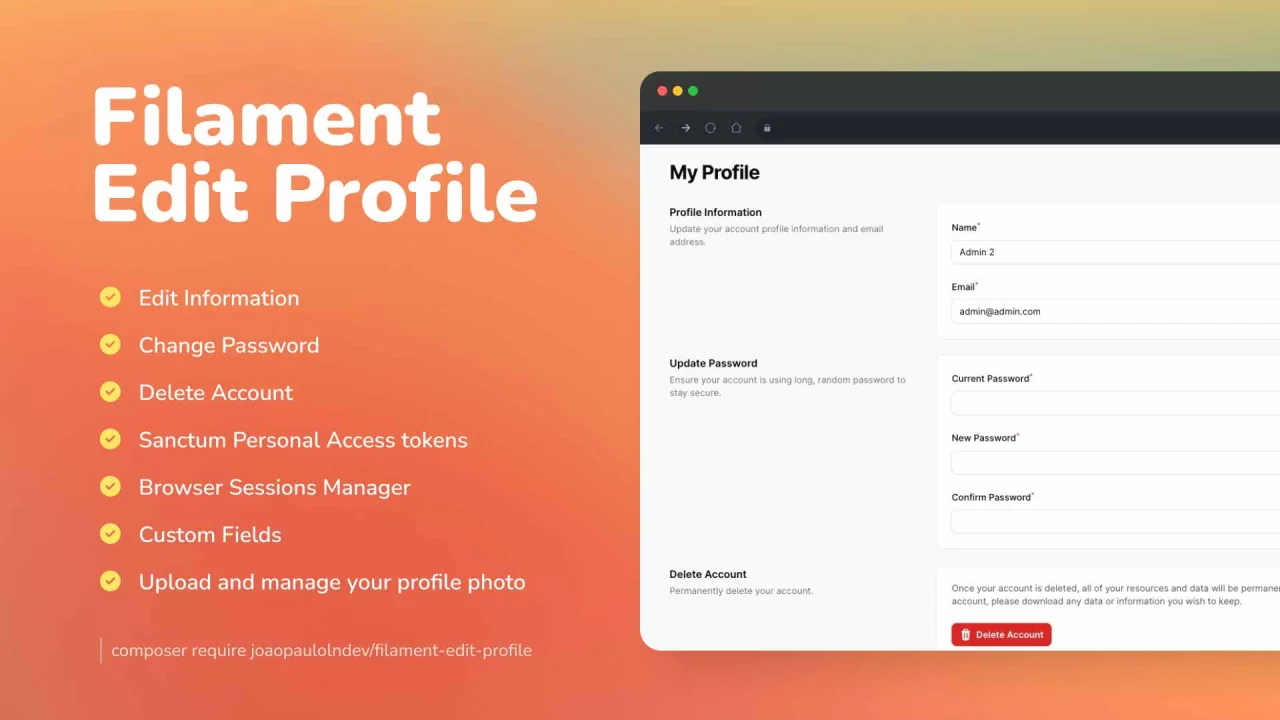
Edit Profile by João Paulo Leite Nascimento
CommunityA package to edit and delete profile easily to use, simple and fast.
 Author:
João Paulo Leite Nascimento
Author:
João Paulo Leite Nascimento
Package health
Automated checks of this plugin's Composer package
15 checks
- Passed: GitHub Actions pinned to SHA
- Skipped: GitLab CI includes pinned to SHA
- Passed: Open security advisories
- Passed: Dependabot PR responsiveness — No open Dependabot PRs.
- Skipped: Renovate MR responsiveness
- Passed: Dependabot or Renovate configured
- Passed: Dependency update cooldown configured
- Passed: Provides a security policy
- Passed: Abandoned or archived — No consulted source marks the package abandoned (packagist, github).
- Passed: Commit and release recency — Active: last commit 45 days ago; last release 197 days ago.
-
Passed:
composer.lock not committed by library
—
composer.lockis absent from the released dist archive. - Passed: Dist archive is lean
-
Passed:
Current Laravel version supported
—
Package dependencies resolve together with current Laravel
13.0. -
Passed:
Current PHP version supported
—
Constraint
^8.2supports current PHP8.5. - Skipped: Current Symfony version supported
filament/
namespace. Review the source and install at your own risk. Found
malware or an unresolved security issue the author won't
address?
Report it
.
Documentation
- Features & Screenshots
- Compatibility
- Installation
- Usage
- Profile Avatar
- Sanctum Personal Access tokens
- Browser Sessions
- Custom Fields
- Custom Components
- Testing
- Changelog
- Contributing
- Security Vulnerabilities
- Credits
- License




The Filament library is a user-friendly tool that simplifies profile editing, offering an intuitive interface and robust features to easily customize and manage user information.
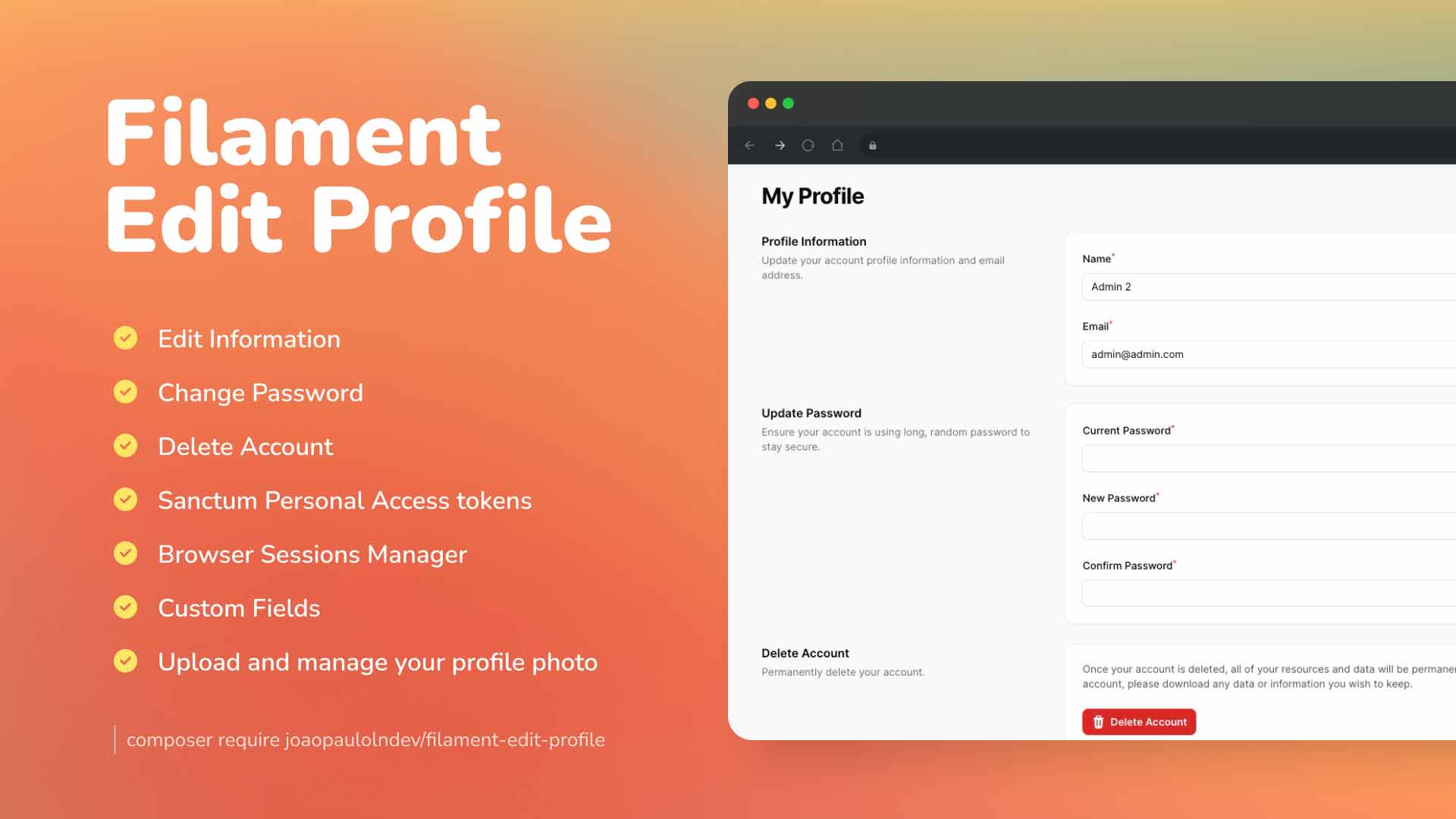
#Features & Screenshots
- Edit Information: Manage your information such as email, and password.
- Change Password: Change your password.
- Profile Photo: Upload and manage your profile photo.
- Delete Account: Manage your account, such as delete account.
- Sanctum Personal Access tokens: Manage your personal access tokens.
- Browser Sessions Manage and log out your active sessions on other browsers and devices.
- Custom Fields: Add custom fields to the form.
- Custom Components: Add custom component to the page.
- Support: Laravel 11 and Filament 3.x
#Compatibility
| Package Version | Filament Version |
|---|---|
| 1.x | 3.x |
| 2.x | 4.x |
| 3.x | 5.x |
#Installation
You can install the package via composer:
composer require joaopaulolndev/filament-edit-profile:^1.0
You can publish and run the migrations with:
Optionally, you can publish the views using
php artisan vendor:publish --tag="filament-edit-profile-views"
Optionally, you can publish the translations using
php artisan vendor:publish --tag="filament-edit-profile-translations"
You can publish and run all the migrations with:
php artisan vendor:publish --tag="filament-edit-profile-migrations"
php artisan migrate
You can publish the config file with:
php artisan vendor:publish --tag="filament-edit-profile-config"
#Usage
Add in AdminPanelProvider.php
use Joaopaulolndev\FilamentEditProfile\FilamentEditProfilePlugin;

->plugins([
    FilamentEditProfilePlugin::make()
])
if you want to show for specific parameters to sort, icon, title, navigation group, navigation label and can access, you can use the following example:
use Joaopaulolndev\FilamentEditProfile\FilamentEditProfilePlugin;

 ->plugins([
     FilamentEditProfilePlugin::make()
        ->slug('my-profile')
        ->setTitle('My Profile')
        ->setNavigationLabel('My Profile')
        ->setNavigationGroup('Group Profile')
        ->setIcon('heroicon-o-user')
        ->setSort(10)
        ->canAccess(fn () => auth()->user()->id === 1)
        ->shouldRegisterNavigation(false)
        ->shouldShowEmailForm()
        ->shouldShowDeleteAccountForm(false)
        ->shouldShowSanctumTokens()
        ->shouldShowBrowserSessionsForm()
        ->shouldShowAvatarForm()
        ->customProfileComponents([
            \App\Livewire\CustomProfileComponent::class,
        ])
 ])
Optionally, you can add a user menu item to the user menu in the navigation bar:
use Filament\Facades\Filament;
use Filament\Navigation\MenuItem;
use Joaopaulolndev\FilamentEditProfile\Pages\EditProfilePage;

->userMenuItems([
    'profile' => MenuItem::make()
        ->label(fn() => auth()->user()->name)
        ->url(fn (): string => EditProfilePage::getUrl())
        ->icon('heroicon-m-user-circle')
        //If you are using tenancy, check with the visible method that there is an active tenant (Filament::getTenant()) in addition to the user/tenant relation (->company() here), otherwise pages like "create tenant" have no tenant yet and getUrl() throws a missing route parameter error
        ->visible(function (): bool {
            return auth()->user()->company()->exists() && Filament::getTenant();
        }),
])
If needed you can define the disk and visibility of the avatar image. In the config file add the following:
config/filament-edit-profile.php
return [
    'disk' => env('FILESYSTEM_DISK', 'public'),
    'visibility' => 'public', // or replace by filesystem disk visibility with fallback value
];
#Profile Avatar
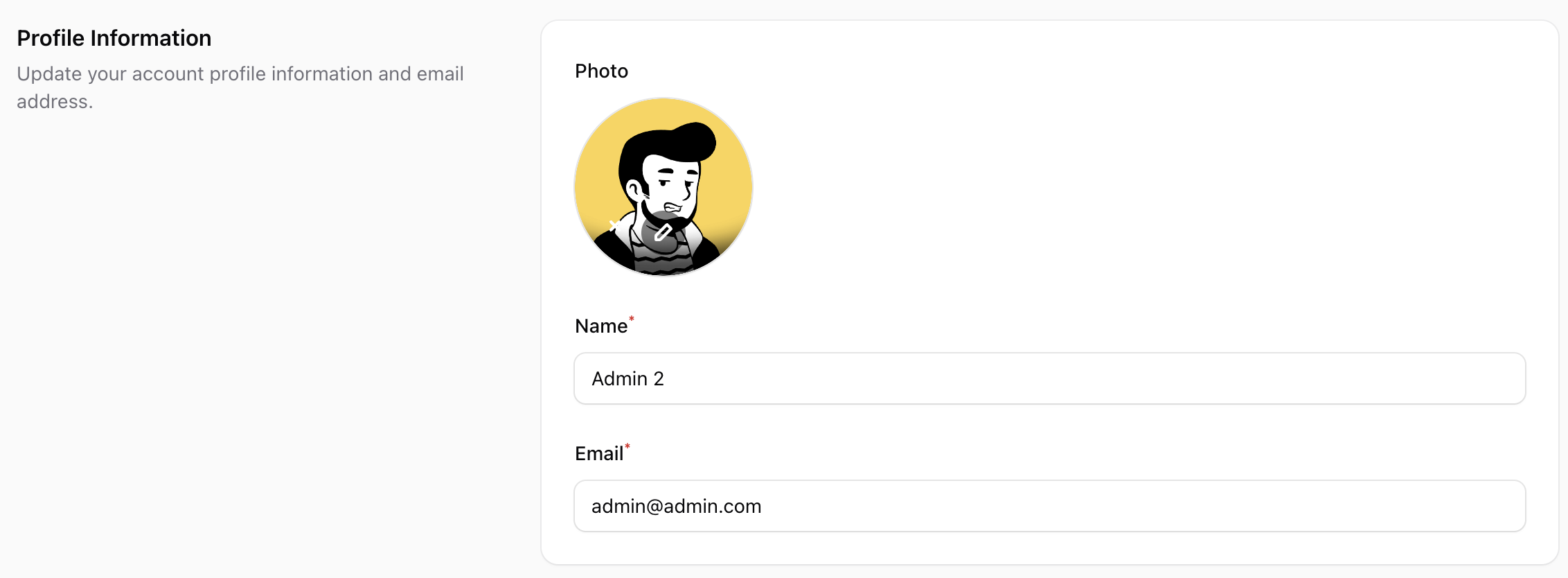 Show the user avatar form using
 shouldShowAvatarForm(). This package follows the Filament user avatar to manage the avatar.
To show the avatar form, you need the following steps:
- Publish the migration file to add the avatar_url field to the users table:
php artisan vendor:publish --tag="filament-edit-profile-avatar-migration"
php artisan migrate
- Add in your User model the avatar_url field in the fillable array:
protected $fillable = [
    'name',
    'email',
    'password',
    'avatar_url', // or column name according to config('filament-edit-profile.avatar_column', 'avatar_url')
];
- Set the getFilamentAvatarUrlAttribute method in your User model:
use Filament\Models\Contracts\HasAvatar;
use Illuminate\Support\Facades\Storage;

class User extends Authenticatable implements HasAvatar
{
    // ...
    public function getFilamentAvatarUrl(): ?string
    {
        $avatarColumn = config('filament-edit-profile.avatar_column', 'avatar_url');
        return $this->$avatarColumn ? Storage::url($this->$avatarColumn) : null;
    }
}
- Optionally, you can specify the image directory path and file upload rules. :
->shouldShowAvatarForm(
    value: true,
    directory: 'avatars', // image will be stored in 'storage/app/public/avatars
    rules: 'mimes:jpeg,png|max:1024' //only accept jpeg and png files with a maximum size of 1MB
)
- Don't forget to run the command
php artisan storage:link
#Sanctum Personal Access tokens
Show the Sanctum token management component:
Please review Laravel Sanctum Docs
You may install Laravel Sanctum via the install:api Artisan command:
php artisan install:api
Sanctum allows you to issue API tokens / personal access tokens that may be used to authenticate API requests to your application. When making requests using API tokens, the token should be included in the Authorization header as a Bearer token.
use Laravel\Sanctum\HasApiTokens;

class User extends Authenticatable
{
    use HasApiTokens, HasFactory, Notifiable;
}
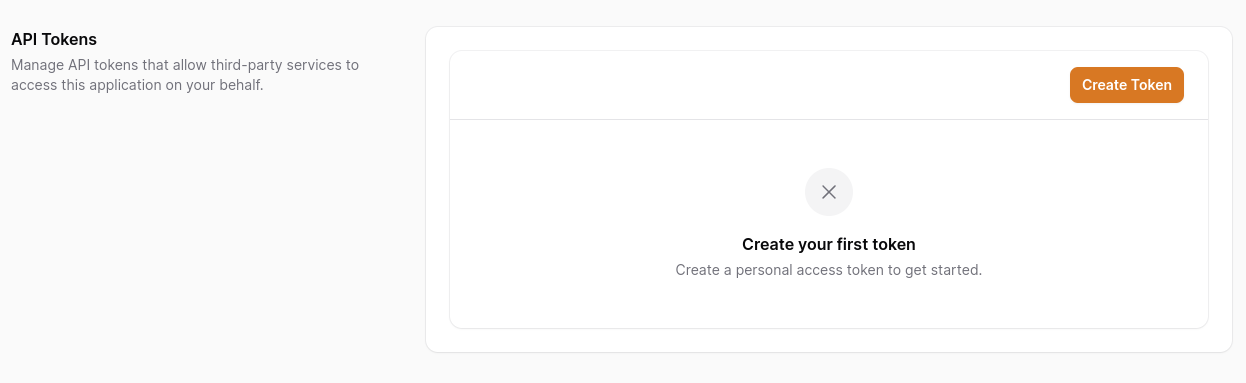
If you want to control access, you can use condition, passing Closure or Boolean
Sanctum allows you to assign "abilities" to tokens. by default we have ['create', 'view', 'update', 'delete'] use permissions to customize
 ->plugins([
    FilamentEditProfilePlugin::make()
        ->shouldShowSanctumTokens(
            condition: fn() => auth()->user()->id === 1, //optional
            permissions: ['custom', 'abilities', 'permissions'] //optional
        )
 ])
#Browser Sessions
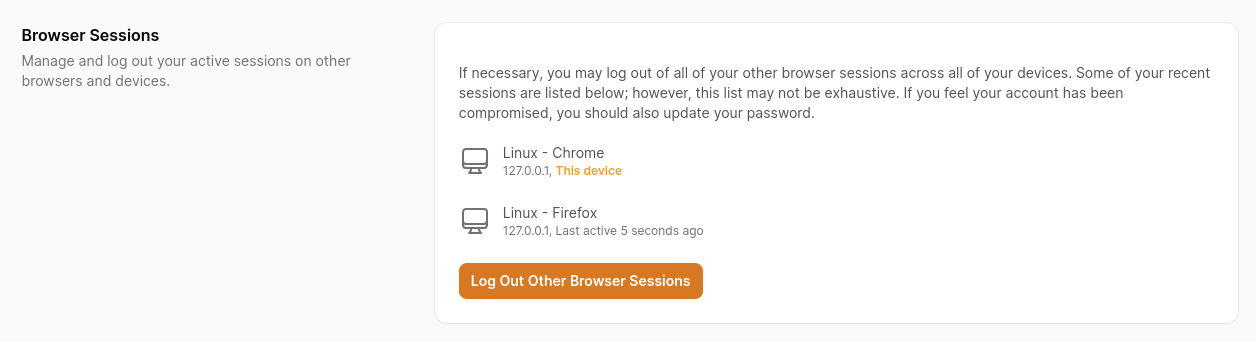
To list the individual active sessions, ensure that your session configuration's driver (or SESSION_DRIVER environment variable) is set to database.
SESSION_DRIVER=database
On any other driver the list is replaced by a short notice and only the "Log Out Other Browser Sessions" action is shown. That action relies on Laravel's AuthenticateSession middleware to invalidate the other sessions, so make sure it is registered on your panel — without it, the other sessions are not actually logged out.
use Illuminate\Session\Middleware\AuthenticateSession;

$panel->authMiddleware([
    AuthenticateSession::class,
]);
If you want to control access or disable browser sessions, you can pass a Closure or Boolean
 ->plugins([
    FilamentEditProfilePlugin::make()
        ->shouldShowBrowserSessionsForm(
            fn() => auth()->user()->id === 1, //optional
                //OR
            false //optional
        )
 ])
#Custom Fields
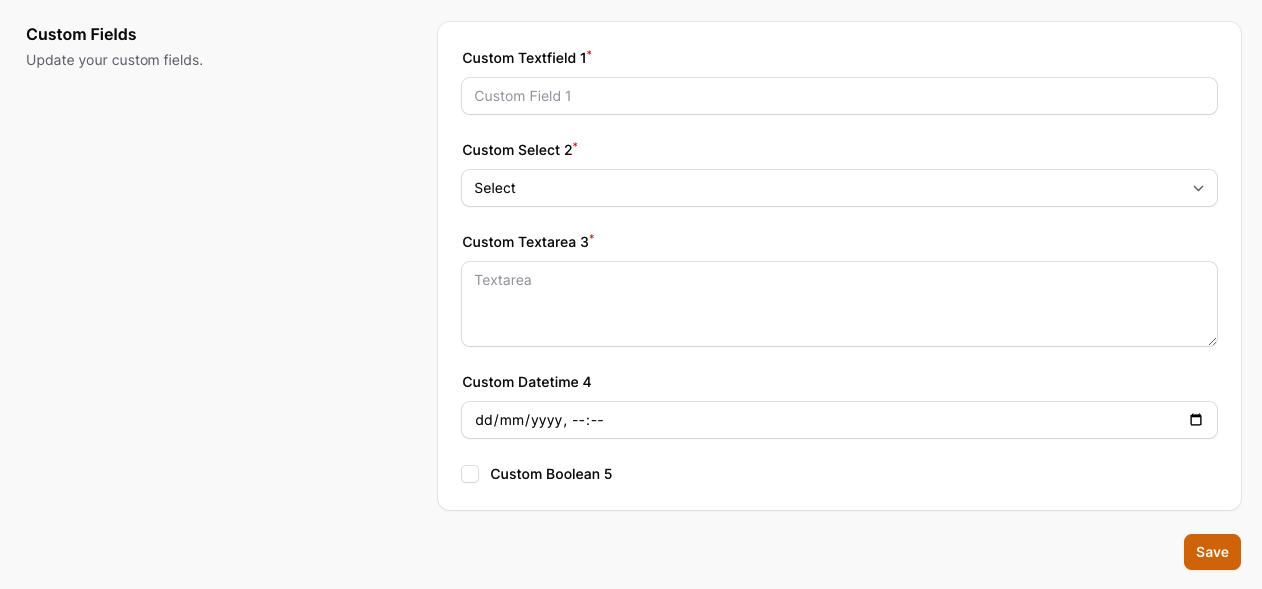 Optionally, you can add custom fields to the form.
To create custom fields you need to follow the steps below:
Optionally, you can add custom fields to the form.
To create custom fields you need to follow the steps below:
- Publish the migration file to add the custom fields to the users table:
php artisan vendor:publish --tag="filament-edit-profile-custom-field-migration"
php artisan migrate
- Add in your User model the custom field in the fillable array:
protected $fillable = [
    'name',
    'email',
    'password',
    'custom_fields',
];
- Add in your User model the custom field in the casts array:
protected function casts(): array
{
    return [
        'email_verified_at' => 'datetime',
        'password' => 'hashed',
        'custom_fields' => 'array'
    ];
}
- Publish the config file using this command:
php artisan vendor:publish --tag="filament-edit-profile-config"
- Edit the config file
config/filament-edit-profile.phpto add the custom fields to the form as example below:
<?php

return [
    'show_custom_fields' => true,
    'custom_fields' => [
        'custom_field_1' => [
            'type' => 'text', // required
            'label' => 'Custom Textfield 1', // required
            'placeholder' => 'Custom Field 1', // optional
            'id' => 'custom-field-1', // optional
            'required' => true, // optional
            'rules' => [], // optional
            'hint_icon' => '', // optional
            'hint' => '', // optional
            'suffix_icon' => '', // optional
            'prefix_icon' => '', // optional
            'default' => '', // optional
            'column_span' => 'full', // optional
            'autocomplete' => false, // optional
        ],
        'custom_field_2' => [
            'type' => 'password', // required
            'label' => 'Custom Password field 2', // required
            'placeholder' => 'Custom Password Field 2', // optional
            'id' => 'custom-field-2', // optional
            'required' => true, // optional
            'rules' => [], // optional
            'hint_icon' => '', // optional
            'hint' => '', // optional
            'default' => '', // optional
            'column_span' => 'full',
            'revealable' => true, // optional
            'autocomplete' => true, // optional
        ],
        'custom_field_3' => [
            'type' => 'select', // required
            'label' => 'Custom Select 3', // required
            'placeholder' => 'Select', // optional
            'id' => 'custom-field-3', // optional
            'required' => true, // optional
            'options' => [
                'option_1' => 'Option 1',
                'option_2' => 'Option 2',
                'option_3' => 'Option 3',
            ], // optional
            'selectable_placeholder' => true // optional
            'native' => true // optional
            'preload' => true // optional
            'suffix_icon' => '', // optional
            'default' => '', // optional
            'searchable' => true, // optional
            'column_span' => 'full', // optional
            'rules' => [], // optional
            'hint_icon' => '', // optional
            'hint' => '', // optional
        ],
        'custom_field_4' => [
            'type' =>'textarea', // required
            'label' => 'Custom Textarea 4', // required
            'placeholder' => 'Textarea', // optional
            'id' => 'custom-field-4', // optional
            'rows' => '3', // optional
            'required' => true, // optional
            'hint_icon' => '', // optional
            'hint' => '', // optional
            'default' => '', // optional
            'rules' => [], // optional
            'column_span' => 'full', // optional
        ],
        'custom_field_5' => [
            'type' => 'datetime', // required
            'label' => 'Custom Datetime 5', // required
            'placeholder' => 'Datetime', // optional
            'id' => 'custom-field-5', // optional
            'seconds' => false, // optional
            'required' => true, // optional
            'hint_icon' => '', // optional
            'hint' => '', // optional
            'default' => '', // optional
            'suffix_icon' => '', // optional
            'prefix_icon' => '', // optional
            'rules' => [], // optional
            'format' => 'Y-m-d H:i:s', // optional
            'time' => true, // optional
            'native' => true, // optional
            'column_span' => 'full', // optional
        ],
        'custom_field_6' => [
            'type' => 'boolean', // required
            'label' => 'Custom Boolean 6', // required
            'placeholder' => 'Boolean', // optional
            'id' => 'custom-field-6', // optional
            'hint_icon' => '', // optional
            'hint' => '', // optional
            'default' => '', // optional
            'rules' => [], // optional
            'column_span' => 'full', // optional
        ],
    ]
];
#Custom Components
If you need more control over your profile edit fields, you can create a custom component. To make this process easier, just use the artisan command.
Note
If you are not confident in using custom components, please review Filament Docs
php artisan make:edit-profile-form CustomProfileComponent
This will generate a new app/Livewire/CustomProfileComponent.php component and a new resources/views/livewire/custom-profile-component.blade.php view which you can customize.
Now in your Panel Provider, register the new component.
->plugins([
    FilamentEditProfilePlugin::make()
        ->customProfileComponents([
            \App\Livewire\CustomProfileComponent::class,
        ]);
])
#Testing
composer test
#Changelog
Please see CHANGELOG for more information on what has changed recently.
#Contributing
Please see CONTRIBUTING for details.
#Security Vulnerabilities
Please review our security policy on how to report security vulnerabilities.
#Credits
#License
The MIT License (MIT). Please see License File for more information.
The author
João Paulo is a self-taught full-stack developer who loves PHP, Laravel and Filament. He is a Brazilian developer that loves to contribute to open-source projects.
From the same author
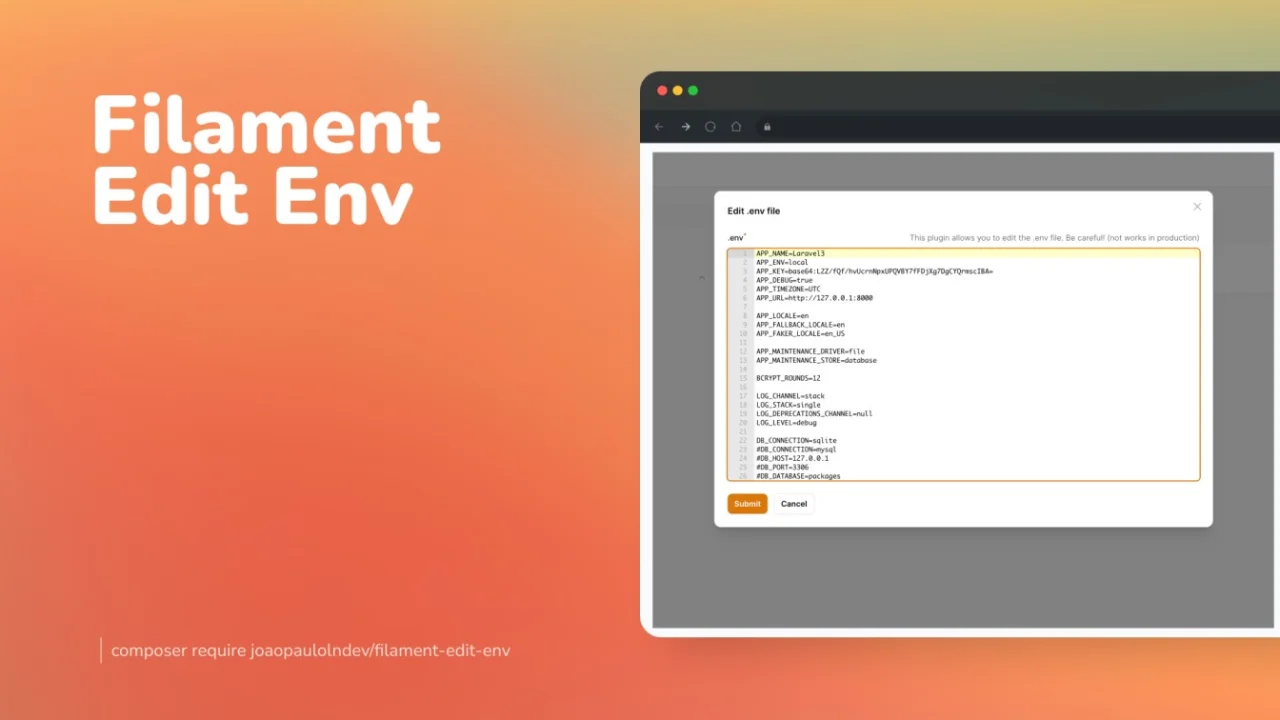
Edit Env
Edit your environment file directly from the Filament panel.
Author:
João Paulo Leite Nascimento
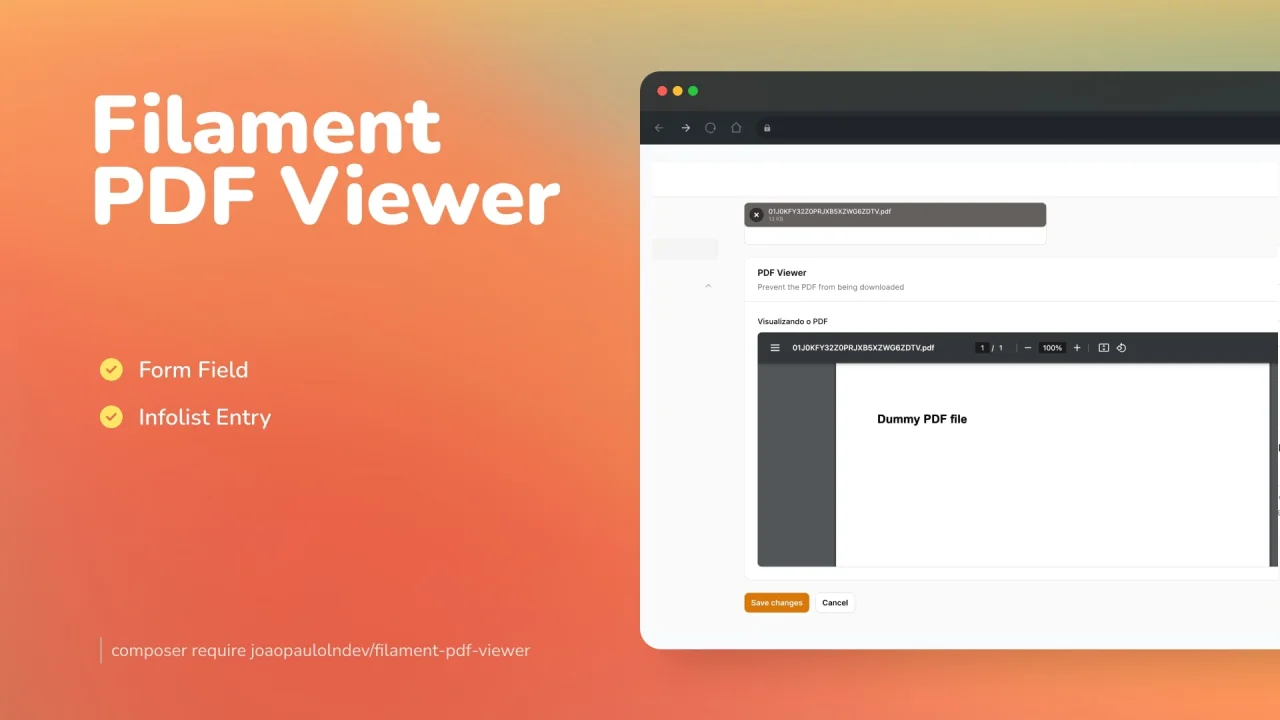
PDF Viewer
Preview PDF documents either saved in the database or in the form of your resource.
Author:
João Paulo Leite Nascimento
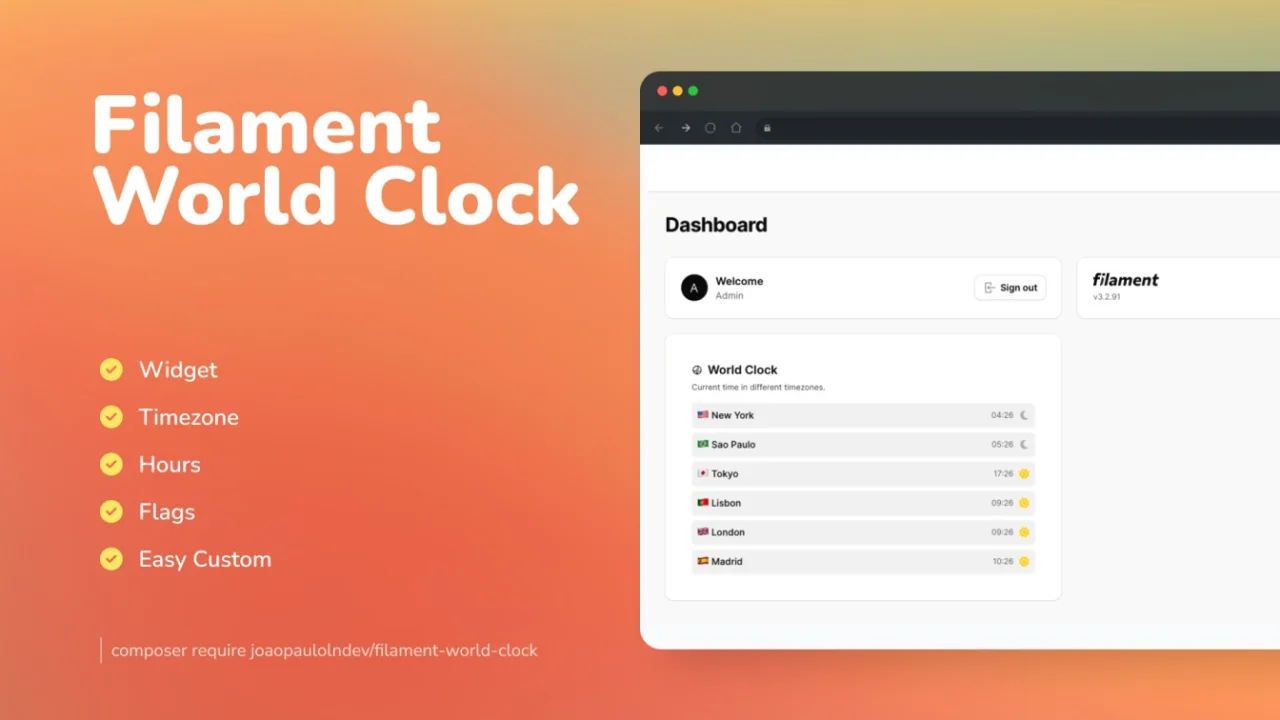
World Clock
A beautiful card widget to display world clocks by timezone.
Author:
João Paulo Leite Nascimento
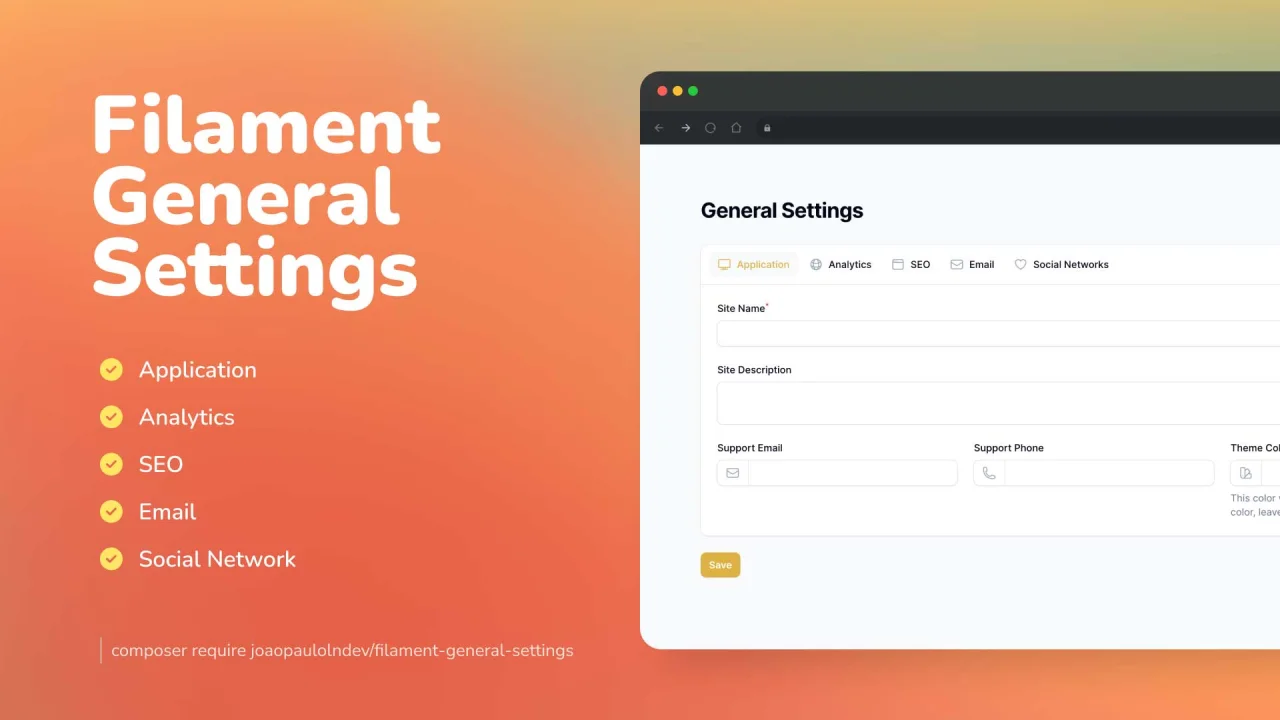
General Settings
Create really fast and easily general settings for your app.
Author:
João Paulo Leite Nascimento
Featured Plugins
A selection of plugins curated by the Filament team

Sharp Theme
A theme that gives panels a precise, technical look with square corners, strong borders, and clear contrast.
 Filament

Spotlight Pro
Browse your Filament Panel with ease. Filament Spotlight Pro adds a Spotlight like Command Palette to your Filament Panel.
 Dennis Koch

Compact Theme
A theme that makes data-heavy panels easier to scan by fitting more useful information on each screen.
Filament

