
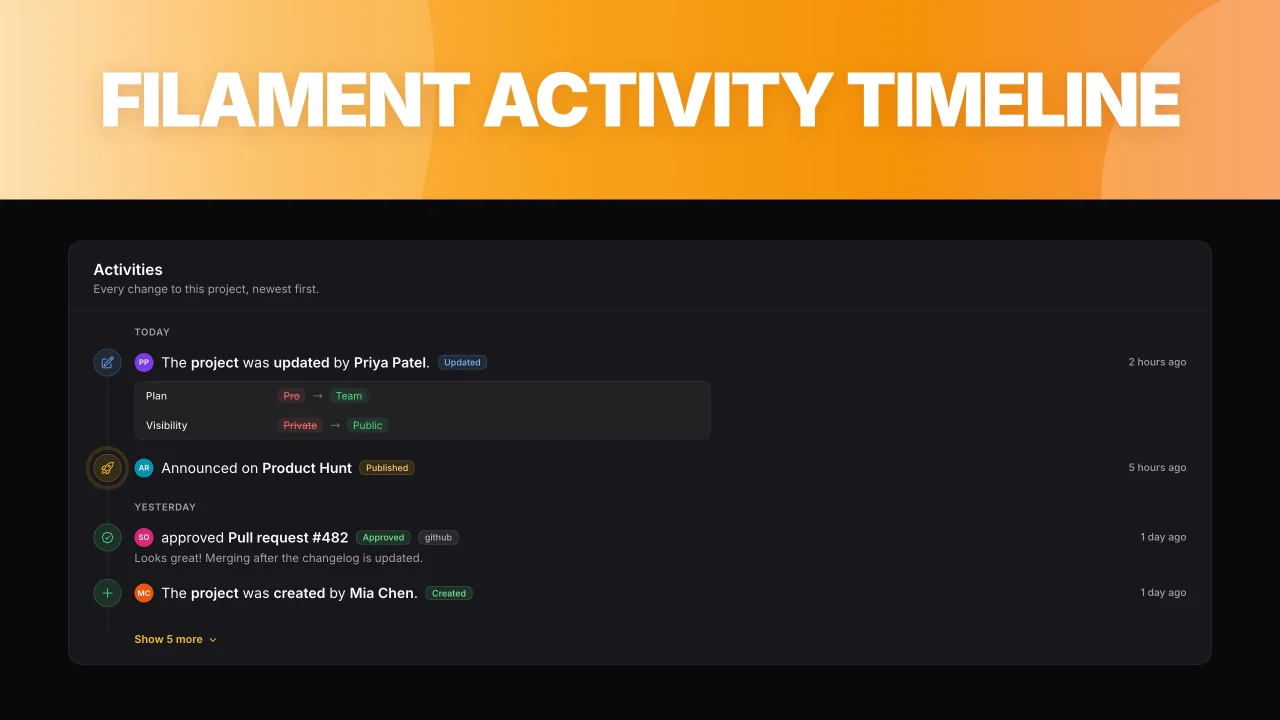
Activity Timeline by Jay-Are Ocero
CommunityShow beautiful activity timelines in infolists, pages and slide-overs, with first-class support for Spatie Activitylog.
 Author:
Jay-Are Ocero
Author:
Jay-Are Ocero
Package health
Automated checks of this plugin's Composer package
15 checks
- Skipped: GitHub Actions pinned to SHA
- Skipped: GitLab CI includes pinned to SHA
- Passed: Open security advisories
- Passed: Dependabot PR responsiveness — No open Dependabot PRs.
- Skipped: Renovate MR responsiveness
- Skipped: Dependabot or Renovate configured
- Skipped: Dependency update cooldown configured
- Failed: Provides a security policy — View details on Plumb
- Passed: Abandoned or archived — No consulted source marks the package abandoned (packagist).
- Failed: Commit and release recency — Inactive: no commit date available; last release 530 days ago. View details on Plumb
-
Passed:
composer.lock not committed by library
—
composer.lockis absent from the released dist archive. - Passed: Dist archive is lean
-
Passed:
Current Laravel version supported
—
Package dependencies resolve together with current Laravel
13.0. -
Passed:
Current PHP version supported
—
Constraint
^8.2supports current PHP8.5. - Skipped: Current Symfony version supported
filament/
namespace. Review the source and install at your own risk. Found
malware or an unresolved security issue the author won't
address?
Report it
.
Documentation
- Requirements
- Installation
- Usage
- Spatie Activitylog
- Styling
- Upgrading
- Testing
- Changelog
- Contributing
- Security Vulnerabilities
- Credits
- License
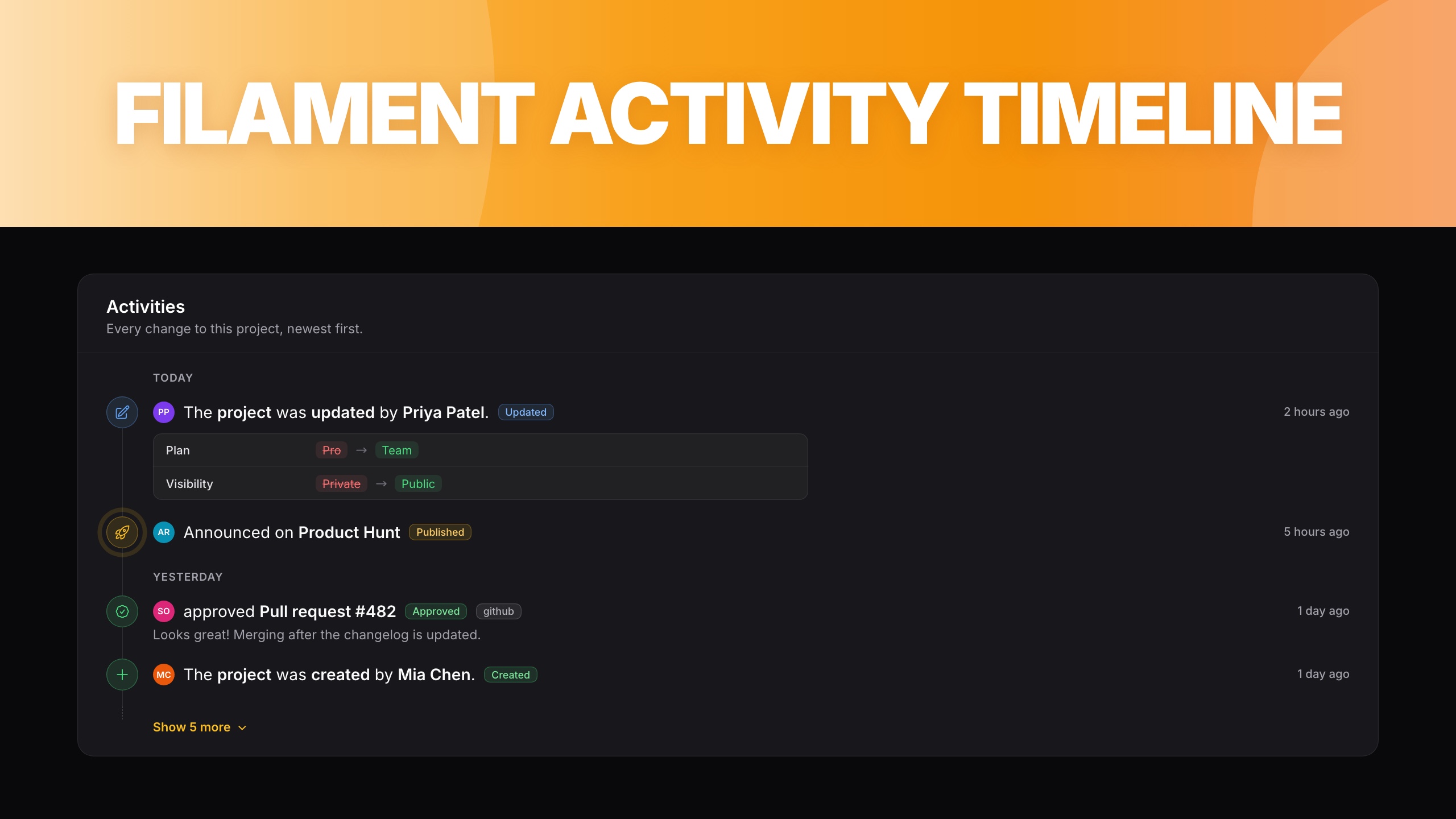


Beautiful activity timelines for Filament infolists, pages and actions, with first-class support for Spatie Activitylog.
#Requirements
- PHP 8.2+
- Laravel 11.28+
- Filament v4.x or v5.x
- A custom Filament theme (Tailwind CSS v4)
- Optional:
spatie/laravel-activitylogv4.10+ or v5.x for the activity log integration
#Installation
composer require jaocero/activity-timeline
Add the plugin's views to your custom theme's CSS file (usually resources/css/filament/admin/theme.css), then rebuild your assets:
@source '../../../../vendor/jaocero/activity-timeline/resources/views';
#Usage
Wrap the timeline entries in an ActivitySection. It works like a RepeatableEntry: give it the key of an array (or relationship) and describe each item with the timeline entries.
use Filament\Schemas\Schema;
use Filament\Support\Icons\Heroicon;
use JaOcero\ActivityTimeline\Components\ActivityDate;
use JaOcero\ActivityTimeline\Components\ActivityDescription;
use JaOcero\ActivityTimeline\Components\ActivityIcon;
use JaOcero\ActivityTimeline\Components\ActivitySection;
use JaOcero\ActivityTimeline\Components\ActivityTitle;

public function infolist(Schema $schema): Schema
{
    return $schema
        ->state([
            'activities' => [
                ['title' => 'Published article', 'description' => 'Live on the blog.', 'status' => 'published', 'created_at' => now()],
                ['title' => 'Drafting article', 'description' => 'Writing the first draft.', 'status' => 'drafting', 'created_at' => now()->subDays(2)],
            ],
        ])
        ->components([
            ActivitySection::make('activities')
                ->label('My activities')
                ->description('These are the activities that have been recorded.')
                ->schema([
                    ActivityTitle::make('title'),
                    ActivityDescription::make('description'),
                    ActivityDate::make('created_at')->date('F j, Y'),
                    ActivityIcon::make('status')
                        ->icon(fn (?string $state): ?Heroicon => match ($state) {
                            'drafting' => Heroicon::OutlinedPencil,
                            'published' => Heroicon::OutlinedRocketLaunch,
                            default => null,
                        })
                        ->color(fn (?string $state): string => $state === 'published' ? 'success' : 'gray'),
                ]),
        ]);
}
ActivityTitle, ActivityDescription, ActivityDate and ActivityBadge extend Filament's TextEntry, so formatStateUsing(), placeholder(), html(), markdown(), limit(), date(), since(), dateTooltip() and friends all work. ActivityIcon extends IconEntry. Any other entry you add to the schema (for example a TextEntry) is rendered below the item.
Items without an icon get a colored dot. HTML is escaped unless you call html(), and html() output is sanitized.
#Entries
| Entry | Shows |
|---|---|
ActivityIcon |
The node on the rail. icon(), color() and animation(IconAnimation::Ping | Spin | Pulse | Bounce) |
ActivityTitle |
The title |
ActivityDescription |
Text below the title |
ActivityDate |
The date, right aligned. relative() shows "2 hours ago" with the full date in a tooltip |
ActivityBadge |
A pill next to the title. Defaults to colors for created, updated, deleted and restored |
ActivityCauser |
An avatar (or initials) next to the title. Accepts a model, a name, or ['name' => ..., 'avatar' => ...]. showName() |
ActivityChanges |
A before → after list from ['old' => [...], 'attributes' => [...]]. attributeLabels(), formatValueUsing(), only(), except() |
#Section options
ActivitySection::make('activities')
    ->aside()                 // Heading on the side, like an aside section
    ->contained(false)        // No card
    ->compact()               // Smaller nodes and tighter spacing
    ->headingVisible(false)
    ->groupByDate()           // "Today", "Yesterday" and date separators
    ->reverse()               // Oldest first
    ->showItemsCount(5)       // Reveal 5 items at a time, in the browser
    ->showItemsLabel('View older')
    ->showItemsIcon(Heroicon::ChevronDown)
    ->showItemsColor('primary')
    ->scrollOnShowMore(false) // Revealed items scroll into view by default
    ->loadMore('loadMoreActivities', hasMoreItems: fn (): bool => $this->hasMore) // Calls a Livewire method
    ->emptyStateHeading('No activities yet')
    ->emptyStateDescription('Check back later.')
    ->emptyStateIcon(Heroicon::OutlinedBoltSlash);
#Spatie Activitylog
Install and set up spatie/laravel-activitylog, then add LogsActivity to your models. Both v4 and v5 are supported.
#In any infolist
ActivityLogSection loads the activities of the infolist's record, with icons, causer avatars, event badges, relative dates and a changes list already configured:
use JaOcero\ActivityTimeline\Components\ActivityLogSection;

public static function infolist(Schema $schema): Schema
{
    return $schema->components([
        // ...
        ActivityLogSection::make()
            ->limit(25)
            ->groupByDate(),
    ]);
}
It can be customized:
ActivityLogSection::make()
    ->subject(fn (Order $record): Model => $record->customer)
    ->modifyQueryUsing(fn (Builder $query): Builder => $query->inLog('orders'))
    ->eventIcons(['shipped' => Heroicon::OutlinedTruck])
    ->eventColors(['shipped' => 'primary'])
    ->attributeLabels(['customer_id' => 'Customer'])
    ->formatChangeValueUsing(fn (mixed $value, string $attribute): mixed => $attribute === 'total' ? Number::currency($value / 100) : $value)
    ->getTitleUsing(fn (array $activity): string => $activity['description'])
    ->getDescriptionUsing(fn (array $activity): ?string => $activity['properties']['note'] ?? null);
#In a slide-over
use JaOcero\ActivityTimeline\Actions\ActivityTimelineAction;

->recordActions([
    ActivityTimelineAction::make()
        ->timeline(fn (ActivityLogSection $timeline): ActivityLogSection => $timeline->limit(100)),
])
#On a resource page
Create a page that extends ActivityTimelinePage, and register it with a route containing {record}:
use JaOcero\ActivityTimeline\Components\ActivityLogSection;
use JaOcero\ActivityTimeline\Pages\ActivityTimelinePage;

class ViewOrderActivities extends ActivityTimelinePage
{
    protected static string $resource = OrderResource::class;

    protected function getActivitiesPerPage(): int
    {
        return 20; // Older activities load with a "Load older activities" button
    }

    protected function configureActivitySection(ActivityLogSection $section): ActivityLogSection
    {
        return $section->eventIcons(['shipped' => Heroicon::OutlinedTruck]);
    }

    protected function modifyActivitiesQuery(Builder $query): Builder
    {
        return $query->inLog('orders');
    }
}
public static function getPages(): array
{
    return [
        // ...
        'activities' => Pages\ViewOrderActivities::route('/{record}/activities'),
    ];
}
Action::make('activities')
    ->url(fn (Order $record): string => OrderResource::getUrl('activities', ['record' => $record])),
#Styling
The timeline uses Filament's own section, badge, link and avatar styles, so it follows your panel's colors and dark mode. Every element has a CSS hook class for customization:
fi-timeline, fi-timeline-compact, fi-timeline-section, fi-timeline-list, fi-timeline-group-label, fi-timeline-item, fi-timeline-item-rail, fi-timeline-item-node, fi-timeline-item-icon, fi-timeline-item-dot, fi-timeline-item-content, fi-timeline-item-header, fi-timeline-item-causer, fi-timeline-item-title, fi-timeline-item-badge, fi-timeline-item-date, fi-timeline-item-description, fi-timeline-item-changes, fi-timeline-item-change, fi-timeline-item-change-old, fi-timeline-item-change-new, fi-timeline-item-extras, fi-timeline-show-more, fi-timeline-load-more, fi-timeline-empty-state.
.fi-timeline-item-title {
    @apply font-semibold;
}
All strings can be translated by publishing the translations:
php artisan vendor:publish --tag=activity-timeline-translations
#Upgrading
#From v1.x (Filament v3)
- Requires Filament v4 or v5. Infolists are now schemas: change
activityInfolist(Infolist $infolist): InfolisttoactivityInfolist(Schema $schema): Schema. - Replace the
tailwind.config.jscontent path with the@sourceline above. modifyState()andallowHtml()still work, but are deprecated in favor of Filament'sformatStateUsing()andhtml(). HTML is now sanitized.ActivityTimelinePage::configuration()still works and only needs the keys you change. It is deprecated in favor ofconfigureActivitySection()andmodifyActivitiesQuery().- The page now shows the activities 20 at a time with a "Load older activities" button, uses relative dates, groups by day and is no longer
asideby default. Set'aside' => trueor'date' => 'F j, Y g:i A'inconfiguration()to restore the old look. - Spatie Activitylog v5 is supported: changes are read from
attribute_changes, and frompropertieson v4.
#Testing
composer test
#Changelog
Please see CHANGELOG for more information on what has changed recently.
#Contributing
Please see CONTRIBUTING for details.
#Security Vulnerabilities
Please review our security policy on how to report security vulnerabilities.
#Credits
#License
The MIT License (MIT). Please see License File for more information.
The author
Jay-Are Ocero is a full stack developer and UI/UX designer who always been passionate about web development.
From the same author
Featured Plugins
A selection of plugins curated by the Filament team

Sharp Theme
A theme that gives panels a precise, technical look with square corners, strong borders, and clear contrast.
 Filament

Advanced Tables (formerly Filter Sets)
Supercharge your tables with powerful features like user-customizable views, quick filters, multi-column sorting, advanced table searching, convenient view management, and more. Compatible with Resource Panel Tables, Relation Managers, Table Widgets, and Table Builder!
 Kenneth Sese

Spotlight Pro
Browse your Filament Panel with ease. Filament Spotlight Pro adds a Spotlight like Command Palette to your Filament Panel.
 Dennis Koch
