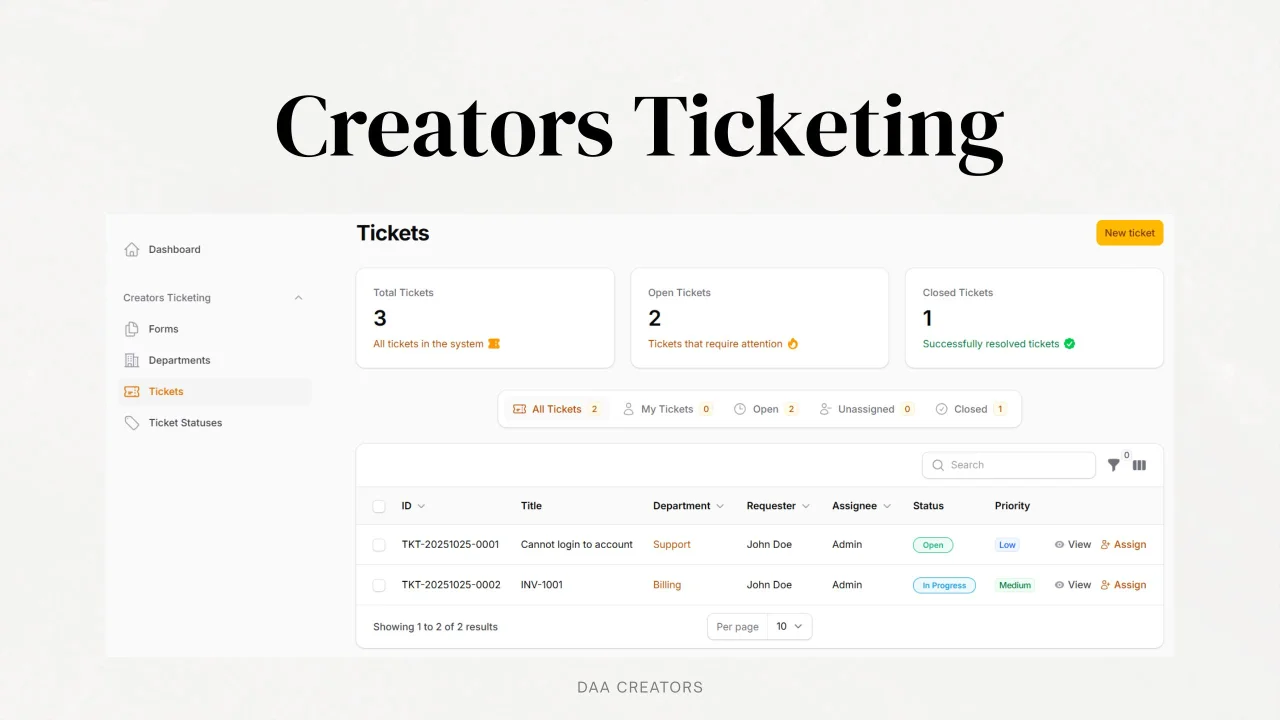
Creators Ticketing
CommunityA robust and dynamic ticketing system plugin for Filament, providing a complete helpdesk solution for your Laravel application.
filament/
namespace. Review the source and install at your own risk. Found
malware or an unresolved security issue the author won't
address?
Report it
.
 Author:
Jabir Khan
Author:
Jabir Khan
Documentation
- Need a Helpdesk for Your Shopify Store?
- Screenshots
- Features
- Requirements
- Installation
- Upgrading
- Configuration
- Multi-language Support
- Usage
- Dashboard Widget
- Events System
- Automation Rules
- Managing Spam Filters
- Security
- Contributing
- Support the Project
- License
- Credits
- Support



A robust and dynamic ticketing system plugin for Filament, providing a complete helpdesk solution for your Laravel application.
#Need a Helpdesk for Your Shopify Store?
 Creators Helpdesk – A modern, lightweight helpdesk for Shopify merchants. Try it free for 14 days.
#Screenshots
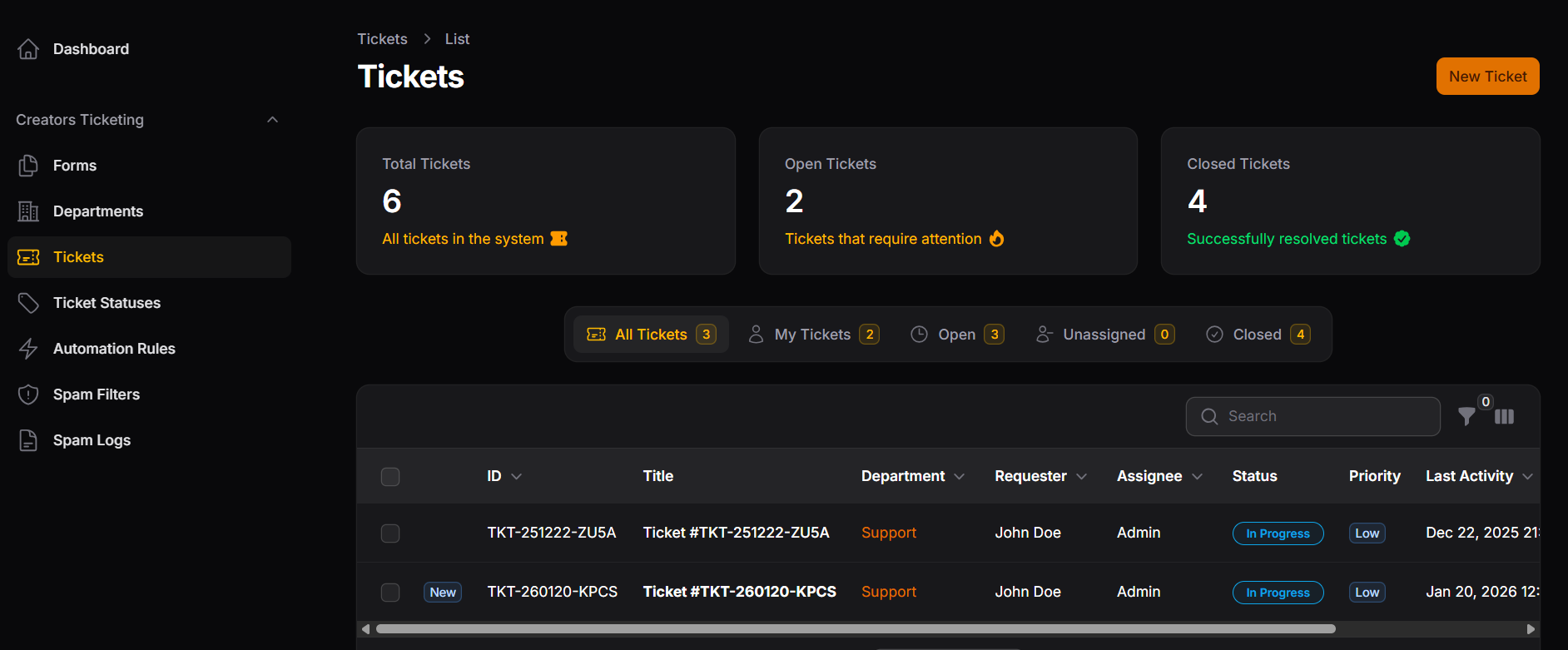 Tickets List
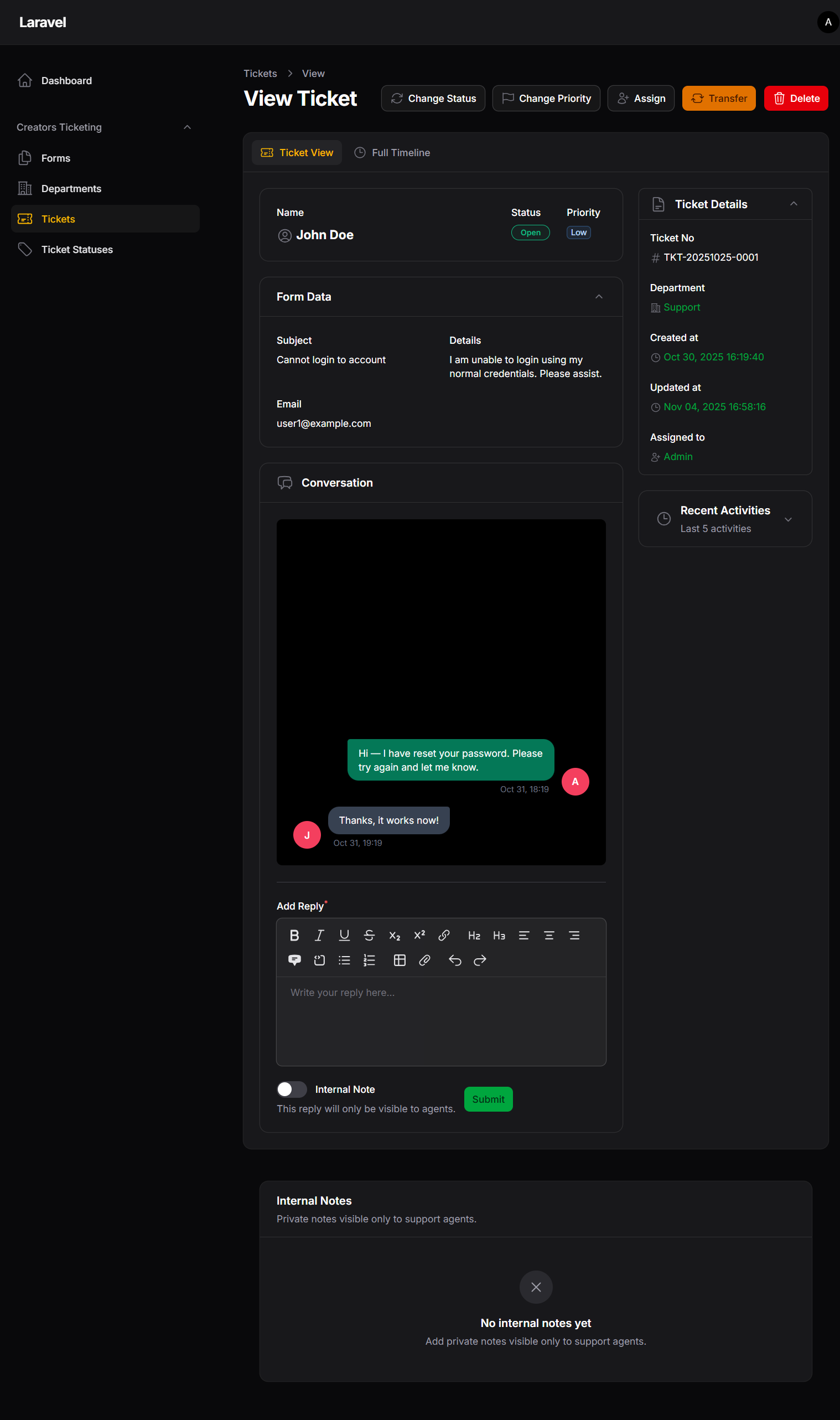 Ticket View
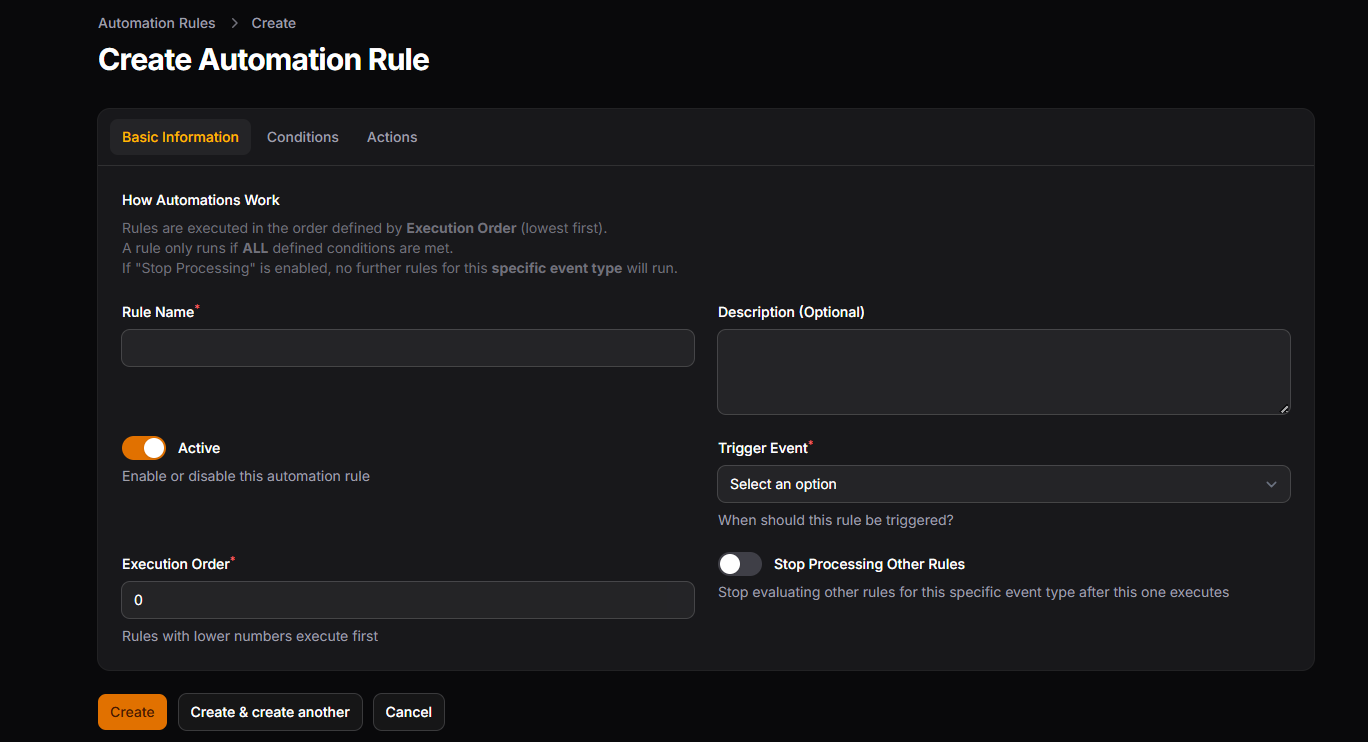 Create Automation
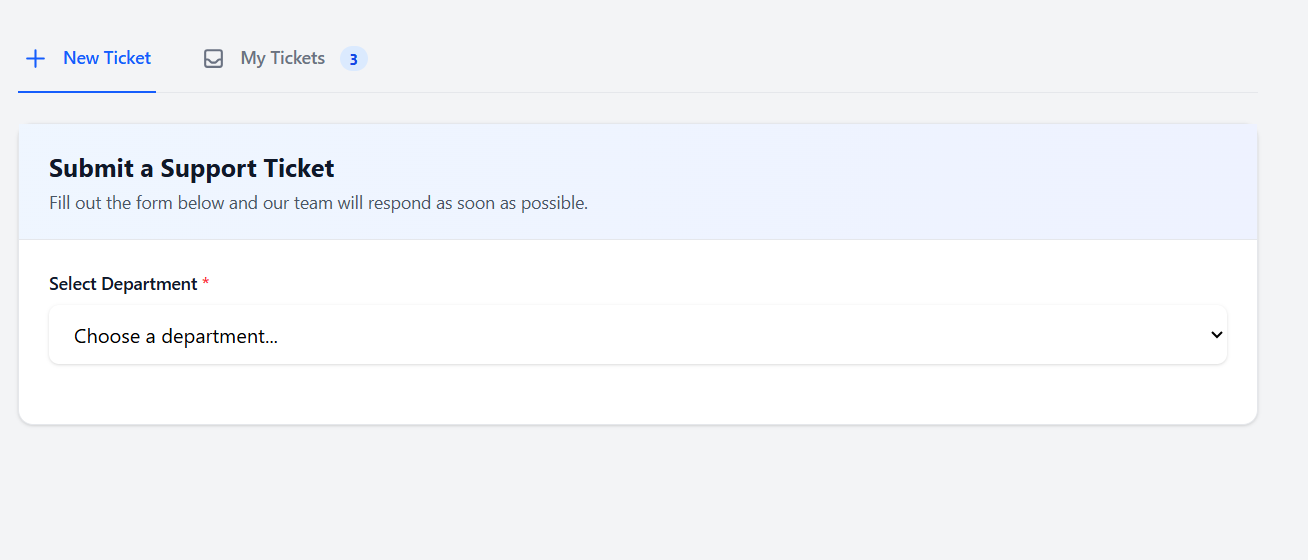 Submit Ticket Form
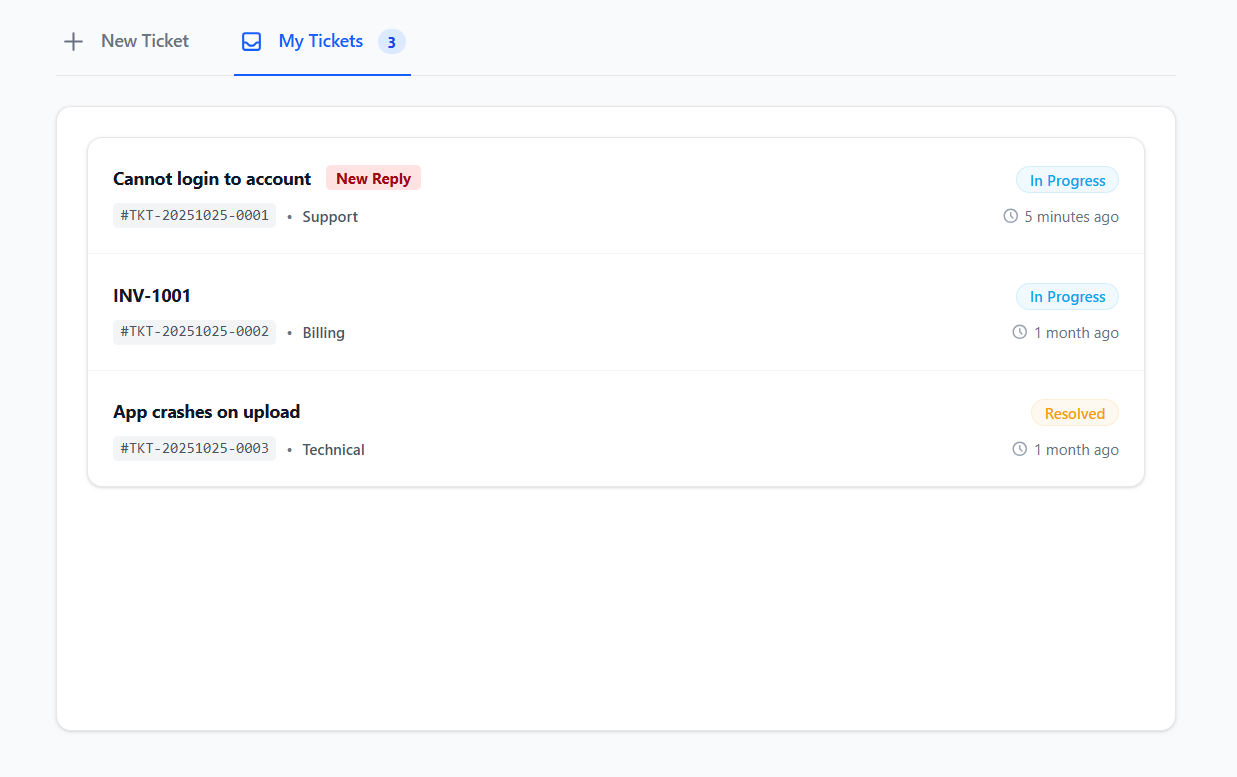 User's Tickets List
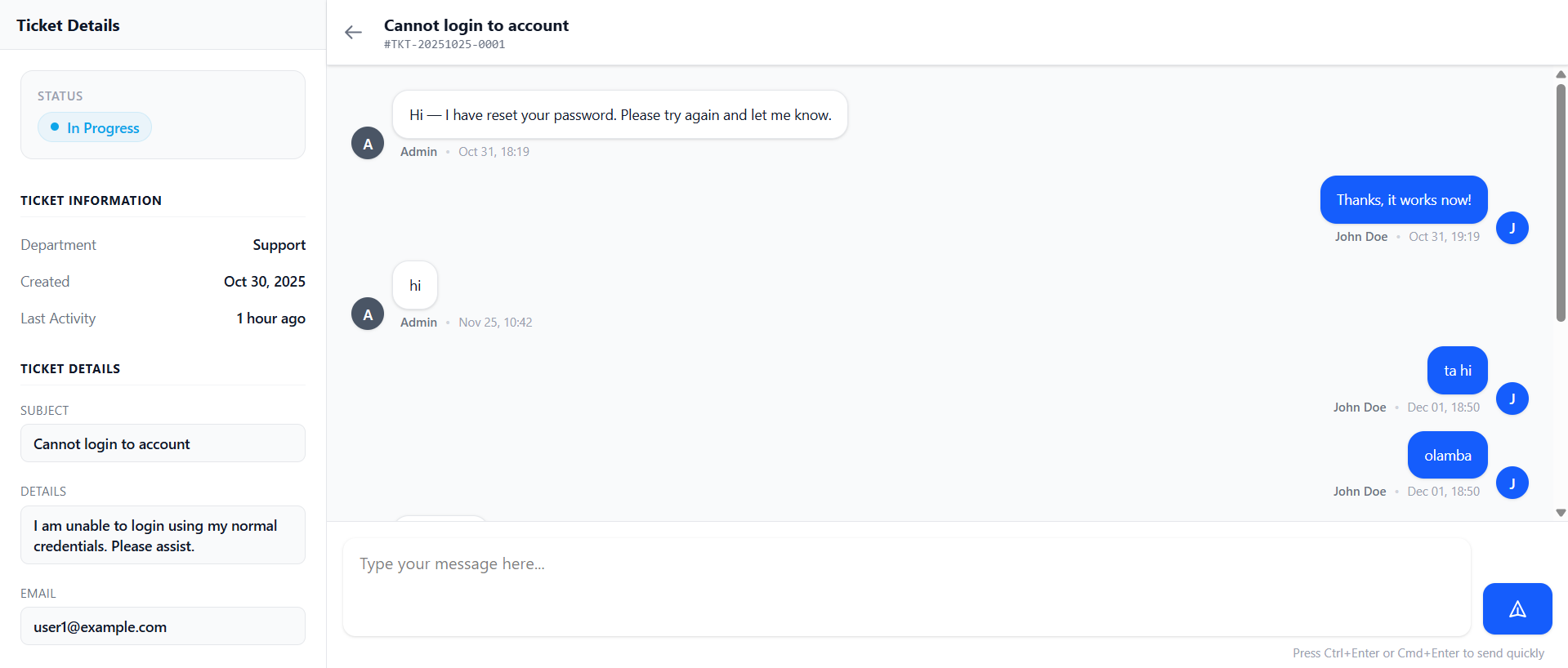 User's Chat View
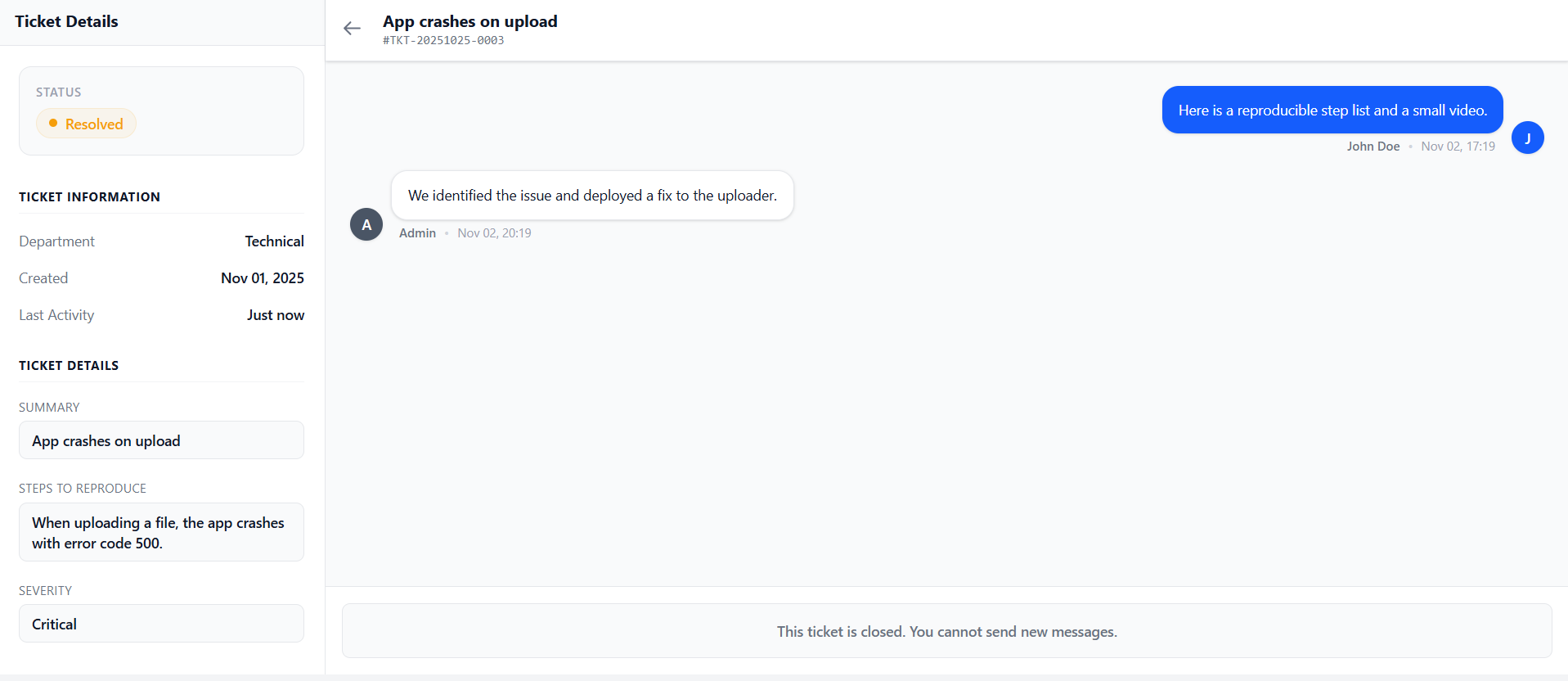 User's Chat View with Closed Status
#Features
- Full ticketing system with departments and forms
- Agent management with department assignments
- Custom form builder for ticket submissions
- Real-time ticket chat using Livewire
- Ticket statistics dashboard widget
- Granular permission system
- Read/Unread status indicators for agents
- File attachments support
- Advanced spam protection system
- Responsive design
- Multi-language support
- Event system for extensibility
- Automation based on events
- Seamless integration with Filament
#Requirements
- PHP 8.2 or higher
- Laravel 11.x|12.x
- Filament 4.1.7|5.1 or higher
- Livewire 3.x
#Installation
You can install the package via composer:
composer require daacreators/creators-ticketing
After installation, publish the config file:
php artisan vendor:publish --tag="creators-ticketing-config"
#Setup: Filament Panel Integration
The plugin integration code should be added to your main Filament admin panel provider file, which is typically located at:
app/Providers/Filament/AdminPanelProvider.php
Open your AdminPanelProvider.php file and modify the panel() method as shown below:
use Filament\Panel;
use Filament\PanelProvider;
use daacreators\CreatorsTicketing\TicketingPlugin;

class AdminPanelProvider extends PanelProvider
{
    public function panel(Panel $panel): Panel
    {
        return $panel
            ->default()
            ->plugins([
                TicketingPlugin::make(),
            ]);
    }
}
Run the migrations:
php artisan migrate
#Seeding Ticket Statuses
After running migrations, you can seed default ticket statuses using the provided seeder:
php artisan db:seed --class=daacreators\\CreatorsTicketing\\Database\\Seeders\\TicketStatusSeeder
This will create the following default ticket statuses:
- Open (Blue) - Default status for new tickets
- In Progress (Amber) - Tickets being worked on
- Answered (Green) - Tickets that have been answered
- Pending (Purple) - Tickets waiting for response
- Resolved (Green) - Tickets that have been resolved
- Closed (Gray) - Closing status for completed tickets
The seeder uses updateOrCreate to prevent duplicates, so you can safely run it multiple times.
#Upgrading
#Upgrading from v1.1.8 to v1.1.9
⚠️ Important: Version v1.1.9 and introduces new fields to the database table. If you are upgrading from a previous version, you must run the migrations after updating the package to ensure the system functions correctly:
php artisan migrate
#Configuration
#Basic Configuration
Configure the package by setting values in your .env file or directly in the config/creators-ticketing.php file:
TICKETING_NAV_GROUP="Creators Ticketing"

USER_MODEL="\App\Models\User"

TICKETING_NAV_FIELD=email
TICKETING_NAV_ALLOWED=admin@demo.com,manager@demo.com
#UUID / ULID / Nanoid user IDs
This package now creates user_id, assignee_id, and seen_by columns using the configured user ID type.
- UUID: no extra config needed (default for non-int keys)
- ULID: no extra config needed if your user model uses
HasUlids - Custom string (e.g. nanoid): set the key type + length so foreign keys match your
users.id
TICKETING_USER_KEY_TYPE=char
TICKETING_USER_KEY_LENGTH=21
#Navigation Visibility
You can control who sees the ticketing resources in the admin panel by configuring the navigation visibility rules:
'navigation_visibility' => [
    'field' => 'email',
    'allowed' => ['admin@site.com', 'manager@site.com']
],
#Multi-language Support
This plugin is fully localized and supports multiple languages out of the box. It automatically detects and uses your application's current locale configuration (config/app.php).
Currently supported languages:
- 🇺🇸 English (
en) - Default - 🇪🇸 Spanish (
es) - 🇧🇷 Portuguese (Brazil) (
pt_BR) - 🇫🇷 French (
fr) - 🇩🇪 German (
de) - 🇸🇦 Arabic (
ar) - 🇨🇳 Chinese (Simplified) (
zh_CN)
#Publishing Translations
If you wish to modify the texts or add a new language, you can publish the translation files:
php artisan vendor:publish --tag="creators-ticketing-translations"
#Usage
#Creating Forms
- Go to the Forms section in the admin panel
- Create a new form with custom fields
#Setting Up Departments
- Navigate to the Filament admin panel
- Go to the Departments section
- Create departments and assign agents
- Assign the form to specific departments
#Managing Tickets
Tickets can be managed through the Filament admin panel. You can:
- View all tickets (New updates are marked with a "NEW" badge)
- Assign tickets to agents
- Change ticket status
- Add internal notes
- Communicate with users
- Track ticket activities
#Frontend Integration
To add the tickets and ticket submission form to your frontend:
@livewire('creators-ticketing.ticket-submit-form')
#Dashboard Widget
The package includes a ticket statistics widget. Add it to your Filament dashboard:
use daacreators\CreatorsTicketing\Filament\Widgets\TicketStatsWidget;

class DashboardConfig extends Config
{
    public function widgets(): array
    {
        return [
            TicketStatsWidget::class,
        ];
    }
}
#Events System
The plugin dispatches events for major ticket actions, allowing you to extend functionality with custom listeners.
#Available Events
All events are located in the daacreators\CreatorsTicketing\Events namespace:
| Event | Triggered When | Properties |
|---|---|---|
TicketCreated |
A new ticket is created | Ticket $ticket, ?User $user |
TicketAssigned |
Ticket is assigned/reassigned | Ticket $ticket, ?int $oldAssigneeId, ?int $newAssigneeId, ?User $assignedBy |
TicketStatusChanged |
Ticket status changes | Ticket $ticket, ?TicketStatus $oldStatus, TicketStatus $newStatus, ?User $changedBy |
TicketPriorityChanged |
Ticket priority changes | Ticket $ticket, TicketPriority $oldPriority, TicketPriority $newPriority, ?User $changedBy |
TicketTransferred |
Ticket moved to another department | Ticket $ticket, Department $oldDepartment, Department $newDepartment, ?User $transferredBy |
TicketReplyAdded |
Public reply added to ticket | Ticket $ticket, TicketReply $reply |
InternalNoteAdded |
Internal note added | Ticket $ticket, TicketReply $note |
TicketClosed |
Ticket status changed to closing status | Ticket $ticket, ?User $closedBy |
TicketDeleted |
Ticket is deleted | int $ticketId, string $ticketUid, ?User $deletedBy |
Model Classes:
Ticket→daacreators\CreatorsTicketing\Models\TicketTicketStatus→daacreators\CreatorsTicketing\Models\TicketStatusTicketReply→daacreators\CreatorsTicketing\Models\TicketReplyDepartment→daacreators\CreatorsTicketing\Models\DepartmentTicketPriority→daacreators\CreatorsTicketing\Enums\TicketPriority(Enum)User→ Your configured user model (default:App\Models\User)
Note: Properties marked with
?are nullable and may benullin certain contexts.
#Automation Rules
Automation rules allow you to automate actions on tickets based on specific events and conditions.
#Supported Events
- Ticket created
- Ticket updated
- Status changed
- Priority Changed
- Ticket assigned
- Reply Added
- Internal Note Added
#Conditions
- Department
- Form
- Status
- Priority
- Assignee
- Requester
- Created within X hours
- Last activity within X hours
#Actions
- Assign ticket to agent
- Change ticket status
- Change ticket priority
- Transfer ticket to another department
- Add internal note
- Add public reply
#Managing Spam Filters
- Navigate to Spam Filters in the admin panel
- Click Create to add a new filter
- Select the filter type and action (block/allow)
- Add values (keywords, emails, IPs, or patterns)
- Set priority (higher numbers execute first)
- Optionally add a reason for internal reference
in config/creators-ticketing.php:
    'spam_protection' => [
        'enabled' => env('TICKETING_SPAM_PROTECTION', true),
        'rate_limiting' => [
            'enabled' => true,
            'max_tickets_per_hour' => 5,
            'max_tickets_per_day' => 20,
        ],
        'content_filtering' => [
            'enabled' => true,
            'check_links' => true,
            'max_links_allowed' => 3,
        ],
    ],
#Viewing Spam Logs
All blocked submissions are logged with complete details:
- Date and time of attempt
- User information
- Email and IP address
- Filter type that triggered
- Matched value
- Complete ticket data that was submitted
Access spam logs through Spam Logs in the admin panel.
#Security
The package includes built-in security features:
- Private file storage for attachments
- Permission-based access control
- Department-level agent restrictions
Note: attachments require storage/app/private to be writable by the PHP process. On some hosts (WSL/Docker/NFS bind mounts), permission changes like chmod may be denied; the package will continue to boot, but you must ensure correct ownership/permissions from the host.
#Contributing
Thank you for considering contributing to Creators Ticketing! You can contribute in the following ways:
- Report bugs
- Submit feature requests
- Submit pull requests
- Improve documentation
#Support the Project
If this package saves you time or helps your business, consider supporting its development.
#License
The MIT License (MIT). Please see License File for more information.
#Credits
#Support
If you discover any security-related issues, please email hello@jabirkhan.com.
Built with ❤️ by DAA Creators
The author
Jabir Khan is a software development focused on building high-quality web application and plugins for the Laravel and Filament ecosystem.
From the same author
Featured Plugins
A selection of plugins curated by the Filament team

Blueprint
Filament Blueprint is a premium Laravel Boost extension that helps AI agents produce accurate, detailed implementation plans and security reports for Filament apps.
 Filament

Custom Dashboards
Let your users build and share their own dashboards with a drag-and-drop interface. Define your data sources in PHP and let them do the rest.
Filament

Spotlight Pro
Browse your Filament Panel with ease. Filament Spotlight Pro adds a Spotlight/Raycast like Command Palette to your Filament Panel.
 Dennis Koch

