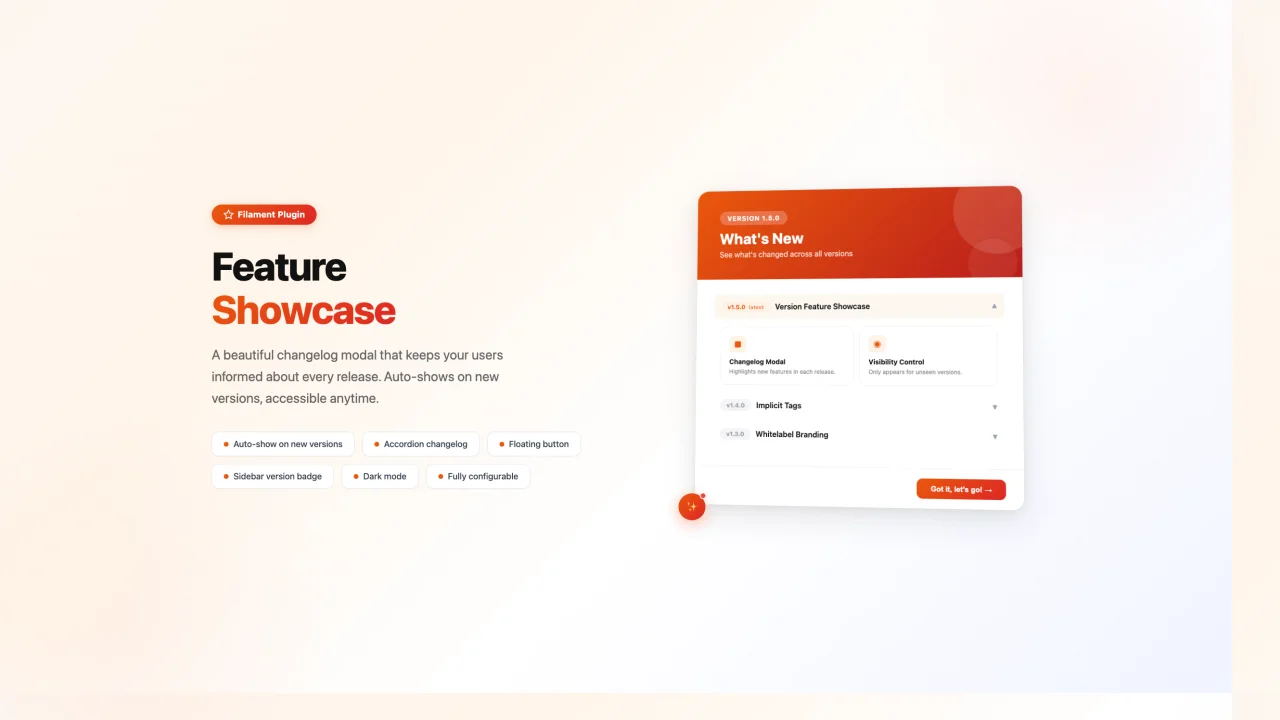
Feature Showcase
Keep your users in the loop with a beautiful changelog modal that auto-shows on new releases, an accordion version history, a floating "What's New" button, and an optional sidebar version badge.
 Author:
Helios Live
Author:
Helios Live
Documentation
A beautiful Filament plugin that displays a version changelog modal with an always-accessible "What's New" button. Keep your users informed about new features with an elegant, accordion-style changelog.
#Features
- Auto-show modal when a new version is released
- Accordion-style changelog showing all versions (newest first)
- Persistent floating "What's New" button with unseen version indicator
- Version label in the sidebar footer
- Fully configurable via a publishable config file
- Dark mode support
- Respects your Filament theme colors
#Installation
composer require helios-live/filament-feature-showcase
#Setup
#1. Register the plugin
Add the plugin to your AdminPanelProvider:
use HeliosLive\FilamentFeatureShowcase\FeatureShowcasePlugin;

public function panel(Panel $panel): Panel
{
    return $panel
        // ...
        ->plugin(FeatureShowcasePlugin::make());
}
#2. Publish the config
php artisan vendor:publish --tag=filament-feature-showcase-config
#3. Add to your theme
The plugin's Tailwind classes need to be included in your Filament theme. Add the following @source directive to your theme CSS file (usually resources/css/filament/admin/theme.css):
@source '../../../../vendor/helios-live/filament-feature-showcase/resources/**/*.blade.php';
Then rebuild your theme:
npm run build
#4. User model requirement
Your User model must have a JSON column to store the last seen version (defaults to preferences). The column must be cast to array:
protected $casts = [
    'preferences' => 'array',
];
If you don't have one, create a migration:
php artisan make:migration add_preferences_to_users_table
Schema::table('users', function (Blueprint $table) {
    $table->json('preferences')->nullable();
});
You can use a different column name by setting user_column in the config.
#Configuration
Edit config/filament-feature-showcase.php to define your versions and features:
return [
    'current' => '1.2.0',

    'user_column' => 'preferences',

    'preference_key' => 'last_seen_version',

    'dismiss_route' => '/admin/dismiss-version-showcase',

    'changelog' => [
        '1.2.0' => [
            'title' => 'Dark Mode Support',
            'description' => 'Full dark mode support across the platform.',
            'features' => [
                [
                    'icon' => 'heroicon-o-moon',
                    'title' => 'Dark Mode',
                    'description' => 'Toggle between light and dark themes.',
                ],
            ],
        ],

        '1.1.0' => [
            'title' => 'Search Improvements',
            'description' => 'Find what you need faster.',
            'features' => [
                [
                    'icon' => 'heroicon-o-magnifying-glass',
                    'title' => 'Global Search',
                    'description' => 'Search across all resources instantly.',
                ],
            ],
        ],
    ],
];
#Plugin Options
FeatureShowcasePlugin::make()
    ->showSidebarVersion(true)     // Show version in sidebar footer (default: true)
    ->showButton(true)             // Show the floating "What's New" button (default: true)
    ->buttonPosition('bottom-left') // Button position: bottom-left, bottom-right, top-left, top-right
#How It Works
- When a user logs in, the plugin checks their
last_seen_versionpreference againstconfig('filament-feature-showcase.current') - If the versions don't match, the modal auto-opens showing the latest version's features
- Clicking "Got it, let's go!" marks the version as seen
- The floating sparkles button is always available to re-open the changelog
- All versions are shown in a collapsible accordion, newest first
#License
MIT
Featured Plugins
A selection of plugins curated by the Filament team

Custom Dashboards
Let your users build and share their own dashboards with a drag-and-drop interface. Define your data sources in PHP and let them do the rest.
 Filament

Spotlight Pro
Browse your Filament Panel with ease. Filament Spotlight Pro adds a Spotlight/Raycast like Command Palette to your Filament Panel.
 Dennis Koch

Custom Fields
Eliminate custom field migrations forever. Let your users create and manage form fields directly in Filament admin panels with 20+ built-in field types, validation, and zero database changes.
 Relaticle

