
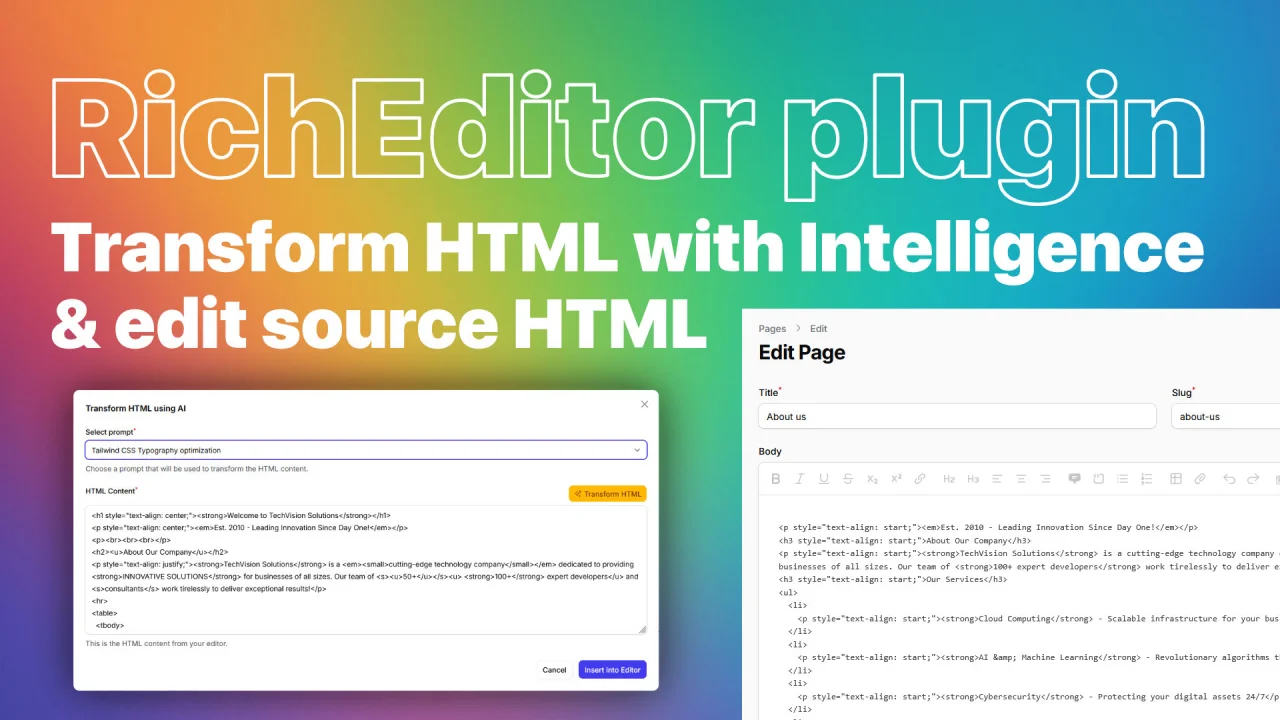
Rich Editor HTML Source with AI
CommunityHTML source view for Filament 4.x Rich Editor with AI-powered content transformation and cleanup
 Author:
Grzegorz Adamczyk
Author:
Grzegorz Adamczyk
Package health
BetaAutomated checks of this plugin's Composer package
15 checks
- Skipped: GitHub Actions pinned to SHA
- Skipped: GitLab CI includes pinned to SHA
- Passed: Open security advisories
- Passed: Dependabot PR responsiveness — No open Dependabot PRs.
- Skipped: Renovate MR responsiveness
- Skipped: Dependabot or Renovate configured
- Skipped: Dependency update cooldown configured
- Failed: Provides a security policy — View details on Plumb
- Passed: Abandoned or archived — No consulted source marks the package abandoned (packagist).
- Warning: Commit and release recency — Low activity: no commit date available; last release 181 days ago.
-
Passed:
composer.lock not committed by library
—
composer.lockis absent from the released dist archive. - Passed: Dist archive is lean
-
Passed:
Current Laravel version supported
—
Package dependencies resolve together with current Laravel
13.0. -
Passed:
Current PHP version supported
—
Constraint
^8.2supports current PHP8.5. - Skipped: Current Symfony version supported
filament/
namespace. Review the source and install at your own risk. Found
malware or an unresolved security issue the author won't
address?
Report it
.
Documentation
- ✨ Features
- 📋 Requirements
- 📦 Installation
- 🚀 Usage
- 🤖 AI-Powered HTML Transformation
- ⚙️ Configuration
- 🌍 Internationalization
- 🎨 Customization
- 💡 Use Cases
- 🧪 Testing
- 📝 Changelog
- 🤝 Contributing
- 🔒 Security
- 👨💻 Credits
- 📄 License
- 🙏 Acknowledgments




A powerful Filament 4.x plugin that enhances the Rich Editor component with editing HTML source capabilities and AI-powered HTML transformation. Edit raw HTML directly and leverage AI to clean, optimize, and transform your content automatically.
#✨ Features
- 🔍 HTML Source Mode - View and edit raw HTML content directly in the Rich Editor
- 🤖 AI-Powered HTML Transformation - Clean, optimize, and transform HTML using AI (OpenAI, Anthropic, etc.)
- ⌨️ Keyboard Shortcuts - Quick access with
Ctrl/Cmd + Shift + L - 🎨 Customizable Prompts - Define your own AI transformation prompts
- 🌍 Multi-language Support - Comes with English, Polish, and German translations
- 🔌 Plug & Play - Automatically integrates with all Rich Editor instances
- 🎯 Tailwind CSS Ready - Includes prompt preset for Tailwind Typography optimization
- ♿ WCAG Compliance - AI can transform content to meet accessibility standards
#📋 Requirements
- PHP 8.2 or higher
- Laravel 10.x, 11.x or 12.x
- Filament 4.x
- Prism PHP for AI integration
#📦 Installation
Install the package via Composer:
composer require naturalgroove/laravel-filament-rich-editor-source-ai
#Publish Configuration
Optionally publish the configuration file to customize AI providers and prompts:
php artisan vendor:publish --tag="filament-rich-editor-source-ai-config"
#Publish Translations
To customize translations:
php artisan vendor:publish --tag="filament-rich-editor-source-ai-translations"
#🚀 Usage
#Basic Setup
The plugin automatically registers itself globally with all Rich Editor instances. No additional configuration required!
use Filament\Forms\Components\RichEditor;

RichEditor::make('content')
    ->label('Content')
    ->toolbarButtons([
        ...,
        'source-ai',              // HTML Source editor button
        'source-ai-transform',    // AI Transform button
    ]);
#Available Toolbar Buttons
source-ai- Toggle HTML source mode to view/edit raw HTMLsource-ai-transform- Opens AI transformation modal with predefined prompts
#Keyboard Shortcuts
| Shortcut | Action |
|---|---|
Ctrl + Shift + L (Windows/Linux)Cmd + Shift + L (Mac) |
Toggle HTML source mode |
Esc |
Exit source mode |
#🤖 AI-Powered HTML Transformation
#How It Works

- Click the Transform HTML button in the Rich Editor toolbar
- Select a transformation prompt from the dropdown
- Preview and edit the HTML content
- Click Transform HTML to apply AI optimization
- Review the transformed content and insert it back into the editor
#Default Configuration
The plugin comes with a preconfigured AI setup:
// config/filament-rich-editor-source-ai.php
return [
    'default' => [
        'provider' => Provider::OpenAI,
        'model' => 'gpt-4o-mini',
    ],

    'config' => [
        'max_tokens' => 32000,
        'timeout' => 15,
    ],

    'prompts' => [
        'tailwind-css-typography-optimization' => [
            'label' => 'Tailwind CSS Typography optimization',
            'description' => 'Optimize HTML content for Tailwind CSS typography plugin (prose)',
            'prompt' => 'cleanup this file - Tailwindcss typography plugin...',
        ],
    ],
];
#Custom AI Prompts
Add your own transformation prompts in the configuration file:
// config/filament-rich-editor-source-ai.php
'prompts' => [
    'remove-inline-styles' => [
        'label' => 'Remove Inline Styles',
        'description' => 'Strip all inline styles from HTML',
        'prompt' => 'Remove all inline style attributes from the HTML while preserving the structure and content.',
    ],

    'improve-accessibility' => [
        'label' => 'Improve Accessibility',
        'description' => 'Enhance HTML for WCAG compliance',
        'prompt' => 'Transform this HTML to meet WCAG 2.1 AA standards. Add proper ARIA labels, ensure semantic HTML, and improve accessibility.',
    ],

    'convert-to-semantic-html' => [
        'label' => 'Semantic HTML Conversion',
        'description' => 'Convert divs to semantic HTML5 elements',
        'prompt' => 'Convert this HTML to use semantic HTML5 elements (article, section, aside, nav, etc.) instead of generic divs where appropriate.',
    ],

    'minify-html' => [
        'label' => 'Minify HTML',
        'description' => 'Remove unnecessary whitespace and comments',
        'prompt' => 'Minify this HTML by removing unnecessary whitespace, comments, and optimizing the structure while keeping it readable.',
    ],
];
#Supported AI Providers
Configure your preferred AI provider via the Prism PHP package:
- OpenAI (GPT-4, GPT-4o, GPT-3.5)
- Anthropic (Claude)
- Ollama (Local models)
- Mistral
- Groq
- And many more...
#Setup AI Provider
- Install Prism PHP (already included as dependency)
- Configure your API keys in
.env:
OPENAI_API_KEY=your-openai-api-key
ANTHROPIC_API_KEY=your-anthropic-api-key
- Update the provider in config:
// config/filament-rich-editor-source-ai.php
'default' => [
    'provider' => Provider::Anthropic,  // or Provider::OpenAI, Provider::Ollama, etc.
    'model' => 'claude-3-5-sonnet-20241022',
],
#⚙️ Configuration
#Full Configuration Example
<?php

use Prism\Prism\Enums\Provider;

return [
    // Default AI provider and model
    'default' => [
        'provider' => Provider::OpenAI,
        'model' => 'gpt-4o-mini',
    ],

    // System prompt used for all AI transformations
    'system-prompt' => 'You are an expert HTML content transformer...',

    // Available transformation prompts
    'prompts' => [
        'tailwind-css-typography-optimization' => [
            'label' => 'Tailwind CSS Typography optimization',
            'description' => 'Optimize HTML content for Tailwind CSS typography plugin (prose)',
            'prompt' => 'cleanup this file - Tailwindcss typography plugin (prose) is used...',
        ],

        // Add your custom prompts here
    ],
];
#System Prompt Customization
The system-prompt defines the AI's behavior and guidelines. Customize it to match your needs:
'system-prompt' => 'You are an expert HTML content transformer specialized in creating clean, accessible, and modern web content. Transform HTML according to the given instructions while maintaining semantic meaning and improving code quality.',
#🌍 Internationalization
The plugin includes translations for:
- 🇬🇧 English (en)
- 🇵🇱 Polish (pl)
- 🇩🇪 German (de)
#Available Translation Keys
// resources/lang/en/editor.php
return [
    'source' => 'HTML Source',
    'transform-html' => 'Transform HTML',
    'exit_source' => 'Exit HTML Source',

    'transform-html-modal' => [
        'heading' => 'Transform HTML using AI',
        'prompt-label' => 'Select prompt',
        'prompt-helper-text' => 'Choose a prompt that will be used to transform the HTML content.',
        'html-content-label' => 'HTML Content',
        'html-content-helper-text' => 'This is the HTML content from your editor.',
        'transform-button' => 'Transform HTML',
        'submit-label' => 'Insert into Editor',
        'prompt-required' => 'Please select a prompt before transforming.',
    ],
];
#Adding Custom Languages
Publish the translations and add your language:
php artisan vendor:publish --tag="filament-rich-editor-source-ai-translations"
Then create a new language file in resources/lang/vendor/filament-rich-editor-source-ai/{locale}/editor.php.
#🎨 Customization
Javascript assets will be published to public/js/naturalgroove/laravel-filament-rich-editor-source-ai/.
Css assets will be published to public/css/naturalgroove/laravel-filament-rich-editor-source-ai/.
#💡 Use Cases
#1. Clean Pasted Content
Users often paste content from Word, Google Docs, or websites that contains messy HTML with inline styles. Use the AI transformation to clean it up automatically.
#2. Optimize for Tailwind CSS
When using Tailwind's Typography plugin (@tailwindcss/typography), the AI can remove unnecessary classes and optimize HTML structure.
#3. Ensure Accessibility
Transform existing content to meet WCAG guidelines, adding proper semantic HTML, ARIA labels, and improving overall accessibility.
#4. Convert Legacy HTML
Modernize old HTML with deprecated tags and attributes into clean, semantic HTML5.
#5. Standardize Content
Ensure consistent HTML structure across your application by transforming content to follow your standards.
#🧪 Testing
Run the test suite:
composer test
Run static analysis:
composer analyse
Format code:
composer format
#📝 Changelog
Please see CHANGELOG for more information on what has changed recently.
#🤝 Contributing
Contributions are welcome! Please feel free to submit a Pull Request.
#🔒 Security
If you discover any security-related issues, please email naturalgroove@gmail.com instead of using the issue tracker.
#👨💻 Credits
#📄 License
The MIT License (MIT). Please see License File for more information.
#🙏 Acknowledgments
This package uses:
- Filament - The elegant TALL stack admin panel
- Prism PHP - AI integration abstraction layer
- Spatie Laravel Package Tools - Package development utilities
Made with ❤️ by NaturalGroove
The author
From the same author
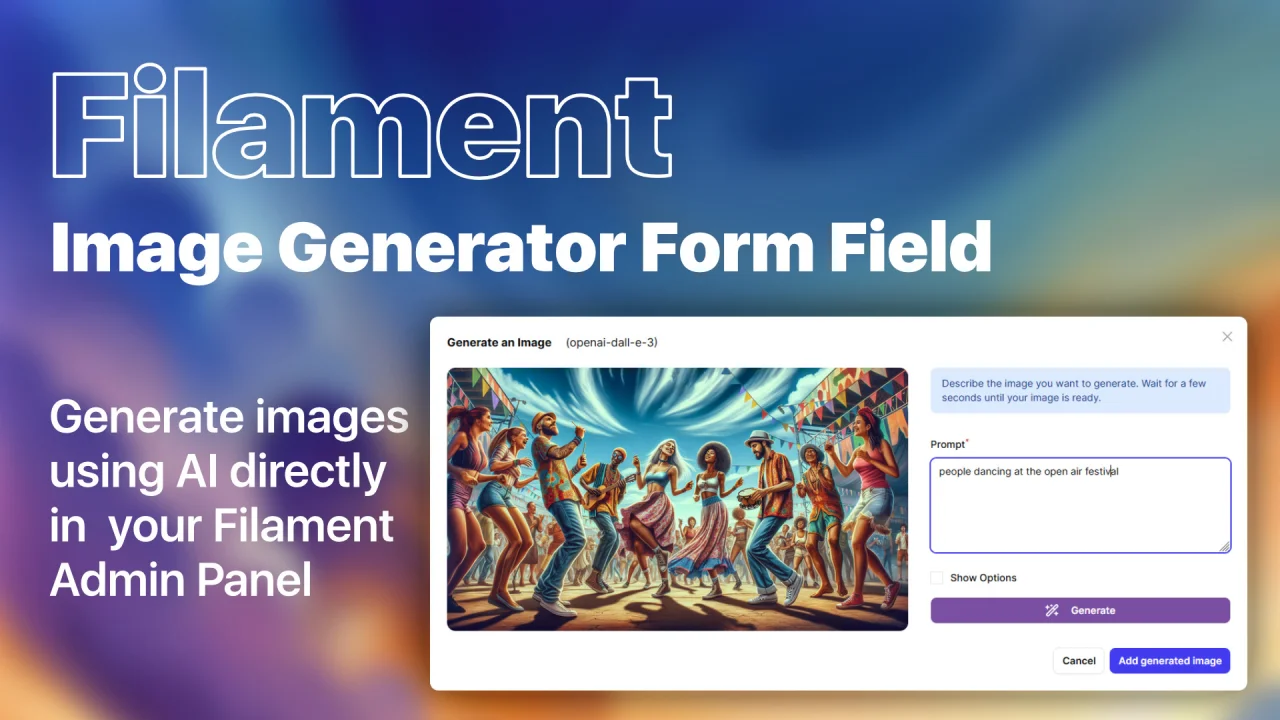
Image Generator Field
Generate images using AI models directly in your Filament Admin Panel!
Author:
Grzegorz Adamczyk
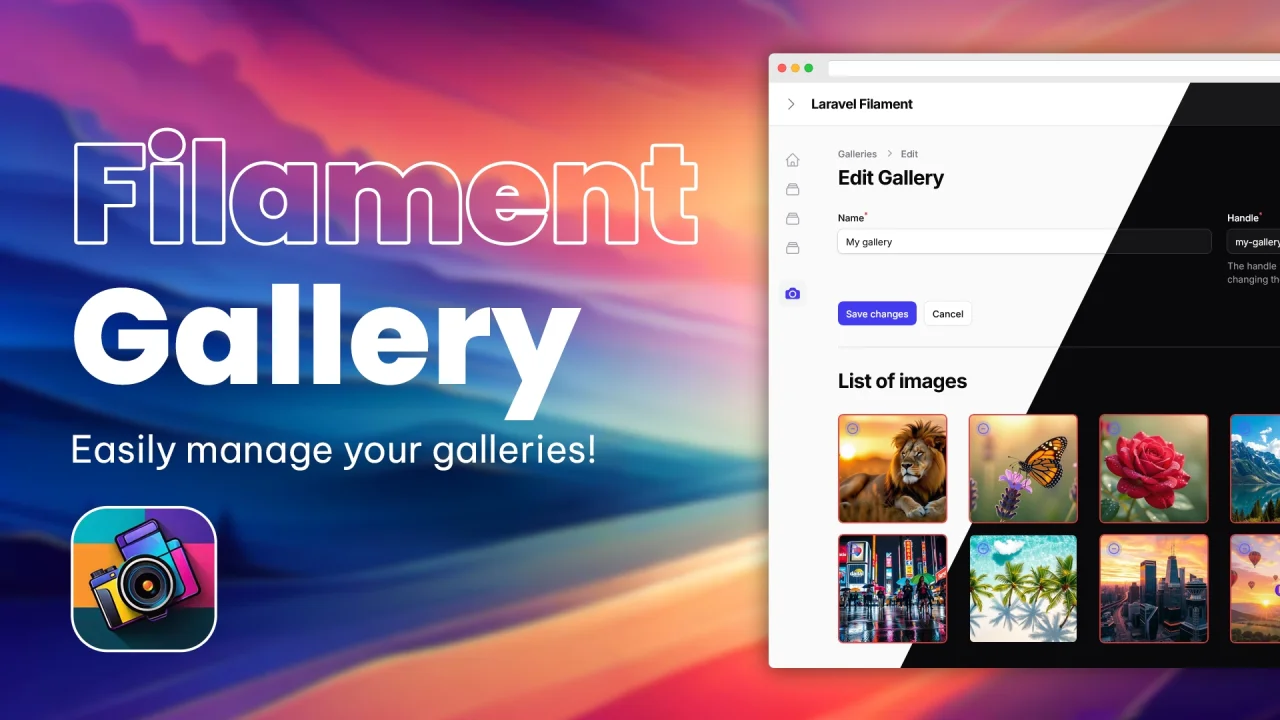
Gallery
Experience gallery management like never before with Filament. This feature-rich plugin offers many integration possibilities, ensuring a seamless fit into your application!
Author:
Grzegorz Adamczyk
Featured Plugins
A selection of plugins curated by the Filament team

Soft Theme
A theme that gives panels a warm, approachable look with rounded shapes, gentle colors, and serif headings.
 Filament

Advanced Tables (formerly Filter Sets)
Supercharge your tables with powerful features like user-customizable views, quick filters, multi-column sorting, advanced table searching, convenient view management, and more. Compatible with Resource Panel Tables, Relation Managers, Table Widgets, and Table Builder!
 Kenneth Sese

Custom Dashboards
Let your users build and share their own dashboards with a drag-and-drop interface. Define your data sources in PHP and let them do the rest.
Filament

