
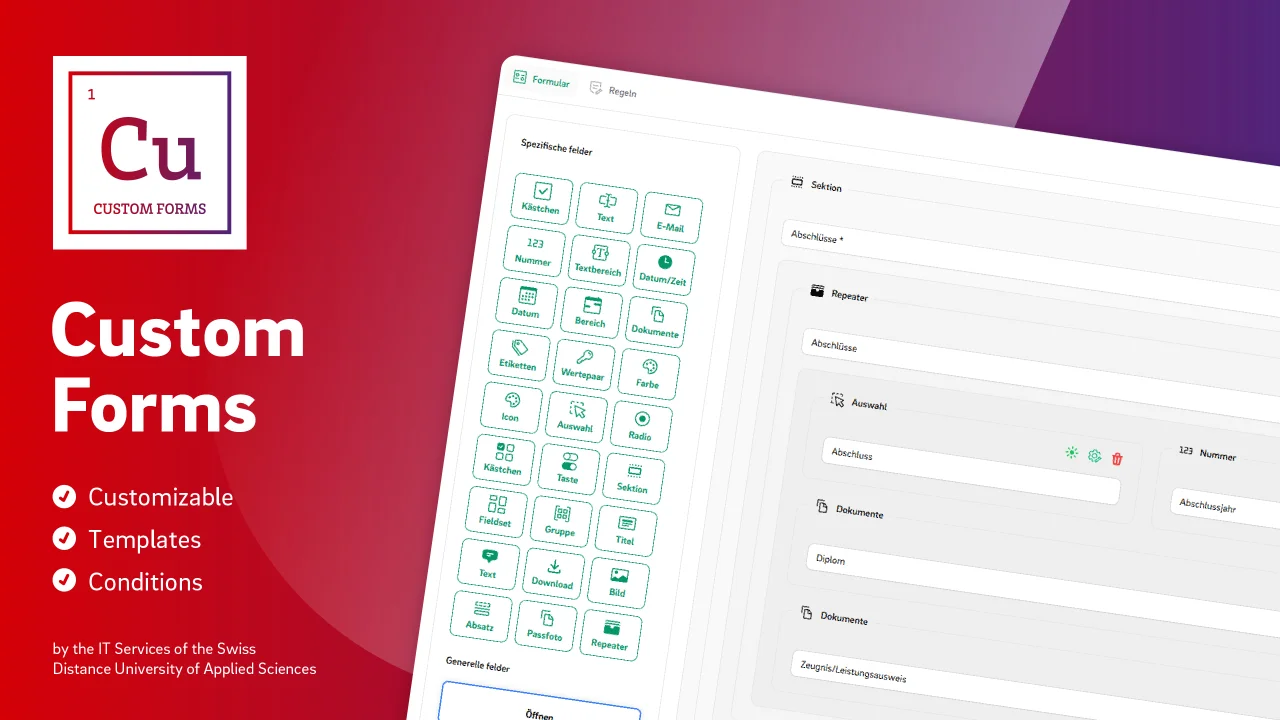
Custom Forms by FFHS IT
CommunityEasily build custom forms with conditional logic and smart rules—right within the UI!.
 Author:
FFHS IT
Author:
FFHS IT
Package health
Automated checks of this plugin's Composer package
15 checks
- Skipped: GitHub Actions pinned to SHA
- Skipped: GitLab CI includes pinned to SHA
- Passed: Open security advisories
- Passed: Dependabot PR responsiveness — No open Dependabot PRs.
- Skipped: Renovate MR responsiveness
- Failed: Dependabot or Renovate configured — No dependency updater configuration found. View details on Plumb
- Skipped: Dependency update cooldown configured
- Failed: Provides a security policy — View details on Plumb
- Passed: Abandoned or archived — No consulted source marks the package abandoned (packagist, github).
- Passed: Commit and release recency — Active: last commit 87 days ago; last release 87 days ago.
-
Passed:
composer.lock not committed by library
—
composer.lockis absent from the released dist archive. - Warning: Dist archive is lean
-
Warning:
Current Laravel version supported
—
Package does not co-install with current Laravel
13.0; the newest co-installable line is12.0, which receives security patches only (until 2027-02-24). -
Passed:
Current PHP version supported
—
Constraint
^8.2supports current PHP8.5. - Skipped: Current Symfony version supported
filament/
namespace. Review the source and install at your own risk. Found
malware or an unresolved security issue the author won't
address?
Report it
.
Documentation
- Features:
- Screenshots
- Installation
- Simple Usage
- Wiki
- Features explained
- Testing
- Postcards
- License
This plugin enables you to create and manage nested forms within FilamentPHP.
It provides a wide range of customizable form fields and supports behavioral rules and templates.


#Features:
- ✅ Multiple Form Types: Bind forms to different use cases (e.g. entities) through customizable form types.
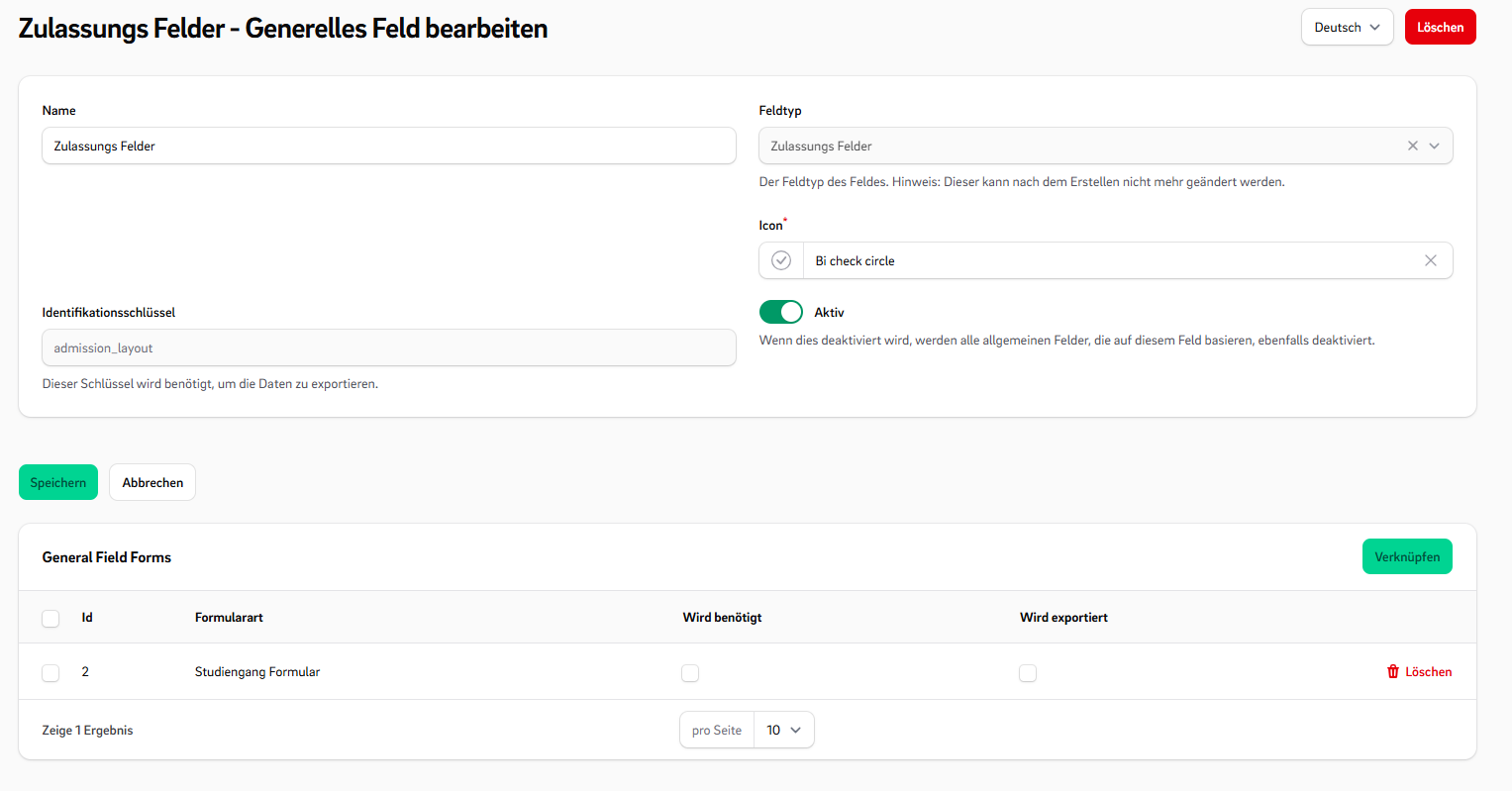
- 🧩 General Fields: Define general fields for exports and reusability across form types.
- 🛠 Configurable Field Types: Includes various fields like Repeaters to add additional inputs dynamically.
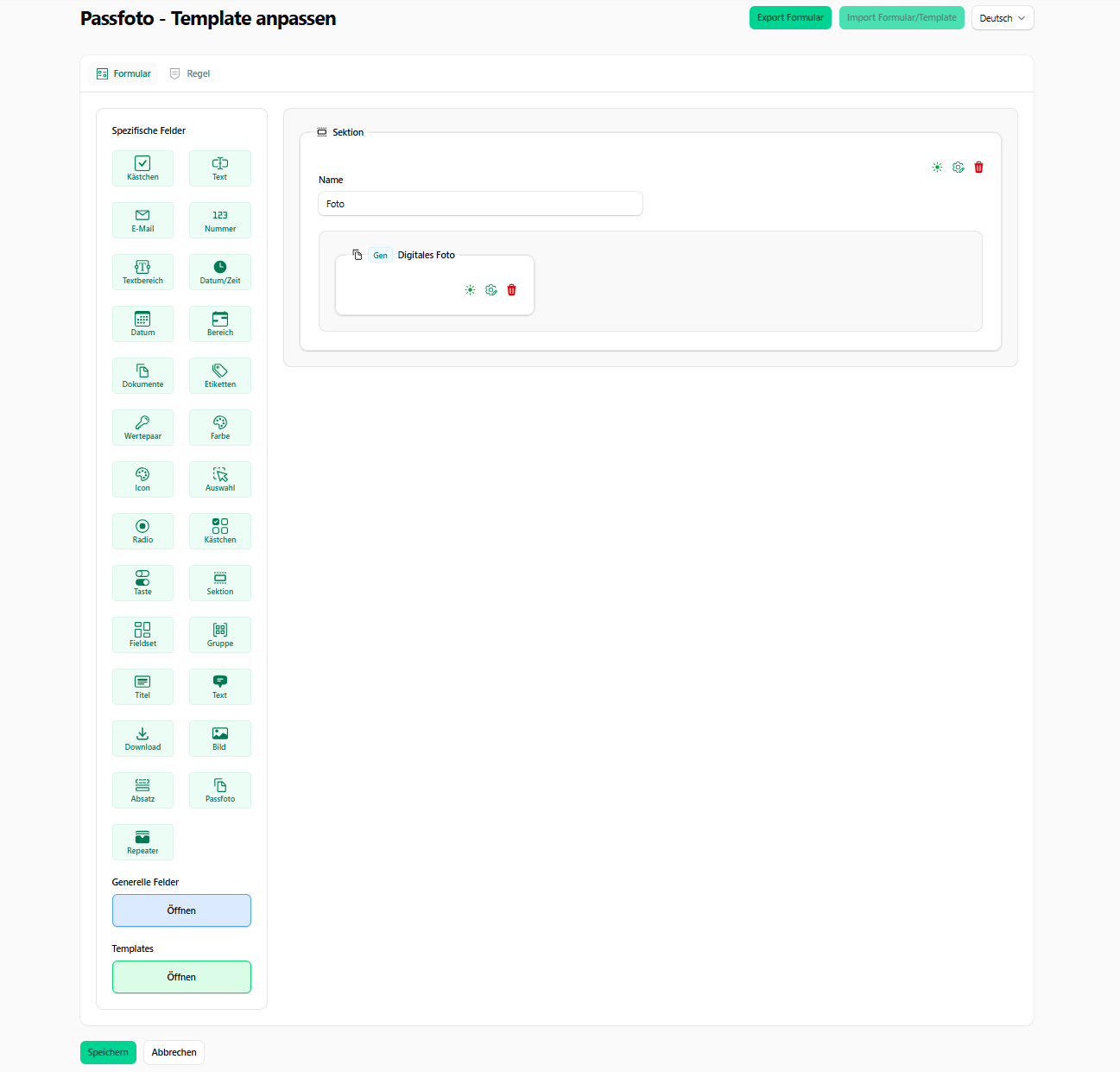
- 🤏 drag & drop Use an intuitive form builder.
- 🔁 Reactive Rules: Set up rules that react to answers by changing field visibility or modifying selectable options.
- 🌟 Prioritized Select Field: Use enhanced select fields with prioritized or sorted options.
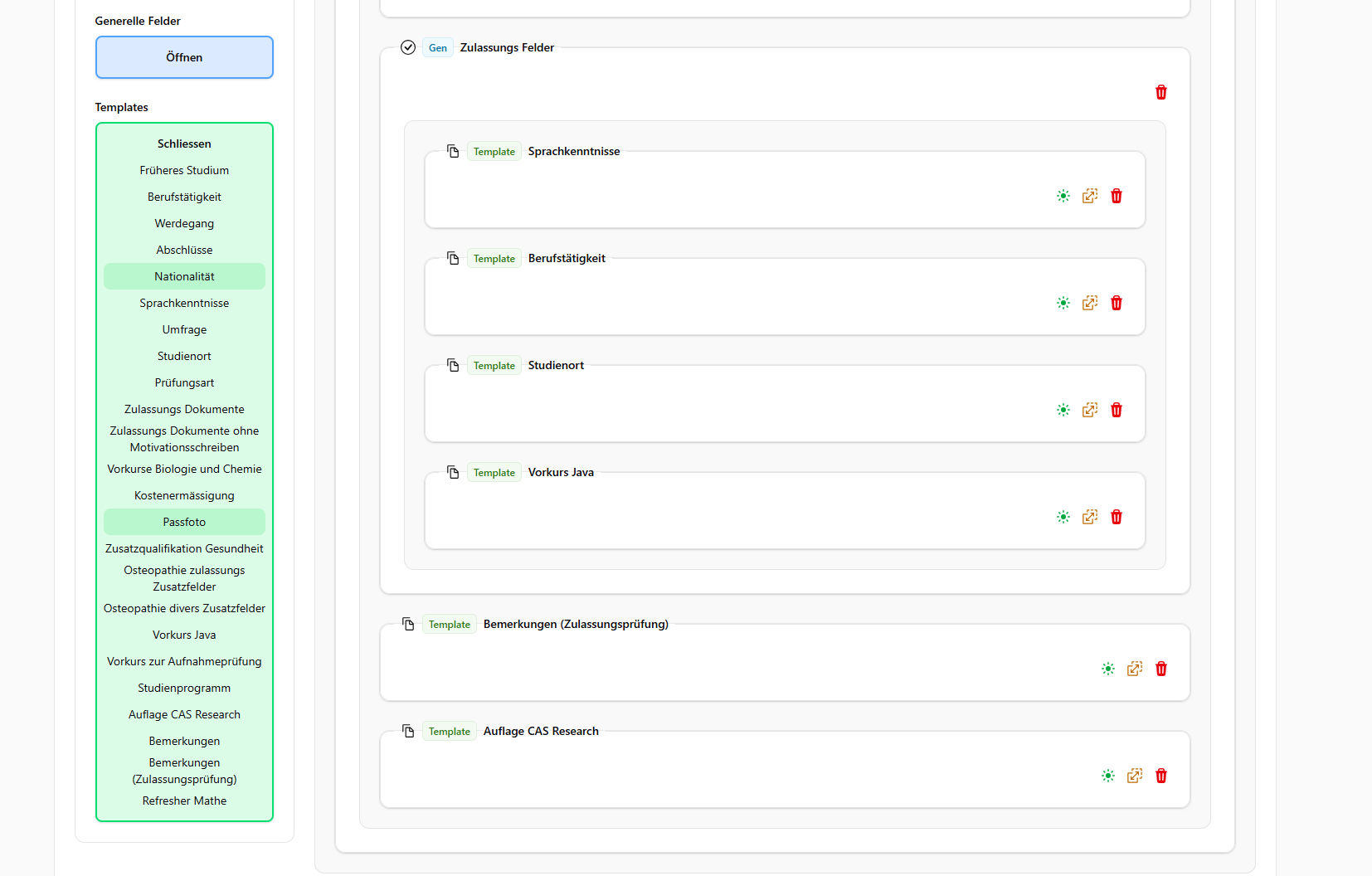
- 📄 Template Snippets: Create reusable form templates to maximize reusability.
- 🧱 Custom Components: Easily embed CustomForms into your application using Filament components.
- 👁️ Multiple View Modes: Switch rendering styles based on where the form is used.
- 🔧 Extensible Architecture: Everything is designed to be customizable, add your own fields, rules, and templates.
- ⬇️ Import/Export: You can import and export custom forms directly from the UI..
#Screenshots
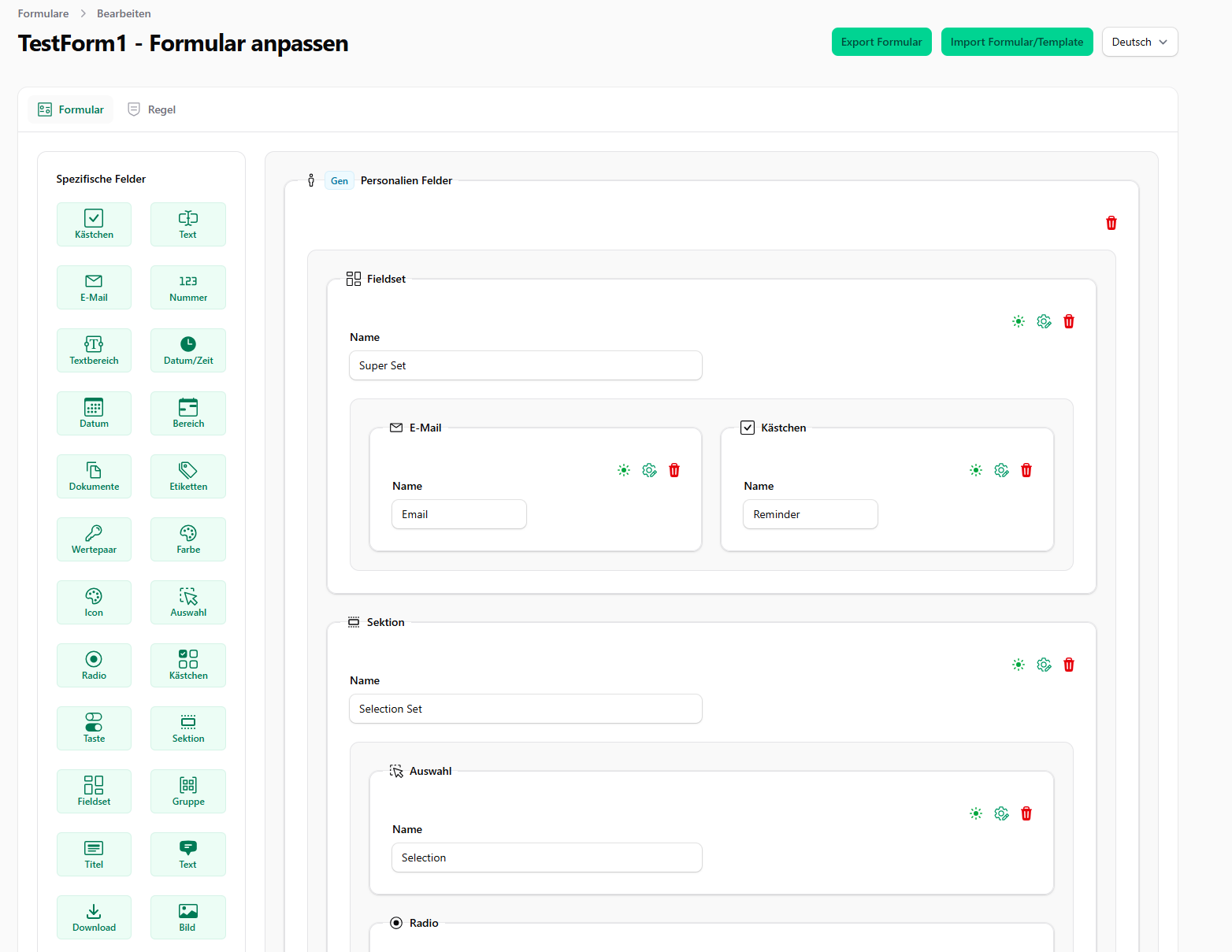
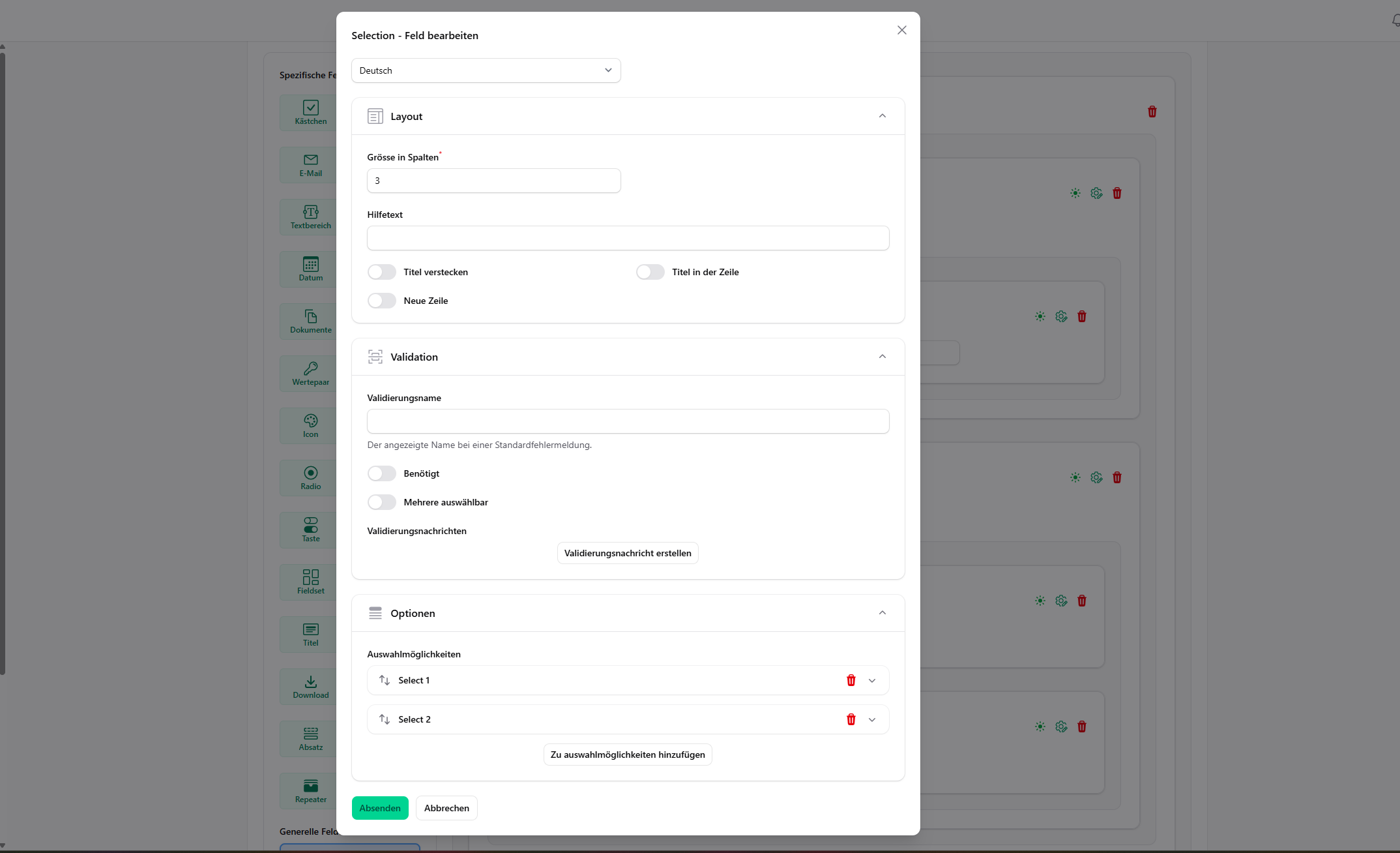
#Editor
#Templates
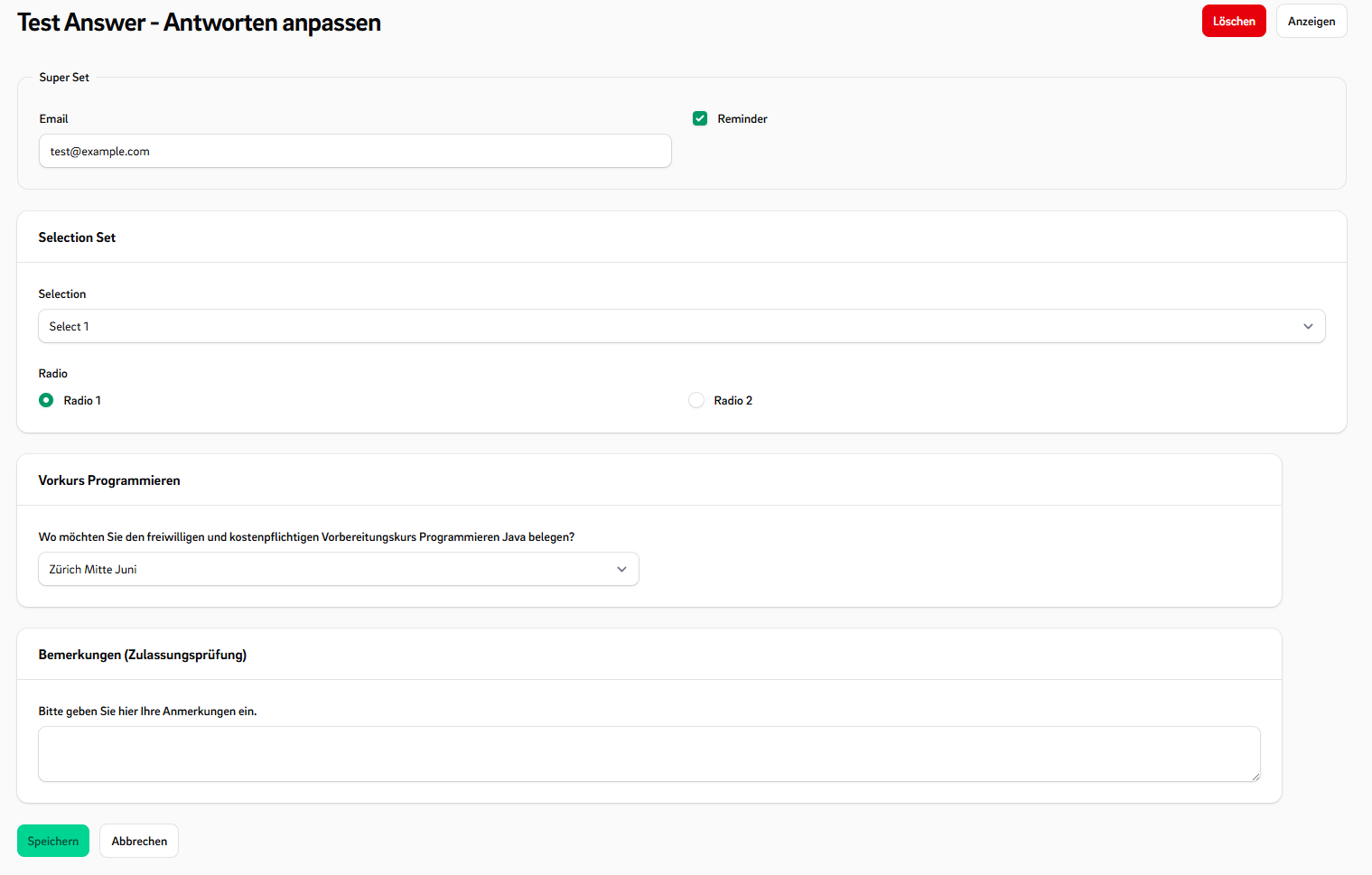
#Fill Form
#
#View Form
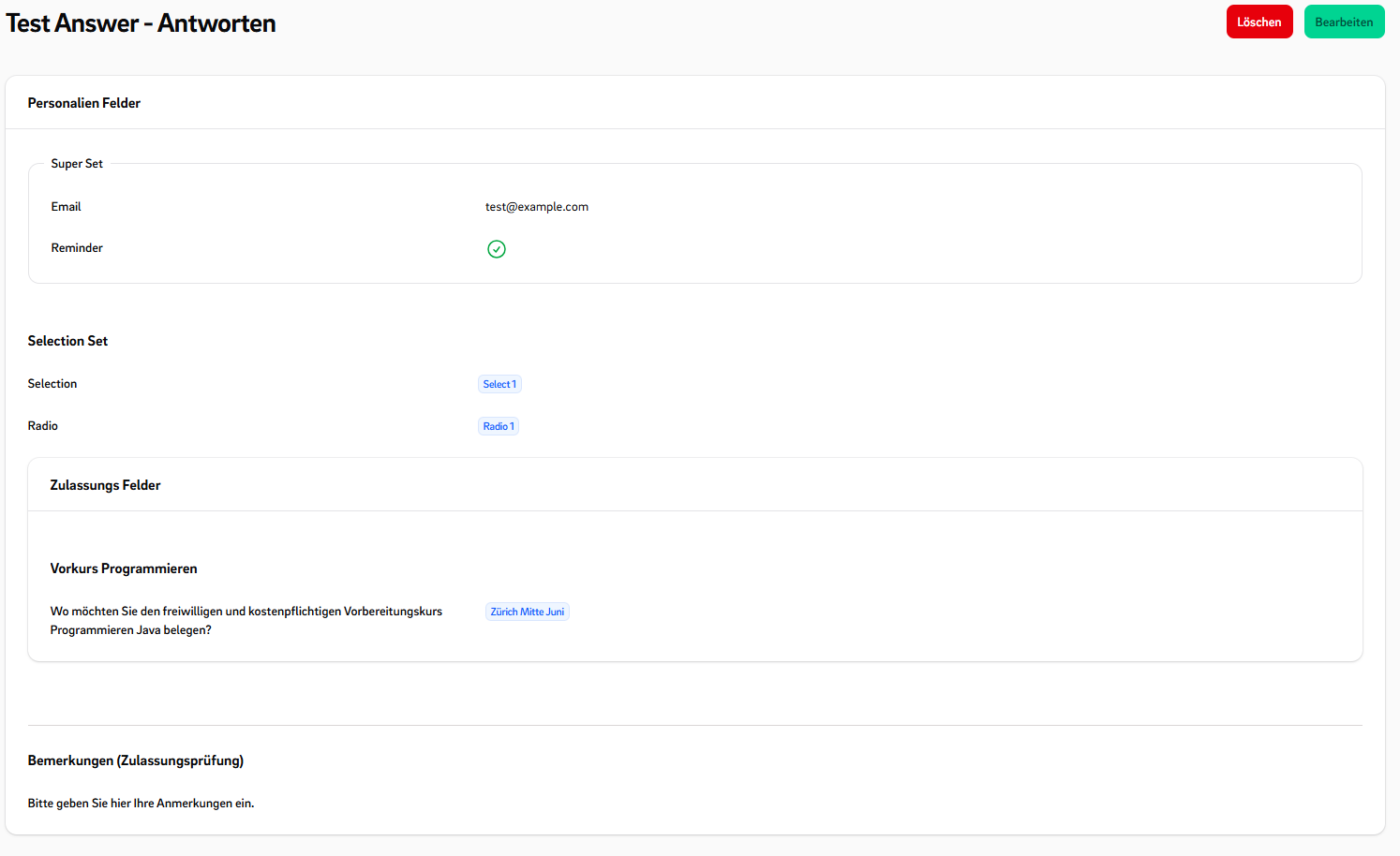
#Rule Editor
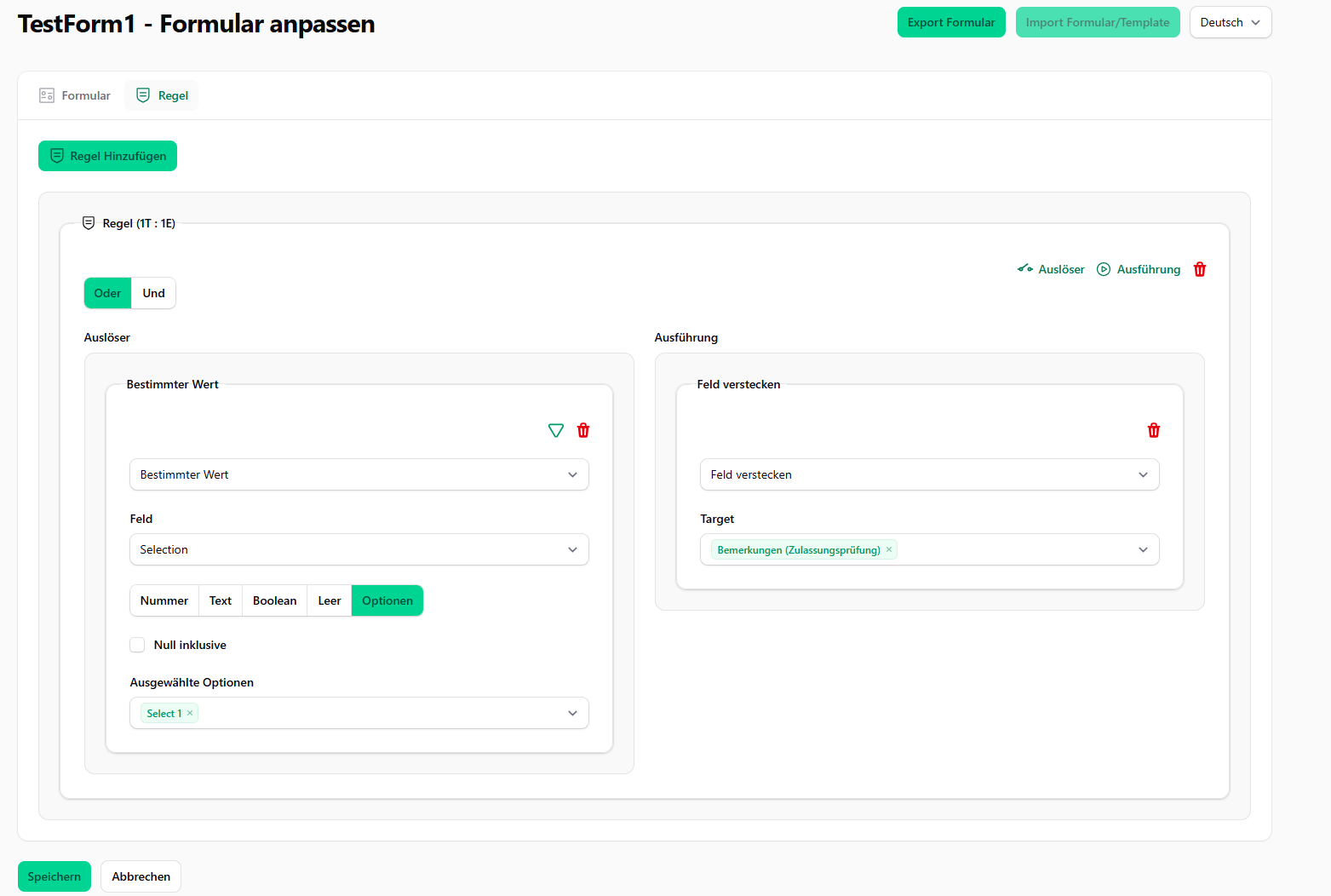
#General Fields
#Installation
- Install the package via composer:
composer require ffhs/filament-package_ffhs_custom_forms^2.0
- Publish and run the migrations:
php artisan vendor:publish --tag="filament-package_ffhs_custom_forms-migrations"
php artisan migrate
- Publish the config file with:
php artisan vendor:publish --tag="filament-package_ffhs_custom_forms-config"
- Optionally, you can publish the views using
php artisan vendor:publish --tag="filament-package_ffhs_custom_forms-views"
#Simple Usage
- Register the Plugin Add the plugin to your panel provider:
// App/Providers/Filament/xxPanelProvider

->plugins([CustomFormPlugin::make()])
Now you can try the Plugin in the Panel with the DefaultFormConfiguration.
#Wiki
I'm sorry, but the Github wiki is not yet complete.
#Features explained
#✅ Form Configurations (FormTypes)
You can create different FormTypes, each with its own set of available FieldTypes and required **GeneralFields
**.
This allows you to customize forms for different application scenarios.
For example, you might have custom forms for requests and custom forms for applications. Now you can create two
different FormTypes:
- One requires a general field for the study location
- The other does not include this field
This makes the form system flexible and reusable across various use cases.
#CustomFields
A CustomField consists of:
- A FieldType – Defines the type and logic of the field (e.g.
TextType,SelectType, etc.). - A set of Options – Configuration values such as placeholder text, min/max values, selectable choices, etc.
- A FieldTypeView – Which can change on a different ViewMode
#Predefined Field Types
#📥 Input Fields
TextType::classEmailType::classNumberType::classTextAreaType::classDateTimeType::classDateType::classDateRangeType::classFileUploadType::classCheckboxType::class
#🔘 Choice Fields
SelectType::classRadioType::classCheckboxListType::classToggleButtonsType::class
#✨ Special Fields
TagsType::classKeyValueType::classColorPickerType::classIconSelectType::class
#📐 Layout Components
SectionType::classFieldsetType::classGroupType::classTitleType::classTextLayoutType::classDownloadType::classImageLayoutType::classSpaceType::classRepeaterLayoutType::class
#TypeOptions
The TypeOptions are options components which can add to a field-type to modify the components.
The TypeOptions can automatically apply some effects if the
return $input = $this->makeComponent(TextInput::class, $record); is used in the TypeView.
#Predefined Type Option Classes
These classes define configurable TypeOptions used in CustomFormFields.
ActionLabelTypeOption.phpAllowedFileTypeOption.phpAlpineMaskOption.phpAmountOption.phpAsideOption.phpBooleanOption.phpColorTypeOption.phpColumnsOption.phpColumnSpanOption.phpDateFormatOption.phpDefaultAmountOption.phpDownloadable.phpFastTypeOption.phpGridLayoutOption.phpGroupedOption.phpHelperTextTypeOption.phpHiddenLabelOption.phpIconOption.phpImaginaryTypeOption.phpInLineLabelOption.phpInLineOption.phpMaxAmountOption.phpMaxLengthOption.phpMaxSelectOption.phpMaxValueOption.phpMinAmountOption.phpMinLengthOption.phpMinSelectOption.phpMinValueOption.phpMultipleOption.phpNewLineOption.phpOpenInNewTabOption.phpPreserveFilenamesOption.phpRelatedFieldOption.phpReorderableTypeOption.phpRequiredOption.phpSeveralOption.phpShowAsFieldsetOption.phpShowAsFieldsOption.phpShowImagesOption.phpShowInViewOption.phpShowLabelOption.phpShowLinkOption.phpSuggestionsOption.phpTextOption.phpValidationAttributeOption.phpValidationMessageOption.php
#Using TypeOptions in a CustomFieldType
You can add extra type options to your custom field by overriding extraTypeOptions() or generalTypeOptions():
// MyType.php
public function extraTypeOptions(): array  {
    return [
       'alpine_mask' => AlpineMaskOption::make()
           ->modifyDefault(fn($oldDefault) => '...'),
       'max_length' => MaxLengthOption::make()
           ->modifyOptionComponent(fn($component) => $component->columnStart(1)),
       'min_length' => MinLengthOption::make(),
    ];
}
- Each key represents the option name.
- The value is an instance of a
TypeOption, usually created via::make(). - You can customize how the option behaves using methods like
modifyDefault()ormodifyOptionComponent().
#Use FastTypeOption
FastTypeOption allows you to quickly add custom options directly in your FieldType and react to them in your
FieldTypeView.
//MyType.php
public function extraTypeOptions(): array  {
    return [
       'my_option' => FastTypeOption::makeFast(
           default: false,
           fn($name) => Toggle::make($name)
       )
    ];
}
// MyTypeView.php
$myOption = $this->getOptionParameter($record, 'my_option');

/** @var TextInput $input */
$input = $this->makeComponent(TextInput::class, $record);

if($myOption){
    $input->modify(...);
}

return $input
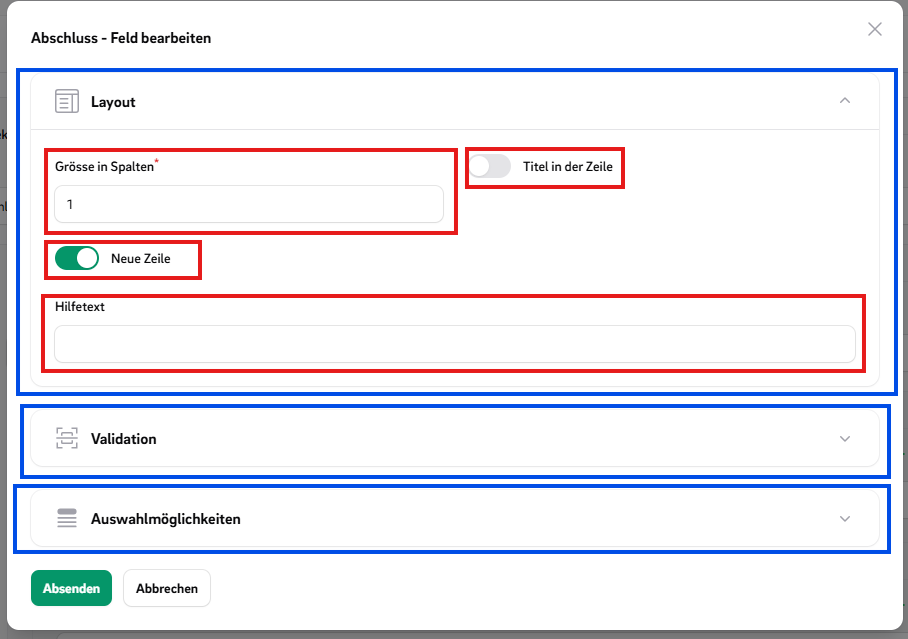
#OptionsGroups
OptionsGroups help organize multiple related TypeOptions into logical collections,
making your field configuration cleaner and easier to manage.
In the image TypeOptions are marked red and the OptionGroups are marked blue.
#How to use OptionGroups?
//MyType.php
public function extraTypeOptions(): array  {
    return [
        TypeOptionGroup::make('MyGroup', [
           'alpine_mask' => AlpineMaskOption::make(),
          'max_length' => MaxLengthOption::make(),
          'min_length' => MinLengthOption::make(),
       ]),
       ValidationTypeOptionGroup::make(),
        LayoutOptionGroup::make()
           ->mergeTypeOptions([
              'my_option' => MyTypeOption::make(),
          ])
          ->removeTypeOption('...'),
    ];
}
#Rules: Events and Triggers
Rules can be divided into events and triggers. Triggers cause events to be executed. A rule can consist of multiple
triggers that can be combined using 'AND' or 'OR' logic and can execute multiple events.
#Predefined Events
HideEventVisibleEventDisabledEventRequiredEventChangeOptionsEvent
#Predefined Triggers
IsInfolistTriggerValueEqualsRuleTriggerAlwaysRuleTrigger
#Embed CustomForms
You can embed CustomForms or their answers in various parts of your application using specialized components. Below
are
examples of usage patterns and customization options.
#Testing
./vendor/bin/testbench vendor:publish --tag="filament-package_ffhs_custom_forms-migrations"
./vendor/bin/testbench workbench:build
./vendor/bin/pest test
#Postcards
We highly appreciate you sending us a postcard.
You'll find our address on our page.
#License
The MIT License (MIT). Please see License File for more information.
The author
With over 25 years of experience in distance learning, we are Switzerland's leading e-university and an alternative for students who want to combine work, family, and study.
From the same author
Featured Plugins
A selection of plugins curated by the Filament team

Soft Theme
A theme that gives panels a warm, approachable look with rounded shapes, gentle colors, and serif headings.
 Filament

Custom Dashboards
Let your users build and share their own dashboards with a drag-and-drop interface. Define your data sources in PHP and let them do the rest.
Filament

Custom Fields
Eliminate custom field migrations forever. Let your users create and manage form fields directly in Filament admin panels with 20+ built-in field types, validation, and zero database changes.
 Relaticle

